当前位置:网站首页>虚拟机中用户和root忘记密码解决办法
虚拟机中用户和root忘记密码解决办法
2022-06-12 15:15:00 【Stars_min】
!!!版本不一样操作也许也不一样,不过大致流程就这样,建议先快照,在进行修改密码,防止系统出问题
1. Ubuntu中忘记密码
1.1 root修改密码
1.1.1 重启Ubuntu,长按shift进入grub菜单,选择recovery mode点击回车:

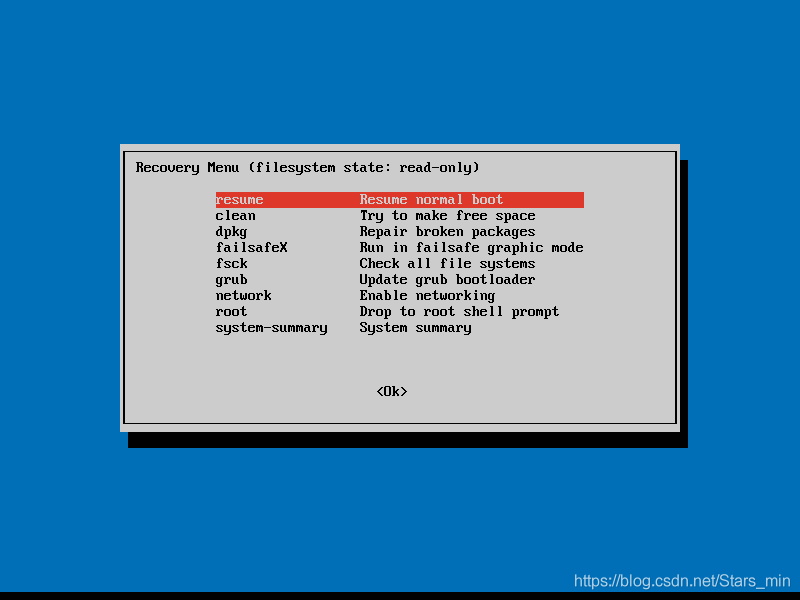
1.1.2 进入"Recovery Menu"页面,选择"root Drop to root shell prompt",点击回车
1.1.3 出现 “[email protected]:~#” 标识
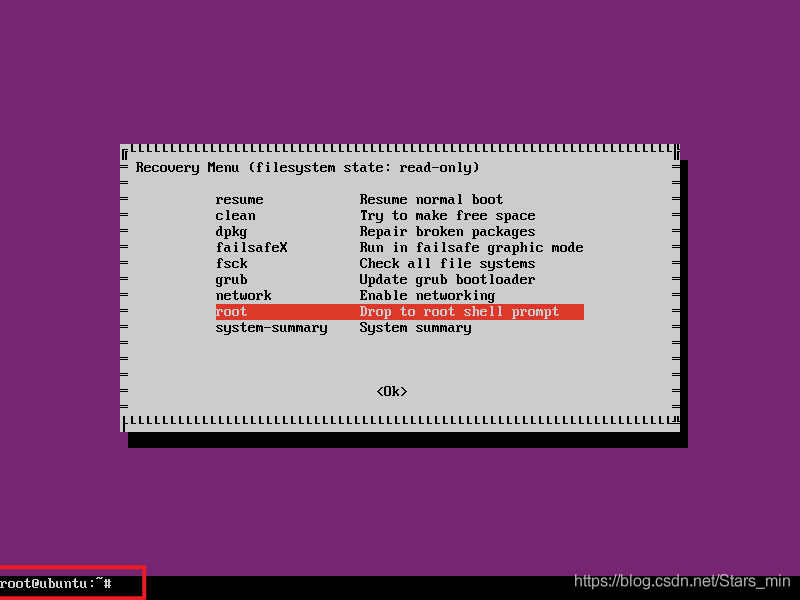
1.1.4 输入passwd,对root进行修改密码

这个问题必须使用"mount -o rw,remount /" 命令来解决
1.2 普通用户修改密码
1.2.1 重启Ubuntu,长按shift进入grub菜单,选择recovery mode,按e进行编辑,切记不要回车
1.2.2 在出现的界面中,找到 ro recovery nomodeset 替换为 rw single init=/bin/bash


1.2.3 按ctrl+x进入
1.2.4 输入passwd + [用户名] 进行修改密码,有successfully提示证明修改密码成功

2. Centos 6 中忘记密码
2.1 在开机启动后,迅速点击 e ,会进入以下界面

2.2 再次点击 e ,选择第二项(以kernel开头),再次点击 e ,进入编辑页面


2.3 在编辑页面最后一行加 1 或者 single ,回车确认

2.4 操作完上一步,界面又回到第二步,这次按 b ,进入引导系统
2.5 在 # 后面输入 passwd root ,重新设置root密码,输入新密码后出现successfully,证明修改成功,重启系统,用新密码登录就OK了
边栏推荐
- 交换数字,异或求单,操作符相关
- 结构体示例
- JUnit exception, a method that asserts that the exception information is not empty
- 解决log4j2漏洞遭到挖矿、僵尸进程病毒攻击
- Autofac (2)
- Solve log4j2 vulnerability and be attacked by mining and zombie process viruses
- 學習是一件逆人性的事情(成為高手的內功心法)
- Notes on ARM 64 instructions
- Leetcode daily question - fair candy bar exchange
- idea 拉取分支代码
猜你喜欢

Scala download and idea installation of scala plug-ins (nanny level tutorial is super detailed)

应势而变,2022年下半场的升级之路

3D reconstruction system | L3 dual view motion recovery structure (SFM binocular SFM)

交换数字,异或求单,操作符相关

C data type

Pta: self test -3 array element cyclic right shift problem (20 points)
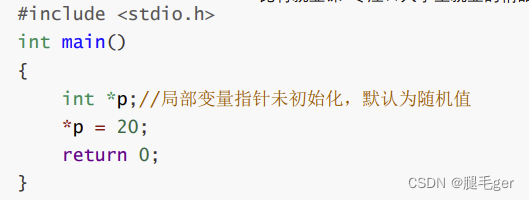
野指针理解

Understanding of Odom coordinate system

Solve log4j2 vulnerability and be attacked by mining and zombie process viruses

粒子滤波学习记录
随机推荐
ROS 中 boost::bind( ) 的使用
Pta: self test -3 array element cyclic right shift problem (20 points)
C 数据类型
tc菜单分割
Industrial end: a new battlefield of 618
【无标题】
ADSL
交换数字,异或求单,操作符相关
Some useful websites
C data type
[spark][core] what is an external shuffle service?
Deepin20.6 RTX3080 安裝顯卡驅動510.60.02、CUDA11.6、PyTorch1.11
Pointer related concepts
Error 1105: message:\“raft entry is too large
Seaborn的简述
Structure example
MH32F103ARPT6软硬件兼容替代STM32F103RCT6
Leetcode daily question - fair candy bar exchange
odom坐标系的理解
Common assertions in JUnit testing