当前位置:网站首页>Matlab r2021b installing libsvm
Matlab r2021b installing libsvm
2022-07-08 01:49:00 【dgdqqxxx】
MATLAB R2021b install libsvm
Preface
processor :AMD Ryzen 9 5950X 16-Core Processor 3.40 GHz
operating system :Windows 10 pro
Version number :21H1
Internal version :19043.1645
MATLAB edition :2021b
One 、 Download and install libsvm
1、 download libsvm
libsvm Official website :https://www.csie.ntu.edu.tw/~cjlin/libsvm

I clicked the first two download links and didn't respond , Last of all github Connect downloaded
2、 decompression libsvm
Unzip the downloaded compressed package and copy it to MATLAB Installation directory toolbox Next 
3、 Set up MATLAB route

Click Add and include subfolders , Choose the libsvm-master Folder , Click OK to automatically add the following subfolders 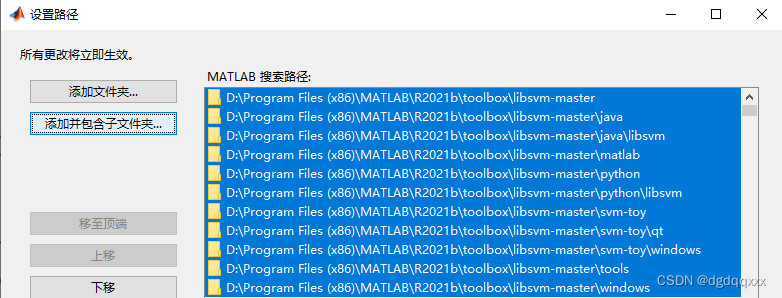
4、 Possible problems with compilation
stay matlab Enter... On the command line mex -setup -v Check the compiler in your computer 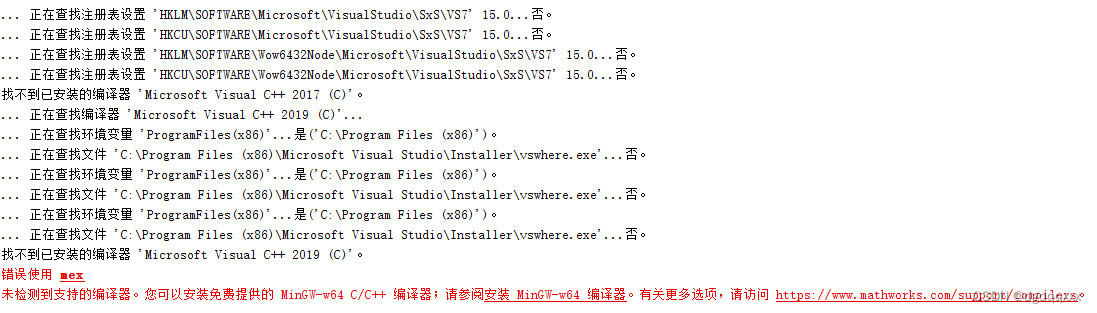
There was nothing
According to humble blog :https://blog.csdn.net/github_35807147/article/details/80725642
Install to MinGW64 Compiler (C++) For example :
1. First download and install TDM-GCC:
http://tdm-gcc.tdragon.net/download
2. It's better to install it in C Under the root directory , There should be no spaces in the directory , During installation, check Add to PATH, You don't need to configure environment variables later 
3. stay MATLAB In the command line of :
setenv(‘MW_MINGW64_LOC’,‘C:\TDM-GCC-64’)
Then run the previous sentence
mex -setup -v
You can see the results in the figure below , Compilers already exist 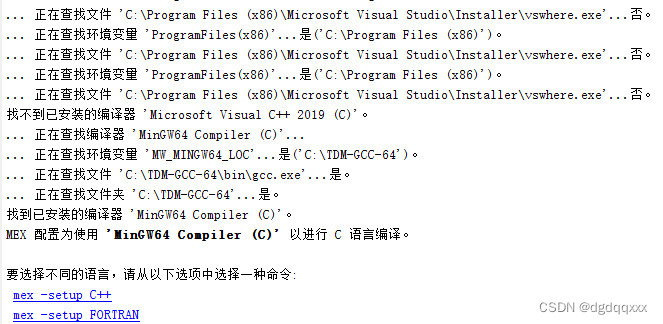
5、 compile
take MATLAB Switch the current folder of to libsvm-master/matlab Catalog :
Input make And run 
There are many warnings, but there are also four more files , It should be compiled successfully
Two 、 test
take Libsvm-master Test data set under folder heart_scale Copied to the Libsvm\matlab Next , Subsequent operations will be carried out under this folder , At the same time MATLAB The working path goes to the file
Then input :
[heart_scale_label,heart_scale_inst]=libsvmread('heart_scale');

model = svmtrain(heart_scale_label,heart_scale_inst) ;

[predict_label,accuracy,dec_values] = svmpredict(heart_scale_label,heart_scale_inst,model);
The results are as follows , The installation should have been successful 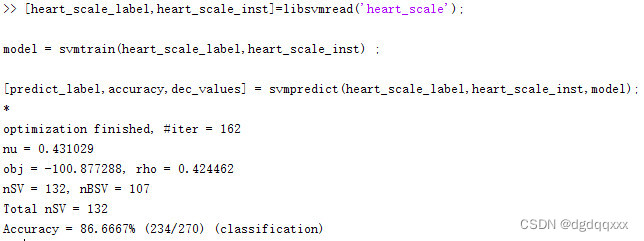
3、 ... and 、 Use tips
1、libsvm Standard format conversion tool
libsvm The data set format of is :
label 1: The eigenvalue 1 2: The eigenvalue 2…
Can use excel Realize standard format conversion , Baidu network disk link is as follows :
http://pan.baidu.com/s/1eSKebYU
DADADA Flying an airplane DATA Short book address of :LIBSVM And svm-train
excel Click menu bar view , macro —— View macro 
Click on FormatDataFromLibsvm, perform , The data will be converted into the format of the label in the last column , As shown in the figure below :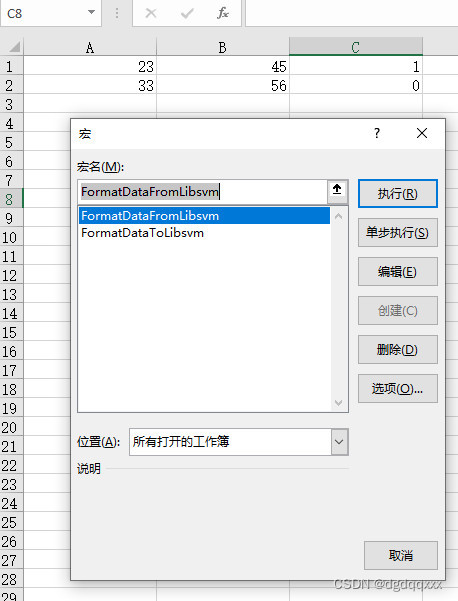
Click on FormatDataToLibsvm Will convert the data into libsvm Standard format , As shown in the figure below :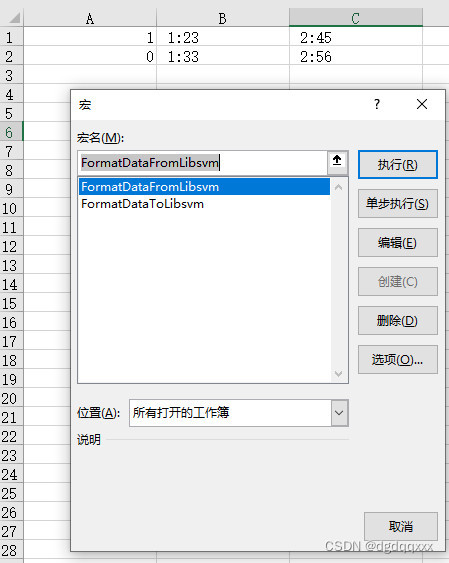
After conversion, you can convert excel Save the contents of as txt file (excel There are two ways to save as txt Format , Text files are recommended ( System table segmentation ))
2、 Data normalization
SVM It is sensitive to data size , Generally, we need to normalize the features first , Such as shrinking to (0,1) Section , stay libsvm-3.23\windows Folder has one svm-scale.exe Implementation procedure of , The exe Double click file cannot be used . Need to be in windows cmd Running in ( Hold down windows+R, Input cmd that will do )
Will convert the good txt Copy the text to the directory , take cmd Adjust the inner path to this folder ( You can drag the folder directly cmd, Manual input too xxx It's long );
Also available at windows Press and hold under folder shift, Right click , Open here powershell window , Then the path is automatically in the current directory :
Input .\svm-scale.exe .\a.txt > a1.txt
There are spaces before and after the greater than sign 
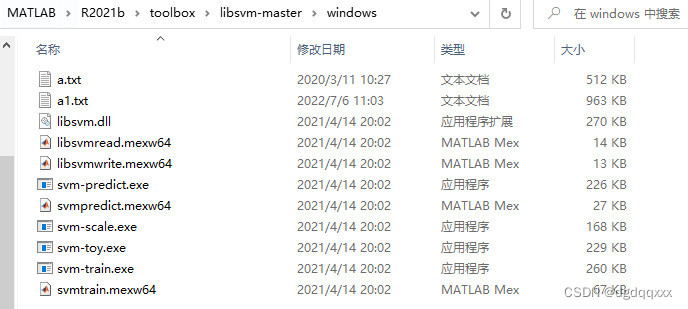

It can be seen that the default is normalized to (0,1) Section
3、 Training and forecasting
Normalize the good a1.txt File copy to libsvm-3.23\matlab Under the table of contents :
[lable,im]=libsvmread('a1.txt');                                                    % Read the file
model=svmtrain(lable(1:8754),im(1:8754,:),'-s 4 -t 2 -c 1 -g 0.125');               % Training ( common 12505 Samples , Before the election 70% As a training set , namely 8754)
[prelabel,accuracy,decision_values]=svmpredict(lable(8755:12505),im(8755:12505,:),model); % forecast ( after 30% As test set , namely 8755-12505 strip )
The above is svm Simple use
4、 Find the best parameters
Need to install python and gnuplot; my python The version is 3.10;gnuplot Download the latest version gp543-win64-mingw.exe
gnuplot Official website address : http://www.gnuplot.info/ ( It's a tool for drawing , draw c and g Graph of automatic parameter seeking , The next installation is OK by default , After installation, check and easy.py Lidi 25 Whether the call path of the line is consistent )
Official website :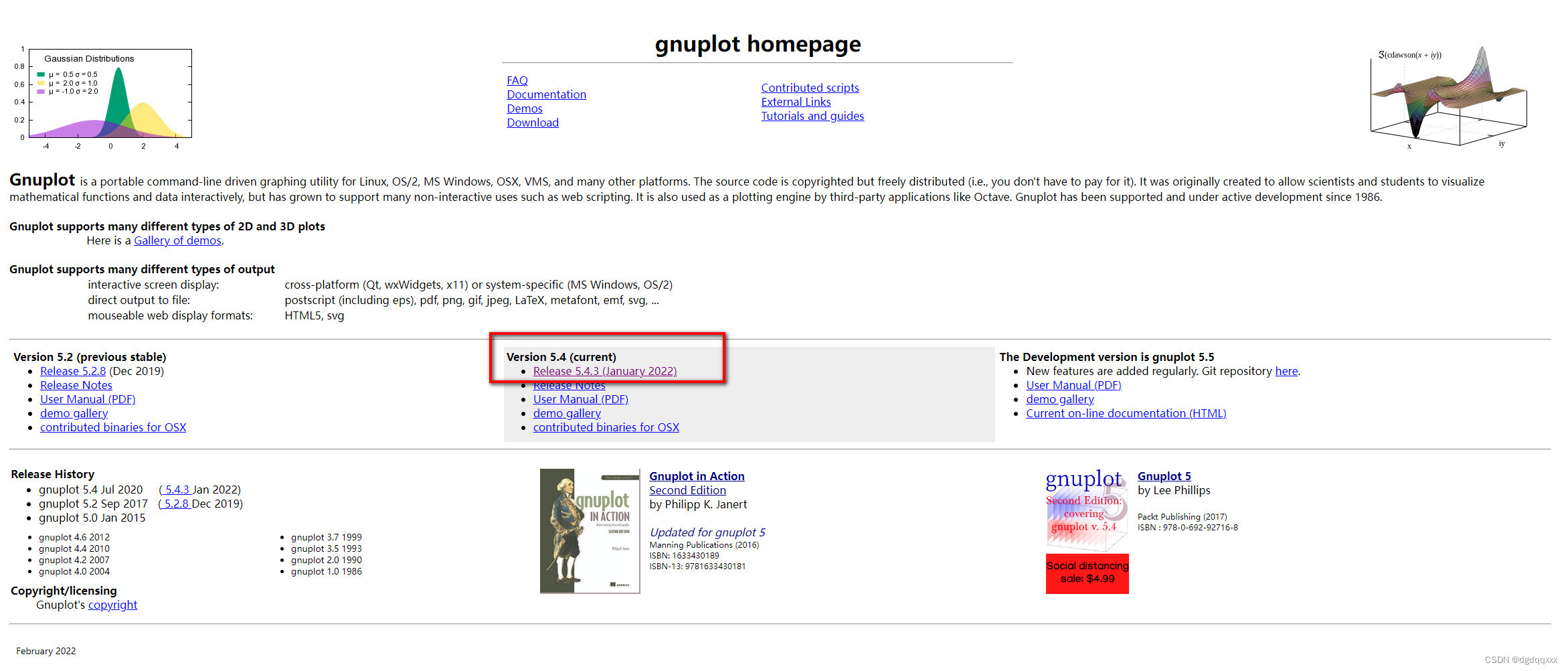
download :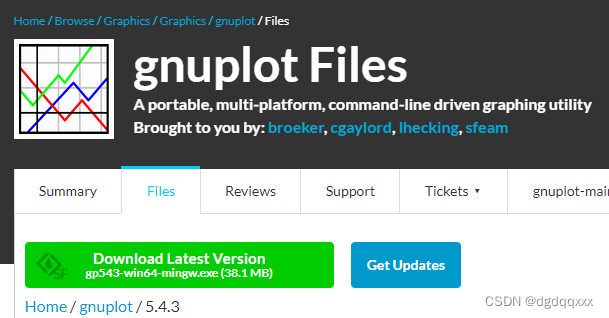
Check whether the installation path is consistent 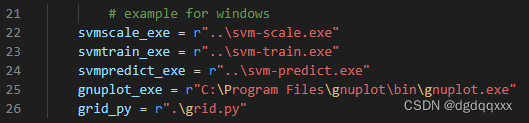
Open the command line , Input
python .\easy.py .\train.txt .\test.txt
train.txt and test.txt Training sets and test sets are stored separately ,easy.py Followed by the original test set and training set , I will normalize myself ; Running it will automatically call svmscale.exe grid.py svmtrain.exe svmpredict.exe , One simple step ; Will be output bestc and bestg and accuracy etc. 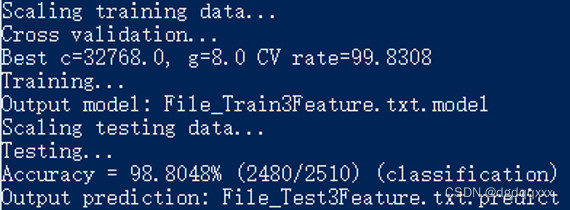
It will open automatically gnuplot drawing , Lycra , Close yourself after painting , Generate some intermediate files, as shown in the figure below .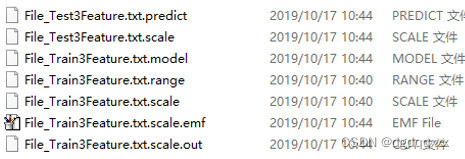
The process of finding the best parameters is shown in the figure below :
Reference resources
MATLAB libsvm Installation and use
MATLAB Installation configuration libsvm( attach MinGW64 To configure )
LIBSVM And svm-train
边栏推荐
- 城市土地利用分布数据/城市功能区划分布数据/城市poi感兴趣点/植被类型分布
- Break algorithm --- map
- 子矩阵的和
- Plot function drawing of MATLAB
- 什么样的MES系统才是好系统
- 快手小程序担保支付php源码封装
- 不算不知道,花呗分期的真实利率居然这么高
- 用户之声 | 对于GBase 8a数据库学习的感悟
- How does Matplotlib generate multiple pictures in turn & only save these pictures without displaying them in the compiler
- Js中forEach map无法跳出循环问题以及forEach会不会修改原数组
猜你喜欢
滑环使用如何固定
Leetcode exercise - Sword finger offer 36 Binary search tree and bidirectional linked list

Voice of users | understanding of gbase 8A database learning
【SolidWorks】修改工程图格式
图解网络:揭开TCP四次挥手背后的原理,结合男女朋友分手的例子,通俗易懂
About snake equation (2)
Version 2.0 of tapdata, the open source live data platform, has been released

给刚入门或者准备转行网络工程师的朋友一些建议
Sum of submatrix
【目标跟踪】|DiMP: Learning Discriminative Model Prediction for Tracking
随机推荐
DataWorks值班表
滑环使用如何固定
How mysql/mariadb generates core files
cv2-drawline
What kind of MES system is a good system
如果时间是条河
Kafka connect synchronizes Kafka data to MySQL
Introduction to natural language processing (NLP) based on transformers
Get familiar with XML parsing quickly
Codeforces Round #649 (Div. 2)——A. XXXXX
How does Matplotlib and PIL image integrate and save multiple pictures into one picture
COMSOL----微阻梁模型的搭建---最终的温度分布和变形情况---材料的添加
Tapdata 的 2.0 版 ,开源的 Live Data Platform 现已发布
跨模态语义关联对齐检索-图像文本匹配(Image-Text Matching)
How to fix the slip ring
Redisson分布式锁解锁异常
Is it safe to open an account on your mobile phone for small amount of stock speculation?
什么样的MES系统才是好系统
PHP 计算个人所得税
Introduction to grpc for cloud native application development