当前位置:网站首页>[express receives get, post, and route request parameters]
[express receives get, post, and route request parameters]
2022-07-26 16:46:00 【꒰ঌsnail໒꒱】
Catalog
Preface :
Use native Node.js Handle GET and POST Requesting parameters is very cumbersome , for example , In order to obtain GET Request parameters , Need to use url The module parses the request address . In order to reduce the difficulty of development ,Express adopt req.query、req.body And the Three party modules body-parser The request parameters are processed . Let's learn about Express How to receive request parameters .
Review previous knowledge , stay webstorm establish express project ( Project name :express-params)
First step :

The second step :
The third step :

Step four : function
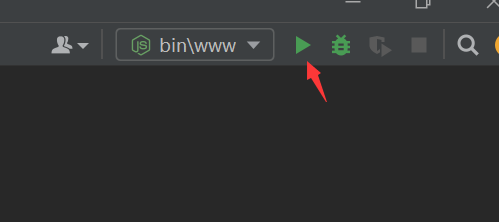
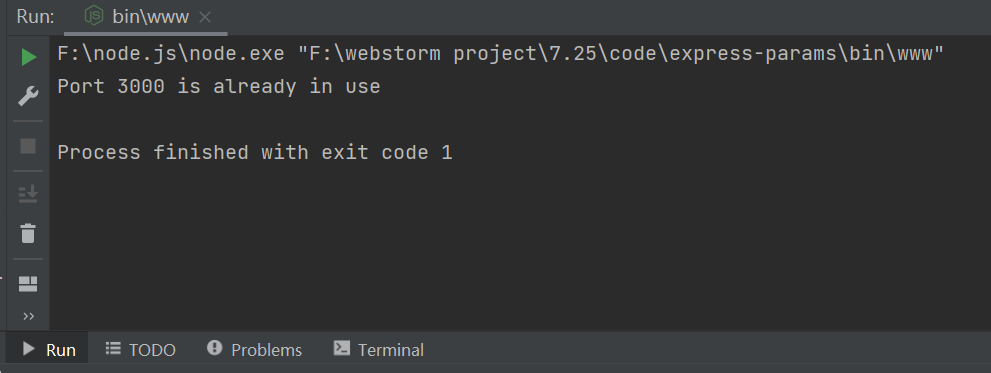
Step five : Check whether the server is already 3000 Successfully run on port :
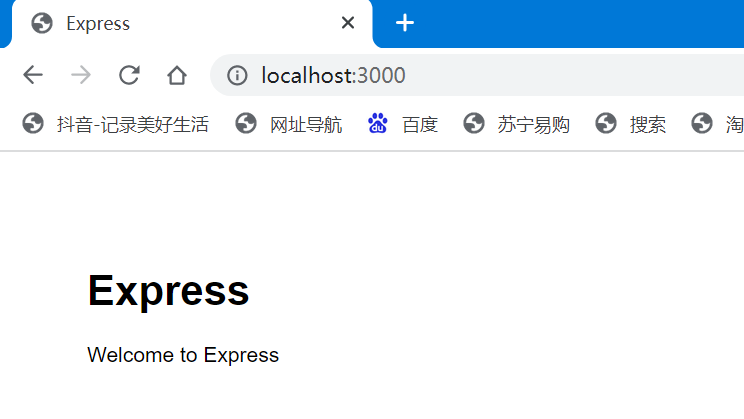 The above interface appears , Indicates that... Was successfully created .
One 、Express Receive request parameters
1、 receive get Request parameters : Use req.query receive
req.query. Parameter name
First : Create route  Name it :getparams.js
var express =require('express')
var router=express.Router()

// establish get Request processing code ,get middleware
//http://localhost:3000/params/gets
router.get('/gets',((req, res) =>{

    // adopt req.query receive Get Requested parameters
    res.send(req.query)
    console.log(' full name :'+req.query.userName)
    console.log(' Age :'+req.query.userPwd)
} ))

module.exports =router
secondly : To configure app.js
var getparamsRouter=require('./routes/getparams');
app.use('/params',getparamsRouter);
then : stay postman Debug the software 
Last : Access on the client browser

2、 receive post Request parameters : Use req.body receive
req.body. Parameter name
getparams.js:
var express =require('express')
var router=express.Router()

// establish post Request processing code ,post middleware
//http://localhost:3000/params/posts
router.post('/posts',(req, res) => {

    res.send(req.body)
    console.log(' full name :'+req.body.userName)
    console.log(' Age :'+req.body.userPwd)

})
module.exports =router
stay postman Software debugging :

The following message appears , Table name request succeeded : Verify the request on the client :
Create a login page login.html:
<!DOCTYPE html>
<html lang="en">
<head>
<meta charset="UTF-8">
<meta http-equiv="X-UA-Compatible" content="IE=edge">
<meta name="viewport" content="width=device-width, initial-scale=1.0">
<title>Document</title>
</head>
<style> div{
width: 300px; margin: 100px 600px 500px 400px; } </style>
<body>
<div>
<form action="http://localhost:3000/params/posts" method="post">
<label>
user name :<input type="text" name="userName">
</label>
<br><br>
<label>
The secret code :<input type="password" name="userPwd">
</label>
<br><br>
<button type="submit"> Sign in </button>
</form>
</div>
</body>
</html>

enter one user name , And password , Click login , Jump successful :

3、 Receive route parameters : When defining routes , Parameters passed in the request path
for example : Request path “/find/:id” Medium “:id” Is a parameter placeholder ,
When the browser to “/find/:id” Address when sending a request ,“:id” The corresponding value is the parameter value .
When receiving parameters , Use req.params
getparams.js:
var express =require('express')
var router=express.Router()

//http://localhost:8000/params/find/123/ Xi'an
    router.get('/find/:id/:addr',((req, res) =>{

        // adopt req.query receive Get Requested parameters
        res.send(req.params)
        console.log(' Routing parameters :'+req.params.id)
        console.log(' Routing parameters :'+req.params.addr)

    } ))
module.exports =router
stay postman Software debugging :
边栏推荐
- 导数、微分、偏导数、全微分、方向导数、梯度的定义与关系
- TensorFlow Lite源码解析
- Alibaba side: analysis of ten classic interview questions
- About the idea plug-in I wrote that can generate service and mapper with one click (with source code)
- How can win11 system be reinstalled with one click?
- Marketing guide | several common micro blog marketing methods
- MySQL lock mechanism (example)
- 【Flutter -- 进阶】打包
- Marxan模型保护区优化与保护空缺甄选技术、InVEST生态系统中的应用
- 如何借助自动化工具落地DevOps|含低代码与DevOps应用实践
猜你喜欢

NUC 11构建 ESXi 7.0.3f安装网卡驱动-V2(2022年7月升级版)

Win11系统如何一键进行重装?

Alibaba Cloud Toolkit —— 项目一键部署工具
匿名方法和lambda表达式使用的区别

【开发教程8】疯壳·开源蓝牙心率防水运动手环-三轴计步伐

Oracle创建表分区后,查询的时候不给出partition,但是会给分区字段指定的值,会不会自动按照分区查询?
It turns out that cappuccino information security association does this. Let's have a look.

综合设计一个OPPE主页--布局与初始化

How does win11 automatically clean the recycle bin?
DTS is equipped with a new self-developed kernel, which breaks through the key technology of the three center architecture of the two places Tencent cloud database

随机推荐
Linux安装mysql8.0.29详细教程
About the idea plug-in I wrote that can generate service and mapper with one click (with source code)
The Ministry of Public Security issued a traffic safety warning for summer tourism passenger transport: hold the steering wheel and tighten the safety string
ES:Compressor detection can only be called on some xcontent bytes or compressed xcontent bytes
综合设计一个OPPE主页--布局与初始化
How to balance open utilization and privacy security compliance of public data?
2022 software testing skills postman+newman+jenkins continuous integration practical tutorial
“青出于蓝胜于蓝”,为何藏宝计划(TPC)是持币生息最后的一朵白莲花
Response对象-响应字符数据
Use verdaccio to build your own NPM private library
Comprehensively design an oppe homepage -- the design of the top and head
Thinkphp历史漏洞复现
结构体和类使用的区别
Set up typera drawing bed
The difference between anonymous methods and lambda expressions
Difference between C event and delegation
研发效能的道与术 - 道篇
操作系统迁移实战之在openEuler上部署MySQL数据库
Guetzli simple to use
Threads and processes