当前位置:网站首页>Digital twin: third person mouse operation
Digital twin: third person mouse operation
2022-06-10 22:38:00 【xosg】
Recently, we have made out of the box UE5 Mouse components , Copy directly into a file , Then drag it to the scene , You can use it , You can control the translation of the camera 、 rotate 、 The zoom , See the following for details demo.
Usage method :
Copy Third-Person.uasset To the project directory ( Bailai KB)
Drag and drop Third-Person To the initial position in the scene
adjustment Target Arm Length To the appropriate arm length ( Optional )
Start the game
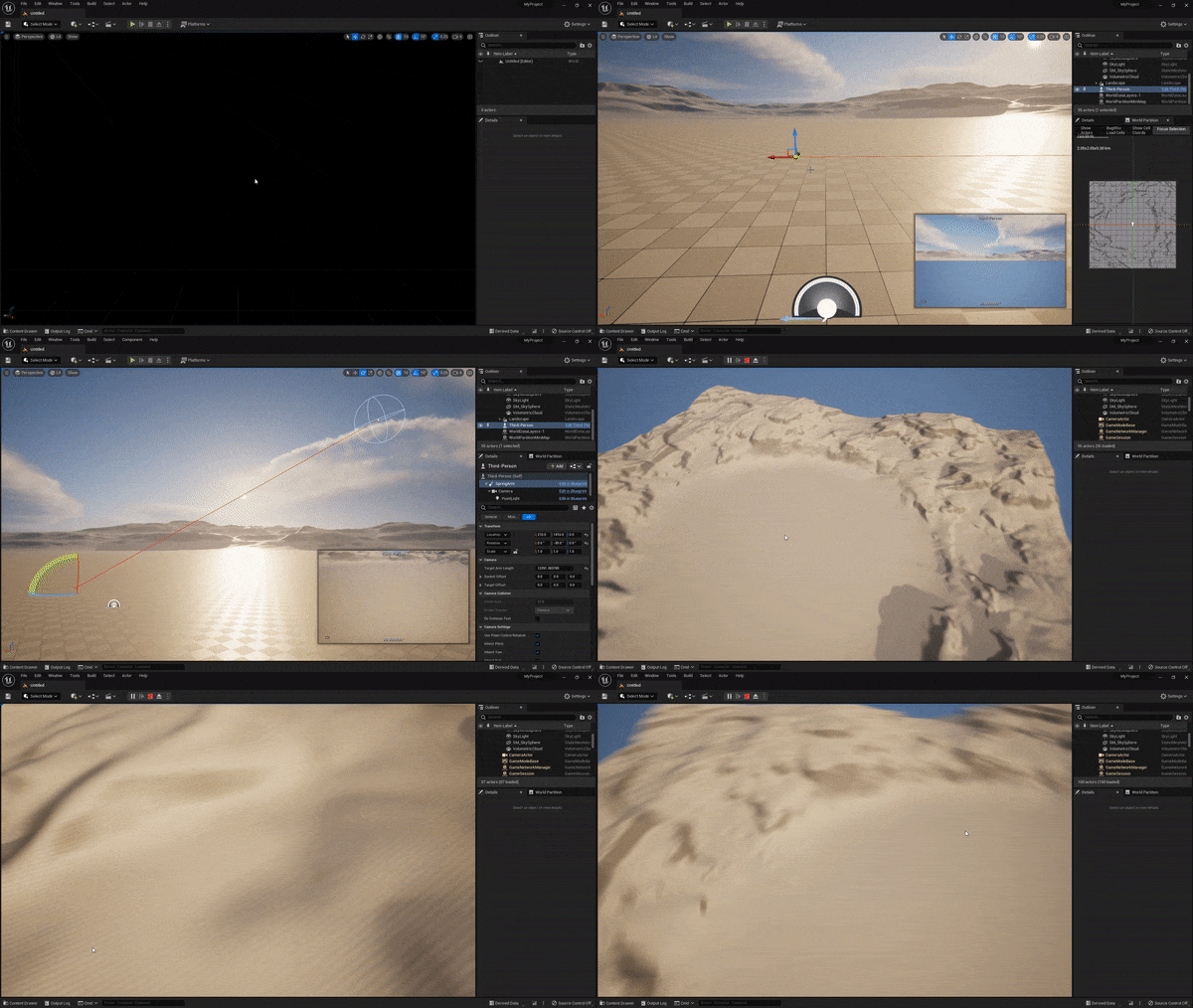
In digital twins / Meta universe / In 3D visualization scene , The most common mode of user interaction is third person based mouse operation , This includes translation ( Move horizontally )、 rotate ( Go round an object )、 The zoom ( Forward / back off ), The following is a detailed record of the writing process .
The difference between the first person and the third person
The core difference between the first person and the third person is , Whether the person is separated from the camera : Man machine integration is the first person , Man machine separation is the third person . But anyway , figure (pawn) With the camera (camera) As a whole , The origin and rotation center of the object are located on the person , The distance between the person and the camera is called arm length ( Spring arm used spring arm), A change in arm length is called scaling (zoom).
| The correspondence between keyboard and mouse operation and geometric transformation | |
| left-click +X Axis | Move along the weft line |
| left-click +Y Axis | Move along the longitude |
| Right click +X Axis 、 keyboard AD | Or so mobile |
| Right click +Y Axis | Move back and forth ( level ) |
| Mouse wheel 、 keyboard WS | Move back and forth |
| Press the mouse wheel | Fly to the target position |
| keyboard QE | Move up and down |
| keyboard ZC | adjustment FoV size |
Blueprint structure

The blueprint type is a pawn, The root element is a spring arm (spring arm), such zoom When the arm Length can , Very convenient . A camera hangs under the spring arm , Hang a light under the camera , In case of moving to an enclosed space , It can illuminate the surroundings , Finally, add one more Floating Pawn Movement, It makes sports more “ inertia ”.
Activate the mouse

pawn The mouse cursor should be displayed during initialization , And enable click events , Only in this way can subsequent operations be meaningful .
Back and Forward (zoom)

Because the orientation of the camera is always collinear with the spring arm , So the camera is always facing pawn, Moving forward means shortening the arm length ( near pawn), Backward means to extend the arm length ( Stay away from pawn), The common practice of digital twins is to use the mouse wheel 2 Two directions to represent zoom, So we have the logic in the diagram : If it is detected that the roller is moving forward, multiply the arm length by 0.9, If the roller moves backward, multiply the arm length by 1.1, The speed of such scaling is positively related to the length of the arm length , Finally, limit the arm length to 1m To 1km Between , It meets our needs .
Instant movement

Usually players also need to fly quickly to the place where the mouse clicks , So use the middle mouse button as a jump button , Emit a ray to lock the click position , Fly over again , Because there is FloatingPawnMovement The existence of , It's not “ teleport ” In the past , But in a few hundred milliseconds , Better user experience .
Rotate around the object (orbit)

An important difference between 3D visualization and role-playing games is , The former revolves around the object , The latter revolves around itself , This is also the difference between the third person and the first person . Rotating around an object can be abstracted into a longitude and latitude network : The center of a sphere is an object , The arm length is the radius , Camera's yaw( Weft ) and pitch( Meridians ) They all move on a sphere .

The object around is pawn In itself , And focus , When the camera rotates , The object rotates with it , It's just that they all rotate around the focus . We play third person RPG In the game , The camera is always behind the characters , When rotating , The character turns in place , But the camera follows the trajectory (orbit).

Because the virtual sphere is two-dimensional , So the camera rotation is also two-dimensional , Only Elevation( Lifting ) And Azimuth( Horizontal rotation ) These two dimensions ( The mouse pad is also two-dimensional ), For the ahead pawn That is to say Pitch( pitch ) and Yaw( Yaw ), The essence is the same .

Final , The camera moves like this , Used so many vivid pictures , Have you learned ?

We use left - or right-click drag to achieve , The code is simple : A continuous parameter that is directly input with a two digit mouse (Mouse XY 2D-Axis) Convert to its own rotation increment .

Move horizontally
Mentioned earlier , The mouse pad is two-dimensional , But three-dimensional rotation has 3 Dimensions , So one dimension must be sacrificed , So the camera can only yaw (yaw)、 pitch (pitch), Unable to roll (roll). Empathy , Three dimensional movement also has 3 Dimensions (x、y、z), The mouse can only realize horizontal translation (x、y), Discard the vertical movement (z).

When the mouse moves along the horizontal axis , Just need to make pawn Along its own coordinate system Y Just move the axis , But when the vertical axis of the mouse moves , It's a little more complicated ,pawn You need to move along the horizontal line of the world in front of you , That is, when pitching , The intersection of the plane swept by the spring arm and the horizontal plane , Then calculate the line's position in its own coordinate system X、Z component ( And Y The axis is vertical ). Then you have the blueprint code in the figure above .
There's another thing to be aware of , Want to Third-Person.uasset Drag directly into the scene to use , Must be on “ Automatic activation ” The option to :Auto Process Player

边栏推荐
- I have made a dating app for myself. Interested friends can have a look
- Innovation and exploration are added layer by layer, and the field model of intelligent process mining tends to be mature
- 【TcaplusDB知识库】TcaplusDB TcapProxy扩缩容介绍
- Array remove duplicates from an array
- 【TcaplusDB知识库】TcaplusDB TcapDB扩缩容介绍
- 自己做了个相亲交友App,有兴趣的朋友可以看看
- leetcode 130. Surrounded regions (medium)
- IDEA出现“XXX has broken path”报错解决方法
- SQL exercise 4: string processing function
- Record (II)
猜你喜欢

Tcapulusdb Jun · industry news collection (III)

Array union set

Sealem Finance打造Web3去中心化金融平台基础设施

Mmcv Config class introduction

Opencv_100问_第四章 (16-20)

GMPNN:Drug-drug interaction prediction with learnable size-adaptive molecular substructures.

鲸会务会议分享:大会难办怎么办?

Differences between disk serial number, disk ID and volume serial number

How to stimulate the vitality and driving force of cultural innovation

【TcaplusDB知识库】TcaplusDB TcapDB扩缩容介绍
随机推荐
Several Apache related security vulnerability fixes
[debug] could not find ref wiht POC XXX
Sealem finance builds Web3 decentralized financial platform infrastructure
Sum of two array numbers
What about the popular state management library mobx?
Array to sum the heights of rising intervals
[tcapulusdb knowledge base] tcapulusdb transaction management introduction
leetcode 130. Surrounded regions (medium)
【TcaplusDB知识库】TcaplusDB巡检统计介绍
(十一)TableView
Simply Untyped Lambda Calculus的实现
【TcaplusDB知识库】TcaplusDB进程启动介绍
String inversion
Redis从入门到入土
C语言内功修炼【整型在内存中的存储】
Mmcv Config class introduction
Different ways to create four indexes in MySQL
Array union set
【TcaplusDB知识库】TcaplusDB机器初始化和上架介绍
Array plus one