当前位置:网站首页>Matlab learning 8- linear and nonlinear sharpening filtering and nonlinear smoothing filtering of image processing
Matlab learning 8- linear and nonlinear sharpening filtering and nonlinear smoothing filtering of image processing
2022-06-11 08:50:00 【CHengYuP】
Tips : When the article is finished , Directories can be generated automatically , How to generate it, please refer to the help document on the right
List of articles
Preface
Spatial filtering enhancement
- Convolution principle
- Multidimensional continuous convolution
- Linear smoothing filtering
- Domain average method 、 Selective averaging 、Wiener wave filtering
- Nonlinear smoothing filtering
- median filtering
- Ordinal statistical filtering
- Linear sharpening filter
- Laplacian operator
- Nonlinear sharpening filter
- Prewitt operator
- Sobel operator
- Log operator
Matlab Study 8- Linear and nonlinear sharpening filtering for image processing
Ordinal statistical filtering 、Laplacian operator 、 Gradient method
One 、 Ordinal statistical filtering
effect 
Code
% Order statistical filter
img=imread("img/eight.tif");
subplot(2,3,1),imshow(img),xlabel(" original image ");

img1=imnoise(img,'salt & pepper',0.1);
subplot(2,3,2),imshow(img1),xlabel(" Salt and pepper noise image ");

mask=[  0 1 0
        1 1 1
        0 1 0];
subplot(2,3,3),imshow(mask),xlabel(" Filter template ");

K1=ordfilt2(img1,3,mask);
subplot(2,3,4),imshow(uint8(K1)),xlabel(" Median filter image ");

K2=ordfilt2(img1,1,mask);
subplot(2,3,5),imshow(uint8(K2)),xlabel(" Minimum filter image ");

K3=ordfilt2(img1,5,mask);
subplot(2,3,6),imshow(uint8(K3)),xlabel(" Maximum filtered image ");
Two 、 Laplace operator
effect 
Code
% Examples of Laplacian operators
img=imread("img/eight.tif");
subplot(3,3,1),imshow(img),xlabel(" original image ");
mask1=fspecial('laplacian',0);
L1=filter2(mask1,img);
subplot(3,3,2),imshow(uint8(L1)),text(-14,285,' Horizontal and vertical template filter image with negative center coefficient ');
subplot(3,3,3),imshow(uint8(double(img)-L1)),xlabel(' Horizontal and vertical template subtraction superimposed image with negative center coefficient ');

mask2=-mask1;
L2=filter2(mask2,img);
subplot(3,3,4),imshow(uint8(L2)),text(-14,285,' Horizontal and vertical template filtering image with positive center coefficient ');
subplot(3,3,5),imshow(uint8(double(img)+L2)),xlabel(' The horizontal and vertical templates with positive center coefficient are added to the superimposed image ');

mask3=[ 1  1  1
        1 -8  1
        1  1  1];
L3=filter2(mask3,img);
subplot(3,3,6),imshow(uint8(L3)),text(-28,285,' Horizontal vertical diagonal template filter image with negative center coefficient ');
subplot(3,3,7),imshow(uint8(double(img)-L3)),xlabel(' Horizontal vertical diagonal template subtraction superimposed image with negative center coefficient ');

mask4=-mask3;
L4=filter2(mask4,img);
subplot(3,3,8),imshow(uint8(L4)),text(-28,285,' Horizontal vertical diagonal template filter image with positive center coefficient ');
subplot(3,3,9),imshow(uint8(double(img)+L4)),xlabel(' The horizontal vertical diagonal template with positive center coefficient is added to the superimposed image ');
3、 ... and 、 Gradient filtering
effect 
Code
% Gradient filtering
img=imread("img/img.jpg");
subplot(2,3,1),imshow(img),xlabel(" original image ");

img=double(img);
[Gx,Gy]=gradient(img);
G=sqrt(Gx.*Gx+Gy.*Gy);

img1=G;
subplot(2,3,2),imshow(uint8(img1)),xlabel(" Gradient filter image ");


img2=img;
K=find(G>=7);
img2(K)=G(K);
subplot(2,3,3),imshow(uint8(img2)),xlabel(" The filtered image of the first case ");

img3=img;
K=find(G>=7);
img3(K)=255;
subplot(2,3,4),imshow(uint8(img3)),xlabel(" The second case is the filtered image ");

img4=G;
K=find(G<=7);
img4(K)=255;
subplot(2,3,5),imshow(uint8(img4)),xlabel(" The third case is the filtered image ");

img5=img;
K=find(G<=7);
img5(K)=0;
Q=find(G>=7);
img5(Q)=255;
subplot(2,3,6),imshow(uint8(img5)),xlabel(" The fourth case is the filtered image ");
Click to get the source code
https://gitee.com/CYFreud/matlab/tree/master/image_processing/demo8_220425
边栏推荐
猜你喜欢

Screening frog log file analyzer Chinese version installation tutorial

Qiao NPMS: get the download volume of NPM packages
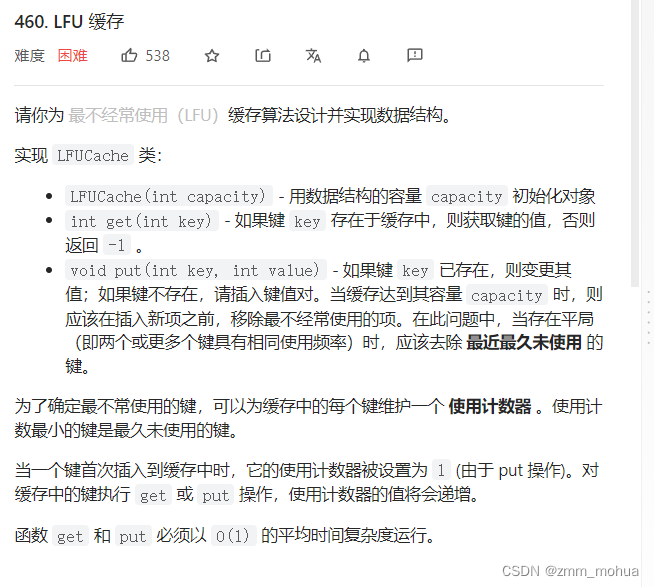
leetcode - 460. LFU cache

CodeTop - 排序奇升偶降链表

MySQL upgrade

智能控制理论小题库

go for it Easily manage all types of items with "flying items"

leetcode - 739. 每日温度

vagrant 安装踩坑

TextView文本大小自动适配与TextView边距的去除
随机推荐
Using docker compose to build redis5 cluster
显示器要申请BS 476-7 怎么送样?跟显示屏一样吗
Using flying items to manage by objectives, not being a "headless fly" in the workplace
File system check of the root filesystem failed
mysql高级特性篇,可以多看看,应付面试
Iso8191 test is mentioned in as 3744.1. Are the two tests the same?
Introduction to database system experiment report answer Experiment 5: database single table query
MATLAB R2022a 安装教程
【clickhouse专栏】新建库角色用户初始化
[programming development] markdown notes tutorial
[node] NPM part
EN 45545-2t10 precautions for smoke density detection by Horizontal method
窗帘做EN 1101易燃性测试过程是怎么样的?
SAP material master data archiving
Cron expressions in scheduled tasks
Sword finger offer 51 Reverse pair in array
使用express+mysql创建一个基于nodejs的后台服务
Codeworks round 723 (Div. 2)
Heap can also be regarded as a tree structure. It is specified that the root node must be greater than or less than the left and right child nodes, but the size order of the left and right child nodes
室内膨胀型防火涂料根据BS 476-21 耐火标准测定需要符合几项?