当前位置:网站首页>【Go实战基础】gin 如何获取 GET 和 POST 的请求参数
【Go实战基础】gin 如何获取 GET 和 POST 的请求参数
2022-07-02 06:33:00 【菜鸟实战】
目录
一、简介
实战场景: 如何使用 gin 获取 GET 和 POST 的请求参数
二、知识点
- gin 路由
- http 状态码
- 获取 GET 请求参数
- 获取 POST 请求参数
- 获取 POST Form 请求参数
三、菜鸟实战
马上安排!
1、创建 go文件
package main

// 导入包
import (
	"bytes"
	"fmt"
	"github.com/gin-gonic/gin"
	"io/ioutil"
	"net/http"
	"runtime"
)

// 主函数
func main() {
	// 使用内置函数打印
	println("Hello", "菜鸟实战")
	println("实战场景: ", "gin 如何获取 GET 请求参数")

	// 初始化
	r := gin.Default()

	// GET 方法, 添加路由参数和回调
	r.GET("/g", func(c *gin.Context) {
		name := c.Query("name")
		// 默认参数
		age := c.DefaultQuery("age", "18")
		// 返回的 code 和 对应的参数星系
		c.String(http.StatusOK, "%s - %s \n", name, age)
	})

	// POST 方法, 添加路由参数和回调
	r.POST("/p", func(c *gin.Context) {
		bodyByts, err := ioutil.ReadAll(c.Request.Body)

		if err != nil {
			// 返回错误信息
			c.String(http.StatusBadRequest, err.Error())
			// 执行退出
			c.Abort()
		}

		// 返回的 code 和 对应的参数星系
		c.String(http.StatusOK, "%s \n", string(bodyByts))
	})

	// POST 方法, 添加路由参数和回调, 填充参数
	r.POST("/p1", func(c *gin.Context) {
		bodyByts, err := ioutil.ReadAll(c.Request.Body)

		if err != nil {
			// 返回错误信息
			c.String(http.StatusBadRequest, err.Error())
			// 执行退出
			c.Abort()
		}

		c.Request.Body = ioutil.NopCloser(bytes.NewBuffer(bodyByts))

		name := c.PostForm("name")
		age := c.DefaultPostForm("age", "18")

		// 返回的 code 和 对应的参数星系
		c.String(http.StatusOK, "%s,%s,%s\n", name, age, string(bodyByts))
	})

	// 使用包函数打印
	fmt.Printf("版本: %s \n", runtime.Version())

	// 启动框架程序, 默认 8080 端口
	r.Run()

}

// curl 验证方式
// g
// curl -X GET "http://127.0.0.1:8080/g?name=kitty"
// curl -X GET "http://127.0.0.1:8080/g?name=kitty&age=21"

// p
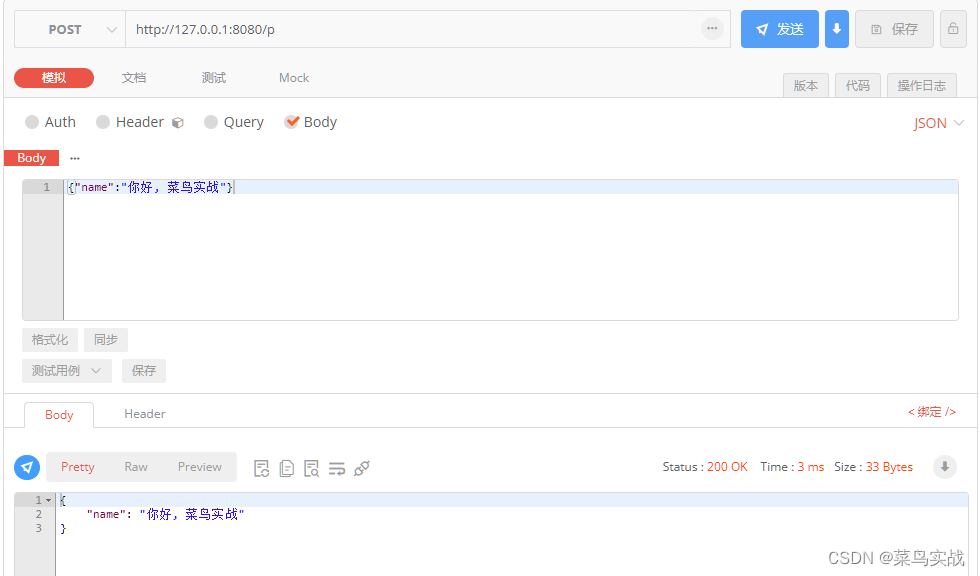
// curl -X POST "http://127.0.0.1:8080/p" -d '{"name":"你好, 菜鸟实战"}'

// p1
// curl -X POST "http://127.0.0.1:8080/p1" -d 'name=bob'
// curl -X POST "http://127.0.0.1:8080/p1" -d 'name=bob&age=17'
2、运行结果
Hello 菜鸟实战
实战场景: gin 如何获取 GET 和 POST 的请求参数
[GIN-debug] Listening and serving HTTP on :8080
GET 方法, 添加路由参数和回调


POST 方法, json格式
POST 方法, 添加路由参数和回调, 填充参数


菜鸟实战,持续学习!
边栏推荐
- Select sort and insert sort
- Installing Oracle database 19C for Linux
- OpenFeign 簡單使用
- Pyspark de duplication dropduplicates, distinct; withColumn、lit、col; unionByName、groupBy
- Minecraft air Island service
- AMQ6126问题解决思路
- Kubedm deploys kubernetes v1.23.5 cluster
- QT qtimer class
- Judge whether it is Sudoku
- Shortcut key to comment code and cancel code in idea
猜你喜欢
QT -- how to set shadow effect in QWidget

Minecraft air Island service
Qunhui NAS configuring iSCSI storage
![[blackmail virus data recovery] suffix Hydra blackmail virus](/img/27/f44334cf98229d0f8b33c70a878ca8.jpg)
[blackmail virus data recovery] suffix Hydra blackmail virus
Function ‘ngram‘ is not defined
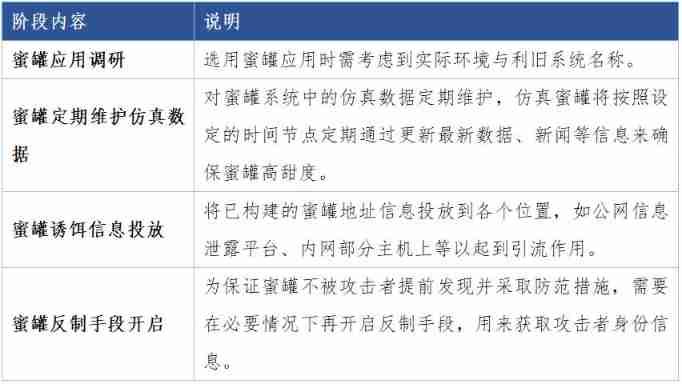
Honeypot attack and defense drill landing application scheme
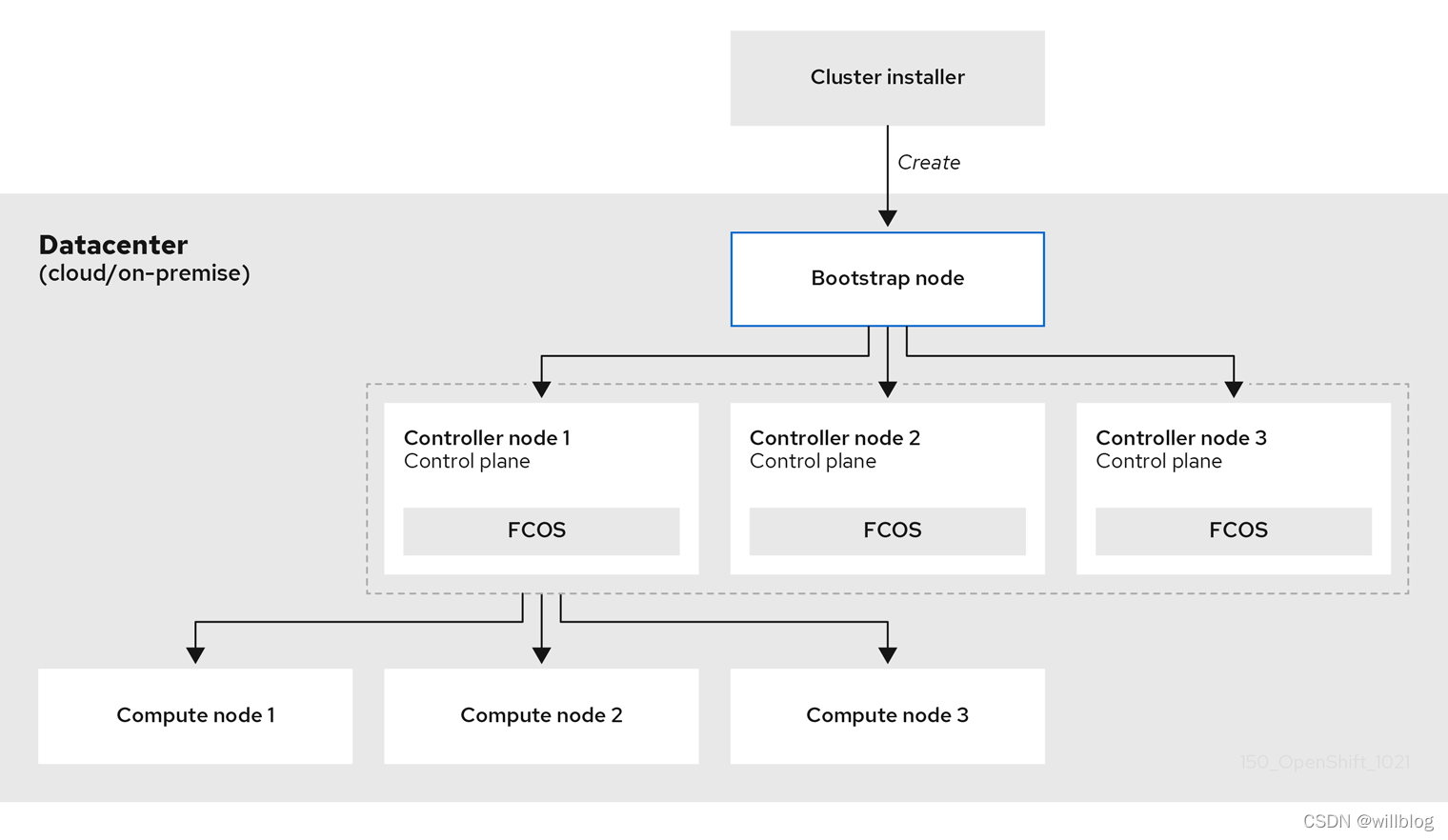
OpenShift 容器平台社区版 OKD 4.10.0部署
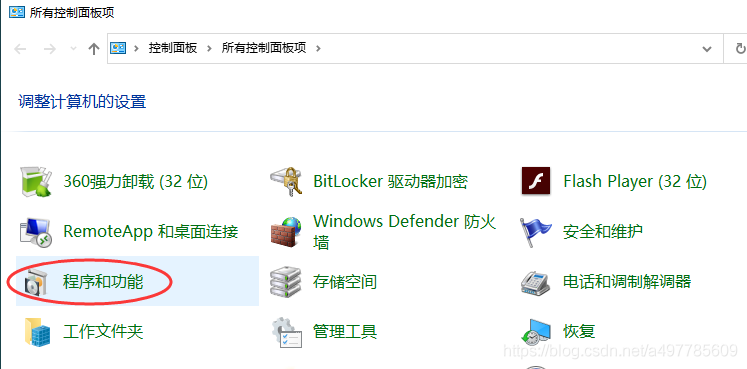
Solution of Xiaomi TV's inability to access computer shared files

Driving test Baodian and its spokesperson Huang Bo appeared together to call for safe and civilized travel

Illegal use of crawlers, an Internet company was terminated, the police came to the door, and 23 people were taken away
随机推荐
Luogu greedy part of the backpack line segment covers the queue to receive water
小米电视不能访问电脑共享文件的解决方案
Minecraft module service opening
Oracle related statistics
[flask] ORM one-to-one relationship
Finishing the interview essentials of secsha system!!!
Flex layout
OpenShift 部署应用
Sqli labs level 1
Judge whether it is Sudoku
Loadbalancer dynamically refreshes Nacos server
First week of JS study
Viewing JS array through V8
Introduction to the basic concept of queue and typical application examples
Hengyuan cloud_ Can aiphacode replace programmers?
Aneng logistics' share price hit a new low: the market value evaporated by nearly 10 billion yuan, and it's useless for chairman Wang Yongjun to increase his holdings
Right click menu of QT
Application of kotlin - higher order function
Kubernetes deploys Loki logging system
OpenShift构建镜像