当前位置:网站首页>MySQL installation and configuration tutorial (super detailed, nanny level)
MySQL installation and configuration tutorial (super detailed, nanny level)
2022-07-29 00:12:00 【jiey0407】
One 、 download MySQL
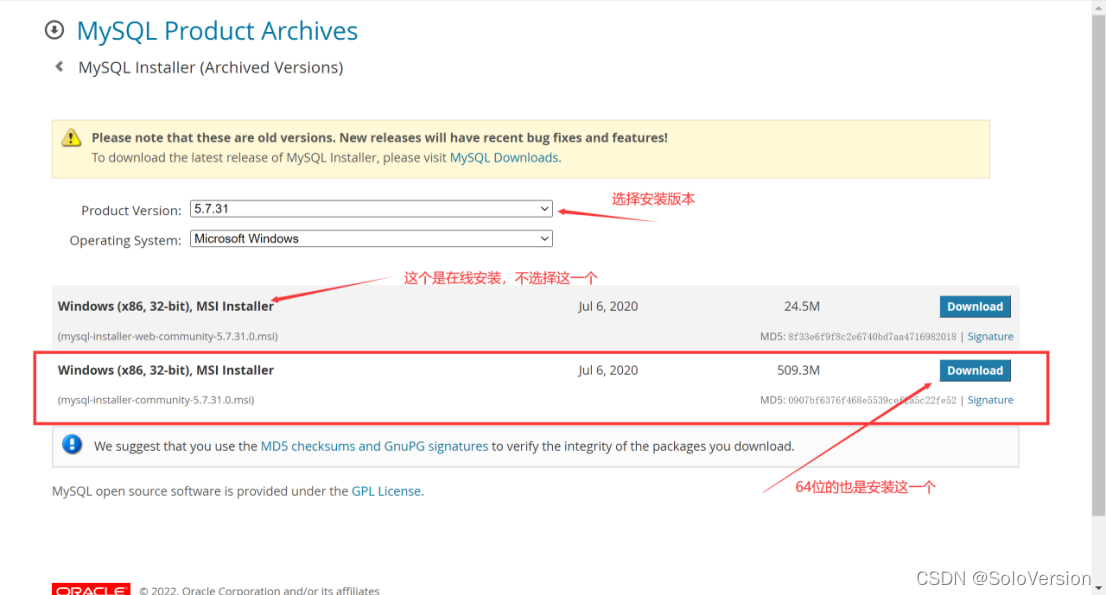
Mysql Official website download address https://downloads.mysql.com/archives/installer/
1. Select the version you want to install , Click on Download download
This article chooses 5.7.31 edition
Two 、 install MySQL
1. Select setting type
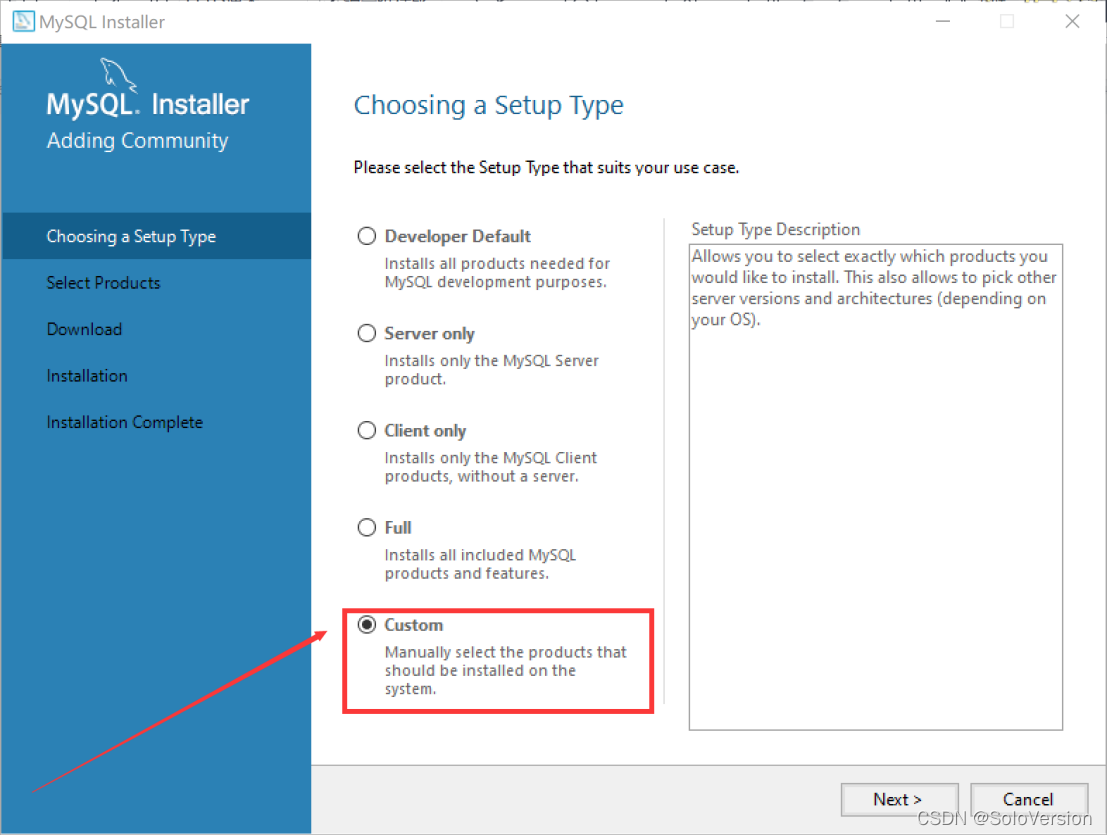
Double-click on the run mysql-installer-community-5.7.31.0.msi, Choose Custom installation here , So choose “Custom”, Click on “Next”
“Developer Default” It is the developer's default
“Server only” Install as a server only
“Clientonly” Install only as a client
“Full” Is a complete installation
“Custom” It's a custom installation
2. Select the products and features to install
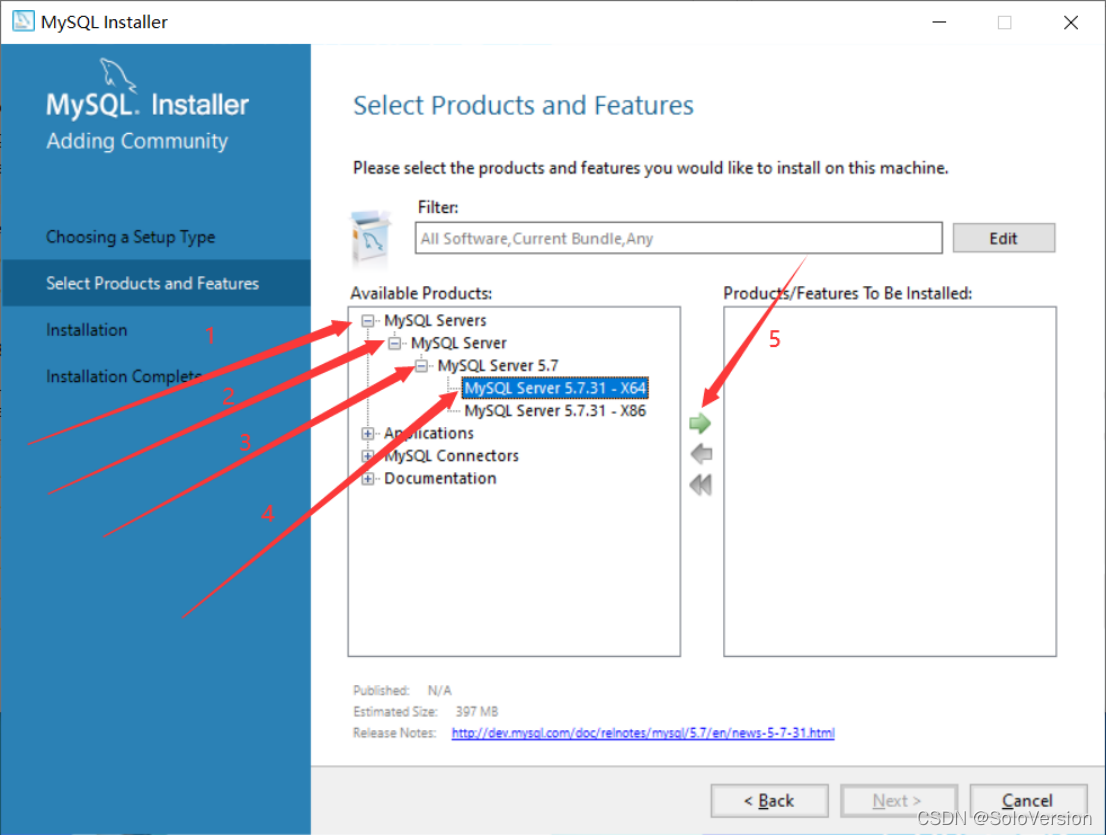
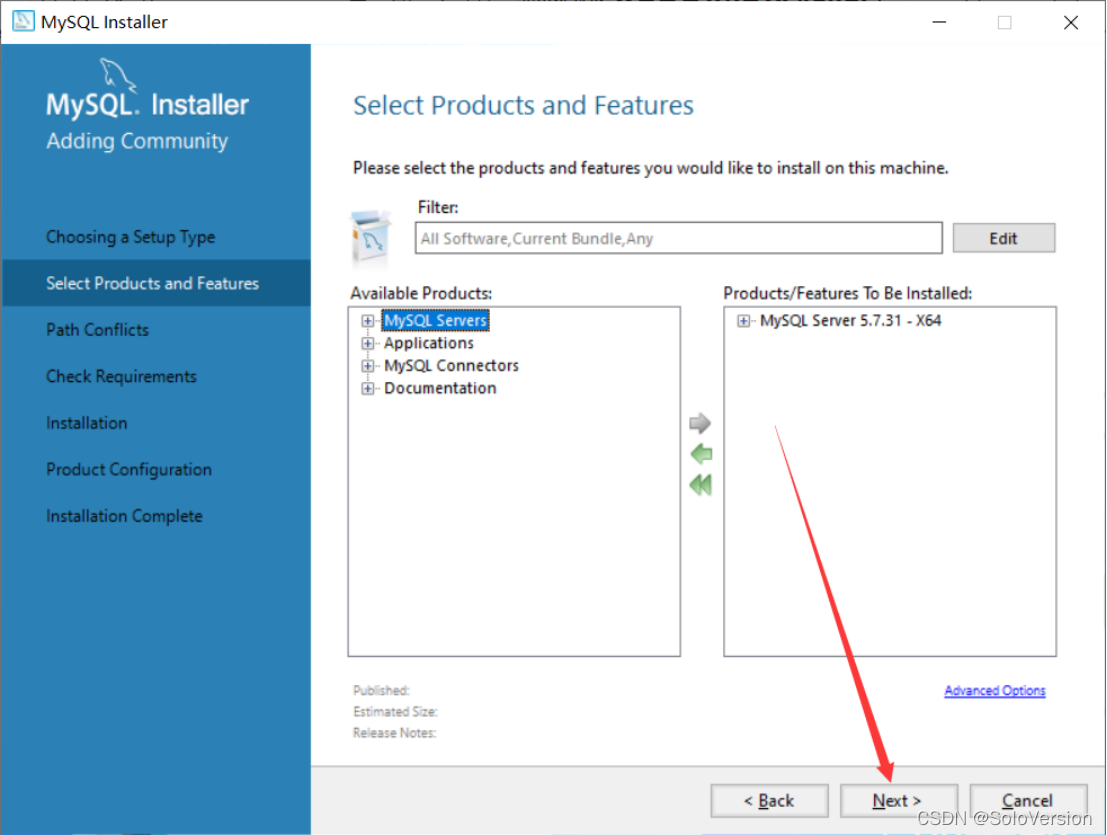
Click on one by one “MySQL Servers”、“MySQL Servers”、“MySQL Servers 5.7”、“MySQL Servers 5.7.31 -64”, Then click the green arrow to migrate the selected version to the right selection box
notes : The choice here is 64 Bit system
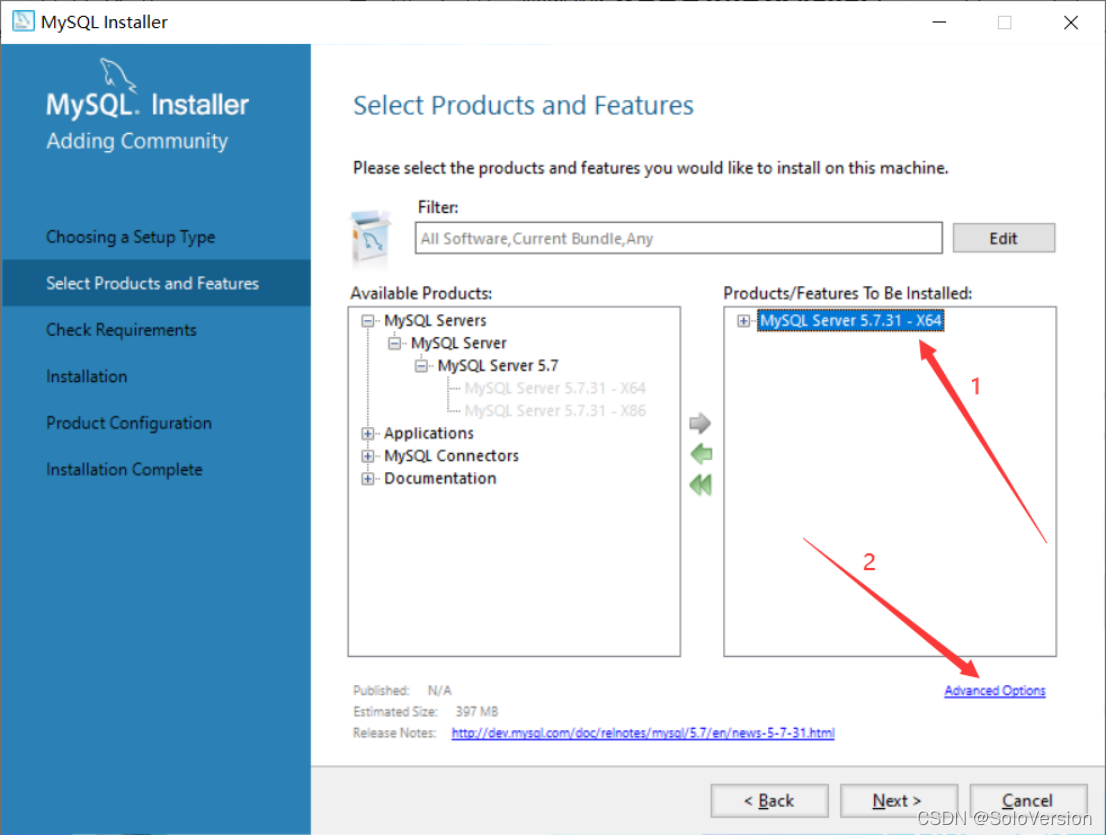
3. Select first “MySQL Server 5.7.31” , Then click on the blue... Below “Advanced Options”
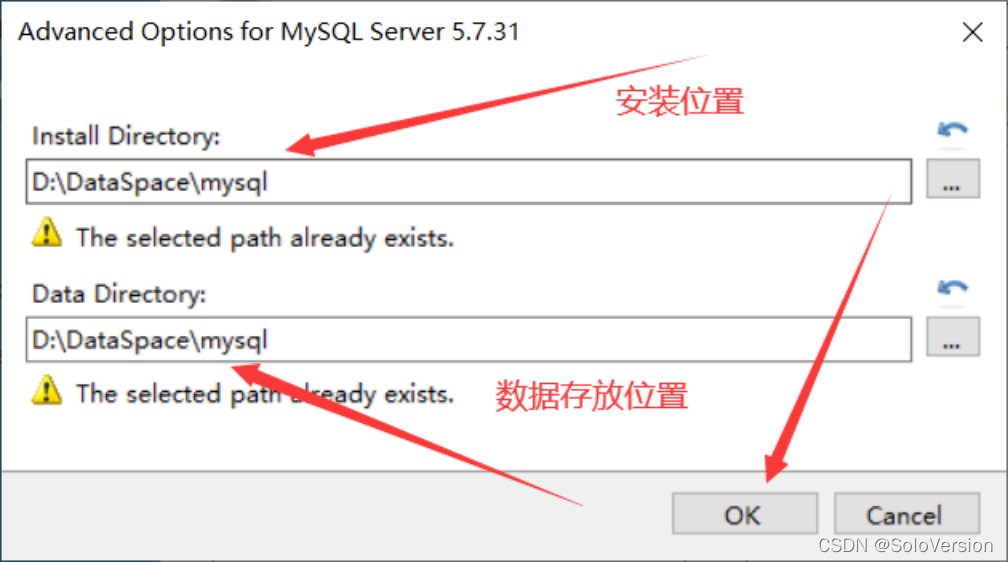
4. Customize the installation path and data storage path , When the changes are complete, click “OK”
notes : Although installed in C There's nothing wrong with the disc , However, I personally recommend not to install to C disc , I installed it to D disc
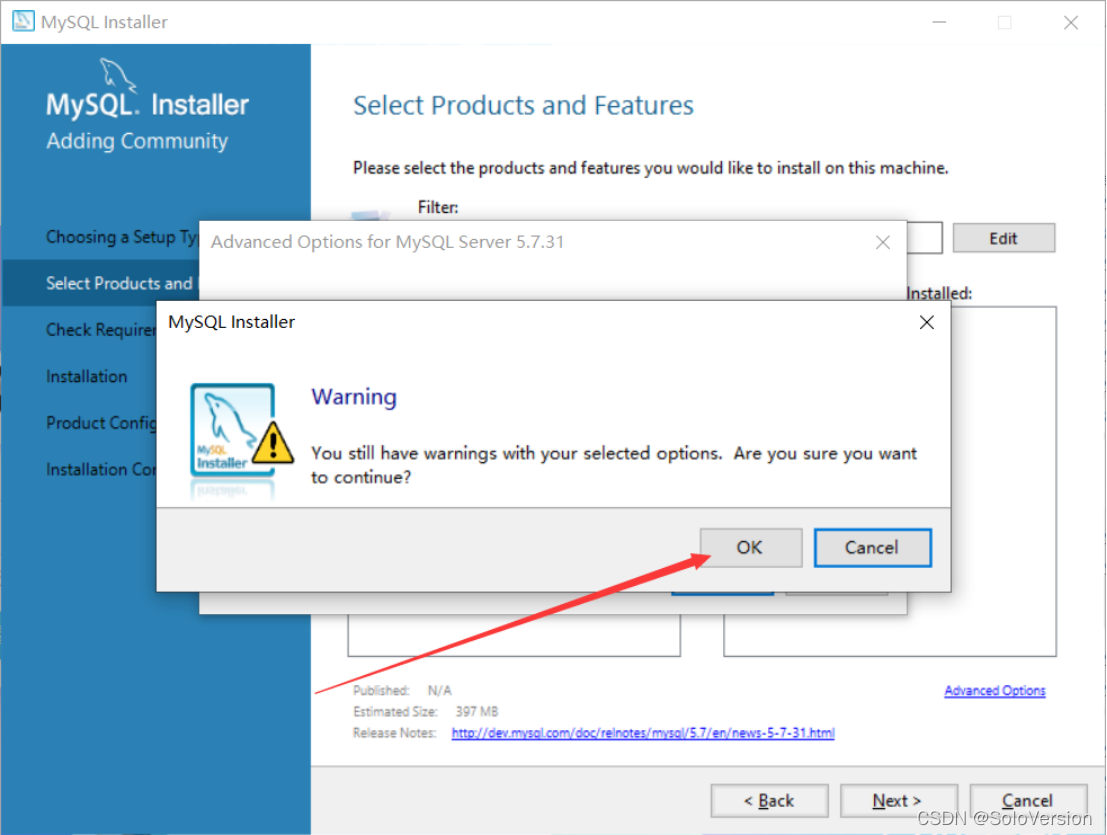
5. Just click “OK”
notes : Here, because I chose the path I created myself , Therefore, the program prompts that the path already exists , Do you want to continue
6. When the changes are complete, click “Next”
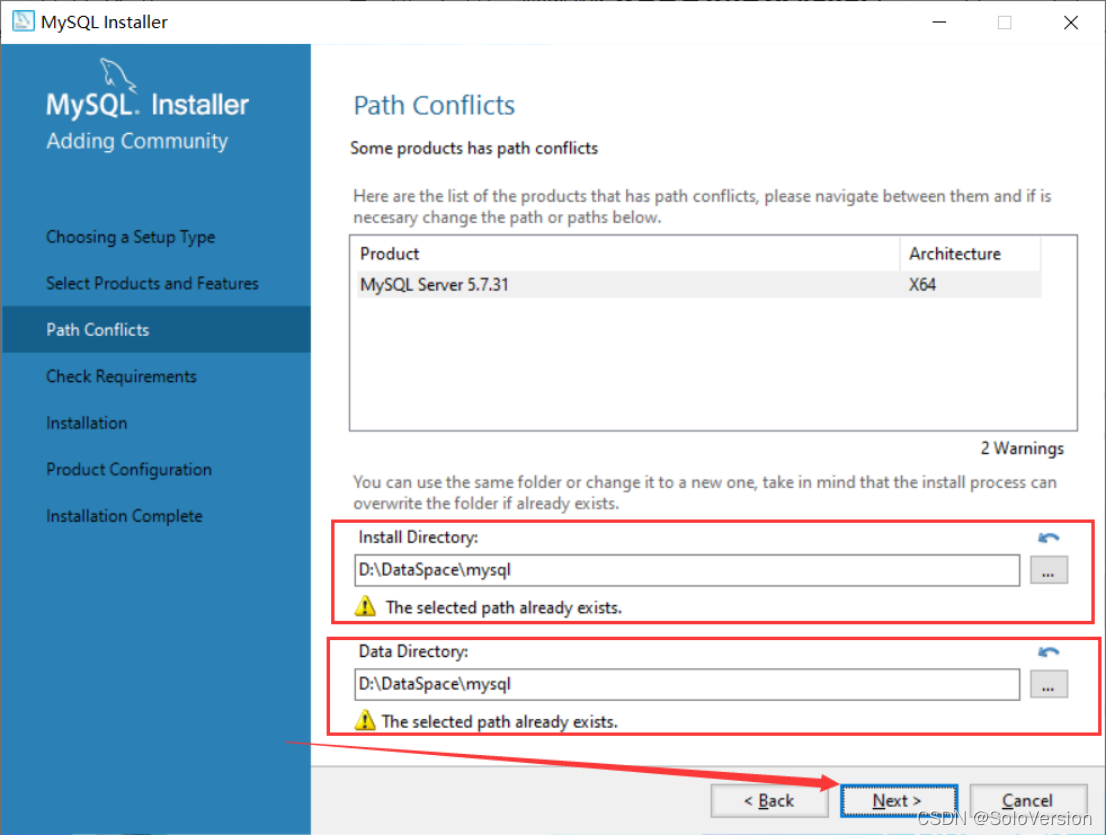
7. Make sure the installation path and data storage path are correct , If there is no problem, just click Next
8. Just click “Yes”
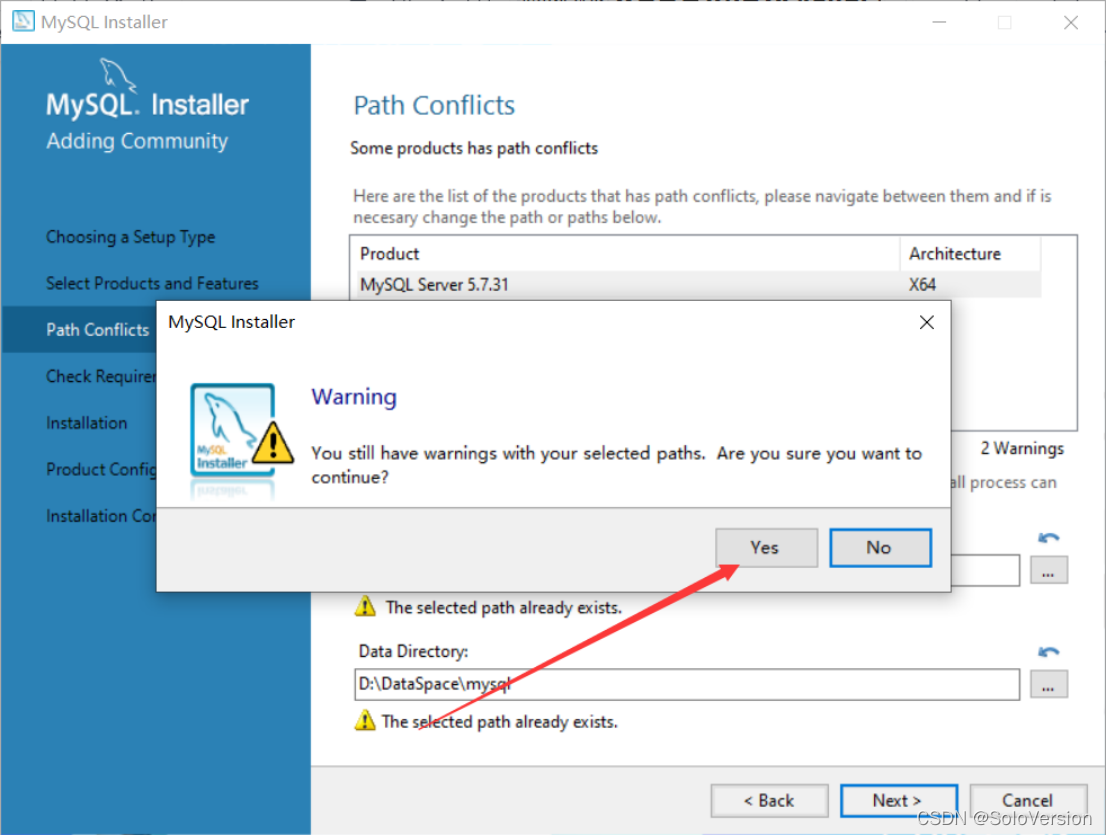
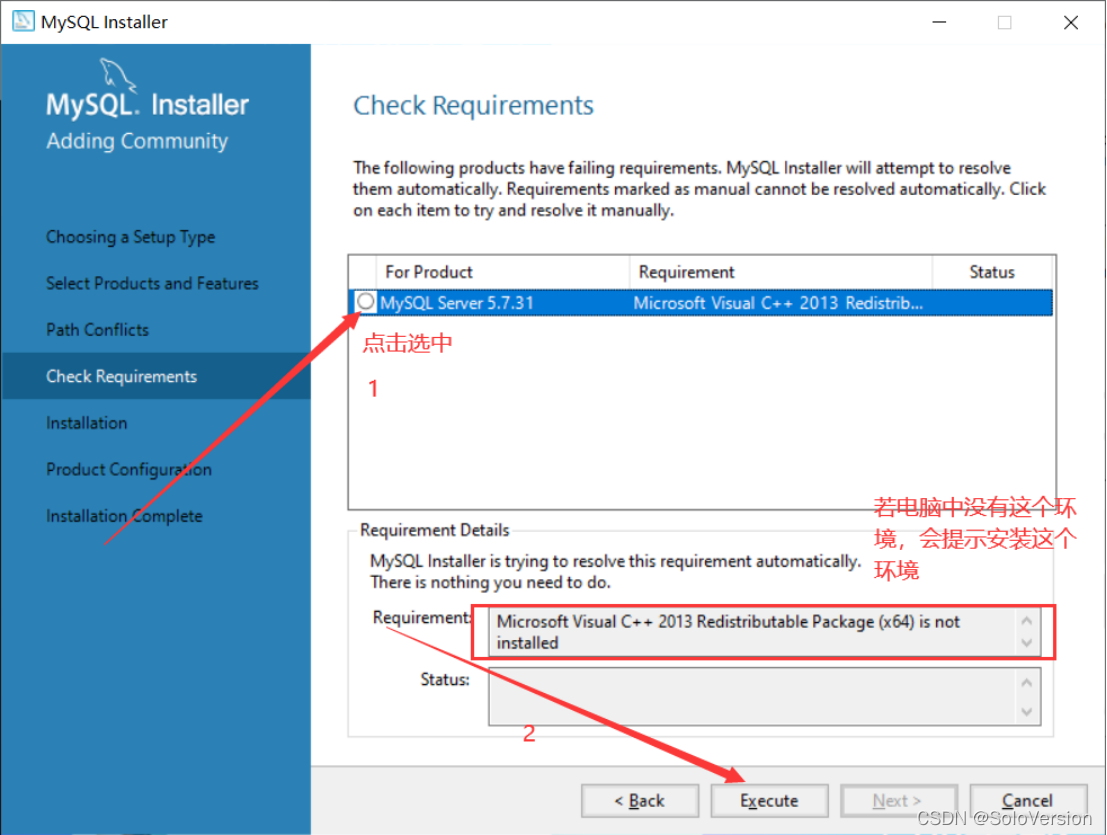
9. Select first “MySQL Server5.7.31”, If there is no such environment in the computer , Installation will be prompted “Microsoft Visual C++ 2013” Environmental Science , Click on “Execute”
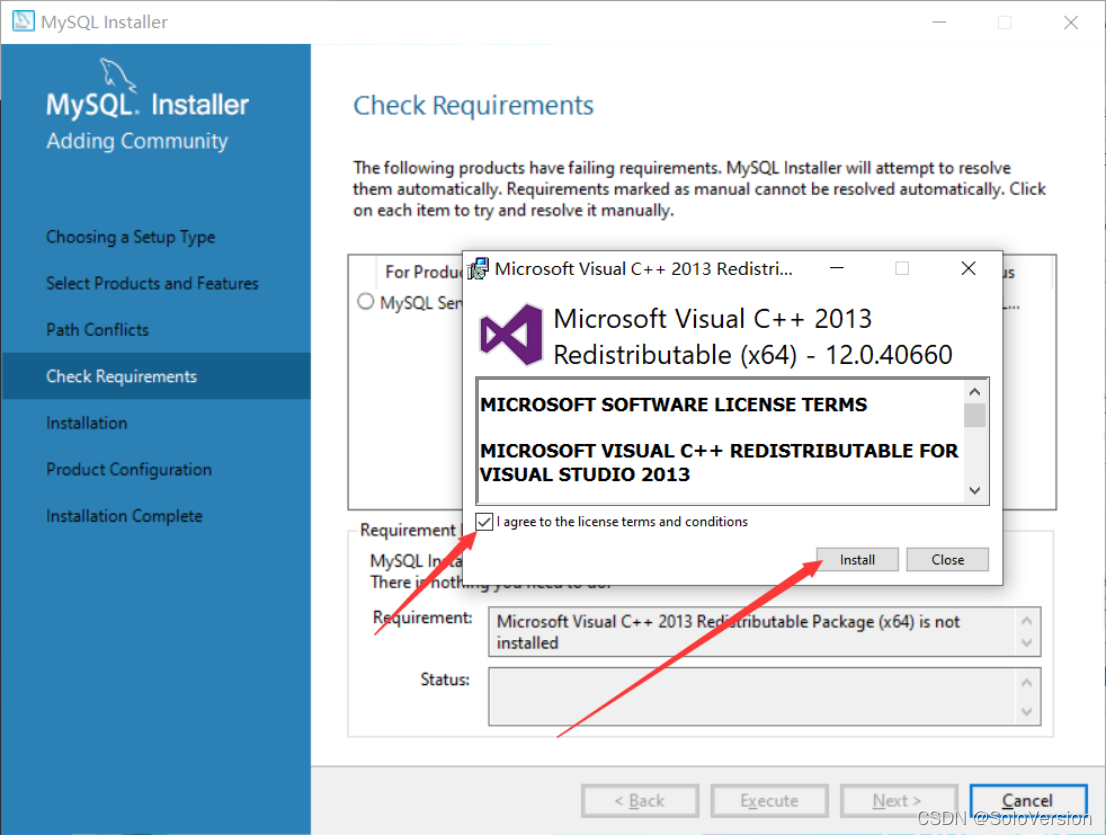
10. Click... After checking “Install”
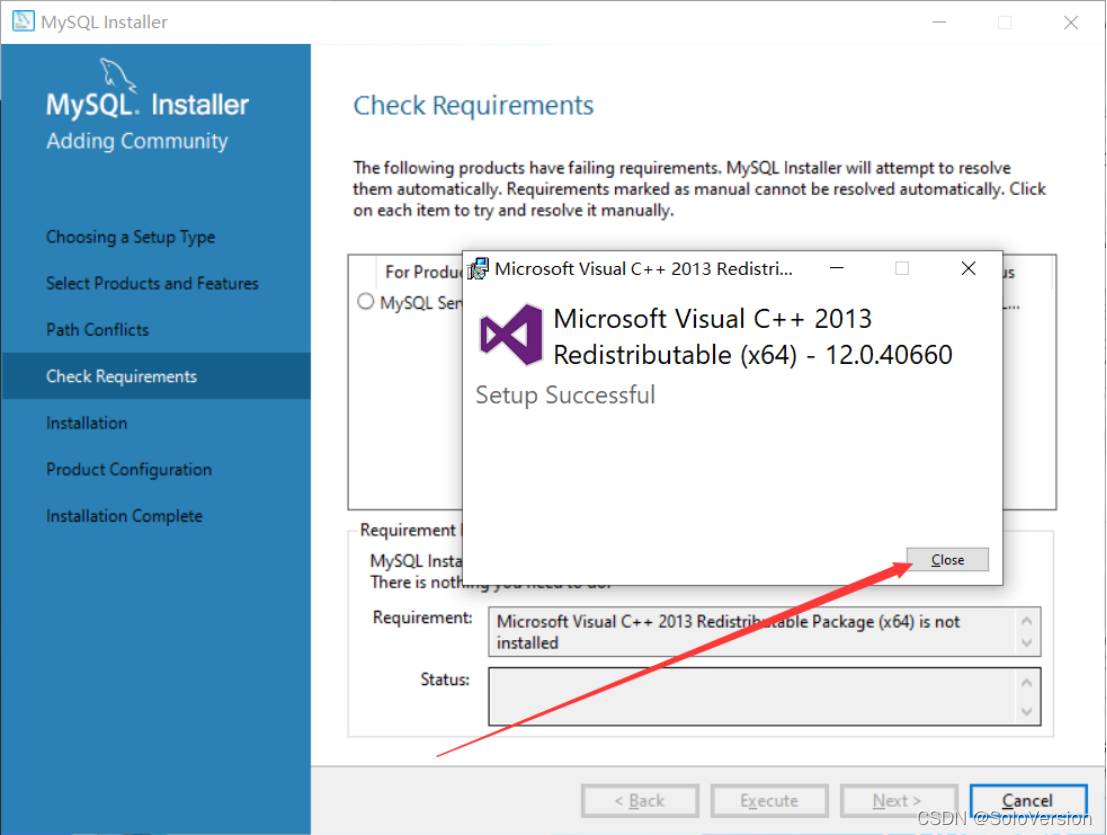
11. installation is complete , Click on “Close”
12. Seeing this check mark indicates that the environment is installed , Just click “Next”
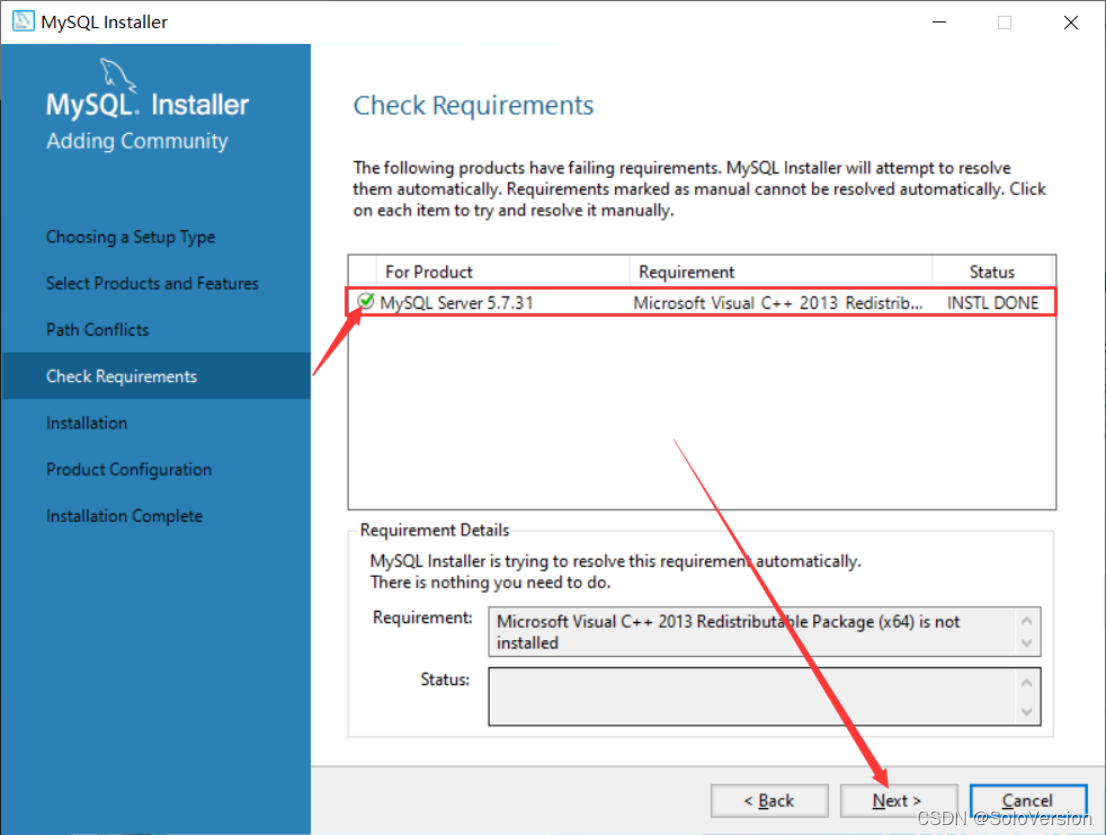
13. Just click “Execute”
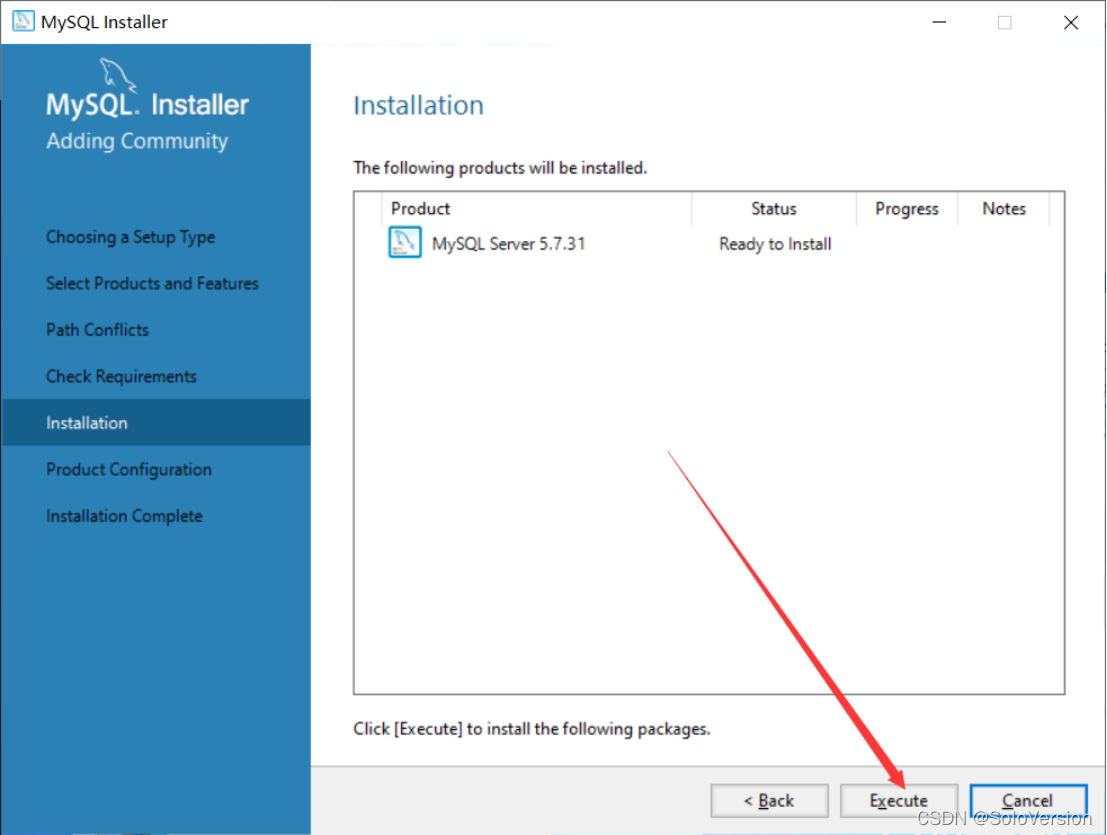
14. This icon indicates that the installation is successful , Just click “Next”
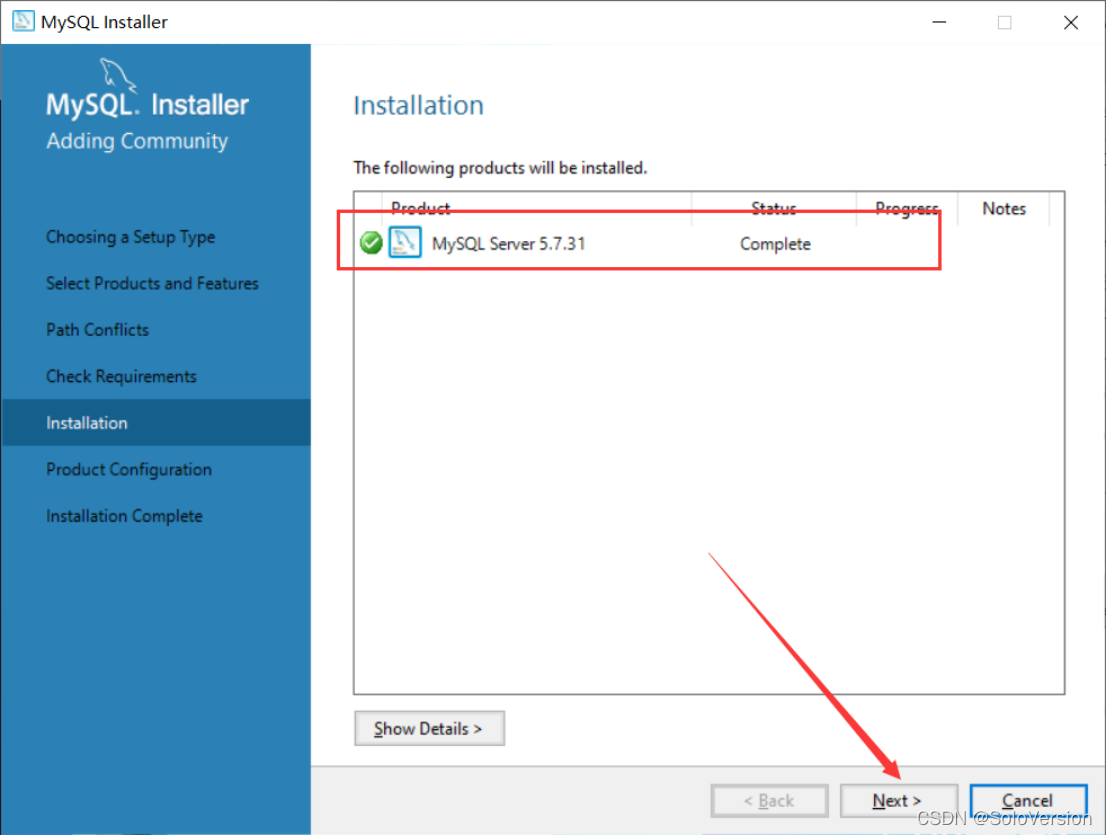
15. Just click “Next”
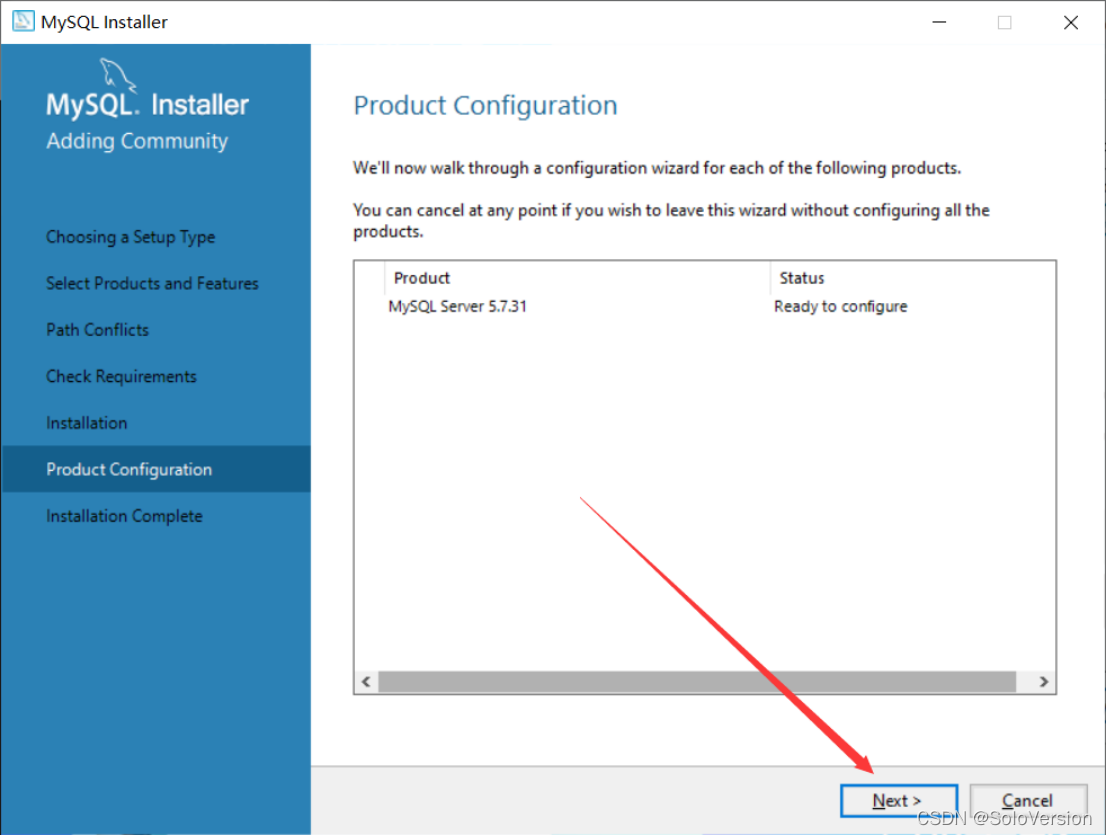
16. Just click “Next”
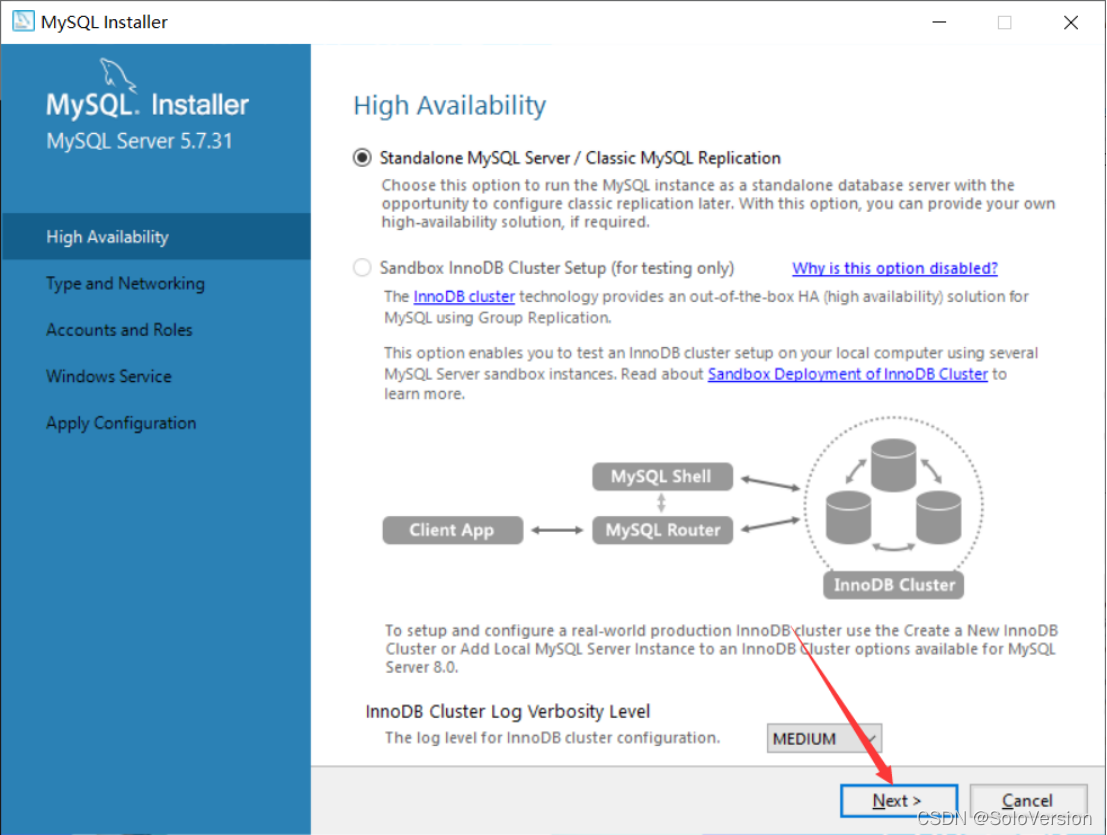
17. Choose the installation type
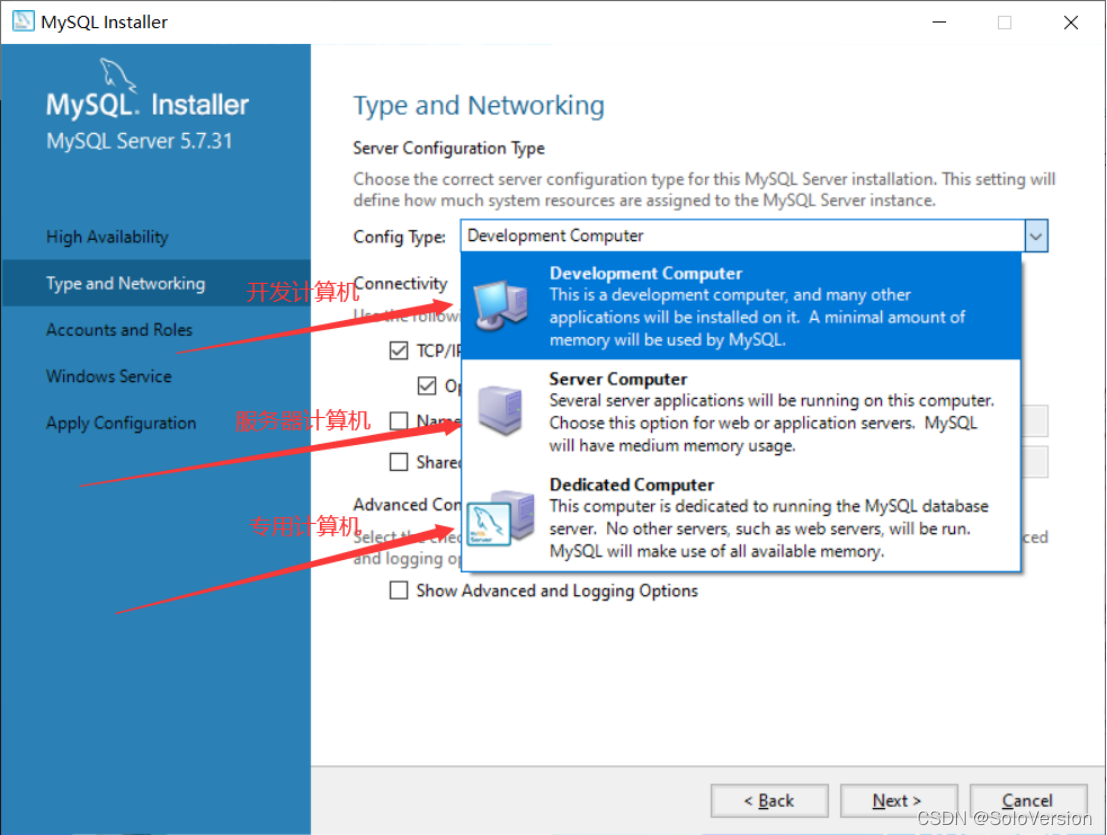
For personal learning research, choose “Development Computer” Then you can , My choice here is “Development Computer”
Development Computer Suitable for personal development and learning
Server Computer Is mainly used for things like FTP,email,web Servers and so on
Dedicated Computer Only for MySQL The server
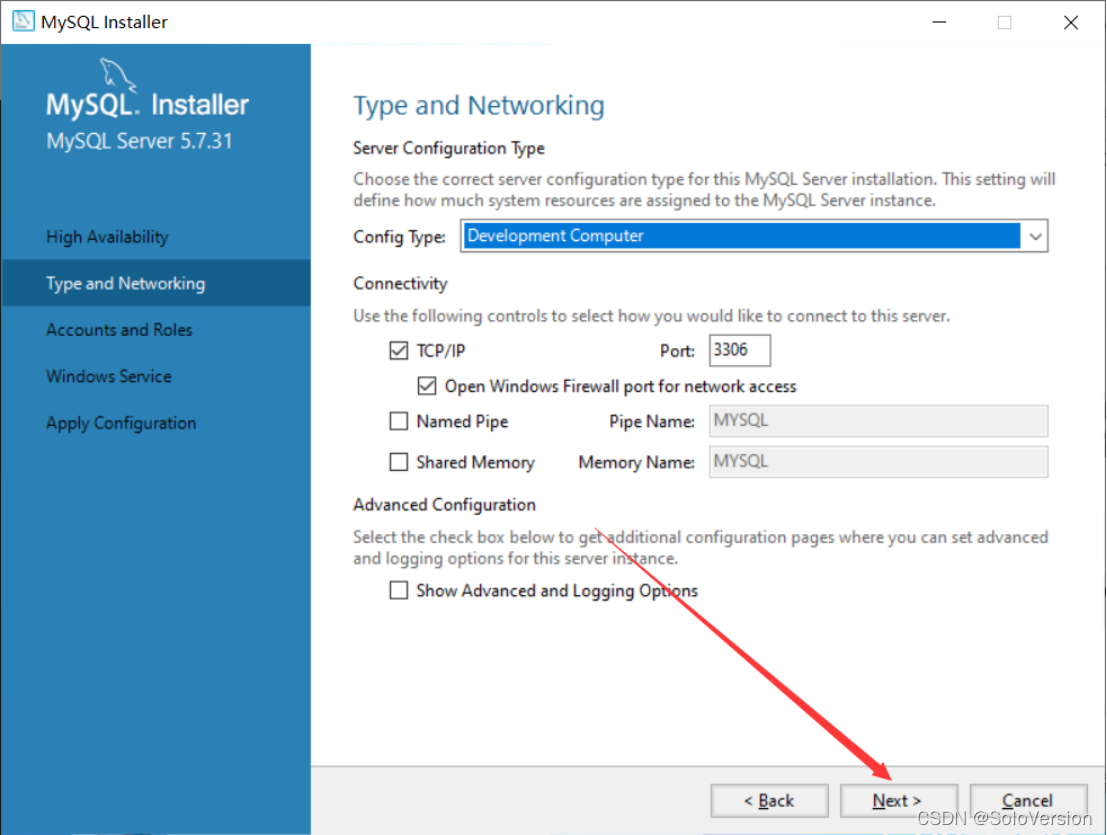
18. MySQL The default port is 3306, No modification is required , Just click “Next”
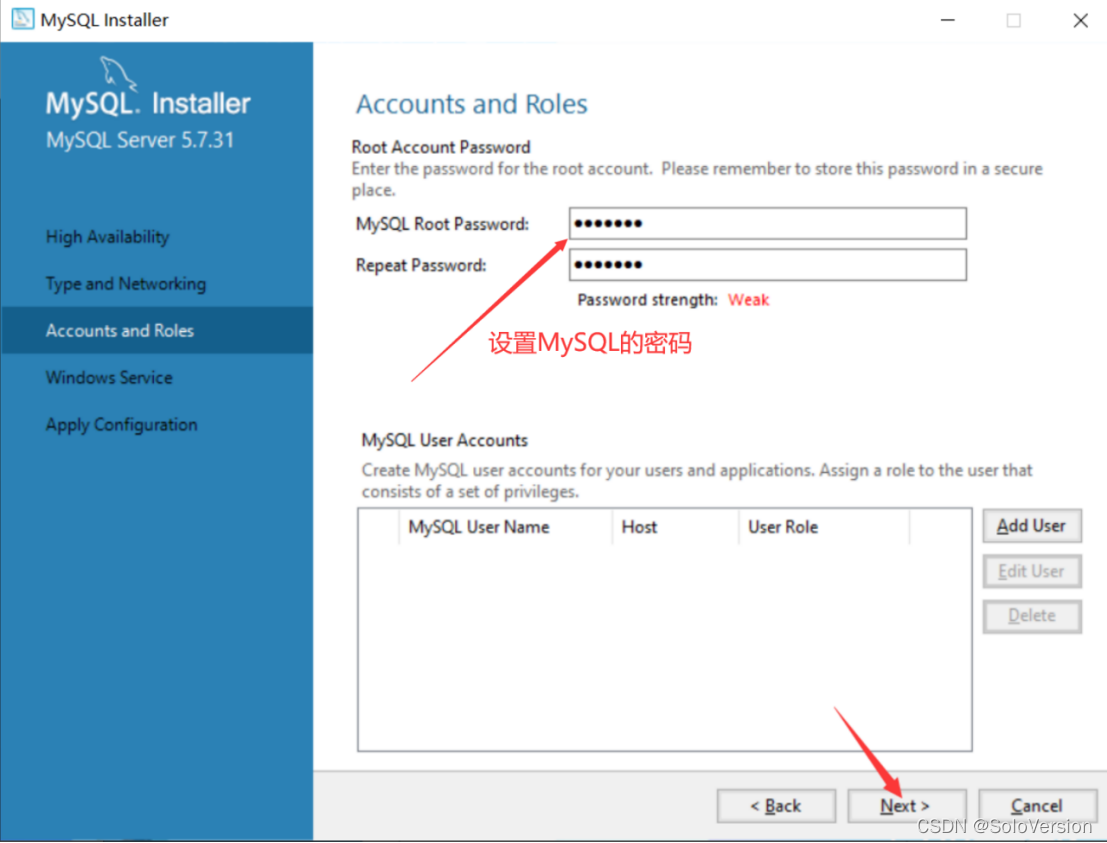
19. You need to set MySQL Password , It doesn't need to be too complicated , After setting, click “Next”
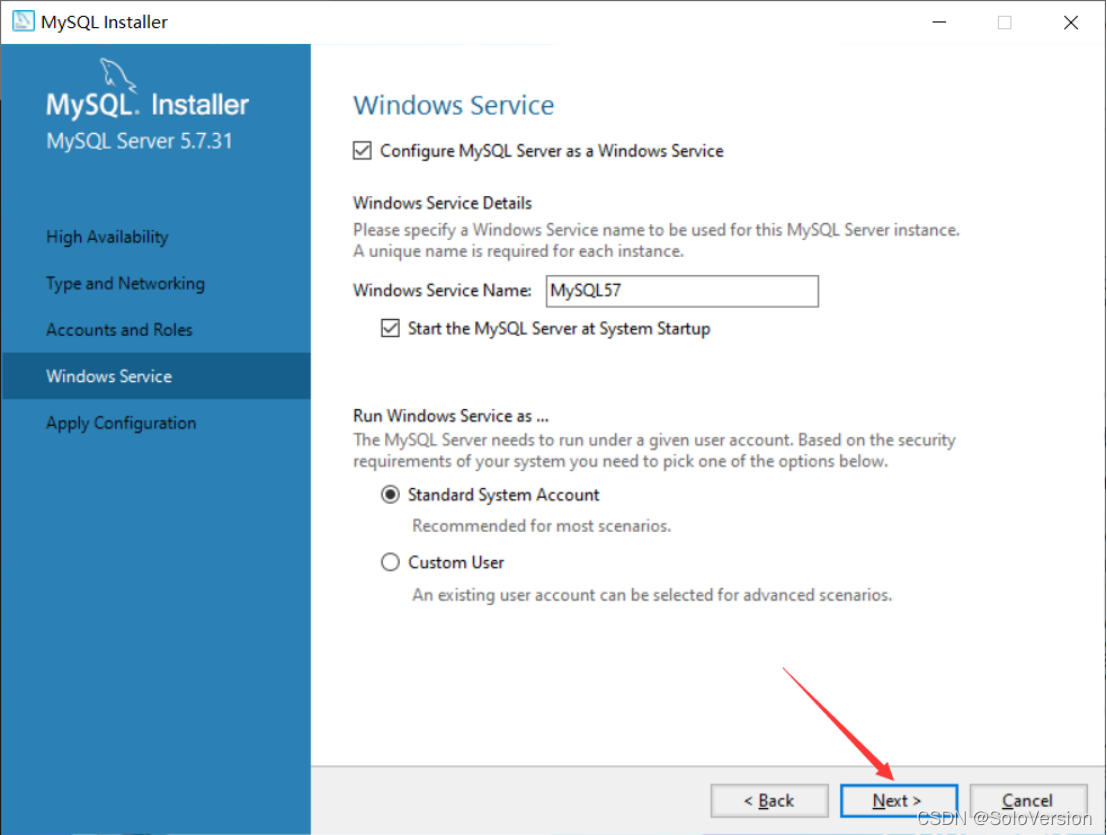
20. Just click “Next”
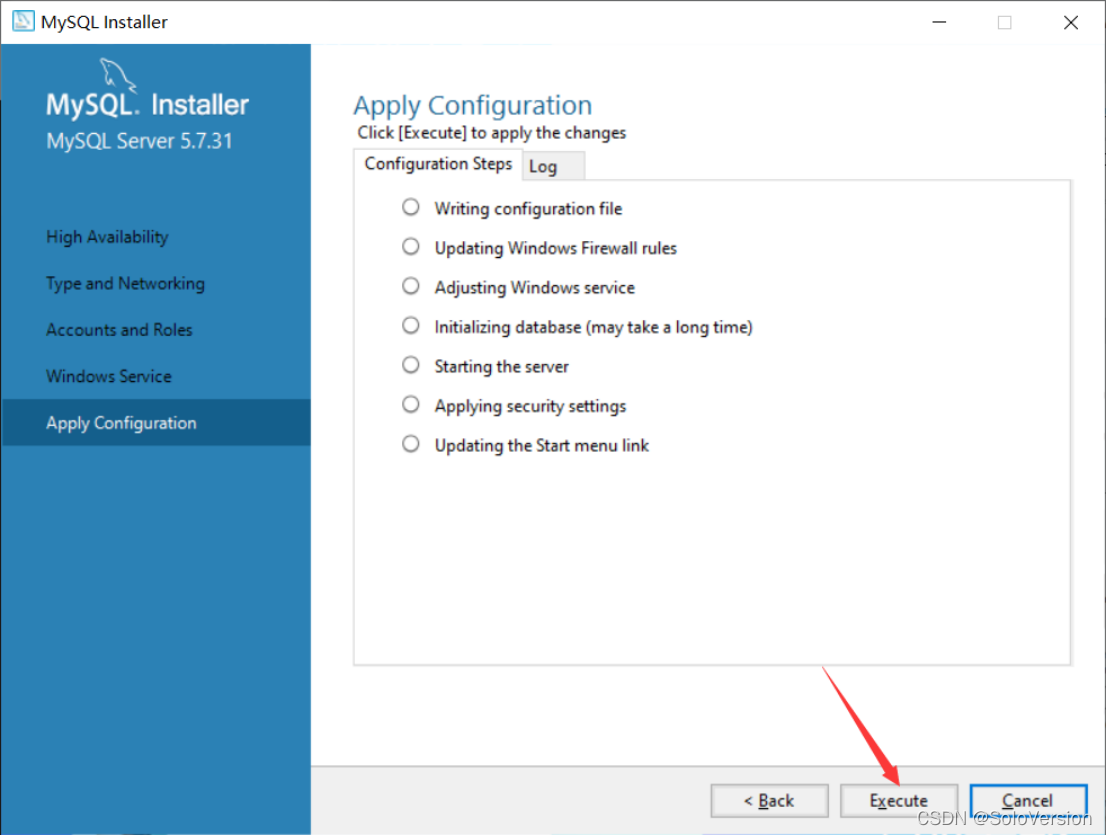
21. Just click “Execute”, Start installation , Wait a moment after clicking install
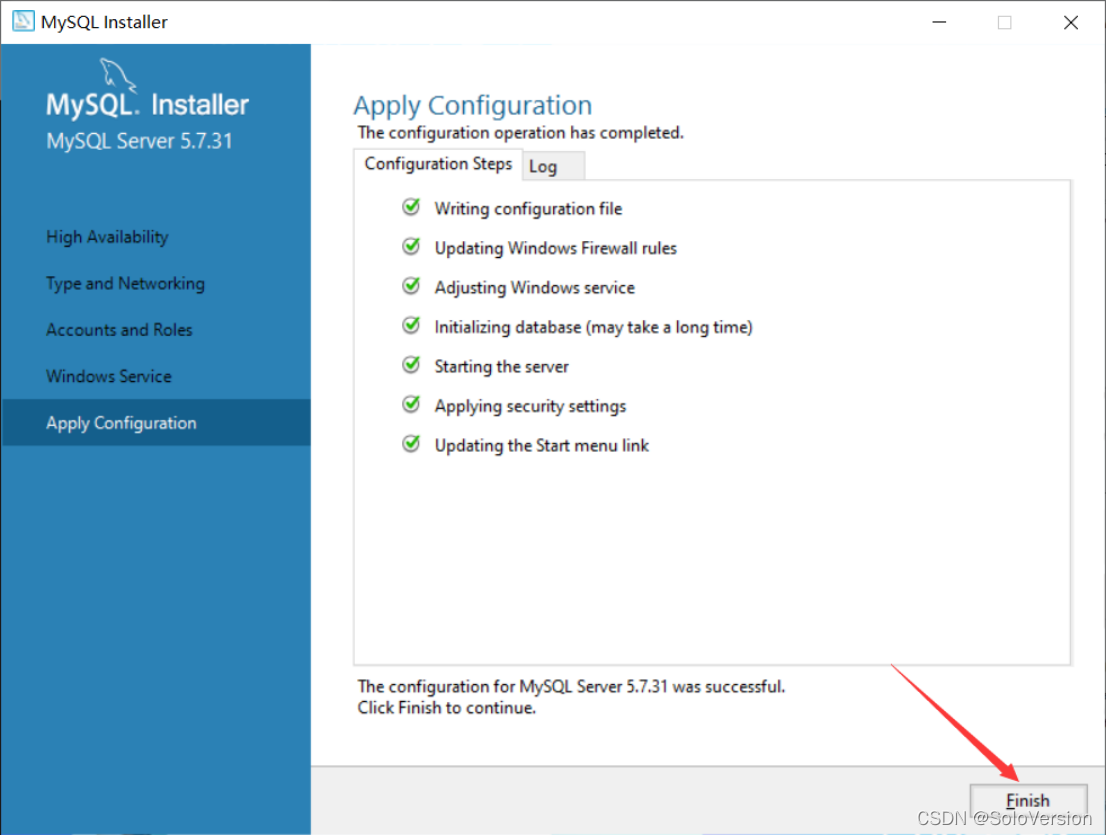
22. Click on “Finish”
23. Click on “Next”
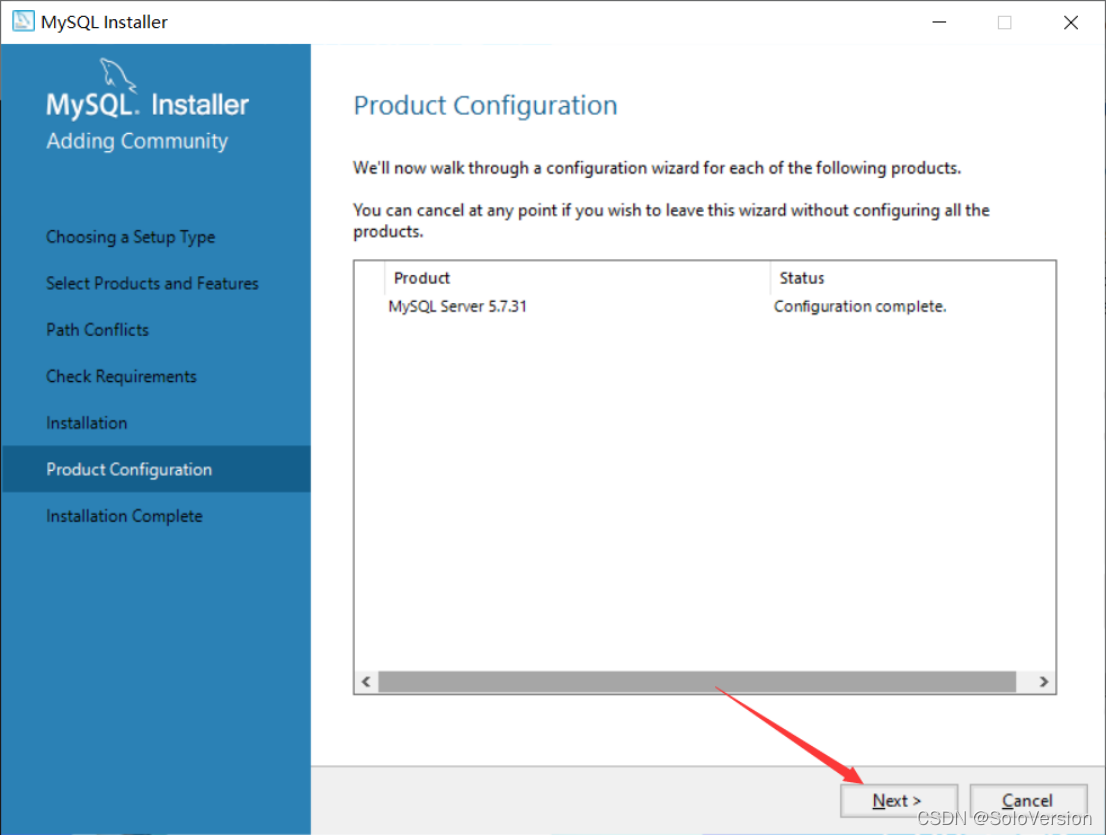
24. Click on “Finish”, here MySQL installation is complete
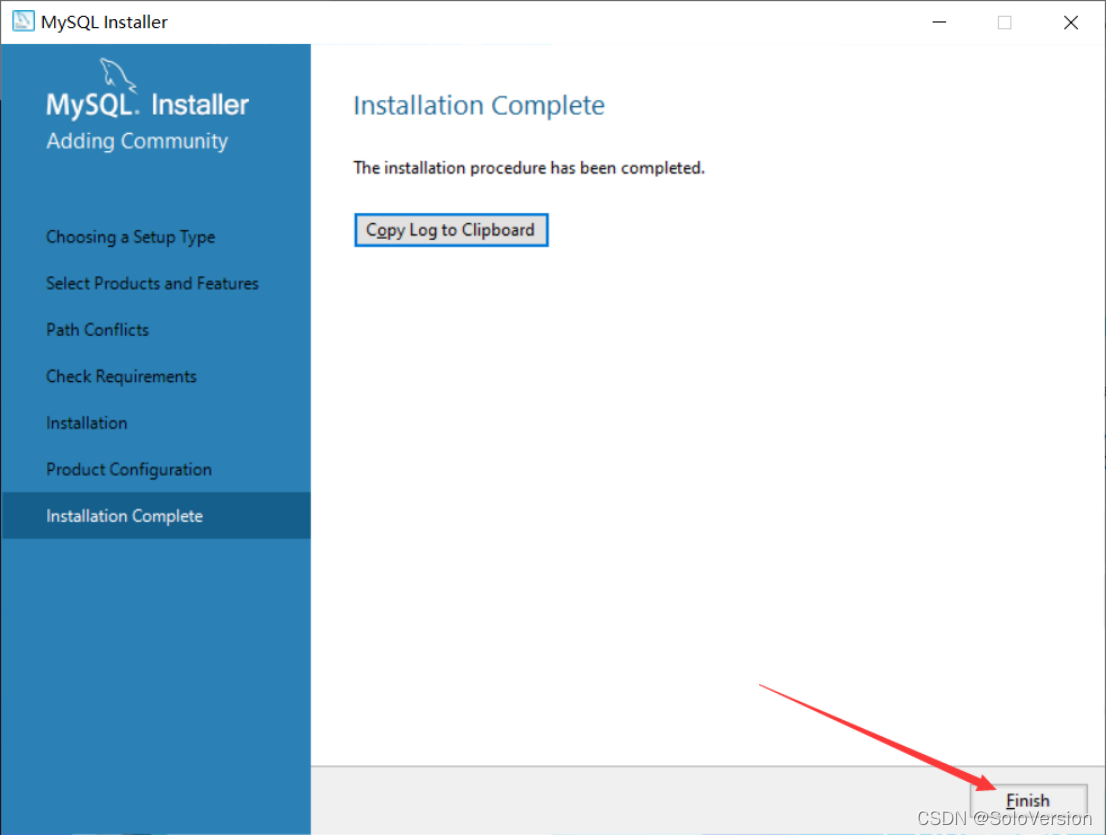
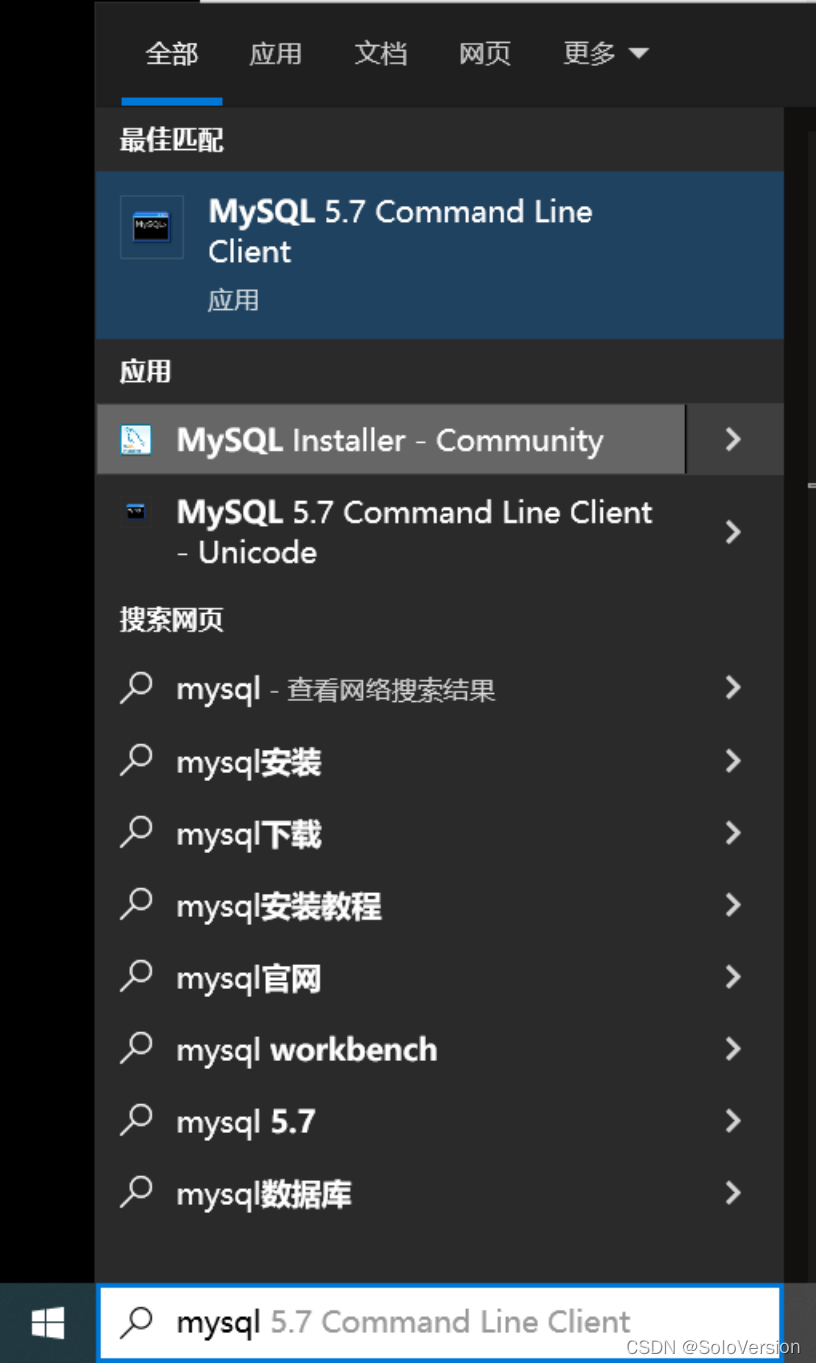
25. Search in the start interface mysql, Click on the first MySQL 5.7 Command Line Client
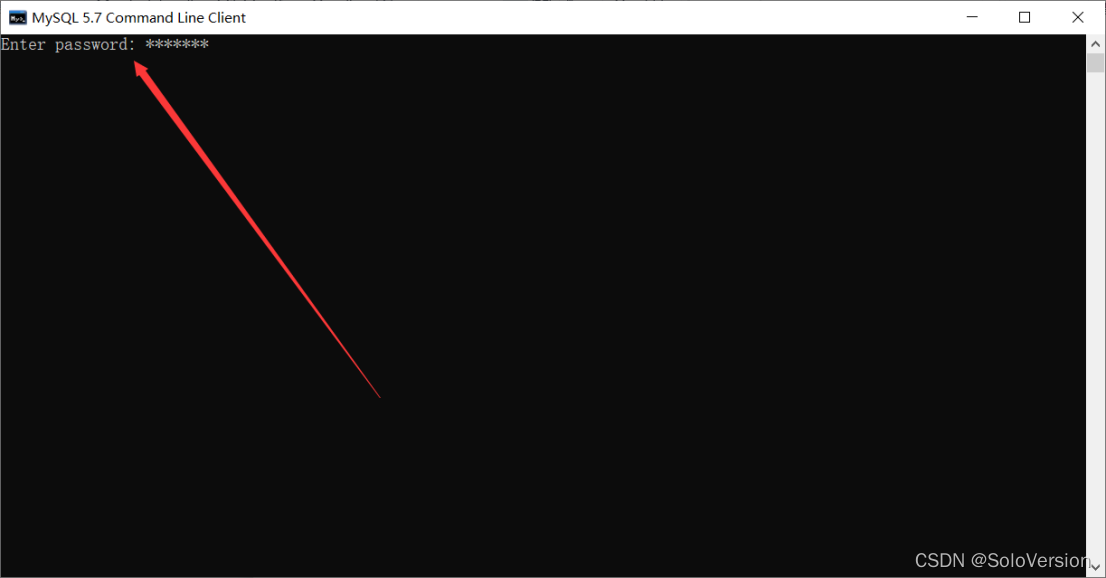
26. Enter the MySQL Password , Press Enter key ( Enter key )
27. The following interface shows that the installation has been successful
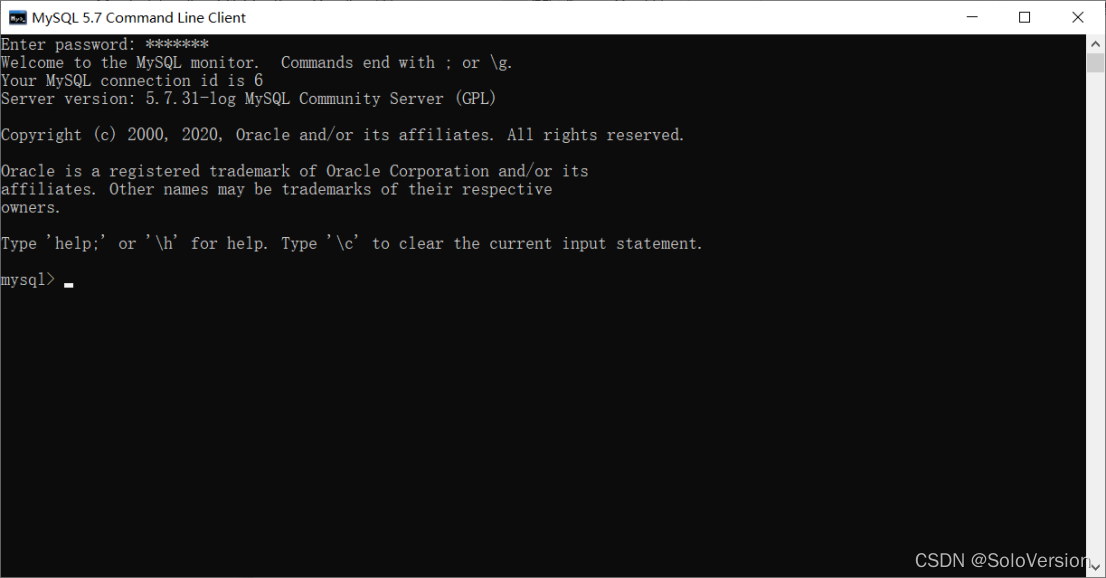
thus ,MySQL Database installed successfully
3、 ... and 、 Configure environment variables
1. find MySQL Installation path for
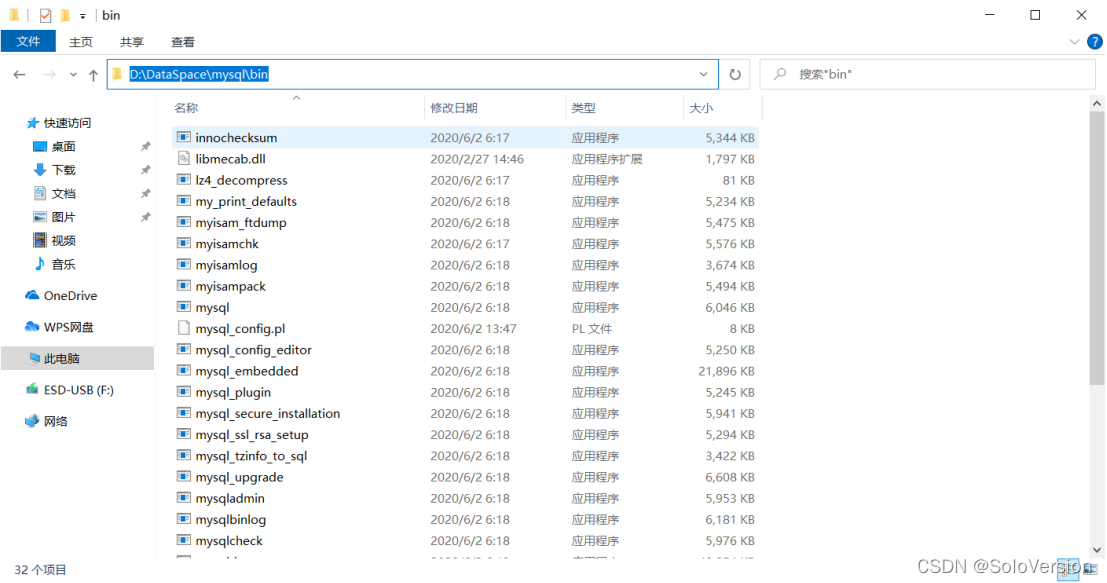
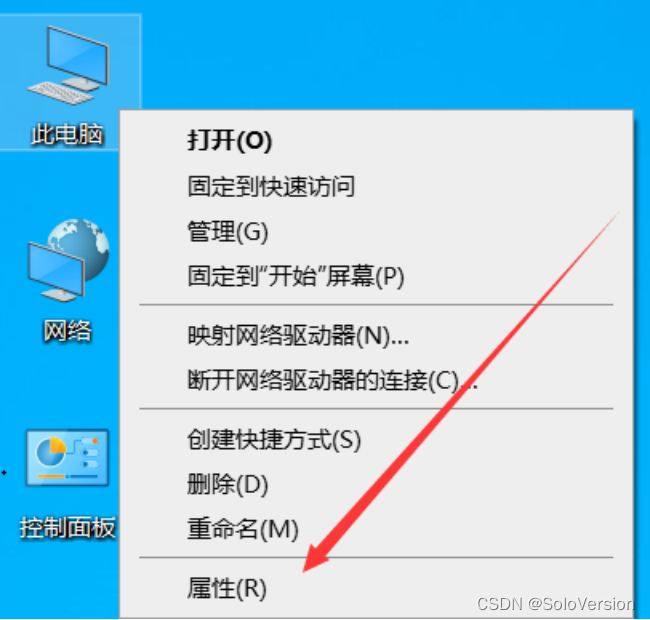
2. Right click this computer and select “ attribute ”
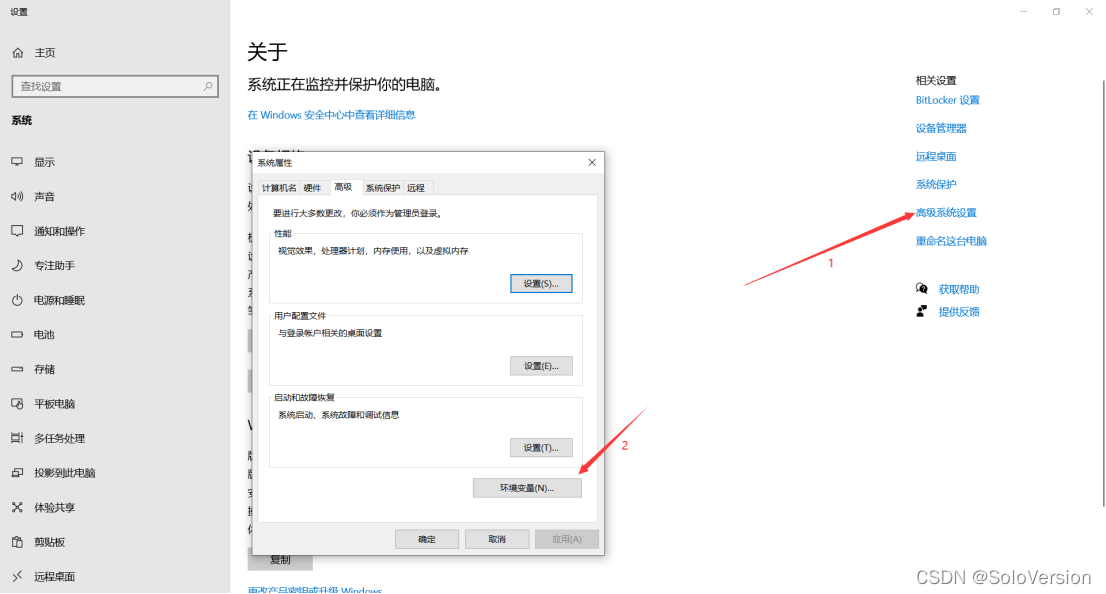
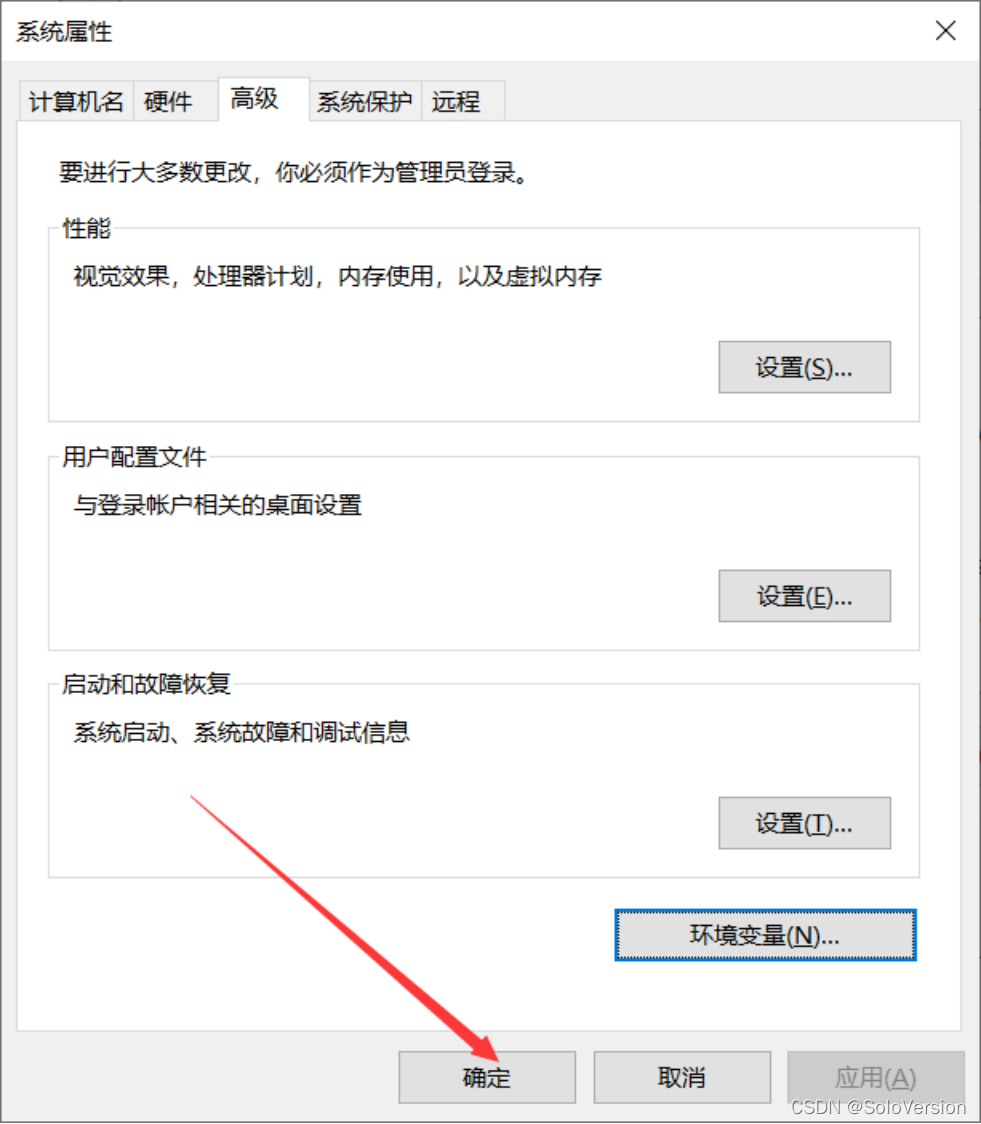
3. First click “ Advanced system setup ”, Click again “ environment variable ”
4. stay “ System variables ” Choose from “Path”, Click on “ edit ”
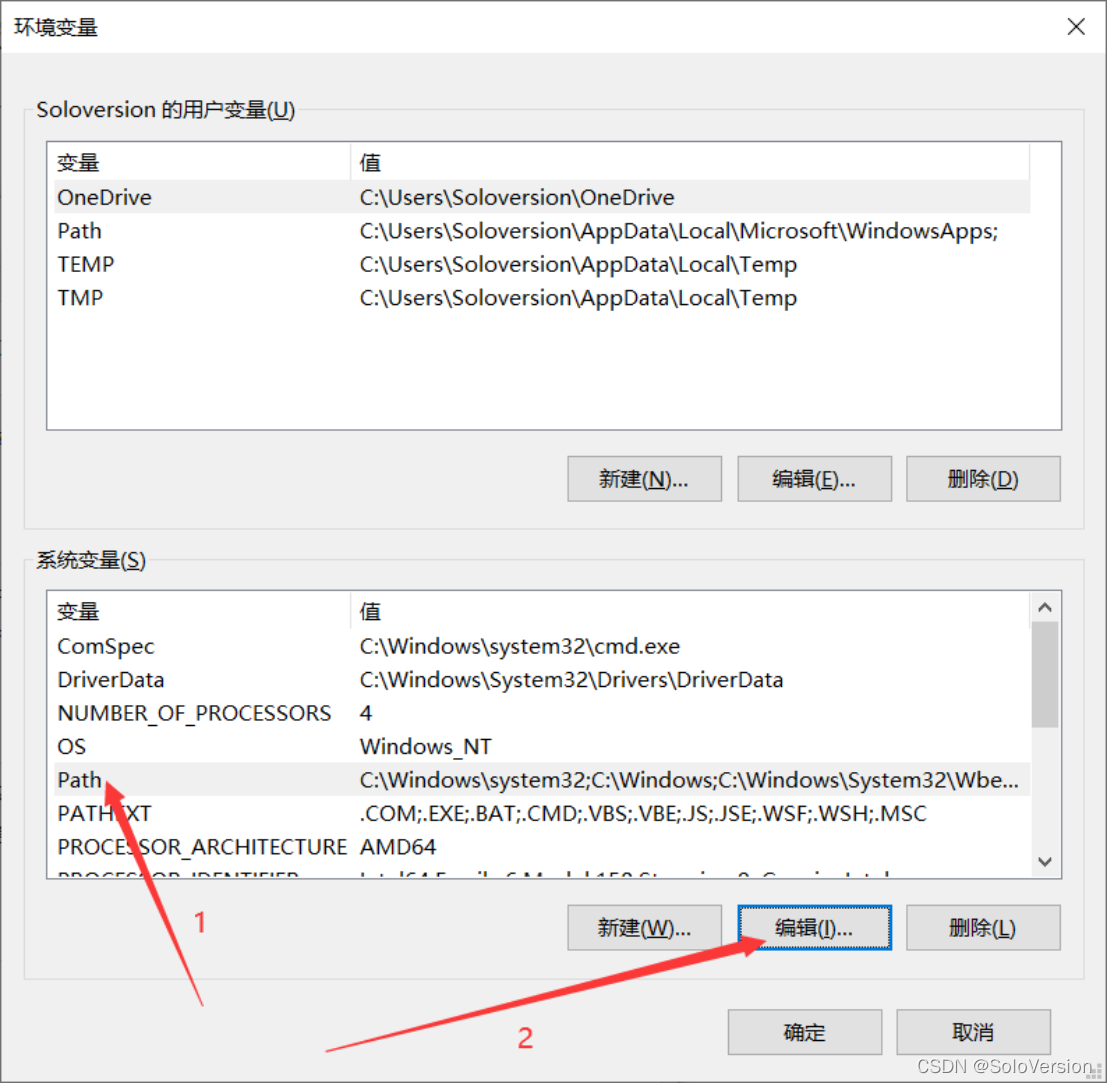
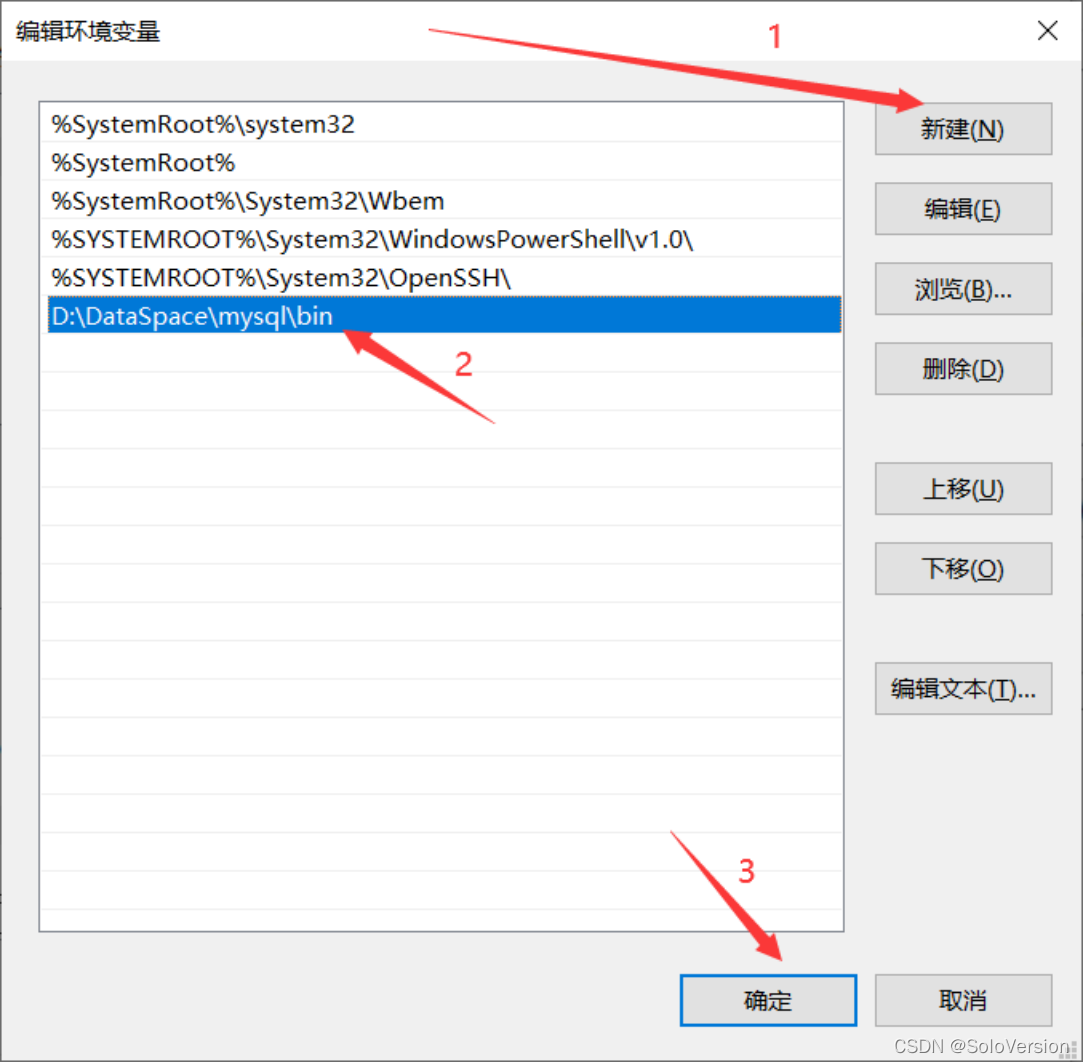
5. Click on “ newly build ”, take MySQL Add the installation path of , After clicking on “ determine ”
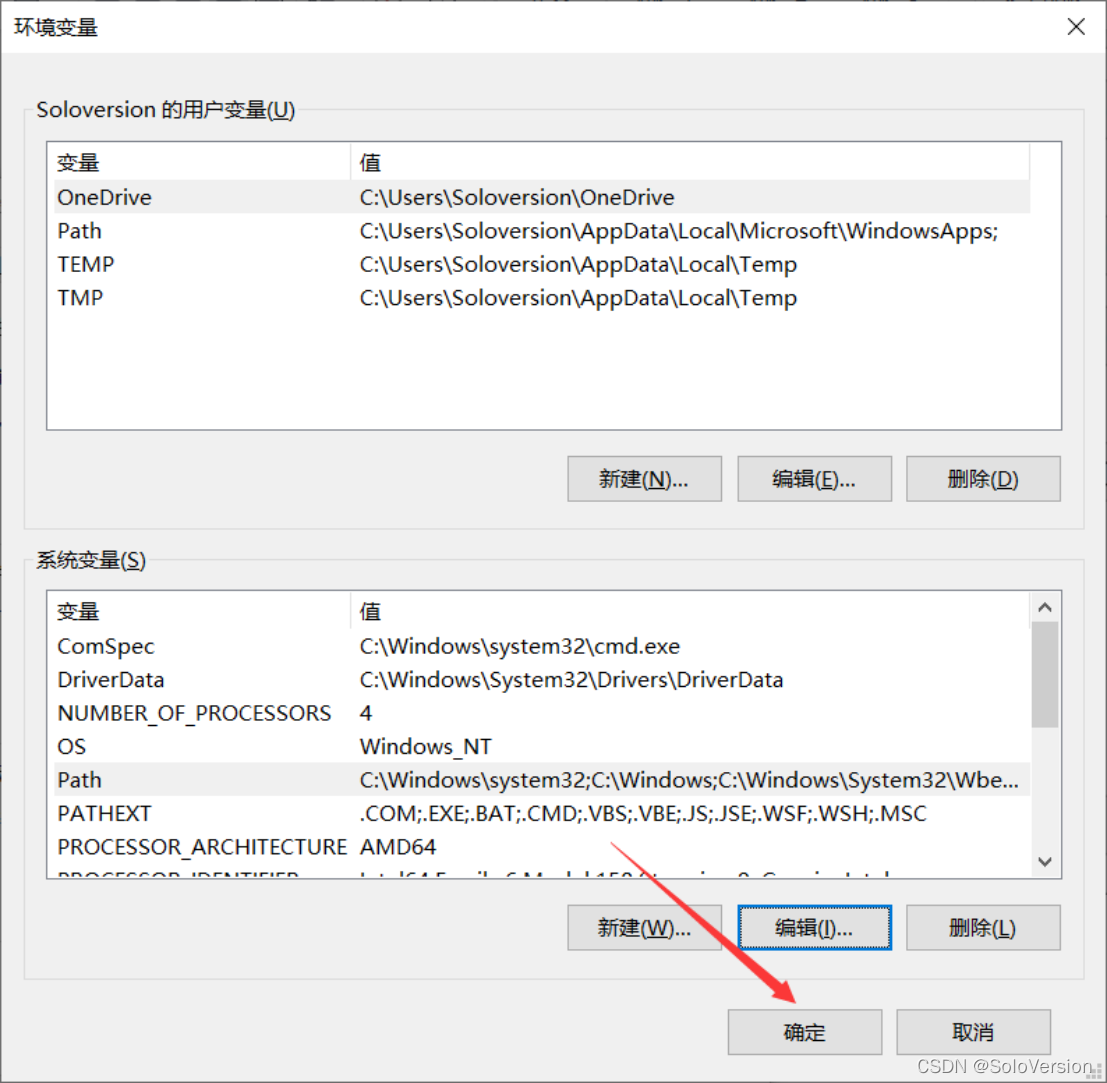
6. Just click “ determine ”
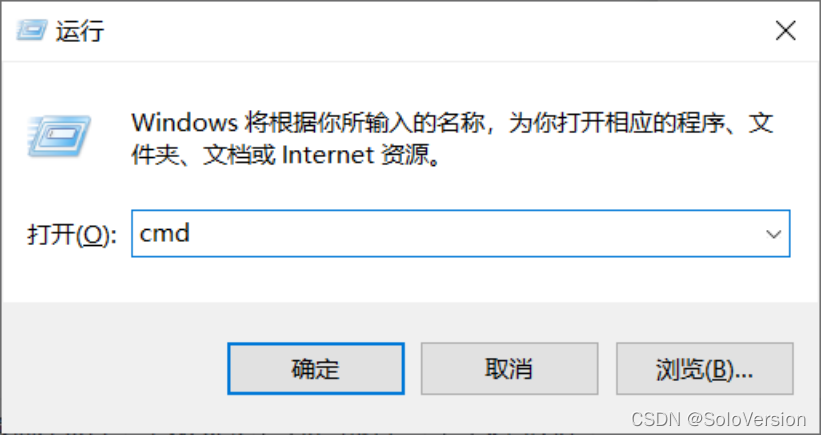
7. Verify that the environment variables are configured properly , Press down “window+R” key Pop up the run box , Input “cmd” Get into window Command line
8. Input “mysql -u root -p” Press enter
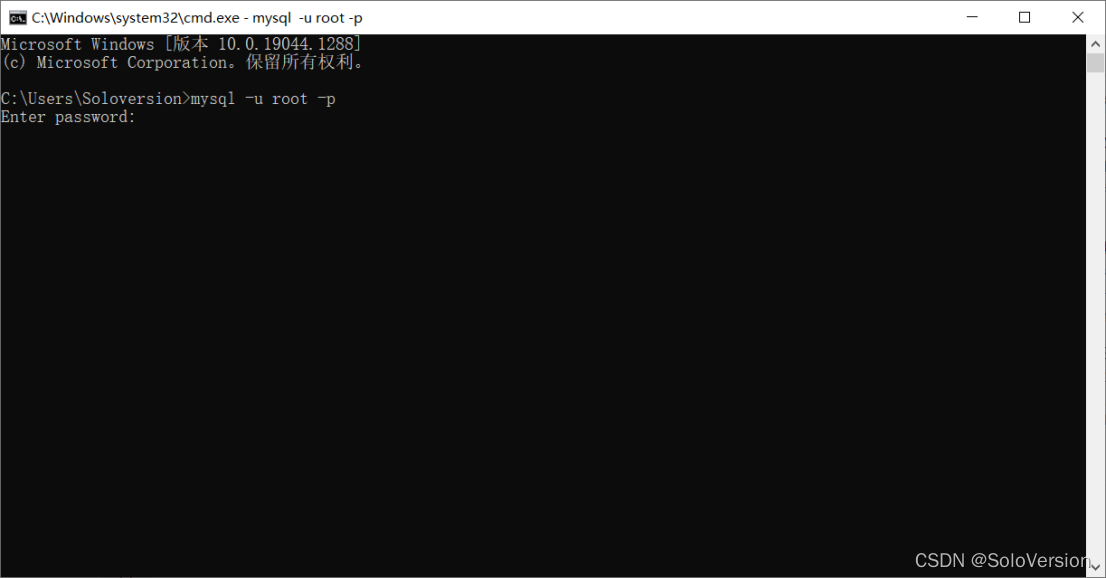
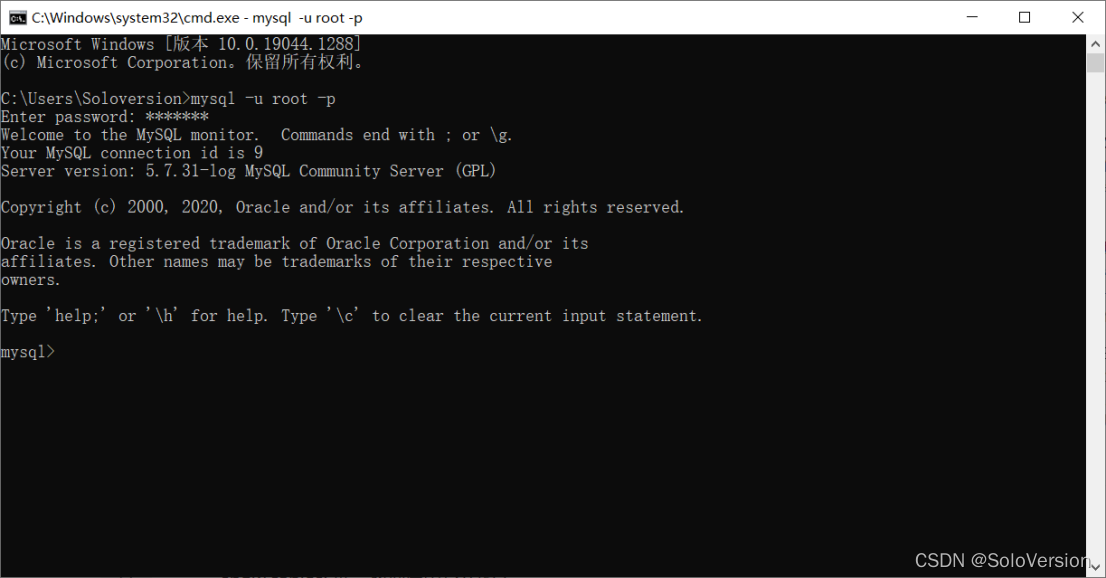
9. Input password , Press down “Enter key ( Enter key )”, When the following interface appears, the configuration is successful
It's not easy to make , If it's helpful, I hope I can give you give the thumbs-up Under the support , Thank you. .
边栏推荐
- laptop外接显示器
- [microservice] Nacos cluster building and loading file configuration
- 实时数仓:网易严选基于Flink的实时数仓实践
- Is the declarative code of compose so concise?
- Multi sensor fusion positioning (I) -- 3D laser odometer
- centos7安装mysql8
- Briefly introduce the working principle and characteristics of block cipher encryption block link mode (cryptography shift cipher encryption and decryption)
- 以JSP为视图解析器搭建SSM项目
- Leetcode64. Minimum path sum
- 双重for循环优化
猜你喜欢

EN 1873 assembly accessories for roofing - plastic single roof lamps - CE certification

curl (7) Failed connect to localhost8080; Connection refused

#{}和${}的区别

ISO 13400(DoIP)标准解读

IDEA报错Error running ‘Application‘ Command line is too long解决方案

Tyrosine decarboxylase -- characteristics of tyrosine decarboxylase of Streptococcus faecalis in Worthington

Leetcode59. Spiral matrix II

实时数仓:网易严选基于Flink的实时数仓实践

Detailed explanation of 9 common reasons for MySQL index failure
![[microservice] Nacos cluster building and loading file configuration](/img/50/7af220c57a06eb186729c9882d9dab.png)
[microservice] Nacos cluster building and loading file configuration
随机推荐
PHP poster QR code synthesis
SQL implementation merges multiple rows of records into one row
Leetcode63. Different paths II
How NAT configures address translation
Websocket heartbeat mechanism (keep alive mechanism)
MySQL安装配置教程(超级详细、保姆级)
跳表的原理
Powercli VMware vCenter deploys conventional new VMS in batch through self built PXE server with one click
SAP temporary tablespace error handling
Pycharm configuring the running environment
websocket心跳机制(保活机制)
Install MySQL using Yum for Linux
【小程序项目开发 -- 京东商城】uni-app 商品分类页面(上)
Tyrosine decarboxylase -- characteristics of tyrosine decarboxylase of Streptococcus faecalis in Worthington
Es6操作教程
Worthington - chemical properties and related studies of Worthington trypsin
Dual for loop optimization
#{}和${}的区别
NPM replace the latest Taobao image
Plato farm is expected to further expand its ecosystem through elephant swap