当前位置:网站首页>ESP32
ESP32
2022-07-05 21:23:00 【ddddfang】
ESP32-CAM
在ubuntu16.04。IDF SDK,类似stm32库开发的方式,将freeRTOS、LWIP、tinyUSB、LVGL等开源库移植到esp32上,配有大量的demos,貌似比stm32开发方便很多
IDF开发环境参看 https://aithinker.blog.csdn.net/article/details/121565113
sudo apt-get install git wget flex bison gperf python3 python3-pip python3-setuptools cmake ninja-build ccache libffi-dev libssl-dev dfu-util libusb-1.0-0
Reading package lists... Done
Building dependency tree
Reading state information... Done
libffi-dev is already the newest version (3.2.1-4).
libusb-1.0-0 is already the newest version (2:1.0.20-1).
python3 is already the newest version (3.5.1-3).
cmake is already the newest version (3.5.1-1ubuntu3).
git is already the newest version (1:2.7.4-0ubuntu1.10).
The following additional packages will be installed:
libbison-dev libexpat1 libexpat1-dev libfl-dev libpython3-dev libpython3.5 libpython3.5-dev
libpython3.5-minimal libpython3.5-stdlib libssl-doc libssl1.0.0 m4 python-pip-whl
python3-dev python3-wheel python3.5 python3.5-dev python3.5-minimal
Suggested packages:
bison-doc distcc python-setuptools-doc python3.5-venv python3.5-doc binfmt-support
The following packages will be REMOVED:
ninja
The following NEW packages will be installed:
bison ccache dfu-util flex gperf libbison-dev libexpat1-dev libfl-dev libpython3-dev
libpython3.5-dev libssl-dev libssl-doc m4 ninja-build python-pip-whl python3-dev python3-pip
python3-setuptools python3-wheel python3.5-dev
The following packages will be upgraded:
libexpat1 libpython3.5 libpython3.5-minimal libpython3.5-stdlib libssl1.0.0 python3.5
python3.5-minimal wget
8 upgraded, 20 newly installed, 1 to remove and 427 not upgraded.
Need to get 50.3 MB of archives.
After this operation, 71.3 MB of additional disk space will be used.
Do you want to continue? [Y/n] Y
ESP编程指南参看 https://docs.espressif.com/projects/esp-idf/zh_CN/latest/esp32/index.html
ESP32-CAM的一个demo参看 https://aithinker.blog.csdn.net/article/details/108000974
上手点亮开发板,https://blog.csdn.net/zhigedali/article/details/122714045
1. win10商店可以搜 Arduino IDE,或者去官网 https://www.arduino.cc/en/software,下载win10版本的话也是推荐你用商店装(linux版本就是直接下载)
2. 打开 Arduino IDE,文件>首先项> 额外开发板过滤器中输入 https://dl.espressif.com/dl/package_esp32_index.json,
其中定义了开发版配置和驱动demos、工具(包括gcc和其他开发用得着的工具),都在github上
3. 工具->开发板->开发板管理器, 搜索 ESP32 并点击安装,这就是下载第二步指定的 demos + tools
4. 工具->开发板->ESP32 Arduino -> AI Thinker ESP32-CAM, 选择刚刚安装的开发板
5. 文件->示例->ESP32->Camera, 选择 CamerWebServer,修改(可能需要另存为),然后验证(就是编译) & 上传(就是编译并通过串口下载到chip)
6. 上传(下载)完毕,工具->串口监视器,115200波特率,chip按rst按键可看到ip信息
10 [submodule "components/bt/controller/lib_esp32"]
11 path = components/bt/controller/lib_esp32
12 url = https://gitee.com/qiangguta/esp32-bt-lib.git
s://gitee.com/qiangguta/asio.git
45
46 [submodule "components/expat/expat"]
47 path = components/expat/expat
48 url = https://gitee.com/qiangguta/libexpat.git
# https://blog.csdn.net/JUST__Tw/article/details/111512725
#
#
# 安装编译工具链
# wget https://dl.espressif.com/dl/xtensa-esp32-elf-linux64-1.22.0-75-gbaf03c2-5.2.0.tar.gz
# 添加环境变量: /home/fang/esp32-cam/xtensa-esp32-elf/bin
#
#
# get esp-idf
# git clone --recursive https://gitee.com/EspressifSystems/esp-idf.git
# git clone --recursive https://github.com/espressif/esp-idf.git
https://blog.csdn.net/qq_24317435/article/details/112466193?spm=1001.2014.3001.5501
https://docs.espressif.com/projects/esp-idf/zh_CN/latest/esp32/get-started/linux-macos-setup.html
https://randomnerdtutorials.com/esp32-cam-ai-thinker-pinout/
sudo apt-get install git wget flex bison gperf python3 python3-venv python3-setuptools cmake ninja-build ccache libffi-dev libssl-dev dfu-util libusb-1.0-0
git clone --recursive https://github.com/espressif/esp-idf.git
git submodule update --init --recursive
export IDF_PATH=/home/ases/esp/esp-idf
export IDF_GITHUB_ASSETS="dl.espressif.com/github_assets"
./install.sh all
#then tools will be in ~/.espressif/
. ./export.sh #可以 alias get_idf='. /home/fang/Desktop/esp-idf/export.sh' 到.bashrc
mkdir esp-demos && cd esp-demos/
cp -ra ../esp-idf/examples/get-started/blink/ .
cd blink/
idf.py set-target esp32 //要保证当前目录下有 CMakeLists.txt
idf.py menuconfig
idf.py build
ls /dev/ttyUSB0
sudo chmod 777 /dev/ttyUSB0
//不使用底板下载,则:usb转串vcc接到板子5v接口,tx接chip rx,IO0与GND短接(boot模式),此状态上电(插上usb转串)
//下载完成后去掉IO0与GND的短接线,并按rst键即可运行模式
idf.py -p /dev/ttyUSB0 flash
idf.py -p /dev/ttyUSB0 monitor //ctrl + ] 退出
后面的学习还是以官网为主,api参考基本都有对应的例子
https://docs.espressif.com/projects/esp-idf/zh_CN/latest/esp32/api-reference/index.html
# git clone https://gitee.com/EspressifSystems/esp-idf.git
# git clone https://gitee.com/esp32_idf_submodule/submodule_config.git
#
# cd esp-idf
# git submodule init
# cp .git/config .git/config.bak
# cp ../submodule_config/config ./.git/
ESP32-S3 N16R8
https://docs.espressif.com/projects/esp-idf/zh_CN/latest/esp32s3/get-started/index.html
https://docs.espressif.com/projects/esp-idf/zh_CN/latest/esp32s3/hw-reference/esp32s3/user-guide-devkitc-1.html
sudo apt-get install git wget flex bison gperf python3 python3-venv python3-setuptools cmake ninja-build ccache libffi-dev libssl-dev dfu-util libusb-1.0-0
git clone --recursive https://github.com/espressif/esp-idf.git
git submodule update --init --recursive
export IDF_PATH=/home/ases/esp/esp-idf
export IDF_GITHUB_ASSETS="dl.espressif.com/github_assets"
./install.sh all
#then tools will be in ~/.espressif/
. ./export.sh #可以 alias get_idf='. /home/fang/Desktop/esp-idf/export.sh' 到.bashrc
mkdir esp-demos && cd esp-demos/
cp -ra ../esp-idf/examples/get-started/blink/ .
cd blink/
idf.py set-target esp32s3 //要保证当前目录下有 CMakeLists.txt,注意这里是eps32s3
idf.py menuconfig
idf.py build
ls /dev/ttyACM0 //不再是 /dev/ttyUSB0,这个可以拔插usb,然后sudo dmesg -c 查看
sudo chmod 777 /dev/ttyACM0
//使用usb接口,内部也是使用usb转串下载的,区别仅仅在于下载完成后,后续一个作为usb接口使用,一个作为串口使用
//usb转串口接口下载电路通过 DTR 和 RTS 控制esp32进入下载模式, 不需要做任何干涉,此外供电稳定很少会出现下载失败的问题
//我使用usb接口没有下载成功...只能通过usb转串口
idf.py -p /dev/ttyACM0 flash
idf.py -p /dev/ttyACM0 monitor //ctrl + ] 退出
后面的学习还是以官网为主,api参考基本都有对应的例子
https://docs.espressif.com/projects/esp-idf/zh_CN/latest/esp32s3/api-reference/index.html
例子几乎都是一样的,前面esp32的demo可以直接拿来用, 只是 set-target esp32s3
边栏推荐
- Learning robots have no way to start? Let me show you the current hot research directions of robots
- Talk about my fate with some programming languages
- leetcode:1139. The largest square bounded by 1
- Selenium gets the verification code image in DOM
- Problems encountered in office--
- Zhang Lijun: la pénétration de l’incertitude dépend de quatre « invariants»
- Hdu2377bus pass (build more complex diagram +spfa)
- Explain various hot issues of Technology (SLB, redis, mysql, Kafka, Clickhouse) in detail from the architecture
- Traps in the explode function in PHP
- What are the requirements of UL 2043 test for drive housing in the United States?
猜你喜欢
![[case] Application of element display and hiding -- element mask](/img/6e/6ea484a6e5d547e01dd8820af8e314.png)
[case] Application of element display and hiding -- element mask
Cross end solution to improve development efficiency rapidly
PVC plastic sheets BS 476-6 determination of flame propagation properties
Parker driver maintenance COMPAX controller maintenance cpx0200h

Feng Tang's "spring breeze is not as good as you" digital collection, logged into xirang on July 8!
LeetCode_哈希表_困难_149. 直线上最多的点数
Écrire une interface basée sur flask
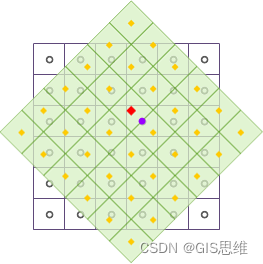
Introduction of ArcGIS grid resampling method
LeetCode_ Hash table_ Difficulties_ 149. Maximum number of points on the line
基于vertx-web-sstore-redis的改造实现vertx http应用的分布式session
随机推荐
Haas506 2.0 development tutorial - Alibaba cloud OTA - PAC firmware upgrade (only supports versions above 2.2)
ArcGIS栅格重采样方法介绍
【案例】元素的显示与隐藏的运用--元素遮罩
Parker driver maintenance COMPAX controller maintenance cpx0200h
Careercup its 1.8 serial shift includes problems
R language [data management]
leetcode:1139. The largest square bounded by 1
思特奇加入openGauss开源社区,共同推动数据库产业生态发展
EasyExcel的讀寫操作
Simple getting started example of Web Service
Objects in the list, sorted by a field
Cross end solution to improve development efficiency rapidly
Modifiers of attributes of TS public, private, protect
PostGIS installation geographic information extension
Realize the function of verifying whether the user has completed login when browsing the page
Teach yourself to train pytorch model to Caffe (III)
Comprehensive optimization of event R & D workflow | Erda version 2.2 comes as "7"
@Validated基础参数校验、分组参数验证和嵌套参数验证
Introduction to TS, constructor and its this, inheritance, abstract class and interface
uni-app 蓝牙通信