当前位置:网站首页>Anaconda安装labelImg图像标注软件
Anaconda安装labelImg图像标注软件
2022-07-31 12:20:00 【你好,明天,,】
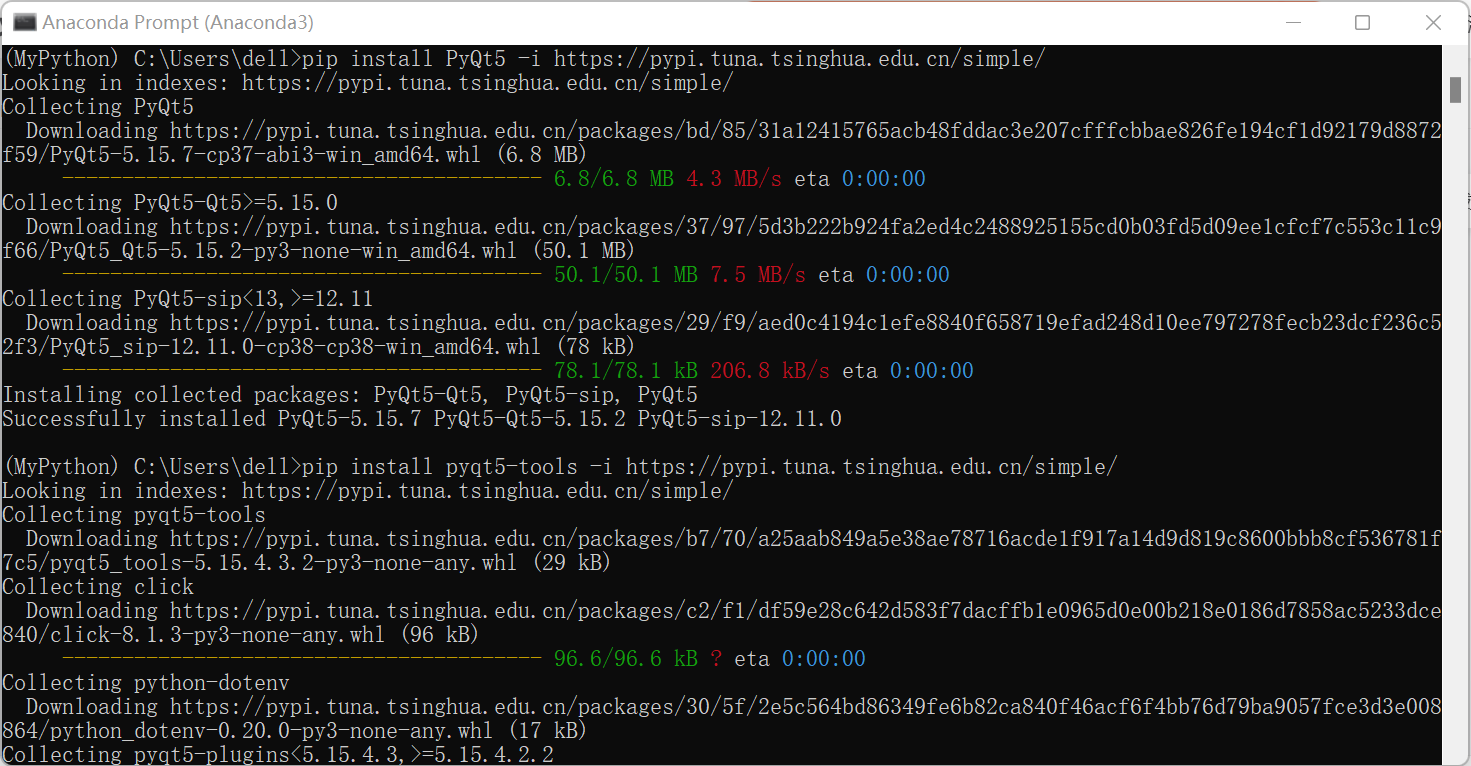
打开Anaconda Prompt,在命令窗口中激活新环境,并进入到新环境中,然后依次输入以下命令完成labelImg的安装。
方法一:(使用镜像)
pip install PyQt5 -i https://pypi.tuna.tsinghua.edu.cn/simple/(后面这行是国内的清华镜像源,下载速度才会比较快)
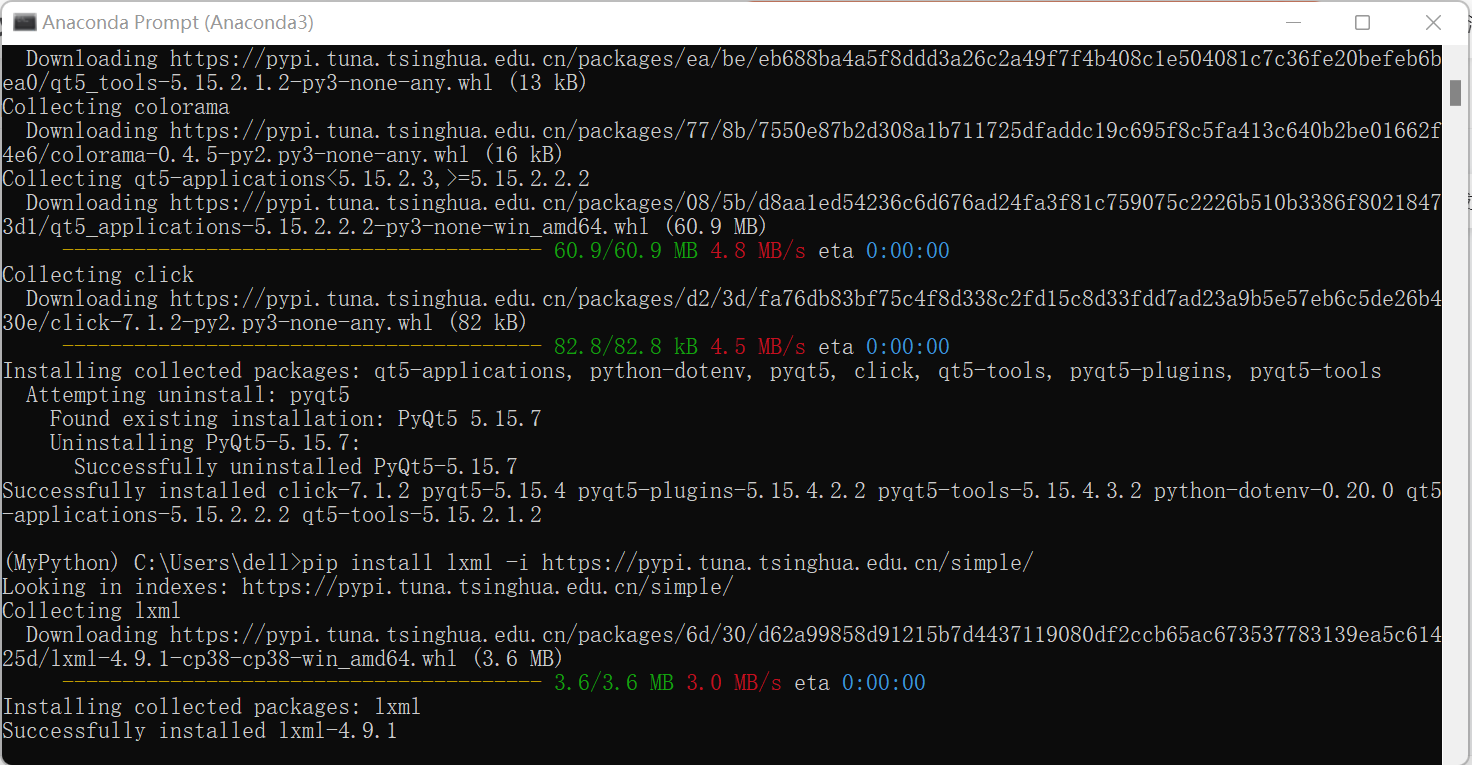
pip install pyqt5-tools -i https://pypi.tuna.tsinghua.edu.cn/simple/
pip install lxml -i https://pypi.tuna.tsinghua.edu.cn/simple/
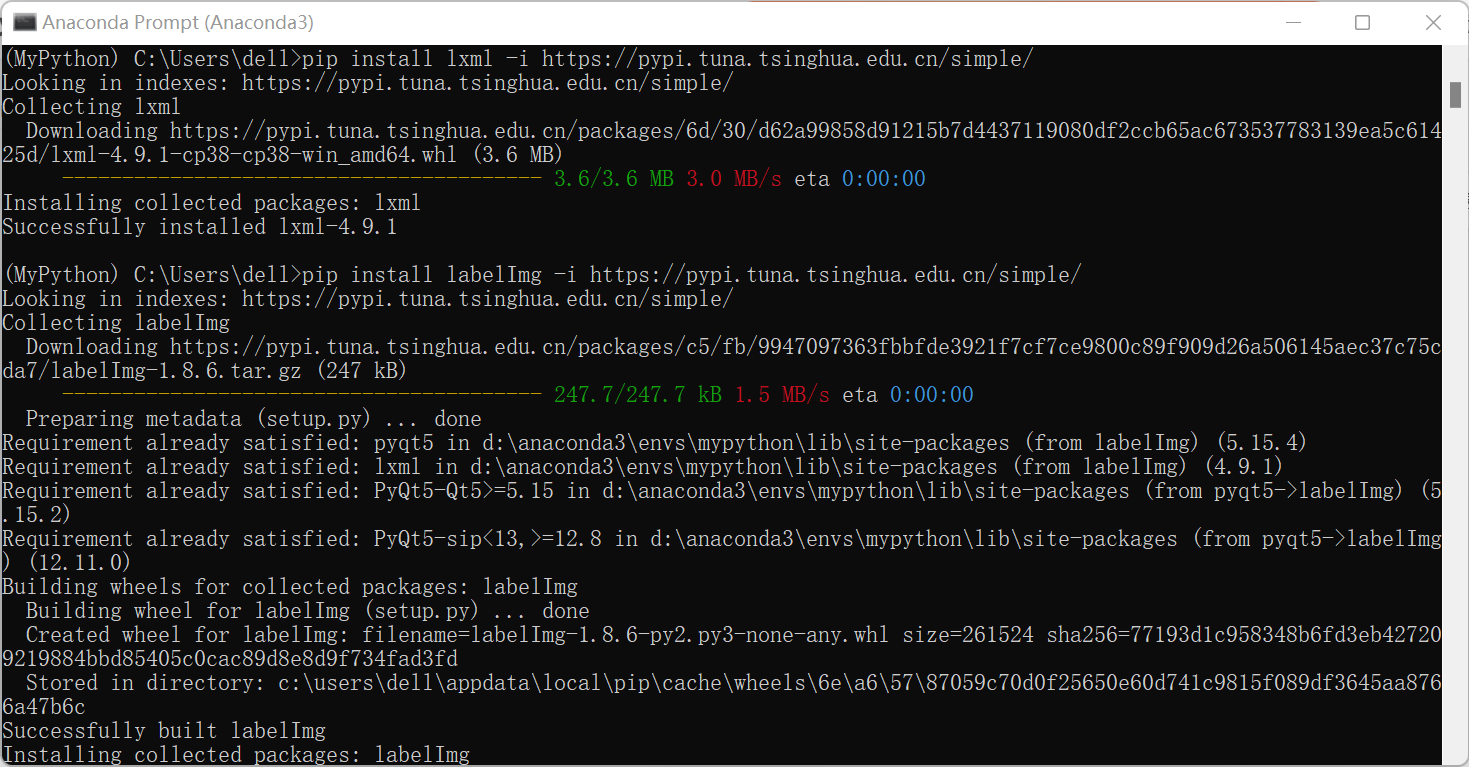
pip install labelImg -i https://pypi.tuna.tsinghua.edu.cn/simple/ (Img中的I要大写,注意)
以上步骤成功之后,在窗口中键入labelimg即可打开该软件:
(注:使用上述方法可能后面会遇到闪退问题,即不能打开已经标注好的.xml文件;如果出现闪退问题,建议重新创建一个环境,使用pip install labelImg命令行方式安装,这里Img中“I”一定是大写的!)


可以导入图像使用了。
方法二:(直接输入pip install labelImg进行安装,虽然会慢点)

边栏推荐
- 手撕Verilog PWM呼吸灯
- Qt鼠标穿透
- Docker installs canal and mysql for simple testing and achieves cache consistency between redis and mysql
- Is the working process of the belt you know the story - actionreducerstore
- WPF中TabControl动态获取当前选中的TabItem
- ASM module in SAP Ecommerce Cloud Spartacus UI and Accelerator UI
- 学习笔记 Golang 写入文件(io.WriteString、ioutil.WriteFile、file.Write、write.WriteString)
- Full GC (Ergonomics)排查分析
- Candence学习篇(11) allegro中设置规则,布局,走线,铺铜
- Chrome开发自定义右键菜单实现快速跳转到指定页面
猜你喜欢


随机推荐
Use docker to build mysql master-slave
小试牛刀—猜数字游戏
TOGAF10标准读书会第2场活动精彩继续,高光时刻回顾!
函数的参数
学习笔记 Golang 写入文件(io.WriteString、ioutil.WriteFile、file.Write、write.WriteString)
基于生物激励神经网络的室内实时激光SLAM控制方法
【Shader】Shader官方示例[通俗易懂]
手撕Verilog PWM呼吸灯
MySQL模糊查询性能优化
带有对称约束切换线性系统的结构可控性
荣耀手机参数写错,客服认为没错
快速学完数据库管理
分布式监视 Zabbix 和 Prometheus 到底怎么选?千万别用错了!
How to correctly write the binary stream of the file returned by the server to the local file and save it as a file
纷享销客罗旭对话元气森林黄晓枫:零售数字化的终点不是创新,而是数据
jmeter性能测试步骤入门(性能测试工具jmeter)
关于==和equals的区别和联系,面试这么回答就可以
Build a Valentine's Day confession website (super detailed process, package teaching package)
JVS函数公式使用场景介绍
Mysql环境变量的配置(详细图解)