当前位置:网站首页>How to send and receive reports through outlook in FastReport VCL?
How to send and receive reports through outlook in FastReport VCL?
2022-07-28 04:59:00 【Yamacheng manong first brother】
This article will introduce FastReport VCL How to be in FastReport VCL Pass through Outlook Send and receive reports .
FastReport VCL Download the official version 
In this paper , You will learn about a new transport subcategory , This subcategory is in 2022.2.7 Available in version , be called “ Mail transfer ”. Now it includes 2 A component , You can visit Gmail and Outlook.
Mail transmission has the following functions :
- Save and load reports ;
- Save the export results .
Saving means sending email . Uploading involves using the file attached to the letter , Letters can belong to any mail category ( inbox / Has been sent / Draft, etc ).
Transportation status
FastReport Have what is called “ transmission ” The components of . They need access :
- Cloud storage (Dropbox、OneDrive、Box.com、Google.Drive、Yandex.Disk);
- FTP The server ;
- E-mail ( Send messages only );
- The mail service (Gmail、Outlook).
Cloud storage and FTP The server supports the following functions :
- Save and load reports ;
- Save the export results ;
- Use files when building reports ( for example , picture ).
Add the transport to the application and its settings 
You can use the context menu on the component —— This will establish a connection directly from the development environment . single click “ Edit connection ” Sub menu .
Listening port . By default , The transmission only responds from the use port 9898 Authorization response of browser . If this port is already in use or you plan to use it in the future ,FastReport VCL Allows you to set ListenerPort Property to change the port .
Besides , We will use port by default 9898. Now let's look at the connection steps of mail transmission . Users do not need to perform all the following steps to authorize each time . This setting is only completed once by the cloud service administrator . After all the steps , The obtained authorization data can be used by other users .
- go to Embarcadero Rad Studio And expand “FastReport VCL Internet transports” tab .
- Select the required components and add them to the application form .
Connect to Outlook
When the user wants to use the transfer to open ( Or save ) The report ( Or export the results ) when , He will see the standard login dialog ( If he has not logged in before ).

To enter the connection settings page , Please click the question mark in the upper right corner of the authorization window . This will use Azure The application management page opens the default browser . If the user is not Azure Authorized in , An authorization page will open , You need to log in to your Azure account .
If this account has never been created before Azure Applications , Then the first step will be to create a new application .

First , You need to create a new application . single click “ Register application ” Button .

here , You must enter the application name , Select a supported account type , And fill in the redirection URI.
For easy setup , stay “ Supported account types ” Properties of the , Choose the third “ Any organization Directory ( whatever Azure AD Catalog - multi-tenancy ) And personal Microsoft account ( for example Skype、Xbox) Account in ”. You can do this by clicking “ Help me choose ...” Read more about this .
If you want to use a standard port , Please redirect URI Enter... In the field “http://localhost:9898”.
single click “ register ” Button . Our application will be successfully created .

take “Client ID” Copy the value of the field to FastReport VCL Authorization dialog . open “ Certificates and confidentiality ” part .

single click “ New client password ”.

Enter the description and select the expiration date of the code . Click on “ add to ”.

take “Value” Copied to the FastReport VCL Authorization dialog box .

single click “ determine ”. A new browser window will open , You are required to login to your account .

After authorization, click “ yes ”.

This completes the successful connection setup . Now you know how to FastReport VCL Connect to Outlook.
The future of mail transportation
In terms of function , Cloud transport supports all the functions mentioned above . The graphic design of mail transportation during loading will be improved in further versions . up to now , Graphical user interface (GUI) Used as cloud storage . Now? , Categories and messages are implemented as folders , Attachments are implemented as files .

future , Plan to improve graphic components , Make it more user friendly . Functional improvements will include email search . Send message window GUI It will also change slightly .

If the export generates multiple files , Then each file will be sent in its own email . in other words , If you want to send the export results page by page PNG, Then each picture will be sent in a separate email .
Almost all arrive FastReport VCL All exports of only generate 1 Output files (PDF、DOCX、RTF etc. ), Most users will not notice this .
This time FastReport Use the tutorial About how to be in FastReport VCL Pass through Outlook That's all for sending and receiving reports , In the next section, we will introduce how to FastReport VCL Pass through Gmail Send and receive reports .
边栏推荐
- Program life | how to switch to software testing? (software testing learning roadmap attached)
- Clickhouse填坑记2:Join条件不支持大于、小于等非等式判断
- 如何在 FastReport VCL 中通过 Outlook 发送和接收报告?
- Dcgan:deep volume general adaptive networks -- paper analysis
- Design and development of C language ATM system project
- Test report don't step on the pit
- 解析智能扫地机器人中蕴含的情感元素
- Leetcode 454. Adding four numbers II
- np. The data returned from delete details is the data after deleting the specified dimension
- Research on the design of robot education in stem course
猜你喜欢

App test process and test points

What should testers know about login security?

低代码是开发的未来吗?浅谈低代码平台

Interview fraud: there are companies that make money from interviews
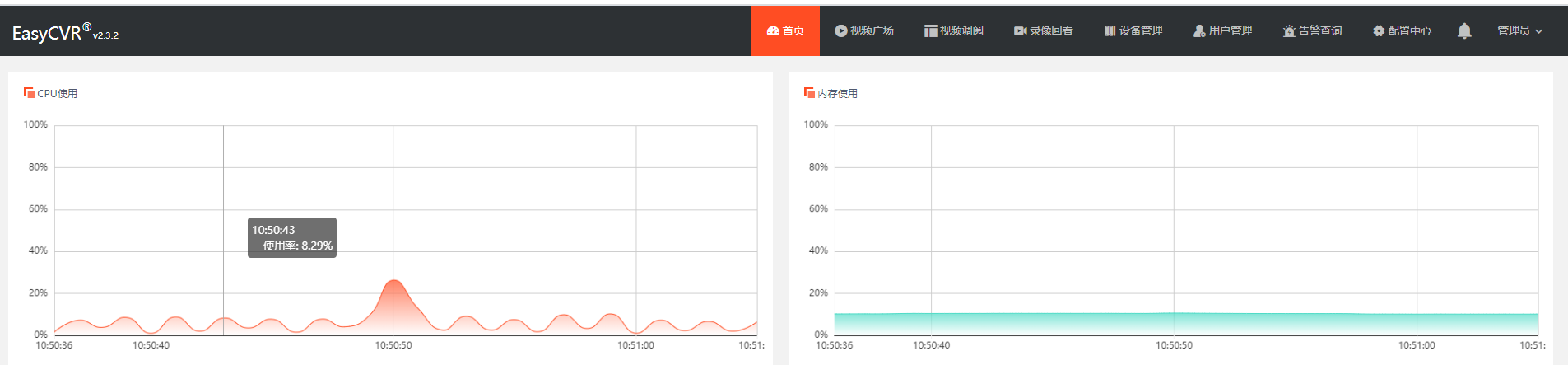
CPU and memory usage are too high. How to modify RTSP round robin detection parameters to reduce server consumption?

(克隆虚拟机步骤)

Design and development of C language ATM system project

Win10 machine learning environment construction pycharm, anaconda, pytorch

如何在 FastReport VCL 中通过 Outlook 发送和接收报告?

Use and expansion of fault tolerance and fusing
随机推荐
Redis类型
【CPU占用高】software_reporter_tool.exe
Keil Chinese garbled code solution
Odoo action analysis (action.client, action.act_window, action.server)
Use animatedbuilder to separate components and animation, and realize dynamic reuse
After a year of unemployment, I learned to do cross-border e-commerce and earned 520000. Only then did I know that going to work really delayed making money!
(克隆虚拟机步骤)
FPGA: use PWM wave to control LED brightness
(manual) [sqli labs27, 27a] error echo, Boolean blind injection, filtered injection
HDU 1522 marriage is stable
Artificial intelligence and RPA technology application (I) -rpa Hongji product introduction, designer interface function explanation
Automated test tool playwright (quick start)
UI automation test farewell from now on, manual download browser driver, recommended collection
POJ 1330 Nearest Common Ancestors (lca)
Array or object, date operation
塑料可以执行GB/T 2408 -燃烧性能的测定吗
Applet import project
Redux basic syntax
Evolution of ape counseling technology: helping teaching and learning conceive future schools
Angr(十一)——官方文档(Part2)