当前位置:网站首页>Gbase 8A method for reducing the impact on the system by controlling resource usage through concurrency during node replacement of V8 version
Gbase 8A method for reducing the impact on the system by controlling resource usage through concurrency during node replacement of V8 version
2022-06-27 21:52:00 【The source of life;】
During node replacement , A large amount of data needs to be read and transferred from the backup node , It will inevitably affect the existing system . stay V9 In the version, the synchronization is realized through redistribution , You can control the number of concurrent , Pause, resume, etc ; And in the V8 This function is not available in the version , If users are more sensitive to performance impact , Accept the longer time , The synchronization process can be reduced manually , To reduce the impact on the system .
About parameters and configuration
Monitoring profile
gcluster/config/gcmonit.cnf, Note that 1 individual m, No gcmmonit.cnf
Note out the following
#[gcrecover]
#fail2ok_trigger_cmd=
#prog_name=gcrecover
#ok2fail_trigger_cmd="sh /opt/gbase/gcluster/server/bin/gcluster_services gcrecover start"
Synchronize profile
gcluster/config/gc_recover.cnf
Add or modify the following parameters at the end of the file : The minimum is 2, Maximum 15, The default value is 10
recover_thread_num=2
The operation process
All management nodes will be gcrecover Service stopped , Then modify the configuration parameters of the one to be started , Then start .
Stop the management node gcrecover service
Note only keep 1 individual , At every other management node .
The of the management node gcmonit Service stopped
Avoid it automatically pulling up the database service .
gcmonit.sh stop
The of the management node gcrecover Service stopped
It is no longer involved in the data recovery business .
gcluster_services gcrecover stop
modify gcmonit.conf
take gcrecover Part of the notes are missing : The installation directory /gcluster/config/gcmonit.cnf, Note that 1 individual m, No gcmmonit.cnf
#[gcrecover]
#fail2ok_trigger_cmd=
#prog_name=gcrecover
#ok2fail_trigger_cmd="sh /opt/gbase/gcluster/server/bin/gcluster_services gcrecover start"
And then restart gcmonit service
gcmonit.sh restart
Modify reserved gcrecover To configure
Modify the number of synchronization threads
Modify file : The installation directory /gcluster/config/gc_recover.cnf , Add or modify the following parameters at the end of the file : The minimum is 2, Maximum 15, The default value is 10
recover_thread_num=2
Restart the service
gcluster_services gcrecover stop
View the synchronization service log
Viewing the log, you can see that only the specified thread is started . The installation directory /gcluster/log/gcluster/gc_recover.log
==================================================
2019-08-19 15:16:11.251 [INFO ] <RECOVER-INFO>: gcrecover started
2019-08-19 15:16:11.262 [INFO ] <RECOVER-INFO>: Create socket Thread is been bulit success now!, threadid: 0x7f3fda34c700
2019-08-19 15:16:11.298 [INFO ] <RECOVER-INFO>: Recover Thread(0x7f3fd9b4b700) is been built success
2019-08-19 15:16:11.298 [INFO ] <RECOVER-INFO>: Recover Thread(0x7f3fd934a700) is been built success
2019-08-19 15:16:11.298 [INFO ] <GCWare>: master node is: 1705224384 192.168.163.101
summary
After the above operation , Only reserved management nodes have gcrecover process , Each management node enables a specified number of synchronization processes . If you are free at night , You can increase the number of management nodes , Reduce the quantity during the day to adjust the resource utilization .
Be careful :
When the synchronization is complete , Remember to modify the above configuration 【 Restore 】, All stopped services are restarted , To return to its original state .
Failover node , If the management node is included , Its synchronization service gcrecover It will also start , Please refer to the previous operation to stop . If it is a pure data node , There is no such problem .
边栏推荐
- 微服务之远程调用
- Codeforces Round #723 (Div. 2)
- 100 important knowledge points that SQL must master: retrieving data
- Go从入门到实战——协程机制(笔记)
- AI painting minimalist tutorial
- [leetcode] dynamic programming solution split integer i[silver fox]
- 神奇的POI读取excel模板文件报错
- Codeforces Global Round 14
- Codeforces Round #717 (Div. 2)
- Go從入門到實戰——接口(筆記)
猜你喜欢
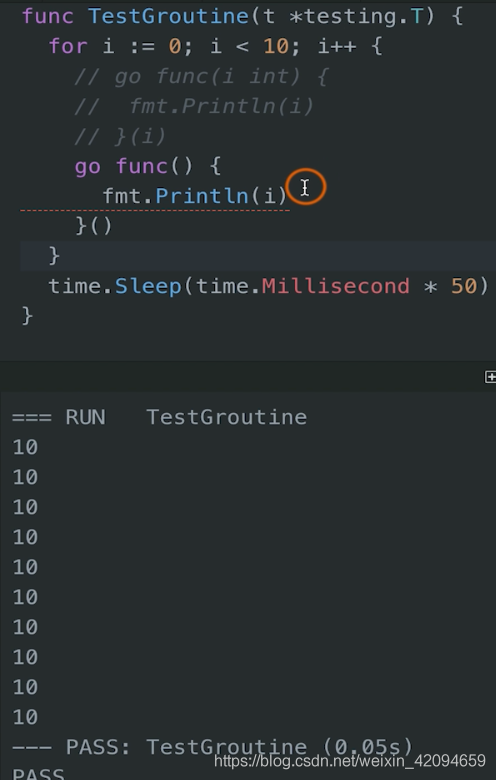
Go from introduction to practice -- coordination mechanism (note)

Tiktok's interest in e-commerce has hit the traffic ceiling?

Icml2022 | scalable depth Gaussian Markov random field

【MySQL】数据库函数通关教程下篇(窗口函数专题)

Knowledge sorting of exception handling

Go从入门到实战——共享内存并发机制(笔记)

Bit.Store:熊市漫漫,稳定Staking产品或成主旋律
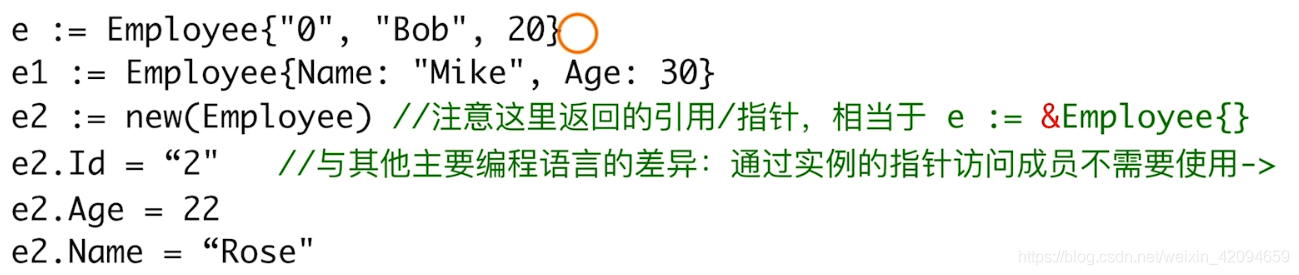
Go从入门到实战——行为的定义和实现(笔记)

Go from starting to Real - Interface (note)

.NET学习笔记(五)----Lambda、Linq、匿名类(var)、扩展方法
随机推荐
鲜为人知的mysql导入数据
"Apprendre cette image" apparaît sur le Bureau win11 comment supprimer
100 important knowledge points that SQL must master: using functions to process data
Oracle migration MySQL unique index case insensitive don't be afraid
TreeSet详解
vmware虚拟机PE启动
Go从入门到实战——package(笔记)
Go从入门到实战——接口(笔记)
What is the core competitiveness of front-line R & D personnel aged 35~40 in this position?
[LeetCode]动态规划解分割数组I[Red Fox]
GBase 8a的create database 会被查询耗时很长怀疑卡住的现象分析
[LeetCode]30. 串联所有单词的子串
TreeSet details
小王的面试训练任务
Quick excel export according to customized excel Title Template
How to delete "know this picture" on win11 desktop
Codeforces Round #721 (Div. 2)
Go from entry to practice -- CSP concurrency mechanism (note)
[LeetCode]161. 相隔为 1 的编辑距离
[Sword Offer II]剑指 Offer II 029. 排序的循环链表