当前位置:网站首页>[coppeliasim] efficient conveyor belt
[coppeliasim] efficient conveyor belt
2022-07-06 02:12:00 【Ten year dream laboratory】
-- Efficient conveyor model script
function sysCall_init()
    config={}

    -- Modify following to customize your conveyor:
    -----------------------------------------------
    config.size={1,0.2,0.1} -- LWH
    config.col1={0.2,0.2,0.2}-- Belt color
    config.col2={0.5,0.5,0.5}-- Solid color
    config.initPos=0-- initial position 0
    config.initVel=0.1-- Initial speed 0.1
    config.accel=1.5-- Initial acceleration 1.5
    -----------------------------------------------

    -- To command the conveyor externally or from another script, simply do:
    --
    -- sim.writeCustomDataBlock(conveyorHandle,'CONVMOV',sim.packTable({vel=0.1})) -- vel. ctrl
    --
    -- or:
    --
    -- sim.writeCustomDataBlock(conveyorHandle,'CONVMOV',sim.packTable({pos=0.1})) -- pos. ctrl
    --
    -- Its current position can be read with:
    -- local data=sim.readCustomDataBlock(model,'CONVMOV')
    --
    -- if data then
    --     local currentPos=data.currentPos
    -- end

    model=sim.getObjectHandle(sim.handle_self)-- Conveyor belt   Model handle
    visible1=sim.getObjectHandle('efficientConveyor_visible1')-- Visible models 1 Handle
    visible2=sim.getObjectHandle('efficientConveyor_visible2')-- Visible models 2 Handle
    forwarder=sim.getObjectHandle('efficientConveyor_forwarder')-- Forward handle

    sim.setShapeColor(visible1,'',sim.colorcomponent_ambient_diffuse,config.col1)-- Set the color
    sim.setShapeColor(visible2,'',sim.colorcomponent_ambient_diffuse,config.col2)-- Set the color
    sim.setShapeBB(visible1,config.size)-- Set shape
    sim.setShapeBB(visible2,{config.size[1]+0.005,config.size[2]+0.005,config.size[3]})-- Set shape  x,y The direction is slightly larger
    sim.setShapeBB(forwarder,config.size)-- Set shape size
    sim.setObjectPosition(visible1,model,{0,0,-config.size[3]/2})-- Set the model location
    sim.setObjectPosition(visible2,model,{0,0,-config.size[3]/2-0.0025})-- A little lower
    sim.setObjectPosition(forwarder,model,{0,0,-config.size[3]/2})-- Model location

    pos=config.initPos-- initial position
    prevPos=pos-- Record the last position
    targetVel=config.initVel-- Target speed : Initial speed
    vel=0-- Last speed
    accel=config.accel-- The acceleration
    sim.writeCustomDataBlock(model,'CONVMOV',sim.packTable({currentPos=pos}))-- Set the conveyor position
end

function sysCall_afterSimulation()
    pos=config.initPos -- After the simulation , Set location
    prevPos=pos-- Update the previous location
    targetVel=config.initVel-- Set to initial speed
    vel=0-- Update the last speed
    accel=config.accel-- Set to initial acceleration
    sim.writeCustomDataBlock(model,'CONVMOV',sim.packTable({currentPos=pos}))-- Set the conveyor belt back to its initial position
end

function sysCall_actuation()
    local dat=sim.readCustomDataBlock(model,'CONVMOV')-- Read belt data
    local off
    if dat then
        dat=sim.unpackTable(dat)
        if dat.offset then
            off=dat.offset-- The offset of the conveyor belt required
        end
        if dat.vel then
            targetVel=dat.vel-- Belt speed
        end
        if dat.accel then
            accel=dat.accel-- Belt acceleration
        end
    end
    local velErr=targetVel-vel-- Calculate the speed adjustment
    local velErrAbs=math.abs(velErr)
    local velErrSign=velErrAbs>1e-4 and velErr/velErrAbs or 1-- Direction of movement
    if velErrAbs>1e-6 then
        vel=vel+math.min(velErrAbs,accel*velErrSign*sim.getSimulationTimeStep())-- Update speed
    end
    if off or vel~=0 then-- Offset and speed is non-zero
        if off then
            pos=off-- Set the conveyor position to offset
        else-- When there is no set offset, the position is calculated
            pos=pos+vel*sim.getSimulationTimeStep()-- Calculate the conveyor position
        end
        setPos(pos)-- Update the conveyor position
    end
    if not dat then-- Data is empty
        dat={}
    end
    dat.currentPos=pos-- Record the current position of the conveyor
    sim.writeCustomDataBlock(model,'CONVMOV',sim.packTable(dat))-- Write data block   Belt data
end

function setPos(p)
    -- Here we "fake" the transportation pads with a single static rectangle that we dynamically reset
    -- at each simulation pass (while not forgetting to set its initial velocity vector) :
    --  ad locum , We use a single static rectangle that we reset dynamically “ forge ” Transport mat
     --  During each simulation ( At the same time, don't forget to set its initial speed vector ):
    local relativeLinearVelocity={(p-prevPos)/sim.getSimulationTimeStep(),0,0}-- Along x Direction relative to linear velocity
    prevPos=pos-- Record the initial position

    -- Reset the dynamic rectangle from the simulation (it will be removed and added again)
	-- Reset the dynamic rectangle from the simulation ( It will be deleted and added again )
    sim.resetDynamicObject(forwarder)
    -- Compute the absolute velocity vector: Calculate the absolute velocity vector :
    local m=sim.getObjectMatrix(forwarder,-1)-- Get the pose matrix of the forward rectangle , And set the position to 0
    m[4]=0 -- Make sure the translation component is discarded
    m[8]=0 -- Make sure the translation component is discarded
    m[12]=0 -- Make sure the translation component is discarded
    local absoluteLinearVelocity=sim.multiplyVector(m,relativeLinearVelocity)-- Absolute speed :   From relative linear velocity to   Move forward under the rectangular coordinate system .
    -- Now set the initial velocity of the dynamic rectangle: Now set the initial speed of the dynamic rectangle :
    sim.setObjectFloatParam(forwarder,sim.shapefloatparam_init_velocity_x,absoluteLinearVelocity[1])
    sim.setObjectFloatParam(forwarder,sim.shapefloatparam_init_velocity_y,absoluteLinearVelocity[2])
    sim.setObjectFloatParam(forwarder,sim.shapefloatparam_init_velocity_z,absoluteLinearVelocity[3])
end
边栏推荐
- Global and Chinese markets of general purpose centrifuges 2022-2028: Research Report on technology, participants, trends, market size and share
- Online reservation system of sports venues based on PHP
- Computer graduation design PHP college classroom application management system
- Minecraft 1.18.1、1.18.2模组开发 22.狙击枪(Sniper Rifle)
- [flask] official tutorial -part3: blog blueprint, project installability
- 【coppeliasim】6自由度路径规划
- Have a look at this generation
- Prepare for the autumn face-to-face test questions
- [eight part essay] what is the difference between unrepeatable reading and unreal reading?
- Leetcode3, implémenter strstr ()
猜你喜欢

1. Introduction to basic functions of power query
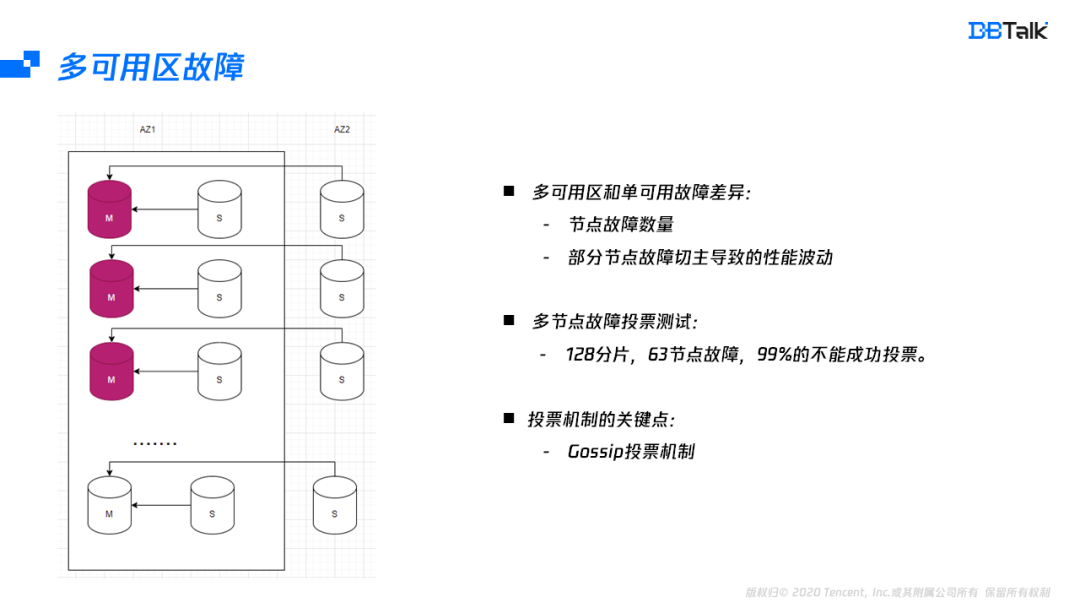
Redis如何实现多可用区?
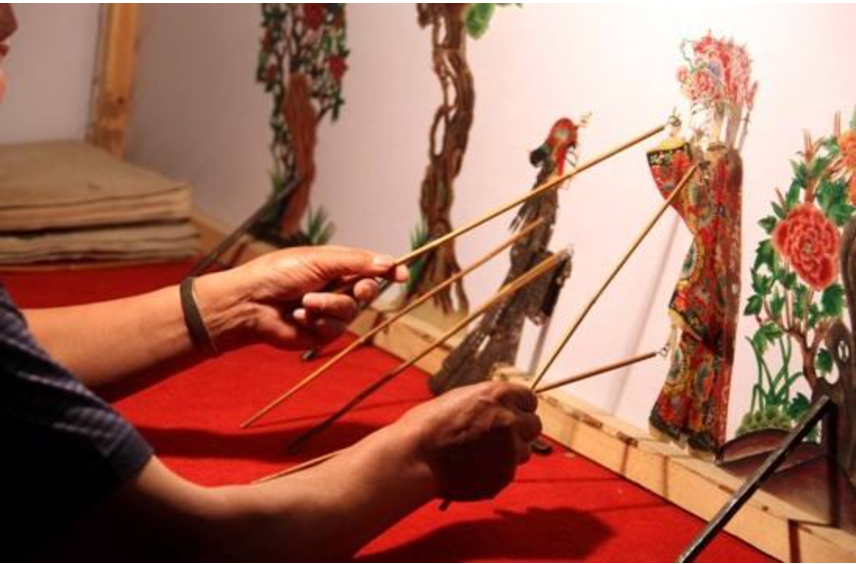
国家级非遗传承人高清旺《四大美人》皮影数字藏品惊艳亮相!
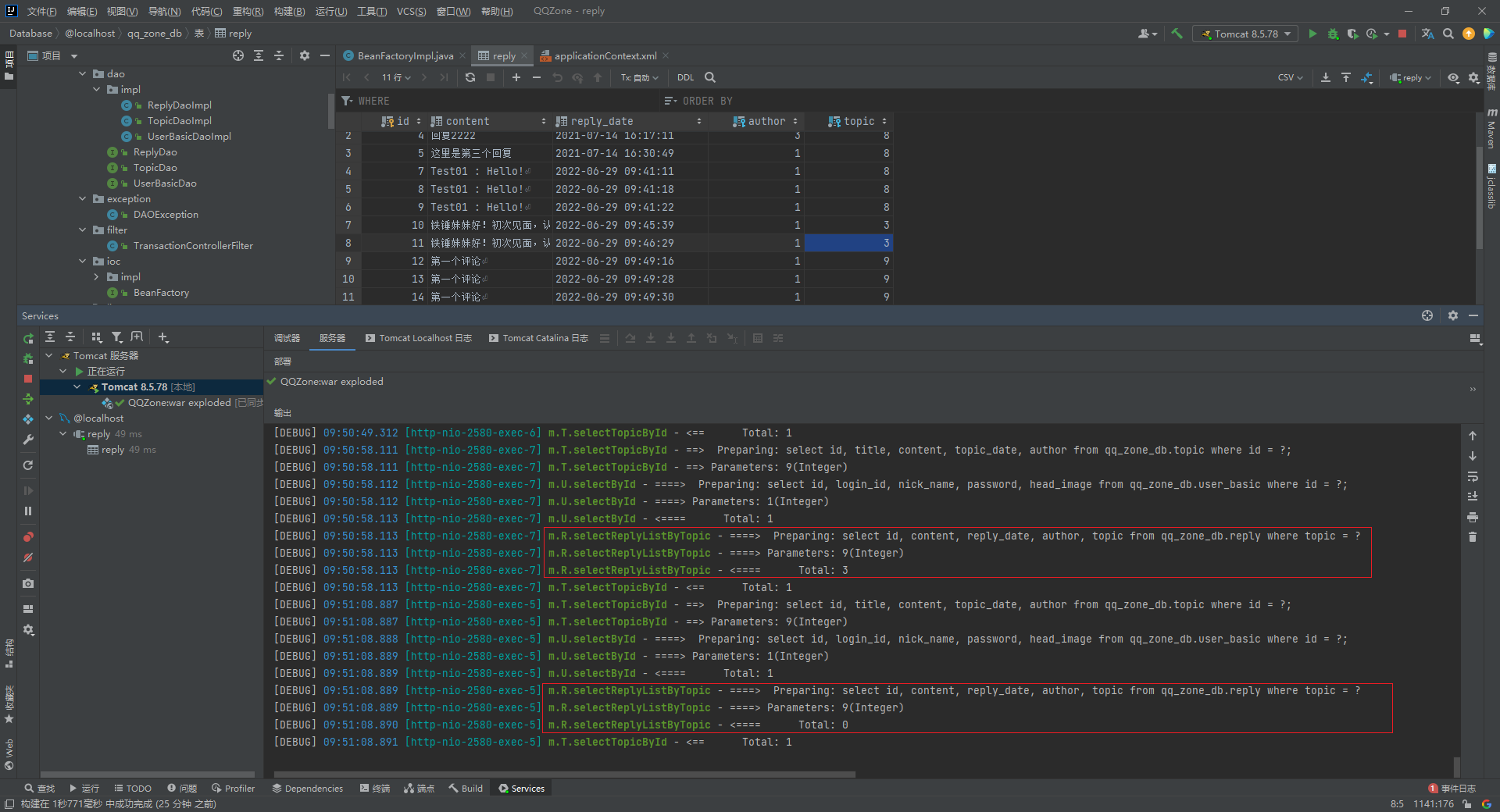
Executing two identical SQL statements in the same sqlsession will result in different total numbers
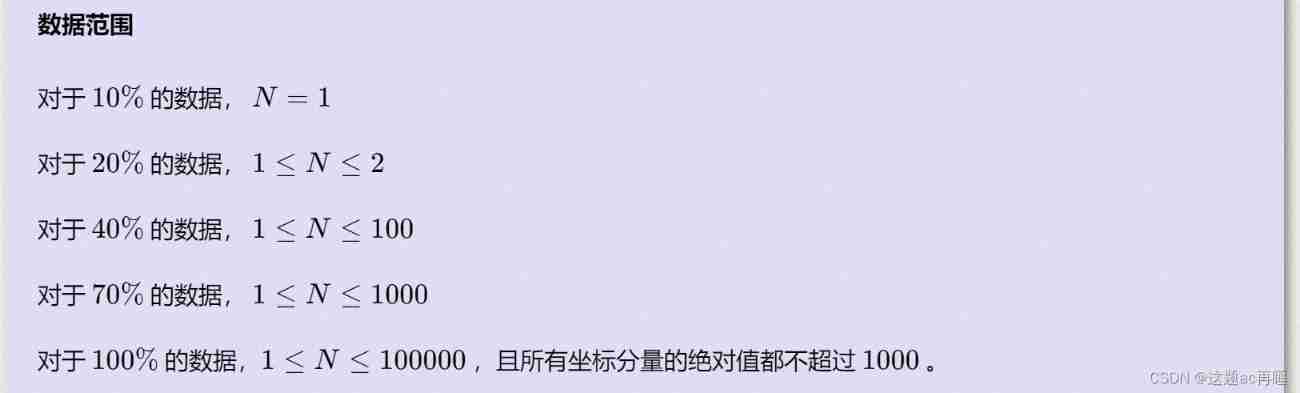
Jisuanke - t2063_ Missile interception

PHP campus movie website system for computer graduation design
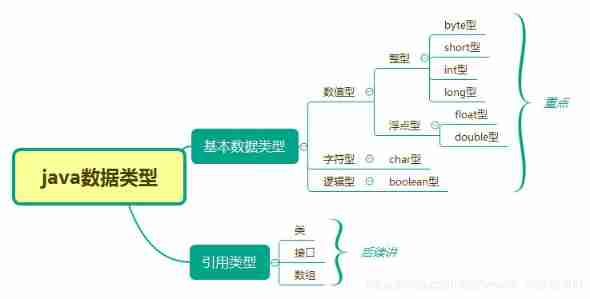
Prepare for the autumn face-to-face test questions

Redis string type

Derivation of Biot Savart law in College Physics
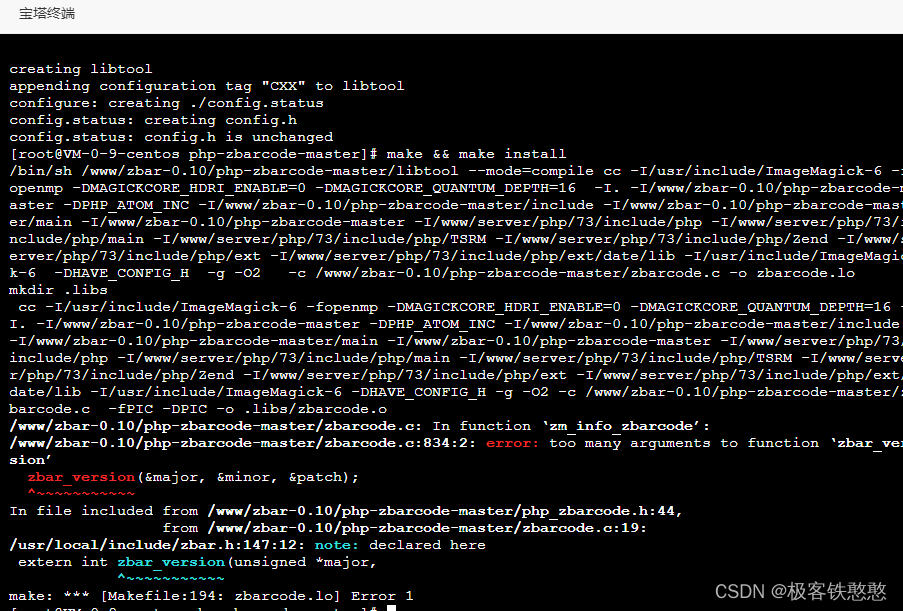
It's wrong to install PHP zbarcode extension. I don't know if any God can help me solve it. 7.3 for PHP environment
随机推荐
Unreal browser plug-in
Paddle框架:PaddleNLP概述【飛槳自然語言處理開發庫】
Sword finger offer 38 Arrangement of strings
729. 我的日程安排表 I / 剑指 Offer II 106. 二分图
A basic lintcode MySQL database problem
Redis-字符串类型
阿裏測開面試題
Visualstudio2019 compilation configuration lastools-v2.0.0 under win10 system
The ECU of 21 Audi q5l 45tfsi brushes is upgraded to master special adjustment, and the horsepower is safely and stably increased to 305 horsepower
[flask] static file and template rendering
Know MySQL database
Get the relevant information of ID card through PHP, get the zodiac, get the constellation, get the age, and get the gender
Leetcode sum of two numbers
Selenium waiting mode
MySQL lethal serial question 1 -- are you familiar with MySQL transactions?
Bidding promotion process
Global and Chinese markets of nasal oxygen tubes 2022-2028: Research Report on technology, participants, trends, market size and share
Multi function event recorder of the 5th National Games of the Blue Bridge Cup
国家级非遗传承人高清旺《四大美人》皮影数字藏品惊艳亮相!
[depth first search] Ji Suan Ke: Betsy's trip