当前位置:网站首页>Basic use of vim - bottom line mode
Basic use of vim - bottom line mode
2022-07-31 23:34:00 【HUAWEI CLOUD】
vim bottom line mode command set
Before using the last line mode, please remember to press the "ESC" key to make sure you are in normal mode, and then press the ":" colon to enter the last line mode
- List line numbers
- “set nu”: Entering “set nu” will list the line number before each line in the file
- set nonu:cancel line number
- Jump to a line in the file
- “#”: The “#” sign represents a number, enter a number after the colon, and then press the Enter key to jump to the line, such as entering the number 15,
Press Enter again, it will jump to the lineto line 15 of the article
- “#”: The “#” sign represents a number, enter a number after the colon, and then press the Enter key to jump to the line, such as entering the number 15,
- Find character
- "/Keyword": Press the "/" key first, and then enter the character you want to find. If the keyword you are looking for the first time is not what you want, you can keep pressing
"n" will go backFind the keyword you want. - "?Keyword": Press the "?" key first, then enter the character you want to search for, if the keyword you are looking for is not what you want, you can keep
Press "n" to go forwardFind the keyword you want.
- "/Keyword": Press the "/" key first, and then enter the character you want to find. If the keyword you are looking for the first time is not what you want, you can keep pressing
- Save the file
- "w": Enter the letter "w" in the colon to save the file
- Leaving vim
- "q": Press "q" to exit, if you can't leave vim, you can forcefully leave vim after "q" followed by a "!"
- "wq": It is generally recommended to use it with "w" when leaving, so that the file can be saved when exiting
- Force turn !
- w! Force Quit
- wq! Force save and exit
- q! Force save
- vs file: multi-file operation [ctrl+w+w]
How to split screen left and right:
In the bottom line mode,
vs file namecan be continuously split screen, split screen to the left, if the file name after vs does not exist, it will be created by default and then opened

How to switch screens quickly:
Press
in bottom line modectrl +w +wWhere the cursor flashes, it means which file is selected. Enter wq in the bottom line mode of the file to save and exit, and the other file is retained.
Bulk Annotation and Bulk De-annotation
Batch comments:
In command mode: ctrl + v Then use l,j,k,h to select the area, then press the capital I,will jump to the first position, enter the // comment, then press the esc key
Batch de-comment:
In command mode: ctrl + v Then use l,j,k,h to select the area, note: to select two // then lowercase i, then d
边栏推荐
- 10大主流3D建模技术
- How to reduce the gap between software design and implementation
- [Cloud Residency Co-Creation] [HCSD Big Celebrity Live Broadcast] Personally teach the secrets of interviews in big factories
- TypeScript 的组件
- Document management and tools in the development process
- SQL注入 Less42(POST型堆叠注入)
- Unity - by casting and cloning method dynamic control under various UGUI create and display
- UOS统信系统 - WindTerm使用
- The uniapp applet checks and prompts for updates
- 2022-07-31:给出一个有n个点,m条有向边的图, 你可以施展魔法,把有向边,变成无向边, 比如A到B的有向边,权重为7。施展魔法之后,A和B通过该边到达彼此的代价都是7。 求,允许施展一次魔法
猜你喜欢
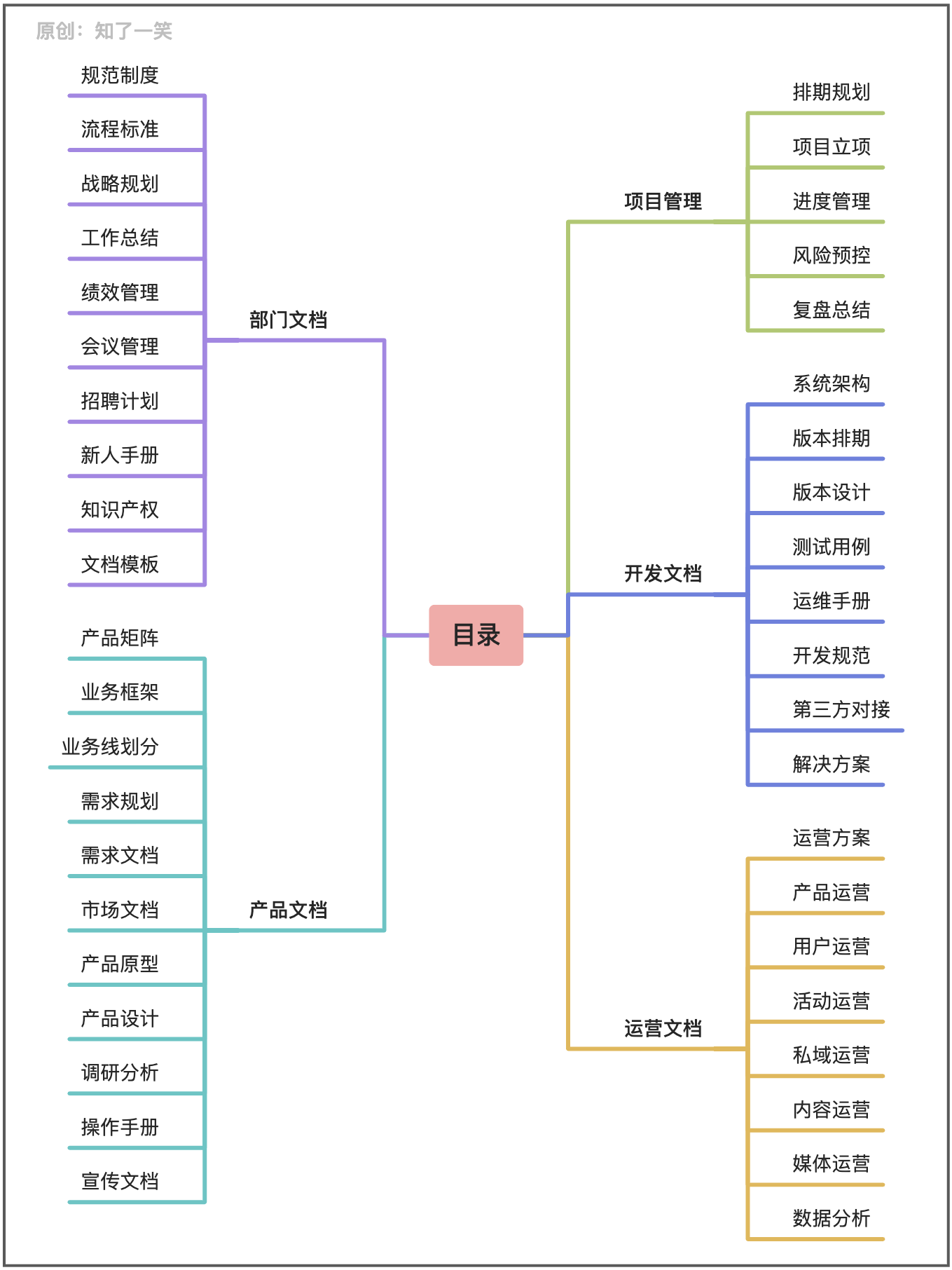
Document management and tools in the development process

浏览器下载快捷方式到桌面(PWA)

MLP神经网络,GRNN神经网络,SVM神经网络以及深度学习神经网络对比识别人体健康非健康数据
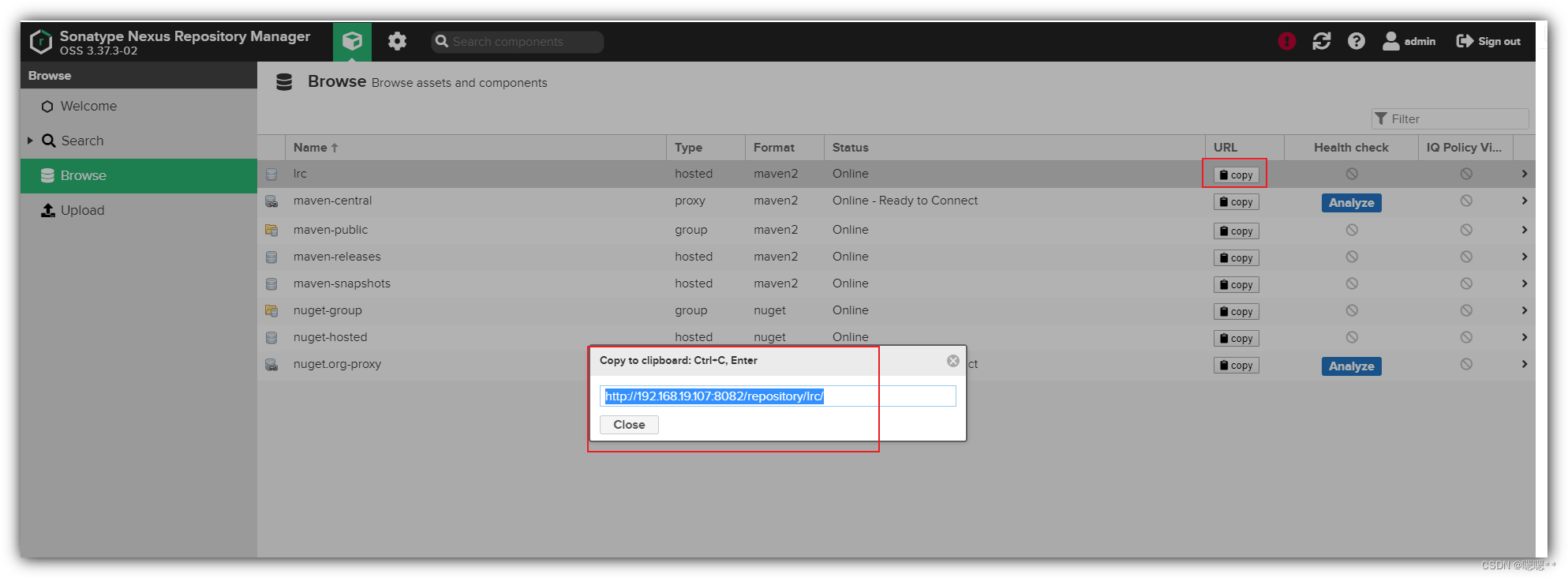
Shell common script: Nexus batch upload local warehouse script

Pytest初体验
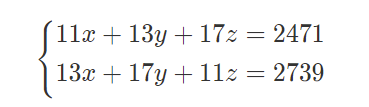
【ACM】2022.7.31训练赛
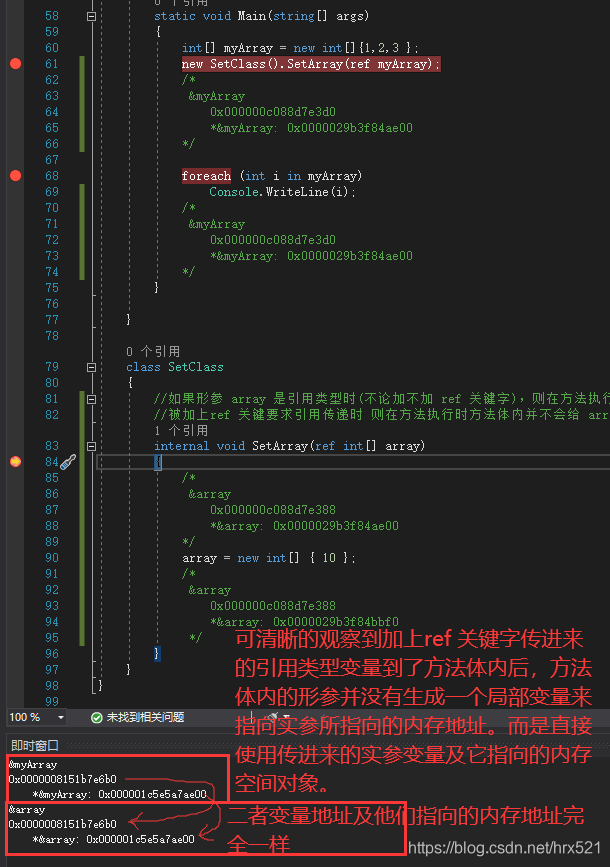
The difference between adding or not adding the ref keyword when a variable of reference type is used as a parameter in a method call in C#
UOS统信系统 - WindTerm使用
Shell常用脚本:Nexus批量上传本地仓库脚本

硬件设备计算存储及数据交互杂谈
随机推荐
22年8月推广大使额外奖励规则
What is customer profile management?
SQL注入 Less42(POST型堆叠注入)
无状态与有状态的区别
面试突击69:TCP 可靠吗?为什么?
lua入门案例实战1234定义函数与标准函数库功能
命名实体识别-模型:BERT-MRC
thymeleaf迭代map集合
How to reduce the gap between software design and implementation
Flutter教程之 02 Flutter 桌面程序开发入门教程运行hello world (教程含源码)
2022年CSP-J1 CSP-S1 第1轮初赛 报名指南
数据分析(一)——matplotlib
网易云信圈组上线实时互动频道,「破冰」弱关系社交
Flink 1.13(八)CDC
一文带你了解 Grafana 最新开源项目 Mimir 的前世今生
Learn about C# anonymous methods
SQL injection Less47 (error injection) and Less49 (time blind injection)
浏览器下载快捷方式到桌面(PWA)
[QNX Hypervisor 2.2 User Manual]9.16 system
I don't know what to do with sync issues