当前位置:网站首页>MySQL8 - use under Windows package installation method
MySQL8 - use under Windows package installation method
2022-08-02 03:00:00 【jiey0407】
Original URL: MySQL8 – Method of using zip package installation under Windows_ Blog-CSDN Blog_mysql8 zip package installation tutorial
Introduction
This article describes how to install MySQL8 using a compressed package on Windows.
download link
1. URL entry
Enter MySQL's official website: MySQL :: MySQL Community Downloads
2. Find "MySQL Community Server"
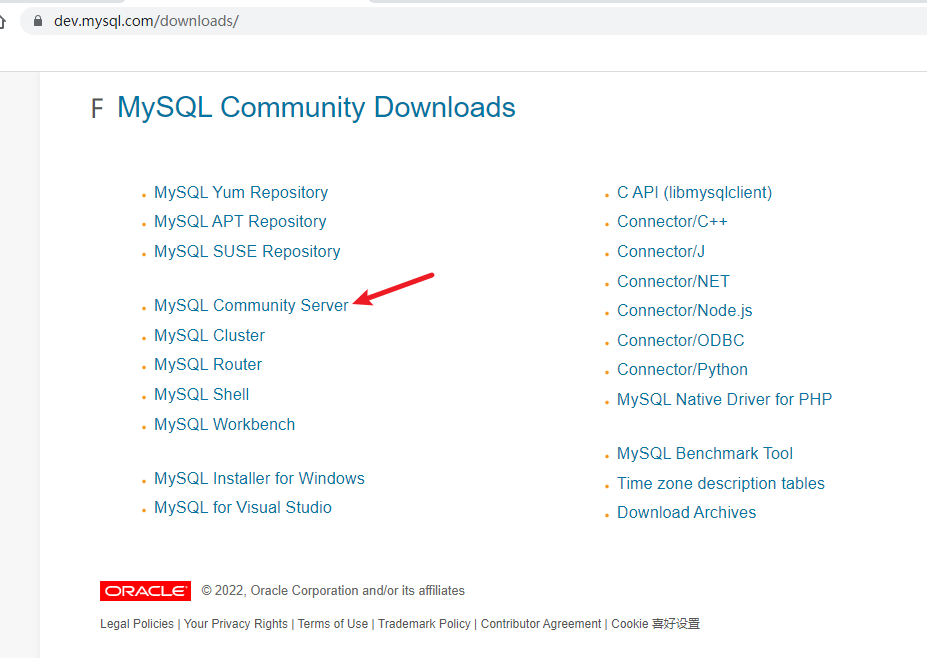
3. Download the Community version
You can see the related download items in the page opened later, as shown below:

For GUI installation, select "Windows(x86, 64-bit), ZIP Archive", after entering the page:

Installation process
1. Unzip
First unzip the installation package you downloaded, move this folder to the place where you want to install mysql, that is, the directory you move to is the directory where mysql is installed, for example, mine is placed under D:devMySQL.
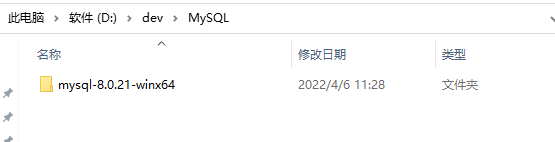
2. Set environment variables
Right click "This Computer" => Properties=> Advanced System Settings=> Environment Variables=> System Variables=> PATH=> Add: The path of your mysql bin folder (eg: D:devMySQLmysql-8.0.21-winx64in)
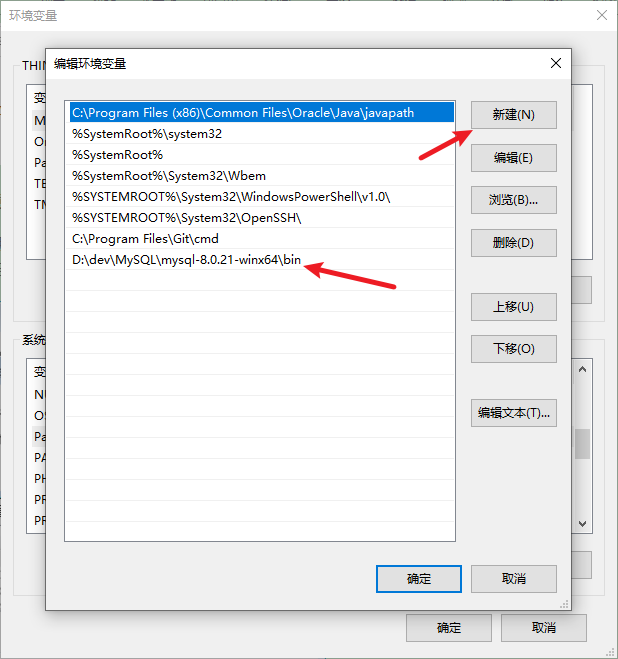
3. Modify the configuration file
Create my.ini file in the root directory (here: D:devMySQLmysql-8.0.21-winx64);
Only basedir and datadir are required.
The encoding of the my.ini file must be English encoding (such as ANSI in Windows, not UTF-8 or GBK, etc.).
[mysqld]
basedir=D:devMySQLmysql-8.0.21-winx64
datadir=D:devMySQLmysql-8.0.21-winx64data
port = 3306
max_connections=200
character-set-server=utf8
default-storage-engine=INNODB
sql_mode=NO_ENGINE_SUBSTITUTION,STRICT_TRANS_TABLES[mysql]
p>
default-character-set=utf8
4.Installation, initialization and setting of mysql service
Then run cmd.exe as an administrator; (the upper left corner of the command window has three words "administrator").
Install
mysqld-installInitialization
mysqld --initialize-insecure --user=mysqlStartup
net start mysql5. Login
After entering cmd, enter:
mysql -u root -pThere is no password at the beginning, just press Enter
Quit: quit
6. Change Password
mysqladmin -u root -p password new password=> Enter=> Enter the old password (if you just installed, do not enter) => Enter
7. Exit
quit or exit
8. Restart MySQL
net stop mysqlnet start mysqlProblem resolution
Error reporting
Error when executing mysql -v:
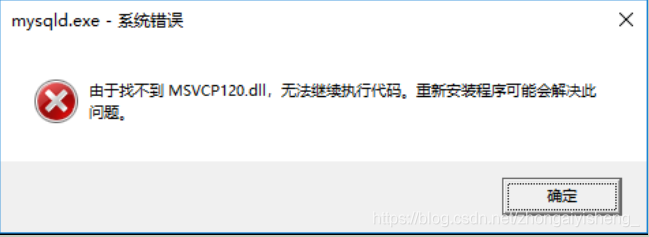
Reason
This error is caused by not having vcredist installed
Solution
Download vcredist address:
LatestSupported Visual C++ Downloads
Install the software you just downloaded. The default location is OK. After the installation is successful, you can re-execute it.
Let me introduce myself first. The editor graduated from Shanghai Jiaotong University in 2013. I worked in a small company and went to big factories such as Huawei and OPPO. I joined Alibaba in 2018, until now.I know that most junior and intermediate java engineers want to upgrade their skills, they often need to explore their own growth or sign up to study, but for training institutions, the tuition fee is nearly 10,000 yuan, which is really stressful.Self-learning that is not systematic is very inefficient and lengthy, and it is easy to hit the ceiling and the technology stops.Therefore, I collected a "full set of learning materials for java development" for everyone. The original intention is also very simple. I hope to help friends who want to learn by themselves but don't know where to start, and at the same time reduce everyone's burden.Add the business card below to get a full set of learning materials
边栏推荐
- [LeetCode] 94. Inorder traversal of binary tree
- 【LeetCode】144. Preorder Traversal of Binary Tree
- 8万字带你入门Rust
- Duplicate entry ‘XXX‘ for key ‘XXX.PRIMARY‘解决方案。
- AcWing 1053. Repair DNA problem solution (state machine DP, AC automata)
- 知识体系树
- Nacos source code analysis topic (2) - service registration
- 启发式合并、DSU on Tree
- DVWA之SQL注入
- Chrome浏览器无法加载已解压的.crx文件的解决办法
猜你喜欢

centos安装mysql8
ROS2自学笔记:launch文件完整编写流程
feign调用不通问题,JSON parse error Illegal character ((CTRL-CHAR, code 31)) only regular white space (r
1. 获取数据-requests.get()
Nacos源码分析专题(二)-服务注册
Go语学习笔记 - gorm使用 - 表增删改查 Web框架Gin(八)

树链剖分-

analog IC layout-Parasitic effects

2022牛客多校四_G M

Go语学习笔记 - gorm使用 - gorm处理错误 Web框架Gin(十)
随机推荐
IPFS deployment and file upload (golang)
架构:应用架构的演进以及微服务架构的落地实践
ApiFox 基本使用教程(浅尝辄止,非广)
非稳压 源特电子 隔离电源模块芯片 5W VPS8504B 24V
AcWing 1053. Repair DNA problem solution (state machine DP, AC automata)
ROS2自学笔记:launch文件完整编写流程
analog IC layout-Parasitic effects
MySQL index optimization in practice
Reasons and solutions for Invalid bound statement (not found)
7、MySQL Workbench 导出导入数据库
just write blindly = feelings
VPS8505 微功率隔离电源隔离芯片 2.3-6V IN /24V/1A 功率管
内卷的正确打开方式
PHP WebShell 免杀
2022牛客多校三_F G
生成器知道鉴别器在无条件GANs中应该学习什么
ASP WebShell backdoor script and anti-kill
PHP WebSehll backdoor script and detection tool
[Daily LeetCode]——1. The sum of two numbers
IPIDEA的使用方式