当前位置:网站首页>Mongodb installation & Deployment
Mongodb installation & Deployment
2022-07-03 03:23:00 【Johnny. G】
MongoDB install & Deploy
- 1、rpm Package installation
- 2、 Source code installation
- 1) Get the corresponding MongoDB Source installation package ( Choose... Here 4.4.14 edition )
- 2) Decompress the source installation package
- 3) Create soft link ( Naming mongodb)【 convenient 】:
- 4) Create environment variables :
- 5) Create corresponding system group & System users
- 6) Create the master configuration file mongod.conf( Find templates online & Carry rpm Main configuration file of package installation )
- 7) Create the required directory specified in the master configuration file ( Data directory & Log directory ) & Specified log file ( It's not automatically created )【 If you do not create a startup, an error will be reported 】
- 8) To write systemctl start-up / close / Restart script ( Find templates online & Carry rpm Script for package installation )
- 9) Check if the service is on ( many-ways )
- 10) Use MongoDB
1、rpm Package installation
1) seek yum Source
First, find some domestic open source image stations ( Here choose the open source mirror station of Tsinghua University )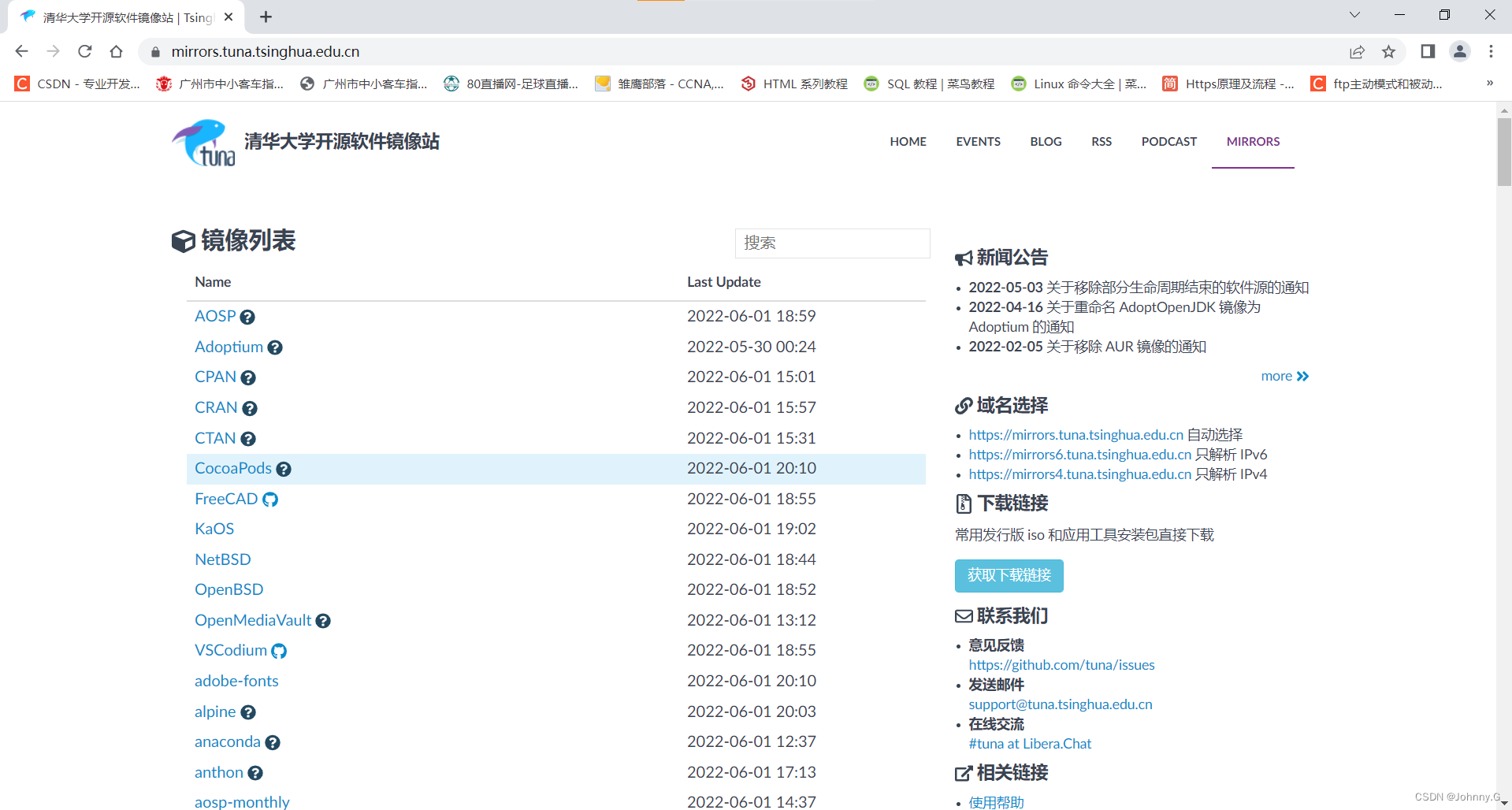
Find from MongoDB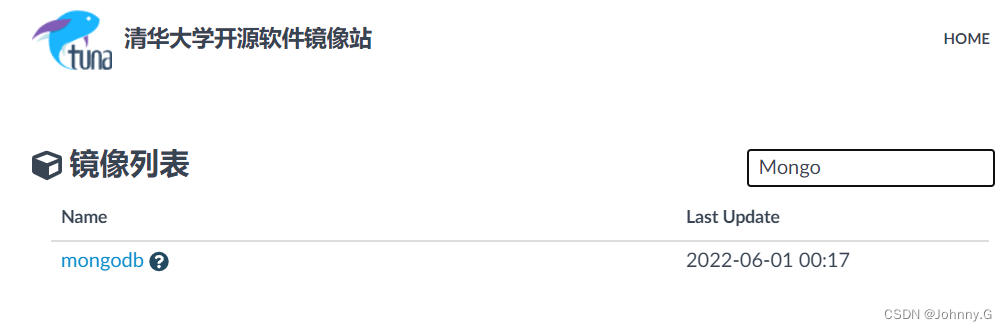
Click in and choose yum
Select the desired version below ( Check here 4.4)
Copy url link ( Write for later yum Source preparation )【https://mirrors.tuna.tsinghua.edu.cn/mongodb/yum/el7-4.4/】
2) To configure MongoDB Of yum Source file
[[email protected] ~]# vim /etc/yum.repos.d/mongodb.repo
// If red hat is configured Linux Of yum Source , You should understand the purpose of this step
[mongodb]
name=mongodb	//yum The name of the source ( The suggestion is the same as the title above )
baseurl=https://mirrors.tuna.tsinghua.edu.cn/mongodb/yum/el7-4.4/
// here url Select the one just copied above url
gpgcheck=0		// Indicates that the signature information is not checked
3) see MongoDB Installation package ( confirm yum Is the source available )
[[email protected] ~]# yum list | grep mongo
mongodb-database-tools.x86_64             100.5.2-1                    @mongodb
mongodb-org.x86_64                        4.4.14-1.el7                 @mongodb
mongodb-org-database-tools-extra.x86_64   4.4.14-1.el7                 @mongodb
mongodb-org-mongos.x86_64                 4.4.14-1.el7                 @mongodb
mongodb-org-server.x86_64                 4.4.14-1.el7                 @mongodb
mongodb-org-shell.x86_64                  4.4.14-1.el7                 @mongodb
mongodb-org-tools.x86_64                  4.4.14-1.el7                 @mongodb
google-noto-sans-mongolian-fonts.noarch   20141117-5.el7               base
mongocli.x86_64                           1.25.0-1                     mongodb
mongodb-atlas-cli.x86_64                  1.1.0-1                      mongodb
mongodb-mongosh.x86_64                    1.4.2-1.el8                  mongodb
4) install
[[email protected] ~]# yum install mongo-org.x86_64 -y
5) Turn on MongoDB service & Turn on MongoDB Boot from boot
[[email protected] ~]# systemctl start mongod
[[email protected] ~]# systemctl enable mongod
6) Check if the service is on ( many-ways )
 Method 1 :
[[email protected] ~]# systemctl status mongod
● mongod.service - MongoDB Database Server
   Loaded: loaded (/usr/lib/systemd/system/mongod.service; enabled; vendor preset: disabled)
   Active: active (running) since Wed 2022-06-01 20:20:49 CST; 21min ago
     Docs: https://docs.mongodb.org/manual
  Process: 945 ExecStart=/usr/bin/mongod $OPTIONS (code=exited, status=0/SUCCESS)
  Process: 942 ExecStartPre=/usr/bin/chmod 0755 /var/run/mongodb (code=exited, status=0/SUCCESS)
  Process: 939 ExecStartPre=/usr/bin/chown mongod:mongod /var/run/mongodb (code=exited, status=0/SUCCESS)
  Process: 936 ExecStartPre=/usr/bin/mkdir -p /var/run/mongodb (code=exited, status=0/SUCCESS)
 Main PID: 983 (mongod)
   CGroup: /system.slice/mongod.service
           └─983 /usr/bin/mongod -f /etc/mongod.conf

Jun 01 20:20:47 localhost.localdomain systemd[1]: Starting MongoDB Database Server...
Jun 01 20:20:47 localhost.localdomain mongod[945]: about to fork child process, waiting....
Jun 01 20:20:47 localhost.localdomain mongod[945]: forked process: 983
Jun 01 20:20:49 localhost.localdomain mongod[945]: child process started successfully, ...g
Jun 01 20:20:49 localhost.localdomain systemd[1]: Started MongoDB Database Server.
Hint: Some lines were ellipsized, use -l to show in full.

 Method 2 :
[[email protected] ~]# ps -ef | grep mongod
mongod      983      1  0 20:20 ?        00:00:06 /usr/bin/mongod -f /etc/mongod.conf
root       2333   1296  0 20:40 pts/0    00:00:00 grep --color=auto mongod

 Method 3 :
[[email protected] ~]# netstat -lnupt | grep 27017
tcp        0      0 127.0.0.1:27017         0.0.0.0:*               LISTEN      983/mongod

 Method four :
[[email protected] ~]# lsof -i tcp:27017
COMMAND PID   USER   FD   TYPE DEVICE SIZE/OFF NODE NAME
mongod  983 mongod   11u  IPv4  18211      0t0  TCP localhost:27017 (LISTEN)
7) Use MongoDB
[[email protected] ~]# mongo
MongoDB shell version v4.4.14
connecting to: mongodb://127.0.0.1:27017/?compressors=disabled&gssapiServiceName=mongodb
Implicit session: session {
     "id" : UUID("ae06ee2e-558f-4885-bcf9-73263de9ac0c") }
MongoDB server version: 4.4.14
---
The server generated these startup warnings when booting:
        2022-06-01T20:20:49.209+08:00: Access control is not enabled for the database. Read and write access to data and configuration is unrestricted
        2022-06-01T20:20:49.210+08:00: /sys/kernel/mm/transparent_hugepage/enabled is 'always'. We suggest setting it to 'never'
        2022-06-01T20:20:49.210+08:00: /sys/kernel/mm/transparent_hugepage/defrag is 'always'. We suggest setting it to 'never'
---
---
        Enable MongoDB's free cloud-based monitoring service, which will then receive and display
        metrics about your deployment (disk utilization, CPU, operation statistics, etc).

        The monitoring data will be available on a MongoDB website with a unique URL accessible to you
        and anyone you share the URL with. MongoDB may use this information to make product
        improvements and to suggest MongoDB products and deployment options to you.

        To enable free monitoring, run the following command: db.enableFreeMonitoring()
        To permanently disable this reminder, run the following command: db.disableFreeMonitoring()
---
>
2、 Source code installation
1) Get the corresponding MongoDB Source installation package ( Choose... Here 4.4.14 edition )
[[email protected] ~]#wget -c https://fastdl.mongodb.org/linux/mongodb-linux-x86_64-rhel70-4.4.14.tgz

[[email protected] ~]# ll		// View the download results
total 70708
-rw-------. 1 root root     1392 Mar 26 17:20 anaconda-ks.cfg
-rw-r--r--  1 root root 72399766 May  4 23:03 mongodb-linux-x86_64-rhel70-4.4.14.tgz
2) Decompress the source installation package
[[email protected] ~]# tar xf mongodb-linux-x86_64-rhel70-4.4.14.tgz -C /usr/local/
// Unzip to “/usr/local” Under the table of contents

[[email protected] ~]# ll -d /usr/local/mongodb-linux-x86_64-rhel70-4.4.14/
drwxr-xr-x 5 root root 123 May 28 23:40 /usr/local/mongodb-linux-x86_64-rhel70-4.4.14/
// You can see that the decompression has been successful
3) Create soft link ( Naming mongodb)【 convenient 】:
[[email protected] ~]# ln -sv mongodb-linux-x86_64-rhel70-3.4.7/ /usr/local/mongodb
4) Create environment variables :
[[email protected] ~]# echo "export PATH=$PATH:/usr/local/mongodb/bin" > /etc/profile.d/mongo.sh
[[email protected] ~]# source /etc/profile.d/mongo.sh
// notes : Be sure to perform this step , Otherwise, you can't pass in the end “mongo” Command to use MongoDB
5) Create corresponding system group & System users
[[email protected] ~]# groupadd -g 996 -r mongod
[[email protected] ~]# useradd -u 997 -g 996 -r -c mongod -d /var/lib/mongo -s /bin/false mongod

// According to the requirements of system users , Create the corresponding directory :
[[email protected] ~]# mkdir /var/lib/mongo
[[email protected] ~]# chown -R mongod:mongod /var/lib/mongo/

// View the creation results :
[[email protected] ~]# grep mongod /etc/passwd
mongod:x:997:996:mongod:/var/lib/mongo:/bin/false
[[email protected] ~]# id mongod
uid=997(mongod) gid=996(mongod) groups=996(mongod)
6) Create the master configuration file mongod.conf( Find templates online & Carry rpm Main configuration file of package installation )
[[email protected] ~]# vim /usr/local/mongodb/bin/mongod.conf
systemLog:
         destination: file  # Output log files as files , Input file Before , A space is required
         path: /usr/local/mongodb/log/mongodb.log # Indicates the storage log file
         logAppend: true    # The log is in append mode ,false It's overlay mode
storage:
         dbPath: /usr/local/mongodb/data    # Indicates storage mongodb Database file directory
processManagement:
         fork: true    # Run as a background service
#net:
#         bindIp: 127.0.0.1
#         port: 27017
#security:
#         authorization:enabled
7) Create the required directory specified in the master configuration file ( Data directory & Log directory ) & Specified log file ( It's not automatically created )【 If you do not create a startup, an error will be reported 】
[[email protected] ~]# mkdir -p /usr/local/mongodb/{
    data,log}

[[email protected] ~]# touch /usr/local/mongodb/log/mongodb.log
8) To write systemctl start-up / close / Restart script ( Find templates online & Carry rpm Script for package installation )
[[email protected] ~]# vim /usr/lib/systemd/system/mongod.service
[Unit]
Description=mongodb service daemon
After=network.target

[Service]
Type=forking
ExecStart=/usr/local/mongodb/bin/mongod -f /usr/local/mongodb/bin/mongod.conf
# Call the command to start the service , And specify the path of the service main configuration file
ExecStop=/usr/local/mongodb/bin/mongod --shutdown -f /usr/local/mongodb/bin/mongod.conf
# Call the command to close the service , And specify the path of the service main configuration file
PrivateTmp=true

[Install]
WantedBy=multi-user.target
 Turn on MongoDB service :
[[email protected] ~]# systemctl start mongod
9) Check if the service is on ( many-ways )
 Method 1 :
[[email protected] ~]# systemctl status mongod
● mongod.service - mongodb service daemon
   Loaded: loaded (/usr/lib/systemd/system/mongod.service; disabled; vendor preset: disabled)
   Active: active (running) since Wed 2022-06-01 21:11:46 CST; 5s ago
  Process: 1352 ExecStart=/usr/local/mongodb/bin/mongod -f /usr/local/mongodb/bin/mongod.conf (code=exited, status=0/SUCCESS)
 Main PID: 1354 (mongod)
   CGroup: /system.slice/mongod.service
           └─1354 /usr/local/mongodb/bin/mongod -f /usr/local/mongodb/bin/mongod.conf

Jun 01 21:11:44 localhost.localdomain systemd[1]: Starting mongodb service daemon...
Jun 01 21:11:44 localhost.localdomain mongod[1352]: about to fork child process, waitin....
Jun 01 21:11:44 localhost.localdomain mongod[1352]: forked process: 1354
Jun 01 21:11:46 localhost.localdomain mongod[1352]: child process started successfully,...g
Jun 01 21:11:46 localhost.localdomain systemd[1]: Started mongodb service daemon.
Hint: Some lines were ellipsized, use -l to show in full.

 Method 2 :
[[email protected] ~]# ps -ef | grep mongod
root       1354      1  1 21:11 ?        00:00:02 /usr/local/mongodb/bin/mongod -f /usr/local/mongodb/bin/mongod.conf
root       1547   1187  0 21:14 pts/0    00:00:00 grep --color=auto mongod

 Method 3 :
[[email protected] ~]# ps -ef | grep mongod
root       1354      1  1 21:11 ?        00:00:02 /usr/local/mongodb/bin/mongod -f /usr/local/mongodb/bin/mongod.conf
root       1547   1187  0 21:14 pts/0    00:00:00 grep --color=auto mongod
[[email protected] ~]# netstat -lnupt | grep 27017
tcp        0      0 0.0.0.0:27017           0.0.0.0:*               LISTEN      1354/mongod

 Method four :
[[email protected] ~]# lsof -i tcp:27017
COMMAND  PID USER   FD   TYPE DEVICE SIZE/OFF NODE NAME
mongod  1354 root   12u  IPv4  21147      0t0  TCP *:27017 (LISTEN)
10) Use MongoDB
[[email protected] ~]# mongo
MongoDB shell version v4.4.14
connecting to: mongodb://127.0.0.1:27017/?compressors=disabled&gssapiServiceName=mongodb
Implicit session: session {
     "id" : UUID("30c2e185-ca3c-45f1-98d2-d4560308df52") }
MongoDB server version: 4.4.14
---
The server generated these startup warnings when booting:
        2022-06-01T21:11:46.164+08:00: Access control is not enabled for the database. Read and write access to data and configuration is unrestricted
        2022-06-01T21:11:46.164+08:00: You are running this process as the root user, which is not recommended
        2022-06-01T21:11:46.164+08:00: /sys/kernel/mm/transparent_hugepage/enabled is 'always'. We suggest setting it to 'never'
        2022-06-01T21:11:46.164+08:00: /sys/kernel/mm/transparent_hugepage/defrag is 'always'. We suggest setting it to 'never'
        2022-06-01T21:11:46.164+08:00: Soft rlimits too low
        2022-06-01T21:11:46.164+08:00:         currentValue: 1024
        2022-06-01T21:11:46.164+08:00:         recommendedMinimum: 64000
---
---
        Enable MongoDB's free cloud-based monitoring service, which will then receive and display
        metrics about your deployment (disk utilization, CPU, operation statistics, etc).

        The monitoring data will be available on a MongoDB website with a unique URL accessible to you
        and anyone you share the URL with. MongoDB may use this information to make product
        improvements and to suggest MongoDB products and deployment options to you.

        To enable free monitoring, run the following command: db.enableFreeMonitoring()
        To permanently disable this reminder, run the following command: db.disableFreeMonitoring()
---
>
边栏推荐
- 2020-01-01t00:00:00.000000z date format conversion
- Idea format code idea set shortcut key format code
- PAT乙级常用函数用法总结
- Don't use the new Dede collection without the updated Dede plug-in
- 二进制流转换成字节数组
- The series of hyperbolic function in daily problem
- Parameter index out of range (1 > number of parameters, which is 0)
- 【AI实战】应用xgboost.XGBRegressor搭建空气质量预测模型(一)
- About HTTP cache control
- umi 路由拦截(简单粗暴)
猜你喜欢

机械臂速成小指南(八):运动学建模(标准DH法)

Nce detail of softmax approximation
敏捷认证(Professional Scrum Master)模拟练习题-2

MySql实战45讲【SQL查询和更新执行流程】

Docker install MySQL

On the adjacency matrix and adjacency table of graph storage
Tidal characteristics of the Bohai Sea and the Yellow Sea
【PyG】理解MessagePassing过程,GCN demo详解

el-tree搜索方法使用
![[shutter] monitor the transparency gradient of the scrolling action control component (remove the blank of the top status bar | frame layout component | transparency component | monitor the scrolling](/img/c3/b9a614001f80345a5c1cb3c68ab27c.jpg)
[shutter] monitor the transparency gradient of the scrolling action control component (remove the blank of the top status bar | frame layout component | transparency component | monitor the scrolling
随机推荐
Limit of one question per day
The series of hyperbolic function in daily problem
VS 2019 配置tensorRT生成engine
Limit of one question per day
[AI practice] Application xgboost Xgbregressor builds air quality prediction model (I)
Find the storage address of the elements in the two-dimensional array
VS 2019 配置tensorRT生成engine
C programming learning notes [edited by Mr. Tan Haoqiang] (Chapter III sequence programming) 03 operators and expressions
VS code配置虚拟环境
The XML file generated by labelimg is converted to VOC format
About HTTP cache control
PAT乙级常用函数用法总结
Vs 2019 configuration tensorrt
Pytorch配置
为什么线程崩溃不会导致 JVM 崩溃
Elsevier latex 提交文章 pdftex.def Error: File `thumbnails/cas-email.jpeg‘ not found: using draf
用Three.js做一個簡單的3D場景
MongoDB简介
Solve high and send system Currenttimemillis Caton
docker安装redis