当前位置:网站首页>基于SSM的大学生社团管理系统
基于SSM的大学生社团管理系统
2022-06-11 03:26:00 【Coding路人王】
一、基于SSM+Mysql大学生社团管理系统
1.1 项目概述
开发语言:Java8
数据库:Mysql5
前端技术:bootstrap
后端框架:Spring SpringMVC Mybatis 【ORM javabean – 数据库表实体 】
数据库连接池:德鲁伊【JDBC 1 2 3 4 5 】
服务器:Tomcat,SSM SHH【自己部署】
开发工具:Eclipse Navicat Maven
代码设计:MVC HTTP-----> Controlller----->service------>dao【Model】
get post delete put
源码+数据库:https://download.csdn.net/download/wyn_365/85414756
1.2 项目详解
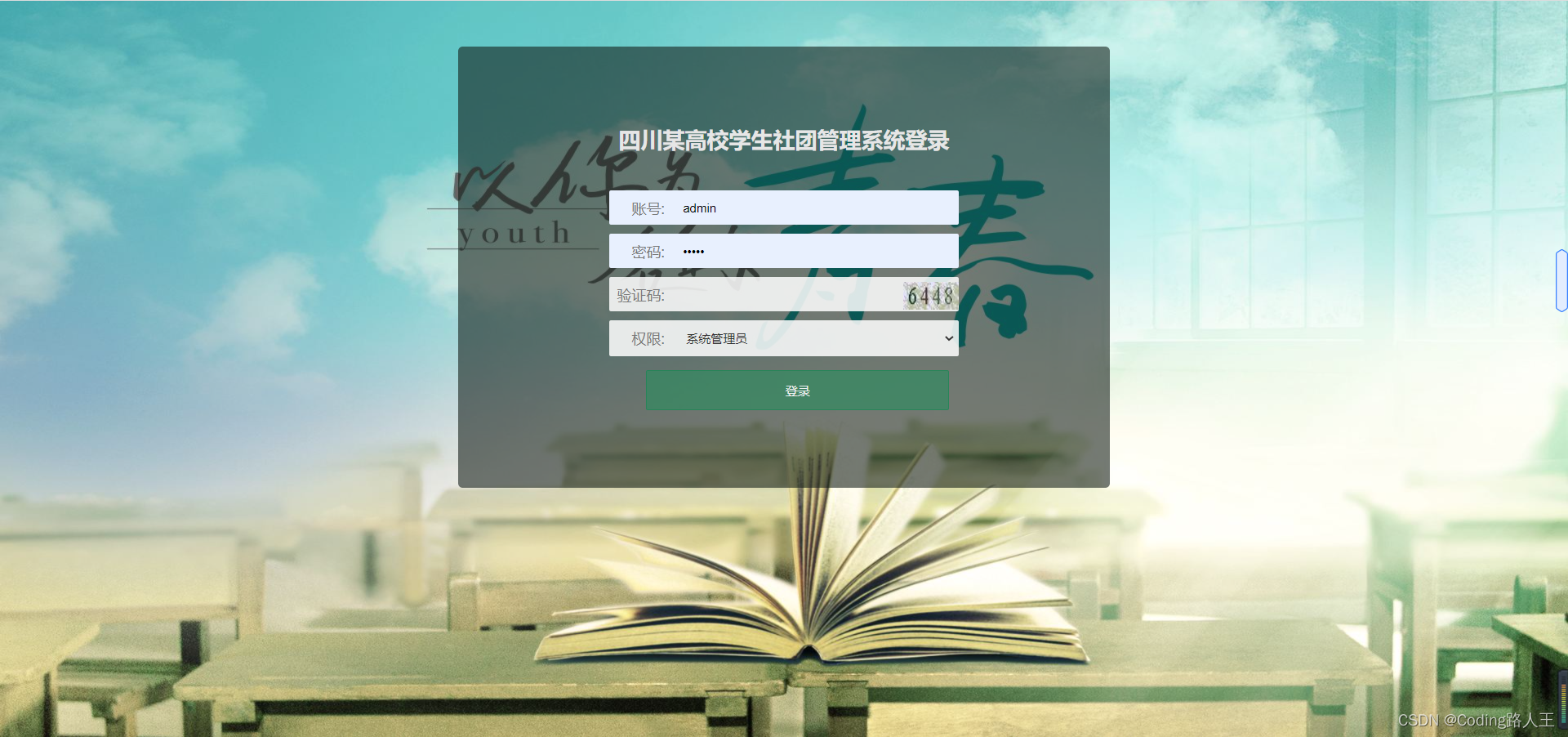
1.登录【正则表达式】
用户名:
密码:
验证码:
1.HTTP地址:post[form] ----Controller
2.首先验证码对不对?
3.通过之后查库
4.查询数据库有没有该用户?
2.注册
1.检验数据格式
2.判断两次密码是否一致
3.form 提交到后台Controller
4.插入数据库
3.展示所有信息,带有条件查询和分页数据
主页面请求:http: /patient/listByPatientName
程序:@RequestMapping(“/patient/listByPatientName”)
SQL: select * from gangwei like % % ;pagehelper;
**4.查询
http: id ------ |detail(${patient.getBaseId()})| ----- “/patient/info/”
程序:patient/info/
SQL: select * from paient where id = ? 关联查询【姓名】
5.转为完成
http /patient/addCure
6.修改信息
1.slect * from paitent where id = 1
edit(${patient.getBaseId()
/patient/update/    service.findById(id);  patientUpdate
2.update paient set name = “” where id = 1
patient/updatePatient
@Update("update patient set symptoms=#{symptoms},hospital=#{hospital},critical=#{critical},infectionSource=#{infectionSource},onsetDate=#{onsetDate},note=#{note} where baseId=#{baseId}")
7.历史,添加信息
/patient/addTest
 @Insert("insert into inspect(baseId,testDate,ctTest,nuTest)values(#{baseId},#{testDate},#{ctTest},#{nuTest})")
8.实现
1.3 项目总结
1.先看前台发送请求的地方在哪里 http url:
2.后台:controller映射路径
3.解析程序 service 【封装的参数,返回值】
4.dao 方法
5.SQL:


边栏推荐
猜你喜欢
Product milestones in May 2022

SQL查询连续三天登录的用户

What has TCL done right to break through the technological strength of Chinese brand innovation?

net::ERR_ FILE_ NOT_ Found error

{dataSource-1} closing ... {dataSource-1} closed

three.js炫酷科技感背景h5动画

UML series articles (28) architecture modeling - collaboration

HikariPool-1 - Shutdown initiated... HikariPool-1 - Shutdown completed.
three. JS cool technology background H5 animation

Oppo K9 tests "bundling sales" and consumers "earn" or "lose"?
随机推荐
一文搞懂单片机驱动8080LCD
J. Balanced Tree
GD32F4串口dma接收问题解决
Dépannage du problème de retard des données de communication du micro - ordinateur à puce unique
Rhel7 switch character encoding to GBK
RequestContextHolder
RT thread test
C. Jump and Treasure(dp + 单调队列优化)
SSL交互过程
ARM开发板方案与厂商分析
SSL library selection
SSL interaction process
JS the most commonly used sorting - hand tearing JS series
Free flying animation of paper plane based on SVG
Jeecgboot learning_ Online form first experience
[elt.zip] openharmony paper Club - Data high-throughput lossless compression scheme
js最常用的排序---手撕js系列
Computer vision (AI) interview
three.js炫酷科技感背景h5动画
Path count 2 (DP + number of combinations)