当前位置:网站首页>ORM--数据库增删改查操作逻辑
ORM--数据库增删改查操作逻辑
2022-07-07 07:17:00 【chuntian_tester】
1.数据获取逻辑
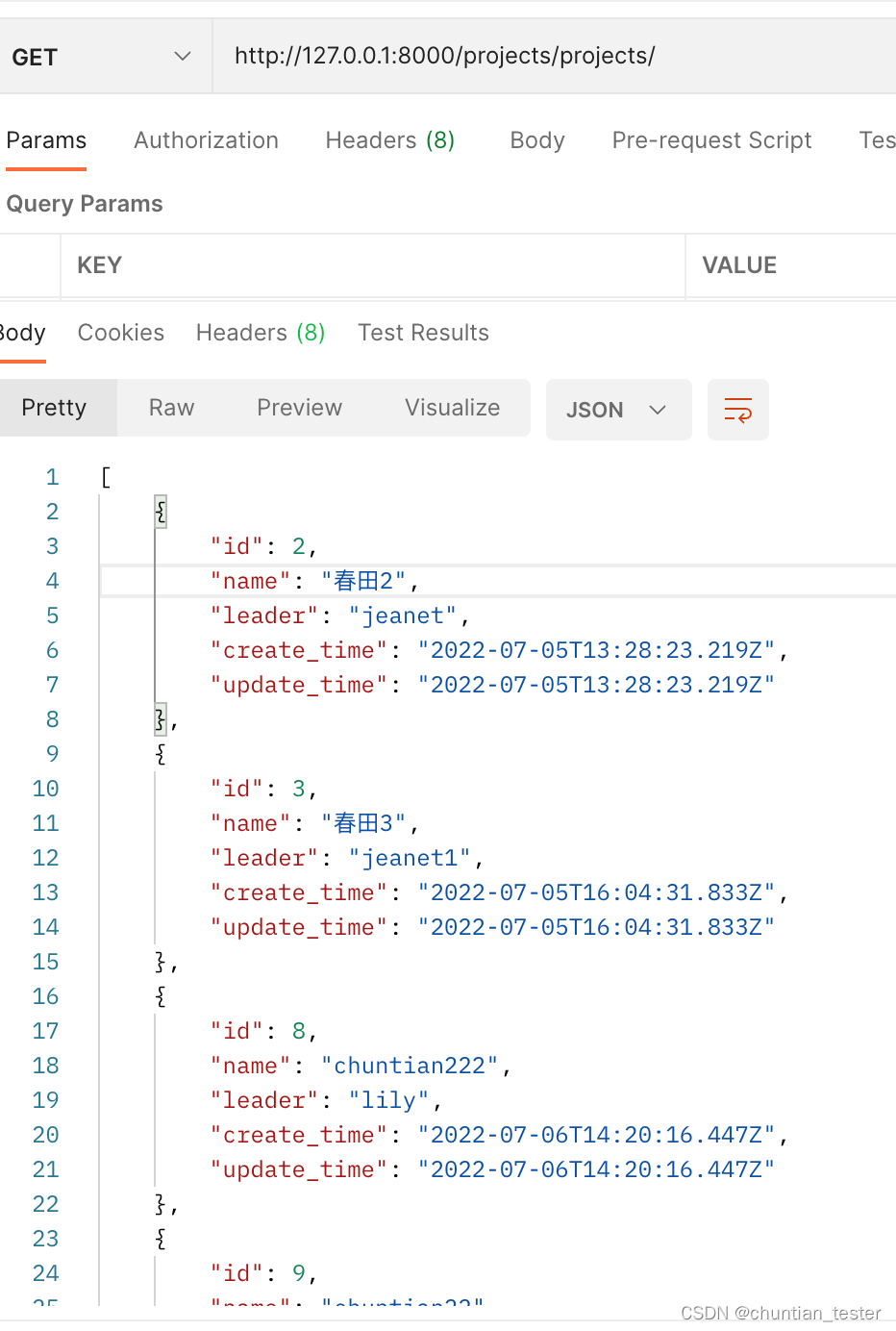
1.1 获取多条数据

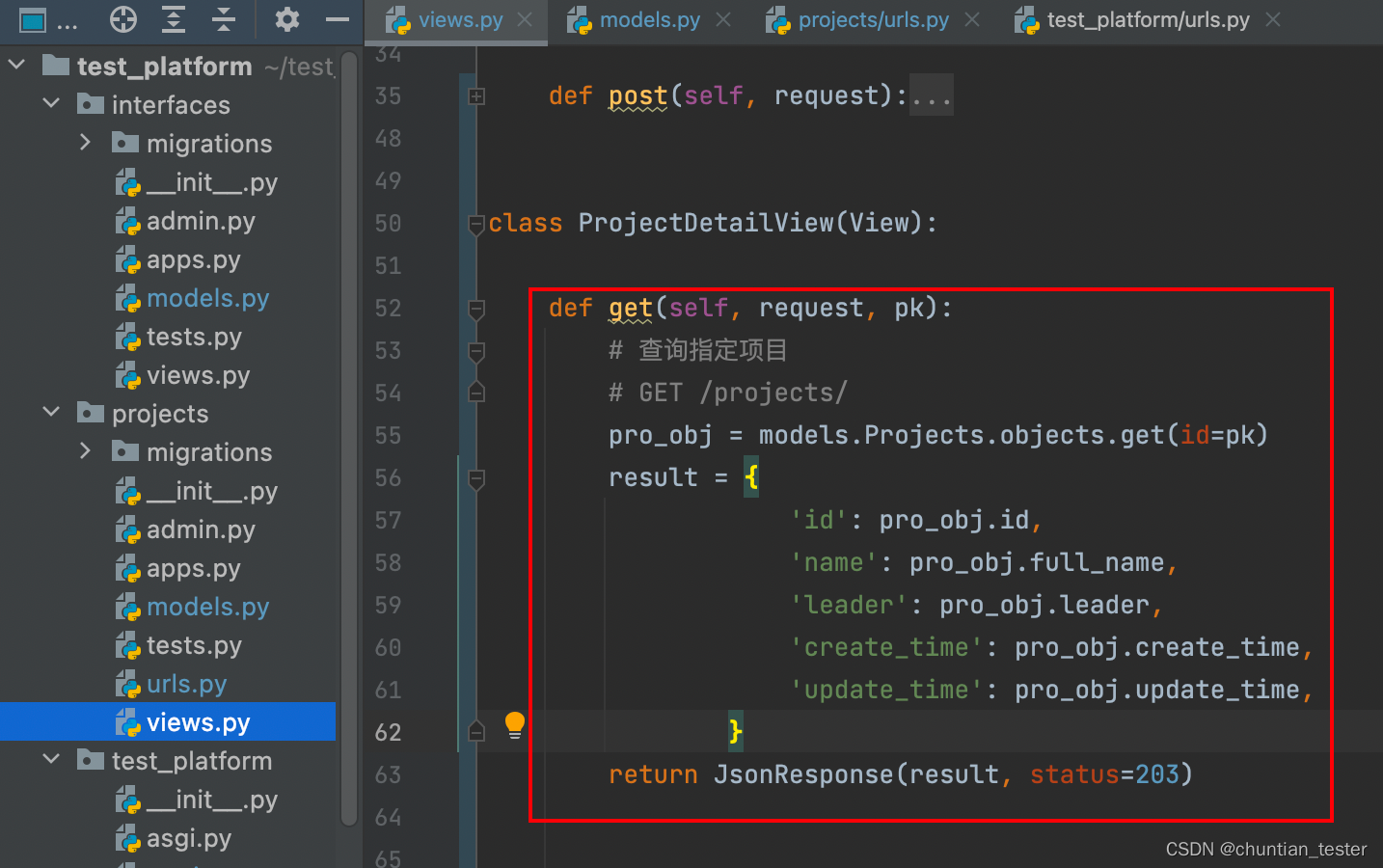
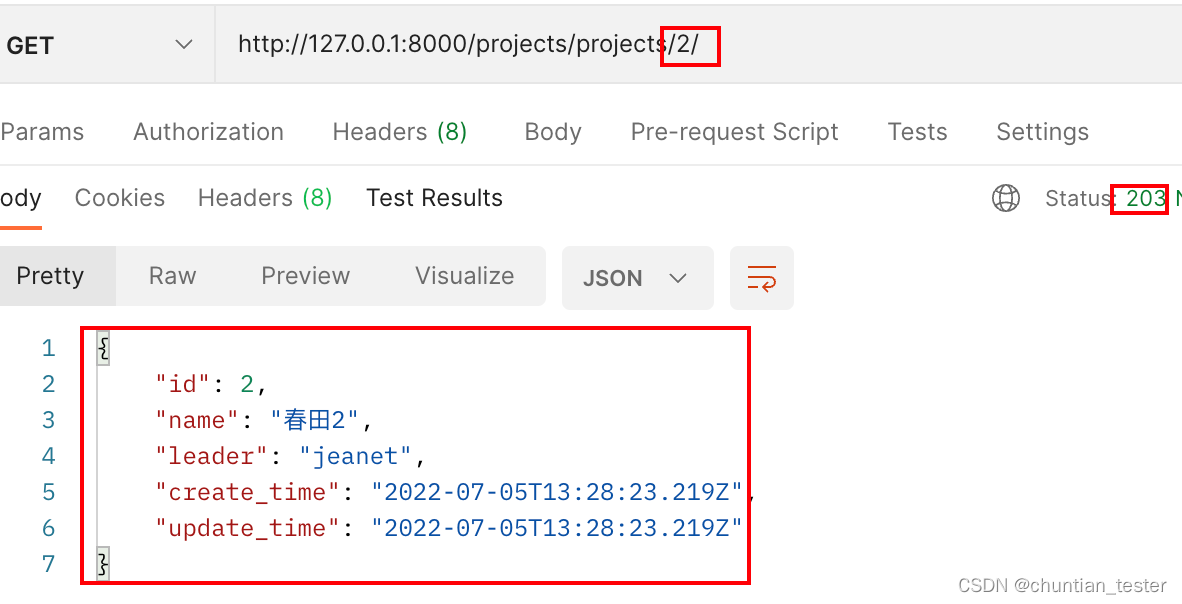
1.2 获取单条数据

2.创建数据逻辑


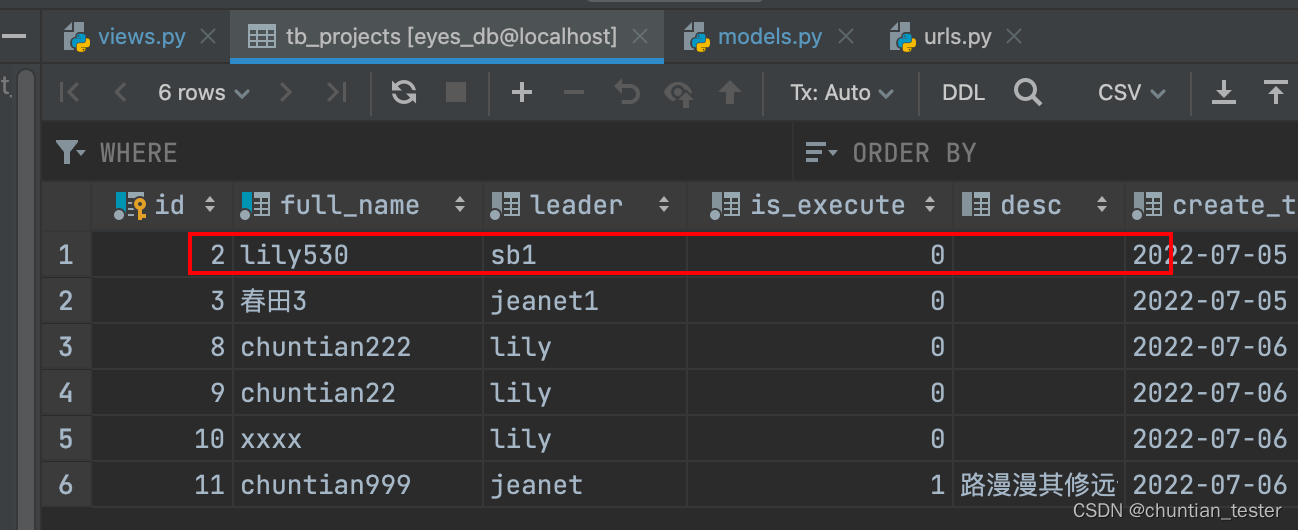
3.修改数据逻辑
3.1 修改前的数据
3.2 修改
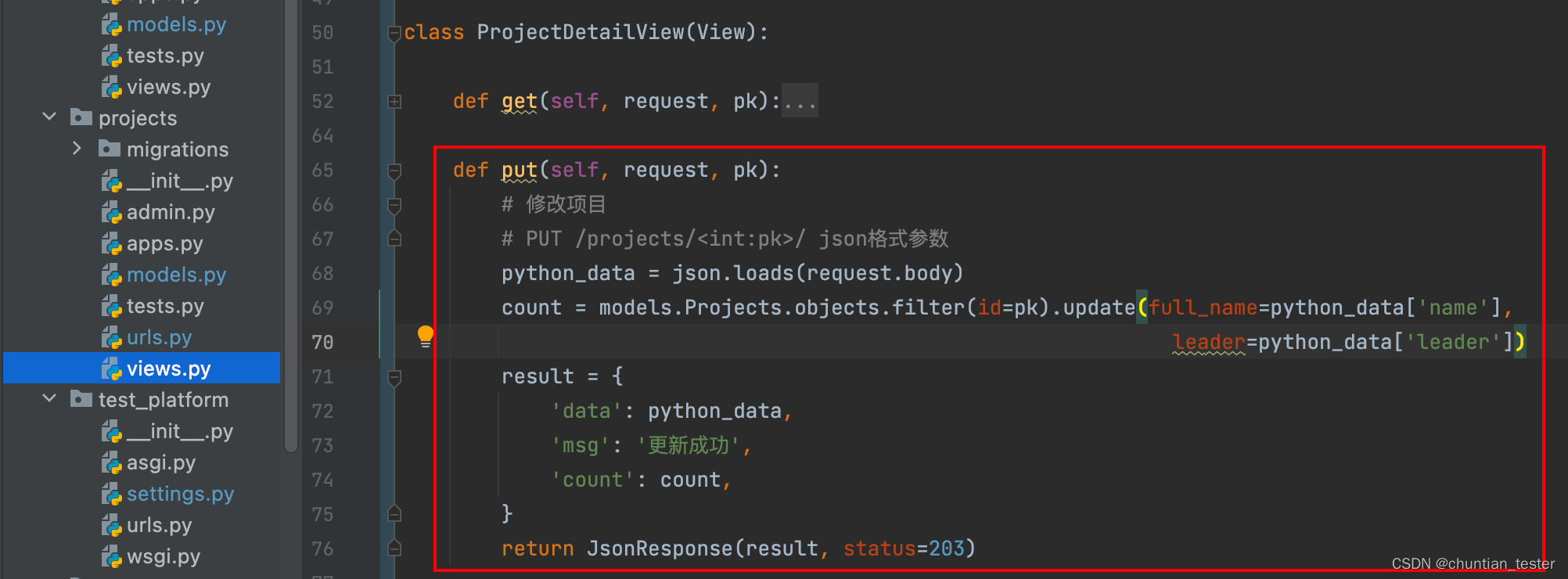
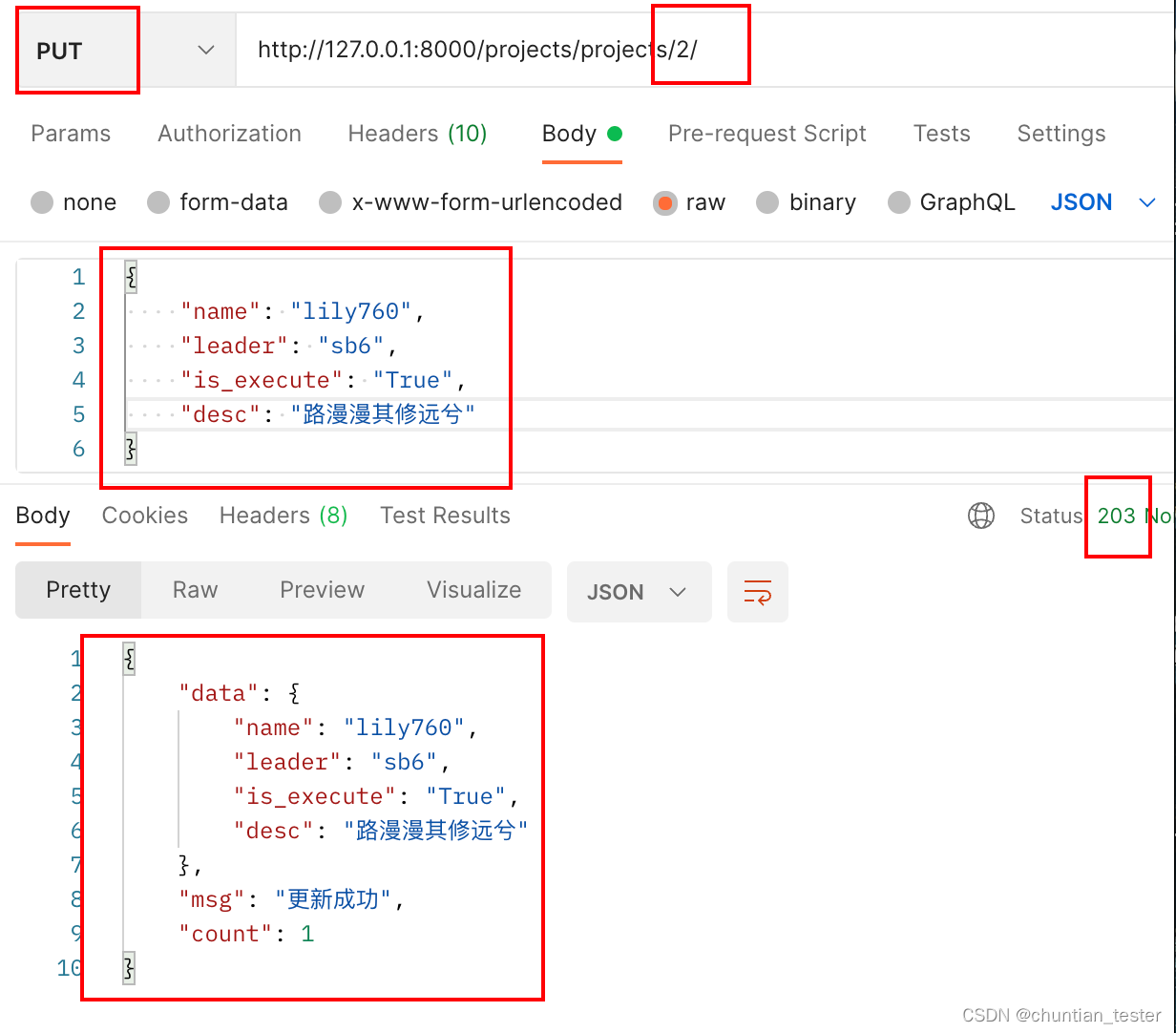
3.3 修改后
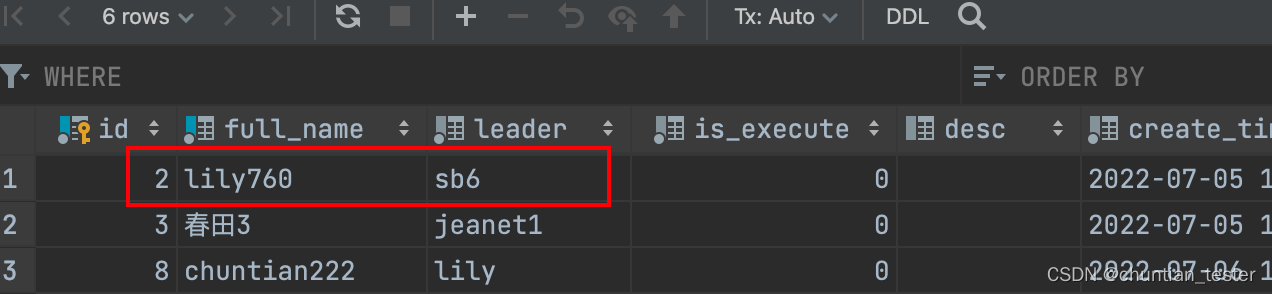
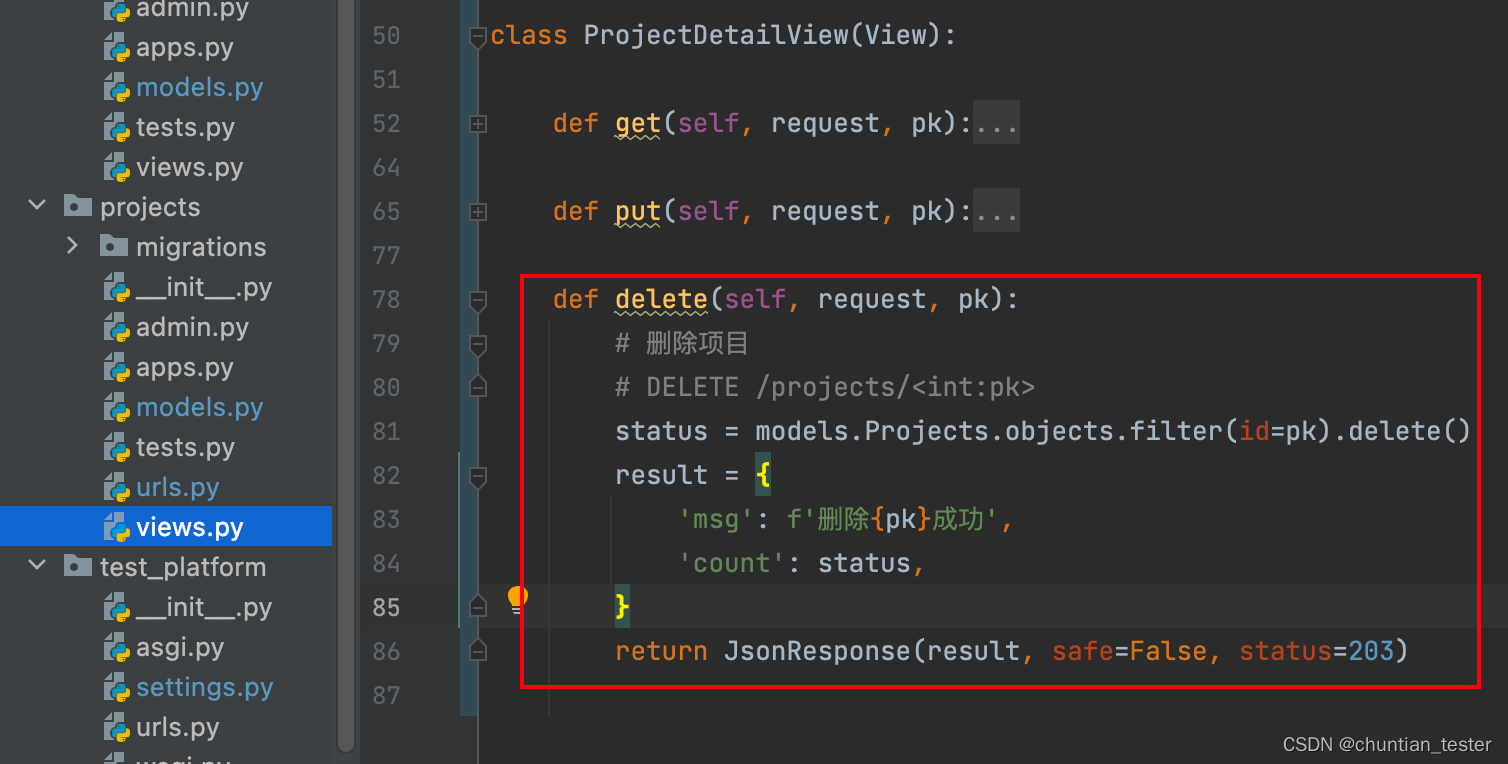
4.删除数据逻辑
删除表中数据时,从表模型若定义外键on_delete=models.CASCADE属性,则从表中的关联
数据也会被删除。
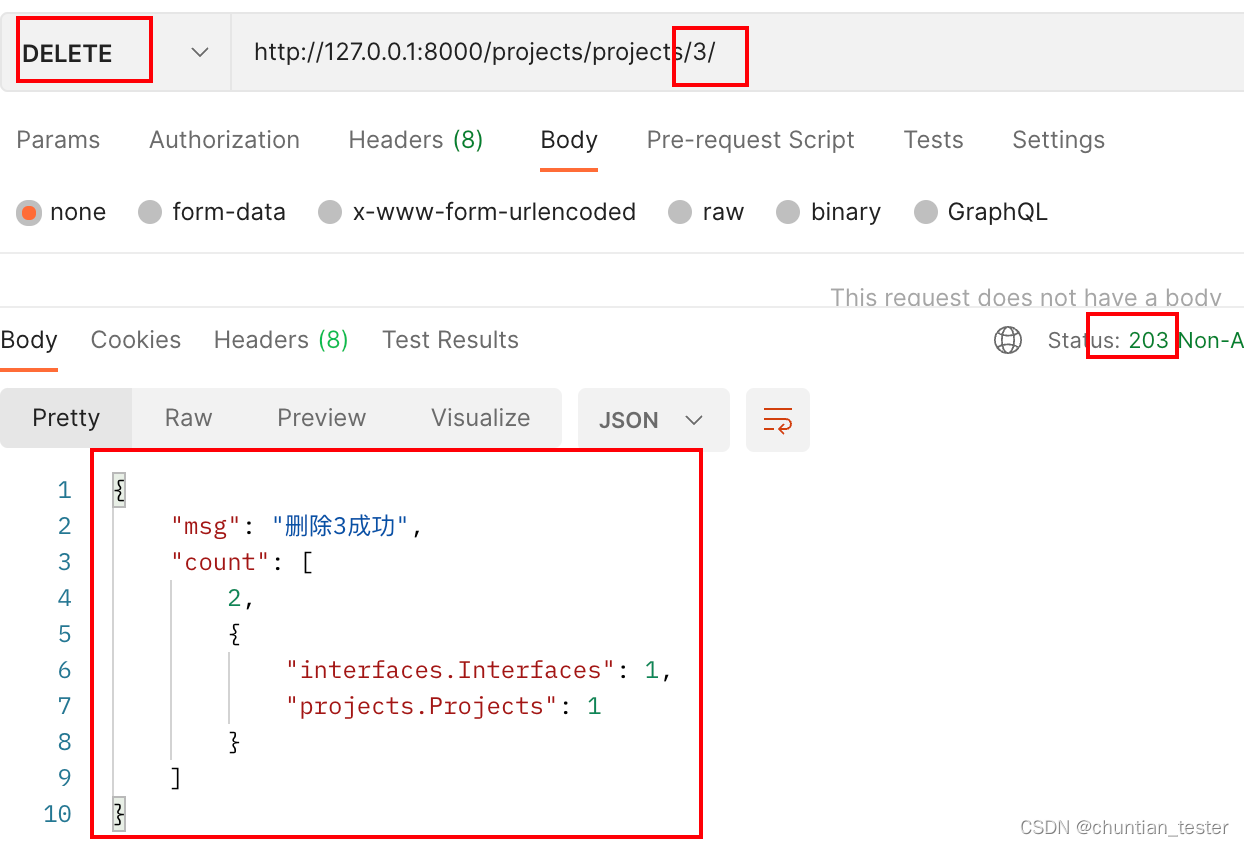
以上示例代码:
# /projects/views.py
import json

from django.http import HttpResponse, JsonResponse
# Create your views here.

# 子应用视图
from django.views import View
from projects import models


class ProjectsView(View):
    """
    类视图
    :param View: 继承自from django.views import View
    :return: HttpResponse对象
    """

    def get(self, request):
        # 查询所有项目信息
        # GET /projects/
        projects_list = []
        qs = models.Projects.objects.all()
        for item in qs:
            projects_list.append(
                {
                    'id': item.id,
                    'name': item.full_name,
                    'leader': item.leader,
                    'create_time': item.create_time,
                    'update_time': item.update_time,
                }
            )
        return JsonResponse(projects_list, safe=False)

    def post(self, request):
        # 新建项目
        # POST /projects/  json格式参数
        python_data = json.loads(request.body)
        pro_obj = models.Projects.objects.create(full_name=python_data['name'], leader=python_data['leader'],
                                                 is_execute=python_data['is_execute'], desc=python_data['desc'])
        result = {
            'full_name': pro_obj.full_name,
            'leader': pro_obj.leader,
            'desc': pro_obj.desc,
            'msg': '创建成功'
        }
        return JsonResponse(result, safe=False, status=203)


class ProjectDetailView(View):

    def get(self, request, pk):
        # 查询指定项目
        # GET /projects/<int:pk>/
        pro_obj = models.Projects.objects.get(id=pk)
        result = {
            'id': pro_obj.id,
            'name': pro_obj.full_name,
            'leader': pro_obj.leader,
            'create_time': pro_obj.create_time,
            'update_time': pro_obj.update_time,
        }
        return JsonResponse(result, status=203)

    def put(self, request, pk):
        # 修改项目
        # PUT /projects/<int:pk>/ json格式参数
        python_data = json.loads(request.body)
        count = models.Projects.objects.filter(id=pk).update(full_name=python_data['name'],
                                                               leader=python_data['leader'])
        result = {
            'data': python_data,
            'msg': '更新成功',
            'count': count,
        }
        return JsonResponse(result, status=203)

    def delete(self, request, pk):
        # 删除项目
        # DELETE /projects/<int:pk>
        status = models.Projects.objects.filter(id=pk).delete()
        result = {
            'msg': f'删除{pk}成功',
            'count': status,
        }
        return JsonResponse(result, safe=False, status=203)
边栏推荐
- Esp8266 uses TF card and reads and writes data (based on Arduino)
- Huffman encoded compressed file
- Natapp intranet penetration
- Garbage disposal method based on the separation of smart city and storage and living digital home mode
- 第一讲:寻找矩阵的极小值
- # Arthas 简单使用说明
- Scratch crawler mysql, Django, etc
- 为什么安装mysql时starting service报错?(操作系统-windows)
- Please ask me a question. I started a synchronization task with SQL client. From Mysql to ADB, the historical data has been synchronized normally
- Become a "founder" and make reading a habit
猜你喜欢
Lesson 1: finding the minimum of a matrix
Performance optimization record of the company's product "yunzhujia"
Qualifying 3
Basic use of JMeter to proficiency (I) creation and testing of the first task thread from installation

iNFTnews | 时尚品牌将以什么方式进入元宇宙?
Deep understanding of UDP, TCP

Applet popup half angle mask layer
细说Mysql MVCC多版本控制
能源路由器入门必读:面向能源互联网的架构和功能
【原创】程序员团队管理的核心是什么?
随机推荐
Lesson 1: finding the minimum of a matrix
EXT2 file system
官媒关注!国内数字藏品平台百强榜发布,行业加速合规健康发展
Thinkphp3.2 information disclosure
第一讲:鸡蛋的硬度
位操作==c语言2
HCIP 第一天 笔记整理
Flex flexible layout
Introduction to automated testing framework
Performance optimization record of the company's product "yunzhujia"
第十四次试验
根据热门面试题分析Android事件分发机制(一)
Software modeling and analysis
[4G/5G/6G专题基础-146]: 6G总体愿景与潜在关键技术白皮书解读-1-总体愿景
如何成为一名高级数字 IC 设计工程师(1-6)Verilog 编码语法篇:经典数字 IC 设计
Esp8266 uses TF card and reads and writes data (based on Arduino)
哈夫曼编码压缩文件
In fact, it's very simple. It teaches you to easily realize the cool data visualization big screen
Sqlplus garbled code problem, find the solution
Huffman encoded compressed file