当前位置:网站首页>VS2019代码中包含中文内容导致的编译错误和打印输出乱码问题
VS2019代码中包含中文内容导致的编译错误和打印输出乱码问题
2022-07-02 09:32:00 【System_sleep】
前言
在VS2019中,如果代码中包含中文字符串定义或注释,会导致各种莫名其妙的编译错误,就算是运气好,编译没有报错,也会遇到控制台打印中文乱码的问题,让人倍感烦躁。
编译问题
1. 代码中定义了中文字符串常量导致编译错误:“常量中有换行符“ ;
2. 代码中包含中文注释导致编译错误:找不到XXX (宏、变量)、XXX不是常量/变量及由于找不到声明导致的其他问题;
打印乱码问题
代码打印中文字符串,在命令提示符输出是乱码;
解决方法,三种方法任选其一:
一. 修改代码文件格式为utf-8带签名,让MSVC编译器能够自动识别并以utf-8 BOM格式加载文件:
- 使用外部编辑器将代码文件保存为utf8-BOM格式;
- 或 打开代码文件,在VS2019 “高级保存选项” 中将代码文件保存格式选择为“Unicode-带签名“;

二. 修改代码格式:
修改中文字符串、中文注释的格式,在中文结尾处添加英文空格,让MSVC编译器能够以GBK编码方式加载编译中文utf-8编码字符串,可以解决编译报错问题,打印还是乱码;
三. 强制指定MSVC编译器加载代码文件的编码格式:
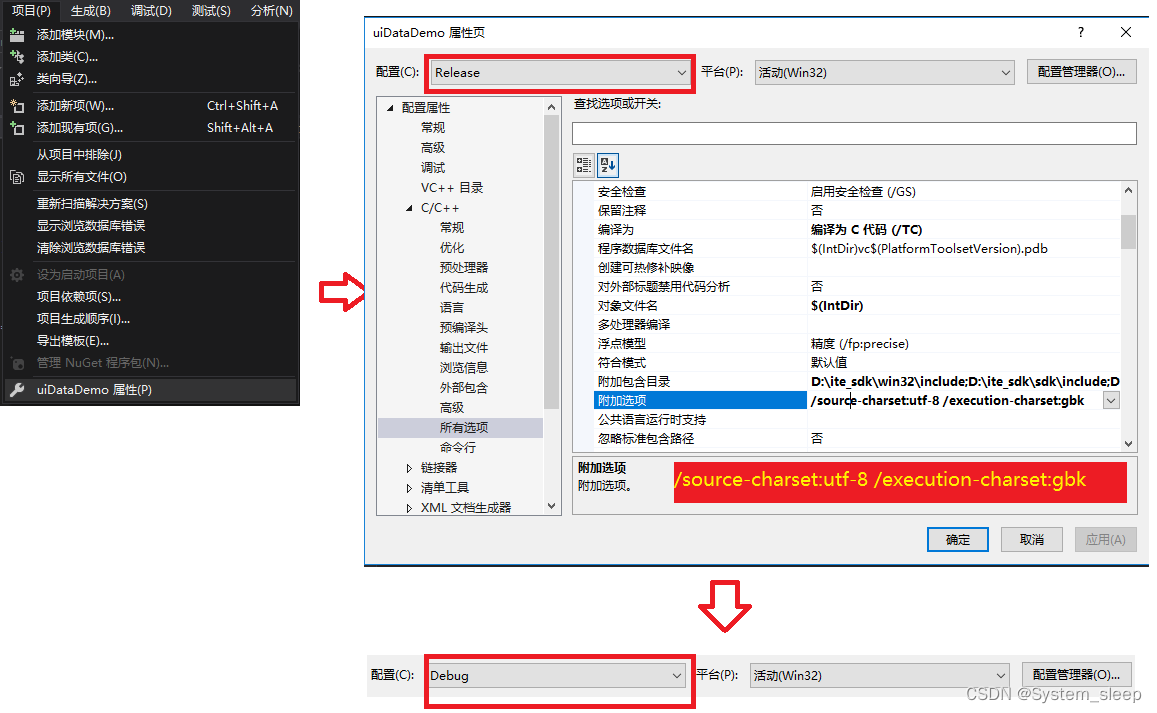
- 在VS2019“项目”-“工程属性”对话框-“C/C++”-“所有选项"子页,在“附加选项”内添加 “/utf-8” (等同于”/source-charset:utf-8 /execution-charset:utf-8");
- 在VS2019“项目”-“工程属性”对话框-“C/C++”-"所有选项"子页,在“附加选项”内添加 “/source-charset:utf-8 /execution-charset:gbk” (前者表示文件本身的编码,后者表示编译以后的字符数组内的字节是什么编码);
总结:
1. 如果是新建工程,推荐方法一,让所有新建代码文件都统一为utf-8 BOM 格式;
2. 如果是跨平台代码,且文件包含少量中文注释,可以尝试方法二;
3. 如果是已有的历史复杂工程(非使用工具导出的解决方案),可以尝试方法三, 但需要注意设置execution-charset时,要同时考虑到UI显示和打印二者对字符串编码的要求(可能不一致);
参考信息:
边栏推荐
- 2022 love analysis · panoramic report of digital manufacturers of state-owned enterprises
- 华为应用市场应用统计数据问题大揭秘
- 力扣(LeetCode)182. 查找重复的电子邮箱(2022.07.01)
- 主键策略问题
- 二叉树专题--P1030 [NOIP2001 普及组] 求先序排列
- The first white paper on agile practice in Chinese enterprises was released | complete download is attached
- 【AI应用】海康威视iVMS-4200软件安装
- 二叉树专题--AcWing 19. 二叉树的下一个节点(找树中节点的后继)
- Mongodb learning and sorting (condition operator, $type operator, limit() method, skip() method and sort() method)
- 实验电镜距离测量之Matlab处理
猜你喜欢

【IDEA】使用插件一键逆向生成代码
How to transfer event objects and user-defined parameters simultaneously in Huawei express applications

JVM之垃圾回收器
【深入浅出玩转FPGA学习5-----复位设计】

V2X-Sim数据集(上海交大&纽约大学)
Special topic of binary tree -- acwing 19 The next node of the binary tree (find the successor of the node in the tree)
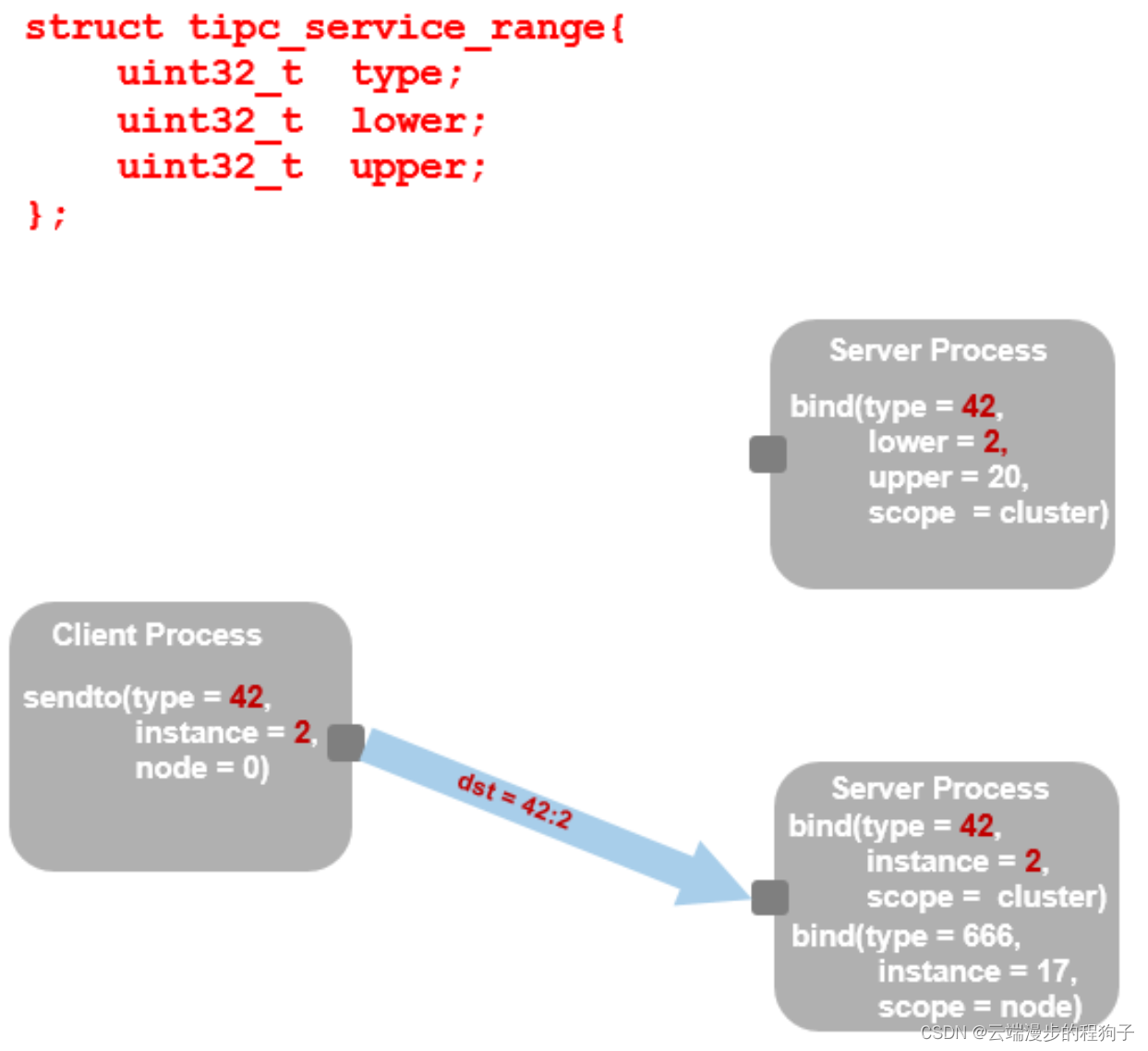
TIPC addressing 2
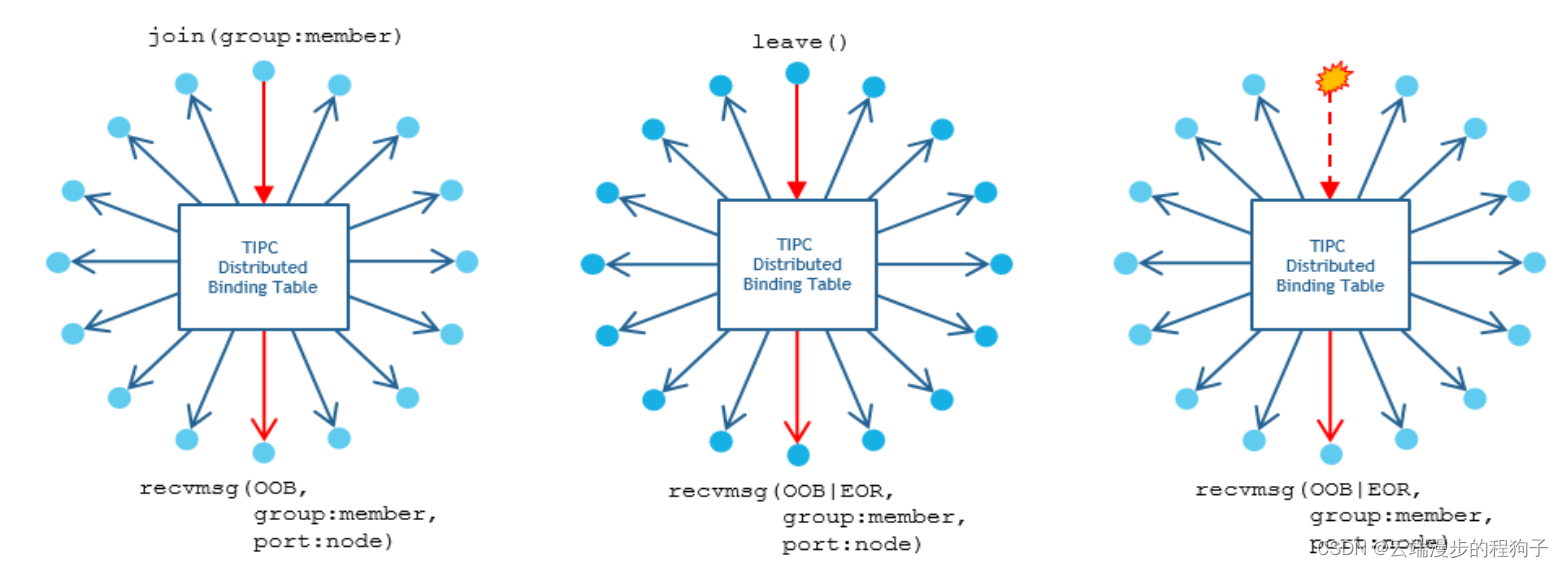
TIPC Service and Topology Tracking4
华为快应用中如何实现同时传递事件对象和自定义参数
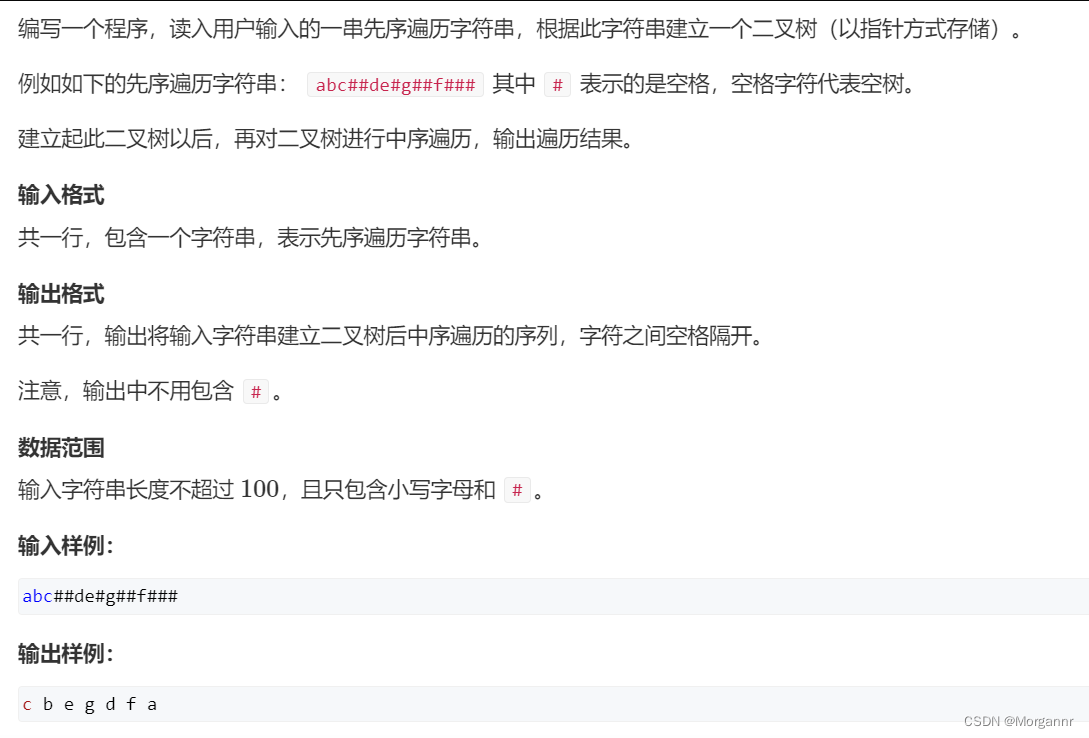
Special topic of binary tree -- acwing 3384 Binary tree traversal (known preorder traversal, while building a tree, while outputting middle order traversal)
随机推荐
计算序列之和
The difference between self and static in PHP in methods
二叉树专题--AcWing 1589. 构建二叉搜索树
[play with FPGA learning 5 in simple terms ----- reset design]
TIPC introduction 1
Xiao Sha's pain (double pointer
洛谷 P4281 [AHOI2008]紧急集合 / 聚会(树上倍增 LCA)
Regular and common formulas
Mongodb learning and sorting (condition operator, $type operator, limit() method, skip() method and sort() method)
How does the whole network display IP ownership?
Pit of the start attribute of enumrate
Win11 arm system configuration Net core environment variable
PCL eigen introduction and simple use
spritejs
Supermarket (heap overload
QT learning diary 7 - qmainwindow
How to implement tabbar title bar with list component
二叉树专题--AcWing 3384. 二叉树遍历(已知先序遍历 边建树 边输出中序遍历)
在网上开股票账户安全吗?我是新手,还请指导
华为快应用中如何实现同时传递事件对象和自定义参数