当前位置:网站首页>three.js debugging tool dat.gui use
three.js debugging tool dat.gui use
2022-08-05 10:01:00 【Jedi Hongbin】
在three.js Easy observation object changes as web page Often a can't reached the position that we want to 需要微调 And each load model still needs some time Debugging time is longer 相应的three.jsThe author wrote this debugging tool 方便three.js中调试.
安装
yarn add dat.gui
or
npm install --save dat.gui
导出
// CommonJS:
const dat = require('dat.gui');

// ES6:
import * as dat from 'dat.gui';
创建一个实例
const gui = new dat.GUI();
I prefer to use
import {
     GUI } from "dat.gui";

const gui = new GUI();
All in all select the way you like to create aguiOpen debugging
gui的工作方式
传入一个对象,The object of the values of type determining forms of the debugging tools
比如 值是一个boolean值 The corresponding debugging tools will show a check box The present value of state
如果 值是一个函数 Corresponding is a button Click on the button to trigger the function

In order to as debugging format 接下来 According to the scene to introduce several debug mode
Modify the position of the object
物体的posiiton属性中的x,y,z决定位置
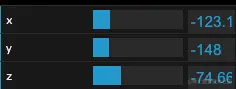
gui.add(mesh.position,'x')
The modified object transfer into the first parameter The modified attribute name(字符串形式)作为第二个参数 That is correctx轴坐标
gui.add(mesh.position,'x',0,100)
Behind the two parameters is minimum and maximum
这是类型定义 The rest of the a parameter is how much a change
In view of the location change can encapsulate a function Province line to write
typescript
const positionkeys: ["x", "y", "z"] = ["x", "y", "z"];

export const guiPosiiton = (mesh: Object3D, range: number = 20, name?: string) => {

    const {
     name: meshName, type, uuid, position } = mesh;
    // 新建一个文件夹
    const fidld = gui.addFolder(name || meshName || type + uuid.substring(0, 5));

    for (const key of positionkeys) {

        fidld.add(position, key, position[key] - range, position[key] + range);
    }
};
javascript
const positionkeys = ["x", "y", "z"];

export const guiPosiiton = (mesh, range = 20, name) => {

    const {
     name: meshName, type, uuid, position } = mesh;
    // 新建一个文件夹
    const fidld = gui.addFolder(name || meshName || type + uuid.substring(0, 5));

    for (const key of positionkeys) {

        fidld.add(position, key, position[key] - range, position[key] + range);
    }
};
监听值的改变
gui.add({
    count:0},'count',-10,10).onChange(val => {

 xxx.xxx = val;
})
在onChange中获得当前的value
按钮
gui.add({
    fn:() =>  console.log(123) },'fn')
点击 fn 调用fn这个函数 Don't want to use the property name if the name can be set active
gui.add({
    fn:() =>  console.log(123) },'fn').name('打印')

Modify texture color
const material = new MeshPhongMaterial();

const params = {

    color: 0xffffff
};

gui.addColor(params, "color").onChange((color) => {

    material.color = color;
});

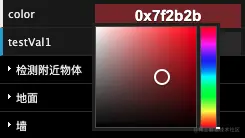
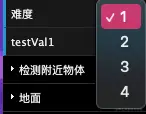
模式选择 – 选择器
const options = [1, 2, 3, 4];

gui.add({
     难度: 1 }, "难度")
    .options(options)
    .onChange((val) => {

        console.log("select", val);
    });

字符串修改
gui.add({
     name: "hongbin" }, "name");
Commonly used is probably this several follow-up will slowly add more debugging method
Everyone can be adjusted according to the environment This tool is very interesting 建议大家尝试
边栏推荐
- EU | Horizon 2020 ENSEMBLE: D2.13 SOTIF Safety Concept (Part 2)
- Hundred lines of code launch red hearts, why programmers lose their girlfriends!
- Handwriting Currying - toString Comprehension
- 【温度预警程序de开发】事件驱动模型实例运用
- PAT Class B-B1019 Digital Black Hole (20)
- 手写柯里化 - toString 理解
- Development common manual link sharing
- 使用工具类把对象中的null值转换为空字符串(集合也可以使用)
- 正则表达式replaceAll()方法具有什么功能呢?
- Dry goods!Generative Model Evaluation and Diagnosis
猜你喜欢

欧盟 | 地平线 2020 ENSEMBLE:D2.13 SOTIF Safety Concept(上)
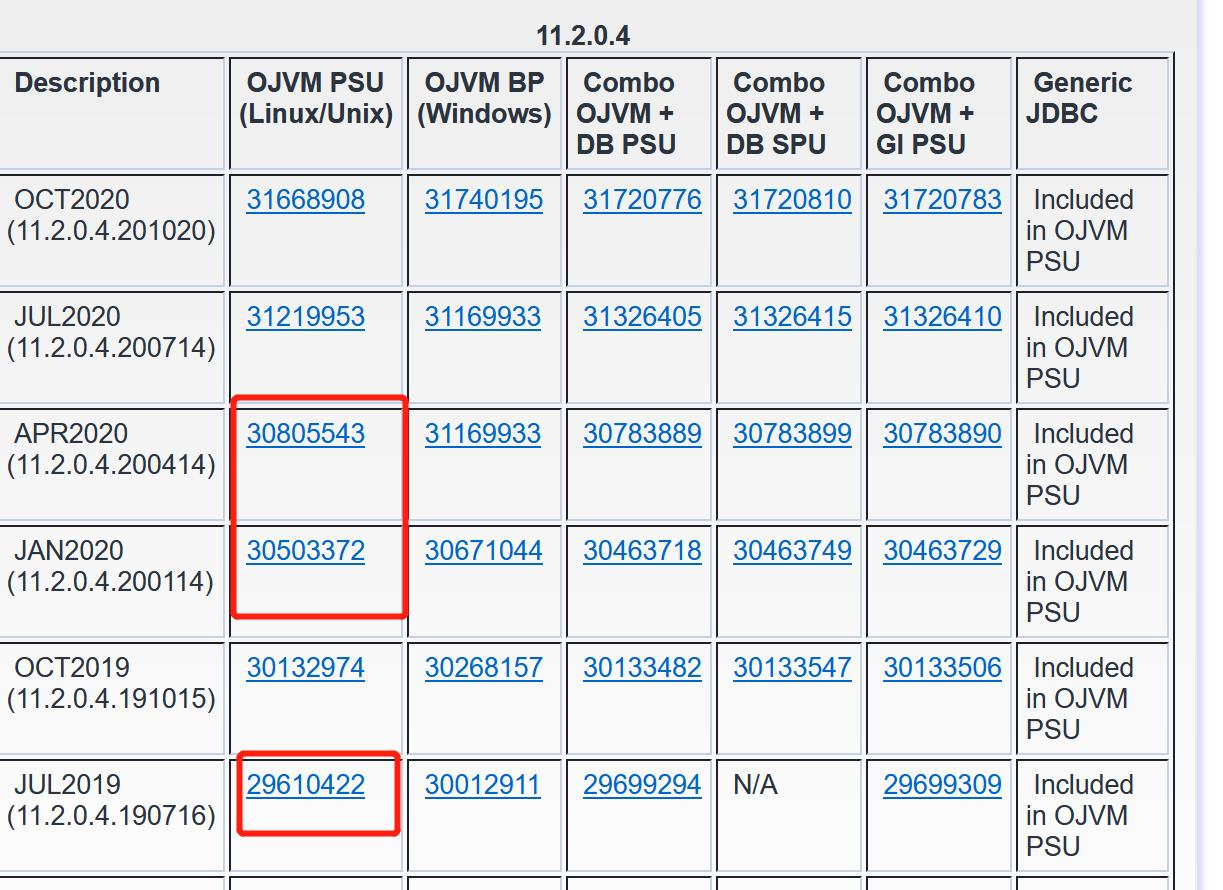
Which big guy has the 11G GI and ojvm patches in April or January 2020, please help?
hcip BGP enhancement experiment

2.4G无线收发模块的应用
JS逆向入门学习之回收商网,手机号码简易加密解析
入门 Polkadot 平行链开发,看这一篇就够了
Pytorch Deep Learning Quick Start Tutorial -- Mound Tutorial Notes (3)
egg框架使用(一)

21 Days of Deep Learning - Convolutional Neural Networks (CNN): Weather Recognition (Day 5)

Keil升级到AC6后,到底有哪些变化?
随机推荐
dotnet OpenXML parsing PPT charts Getting started with area charts
蚁剑webshell动态加密连接分析与实践
PAT乙级-B1021 个位数统计(15)
上海控安技术成果入选市经信委《2021年上海市网络安全产业创新攻关成果目录》
深度学习21天——卷积神经网络(CNN):天气识别(第5天)
CCVR eases heterogeneous federated learning based on classifier calibration
Pytorch深度学习快速入门教程 -- 土堆教程笔记(三)
欧盟 | 地平线 2020 ENSEMBLE:D2.13 SOTIF Safety Concept(下)
数据中台建设(十):数据安全管理
还在找网盘资源吗?快点收藏如下几个值得收藏的网盘资源搜索神器吧!
营销建议 | 您有一份八月营销月历待查收! 建议收藏 !
无题十四
mysql索引
ffmpeg drawtext add text watermark
【Office】Microsoft Office下载地址合集(微软官方原版离线安装下载)
开发常用手册链接分享
Imitation SBUS fixed with serial data conversion
PAT乙级-B1019 数字黑洞(20)
leetcode: 529. 扫雷游戏
无题一