当前位置:网站首页>QT learning 28 toolbar in the main window
QT learning 28 toolbar in the main window
2022-07-07 07:52:00 【A little black sauce】
Qt Study 28 Toolbar in the main window
Toolbar in the main window
- The toolbar The concept and significance of
- In the application Integration of various functions An area for quick use
- Toolbar and No In the application must Existing components
- Elements in the toolbar It can be various window components
- Elements in the toolbar It usually exists in the form of icon buttons
- stay Qt Provide with The toolbar Related class components
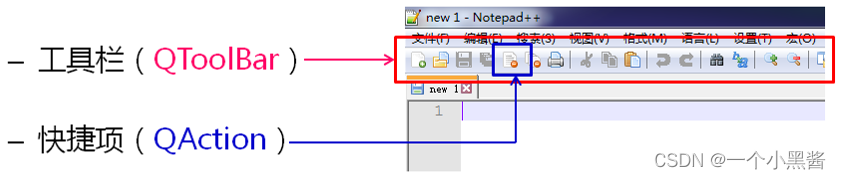
- stay Qt Create a toolbar in the main window
/* call member function */
QToolBar *tb = addToolBar("Tool Bar");
/* create item for Tool Bar */
QAction *action = new QAction("", NULL);
/* set action property */
action->setToolTip("Open");
action->setIcon(QIcon(":/Res/pic/open.png"));
/* add item to Tool Bar */
tb->addAction(action);
QToolBarKey member functions ofvoid setFloatable(bool floatable)void setMovable(bool movable)void setIconSize(const QSize& iconSize)
QToolBarYou can add anyQWidgetComponents
QToolBar *tb = addToolBar("Tool Bar");
QPushButton *b = new QPushButton("Button");
QLabel *l = new QLabel("Label");
QLineEdit *e = new QLineEdit();
tb->addWidget(b);
tb->addWidget(l);
tb->addWidget(e);
Programming experiment - First experience of toolbar
#ifndef MAINWINDOW_H
#define MAINWINDOW_H

#include <QMainWindow>

class MainWindow : public QMainWindow
{

    Q_OBJECT

public:
    MainWindow(QWidget *parent = 0);
    ~MainWindow();
};

#endif // MAINWINDOW_H
#include "MainWindow.h"
#include <QToolBar>
#include <QAction>
#include <QPushButton>
#include <QLabel>
#include <QLineEdit>

MainWindow::MainWindow(QWidget *parent)
    : QMainWindow(parent)
{

    QToolBar *tb = addToolBar("Tool Bar");
    QAction *action = new QAction("", NULL);

    tb->setFloatable(false);
    tb->setMovable(false);

    action->setToolTip("Open");
    action->setIcon(QIcon(":/res/open.png"));
    tb->addAction(action);

    QPushButton* b = new QPushButton("Button");
    QLabel* l = new QLabel("Label");
    QLineEdit* e = new QLineEdit();

    tb->addWidget(b);
    tb->addWidget(l);
    tb->addWidget(e);
}

MainWindow::~MainWindow()
{


}
#include "MainWindow.h"
#include <QApplication>

int main(int argc, char *argv[])
{

    QApplication a(argc, argv);
    MainWindow w;
    w.show();

    return a.exec();
}
Programming actual combat - Toolbar practice
#ifndef MAINWINDOW_H
#define MAINWINDOW_H

#include <QMainWindow>
#include <QAction>
#include <QMenu>

class MainWindow : public QMainWindow
{

    Q_OBJECT
private:
    MainWindow();

    bool construct();
    bool initMenuBar();
    bool initToolBar();
    bool initFileToolItem(QToolBar* tb);
    bool initEditToolItem(QToolBar *tb);
    bool initFileMenu(QMenuBar* mb);
    bool initEditMenu(QMenuBar* mb);
    bool initFormatMenu(QMenuBar* mb);
    bool initViewMenu(QMenuBar* mb);
    bool initHelpMenu(QMenuBar* mb);
    bool makeAction(QToolBar *tb, QString tip, QString icon);
    bool makeAction(QMenu* menu, QString text, int key=0);

public:

    static MainWindow* NewInstance();
    ~MainWindow();
};

#endif // MAINWINDOW_H
#include "MainWindow.h"
#include <QMenuBar>
#include <QMenu>
#include <QToolBar>
#include <QSize>

MainWindow::MainWindow()
{


}

MainWindow *MainWindow::NewInstance()
{

    MainWindow* ret = new MainWindow();

    if ((ret == NULL) || !ret->construct()) {

        delete ret;
        ret = NULL;
    }

    return ret;
}

bool MainWindow::construct()
{

    bool ret = true;

    ret = ret && initMenuBar();
    ret = ret && initToolBar();

    return ret;
}

bool MainWindow::initToolBar()
{

    bool ret = true;

    QToolBar* tb = addToolBar("Tool Bar");
    tb->setIconSize(QSize(16, 16));
    ret = ret && initFileToolItem(tb);
    tb->addSeparator();
    ret = ret && initEditToolItem(tb);

    return ret;
}

bool MainWindow::initFileToolItem(QToolBar *tb)
{

    bool ret = true;

    ret = ret && makeAction(tb, "New", ":/res/pic/new.png");
    ret = ret && makeAction(tb, "Open", ":/res/pic/open.png");
    ret = ret && makeAction(tb, "Save", ":/res/pic/save.png");
    ret = ret && makeAction(tb, "Save as", ":/res/pic/saveas.png");
    ret = ret && makeAction(tb, "Print", ":/res/pic/print.png");

    return ret;
}

bool MainWindow::initEditToolItem(QToolBar *tb)
{

    bool ret = true;

    ret = ret && makeAction(tb, "undo", ":/res/pic/undo.png");
    ret = ret && makeAction(tb, "redo", ":/res/pic/redo.png");

    return ret;
}

bool MainWindow::initMenuBar()
{

    bool ret = true;

    QMenuBar* mb = menuBar();
    ret = ret && initFileMenu(mb);
    ret = ret && initEditMenu(mb);
    ret = ret && initFormatMenu(mb);
    ret = ret && initViewMenu(mb);
    ret = ret && initHelpMenu(mb);

    return ret;
}

bool MainWindow::initFileMenu(QMenuBar* mb)
{

    bool ret = true;

    QMenu* menu = new QMenu("File(&F)");
    ret = (menu != NULL);
    if (ret) {

        ret = ret && makeAction(menu, "New(N)", Qt::CTRL + Qt::Key_N);
        ret = ret && makeAction(menu, "New Window(W)", Qt::CTRL + Qt::SHIFT + Qt::Key_N);
        ret = ret && makeAction(menu, "Open(O)", Qt::CTRL + Qt::Key_O);
        ret = ret && makeAction(menu, "Save(S)", Qt::CTRL + Qt::Key_S);
        ret = ret && makeAction(menu, "Save as(S)", Qt::CTRL + Qt::SHIFT + Qt::Key_S);
        menu->addSeparator();
        ret = ret && makeAction(menu, "Page setting(U)");
        ret = ret && makeAction(menu, "Print(P)", Qt::CTRL + Qt::Key_P);
        menu->addSeparator();
        ret = ret && makeAction(menu, "Exit(X)", Qt::CTRL + Qt::Key_X);
    }
    if (ret) {

        mb->addMenu(menu);
    }
    else {

        delete menu;
    }

    return ret;
}

bool MainWindow::initEditMenu(QMenuBar *mb)
{

    bool ret = true;

    QMenu* menu = new QMenu("Edit(&E)");
    ret = (menu != NULL);
    if (ret) {

        ret = ret && makeAction(menu, "Undo(U)", Qt::CTRL + Qt::Key_Z);
        ret = ret && makeAction(menu, "Clip(T)", Qt::CTRL + Qt::Key_X);
        ret = ret && makeAction(menu, "Copy(C)", Qt::CTRL + Qt::Key_C);
        ret = ret && makeAction(menu, "Stick(C)", Qt::CTRL + Qt::Key_V);
        ret = ret && makeAction(menu, "Delete(L)", Qt::Key_Delete);
        menu->addSeparator();
        ret = ret && makeAction(menu, "Use Bing search", Qt::CTRL + Qt::Key_E);
        ret = ret && makeAction(menu, "Find(F)", Qt::CTRL + Qt::Key_F);
        ret = ret && makeAction(menu, "Find next(N)", Qt::Key_F3);
        ret = ret && makeAction(menu, "Find pre(V)", Qt::SHIFT + Qt::Key_F3);
        ret = ret && makeAction(menu, "Replace(R)", Qt::CTRL + Qt::Key_H);
        ret = ret && makeAction(menu, "Replace(R)", Qt::CTRL + Qt::Key_H);
        ret = ret && makeAction(menu, "Jump(G)", Qt::CTRL + Qt::Key_G);
        menu->addSeparator();
        ret = ret && makeAction(menu, "Select all(A)", Qt::CTRL + Qt::Key_A);
        ret = ret && makeAction(menu, "Data(D)", Qt::Key_F5);
    }
    if (ret) {

        mb->addMenu(menu);
    }
    else {

        delete menu;
    }

    return ret;
}

bool MainWindow::initFormatMenu(QMenuBar *mb)
{

    bool ret = true;

    QMenu* menu = new QMenu("Format(&O)");
    ret = (menu != NULL);
    if (ret) {

        ret = ret && makeAction(menu, "Auto wrap(W)");
        ret = ret && makeAction(menu, "Font(F)");
    }
    if (ret) {

        mb->addMenu(menu);
    }
    else {

        delete menu;
    }

    return ret;
}

bool MainWindow::initViewMenu(QMenuBar *mb)
{

    bool ret = true;

    QMenu* menu = new QMenu("View(&V)");
    ret = (menu != NULL);
    if (ret) {

        ret = ret && makeAction(menu, "Zoom(Z)");
        ret = ret && makeAction(menu, "Status bar(S)");
    }
    if (ret) {

        mb->addMenu(menu);
    }
    else {

        delete menu;
    }

    return ret;
}

bool MainWindow::initHelpMenu(QMenuBar *mb)
{

    bool ret = true;

    QMenu* menu = new QMenu("Help(&H)");
    ret = (menu != NULL);
    if (ret) {

        ret = ret && makeAction(menu, "View Help(H)");
        ret = ret && makeAction(menu, "Send feedback(F)");
        ret = ret && makeAction(menu, "About App(A)");
    }
    if (ret) {

        mb->addMenu(menu);
    }
    else {

        delete menu;
    }

    return ret;
}

bool MainWindow::makeAction(QToolBar *tb, QString tip, QString icon)
{

    bool ret = true;

    QAction *action = new QAction("", NULL);
    if (action != NULL) {

        action->setToolTip(tip);
        action->setIcon(QIcon(icon));
    }
    else {

        ret = false;
    }

    if (ret) {

        tb->addAction(action);
    }

    return ret;
}

bool MainWindow::makeAction(QMenu *menu, QString text, int key)
{

    bool ret = true;

    QAction* action = new QAction(text, NULL);
    if (action != NULL) {

        if (key != 0) {

            action->setShortcut(QKeySequence(key));
        }
    }
    else {

        ret = false;
    }

    if (ret) {

        menu->addAction(action);
    }

    return ret;
}

MainWindow::~MainWindow()
{


}
#include "MainWindow.h"
#include <QApplication>

int main(int argc, char *argv[])
{

    QApplication a(argc, argv);
    MainWindow* w = MainWindow::NewInstance();
    int ret = -1;
    if (w != NULL) {

        w->show();
        ret = a.exec();
    }
    delete w;

    return ret;
}
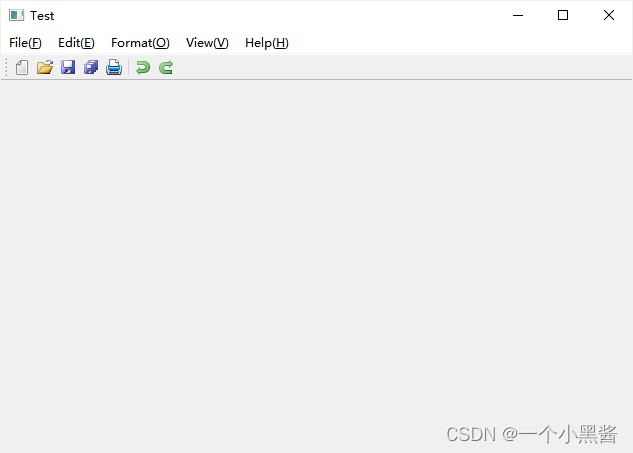
The effect is as follows :
Summary
- The toolbar is Integration of various functions A shortcut area of
- Qt Pass through
QToolBarCreate toolbars QToolBarCan join anyQWidgetComponentsQToolBarElements in are usually With icon button The way
边栏推荐
- Kbu1510-asemi power supply special 15A rectifier bridge kbu1510
- 科技云报道:从Robot到Cobot,人机共融正在开创一个时代
- leetcode:105. Constructing binary trees from preorder and inorder traversal sequences
- LeetCode 40:组合总和 II
- SQL优化的魅力!从 30248s 到 0.001s
- pytest+allure+jenkins环境--填坑完毕
- Pytest + allure + Jenkins Environment - - achèvement du remplissage de la fosse
- 2022制冷与空调设备运行操作复训题库及答案
- @component(““)
- [2022 CISCN]初赛 web题目复现
猜你喜欢
![[2022 actf] Web Topic recurrence](/img/e4/ab9a1771489d751ee73a79f151d374.png)
[2022 actf] Web Topic recurrence
Iterable、Collection、List 的常见方法签名以及含义
idea添加类注释模板和方法模板
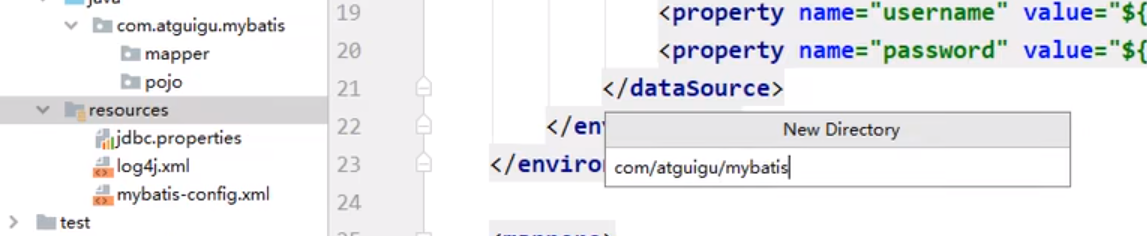
resource 创建包方式
[2022 ACTF]web题目复现
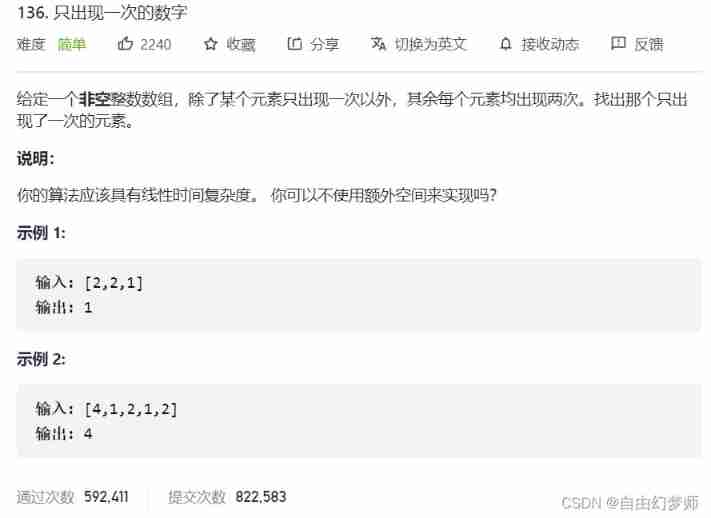
Numbers that appear only once
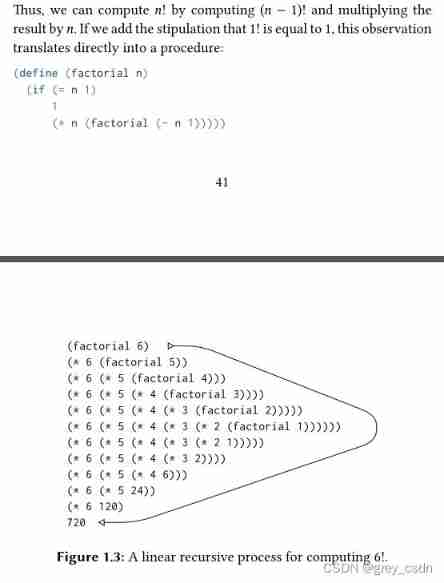
1142_ SiCp learning notes_ Functions and processes created by functions_ Linear recursion and iteration
![[mathematical notes] radian](/img/43/2af510adb24fe46fc0033d11d60488.jpg)
[mathematical notes] radian
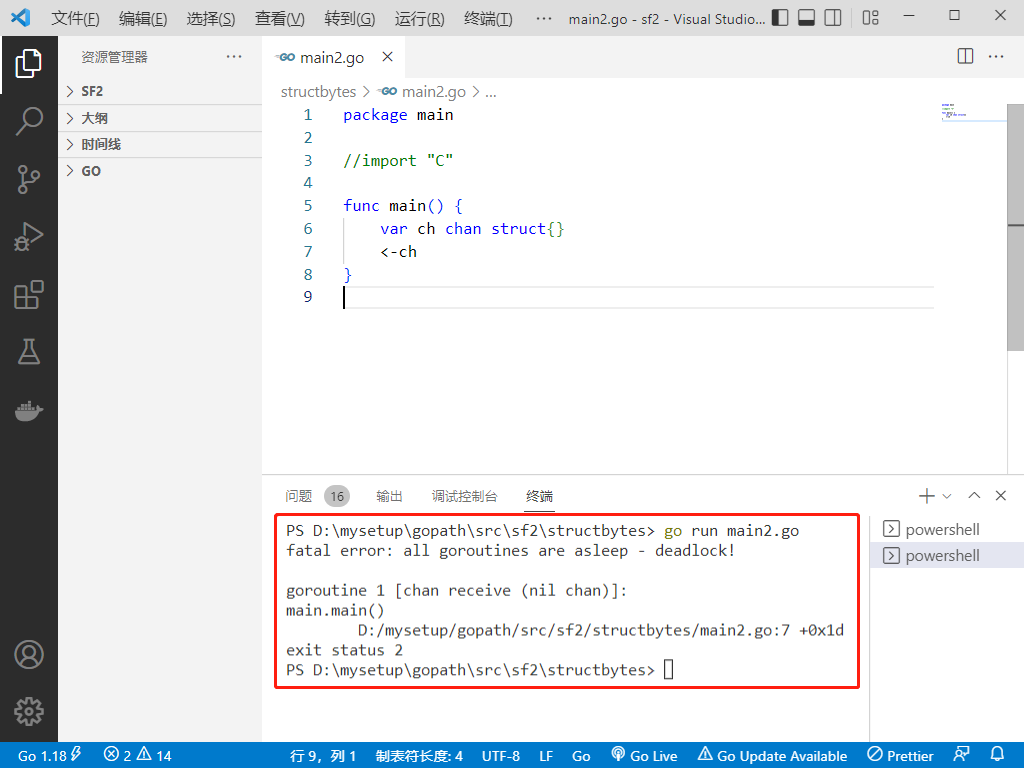
2022-07-06: will the following go language codes be panic? A: Meeting; B: No. package main import “C“ func main() { var ch chan struct
Wechat applet data binding multiple data
随机推荐
开源生态|打造活力开源社区,共建开源新生态!
Tongda injection 0day
[SUCTF 2019]Game
海思芯片(hi3516dv300)uboot镜像生成过程详解
[SUCTF 2019]Game
大视频文件的缓冲播放原理以及实现
[2022 ACTF]web题目复现
【性能压测】如何做好性能压测?
[UTCTF2020]file header
JSON introduction and JS parsing JSON
通信设备商,到底有哪些岗位?
Jenkins远程构建项目超时的问题
Pytest + allure + Jenkins Environment - - achèvement du remplissage de la fosse
Button wizard collection learning - mineral medicine collection and running map
Gslx680 touch screen driver source code analysis (gslx680. C)
【VHDL 并行语句执行】
Leetcode 43 String multiplication (2022.02.12)
[2022 CISCN]初赛 web题目复现
Rxjs - observable doesn't complete when an error occurs - rxjs - observable doesn't complete when an error occurs
Linux server development, MySQL process control statement