当前位置:网站首页>[opencv learning] [moving object detection]
[opencv learning] [moving object detection]
2022-07-02 12:52:00 【A sea of stars】
Today, learn about moving object detection
One : Frame difference method
Capture the camera's moving hand
import cv2
import numpy as np

#  If we want to capture some moving objects , In each frame , The stationary part is called the background , Moving objects are called foreground
#  Suppose our video capture window doesn't move , For example, the camera doesn't move , It ensures that the background is basically unchanged , But how can we capture the foreground and background ?
#  The first part :  Frame difference method
#  Capture the moving object by the difference between the two frames ( It usually takes time t Frame minus time t-1 Frame of ), Over a certain threshold , Then the judgment is the prospect , Otherwise, the background
#  This method is very simple , But it will bring huge noise ( Slightly vibrate , Sporadic point ) And emptiness ( The non edge part of the moving object is also judged as the background )

cap = cv2.VideoCapture(0)  #  Its parameters 0 Indicates the first camera , Generally, it is the built-in camera of the notebook .
# cap = cv2.VideoCapture('images/kk 2022-01-23 18-21-21.mp4') #  come from vedio The video

#  Get the first frame
ret, frame = cap.read()
frame_prev = cv2.cvtColor(frame, cv2.COLOR_BGR2GRAY)  #  Convert a color image to a grayscale image

kernel1 = np.ones((5, 5), np.uint8)  #  To open the operation, use
while (1):
    #  Get every frame
    ret, frame = cap.read()
    if frame is None:
        print("camera is over...")
        break

    frame = cv2.cvtColor(frame, cv2.COLOR_BGR2GRAY)  #  Convert a color image to a grayscale image
    diff = frame - frame_prev  #  There must be some negative numbers , It's all the subtraction of gray values

    diff_abs = cv2.convertScaleAbs(diff)  #  Take the absolute value , Keep our difference value

    _, thresh1 = cv2.threshold(diff_abs, 100, 255, cv2.THRESH_BINARY)  #  binarization

    MORPH_OPEN_1 = cv2.morphologyEx(thresh1, cv2.MORPH_OPEN, kernel1)  #  Open operation , Remove noise and burrs
    # erosion_it2r_1 = cv2.dilate(MORPH_OPEN_1, kernel1, iterations=2) #  Expansion operation

    # cv2.imshow("capture", thresh1) #  Show this image
    cv2.imshow("capture", MORPH_OPEN_1)  #  Show this image

    frame_prev = frame  #  Update previous frame

    #  Make a wait or exit judgment
    if cv2.waitKey(1) & 0xFF == 27:
        break
cap.release()
cv2.destroyAllWindows()
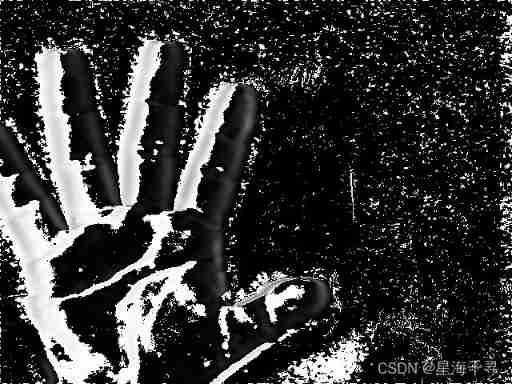
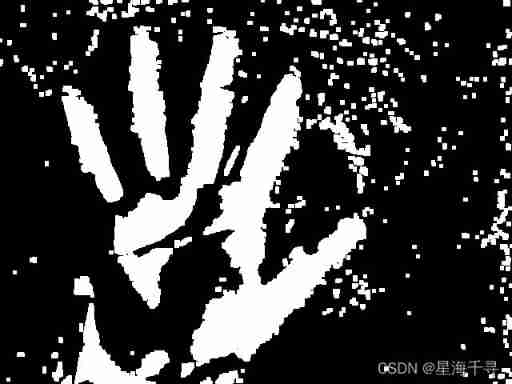
Capture the frame of the video , Catch Kun Kun playing basketball and dancing
import cv2
import numpy as np

#  If we want to capture some moving objects , In each frame , The stationary part is called the background , Moving objects are called foreground
#  Suppose our video capture window doesn't move , For example, the camera doesn't move , It ensures that the background is basically unchanged , But how can we capture the foreground and background ?
#  The first part :  Frame difference method
#  Capture the moving object by the difference between the two frames ( It usually takes time t Frame minus time t-1 Frame of ), Over a certain threshold , Then the judgment is the prospect , Otherwise, the background
#  This method is very simple , But it will bring huge noise ( Slightly vibrate , Sporadic point ) And emptiness ( The non edge part of the moving object is also judged as the background )

cap = cv2.VideoCapture('images/kk 2022-01-23 18-21-21.mp4')  #  come from vedio The video

#  Get the first frame
ret, frame = cap.read()
frame_prev = cv2.cvtColor(frame, cv2.COLOR_BGR2GRAY)  #  Convert a color image to a grayscale image

# kernel1 = np.ones((5, 5), np.uint8) #  To open the operation, use
while (1):
    #  Get every frame
    ret, frame = cap.read()
    if frame is None:
        print("camera is over...")
        break

    frame = cv2.cvtColor(frame, cv2.COLOR_BGR2GRAY)  #  Convert a color image to a grayscale image
    diff = frame - frame_prev  #  There must be some negative numbers , It's all the subtraction of gray values

    diff_abs = cv2.convertScaleAbs(diff)  #  Take the absolute value , Keep our difference value

    _, thresh1 = cv2.threshold(diff_abs, 100, 255, cv2.THRESH_BINARY)  #  binarization

    # MORPH_OPEN_1 = cv2.morphologyEx(thresh1, cv2.MORPH_OPEN, kernel1) #  Open operation , Remove noise and burrs
    # erosion_it2r_1 = cv2.dilate(MORPH_OPEN_1, kernel1, iterations=2) #  Expansion operation

    cv2.imshow("capture", diff_abs)  #  Show this image
    # cv2.imshow("capture", thresh1) #  Show this image
    # cv2.imshow("capture", MORPH_OPEN_1) #  Show this image

    frame_prev = frame  #  Update previous frame

    #  Make a wait or exit judgment
    if cv2.waitKey(24) & 0xFF == 27:
        break
cap.release()
cv2.destroyAllWindows()
The effect is as follows :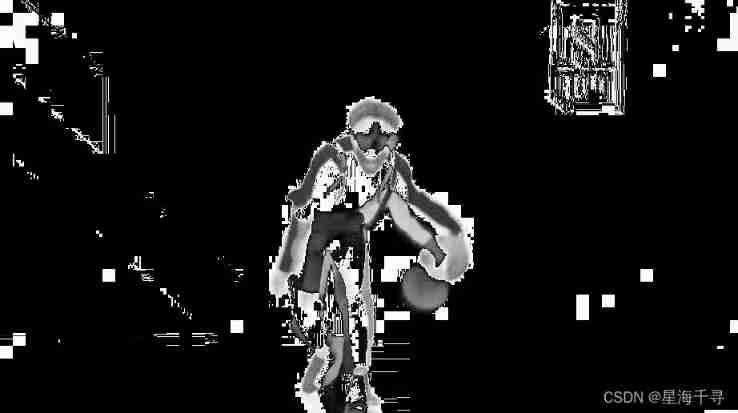
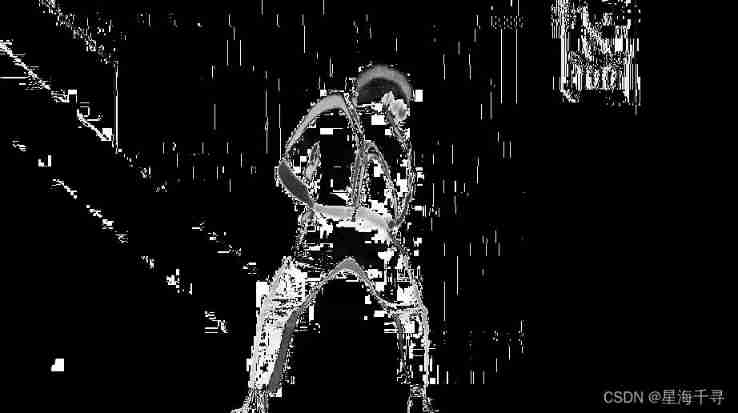
Overall speaking , The effect of frame difference method is really unbearable to look directly .
Two : Gaussian mixture model (GMM)
Before foreground detection , First, learn and train the background , Use one for each background of the image GMM To simulate , The Gaussian mixture model of each background can be trained , It's adaptive . In the test phase , Update the new pixel GMM testing , If the pixel value matches a Gaussian model ( Calculate the probability value , See which Gaussian model is close , Or look at the deviation from the average ), It is considered to be the background , Otherwise, it is considered a prospect ( Dramatically changing pixels , It belongs to the principle of abnormality GMM Model ). Because in the whole process GMM The model is constantly updating and learning , Most of them are robust to dynamic background .
The pixels of every frame in our video cannot be invariable ( The ideal is full ), There will always be changes in air density , Blow a little , Or the slight shake of the camera . But normally , We all think that the pixels in the background satisfy a Gaussian distribution , Jitter is normal under a certain probability .
In fact, our background should also be a mixed distribution of multiple Gaussian distributions , And each Gaussian model can also be weighted . Because there is blue sky in the background , Architecture , Trees, flowers and plants , Road, etc . These are some distributions .
as for GMM and EM Content and relationship of Algorithm , We have learned before , I don't want to talk about it here .EM The algorithm is solving GMM One way .
If used in images , How does it work ? Steps are as follows :
1: First initialize each Gaussian model matrix parameter , The initial variance is assumed ( For example, set to 5).
2: First give T Frame images for training GMM, Take the first pixel as the first Gaussian distribution , For example, as the average .
3: One more pixel later , Compare with the current Gaussian distribution , If the difference between the pixel value and the average value of the current Gaussian model is 3 Within the variance of times , It is considered to belong to the Gaussian distribution , And update the Gaussian distribution parameters .
4: If the pixel does not meet the Gaussian distribution . Then use this new pixel to create a new Gaussian distribution ( Use it as the average , Suppose a variance ( For example, set to 5)). But don't have too many Gaussian distributions at a pixel location , Too much will cause a huge amount of calculation .3~5 Basically enough .
GMM testing procedure :
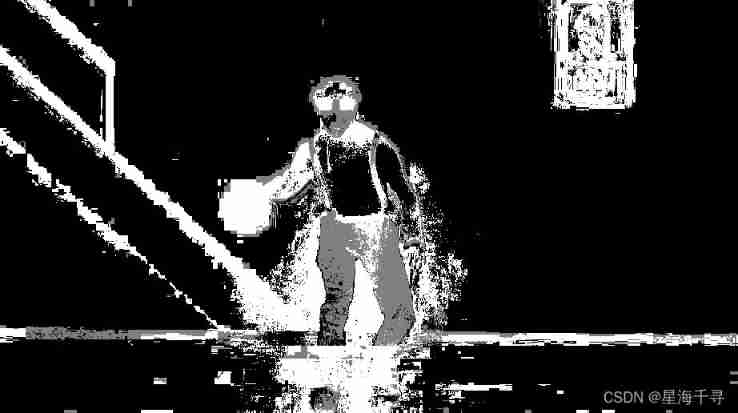
For the new pixel value , and GMM Compare the mean values of multiple Gaussian distributions of , The difference is 2 Within the variance of times , It is considered to be the background , Otherwise, the future . The foreground pixels are set to 255, The background pixels are set to 0, The row becomes a binary image .
import cv2
import numpy as np

cap = cv2.VideoCapture('images/kk 2022-01-23 18-21-21.mp4')  #  come from vedio The video

kernel1 = cv2.getStructuringElement(cv2.MORPH_ELLIPSE, (5, 5))
mog = cv2.createBackgroundSubtractorMOG2()  #  Create Gaussian mixture model for Beijing modeling

while (1):
    #  Get every frame
    ret, frame = cap.read()
    if frame is None:
        print("camera is over...")
        break

    fmask = mog.apply(frame)  #  Judge what is the foreground and background

    MORPH_OPEN_1 = cv2.morphologyEx(fmask, cv2.MORPH_OPEN, kernel1)  #  Open operation , Remove noise and burrs

    contours, _ = cv2.findContours(fmask, cv2.RETR_EXTERNAL, cv2.CHAIN_APPROX_SIMPLE)  #  Only detect the outer border

    for cont in contours:
        #  Calculate the area of each contour
        len = cv2.arcLength(cont, True)
        if len > 300:  #  Remove some small noise points
            #  Find an outline
            x,y,w,h = cv2.boundingRect(cont)
            #  Draw this rectangle
            cv2.rectangle(frame, (x,y), (x+w, y+h), color=(0,255,0), thickness=3)

    #  Draw all the outlines
    cv2.imshow('frame', frame)
    cv2.imshow('fmask', fmask)

    #  Make a wait or exit judgment
    if cv2.waitKey(24) & 0xFF == 27:
        break

cap.release()
cv2.destroyAllWindows()
The effect is as follows :

3、 ... and :KNN
It also compares the statistical amount according to the historical information of each pixel , To judge whether the new pixel value is the background . The specific principle is supplemented later .
import cv2
import numpy as np

cap = cv2.VideoCapture('images/kk 2022-01-23 18-21-21.mp4')  #  come from vedio The video

kernel1 = cv2.getStructuringElement(cv2.MORPH_ELLIPSE, (5, 5))
knn = cv2.createBackgroundSubtractorKNN()  #  establish KNN Model

while (1):
    #  Get every frame
    ret, frame = cap.read()
    if frame is None:
        print("camera is over...")
        break

    fmask = knn.apply(frame)  #  Judge what is the foreground and background

    MORPH_OPEN_1 = cv2.morphologyEx(fmask, cv2.MORPH_OPEN, kernel1)  #  Open operation , Remove noise and burrs

    contours, _ = cv2.findContours(fmask, cv2.RETR_EXTERNAL, cv2.CHAIN_APPROX_SIMPLE)  #  Only detect the outer border

    for cont in contours:
        #  Calculate the area of each contour
        len = cv2.arcLength(cont, True)
        if len > 200:  #  Remove some small noise points
            #  Find an outline
            x,y,w,h = cv2.boundingRect(cont)
            #  Draw this rectangle
            cv2.rectangle(frame, (x,y), (x+w, y+h), color=(0,255,0), thickness=3)

    #  Draw all the outlines
    cv2.imshow('frame', frame)
    cv2.imshow('fmask', fmask)

    #  Make a wait or exit judgment
    if cv2.waitKey(24) & 0xFF == 27:
        break

cap.release()
cv2.destroyAllWindows()
The effect is as follows :


边栏推荐
- "As a junior college student, I found out how difficult it is to counter attack after graduation."
- Analog to digital converter (ADC) ade7913ariz is specially designed for three-phase energy metering applications
- Oracle from entry to mastery (4th Edition)
- 一些突然迸发出的程序思想(模块化处理)
- Do you know all the interface test interview questions?
- Explain in detail the process of realizing Chinese text classification by CNN
- Interview questions for software testing - a collection of interview questions for large factories in 2022
- BOM DOM
- spfa AcWing 852. SPFA judgement negative ring
- 阿里发布的Redis开发文档,涵盖了所有的redis操作
猜你喜欢

js1day(輸入輸出語法,數據類型,數據類型轉換,var和let區別)

趣味 面试题
Hash table acwing 841 String hash

染色法判定二分图 AcWing 860. 染色法判定二分图

Interval DP acwing 282 Stone merging
深拷貝 事件總線
spfa AcWing 851. spfa求最短路
bellman-ford AcWing 853. Shortest path with side limit

Ntmfs4c05nt1g N-ch 30V 11.9a MOS tube, pdf

Js5day (event monitoring, function assignment to variables, callback function, environment object this, select all, invert selection cases, tab column cases)
随机推荐
Counter attack of flour dregs: MySQL 66 questions, 20000 words + 50 pictures in detail! A little six
Execute any method of any class through reflection
JSON serialization and parsing
ArrayList与LinkedList效率的对比
Direct control PTZ PTZ PTZ PTZ camera debugging (c)
3 A VTT端接 稳压器 NCP51200MNTXG资料
Js6day (search, add and delete DOM nodes. Instantiation time, timestamp, timestamp cases, redrawing and reflow)
js1day(输入输出语法,数据类型,数据类型转换,var和let区别)
Enhance network security of kubernetes with cilium
std::vector批量导入快速去重方法
Ntmfs4c05nt1g N-ch 30V 11.9a MOS tube, pdf
深拷貝 事件總線
JS6day(DOM结点的查找、增加、删除。实例化时间,时间戳,时间戳的案例,重绘和回流)
Linear DP acwing 899 Edit distance
Js1day (input / output syntax, data type, data type conversion, VaR and let differences)
Input box assembly of the shutter package
FBX import under ue4/ue5 runtime
线性DP AcWing 899. 编辑距离
Apply lnk306gn-tl converter, non isolated power supply
Mobile layout (flow layout)