当前位置:网站首页>js4day(DOM开始:获取DOM元素内容,修改元素样式,修改表单元素属性,setInterval定时器,轮播图案例)
js4day(DOM开始:获取DOM元素内容,修改元素样式,修改表单元素属性,setInterval定时器,轮播图案例)
2022-07-02 09:45:00 【荻风溪畔】
文章目录
DOM简介
DOM(Document Object Model——文档对象模型)是用来呈现以及与任意 HTML 或 XML文档交互的API
获取DOM对象
1. 根据CSS选择器来获取DOM元素 (重点)
选择匹配的第一个元素
- 语法:
document.querySelector('css选择器')
- 参数:
包含一个或多个有效的CSS选择器字符串 - 返回值:
CSS选择器匹配的第一个元素,一个 HTMLElement对象。
如果没有匹配到,则返回null。
选择匹配的多个元素
- 语法:
document.querySelectorALL('css选择器')
- 参数:
包含一个或多个有效的CSS选择器字符串 - 返回值:
CSS选择器匹配的元素NodeList集合。
得到的是一个伪数组:
有长度有索引号的数组
但是没有pop()push()等数组方法
想要得到里面的每一个对象,则需要遍历(for)的方式获得。
哪怕只有一个元素,通过querySelectAll() 获取过来的也是一个伪数组,里面只有一个元素而已
如果没有匹配到,则返回null。
设置/修改DOM元素内容
如果想要修改标签元素的里面的内容,则可以使用如下几种方式:
document.write()方法
只能将文本内容追加到</body>前面的位置
文本中包含的标签会被解析
document.write('<strong>有点意思~</strong>')
对象.innerText属性
将文本内容添加/更新到任意标签位置
文本中包含的标签不会被解析
box.innerText = '有点意思~'
对象.innerHTML属性
将文本内容添加/更新到任意标签位置
文本中包含的标签会被解析
box.innerHTML = '<strong>有点意思~</strong>'
设置/修改元素常用样式属性
语法:
对象.属性=值
        // 1.获取元素 图片
        let pic = document.querySelector('img')
        //操作元素
        pic.src = `./images/1.webp`
        pic.title = '我是图片'
设置/修改元素样式属性
1.通过 style 属性操作CSS
注意:style属性只能获取和设置行内样式,在类样式定义的样式通过style获取不到。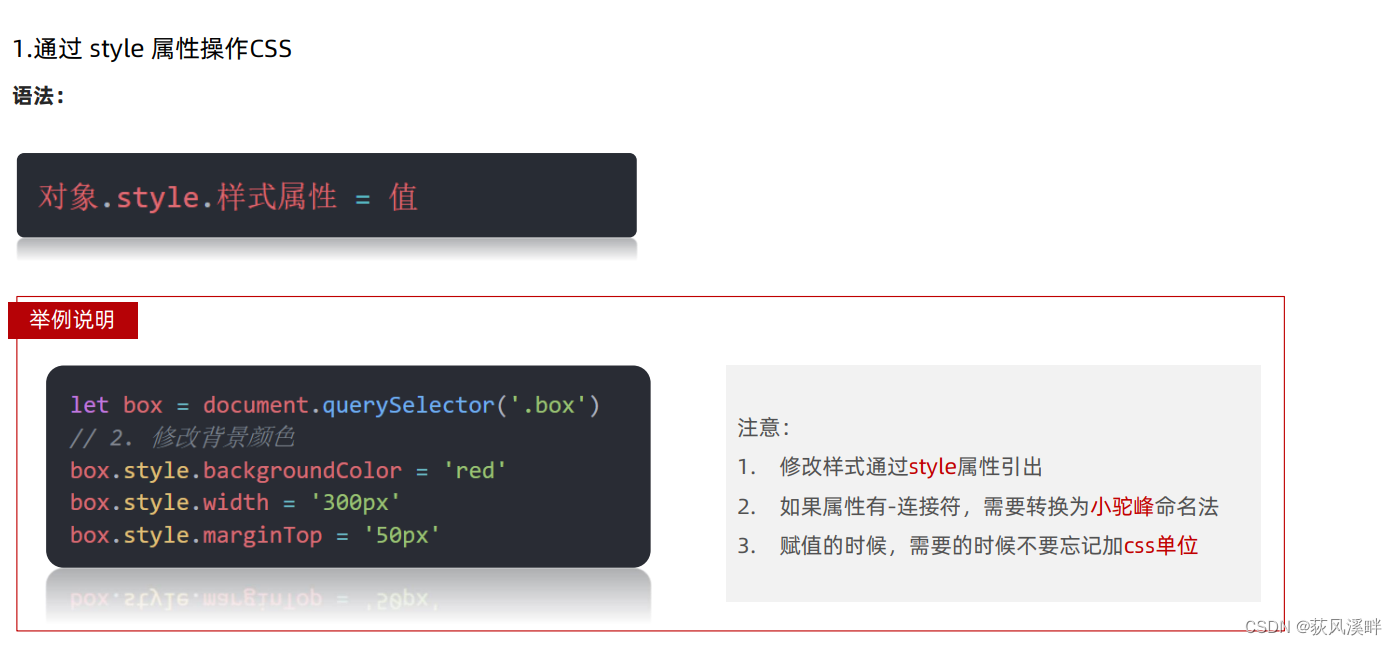
      let box = document.querySelector('div')
      box.style.background = 'skyblue'
      box.style.width = '400px'
      box.style.marginTop = '100px'
标签选择body时, 因为body是唯一的标签,可以直接写 document.body.style
	document.body.style.backgroundImage = `url(./images/desktop_${
      num}.jpg)`
2. 操作类名(className) 操作CSS
如果修改的样式比较多,直接通过style属性修改比较繁琐,我们可以通过借助于css类名的形式。
      let box = document.querySelector('div')
      box.className = 'active'
缺陷: 如果div中原来有类会覆盖原有的类(因为相当于给div的class重新赋值)。
3. 通过 classList 操作类控制CSS
为了解决className 容易覆盖以前的类名,我们可以通过classList方式追加和删除类名
    box.classList.add('active')				// 追加一个类
    box.classList.remove('active')			// 删除一个类
    // 切换类,元素中有active就删除,没有active就追加
    box.classList.toggle('active')
**总结:**使用 className 和classList的区别?
className可以同时修改多个样式, 但是直接使用 className 赋值会覆盖以前的类名
classList修改较少样式的时候方便, classList 是追加和删除不影响以前类名
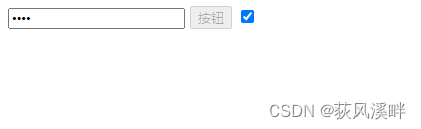
设置/修改表单元素属性

    <input type="text" value="请输入">
    <button disabled>按钮</button>
    <input type="checkbox" name="" class="agree">
    <script>
        // 1.获取元素
        let input = document.querySelector('input')

        // 2.取值或者设置值 得到input里面的值可以用value
        // console.log(input.value)
        input.value = '小米手机'
        input.type = 'password'
        let btn = document.querySelector('button')
        // btn.disabled = false //相当于删掉这个属性了
        let checkbox = document.querySelector('.agree')
        checkbox.checked = 'checked'
    </script>
定时器-间歇函数
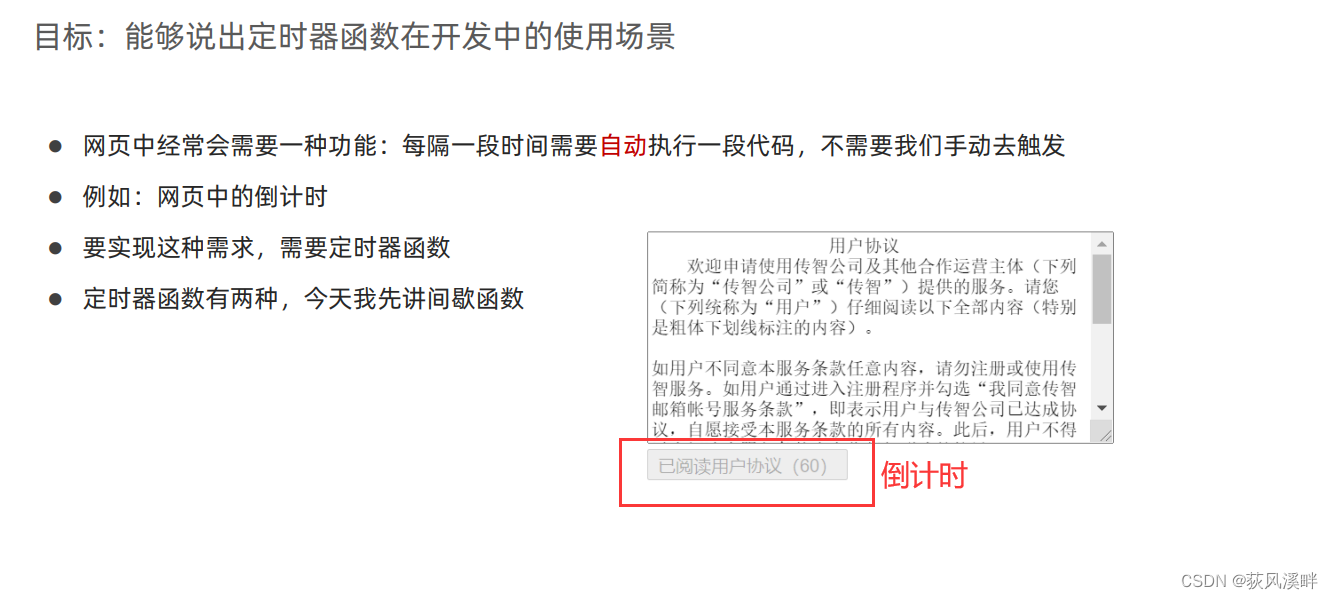
1. 开启定时器

   let time = setInterval(function () {
    document.write("我是个倒计时<br>")}, 1000)
注意:
- 函数名字不需要加括号
- 定时器有返回值,返回的是一个数字
2. 关闭定时器

clearInterval(time) //可以写进setInterval的函数内
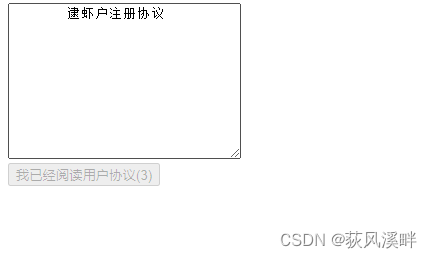
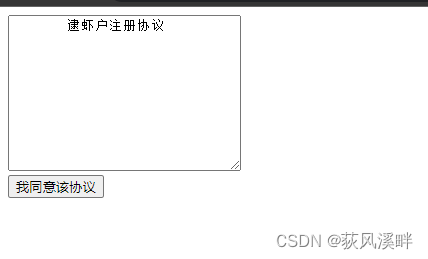
注册协议倒计时案例
<!DOCTYPE html>
<html lang="en">

<head>
    <meta charset="UTF-8">
    <meta http-equiv="X-UA-Compatible" content="IE=edge">
    <meta name="viewport" content="width=device-width, initial-scale=1.0">
    <title>Document</title>
</head>

<body>
    <textarea name="" id="" cols="30" rows="10">
        逮虾户注册协议
    </textarea>
    <br>
    <button class="btn" disabled>我已经阅读用户协议(6)</button>
    <script> let btn = document.querySelector('.btn') let i = 6; function countDown() {
       i--; btn.innerHTML = `我已经阅读用户协议(${
        i})` if (i === 0) {
       clearInterval(timer) //清除定时器 btn.disabled = false //开启按钮 btn.innerHTML = `我同意该协议` //更换文字 } } let timer = setInterval(countDown, 1000) </script>
</body>

</html>
简单轮播图案例
每隔1秒更新图片
<!DOCTYPE html>
<html lang="en">

<head>
    <meta charset="UTF-8">
    <meta http-equiv="X-UA-Compatible" content="IE=edge">
    <meta name="viewport" content="width=device-width, initial-scale=1.0">
    <title>Document</title>
    <style> .img-box {
       width: 700px; height: 320px; margin: 50px auto 0; background: #000; position: relative; } .img-box .tip {
       width: 700px; height: 53px; line-height: 53px; position: absolute; bottom: 0px; background-color: rgba(0, 0, 0, 0.8); z-index: 10; } .img-box .tip h3 {
       width: 82%; margin: 0; margin-right: 20px; padding-left: 20px; color: #98E404; font-size: 28px; float: left; font-weight: 500; font-family: "Microsoft Yahei", Tahoma, Geneva; } .img-box .tip a {
       width: 30px; height: 29px; display: block; float: left; margin-top: 12px; margin-right: 3px; } .img-box ul {
       position: absolute; bottom: 0; right: 30px; list-style: none; z-index: 99; } </style>
</head>

<body>
    <div class="img-box">
        <img class="pic" src="./images/b01.jpg" alt="第1张图的描述信息">
        <div class="tip">
            <h3 class="text">挑战云歌单,欢迎你来</h3>
        </div>
    </div>
    <script> let data = [ {
       imgSrc: 'images/b01.jpg', title: '挑战云歌单,欢迎你来' }, {
       imgSrc: 'images/b02.jpg', title: '田园日记,上演上京记' }, {
       imgSrc: 'images/b03.jpg', title: '甜蜜攻势再次回归' }, {
       imgSrc: 'images/b04.jpg', title: '我为歌狂,生为歌王' }, {
       imgSrc: 'images/b05.jpg', title: '年度校园主题活动' }, {
       imgSrc: 'images/b06.jpg', title: 'pink老师新歌发布,5月10号正式推出' }, {
       imgSrc: 'images/b07.jpg', title: '动力火车来到西安' }, {
       imgSrc: 'images/b08.jpg', title: '钢铁侠3,英雄镇东风' }, {
       imgSrc: 'images/b09.jpg', title: '我用整颗心来等你' }, ] let i = 0 //不能在函数中for循环访问(脱离了定时器,会在1秒内结束函数),要设置全局变量根据定时器改变i的值 function lunbo() {
       i++; // 获取数据 let dat = data[i]; let img = dat.imgSrc let title = dat.title // 获取标签 let pic = document.querySelector('.pic') let text = document.querySelector('.text') pic.src = img text.innerHTML = title // 更改标签属性值 if (i === data.length - 1) {
       i = -1; //如果i=0,则第一张图片会跳过轮播(因为头部的i++) } } setInterval(lunbo, 1000) </script>

</body>

</html>
边栏推荐
- Mongodb redis differences
- Day12 control flow if switch while do While guessing numbers game
- 应用LNK306GN-TL 转换器、非隔离电源
- 堆 AcWing 839. 模拟堆
- Win10 system OmniPeek wireless packet capturing network card driver failed to install due to digital signature problem solution
- 传感器 ADXL335BCPZ-RL7 3轴 加速度计 符合 RoHS/WEEE
- 分布式机器学习框架与高维实时推荐系统
- . Net, C # basic knowledge
- Docker compose configuration mysql, redis, mongodb
- js1day(输入输出语法,数据类型,数据类型转换,var和let区别)
猜你喜欢

Record the range of data that MySQL update will lock

Go learning notes - multithreading
Is the neural network (pinn) with embedded physical knowledge a pit?

Js10day (API phased completion, regular expression introduction, custom attributes, filtering sensitive word cases, registration module verification cases)
堆 AcWing 838. 堆排序
Js6day (search, add and delete DOM nodes. Instantiation time, timestamp, timestamp cases, redrawing and reflow)

Simple use of drools decision table

ArrayList与LinkedList效率的对比
![2.6 using recursion and stack - [tower of Hanoi problem]](/img/fc/45038170dafd104691c93716b103cf.jpg)
2.6 using recursion and stack - [tower of Hanoi problem]

模数转换器(ADC) ADE7913ARIZ 专为三相电能计量应用而设计
随机推荐
正确遍历EntryList方法
绕过ObRegisterCallbacks需要驱动签名方法
Lekao.com: experience sharing of junior economists and previous candidates in customs clearance
Bom Dom
Input box assembly of the shutter package
上手报告|今天聊聊腾讯目前在用的微服务架构
LeetCode—剑指 Offer 37、38
"As a junior college student, I found out how difficult it is to counter attack after graduation."
Error in kubeadm join: [error port-10250]: port 10250 is in use [error fileavailable--etc kubernetes PKI
Window10 upgrade encountered a big hole error code: 0xc000000e perfect solution
IPhone 6 plus is listed in Apple's "retro products" list
LeetCode—剑指 Offer 51. 数组中的逆序对
C#修饰符
js1day(输入输出语法,数据类型,数据类型转换,var和let区别)
8 examples of using date commands
Is the neural network (pinn) with embedded physical knowledge a pit?
Programmers can't find jobs after the age of 35? After reading this article, you may be able to find the answer
Direct control PTZ PTZ PTZ PTZ camera debugging (c)
单指令多数据SIMD的SSE/AVX指令集和API
In development, why do you find someone who is paid more than you but doesn't write any code?