当前位置:网站首页>ffmpeg下载安装教程及介绍
ffmpeg下载安装教程及介绍
2022-07-03 03:23:00 【水w】
目录
一、下载安装
(1)进入官网Download FFmpeg

(2)根据自己的电脑选择对应系统进行点击。我选定是windows,选择下面出现的“Windows builds from gyan.dev”,
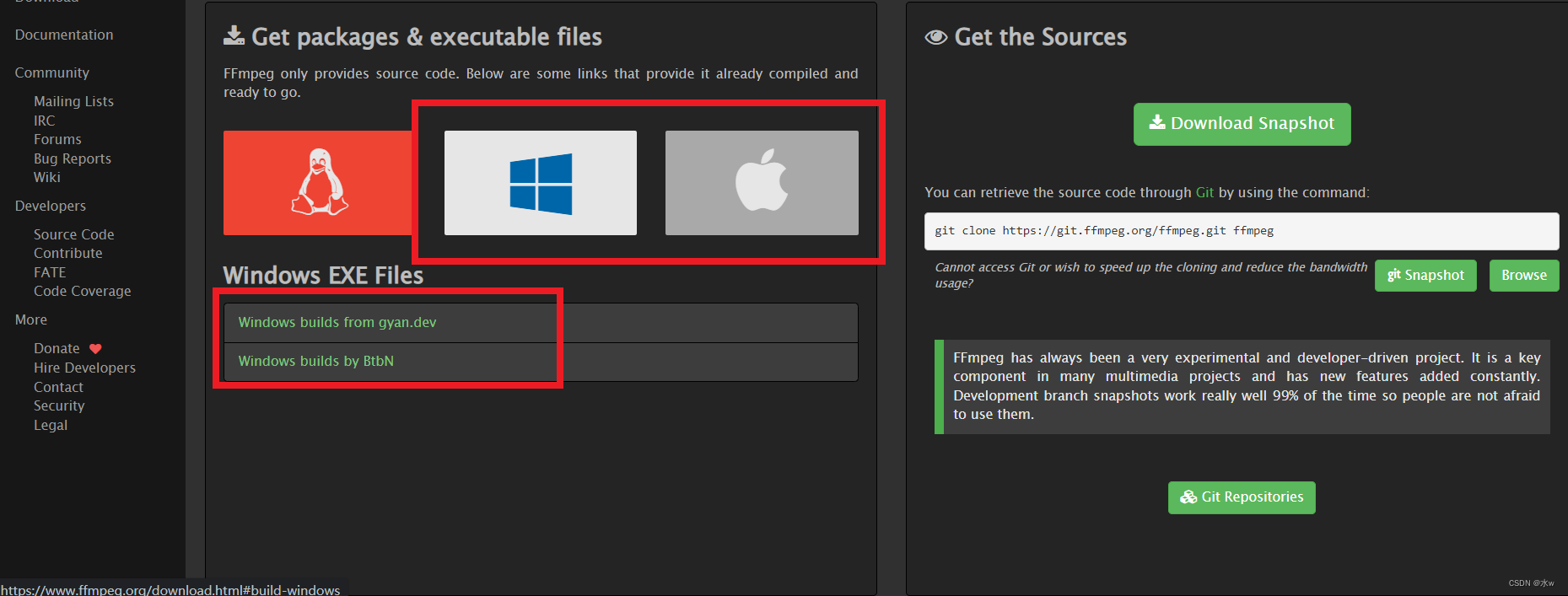 (3)在稳定版本中选择一个进行下载,

(4)等待下载完成,


(5)下载完成压缩文件之后,解压文件。
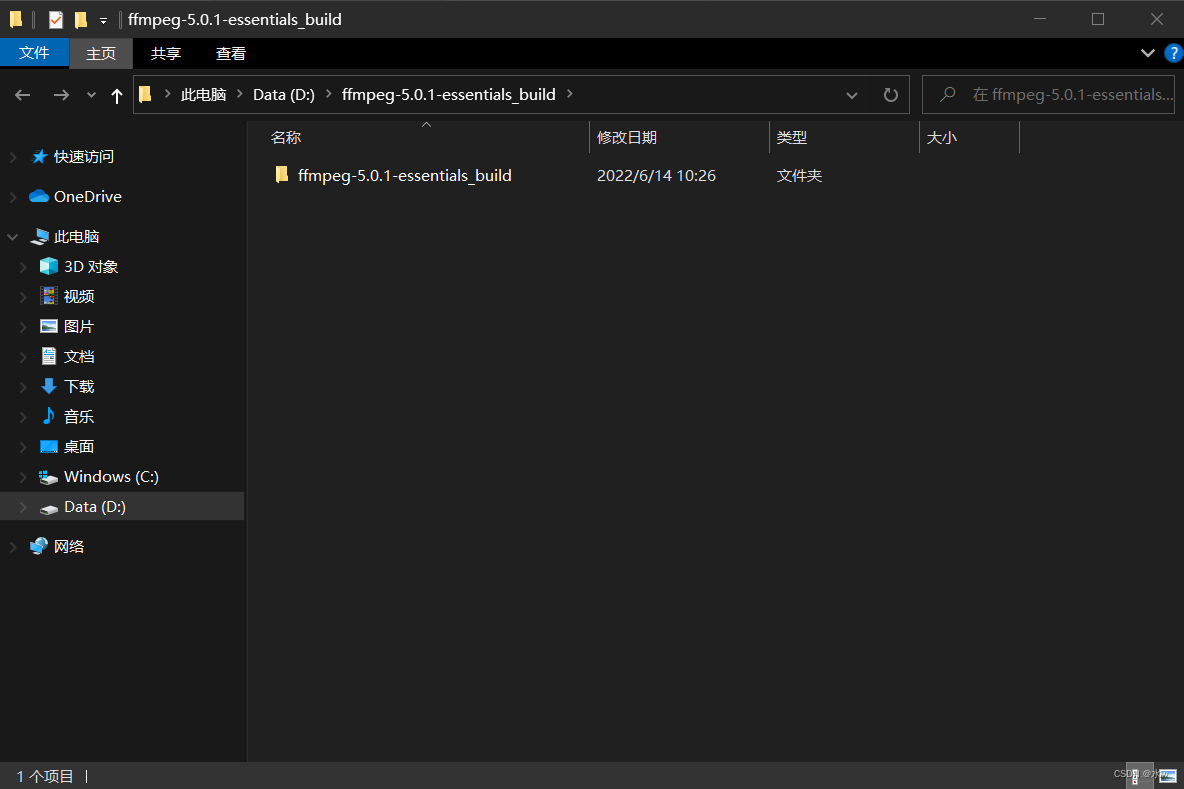
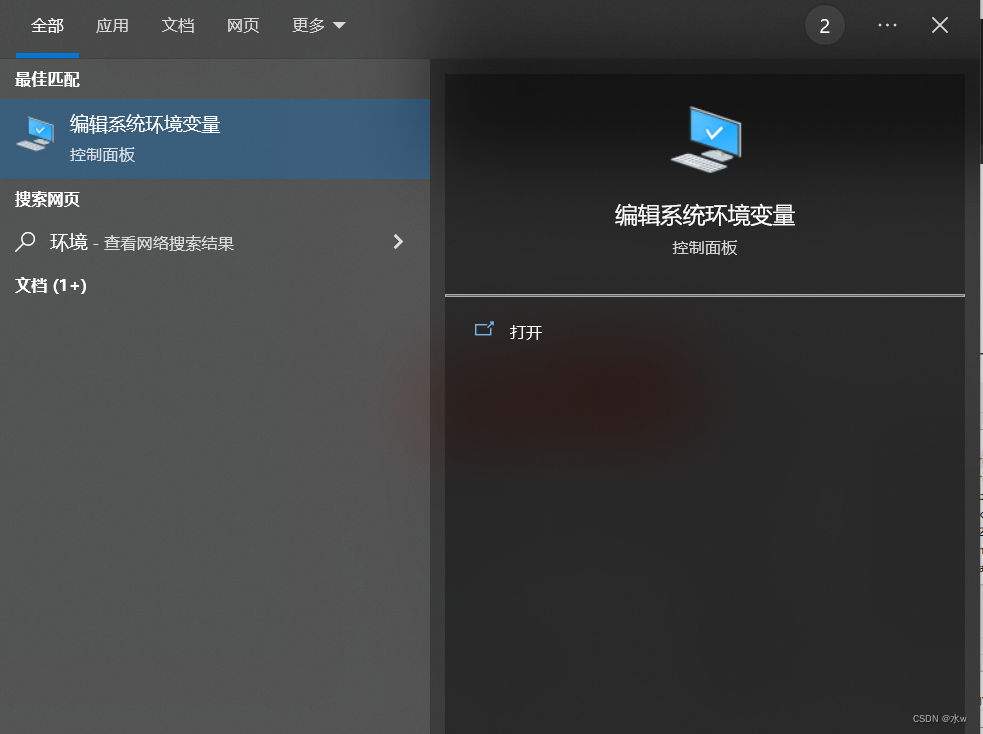
(6)将bin文件夹添加到Windows环境路径变量中,这样我们就可以运行这个工具而不必每次都指定完整路径。在搜索栏中搜索环境变量,然后单击环境变量。
打开“开始”,搜索编辑环境变量,打开,
找到Path系统变量,点击“编辑”,
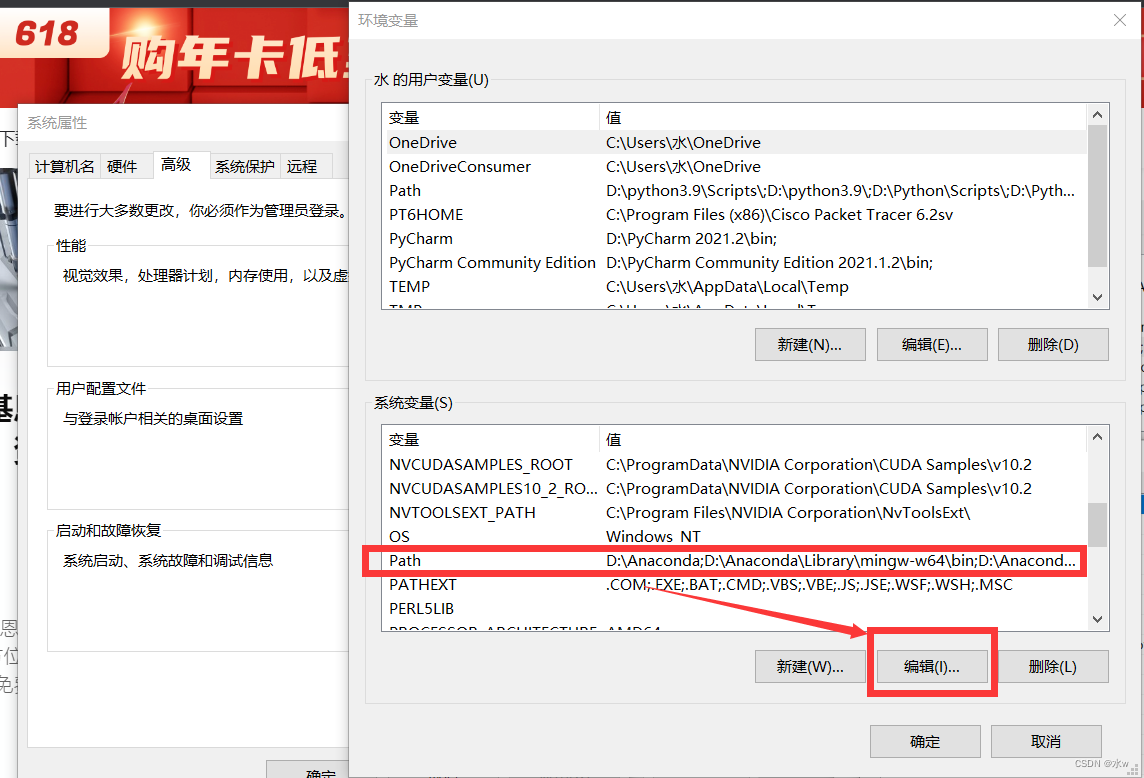
(7)在Path中新建一个
注意:找到自己的安装路径下的bin的路径进行新建
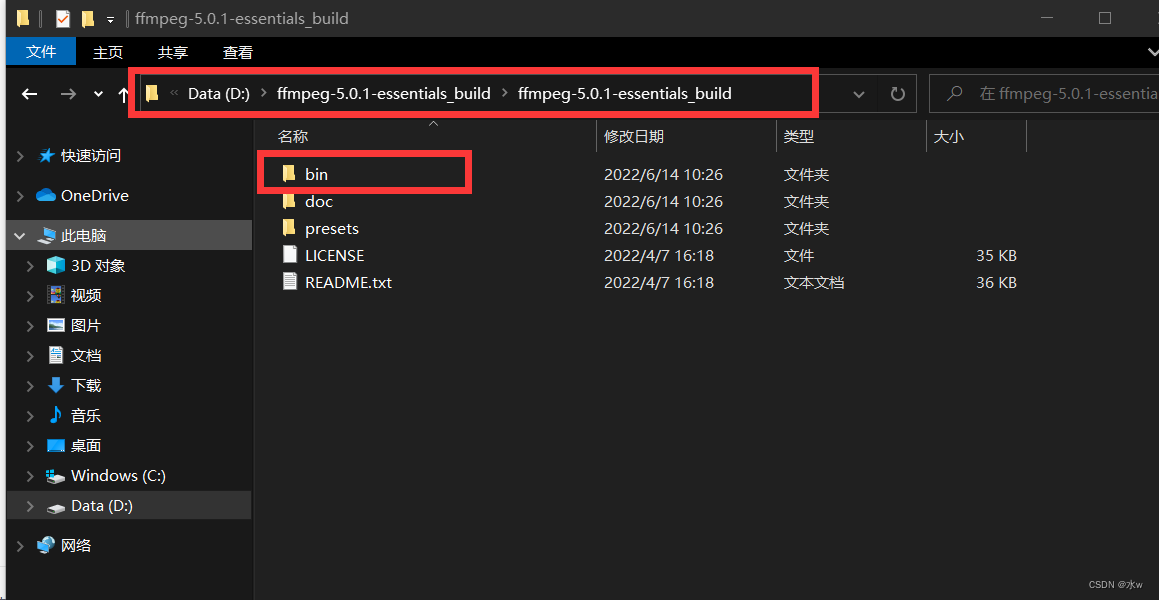
可以看到,我的bin路径为
D:\ffmpeg-5.0.1-essentials_build\ffmpeg-5.0.1-essentials_build\bin
所以单击用户变量中的路径,单击新建,并粘贴bin的完整路径文件夹。

点击“确定”,直到退出。
(8)验证是否安装成功,打开命令提示符cmd窗口输入命令,如果你看到打印出 FFmpeg 版本,则表示 FFmpeg 安装成功。
ffmpeg -version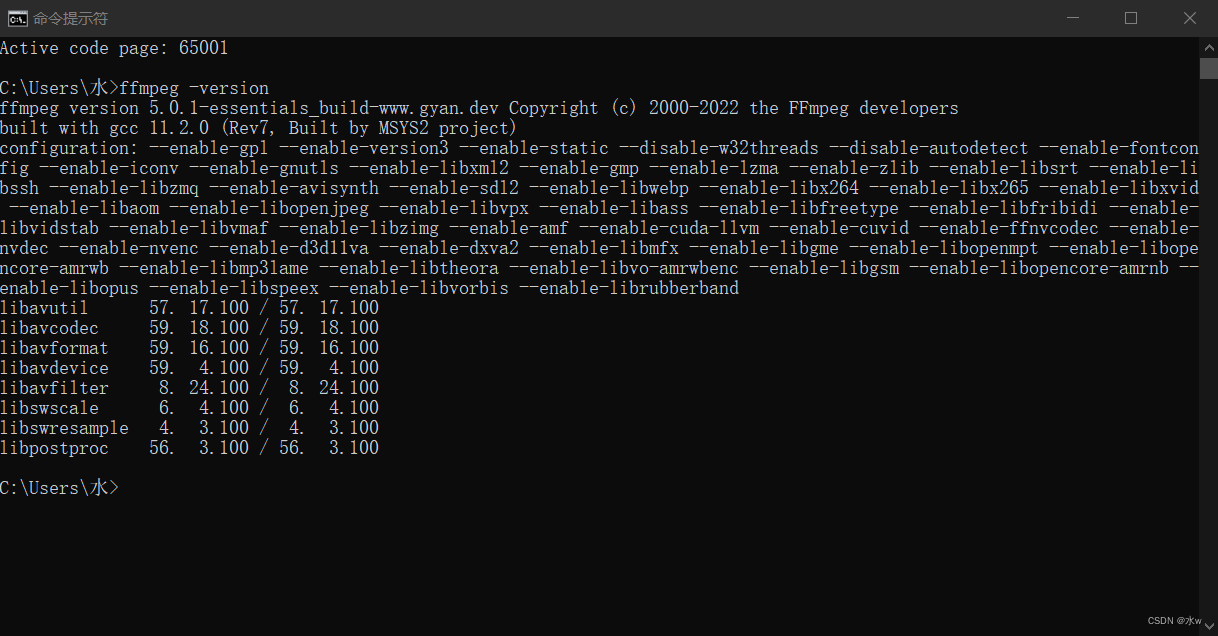
OK,返回了安装版本,安装成功了。
二、FFmpeg 介绍
FFmpeg 已被用于 YouTube 和 iTunes 等视频平台的核心处理。我们大多数人都使用像 VLC 这样的媒体播放器来播放视频文件。VLC 使用 FFmpeg 库作为其核心。一些视频编辑器和移动应用程序也在幕后使用 FFmpeg。代码是用 C 语言编写的,并针对最佳性能进行了优化。它的命令很容易运行。
在设置 FFmpeg 之前,你需要了解一些事项。没有任何操作系统的官方版本。但它是一个开源项目,你可以从互联网上获取 FFmpeg 源代码。因此,你可以选择从源代码自己构建它。
一些著名的库是:
- libavcodec — 包含 FFmpeg 支持的所有编码器和解码器。
- libavformat — 拥有处理各种容器格式的所有复用器和解复用器。
- libavfilter — 由许多过滤器组成,你可以根据需要使用它们来修改音频或视频。
- libavdevice——支持多种不同的输入和输出设备。
- libavutil — 辅助便携式多媒体编程。
- libswscale — 执行高度优化的图像缩放以及色彩空间和像素格式转换操作。
- libswresample — 执行高度优化的音频重采样、重新混合和样本格式转换操作。
一些工具是:
- FFmpeg — 主要转码引擎。它通常从命令行或其他进程调用。
- ffplay — 播放音频或视频的最小工具。
- ffprobe — 快速检查媒体以提取有价值的信息,例如媒体中有多少流、视频的帧速率等。
边栏推荐
- The XML file generated by labelimg is converted to VOC format
- [combinatorics] Application of exponential generating function (multiple set arrangement problem | different balls in different boxes | derivation of exponential generating function of odd / even sequ
- New programmers use the isXXX form to define Boolean types in the morning, and are discouraged in the afternoon?
- Elsevier latex 提交文章 pdftex.def Error: File `thumbnails/cas-email.jpeg‘ not found: using draf
- VS克隆时显示403错误
- Introduction à mongodb
- Spark on yarn resource optimization ideas notes
- MySQL practice 45 [SQL query and update execution process]
- 程序员新人上午使用 isXxx 形式定义布尔类型,下午就被劝退?
- Idea set method call ignore case
猜你喜欢
![MySQL practice 45 lecture [transaction isolation]](/img/a5/5420651d6be51e892976f02be8c43c.png)
MySQL practice 45 lecture [transaction isolation]

900W+ 数据,从 17s 到 300ms,如何操作

Positioning (relative positioning, absolute positioning, fixed positioning, Z-index) 2022-2-11
Vs 2019 installation and configuration opencv

Don't use the new Dede collection without the updated Dede plug-in
3D drawing example

umi 路由拦截(简单粗暴)

Elsevier latex submitted the article pdftex def Error: File `thumbnails/cas-email. jpeg‘ not found: using draf
Agile certification (professional scrum Master) simulation exercise-2

MySql实战45讲【SQL查询和更新执行流程】
随机推荐
Introduction to mongodb
Compare float with 0
Spark on yarn resource optimization ideas notes
Destroy the session and empty the specified attributes
Stop using system Currenttimemillis() takes too long to count. It's too low. Stopwatch is easy to use!
navicat 导出数据库的表结构
[combinatorics] basic counting principle (addition principle | multiplication principle)
Solve high and send system Currenttimemillis Caton
文件重命名
numpy之 警告VisibleDeprecationWarning: Creating an ndarray from ragged nested sequences
ffmpeg之 一张/多张图片合成视频
softmax的近似之NCE详解
基于Qt的yolov5工程
Vs 2019 configuration tensorrt
Edit and preview in the back pipe to get the value writing method of the form
Summary of determinant knowledge points in Chapter 1 of Linear Algebra (Jeff's self perception)
UMI route interception (simple and rough)
静态网页 和 动态网页的区别 & WEB1.0和WEB2.0的区别 & GET 和 POST 的区别
Model transformation onnx2engine
MySql实战45讲【索引】