当前位置:网站首页>VSCode paste image插件保存图片路径设置
VSCode paste image插件保存图片路径设置
2022-07-02 05:35:00 【Le0v1n】
在settings.json文件中写入以下语句:
"pasteImage.path": "${currentFileDir}/imgs",
"pasteImage.basePath": "${currentFileDir}",
"pasteImage.forceUnixStyleSeparator": true,
"pasteImage.prefix": "/",
"pasteImage.insertPattern": "${imageSyntaxPrefix}./imgs/${imageFileName}${imageSyntaxSuffix}",

imgs不喜欢可以替换。
这样再使用该插件往md文件中插入图片就非常方便且易管理了。
边栏推荐
猜你喜欢

5g market trend in 2020
Fabric. JS iText superscript and subscript
记录sentry的踩坑之路
Fabric. JS compact JSON
Fabric. JS upload local image to canvas background
![Gee series: unit 9 generate sampling data in GEE [random sampling]](/img/ff/edb27b40f63eca81c5683e81b2860b.jpg)
Gee series: unit 9 generate sampling data in GEE [random sampling]

指针使用详解
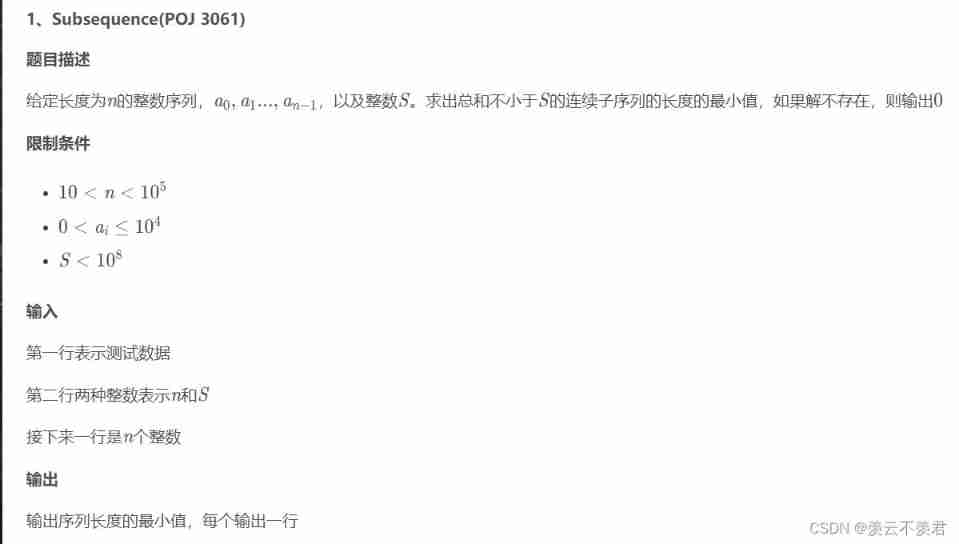
Minimum value ruler method for the length of continuous subsequences whose sum is not less than s

Ls1046nfs mount file system
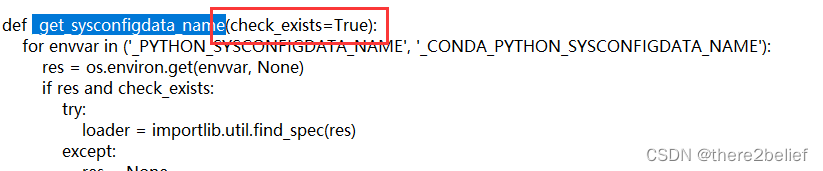
【pyinstaller】_ get_ sysconfigdata_ name() missing 1 required positional argument: ‘check_ exists‘
随机推荐
Pytorch Chinese document
Zzuli:1061 sequential output of digits
Usage record of vector
Ls1046nfs mount file system
Gee dataset: chirps pentad high resolution global grid rainfall dataset
brew install * 失败,解决方法
ERP management system development and design existing source code
Opencv LBP features
金融门户相关信息
idea開發工具常用的插件合集匯總
centos8安裝mysql8.0.22教程
Detailed explanation of Pointer use
2022-2-14 learning xiangniuke project - section 23, section 5, development login and exit functions
Gee: explore the characteristics of precipitation change in the Yellow River Basin in the past 10 years [pixel by pixel analysis]
记录sentry的踩坑之路
Fabric. JS three methods of changing pictures (including changing pictures in the group and caching)
Gee series: Unit 2 explore datasets
Disable access to external entities in XML parsing
3D 打印机 G 代码命令:完整列表和教程
RGB 无限立方体(高级版)