当前位置:网站首页>mmrotate旋转目标检测框架使用记录
mmrotate旋转目标检测框架使用记录
2022-07-02 07:44:00 【小俊俊的博客】
mmrotate旋转目标检测框架使用记录
最近有旋转目标检测的需求了,在寻找旋转目标检测算法的过程中,发现已经有人提前测评了各类旋转目标检测框架了,结果是mmrorate效果最好。本次记录一下mmrorate的实验过程。
将持续更新实验记录!
主要参考:
1.测评参考:
https://blog.csdn.net/FL1623863129/article/details/123408354?utm_medium=distribute.pc_relevant.none-task-blog-2defaultbaidujs_title~default-4-123408354-blog-124335060.pc_relevant_multi_platform_whitelistv1&spm=1001.2101.3001.4242.3&utm_relevant_index=7
2.实现过程参考
https://blog.csdn.net/Sylvia_Lan/article/details/124008837
https://github.com/open-mmlab/mmrotate
https://sxj731533730.blog.csdn.net/article/details/124107625?spm=1001.2101.3001.6650.4&utm_medium=distribute.pc_relevant.none-task-blog-2%7Edefault%7ECTRLIST%7Edefault-4-124107625-blog-124008837.pc_relevant_default&depth_1-utm_source=distribute.pc_relevant.none-task-blog-2%7Edefault%7ECTRLIST%7Edefault-4-124107625-blog-124008837.pc_relevant_default&utm_relevant_index=6
https://blog.csdn.net/qq_43581224/article/details/123838415
一、配置环境
1.目前电脑已有环境
(1)Ubuntu20.04
(2)Cuda==11.2+cudnn
2.下载代码建立虚拟环境
(1)下载代码
https://github.com/open-mmlab/mmrotate
(2)建立虚拟环境
用pycharm打开该代码文件夹,并添加虚拟环境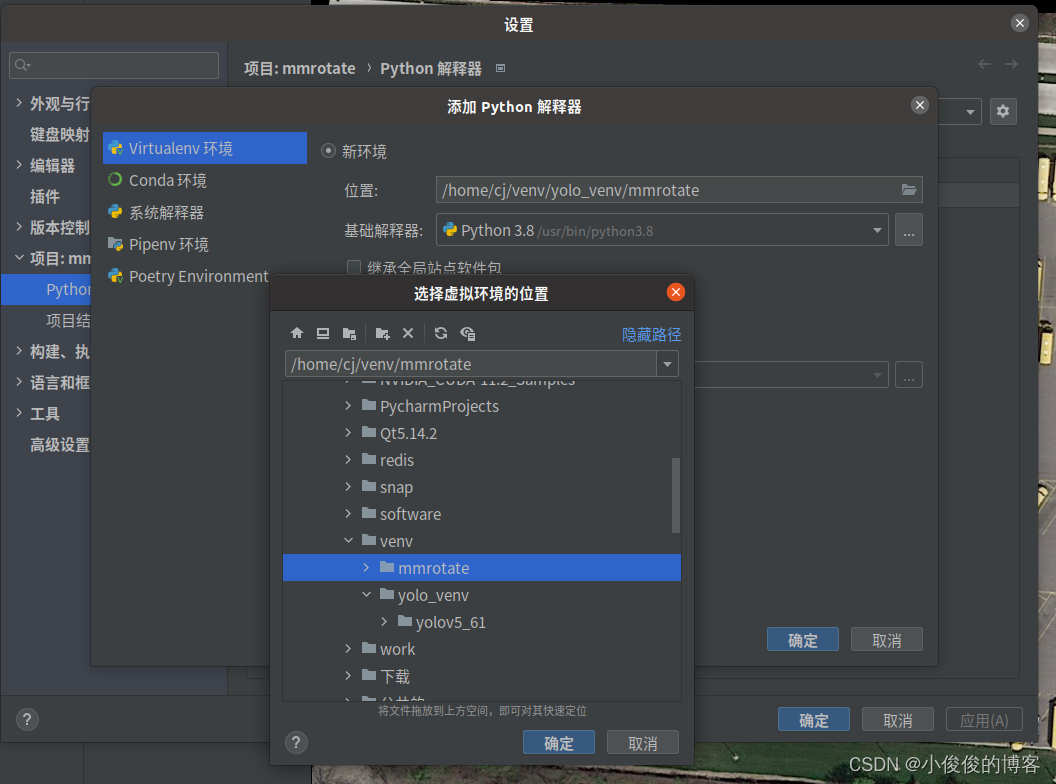
(3)安装pytorch
进入pytorch官网,找到适合自己的版本,进行下载安装。
注:如果有小伙伴和我一样安装的是Cuda11.2,在pytorch官网上,无法找到对应版本时,可是试着安装cuda11.3对应的pytorch==1.11.0版本。
(4)安装mmrorate
pip install openmim
mim install mmrotate
二、测试
1.下载权重
权重模型集合
https://download.openmmlab.com/mmrotate/v0.1.0/kfiou/r3det_kfiou_ln_r50_fpn_1x_dota_oc/r3det_kfiou_ln_r50_fpn_1x_dota_oc-8e7f049d.pth
下载后,在mmrorate文件夹下,新建model文件夹,并放入model文件夹中。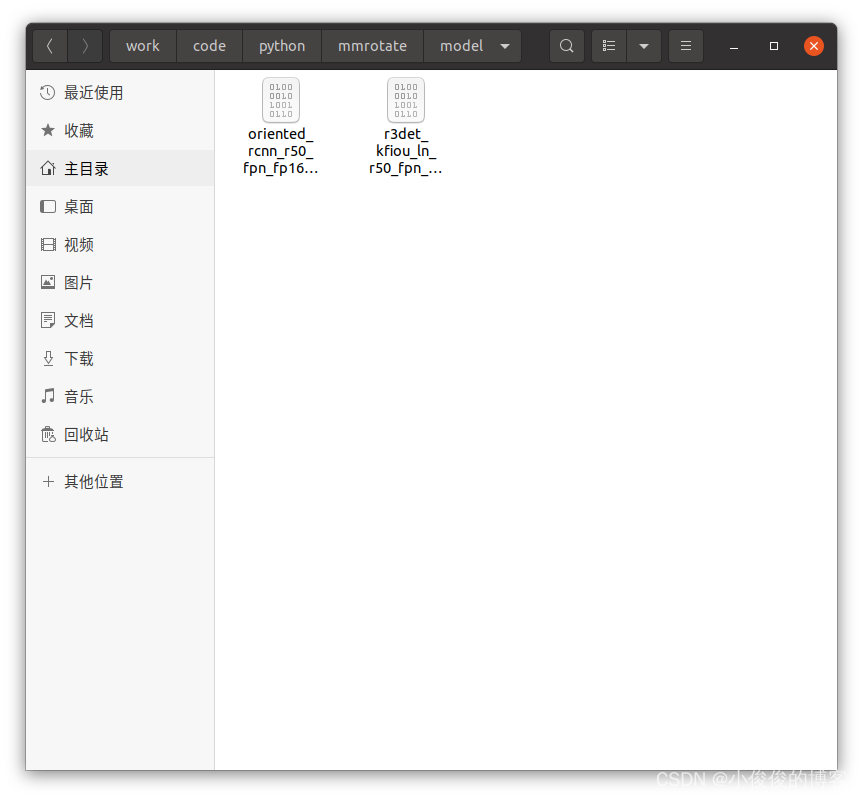
2.运行demo
运行指令格式:
python demo/image_demo.py \
    ${
    IMG_ROOT} \
    ${
    CONFIG_FILE} \
    ${
    CHECKPOINT_FILE}
IMG_ROOT:为待检测图像
CONFIG_FILE:为配置文件
CHECKPOINT_FILE:为训练好的权重。
pycharm终端cd道demo文件夹,输入
python3 image_demo.py demo.jpg ../configs/kfiou/r3det_kfiou_ln_r50_fpn_1x_dota_oc.py ../model/r3det_kfiou_ln_r50_fpn_1x_dota_oc-8e7f049d.pth
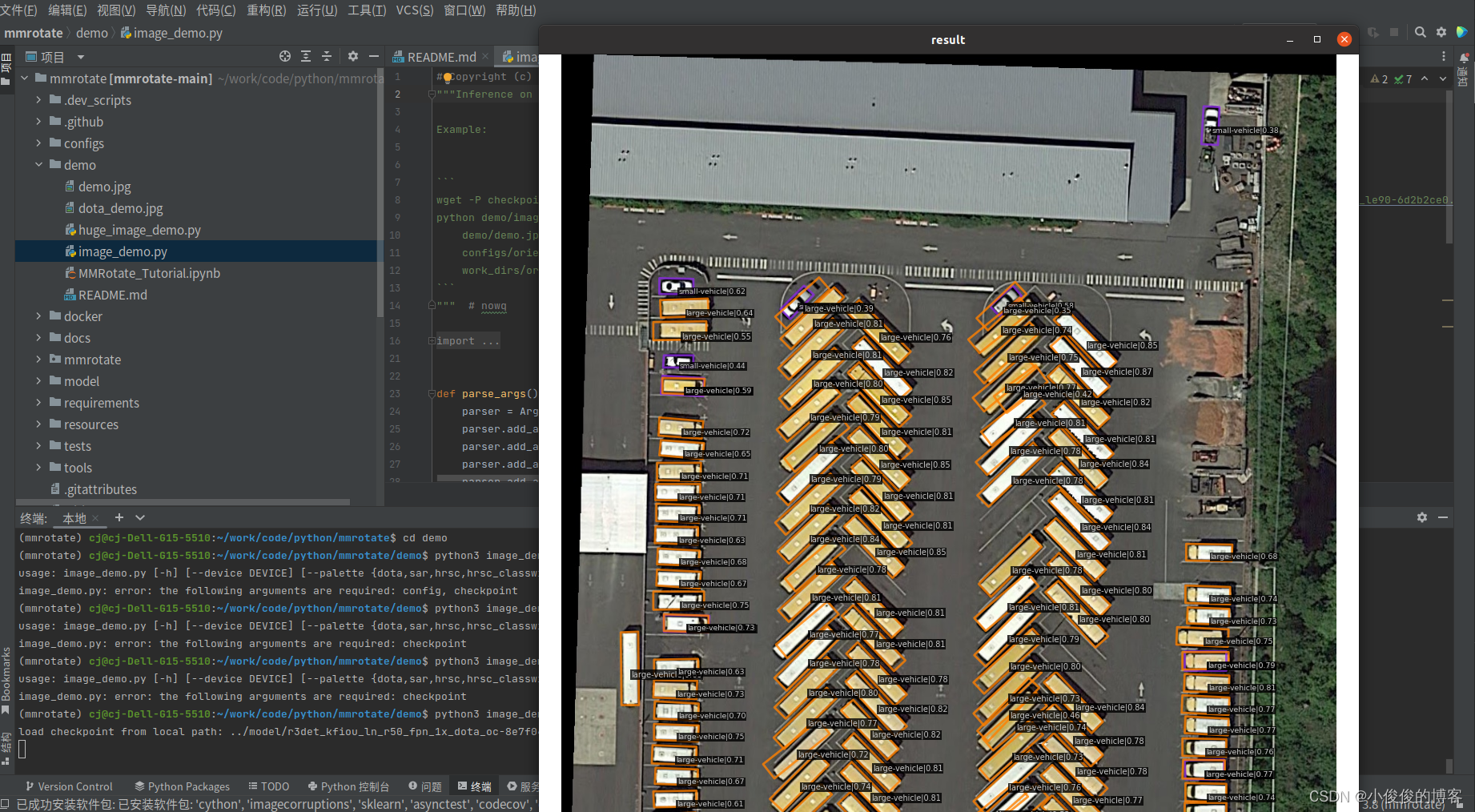
至此,可以确定整体环境没问题了。
边栏推荐
- 全网显示 IP 归属地,是怎么实现的?
- 洛谷 P4281 [AHOI2008]紧急集合 / 聚会(树上倍增 LCA)
- 使用华为性能管理服务,按需配置采样率
- 2022-06-17
- Win11 arm system configuration Net core environment variable
- 快应用中实现自定义抽屉组件
- Use of vscode tool
- Flink two Open, implement Batch Lookup join (attached source)
- MySQL lethal serial question 4 -- are you familiar with MySQL logs?
- 实验电镜距离测量之Matlab处理
猜你喜欢

Special topic of binary tree -- acwing 1497 Traversal of the tree (use post and mid order traversal to build a binary tree)

Nodejs+express+mysql simple blog building

快应用中实现自定义抽屉组件

使用华为性能管理服务,按需配置采样率
【AI应用】海康威视iVMS-4200软件安装
【AppLinking实战案例】通过AppLinking分享应用内图片
QT学习日记8——资源文件添加
【AGC】构建服务3-认证服务示例

One trick to quickly realize custom application titlebar
三.芯片启动和时钟系统
随机推荐
I STM32 development environment, keil5/mdk5.14 installation tutorial (with download link)
Flick two open, realized a batch lookup join (with source code)
二叉树专题--AcWing 1589. 构建二叉搜索树
Uncover the secrets of Huawei application market application statistics
JSP webshell free -- the basis of JSP
C#中索引器
Oracle notes
How does the whole network display IP ownership?
Use Huawei performance management service to configure the sampling rate on demand
Regular and common formulas
Special topic of binary tree -- acwing 1589 Building binary search tree
JVM之垃圾回收器
2022爱分析· 国央企数字化厂商全景报告
主键策略问题
【深入浅出玩转FPGA学习5-----复位设计】
PKG package manager usage instance in FreeBSD
The difference between self and static in PHP in methods
JSP webshell free -- webshell free
TIPC messaging3
【快应用】text组件里的文字很多,旁边的div样式会被拉伸如何解决