当前位置:网站首页>allegro对走好的线取消走线的方法
allegro对走好的线取消走线的方法
2022-06-29 02:39:00 【MCU_wb】
1.点击删除的图标,如图所示
2.Find框中只选中Clines,双击需要取消的走线即可,若只需要取消一小段走线,则选中Find框中的Clines Segs即可,如图所示
删除一段

3.取消后的走线如图所示: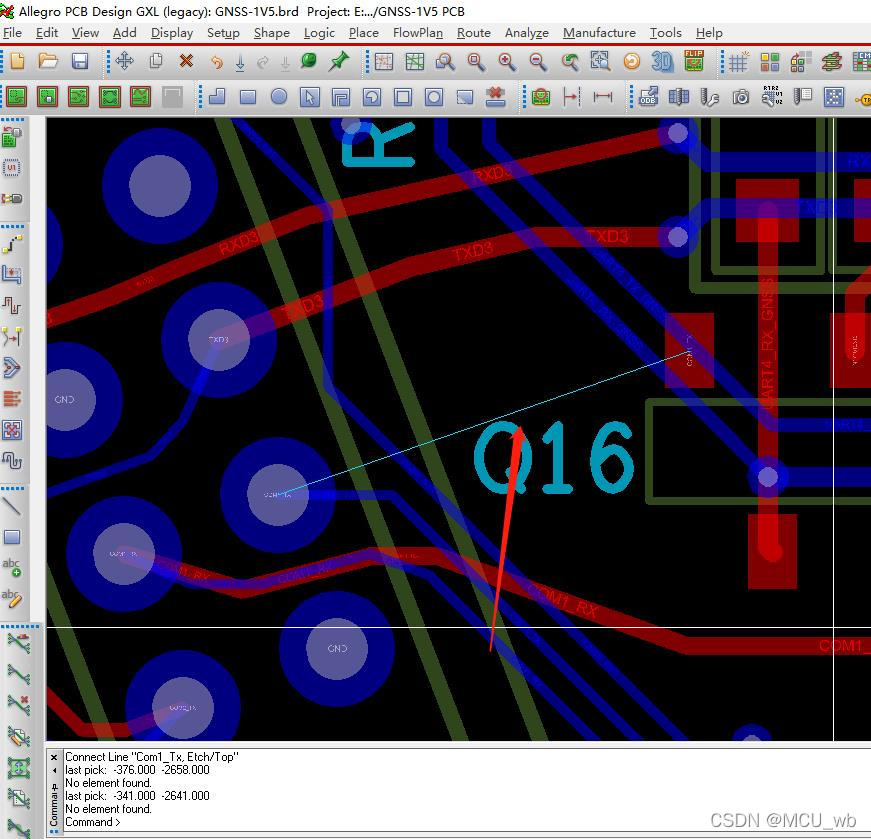
边栏推荐
- [线性代数] 1.1 二阶与三阶行列式
- Overview of PMP project management
- SQL training 01
- "The first share of endoscope" broke into IPO two times. Last year, it lost 500million yuan. The commercialization of core products is still in doubt | IPO Express
- sql训练01
- 线程池是什么老鸡?
- 字符串方法练习
- 對補wasm環境的一些測試
- 微信小程序自定义组件
- 信息学奥赛一本通 1361:产生数(Produce) | 洛谷 P1037 [NOIP2002 普及组] 产生数
猜你喜欢

【一起上水硕系列】最简单的字幕配置
LabVIEW jump to web page

Trigonometric function calculation

Wechat applet custom component

干货丨微服务架构是什么?有哪些优点和不足?

sql连续登录问题

thinkphp5.1 runtime文件改成777权限了, 还是无法写入

Learning Tai Chi Maker - mqtt Chapter II (IX) test of this chapter

Oracle recovery tools actual batch bad block repair
学习太极创客 — MQTT 第二章(九)本章测试
随机推荐
“内窥镜第一股”二闯IPO,去年亏损5个亿,核心产品商业化仍存疑 | IPO速递
thinkphp5.1 runtime文件改成777权限了, 还是无法写入
方法重载小结
PHP XML expat parser
短视频平台常见SQL面试题,你学会了吗?
String segment combination
There is a time delay for the click event on the mobile terminal. What is the delay time? How to solve it?
PMP项目管理概述
Kubernetes: container resource requirements and constraints (constraints)
mark
Sysbench Pressure Test Oracle (installation and use examples)
PHP system function
Have you learned the common SQL interview questions on the short video platform?
apache不解析PHP文件,直接显示源码
干货丨微服务架构是什么?有哪些优点和不足?
对补wasm环境的一些测试
认证培训|StreamNative Certification 培训第2期
Why should the pointer be null after delete
Centos7 installation php7.2
What is the dry goods microservice architecture? What are the advantages and disadvantages?