当前位置:网站首页>Livedata postvalue will "lose" data
Livedata postvalue will "lose" data
2022-07-01 18:46:00 【Sharp surge】
The author of this article : my Android Mountain climbing Road , The original is published in :Android Mountain climbing Road .
Do an experiment
class MainActivity : AppCompatActivity() {
    private val liveData = MutableLiveData<Int>()

    override fun onCreate(savedInstanceState: Bundle?) {
        super.onCreate(savedInstanceState)
        setContentView(R.layout.activity_main)

        //  Subscription observer
        liveData.observe(this) {
            //  Console printing   Value received by observer
            Log.d("MainActivity", "observer: $it")
        }

        // for  Cycle call  postValue
        for (i in 0..2) {
            Log.d("MainActivity", "postValue: $i")
            liveData.postValue(i)
        }
    }
}
Take a look at the console :

Only for For the last time in the cycle postValue Value 2 Printed it out . Why not 0、1、2 It's all printed out ?
LiveData Yes setValue and postValue Two ways to inform the observer ,postValue There is something wrong from the above ? Let's try setValue.
Put the above experimental code postValue Change it to setValue:
class MainActivity : AppCompatActivity() {
    private val liveData = MutableLiveData<Int>()

    override fun onCreate(savedInstanceState: Bundle?) {
        super.onCreate(savedInstanceState)
        setContentView(R.layout.activity_main)

        //  Subscription observer
        liveData.observe(this) {
            //  Console printing   Value received by observer
            Log.d("MainActivity", "observer: $it")
        }

        // for  Cycle call  setValue
        for (i in 0..2) {
            liveData.setValue(i)
        }
    }
}
Look at the console :

Why is it the same . Serious doubt setValue and postValue Something's wrong , Dezhi .
Both experiments were conducted in onCreate Completed in , Do you want to try calling postValue and setValue Change your position , Forget it , Do as you say : Add a button , Recycle when the button is clicked postValue:
class MainActivity : AppCompatActivity() {

    private val liveData = MutableLiveData<Int>()
    private val btn_set_value: Button by lazy { findViewById(R.id.btn_set_value) }

    override fun onCreate(savedInstanceState: Bundle?) {
        super.onCreate(savedInstanceState)
        setContentView(R.layout.activity_main)

        liveData.observe(this) {
            Log.d("MainActivity", "observer: $it")
        }

        btn_set_value.setOnClickListener {
            for (i in 0..2) {
                Log.d("MainActivity", "postValue: $i")
                liveData.postValue(i)
            }
        }
    }
}
Click the console after the button :

What else is worth remembering ...
Wash your face , Wake up postValue no way , Try again. setValue.
class MainActivity : AppCompatActivity() {

    private val liveData = MutableLiveData<Int>()
    private val btn_set_value: Button by lazy { findViewById(R.id.btn_set_value) }

    override fun onCreate(savedInstanceState: Bundle?) {
        super.onCreate(savedInstanceState)
        setContentView(R.layout.activity_main)

        liveData.observe(this) {
            Log.d("MainActivity", "liveData: $it")
        }

        btn_set_value.setOnClickListener {
            for (i in 0..10) {
                Log.d("MainActivity", "setValue: $i")
                liveData.setValue(i)
            }
        }
    }
}
Click carefully button, Just like looking at the exam results, I opened the console a little bit :

It's so bitter , At last he changed , And I became emotionally out of control .
Why? !!!
Just a little bit of a summary
Summarize the above 4 The experimental results of these methods are as follows :
1. onCreate Call in method postValue and setValue Results the same ,observer All received for The last value of the loop .
2. When the button is clicked, the loop calls postValue and setValue The result is different ,postValue Only the last value was received , and setValue Received all for Value of cycle .
Why did such a puzzling result happen ?
Just a little bit
Let's take a look at LiveData.setValue After calling , How did you get there observe Of observer.onChanged Method
private int mVersion;
private volatile Object mData;

/**
 * Sets the value. If there are active observers, the value will be dispatched to them.
 * <p>
 * This method must be called from the main thread. If you need set a value from a background
 * thread, you can use {@link #postValue(Object)}
 *
 * @param value The new value
 */
@MainThread
protected void setValue(T value) {
    //  The main thread must call
    assertMainThread("setValue");
    // LiveData  Member properties of  mVersion  Data version number  +1
    mVersion++;
    //  take  value  Assign a value to  LiveData  Member properties of  mData;
    mData = value;
    //  distribution  value
    dispatchingValue(null);
}

void dispatchingValue(@Nullable ObserverWrapper initiator) {
    if (mDispatchingValue) {
        mDispatchInvalidated = true;
        return;
    }
    mDispatchingValue = true;
    do {
        mDispatchInvalidated = false;
        if (initiator != null) {
            considerNotify(initiator);
            initiator = null;
        } else {
            // initiator  by  null  So I'll come here
            //  Traverse the observer
            for (Iterator<Map.Entry<Observer<? super T>, ObserverWrapper>> iterator =
                    mObservers.iteratorWithAdditions(); iterator.hasNext(); ) {
                //  notice
                considerNotify(iterator.next().getValue());
                if (mDispatchInvalidated) {
                    break;
                }
            }
        }
    } while (mDispatchInvalidated);
    mDispatchingValue = false;
}

// ObserverWrapper  yes  Observer  The wrapper class , It doesn't extend here anymore
private void considerNotify(ObserverWrapper observer) {
    //  Judge  observer  Whether it is active , If you are not active, you will not go down
    if (!observer.mActive) {
        return;
    }
    // Check latest state b4 dispatch. Maybe it changed state but we didn't get the event yet.
    //
    // we still first check observer.active to keep it as the entrance for events. So even if
    // the observer moved to an active state, if we've not received that event, we better not
    // notify for a more predictable notification order.
    if (!observer.shouldBeActive()) {
        observer.activeStateChanged(false);
        return;
    }
    //  check  Observer  Whether the version number of is less than  LiveData  Version number of , The version number is  LiveData  The key to stickiness
    if (observer.mLastVersion >= mVersion) {
        return;
    }
    // LiveData  The version number is assigned to  Observer  Version number of
    observer.mLastVersion = mVersion;
    //  Here, here   Finally I saw   The cached values  mData  Passed on to  Observer  Of  onChanged  Method . That is to say  LiveData.observe  The incoming object  Observer  Of  onChanged  Method .
    observer.mObserver.onChanged((T) mData);
}
After reading the comments of the above code, we know that the call setValue after , To Observer Of onChanged Method is called .
There is a key point in the middle , Last considerNotify The method will judge !observer.mActive . Judge observer Whether it is active , If you are not active, you will not go down .
Let's see what active is , What is inactive .
// ObserverWrapper  yes  Observer  The wrapper class
private abstract class ObserverWrapper {
    // LiveData.observe  Method passed in  Observer  object
    final Observer<? super T> mObserver;
    //  This is what we want to analyze   Active member attribute
    boolean mActive;
    int mLastVersion = START_VERSION;

    ObserverWrapper(Observer<? super T> observer) {
        mObserver = observer;
    }

    abstract boolean shouldBeActive();

    boolean isAttachedTo(LifecycleOwner owner) {
        return false;
    }

    void detachObserver() {
    }

    void activeStateChanged(boolean newActive) {
        if (newActive == mActive) {
            return;
        }
        // immediately set active state, so we'd never dispatch anything to inactive
        // owner
        //  What's changed here  mActive  value
        mActive = newActive;
        changeActiveCounter(mActive ? 1 : -1);
        if (mActive) {
            dispatchingValue(this);
        }
    }
}
activeStateChanged Where is the method called ?
You need to take a brief look at LiveData Of observe Method :
@MainThread
public void observe(@NonNull LifecycleOwner owner, @NonNull Observer<? super T> observer) {
    assertMainThread("observe");
    if (owner.getLifecycle().getCurrentState() == DESTROYED) {
        // ignore
        return;
    }
    //  Created  LifecycleBoundObserver  object , Incoming to us  Observer  Object to constructor
    LifecycleBoundObserver wrapper = new LifecycleBoundObserver(owner, observer);
    ObserverWrapper existing = mObservers.putIfAbsent(observer, wrapper);
    if (existing != null && !existing.isAttachedTo(owner)) {
        throw new IllegalArgumentException("Cannot add the same observer"
                + " with different lifecycles");
    }
    if (existing != null) {
        return;
    }
    //  take  LifecycleBoundObserver  Object to add Observations  Lifecycle  Life cycle
    owner.getLifecycle().addObserver(wrapper);
}

// LifecycleBoundObserver  Inherited  ObserverWrapper, And implemented  LifecycleEventObserver  Interfaces are used to observe lifecycle events .
class LifecycleBoundObserver extends ObserverWrapper implements LifecycleEventObserver {
    @NonNull
    final LifecycleOwner mOwner;

    LifecycleBoundObserver(@NonNull LifecycleOwner owner, Observer<? super T> observer) {
        super(observer);
        mOwner = owner;
    }

    //  Here, here
    @Override
    boolean shouldBeActive() {
        //  Returns the current lifecycle at least  STARTED  Status is  true, otherwise  false
        return mOwner.getLifecycle().getCurrentState().isAtLeast(STARTED);
    }

    @Override
    public void onStateChanged(@NonNull LifecycleOwner source,
            @NonNull Lifecycle.Event event) {
        Lifecycle.State currentState = mOwner.getLifecycle().getCurrentState();
        if (currentState == DESTROYED) {
            removeObserver(mObserver);
            return;
        }
        Lifecycle.State prevState = null;
        while (prevState != currentState) {
            prevState = currentState;
            //  Here we see that the parent class is called  ObserverWrapper  Of  activeStateChanged  object , But the value passed in is  shouldBeActive  Return value of method ,shouldBeActive  Methods are also superclasses  ObserverWrapper  Methods , But it's an abstract method ,shouldBeActive  stay  LifecycleBoundObserver  Zhongshi is now above
            activeStateChanged(shouldBeActive());
            currentState = mOwner.getLifecycle().getCurrentState();
        }
    }

    @Override
    boolean isAttachedTo(LifecycleOwner owner) {
        return mOwner == owner;
    }

    @Override
    void detachObserver() {
        mOwner.getLifecycle().removeObserver(this);
    }
}
Need to see mOwner.getLifecycle().getCurrentState().isAtLeast(STARTED) How to judge .
/**
 * Started state for a LifecycleOwner. For an {@link android.app.Activity}, this state
 * is reached in two cases:
 * <ul>
 *     <li>after {@link android.app.Activity#onStart() onStart} call;
 *     <li><b>right before</b> {@link android.app.Activity#onPause() onPause} call.
 * </ul>
 */
STARTED,
See how the notes explain :
This state is reached in two cases : call onStart after ; It's just onPause Before you call . As we all know, Android Activity The life cycle is shown in the figure :

Now solve a puzzle : Why is it that when you click a button, you call setValue when , Received all for Value of cycle .
At this time, we can solve the problem :
because LiveData Observe the characteristics of the life cycle , Values can only be distributed when the page is active , When you can click a button , At present Activity The life cycle of has gone through OnStart、onResume, Meeting the current life cycle is at least STARTED The state of ,setValue All the way to the final distribution value is unimpeded , therefore for In circulation , Every time set Value once , Will eventually call Observer Of onChanged Method .
Why is it onCreate Loop call in method setValue Finally, only the last value is notified ? Look back setValue The process of :
private int mVersion;
private volatile Object mData;

/**
 * Sets the value. If there are active observers, the value will be dispatched to them.
 * <p>
 * This method must be called from the main thread. If you need set a value from a background
 * thread, you can use {@link #postValue(Object)}
 *
 * @param value The new value
 */
@MainThread
protected void setValue(T value) {
    //  The main thread must call
    assertMainThread("setValue");
    // LiveData  Member properties of  mVersion  Data version number  +1
    mVersion++;
    //  Every time you call  setValue  Will be  value  Assign a value to  LiveData  Member properties of  mData; I don't care here value  Has it been distributed
    mData = value;
    //  distribution  value
    dispatchingValue(null);
}

void dispatchingValue(@Nullable ObserverWrapper initiator) {
    ...
    //  notice
    considerNotify(iterator.next().getValue());
    ...
}

// ObserverWrapper  yes  Observer  The wrapper class , It doesn't extend here anymore
private void considerNotify(ObserverWrapper observer) {
    //  Judge  observer  Whether it is active , If you are not active, you will not go down ,
    if (!observer.mActive) {
        return;
    }
    ...

    //  check  Observer  Whether the version number of is less than  LiveData  Version number of , The version number is  LiveData  The key to stickiness
    if (observer.mLastVersion >= mVersion) {
        return;
    }
    // LiveData  The version number is assigned to  Observer  Version number of
    observer.mLastVersion = mVersion;
    //  Here, here   Finally I saw   The cached values  mData  Passed on to  Observer  Of  onChanged  Method . That is to say  LiveData.observe  The incoming object  Observer  Of  onChanged  Method .
    observer.mObserver.onChanged((T) mData);
}
Final considerNotify Method of judgment !observer.mActive Conditions met , direct return 了 ,Observer Object's mLastVersion Will not be assigned , Always be -1.
Because in onCreate Called in the method setValue,observer.mActive It must be false, And finally for End of cycle ,LiveData Of mVersion by 2,mData by 2, This explains the ultimate LiveData Of mData The value is 2, But I don't know when Observer Of onChanged Method is called .
According to the above analysis, we know ,LiveData call observe when ,observe In the way , Will Observer Objects are wrapped as life-cycle aware LifecycleBoundObserver object , stay onStateChanged Accept changes in life cycle events , Method LifecycleBoundObserver Of the parent class activeStateChanged Method , What's coming in is shouldBeActive() Return value of method , and shouldBeActive() Methods to judge isAtLeast(STARTED), That is to say call onStart after ; It's just onPause Before you call Is to return true.
void activeStateChanged(boolean newActive) {
    //  Only when the value changes
    if (newActive == mActive) {
        return;
    }
    // immediately set active state, so we'd never dispatch anything to inactive
    // owner
    mActive = newActive;
    changeActiveCounter(mActive ? 1 : -1);
    //  If you change from inactive to active   Will call  dispatchingValue
    if (mActive) {
        dispatchingValue(this);
    }
}
This is the end of the case
@SuppressWarnings("WeakerAccess") /* synthetic access */
void dispatchingValue(@Nullable ObserverWrapper initiator) {
    if (mDispatchingValue) {
        mDispatchInvalidated = true;
        return;
    }
    mDispatchingValue = true;
    do {
        mDispatchInvalidated = false;
        //  here  initiator  Not for null
        if (initiator != null) {
            considerNotify(initiator);
            initiator = null;
        } else {
            for (Iterator<Map.Entry<Observer<? super T>, ObserverWrapper>> iterator =
                    mObservers.iteratorWithAdditions(); iterator.hasNext(); ) {
                considerNotify(iterator.next().getValue());
                if (mDispatchInvalidated) {
                    break;
                }
            }
        }
    } while (mDispatchInvalidated);
    mDispatchingValue = false;
}

@SuppressWarnings("unchecked")
private void considerNotify(ObserverWrapper observer) {
    //  Is now active , So this condition does not pass
    if (!observer.mActive) {
        return;
    }
    // Check latest state b4 dispatch. Maybe it changed state but we didn't get the event yet.
    //
    // we still first check observer.active to keep it as the entrance for events. So even if
    // the observer moved to an active state, if we've not received that event, we better not
    // notify for a more predictable notification order.
    if (!observer.shouldBeActive()) {
        observer.activeStateChanged(false);
        return;
    }
    //  Now?  observer  Of  mLastVersion  The value is  -1,  and  mVersion  The value is  2, Conditions fail
    if (observer.mLastVersion >= mVersion) {
        return;
    }
    observer.mLastVersion = mVersion;
    //  Called  onChanged  The latest value was passed in  mData 2
    observer.mObserver.onChanged((T) mData);
}
This solves another question ️:onCreate Loop call in method setValue,Observer Method only received the last value .
Now? setValue The two experiments can be explained clearly , be left over postValue How to explain the two situations of ?
Let's take a look at LiveData.postValue After calling , How did you get there observe Of observer.onChanged Method
final Object mDataLock = new Object();
static final Object NOT_SET = new Object();
volatile Object mPendingData = NOT_SET;

/**
 * Posts a task to a main thread to set the given value. So if you have a following code
 * executed in the main thread:
 * <pre class="prettyprint">
 * liveData.postValue("a");
 * liveData.setValue("b");
 * </pre>
 * The value "b" would be set at first and later the main thread would override it with
 * the value "a".
 * <p>
 * If you called this method multiple times before a main thread executed a posted task, only
 * the last value would be dispatched.
 *
 * @param value The new value
 */
protected void postValue(T value) {
    boolean postTask;
    //  Synchronization code block   Use  mDataLock  Object as a lock
    synchronized (mDataLock) {
        //  If  mPendingData  be equal to  NOT_SET  value  postTask  Only then  true
        postTask = mPendingData == NOT_SET;
        // postValue  The passed value is assigned to the member property  mPendingData
        mPendingData = value;
    }
    //  if  postTask  by  false  be  return
    if (!postTask) {
        return;
    }
    //  Send a message to the main thread  handler,
    ArchTaskExecutor.getInstance().postToMainThread(mPostValueRunnable);
}

//  The main thread message queue executes to  Message  Called when  runnable
private final Runnable mPostValueRunnable = new Runnable() {
    @SuppressWarnings("unchecked")
    @Override
    public void run() {
        Object newValue;
        //  Synchronization lock
        synchronized (mDataLock) {
            //  take  mPendingData  Assign a value to  newValue  object
            newValue = mPendingData;
            //  take  mPendingData  The object value is reset to  NOT_SET
            mPendingData = NOT_SET;
        }
        //  Here we call  setValue, After that  LiveData.setValue  The process is the same .
        setValue((T) newValue);
    }
};
postValue Finally called setValue, But compared to setValue More than a step , Is to insert a message into the message queue of the main thread , When the message queue executes this message , Will call setValue.
onCreate in for Cycle call postValue Why only the last value is output ?
Analyze : We know onCreate Method is called in the main thread ( As for why you can inquire Activity Start process , There is no analysis here ), It is also a message of the main thread message queue , The message queue will execute the next message after the execution of the previous message . So in onCreate Implemented in for loop , Do you have to wait until the cycle is over before you go down , Of course the answer is . Look at this code again :
final Object mDataLock = new Object();
static final Object NOT_SET = new Object();
volatile Object mPendingData = NOT_SET;

/**
 * Posts a task to a main thread to set the given value. So if you have a following code
 * executed in the main thread:
 * <pre class="prettyprint">
 * liveData.postValue("a");
 * liveData.setValue("b");
 * </pre>
 * The value "b" would be set at first and later the main thread would override it with
 * the value "a".
 * <p>
 * If you called this method multiple times before a main thread executed a posted task, only
 * the last value would be dispatched.
 *
 * @param value The new value
 */
protected void postValue(T value) {
    boolean postTask;
    //  Synchronization code block   Use  mDataLock  Object as a lock
    synchronized (mDataLock) {
        //  If  mPendingData  be equal to  NOT_SET  value  postTask  Only then  true
        postTask = mPendingData == NOT_SET;
        // postValue  The passed value is assigned to the member property  mPendingData
        mPendingData = value;
    }
    //  if  postTask  by  false  be  return
    if (!postTask) {
        return;
    }
    //  Send a message to the main thread  handler,
    ArchTaskExecutor.getInstance().postToMainThread(mPostValueRunnable);
}
• for The first time the loop calls postValue value 0 when ,LiveData Of mPendingData = NOT_SET, postTask = mPendingData == NOT_SET by true,mPendingData The assignment is value 0, The following judgment conditions !postTask by false, Insert a message into the message queue Runable The object is mPostValueRunnable.
• for The second call of the loop postValue value 1 when ,LiveData Of mPendingData = 0,postTask = mPendingData == NOT_SET by false,mPendingData The assignment is value 1, The following judgment conditions !postTask by true, direct return No more messages will be sent to the mainline .
• for The third time the loop calls postValue value 2 when ,LiveData Of mPendingData = 1,postTask = mPendingData == NOT_SET by false,mPendingData The assignment is value 2, The following judgment conditions !postTask by true, direct return No more messages will be sent to the mainline .
Here we are for Loop execution complete , Wait until the main thread finishes executing this message , Wait until the execution mPostValueRunnable when :
//  The main thread message queue executes to  Message  Called when  runnable
private final Runnable mPostValueRunnable = new Runnable() {
    @SuppressWarnings("unchecked")
    @Override
    public void run() {
        Object newValue;
        //  Synchronization lock
        synchronized (mDataLock) {
            //  take  mPendingData  Assign a value to  newValue  object
            newValue = mPendingData;
            //  take  mPendingData  The object value is reset to  NOT_SET
            mPendingData = NOT_SET;
        }
        //  Here we call  setValue, After that  LiveData.setValue  The process is the same .
        setValue((T) newValue);
    }
};
At this time mPendingData The value of is 2 !!!, And will be mPendingData The object value is reset to NOT_SET, Last call setValue Methods will 2 Passed in . After that, I will follow setValue The logic is the same .
Has it been solved here postValue Respectively in onCreate and Click event The loop call only receives the question of the last value ️ Well ?
from : The state of mind is exploding ,LiveData postValue Meeting “ lose ” data ?
边栏推荐
- 隐私沙盒终于要来了
- Weekly recommended short videos: be alert to the confusion between "phenomena" and "problems"
- Rust language - cargo, crates io
- 12 data dimensioning processing methods
- Basic usage of shell script
- [today in history] February 15: Pascal's father was born; YouTube was founded; Kotlin language comes out
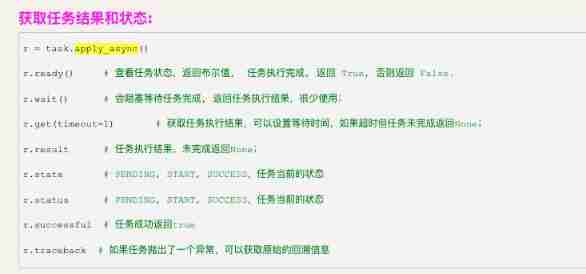
- Distributed task queue: Celery usage record
- Growing up in the competition -- (Guangyou's most handsome cub) Pikachu walking
- Depth first search - DFS (burst search)
- 磁盘的基本知识和基本命令
猜你喜欢
Happy new year | 202112 monthly summary
![[source code analysis] model parallel distributed training Megatron (5) -- pipestream flush](/img/c0/25c1b96cc56fbd0231d32214d66718.jpg)
[source code analysis] model parallel distributed training Megatron (5) -- pipestream flush
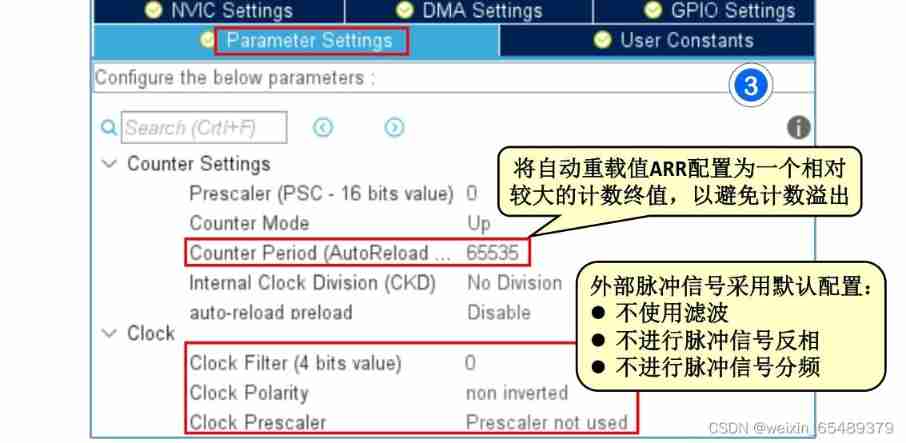
Record 3 - the state machine realizes key control and measures the number of external pulses
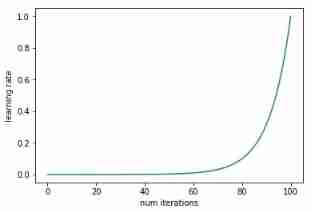
How to find the optimal learning rate
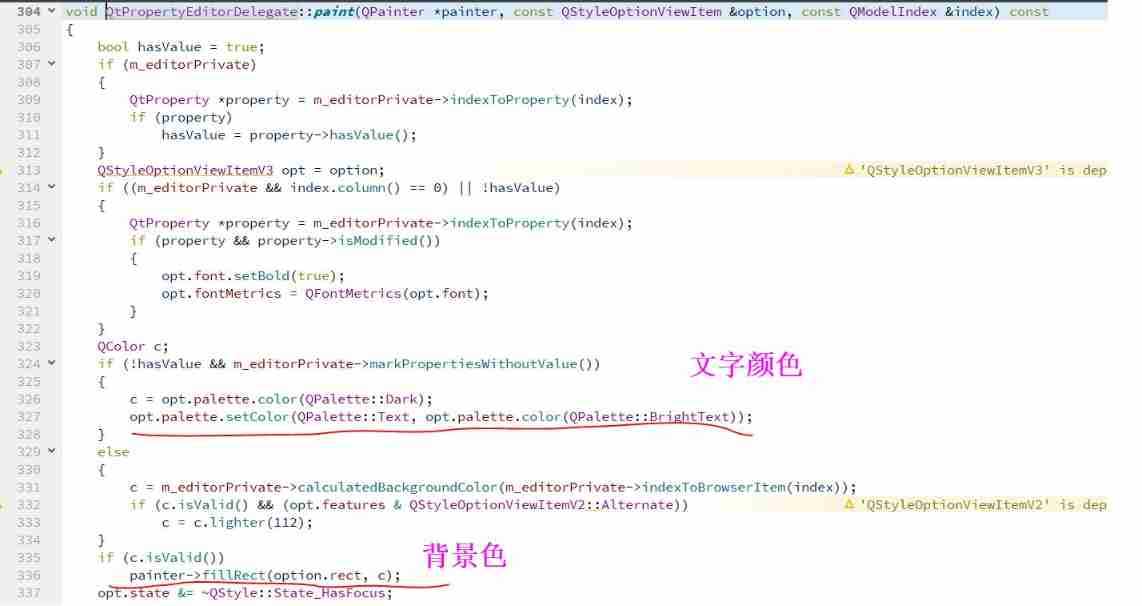
Set the style of QT property sheet control

Xia CaoJun ffmpeg 4.3 audio and video foundation to engineering application
Distributed task queue: Celery usage record

A wonderful time to buy and sell stocks
Principal component calculation weight

Basic concepts of binary tree
随机推荐
Is Alipay wallet convenient to use?
R语言使用epiDisplay包的dotplot函数通过点图的形式可视化不同区间数据点的频率、使用pch参数自定义指定点图数据点的形状
Localization through custom services in the shuttle application
PMP daily three questions (February 15, 2022)
Sanfeng cloud 0215 I often use
Lumiprobe bifunctional crosslinker sulfo cyanine 5 bis NHS ester
Lumiprobe非荧光炔烃丨EU(5-乙炔基尿苷)
Leetcode problem solving series -- continuous positive sequence with sum as s (sliding window)
R language uses follow up of epidisplay package Plot function visualizes the longitudinal follow-up map of multiple ID (case) monitoring indicators, and uses n.of The lines parameter specifies the num
12种数据量纲化处理方式
Growing up in the competition -- (Guangyou's most handsome cub) Pikachu walking
How to manage 1000 anchors by one person?
Technology implementation and Architecture Practice
Force buckle day33
Write it down once Net travel management background CPU Explosion Analysis
[CF1476F]Lanterns
研究了11种实时聊天软件,我发现都具备这些功能…
[acnoi2022] color ball
540. Single element in ordered array / 1684 Count the number of consistent strings
Relational database management system of easyclick