当前位置:网站首页>Introduce in detail how to communicate with Huawei cloud IOT through mqtt protocol
Introduce in detail how to communicate with Huawei cloud IOT through mqtt protocol
2022-07-03 02:00:00 【Aaron-ywl】
List of articles
One 、 Create products
First, log in to the official website address of Huawei cloud : Huawei cloud official website
After entering the main page , Search the Internet of things 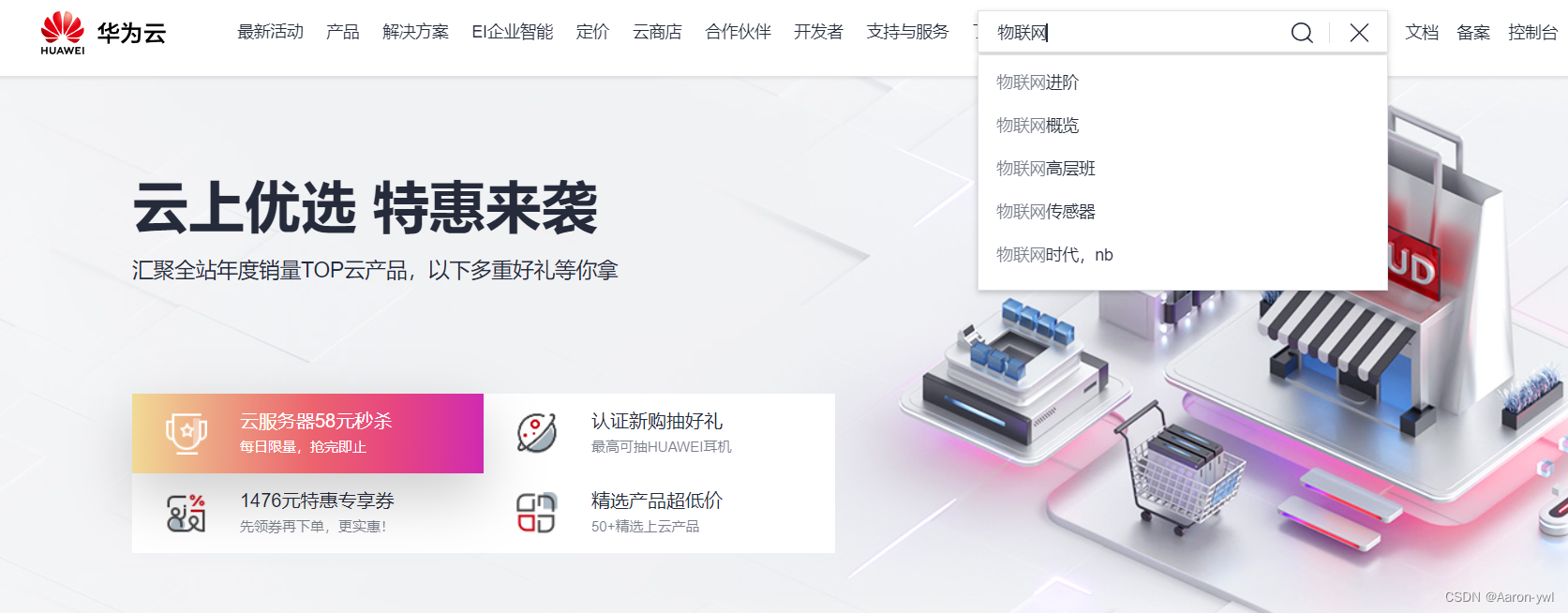
choice lotDA Get into 
Click use now 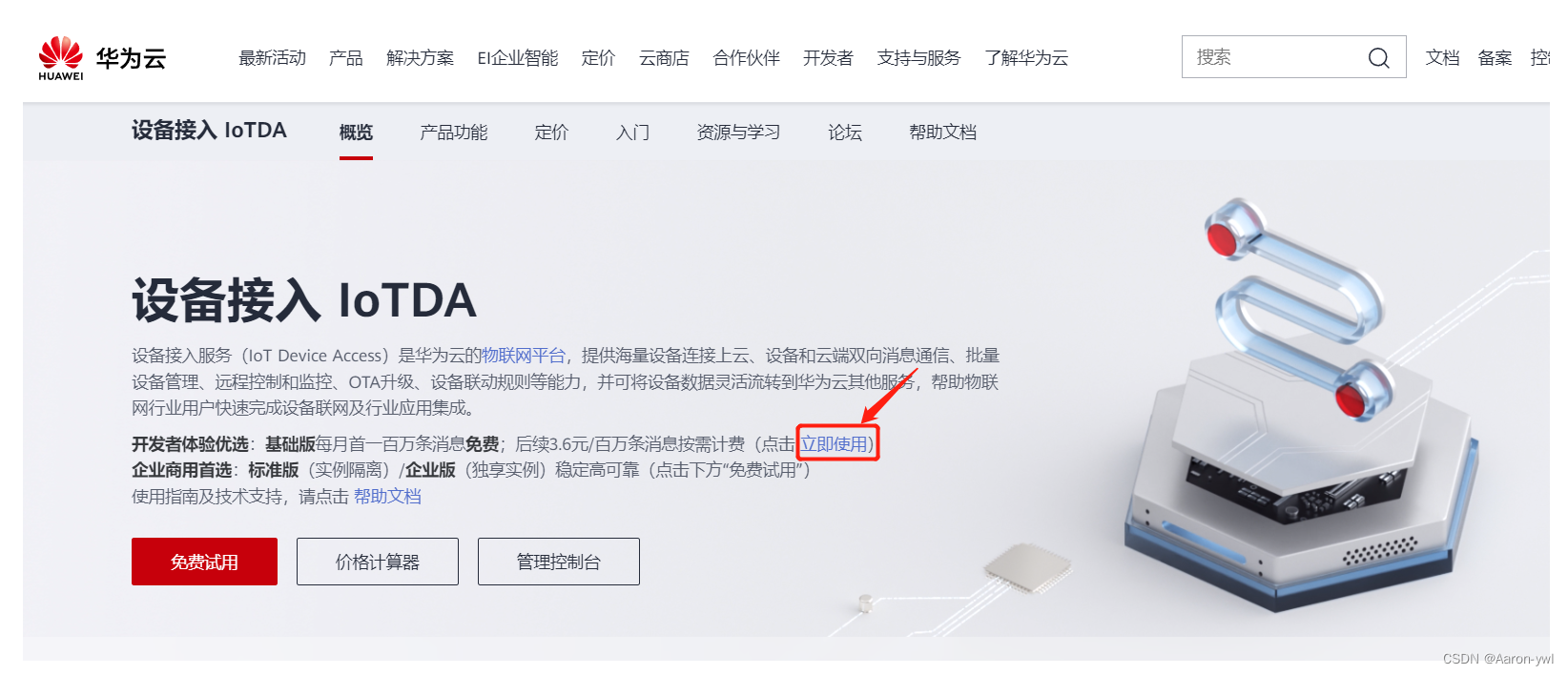
Then click the platform access address on the overview page 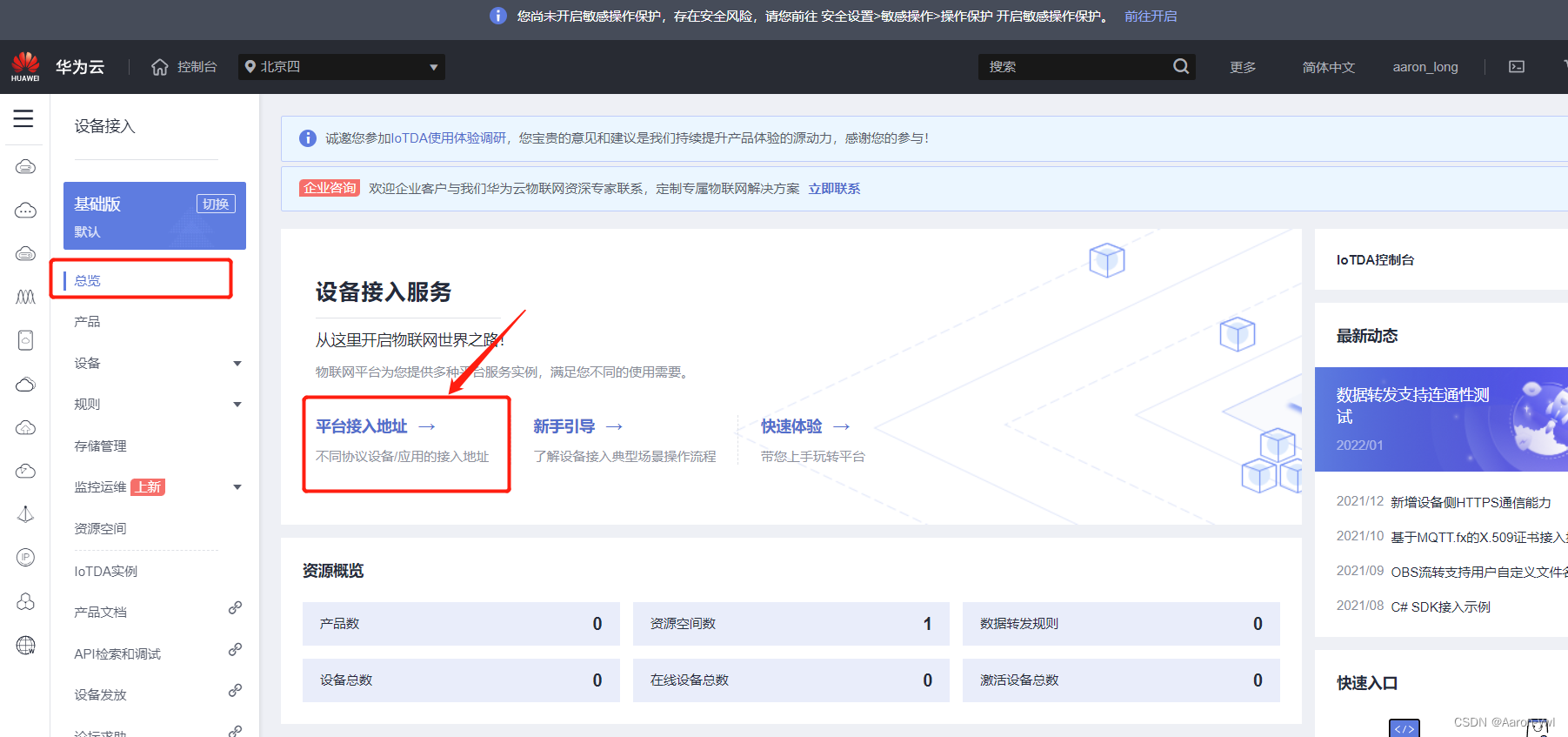
From here, you can see Huawei cloud Internet of things MQTT The protocol port number is also the domain name address 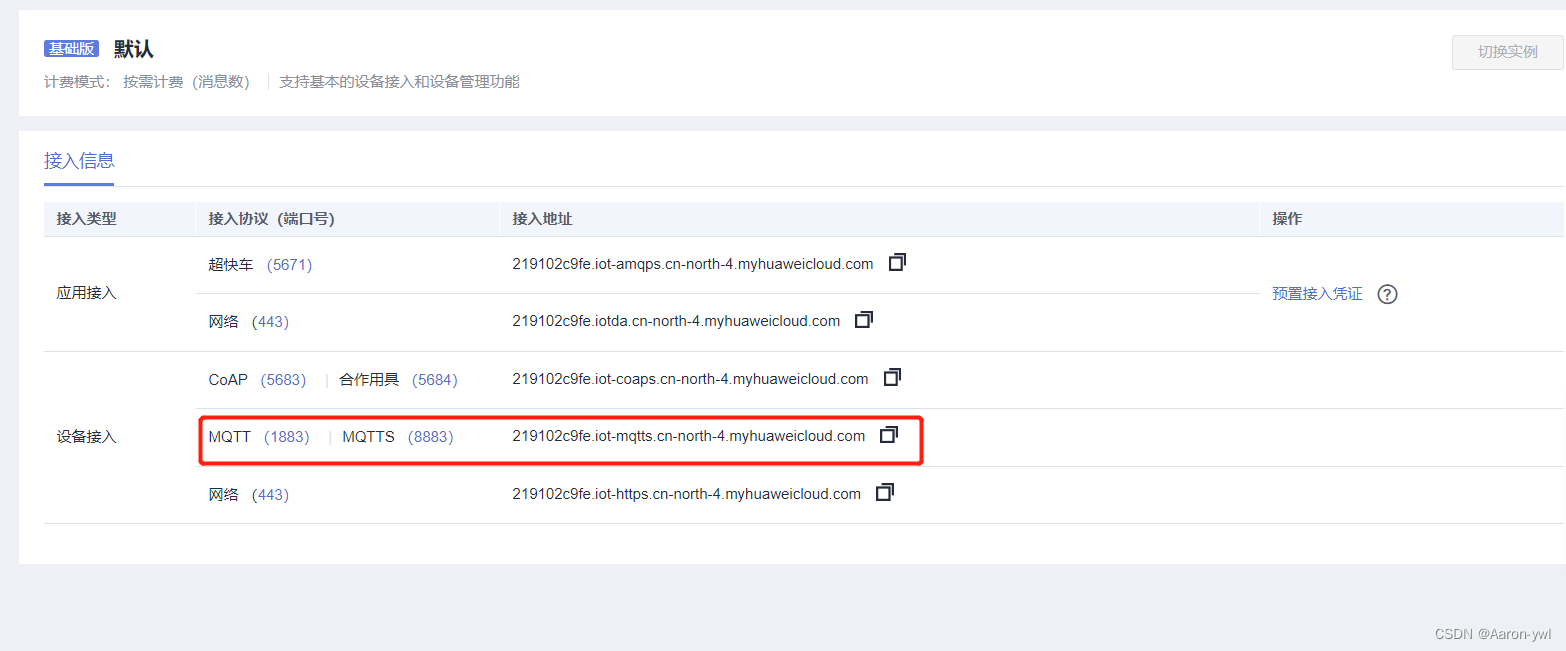
Then click create product in the product column 
Follow the prompts to fill in the information 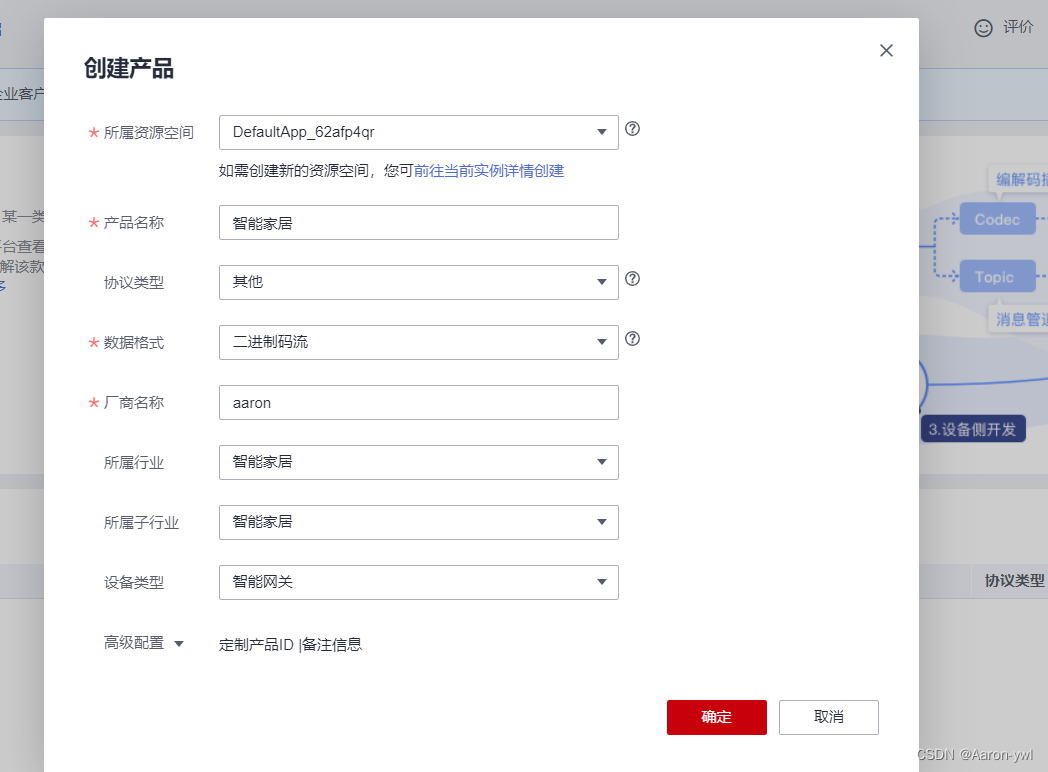
Two 、 Device registration
Click register device in the column of all devices of the product 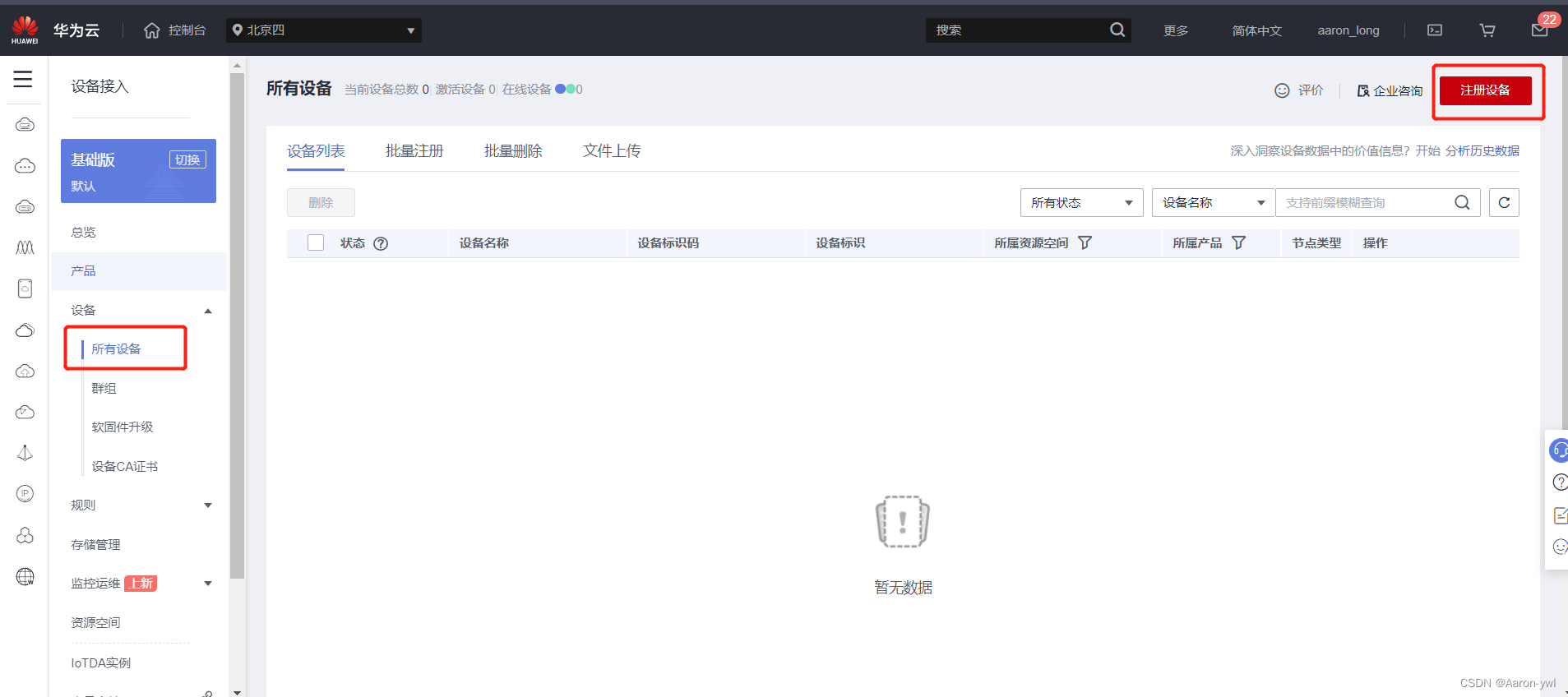
Follow the prompts to fill in the information 
After setting, information will be generated , Download and save !
This is my device information
Equipment information :
Resource space :DefaultApp_62afp4qr
Device identifier (device_id):aaron_1
Equipment identification code :sep8266_iot
Device key (secret):1531149131263
{
“device_id”: “aaron_1”,
“secret”: “1531149131263”
}
3、 ... and 、 Product model definition
Click to view the devices created in the product 
Select a custom model 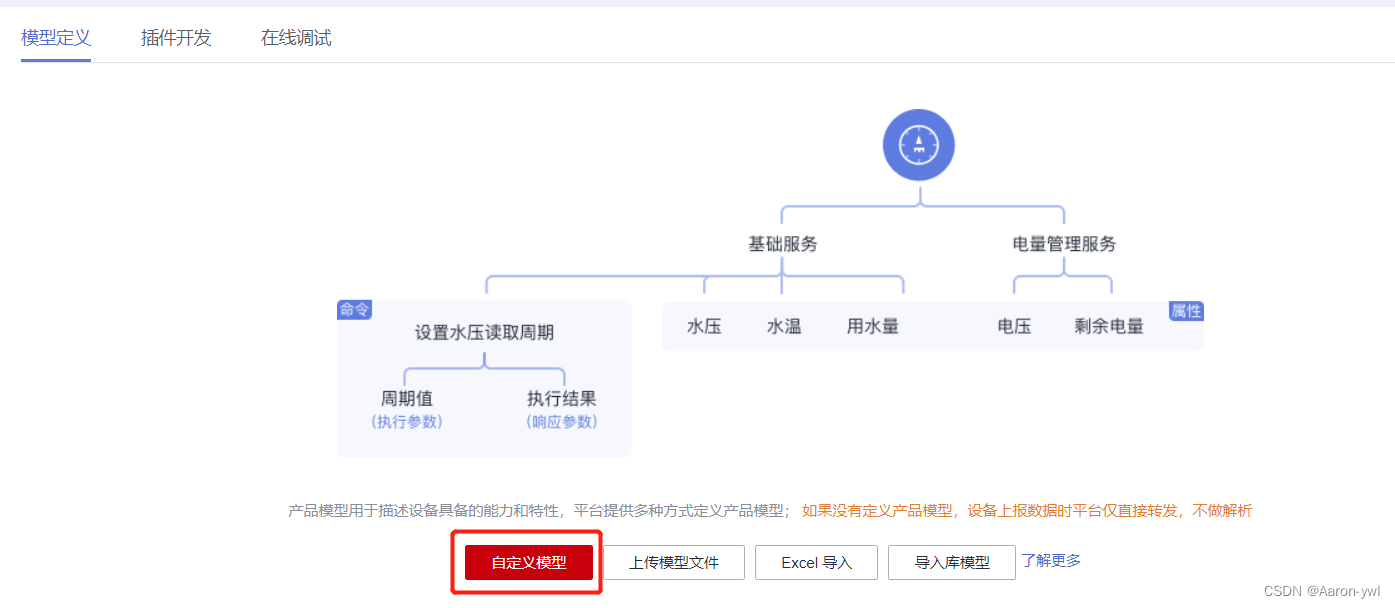
Add service
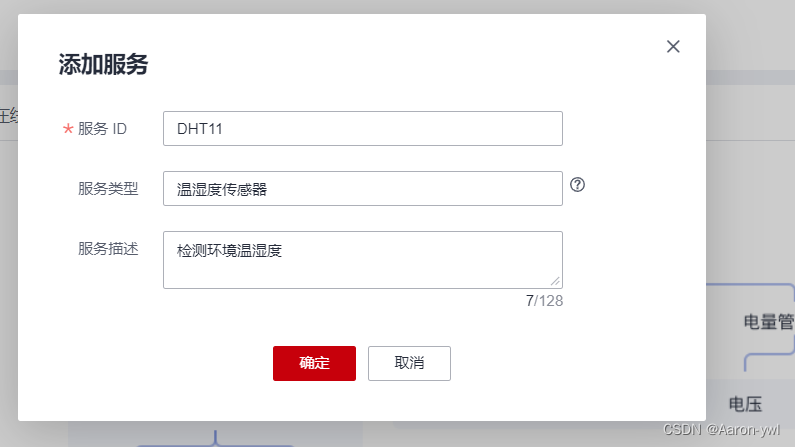
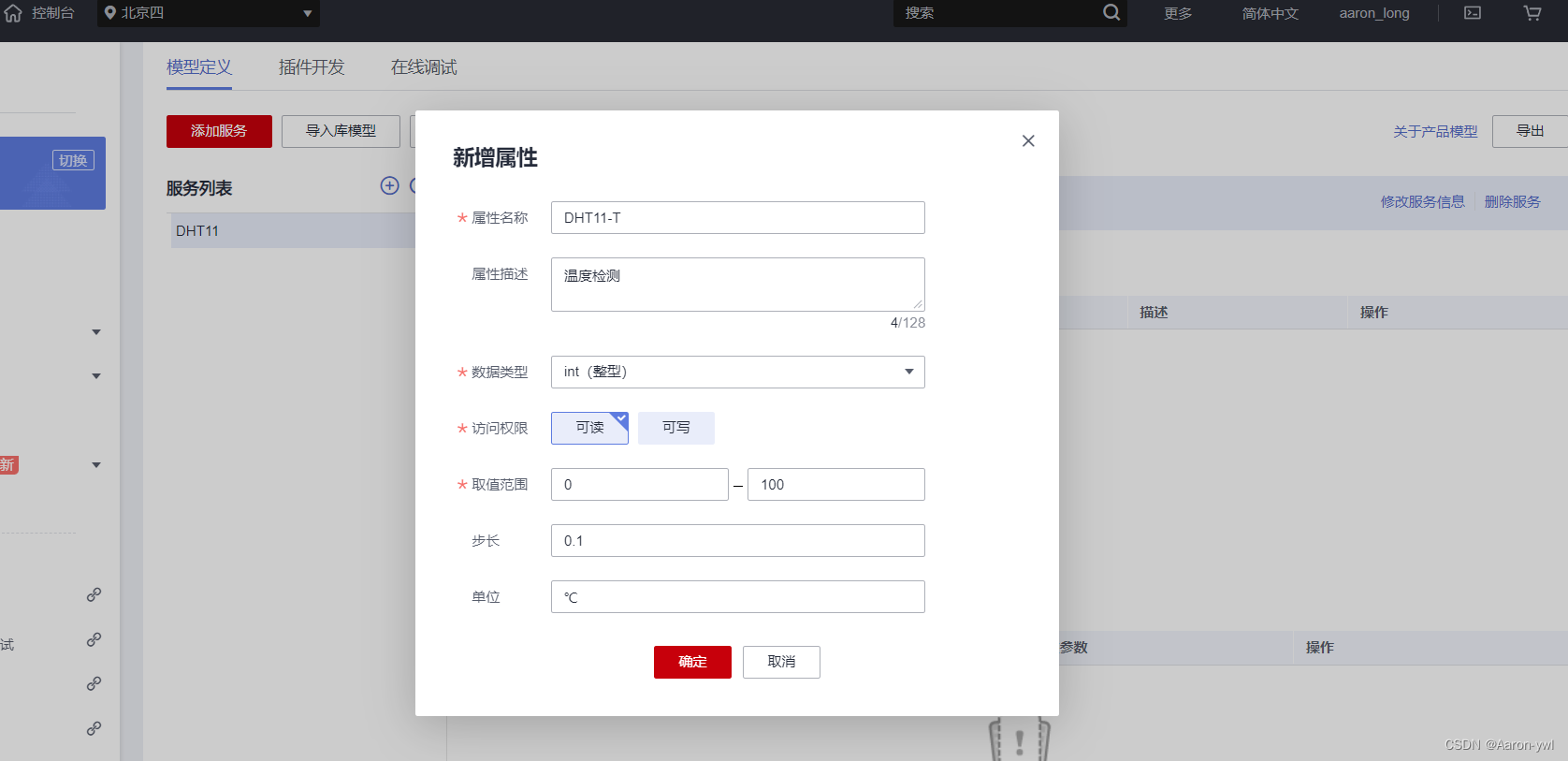
The next step is to add attributes , Attribute is the data type uploaded by the sensor , Data to be displayed ; According to the number of sensors 、 The type can be defined by itself .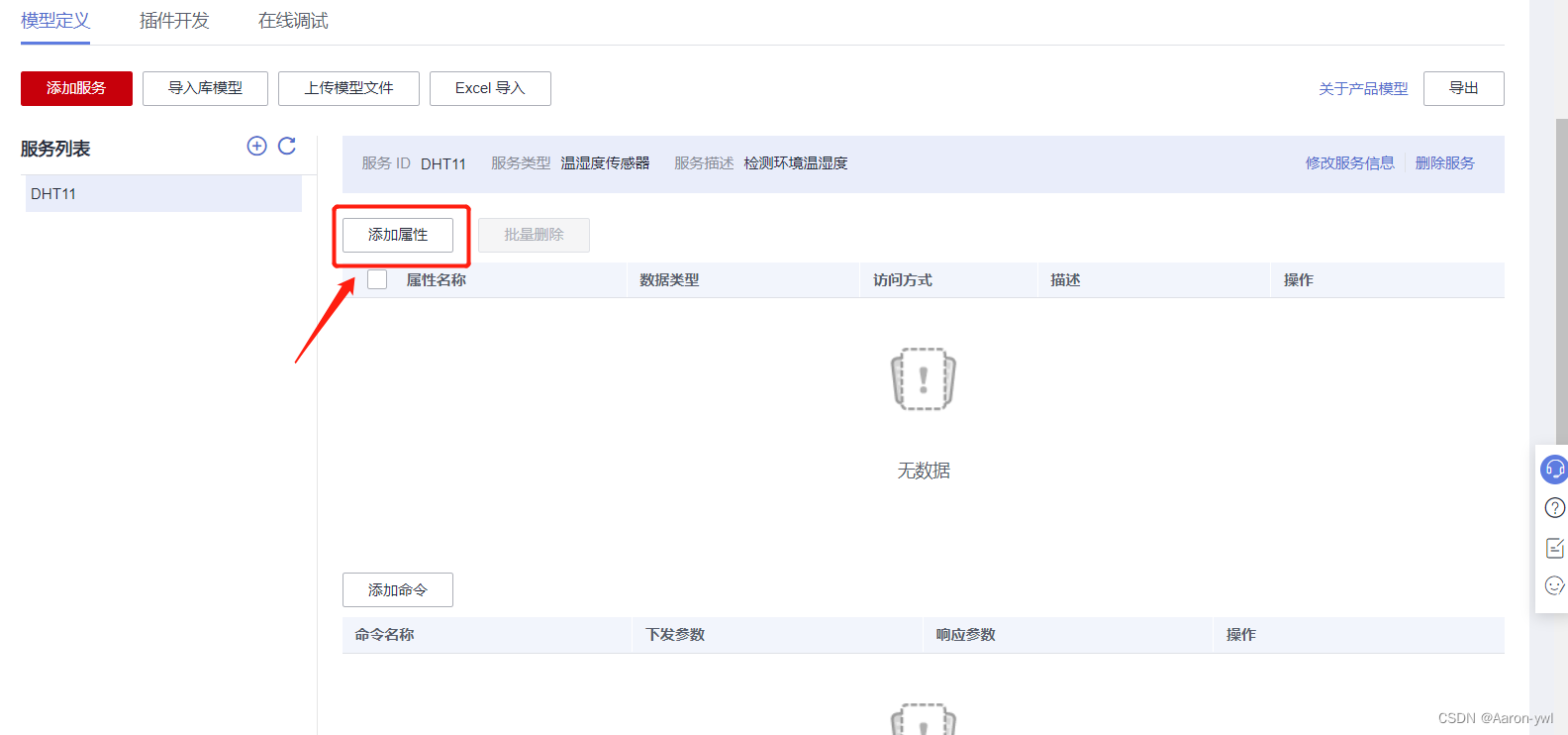

Four 、 Generate MQTT Login key
After creating products and devices , We're going to use MQTT Protocol to log in to Huawei ECS , Detailed official address : Use MQTT.fx Commissioning 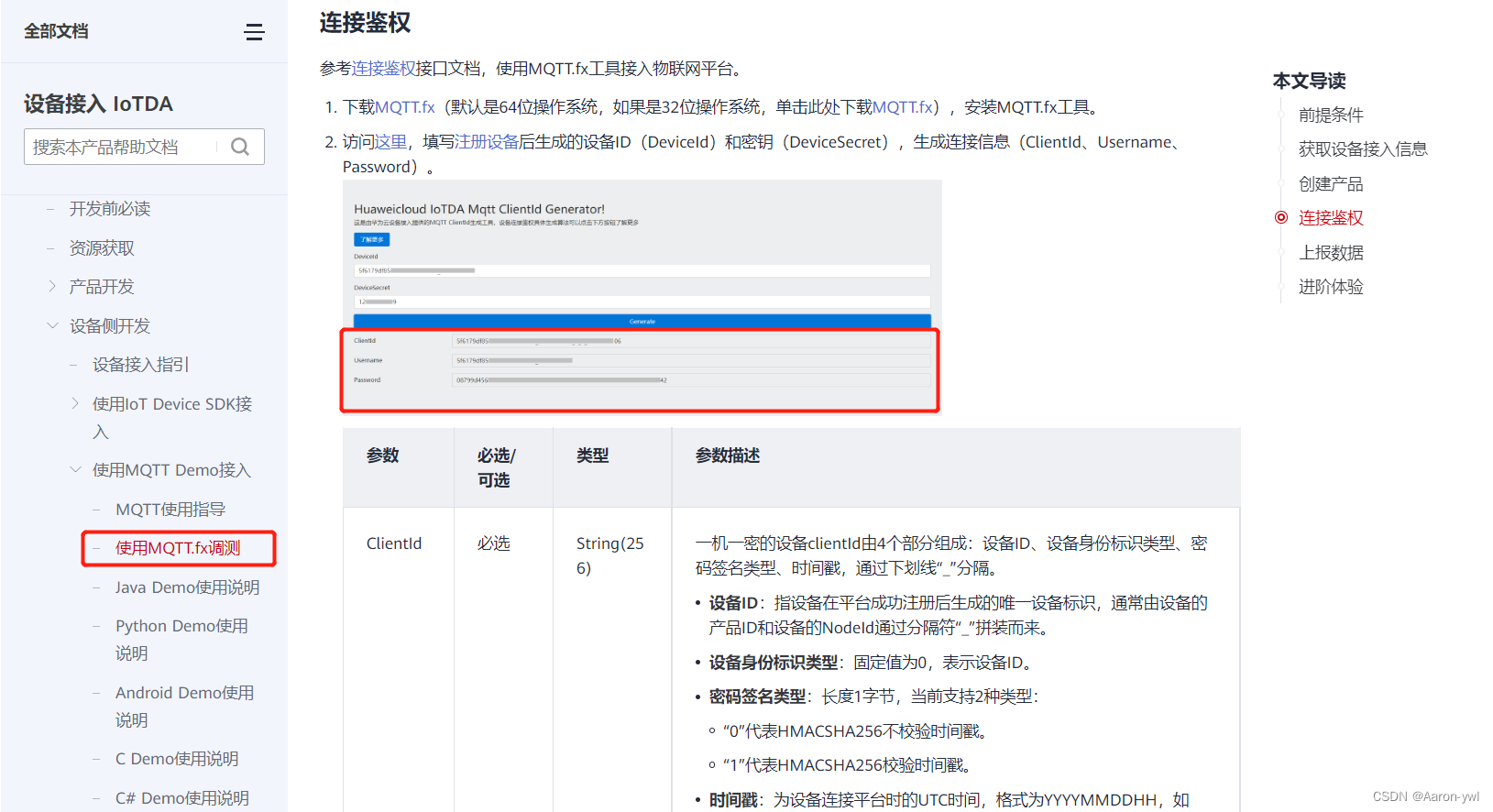
This is parameter resolution 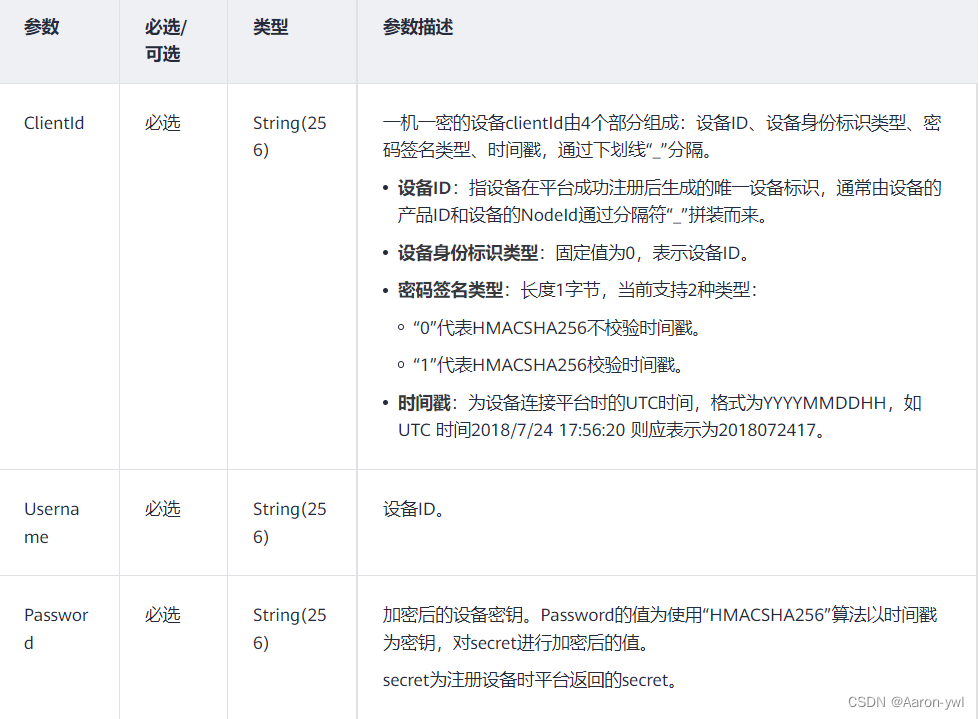
MQTT Device login key generation address : Online generation MQTT The key
Fill in the information downloaded before , Include device_id and secret.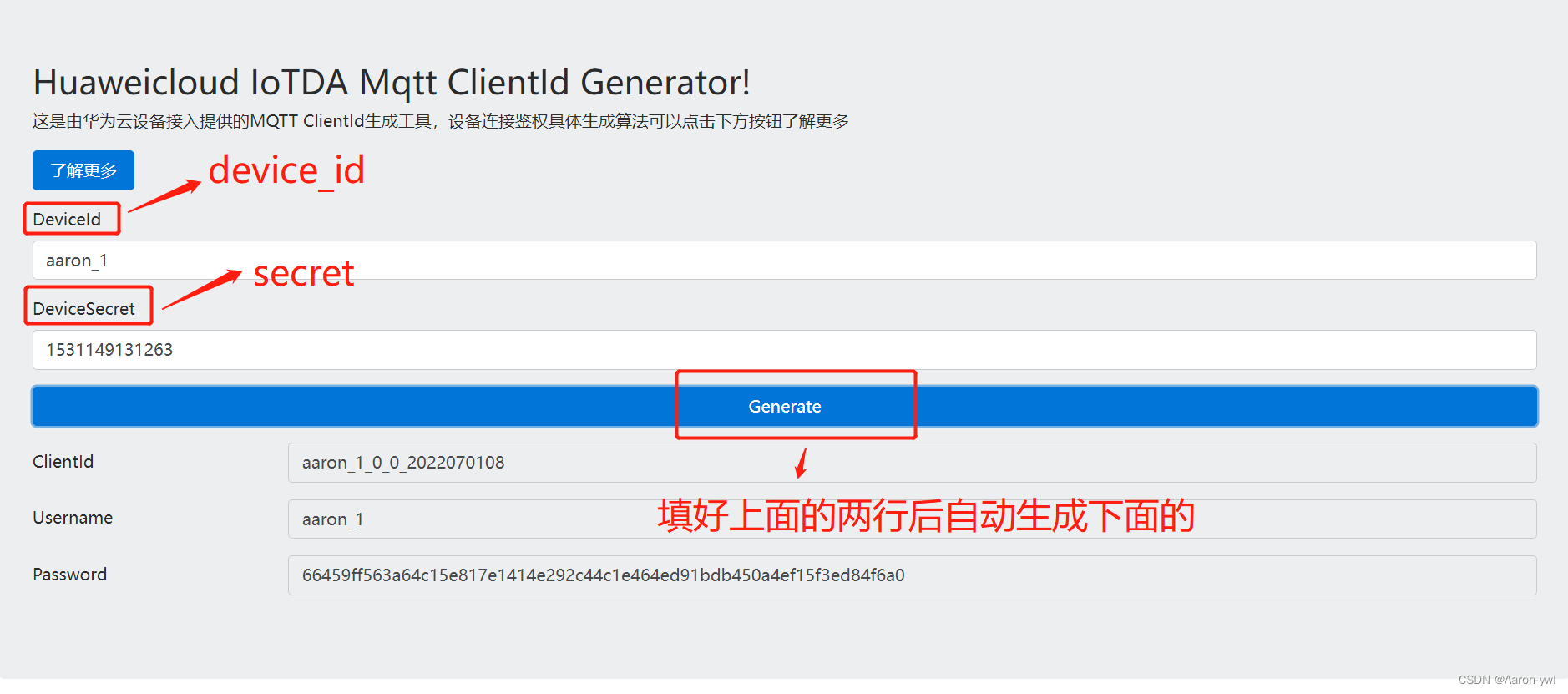
Here we get it MQTT Parameters of protocol device login .
5、 ... and 、 Use MQTT Client software login
up to now , All parameters have been obtained , Next, use MQTT The client logs into Huawei cloud to communicate .
open MQTT The end of the service , Specific download and transfer :MQTT client v2.4( agreement 3.1.1).exe
The domain name of Huawei cloud Internet of things platform is :a161a58a78.iot-mqtts.cn-north-4.myhuaweicloud.com
Of Huawei's cloud Internet of things platform IP The address is : 121.36.42.100
MQTT client 、 user name 、 The login password has just been obtained .
Those who don't understand can see the end , I've summed it up .
After connection , Return to the cloud platform , You can see that the device is online . It indicates that the device has been successfully connected .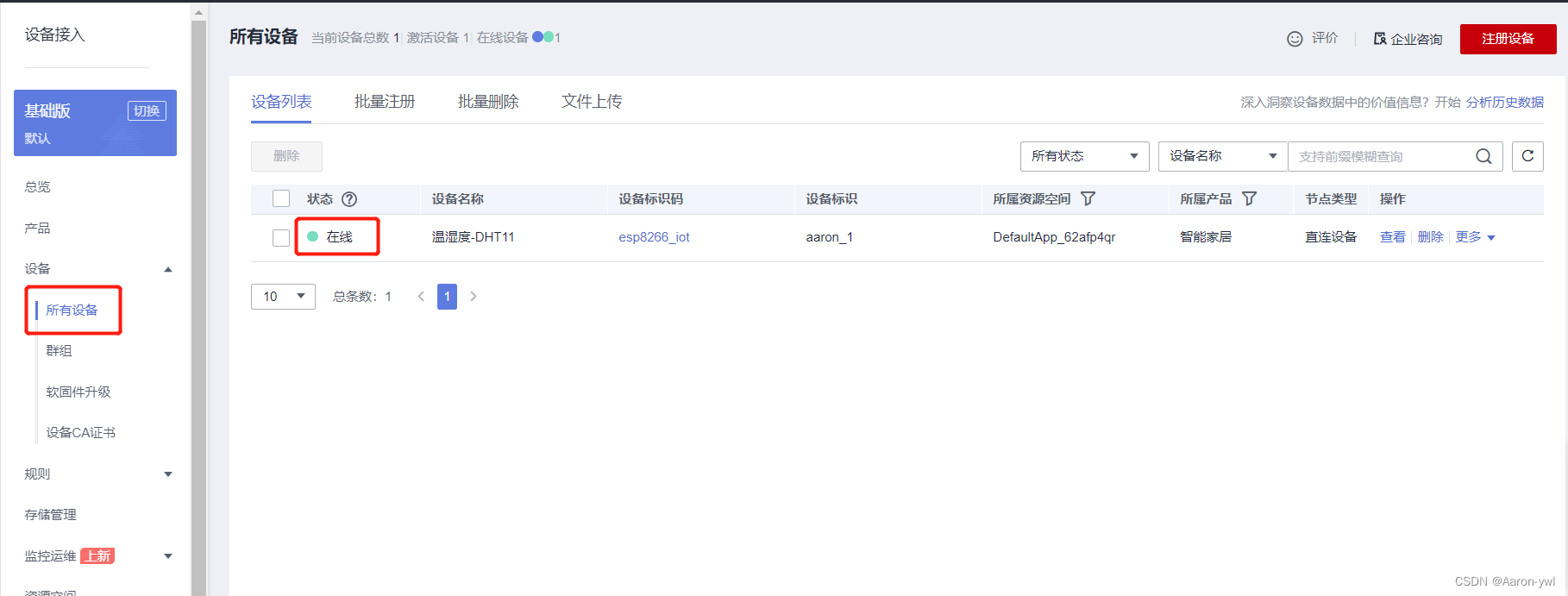
6、 ... and 、 Report data
After successful connection , Next, we will report the data , Official course address :MQTT Report data 
The format of the reported data is introduced in detail .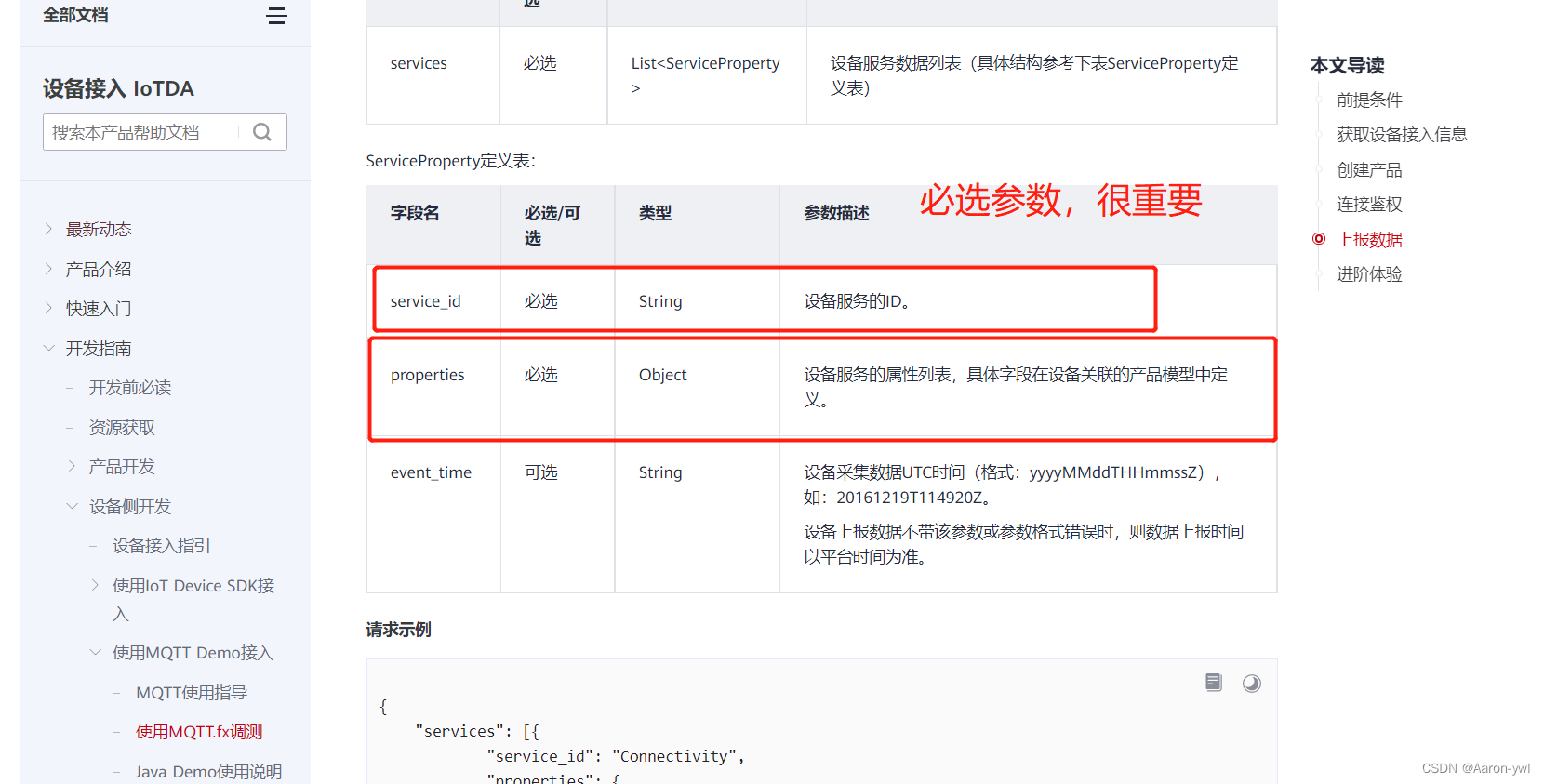
About service_id and properties We can check on the cloud platform .
Click View in the column of all devices 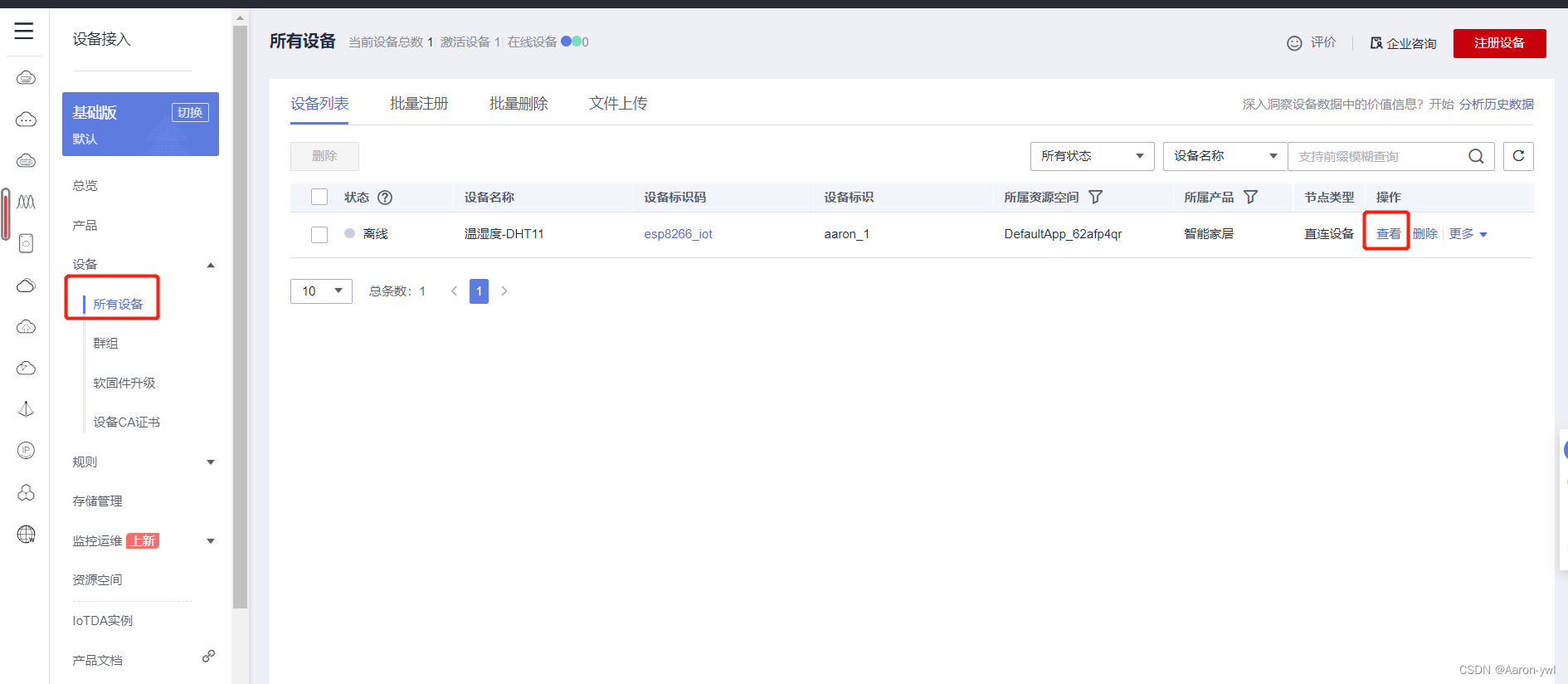
In the device shadow column, you can see that the service and attribute correspond to each other service_id and properties
I have marked it .
Hua Wei Yun lot Platform MQTT Format of protocol subscription topic : Format :
$oc/devices/{device_id}/sys/messages/down
for example :$oc/devices/aaron_1/sys/messages/downHua Wei Yun lot platform MQTT Format of agreement publishing topic :
Format :$oc/devices/{device_id}/sys/properties/report
for example :$oc/devices/aaron_1/sys/properties/reportAn example of a device publishing information to Huawei cloud platform :
{"services": [{"service_id": "DHT11","properties":{"DHT11-T":50}}]}
stay MQTT The client fills in the corresponding parameters , Then subscribe and publish topics , You can see the successful subscription information and sending data on the right .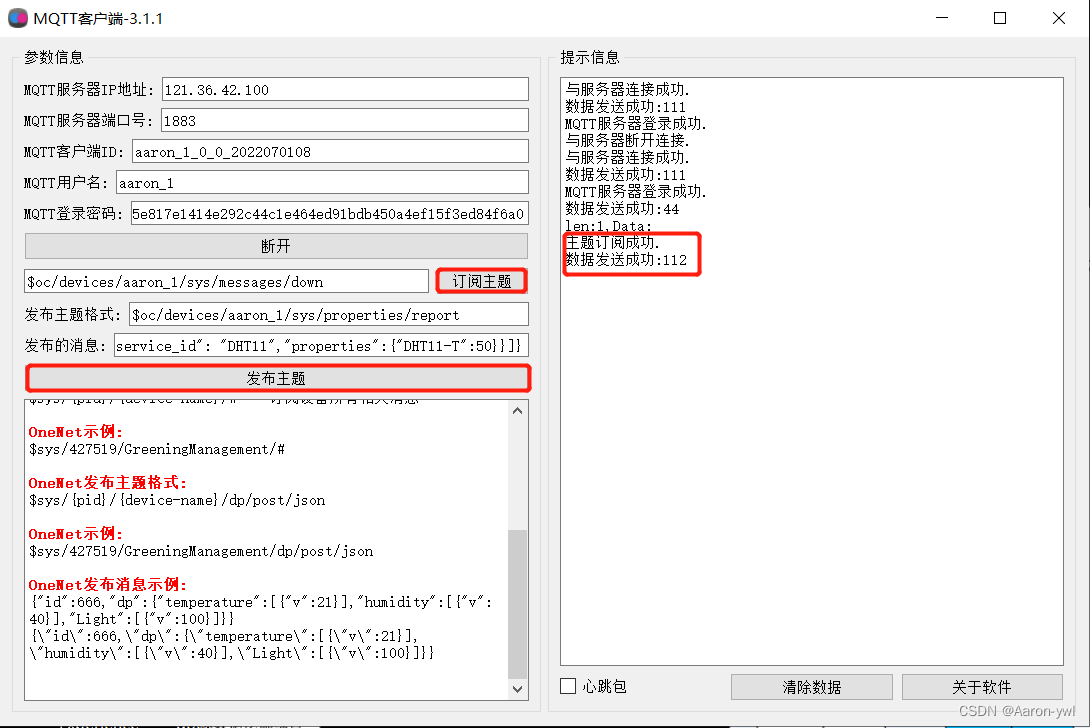
Back to cloud platform , You can see the data information we reported .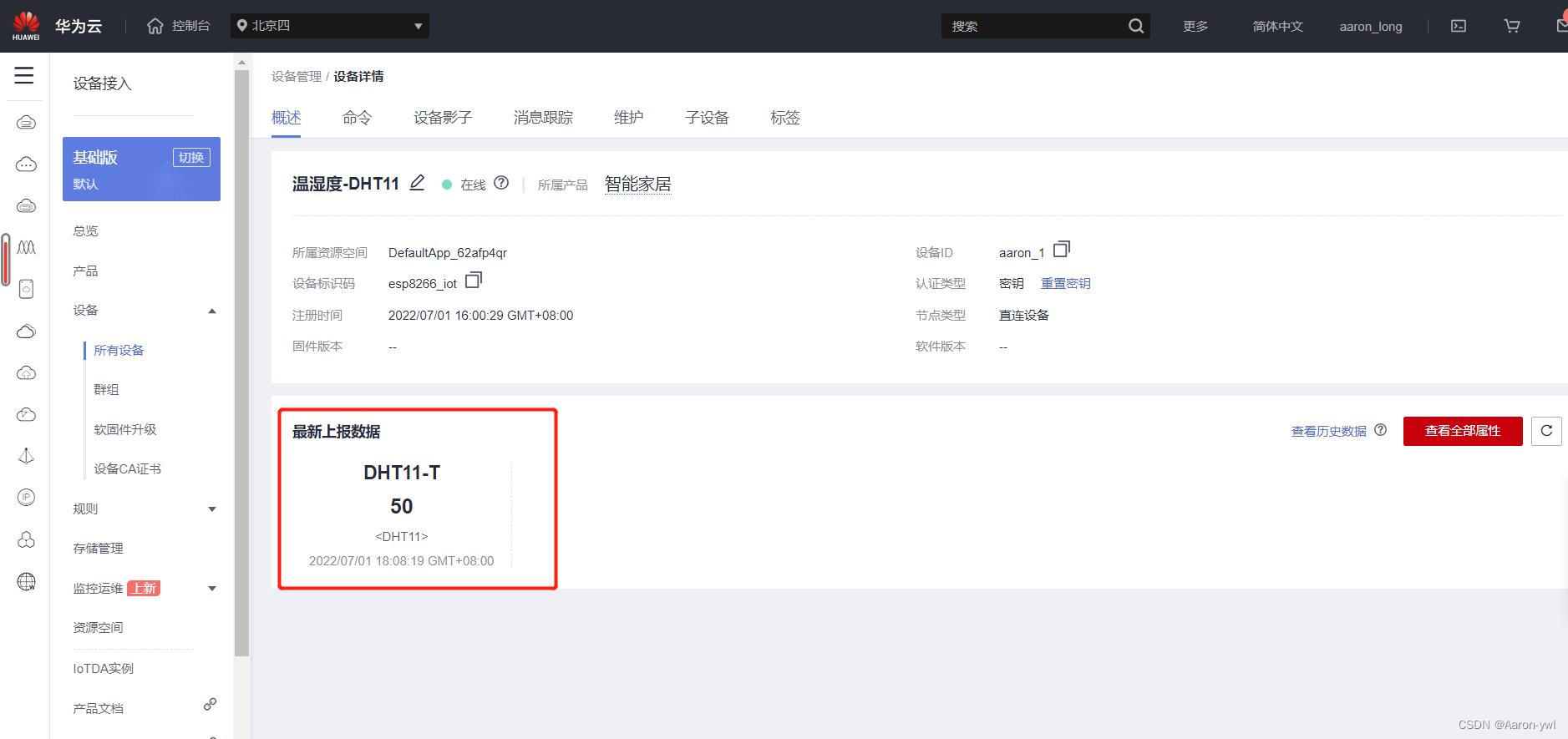
Here we are , The device data has been reported successfully !
 Summarize the information :
 Data generated by my device :
ClientId/device_id:aaron_1
DeviceService/sercret:1531149131263

MQTT The account generates information online :
MQTT client ID/Clientld:aaron_1_0_0_2022070108
MOTT user name /Username:aaron_1
MQTT The login password /Password:66459ff563a64c15e817e1414e292c44c1e464ed91bdb450a4ef15f3ed84f6a0

 Hua Wei Yun iot Platform MQTT Server address information :
 port :1883
 domain name :219102c9fe.iot-mqtts.cn-north-4.myhuaweicloud.com
ip Address :121.36.42.100

 Hua Wei Yun lot Platform MQTT Format of protocol subscription topic :
 Format :$oc/devices/{
    device_id}/sys/messages/down
 for example :$oc/devices/aaron_1/sys/messages/down

 Hua Wei Yun lot platform MQTT Format of agreement publishing topic :
 Format :$oc/devices/{
    device_id}/sys/properties/report
 for example :$oc/devices/aaron_1/sys/properties/report

 An example of a device publishing information to Huawei cloud platform :{
    "services": [{
    "service_id": "DHT11","properties":{
    "DHT11-T":50}}]}
边栏推荐
- Function definition and call, this, strict mode, higher-order function, closure, recursion
- 树形结构数据的处理
- In 2022, 95% of the three most common misunderstandings in software testing were recruited. Are you that 5%?
- Return the only different value (de duplication)
- 全链路数字化转型下,零售企业如何打开第二增长曲线
- NCTF 2018 part Title WP (1)
- 去除网页滚动条方法以及内外边距
- Network security - firewall
- Network security - virus
- 可视化yolov5格式数据集(labelme json文件)
猜你喜欢
Network security - vulnerabilities and Trojans
Processing of tree structure data
A 30-year-old software tester, who has been unemployed for 4 months, is confused and doesn't know what to do?
![[leetcode] 797 and 1189 (basis of graph theory)](/img/2a/9c0a904151a17c2d23dea9ad04dbfe.jpg)
[leetcode] 797 and 1189 (basis of graph theory)
Smart management of Green Cities: Digital twin underground integrated pipe gallery platform
![[fluent] fluent debugging (debug debugging window | viewing mobile phone log information | setting normal breakpoints | setting expression breakpoints)](/img/ac/bf83f319ea787c5abd7ac3fabc9ede.jpg)
[fluent] fluent debugging (debug debugging window | viewing mobile phone log information | setting normal breakpoints | setting expression breakpoints)
Redis:Redis的简单使用
树形结构数据的处理
Query product cases - page rendering data
mysql
随机推荐
小程序开发的部分功能
树形结构数据的处理
Machine learning notes (constantly updating...)
Smart management of Green Cities: Digital twin underground integrated pipe gallery platform
[data mining] task 1: distance calculation
[error record] an error is reported in the fluent interface (no mediaquery widget ancestor found. | scaffold widgets require a mediaquery)
Network security - scan
网络安全-扫描与密码爆破2
深度(穿透)选择器 ::v-deep/deep/及 > > >
Introduction to kotlin collaboration
网络安全-信息收集
浏览器是如何对页面进行渲染的呢?
网络安全-ACL访问控制列表
疫情当头,作为Leader如何进行团队的管理?| 社区征文
How can retail enterprises open the second growth curve under the full link digital transformation
Swift开发学习
LabVIEW安装第三方VISA软件后NI VISA失效
502 (bad gateway) causes and Solutions
Virtual list
[data mining] task 2: mimic-iii data processing of medical database