当前位置:网站首页>[IVX junior engineer training course 10 papers to get certificates] 03 events and guessing numbers games
[IVX junior engineer training course 10 papers to get certificates] 03 events and guessing numbers games
2022-07-02 01:14:00 【1_ bit】
Catalog
【iVX Junior engineer training course 10 Textual evidence 】01 understand iVX Complete the New Year greeting card
【iVX Junior engineer training course 10 Textual evidence 】02 Numerical binding and adaptive website production
【iVX Junior engineer training course 10 Textual evidence 】03 Events and guessing numbers games
【iVX Junior engineer training course 10 Textual evidence 】04 Canvas and me iVX Group photo
【iVX Junior engineer training course 10 Textual evidence 】05 Canvas and aircraft war game production
【iVX Junior engineer training course 10 Textual evidence 】06 Database and services
【iVX Junior engineer training course 10 Textual evidence 】07 08 News page making
【iVX Junior engineer training course 10 Textual evidence 】09 Chat room production
For high score promotion, please check the column :
iVX Beginner to master
Big talk IVX From actual combat to mastery
One 、 What is an event
stay ivx Events in are the key to interaction , For example, click a button 、 A text or any component will trigger a click event , The process after the trigger response of the event .
1.1 stay ivx How to use event triggering and process editing in
stay ivx Triggering events in is simple , Let's take a button under absolute positioning as an example .
Select the component to which you want to add the event , Then click the event button :
The event will be added and the event editing area will be entered , And you can find , In the event trigger, you can select a variety of trigger events :
1.2 Four elements of interaction
Generally, when an event is triggered , A typical example is the click of a button , This event trigger is interactive ( Non interactive triggering is roughly the same as interactive triggering events ); Now let's edit the event and check the trigger elements .
First, draw a text in the page , Let's click the button to change the text of this text .
Then select the trigger event from the events of the button to click :
Then we found out , There is also a green event editing area under the click time , This edit area represents the action , That is, what action you want to complete after you click this button to trigger this click event ; After completing the action, we can select an object through the arrow to make some changes , The arrow for selecting objects is shown in the following figure :
After clicking the arrow , Select the component to be operated in the object tree :
Then in the action selection , Select the type of change :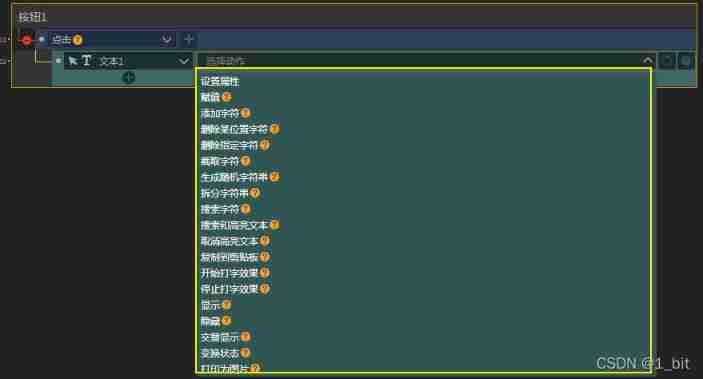
Here I choose to set properties , Change the text content from the property :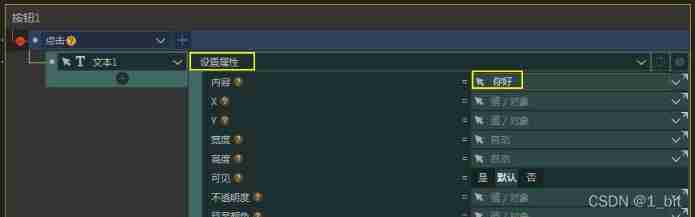
Then click the button in the preview interface to change the text :
Now we can see that , The four elements of an event are : Departure object ( Trigger events through a component )、 What events trigger 、 Target audience ( What do you want )、 action ( What to do ).
Two 、 Guess number game production
2.1 Page drawing
To make a number guessing game, we have to draw the corresponding page first , Interface drawing is very simple , Draw with absolute positioning , The page has two , One is the game start interface , Another is the game interface , The interface is as follows :

The buttons drawn above have sharp corners. You only need to find the border and fillet in the button properties and change the fillet position :
2.2 Page Jump
First , The first function we need to complete should be to jump to the page , Click start and jump to another page ; At this point, we can think of , After you click the start button , It's a click event , Let's add an event to the button :
How to jump events ?
We just need to select the object of the selection operation as the foreground of the object tree , The front desk can be responsible for jumping to the page :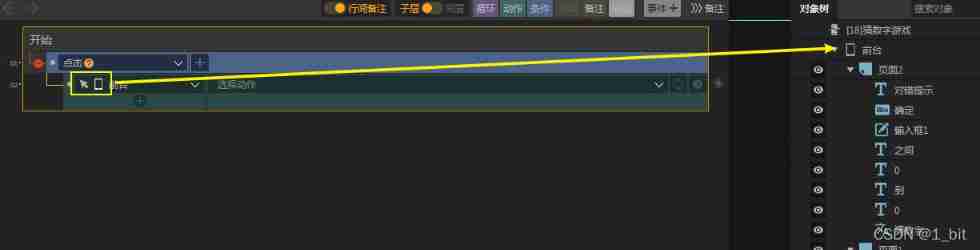
Then select jump page in the action :
Finally, select the page as page 2 :
At this point, we can preview and click this button to jump to the page .
2.3 Random number generation
Because our game is a number guessing game , Then the first thing after jumping to the page should be to generate two random numbers , This random number is the range of guessed numbers , How to generate random numbers ?
At this point, we can create two numerical variables :
You can also rename these two numeric variables , One is named high 、 One is named low , Low indicates a small number and high indicates a large number :
Then we need to start generating random values when we enter this page , So it's very simple , Just give the page 2 A display time , Select Page 2 Click event :
After selecting the event , Next, we need to generate random values for these two variables , Then the natural and selected operation objects are these two variables , Let's choose high variables first :
Then you can see an action to generate random integers in the action :
After selection, you can find that you need to give a random number interval , Since it is high value , Then give 50 To 100 The scope is just :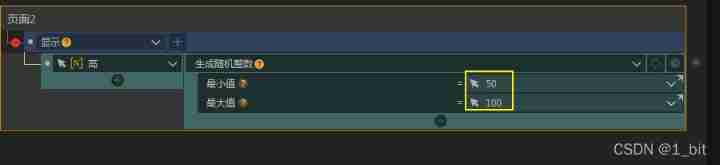
Then operate on the low variable again , Click the plus sign to create a new action :
And give the corresponding range :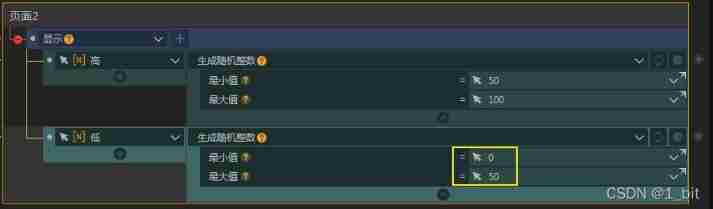
At this point, we can get two random ranges , Next, you need to display this range on the page , The display is simple , Just bind the corresponding value :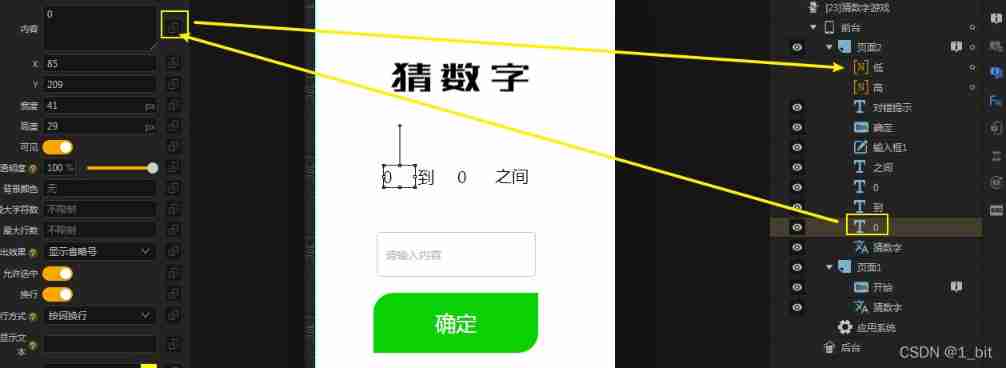
When the binding is complete , Click to preview the current page and remember to see the random value ( The full preview will start from the first page ):

Guess the range of numbers, but we have to guess the number, but we haven't got it yet , Just create another numeric variable , And set the interval to the high and low values just randomly generated :
2.4 Guess the logic of numbers
Next comes the last step , Input number , Then click OK to match the values .
First, let's give a click event to the OK button on the guess number interface :

Then click on the event column , Adding conditions :
Drag the green action module into the condition :
Select the contents of the input box in the condition :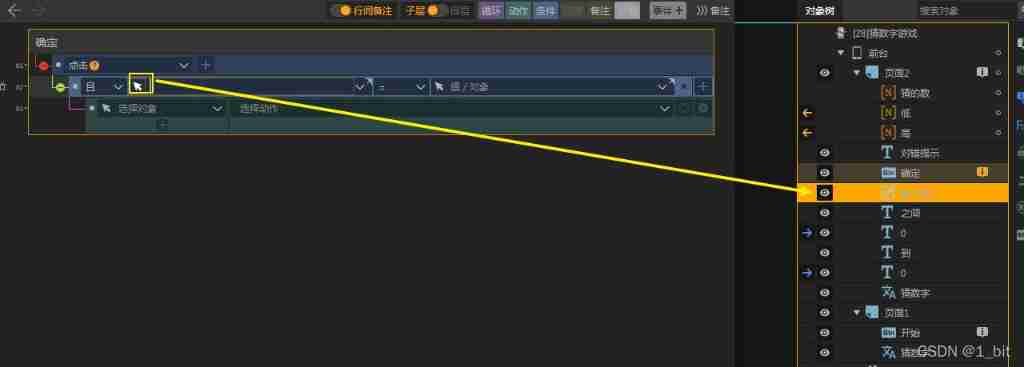
Next, judge whether the content of the input box is equal to the guessed value :
If the guess is correct, find the prompt text in the action and change the text content to correct :
Then right-click to copy the judgment condition :
Click the event shortcut key to paste two events , And change whether the judgment condition is large or small , And give different hints :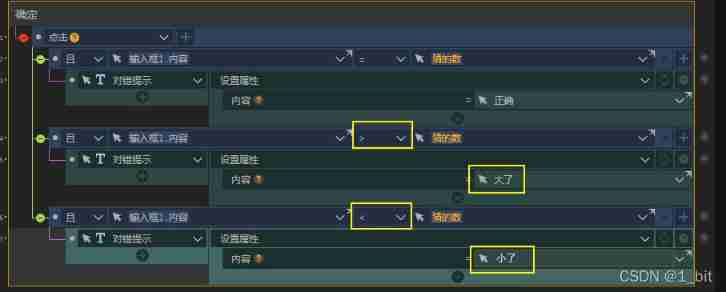
边栏推荐
- Basis of deep learning neural network
- 关于ASP.NET CORE使用DateTime日期类型参数的一个小细节
- Global and Chinese markets for supply chain strategy and operation consulting 2022-2028: Research Report on technology, participants, trends, market size and share
- What skills does an excellent software tester need to master?
- S32Kxxx bootloader之UDS bootloader
- Basic number theory -- Gauss elimination
- Look at the industrial Internet from a new perspective and seek the correct ways and methods of industrial Internet
- Bubble Sort Graph
- Cat Party (Easy Edition)
- Global and Chinese market of avionics systems 2022-2028: Research Report on technology, participants, trends, market size and share
猜你喜欢

Excel PivotTable
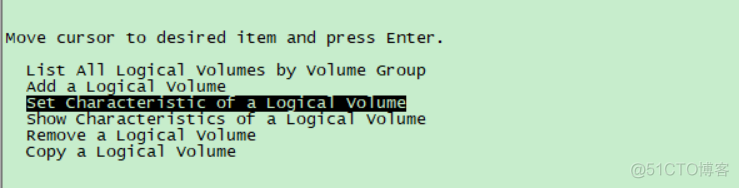
Creating logical volumes and viewing and modifying attributes for AIX storage management
![[WesternCTF2018]shrine writeup](/img/26/1700095c9b38b9b74a1b1136e5d5de.jpg)
[WesternCTF2018]shrine writeup

GL Studio 5 安装与体验

Zak's latest "neural information transmission", with slides and videos
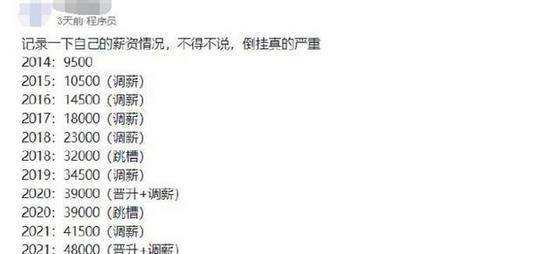
测试员8年工资变动,令网友羡慕不已:你一个月顶我一年工资
![[eight sorts ④] merge sort, sort not based on comparison (count sort, cardinal sort, bucket sort)](/img/0d/22f3f65ab9422383df9a55d0724d59.jpg)
[eight sorts ④] merge sort, sort not based on comparison (count sort, cardinal sort, bucket sort)
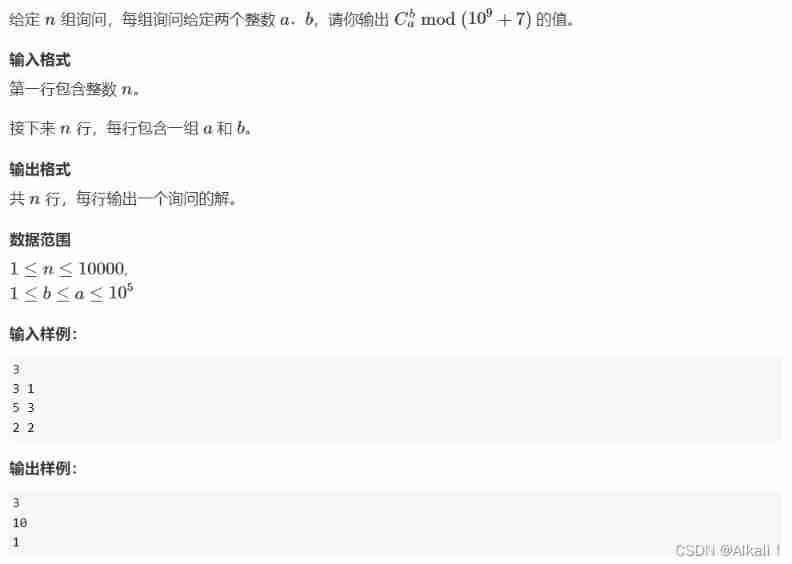
Principle of finding combinatorial number and template code

Develop a simple login logic based on SSM

Viewing and modifying volume group attributes of Aix storage management (II)
随机推荐
Leetcode 45 Jumping game II (2022.02.14)
[WesternCTF2018]shrine writeup
2022 low voltage electrician examination questions and answers
Global and Chinese markets for supply chain strategy and operation consulting 2022-2028: Research Report on technology, participants, trends, market size and share
You probably haven't noticed the very important testing strategy in your work
【疾病检测】基于BP神经网络实现肺癌检测系统含GUI界面
Global and Chinese market of avionics systems 2022-2028: Research Report on technology, participants, trends, market size and share
Iclr2022 | spherenet and g-spherenet: autoregressive flow model for 3D molecular graph representation and molecular geometry generation
Evolution of Himalayan self-developed gateway architecture
Synthetic watermelon game wechat applet source code / wechat game applet source code
Global and Chinese markets for freight and logistics 2022-2028: Research Report on technology, participants, trends, market size and share
学习笔记2--高精度地图定义及价值
测试员8年工资变动,令网友羡慕不已:你一个月顶我一年工资
Global and Chinese markets for context and location-based services 2022-2028: Research Report on technology, participants, trends, market size and share
[eight sorts ②] select sort (select sort, heap sort)
Upgraded wechat tool applet source code for mobile phone detection - supports a variety of main traffic modes
站在新的角度来看待产业互联网,并且去寻求产业互联网的正确方式和方法
Schrodinger's Japanese learning applet source code
Collection: comprehensive summary of storage knowledge
Common loss function of deep learning