当前位置:网站首页>Android instance - simple login layout
Android instance - simple login layout
2020-11-09 17:46:00 【ZHAO_JH】

activity_main.xml
<LinearLayout xmlns:android="http://schemas.android.com/apk/res/android"
    xmlns:tools="http://schemas.android.com/tools"
    android:id="@+id/LinearLayout1"
    android:layout_width="match_parent"
    android:layout_height="match_parent"
    android:background="#36A4D9"
    android:fitsSystemWindows="false"
    android:gravity="center|top"
    android:orientation="vertical"
    tools:context=".MainActivity">
    <!--     The notice column should be left blank to be transparent -->
    <TextView
        android:layout_width="match_parent"
        android:layout_height="100dp"
        android:textSize="30sp">
    </TextView>
    <!-- title -->
    <TextView
        android:layout_width="match_parent"
        android:layout_height="100dp"
        android:gravity="center"
        android:text=" Easy login page "
        android:textColor="#fff"
        android:textSize="30sp">
    </TextView>
    <!--     User name and password information -->
    <RelativeLayout
        android:layout_width="356dp"
        android:layout_height="300dp"
        android:background="#fff">
        <!--     User name information -->
        <TextView
            android:id="@+id/user_text"
            android:layout_width="96dp"
            android:layout_height="50dp"
            android:layout_marginLeft="20dp"
            android:layout_marginTop="50dp"
            android:background="#36A4D9"
            android:gravity="center"
            android:text=" user name :"
            android:textColor="#fff"
            android:textSize="20sp">
        </TextView>

        <EditText
            android:id="@+id/user_info"
            android:layout_width="203dp"
            android:layout_height="50dp"
            android:layout_marginTop="50dp"
            android:layout_toRightOf="@id/user_text"
            android:hint=" Please enter a user name ">
        </EditText>
        <!--     Password information -->
        <TextView
            android:id="@+id/pwd_text"
            android:layout_width="96dp"
            android:layout_height="50dp"
            android:layout_marginLeft="20dp"
            android:layout_marginTop="110dp"
            android:background="#36A4D9"
            android:gravity="center"
            android:text=" The secret      code :"
            android:textColor="#fff"
            android:textSize="20sp">
        </TextView>

        <EditText
            android:id="@+id/pwd_info"
            android:layout_width="203dp"
            android:layout_height="50dp"
            android:layout_marginTop="110dp"
            android:layout_toRightOf="@id/user_text"
            android:hint=" Please input a password ">
        </EditText>
        <!--         Remember the password -->
        <CheckBox
            android:id="@+id/remember_info"
            android:layout_width="150dp"
            android:layout_height="50dp"
            android:layout_marginLeft="40dp"
            android:layout_marginTop="170dp"
            android:text=" Remember the username and password "
            android:textColor="#000"
            android:textSize="16sp">
        </CheckBox>
        <!--         The login button -->
        <Button
            android:id="@+id/login_button"
            android:layout_width="150dp"
            android:layout_height="50dp"
            android:layout_centerHorizontal="true"
            android:layout_marginTop="230dp"
            android:background="#36A4D9"
            android:text=" deng      record "
            android:textColor="#fff"
            android:textSize="26sp">
        </Button>
    </RelativeLayout>
    <!--     Copyright notice information -->
    <TextView
        android:layout_width="match_parent"
        android:layout_height="wrap_content"
        android:layout_marginBottom="0dp"
        android:layout_weight="1"
        android:gravity="center|bottom"
        android:text="* This application is a personal test , Not to publish without permission *"
        android:textColor="#fff"
        android:textSize="14sp">
    </TextView>
</LinearLayout>
MainActivity.java
package com.example.myapplication;
import android.graphics.Color;
import android.os.Build;
import android.os.Bundle;
import android.app.Activity;
import android.view.*;
import android.widget.*;


public class MainActivity extends Activity implements View.OnClickListener {
    @Override
    protected void onCreate(Bundle savedInstanceState) {
        //  preservation Activity The state of   11
        super.onCreate(savedInstanceState);
        //  Load view
        setContentView(R.layout.activity_main);

        //  Android immersive setting transparent status bar
        if (Build.VERSION.SDK_INT >= Build.VERSION_CODES.LOLLIPOP) {
            Window window = getWindow();
            window.clearFlags(WindowManager.LayoutParams.FLAG_TRANSLUCENT_STATUS
                    | WindowManager.LayoutParams.FLAG_TRANSLUCENT_NAVIGATION);
            window.getDecorView().setSystemUiVisibility(View.SYSTEM_UI_FLAG_LAYOUT_FULLSCREEN
                    | View.SYSTEM_UI_FLAG_LAYOUT_HIDE_NAVIGATION
                    | View.SYSTEM_UI_FLAG_LAYOUT_STABLE);
            window.addFlags(WindowManager.LayoutParams.FLAG_DRAWS_SYSTEM_BAR_BACKGROUNDS);
            window.setStatusBarColor(Color.TRANSPARENT);
            window.setNavigationBarColor(Color.TRANSPARENT);
        }
        else if (Build.VERSION.SDK_INT >= Build.VERSION_CODES.KITKAT) {
            Window window = getWindow();
            window.setFlags(WindowManager.LayoutParams.FLAG_TRANSLUCENT_STATUS,
                    WindowManager.LayoutParams.FLAG_TRANSLUCENT_STATUS);
        }
        //  Get button object
        Button btnshow = findViewById(R.id.login_button);
        // Write it directly this The binding event
        btnshow.setOnClickListener(this);
    }

    //  Click button method
    @Override
    public void onClick(View v) {
        //  Get login page data object
        EditText user_obj = findViewById(R.id.user_info);
        EditText pwd_obj = findViewById(R.id.pwd_info);
        CheckBox remember_obj = findViewById(R.id.remember_info);

        Toast.makeText(getApplicationContext(), " The user name you entered is :【"+user_obj.getText() + "】 The password is :【"+pwd_obj.getText()+"】 Remember the password 【"+remember_obj.isChecked()+"】" , Toast.LENGTH_SHORT).show();
    }
}
版权声明
本文为[ZHAO_JH]所创,转载请带上原文链接,感谢
边栏推荐
- 函数计算进阶-IP查询工具开发
- 【云小课】版本管理发展史之Git+——代码托管
- RBAC of kubernetes authority management (1)
- Looking for a small immutable dictionary with better performance
- Rookie gospel, 28 books step by step to make you a big bull! (a copy of learning syllabus attached)
- SEO solution development, how to break away from the shadow of the bow?
- [invite you to vote] who is the key driver behind these big open source events in 2020?
- The applet calls the native onshareappmessage to share. What if the imageurl parameter is in MP4 format
- day83:luffy:添加购物车&导航栏购物车数字显示&购物车页面展示
- 浮点数之间的等值判断
猜你喜欢

Application of pull wire displacement sensor in slope cracks
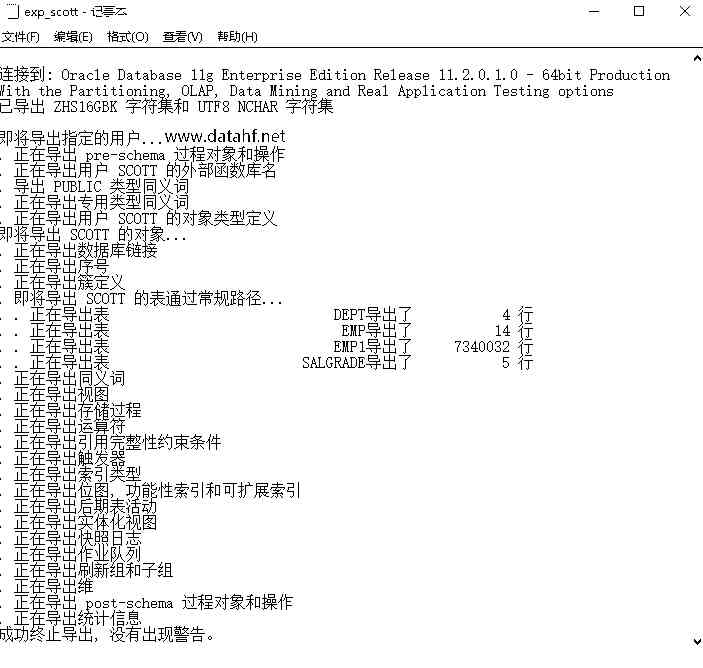
The database executes truncate table cm_ CHECK_ ITEM_ How does his recover
Toolkit Pro助力界面开发:缩短项目开发周期,快速实现具有现代功能区样式的GUI
手势切换背景,让直播带货更加身临其境

云数据库的本质是什么?探究华为云数据库的核心价值

【神级操作】 以中国传统的孔子和老子的思想,来分析忍者代码!

From next year, about 30% of the web pages will be inaccessible to older Android devices
![[graffiti Internet of things footprint] graffiti cloud platform interface description](/img/f9/521c69fed884058e3800af0ea06bc0.jpg)
[graffiti Internet of things footprint] graffiti cloud platform interface description
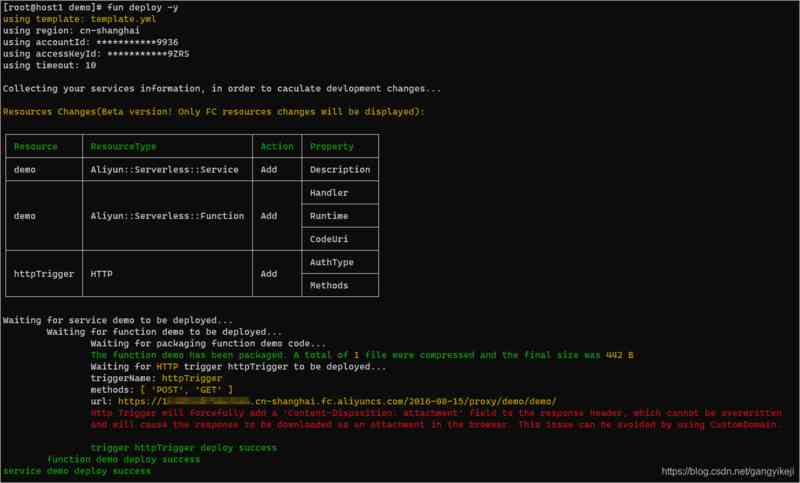
函数计算进阶-IP查询工具开发
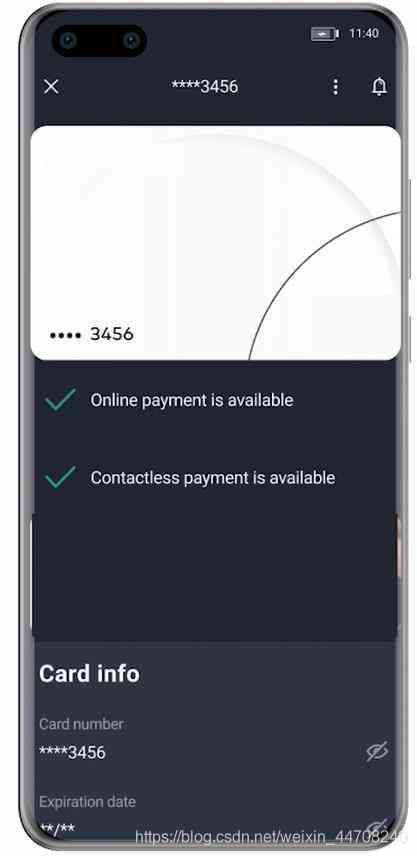
Ultra simple integration of Huawei system integrity testing, complete equipment security protection
随机推荐
flask图书CURD小项目
andorid实例-简单登录布局
从硅谷到小米,崔宝秋的25年开源人生
The internal network penetration of raspberry is built and maintained. No server is required for intranet penetration
手势切换背景,让直播带货更加身临其境
In the third stage, day19 users echo packaged cookie products and remotely call Shopping Cart module crud operation
第三阶段 Day20 购物车模块实现 添加拦截器 添加用户权限校检 实现订单模块
关于生活,可能有用的40条建议
谷粒商城学习笔记,第五天:ES全文检索
高性能库DPDK精简理解
Centos7下基于Pseudo-Distributed的Hadoop环境搭建
The basic principle of MRAM
以太网模块是什么,以太网模块的功能和特点
Six axes of calibration service
函数计算进阶-IP查询工具开发
The database executes truncate table cm_ CHECK_ ITEM_ How does his recover
How the API gateway carries the API economic ecological chain
Detailed explanation of ipfsapp development method of biaofen IPFs mining machine app software development software
Openocd-jtag debugging
融云集成之避坑指南-Android推送篇