当前位置:网站首页>andorid实例-简单登录布局
andorid实例-简单登录布局
2020-11-09 17:46:00 【ZHAO_JH】

activity_main.xml
<LinearLayout xmlns:android="http://schemas.android.com/apk/res/android"
    xmlns:tools="http://schemas.android.com/tools"
    android:id="@+id/LinearLayout1"
    android:layout_width="match_parent"
    android:layout_height="match_parent"
    android:background="#36A4D9"
    android:fitsSystemWindows="false"
    android:gravity="center|top"
    android:orientation="vertical"
    tools:context=".MainActivity">
    <!--    通知栏留空变透明需要留空-->
    <TextView
        android:layout_width="match_parent"
        android:layout_height="100dp"
        android:textSize="30sp">
    </TextView>
    <!--标题-->
    <TextView
        android:layout_width="match_parent"
        android:layout_height="100dp"
        android:gravity="center"
        android:text="简易登录页面"
        android:textColor="#fff"
        android:textSize="30sp">
    </TextView>
    <!--    用户名和密码信息-->
    <RelativeLayout
        android:layout_width="356dp"
        android:layout_height="300dp"
        android:background="#fff">
        <!--    用户名信息-->
        <TextView
            android:id="@+id/user_text"
            android:layout_width="96dp"
            android:layout_height="50dp"
            android:layout_marginLeft="20dp"
            android:layout_marginTop="50dp"
            android:background="#36A4D9"
            android:gravity="center"
            android:text="用户名:"
            android:textColor="#fff"
            android:textSize="20sp">
        </TextView>

        <EditText
            android:id="@+id/user_info"
            android:layout_width="203dp"
            android:layout_height="50dp"
            android:layout_marginTop="50dp"
            android:layout_toRightOf="@id/user_text"
            android:hint="请输入用户名">
        </EditText>
        <!--    密码信息-->
        <TextView
            android:id="@+id/pwd_text"
            android:layout_width="96dp"
            android:layout_height="50dp"
            android:layout_marginLeft="20dp"
            android:layout_marginTop="110dp"
            android:background="#36A4D9"
            android:gravity="center"
            android:text="密    码:"
            android:textColor="#fff"
            android:textSize="20sp">
        </TextView>

        <EditText
            android:id="@+id/pwd_info"
            android:layout_width="203dp"
            android:layout_height="50dp"
            android:layout_marginTop="110dp"
            android:layout_toRightOf="@id/user_text"
            android:hint="请输入密码">
        </EditText>
        <!--        记住密码-->
        <CheckBox
            android:id="@+id/remember_info"
            android:layout_width="150dp"
            android:layout_height="50dp"
            android:layout_marginLeft="40dp"
            android:layout_marginTop="170dp"
            android:text="记住用户名密码"
            android:textColor="#000"
            android:textSize="16sp">
        </CheckBox>
        <!--        登录按钮-->
        <Button
            android:id="@+id/login_button"
            android:layout_width="150dp"
            android:layout_height="50dp"
            android:layout_centerHorizontal="true"
            android:layout_marginTop="230dp"
            android:background="#36A4D9"
            android:text="登    录"
            android:textColor="#fff"
            android:textSize="26sp">
        </Button>
    </RelativeLayout>
    <!--    版权声明信息-->
    <TextView
        android:layout_width="match_parent"
        android:layout_height="wrap_content"
        android:layout_marginBottom="0dp"
        android:layout_weight="1"
        android:gravity="center|bottom"
        android:text="*此应用属个人测试,未经允许不得发布*"
        android:textColor="#fff"
        android:textSize="14sp">
    </TextView>
</LinearLayout>
MainActivity.java
package com.example.myapplication;
import android.graphics.Color;
import android.os.Build;
import android.os.Bundle;
import android.app.Activity;
import android.view.*;
import android.widget.*;


public class MainActivity extends Activity implements View.OnClickListener {
    @Override
    protected void onCreate(Bundle savedInstanceState) {
        // 保存Activity的状态  11
        super.onCreate(savedInstanceState);
        // 加载视图
        setContentView(R.layout.activity_main);

        // 安卓沉浸式设置透明状态栏
        if (Build.VERSION.SDK_INT >= Build.VERSION_CODES.LOLLIPOP) {
            Window window = getWindow();
            window.clearFlags(WindowManager.LayoutParams.FLAG_TRANSLUCENT_STATUS
                    | WindowManager.LayoutParams.FLAG_TRANSLUCENT_NAVIGATION);
            window.getDecorView().setSystemUiVisibility(View.SYSTEM_UI_FLAG_LAYOUT_FULLSCREEN
                    | View.SYSTEM_UI_FLAG_LAYOUT_HIDE_NAVIGATION
                    | View.SYSTEM_UI_FLAG_LAYOUT_STABLE);
            window.addFlags(WindowManager.LayoutParams.FLAG_DRAWS_SYSTEM_BAR_BACKGROUNDS);
            window.setStatusBarColor(Color.TRANSPARENT);
            window.setNavigationBarColor(Color.TRANSPARENT);
        }
        else if (Build.VERSION.SDK_INT >= Build.VERSION_CODES.KITKAT) {
            Window window = getWindow();
            window.setFlags(WindowManager.LayoutParams.FLAG_TRANSLUCENT_STATUS,
                    WindowManager.LayoutParams.FLAG_TRANSLUCENT_STATUS);
        }
        // 获取按钮对象
        Button btnshow = findViewById(R.id.login_button);
        //直接写个this绑定事件
        btnshow.setOnClickListener(this);
    }

    // 点击按钮方法
    @Override
    public void onClick(View v) {
        // 获取登录页面数据对象
        EditText user_obj = findViewById(R.id.user_info);
        EditText pwd_obj = findViewById(R.id.pwd_info);
        CheckBox remember_obj = findViewById(R.id.remember_info);

        Toast.makeText(getApplicationContext(), "您输入的用户名是:【"+user_obj.getText() + "】密码是:【"+pwd_obj.getText()+"】密码记住情况【"+remember_obj.isChecked()+"】" , Toast.LENGTH_SHORT).show();
    }
}
版权声明
本文为[ZHAO_JH]所创,转载请带上原文链接,感谢
https://my.oschina.net/zhaojunhui/blog/4710220
边栏推荐
- 2020中国电信终端技术与标准论坛上专家解读四大热门产业
- 腾讯云AMD云服务器怎么样好不好?
- QML Repeater
- On agile development concept and iterative development scheme
- 会展云技术解读 | 面对突发事故,APP 如何做好崩溃分析与性能监控?
- GPS对时系统(网络对时仪器)应用电子政务系统
- Ubuntu18.04 NAT模式下配置静态IP地址 -2020.11.09
- Gesture switch background, let live with goods more immersive
- (3)ASP.NET Core3.1 Ocelot认证
- Ultra simple integration of Huawei system integrity testing, complete equipment security protection
猜你喜欢
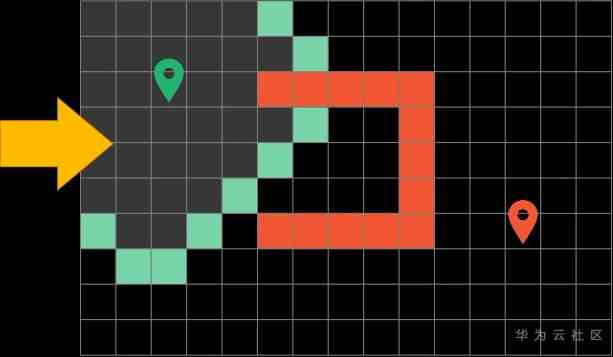
揭秘在召唤师峡谷中移动路径选择逻辑?

ABBYY FineReader 15新增编辑页面布局功能

Implement printf function by yourself
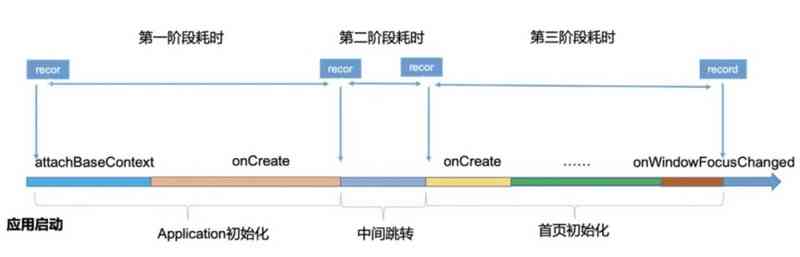
Exhibition cloud technology interpretation | in the face of emergencies, how does app do a good job in crash analysis and performance monitoring?
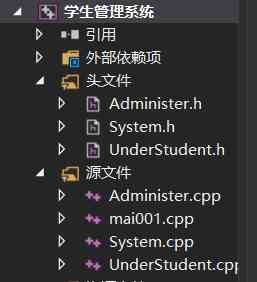
解析:C++如何实现简单的学生管理系统(源码分享)
深入分析商淘多用户商城系统如何从搜索着手打造盈利点

Express yourself with wechat expression translation, programmer's little romance, get up quickly!
SEO解决方案制定,如何脱离杯弓蛇影?
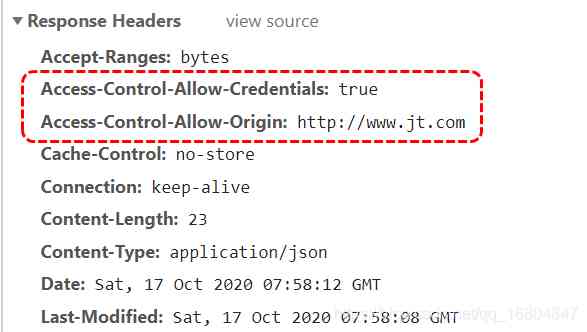
第三阶段 Day16 用户模块跳转 SSO单点登录 JSONP/cors跨域方式 用户登录校检

Do you think it's easy to learn programming? In fact, it's hard! Do you think it's hard to learn programming? In fact, it's very simple!
随机推荐
Exhibition cloud technology interpretation | in the face of emergencies, how does app do a good job in crash analysis and performance monitoring?
树莓派内网穿透建站与维护,使用内网穿透无需服务器
Building Hadoop environment based on pseudo distributed under centos7
同事笔记-小程序入坑点
In the third stage, day19 users echo packaged cookie products and remotely call Shopping Cart module crud operation
The database executes truncate table cm_ CHECK_ ITEM_ How does his recover
The basic principle of MRAM
iOS下带小数点的数字键盘
Configure static IP address in ubuntu18.04 NAT mode -2020.11.09
Do you think it's easy to learn programming? In fact, it's hard! Do you think it's hard to learn programming? In fact, it's very simple!
标梵互动解说小程序开发该如何选择?
Centos7下基于Pseudo-Distributed的Hadoop环境搭建
Function calculation advanced IP query tool development
深入分析商淘多用户商城系统如何从搜索着手打造盈利点
Looking for a small immutable dictionary with better performance
Function calculation advanced IP query tool development
融云集成之避坑指南-Android推送篇
Easyexcel exports according to the filter column (not empty in the middle, the order can be adjusted)
Rookie gospel, 28 books step by step to make you a big bull! (a copy of learning syllabus attached)
知识图谱描边1.1——从NER上手