当前位置:网站首页>Chapter 19 using work queue manager (2)
Chapter 19 using work queue manager (2)
2022-07-06 22:36:00 【yaoxin521123】
List of articles
Chapter 19 Use the work queue manager ( Two )
Basic workflow
You can use the work queue manager by performing the following steps :
- take
ObjectScriptThe code is divided into work units , These units of work are class methods or subroutines that meet specific requirements . - Create a work queue , It is
%SYSTEM.WorkMgrAn instance of a class . So , Please call%SYSTEM.WorkMgrClass%New()Method . This method returns a work queue .
You can specify the parallelism to use worker jobs The number of , You can also use the default value , It depends on the machine and the operating system . Besides , If you have created a category , You can specify from which job Categories .
When creating a work queue , The work queue manager creates the following artifacts :
- Global variables that contain information about work queues , For example, in which namespace does the work queue run
- The location and event queue of the serialized unit of work that the work queue must handle
- The location and event queue of the completion event created when the work queue finishes processing the unit of work
- Add work unit ( Also known as work items ) Add to work queue . So , You can call
Queue()orQueueCallback()Method . As a parameter , Pass class methods ( Or subroutine ) Name of and any corresponding parameters .
Start processing immediately for items added to the queue .
If there are more items in the queue than are available in the queue worker jobs, be job Will compete to clear the queue . for example , If there is 100 Projects and four job, Then each job Remove an item from the head of the queue , Deal with it , Then return to the head of the queue to remove and process another item . This mode continues until the queue is empty .
The work queue manager uses the caller's security context when running work items .
When queuing work items , The work queue manager performs the following tasks :
- Serialize the parameters that make up the unit of work 、 Security context and class methods or subroutines , The serialized data is then inserted into the global... That lists the units of work associated with the work queue global in
- Signal events on the work queue
- If additional worker jobs And it can be used to deal with work units , Lead to worker jobs Attach to the work queue and reduce worker jobs The number of
- Wait for the work to be completed . So , Work queue can be called
WaitForComplete()Method .
The work queue manager then performs the following tasks :
- Wait for the completion event
- Display workload indicators and other outputs to the terminal
- Collect any errors related to the unit of work
- If you use
QueueCallback()Method to add a unit of work to a work queue , Then run the callback code
- Continue processing according to the application .
The following example shows these basic steps :
ClassMethod WorkJob(){

	s queue = ##class(%SYSTEM.WorkMgr).%New()
	for i = 1 : 1 : filelist.Count() {

		s sc = queue.Queue("..Load", filelist.GetAt(i))
		if $$$ISERR(sc) {

		    ret sc
		}
	}
	s sc = queue.WaitForComplete()
	if $$$ISERR(sc) {

		ret sc
	}
}
This code initializes the work queue manager , Then traverse the file list . For each file , The code adds a work queue item that loads the file . After adding all work queue items , The code waits for the work to finish .
Be careful : %SYSTEM.WorkMgr Class supports more complex workflows and methods described later in this document .
The basic method
To complete the steps described in the previous section , have access to %SYSTEM.WorkMgr Class :
%New()
classmethod %New(qspec As %String = "", numberjobs As %Integer, category) as WorkMgr
establish 、 Initialize and return a work queue , It can be used to perform parallel processing %SYSTEM.WorkMgr An instance of a class . The method takes the following parameters :
qspec- A string of compiler flags and qualifiers that affect code running in this work queue .numberjobs- Maximum parallelism used in this work queue worker jobs Count . The default value depends on the characteristics of the machine and the operating system .category- Provide the worker jobs The name of the category .
The system will not assign any work tasks to the queue when it is created . Only after adding the unit of work to the work queue , Will assign staff jobs .
Queue()
method Queue(work As %String, args... As %String) as %Status
Add units of work to the work queue . The method takes the following parameters :
work
Code to execute . Usually , The code should return a %Status Value to indicate success or failure .
If the code returns %Status value , The following syntax can be used :
##class(Classname).ClassMethodFor class methods , amongClassnameIs the fully qualified name of the class ,ClassMethodIs the name of the method . If the method is in the same class , You can use grammar..ClassMethod, As shown in the example .$$entry^rtnFor subroutines , amongentryIs the name of the subroutine ,rtnIs the name of the routine .
If the code does not return %Status value , Please use the following syntax instead :
=##class(Classname).ClassMethodFor class methods ( or=..ClassMethodIf the method is in the same class )entry^rtnSubroutinesargs
A comma separated list of parameters of a class method or subroutine . To pass a multidimensional array as a parameter , Please add a period before this parameter as usual , In order to pass .
The size of the data passed in these parameters should be relatively small , To take full advantage of the framework . To convey a lot of information , Please use global instead of parameters .
When queuing work units , The system will assign one working program job at a time , Up to... Specified when creating a work queue numberjobs Value or default value at most . Besides , The security context of the caller is recorded , Each work item runs in this security context .
WaitForComplete()
method WaitForComplete(qspec As %String, errorlog As %String) as %Status
Wait for the work queue to complete all projects , And then return a %Status Value to indicate success or failure . %Status The value contains all returned from the work item %Status Value information . The method takes the following parameters :
qspec- A string of compiler flags and qualifiers .errorlog- String of any error messages , Return as output .
Properties of the work queue
Each work queue ( or %SYSTEM.WorkMgr Example ) All have the following properties :
NumWorkers
Assigned to the work queue worker jobs Count .
NumActiveWorkers
Currently active worker The number of .
Besides , The properties of the category to which the work queue belongs determine the behavior of the work queue .
边栏推荐
猜你喜欢
Aardio - Method of batch processing attributes and callback functions when encapsulating Libraries
Advantages of link local address in IPv6
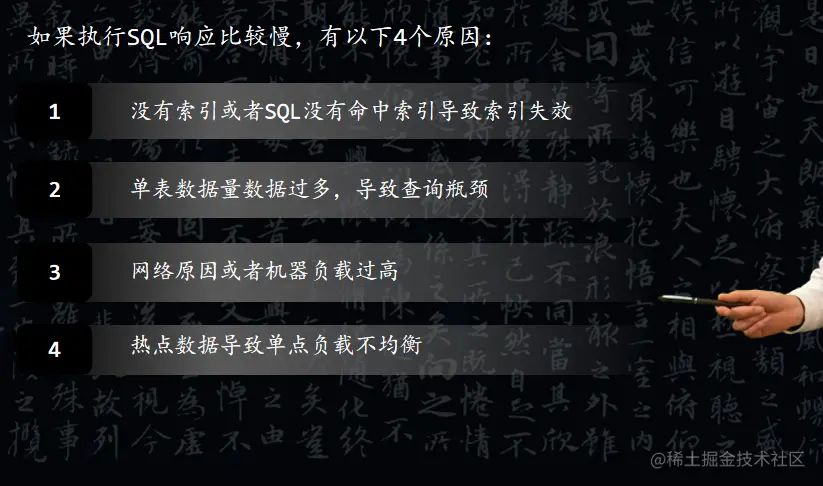
The SQL response is slow. What are your troubleshooting ideas?
2022-07-04 mysql的高性能数据库引擎stonedb在centos7.9编译及运行
【编译原理】做了一半的LR(0)分析器
Leetcode: interview question 17.24 Maximum cumulative sum of submatrix (to be studied)
Crawler obtains real estate data
Export MySQL table data in pure mode
剑指offer刷题记录1
在IPv6中 链路本地地址的优势
随机推荐
软考高级(信息系统项目管理师)高频考点:项目质量管理
POJ 1258 Agri-Net
网络基础入门理解
Aardio - integrate variable values into a string of text through variable names
Sizeof keyword
做国外LEAD2022年下半年几点建议
Chapter 3: detailed explanation of class loading process (class life cycle)
BasicVSR_PlusPlus-master测试视频、图片
UE4蓝图学习篇(四)--流程控制ForLoop和WhileLoop
(十八)LCD1602实验
Puppeter connects to the existing Chrome browser
新手程序员该不该背代码?
npm无法安装sharp
Balanced Multimodal Learning via On-the-fly Gradient Modulation(CVPR2022 oral)
[Digital IC hand tearing code] Verilog burr free clock switching circuit | topic | principle | design | simulation
POJ 1258 Agri-Net
变量与“零值”的比较
Crawler obtains real estate data
volatile关键字
QT信号和槽