当前位置:网站首页>How to make datasets, train them into models and deploy them based on yolov5
How to make datasets, train them into models and deploy them based on yolov5
2022-06-12 04:21:00 【The wind blows the fallen leaves and the flowers flutter】
How to make datasets and base them on yolov5 Train to model
A normal vision AI The development steps are as follows : Collect and organize images 、 Mark the objects you are interested in 、 Training models 、 Deploy it to the cloud / As a port
One 、 Collect pictures
1、 Download existing data
If out of learning , Or it is widely used , It requires high robustness , You can use some
Open data sets 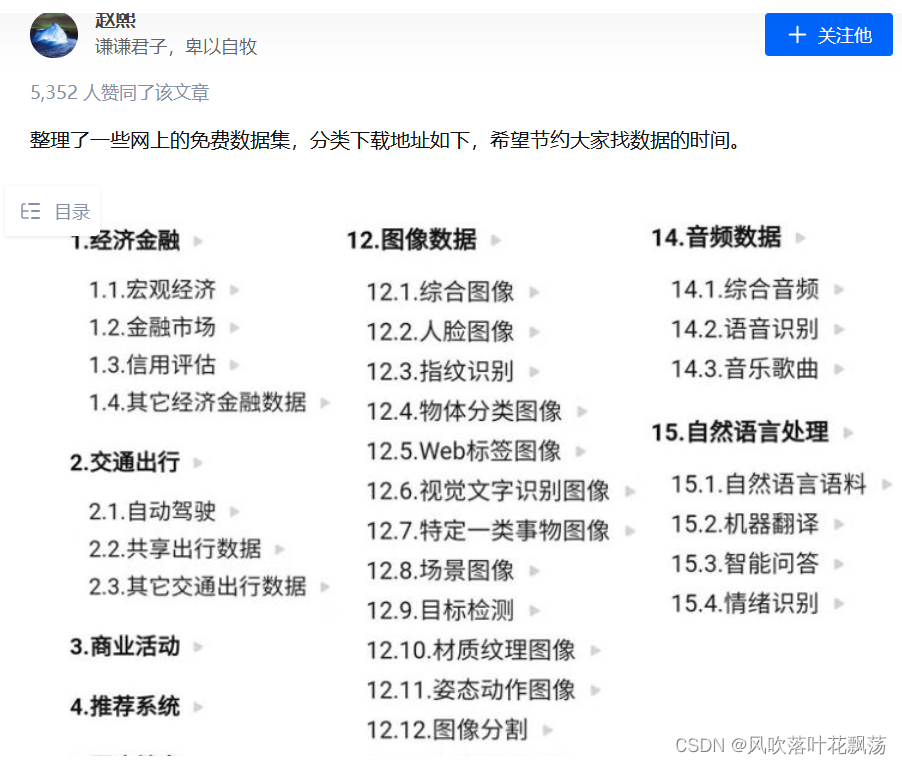
Zhihu address :https://zhuanlan.zhihu.com/p/25138563
Of course, this is only part of the public data set , You can continue to search .
Other websites that collect data sets
1.datafountain
https://www.datafountain.cn/datasets
2. Aggregation force
http://dataju.cn/Dataju/web/searchDataset
3. chinese NLP Dataset search
https://www.cluebenchmarks.com/dataSet_search.html
4. Alibaba cloud Tianchi
https://tianchi.aliyun.com/dataset/?spm=5176.12282016.J_9711814210.24.2c656d92n0Us6s
5. Google datasets seem to be going over the wall
2、 Use your own shot / Pictures collected on the website
You don't need any operation to take your own pictures , Just use it directly
The following is the code for downloading pictures using crawlers
import os
import sys
import time
import urllib
import requests
import re
from bs4 import BeautifulSoup
import time

header = {

    'User-Agent':
    'Mozilla/5.0 (Windows NT 10.0; WOW64) AppleWebKit/537.36 (KHTML, like Gecko) Chrome/50.0.2661.102 UBrowser/6.1.2107.204 Safari/537.36'
}
url = "https://cn.bing.com/images/async?q={0}&first={1}&count={2}&scenario=ImageBasicHover&datsrc=N_I&layout=ColumnBased&mmasync=1&dgState=c*9_y*2226s2180s2072s2043s2292s2295s2079s2203s2094_i*71_w*198&IG=0D6AD6CBAF43430EA716510A4754C951&SFX={3}&iid=images.5599"


def getImage(url, count):
    ''' From the original url Save the original image to local '''
    try:
        time.sleep(0.5)
        urllib.request.urlretrieve(url, './imgs/hat' + str(count + 1) + '.jpg')
    except Exception as e:
        time.sleep(1)
        print(" Abnormal acquisition of this picture , skip ...")
    else:
        print(" picture +1, Saved successfully  " + str(count + 1) + "  Pictures ")


def findImgUrlFromHtml(html, rule, url, key, first, loadNum, sfx, count):
    ''' From the thumbnail list page, find the url, And return the number of pictures on this page '''
    soup = BeautifulSoup(html, "lxml")
    link_list = soup.find_all("a", class_="iusc")
    url = []
    for link in link_list:
        result = re.search(rule, str(link))
        # The string "amp;" Delete
        url = result.group(0)
        # Complete assembly url
        url = url[8:len(url)]
        # Open the HD picture website
        getImage(url, count)
        count += 1
    # Finish one page , Continue loading the next page
    return count


def getStartHtml(url, key, first, loadNum, sfx):
    ''' Get thumbnail list page '''
    page = urllib.request.Request(url.format(key, first, loadNum, sfx),
                                  headers=header)
    html = urllib.request.urlopen(page)
    return html


if __name__ == '__main__':
    name = " wear one's hat; put on one's hat; pin the label on sb "    # Picture keywords
    path = './imgs/hat'   # Image saving path
    countNum = 2000  # Crawling quantity
    key = urllib.parse.quote(name)
    first = 1
    loadNum = 35
    sfx = 1
    count = 0
    rule = re.compile(r"\"murl\"\:\"http\S[^\"]+")
    if not os.path.exists(path):
        os.makedirs(path)
    while count < countNum:
        html = getStartHtml(url, key, first, loadNum, sfx)
        count = findImgUrlFromHtml(html, rule, url, key, first, loadNum, sfx,
                                   count)
        first = count + 1
        sfx += 1
Two 、 Mark the picture
1、 Online tagging websites MAKE SENSE
MAKE SENSE
make-sense Is a YOLOv5 Officially recommended image annotation tool .
Compared to other tools ,make-sense The difficulty of getting started is very low , Just a few minutes , Players can master the function options in the workbench , Quickly enter the working state ; Besides , because make-sense Is a web application , Players of various operating systems can break the dimensional wall to realize work coordination .
a、 Create a label
Create a new one called labels The file of , According to the principle of one label per line , Input in sequence
The chestnuts are as follows :
b、MAKE SENSE Mark website usage
Open the web site 
Click to put the picture 
Select all the collected pictures and confirm 
Click the corresponding... According to the marking requirements , Here we click object detection 
Click on Load labels from file. Indicates that labels are imported in batch from the file 
Click after placing Create labels list
Finally, click Start project , You can start marking

Mark each picture in turn 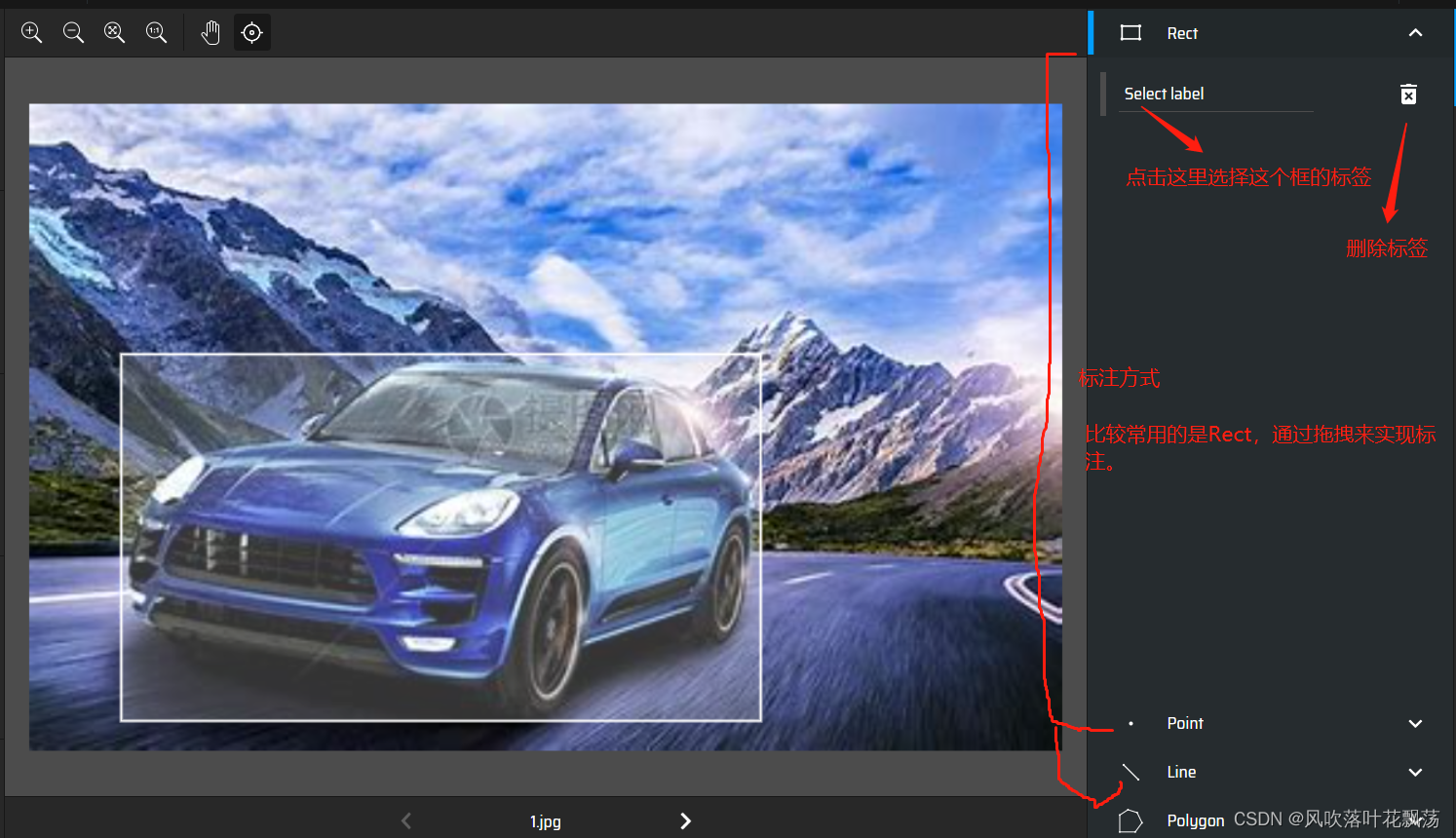
Export dimension results 
Select the export format , And export

The export package reference is as follows :
Here the pictures and labels are ready , You can prepare to start making datasets
3、 ... and 、 Make datasets
1、 Create folder
Create folder mydata
Its internal structure is as follows

2、 Copy in the previous pictures and marked data
test And train The general scale of the set is 2:8 or 3:7

3、 Create a new one mydata.yaml file ,

4、 modify train.py in data Parameters

边栏推荐
- MongoDB精华总结
- [Yugong series] March 2022 asp Net core Middleware - conditional routing
- [Yugong series] March 2022 asp Net core Middleware - current limiting
- JSP implementation of bank counter business performance evaluation system
- SQL Safe Backup显示器和缩放字体的支持
- Epidemic data analysis platform work report [3] website deployment
- Unity脚本出現missing時的解决方法
- 【clickhouse专栏】新建库角色用户初始化
- Naive Bayes classification of scikit learn
- php和js去掉所有空格
猜你喜欢
![[software tool] [original] tutorial on using VOC dataset class alias batch modification tool](/img/25/31d771c9770bb7f455f35e38672170.png)
[software tool] [original] tutorial on using VOC dataset class alias batch modification tool

Network tester operation manual renix rack management

Absolute positioning three ways to center the box

Raspberry pie 4B uses Intel movidius NCS 2 for inference acceleration

1. Mx6ull learning notes (II) - uboot migration

D1 哪吒开发板 上电记录

Unity脚本出现missing时的解决方法

Detailed explanation of software testing process
Emperor Wu of Wei knew that he could not correct it, so he stopped offering his words

疫情数据分析平台工作报告【3】网站部署
随机推荐
[C language] encapsulation interface (addition, subtraction, multiplication and division)
[SC] OpenService FAILED 5: Access is denied.
What does hard work mean to you?
Enterprise Architect v16
SQL Safe Backup显示器和缩放字体的支持
Smart Panel wifi Linkage Technology, esp32 wireless chip module, Internet of Things WiFi Communication Application
Work report of epidemic data analysis platform [4] cross domain correlation
如何制作数据集并基于yolov5训练成模型并部署
LINQ group by and select series - LINQ group by and select collection
Epidemic data analysis platform work report [8.5] additional crawlers and drawings
The solution to the error "xxx.pri has modification time XXXX s in the futrue" in the compilation of domestic Kirin QT
认真工作对自己到底意味着什么?
Mongodb essence summary
EN in Spacey_ core_ web_ SM installation problems
[mysql][mysql 8.0 compressed package installation method]
疫情数据分析平台工作报告【8.5】额外的爬虫和绘图
Is it safe for Guojin Securities Commission Jinbao to open an account? How should we choose securities companies?
调用提醒事项
Construction case of Expressway Precast Beam Yard (with scheme text)
Summary of sequential, modulelist, and moduledict usage in pytorch