当前位置:网站首页>2837xd code generation - stateflow (3)
2837xd code generation - stateflow (3)
2022-07-02 09:43:00 【Quikk】
2837xd Code generation ——StateFlow(3)
11 True Table
stay Chart Add True Table Model .

Then add the corresponding elements in the truth table :

Truth table is divided into condition table and action table , Such as the condition table D1 It means , When shift==1 when , Executive action 1. and D3 As long as shift Not for 1 perhaps 2 Perform the third action . Then it needs to be in Model Explorer Add the corresponding input and output variables , Before that, put True Table Name modification of , Otherwise, it will report a mistake .
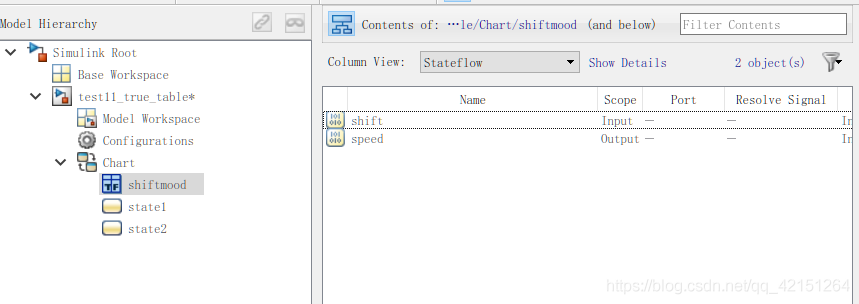
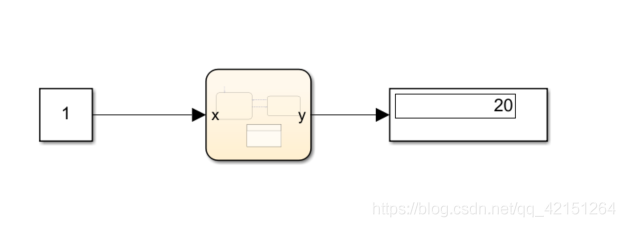
Then need to be for chart Define inputs and outputs , The calling method is consistent with the function :

Build external components to DEBUG that will do :
12 Use of plural
Use and definition of plural , With the choice of language (m or c) It matters . such as matlab Built in functions in abs() You can receive complex number modulo , however c In language abs There is no such function . If at this time c Language compilation environment , Can use Matlab Function To call matlab Medium abs() Function to get . The following compilation environments are matlab Language .

After building the periphery ,DEBUG You can get the following :
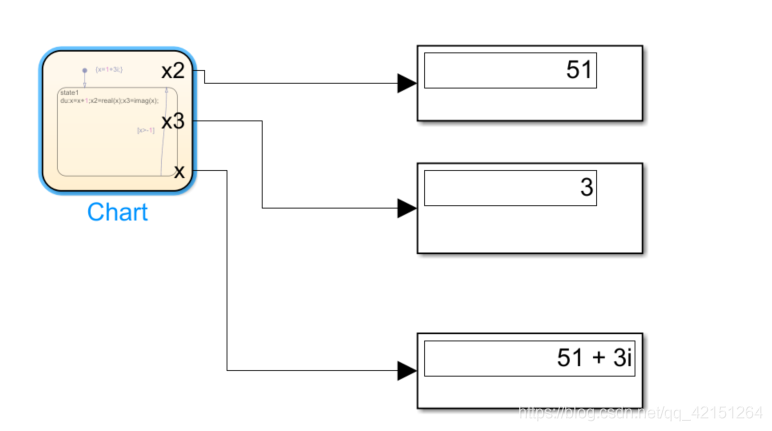
Pay attention here , Default Model Explorer in complexity by off, If the received data is complex , It needs to turn on itself (on perhaps inherited Choose according to your needs ).

13 Output size Changed data
stay Chart Make sure that , Support variable data size :

Then build the following Simulink Function To call :


Build peripheral components , Set relevant variable parameters ,size Be sure to set with maximum output size identical , Otherwise, it will report a mistake .


The following results can be observed ,out Output changed size The data of :

14 Implicit event
Chart There are four implicit events in :1)change(chg)、enter(en)、exit(ex)、tick(wakeup)
Build the following chart,state1 And state2 Is a parallel execution relationship ,state2 State transition and y The value of ( When y When there is a change ,state2 The state changes ).

It is still a parallel relationship , Change to en And ex Implicit event :
C、D And state1.B State entry and exit are closely related .

tick Observation of events :
after(5,tick) The state transition is allowed only after the meaning conversion request occurs five times .

Adopt fixed step simulation (0.5s):

You can find every 2.5s Enter once state2, Every time state2 Middle stay 1.5s Back entry state1.
15 Structure operation
Simulink Available in BUS Component building structure ,BUS And MUX The difference is BUS Structure will be generated , and MUX Just let multiple data streams adopt one line transmission .
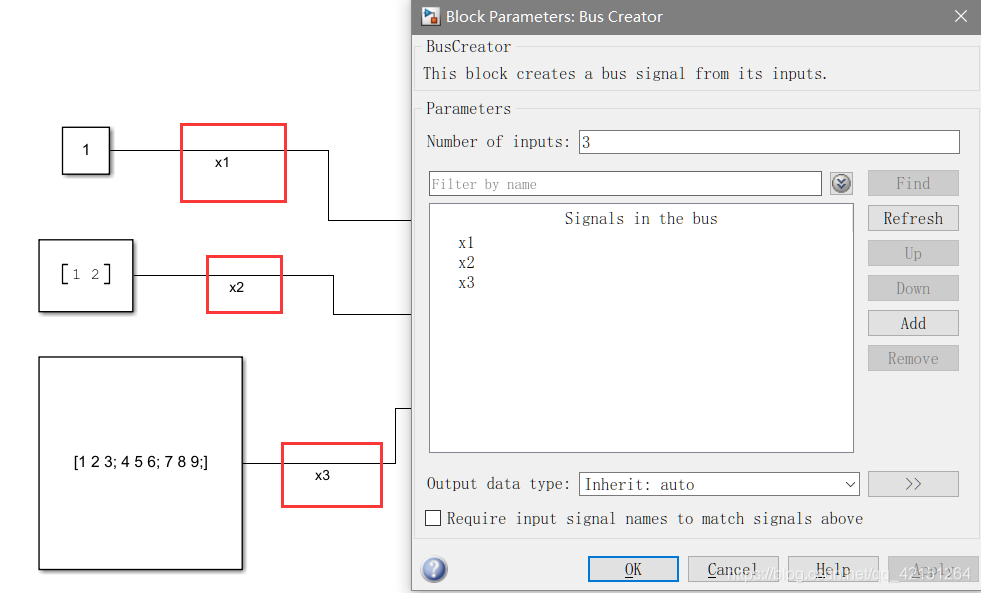
Pay attention to setting the signal number , The default is Signaln. Then build a Chart modular :
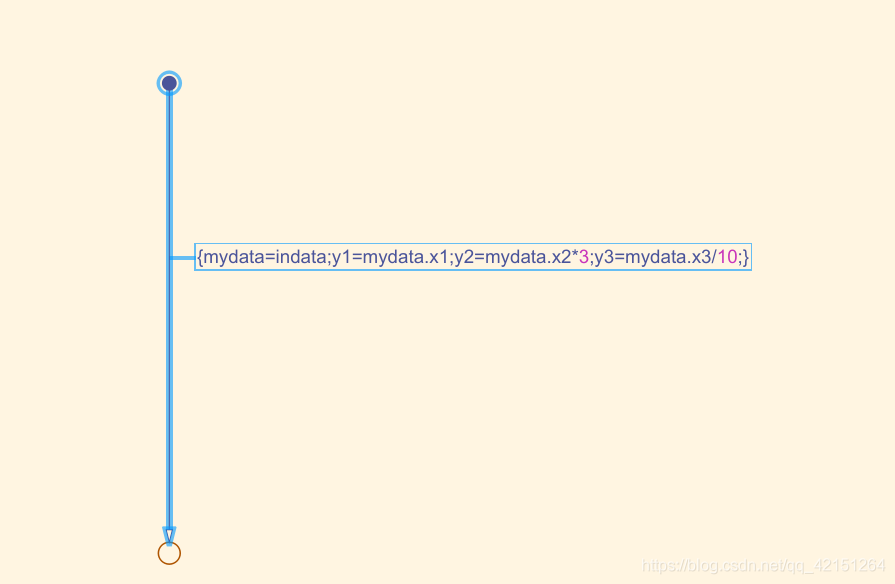
here mydata and indata It's all structural , Its operation is exactly the same as the point operation of the structure . The point is that we need to Model Explorer The structure is defined in :
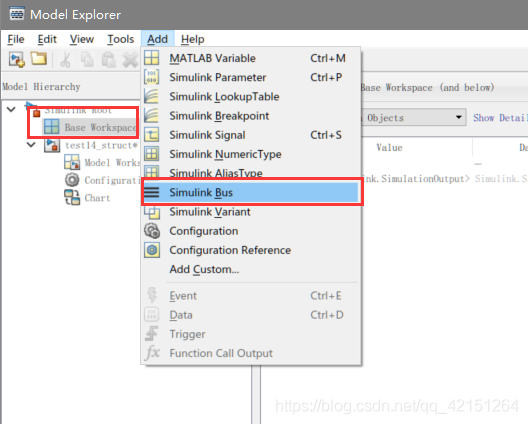
First select ,Base Workspace, Click on Add, Choose Simulink Bus Add structure .
And then click Launch Bus Editor
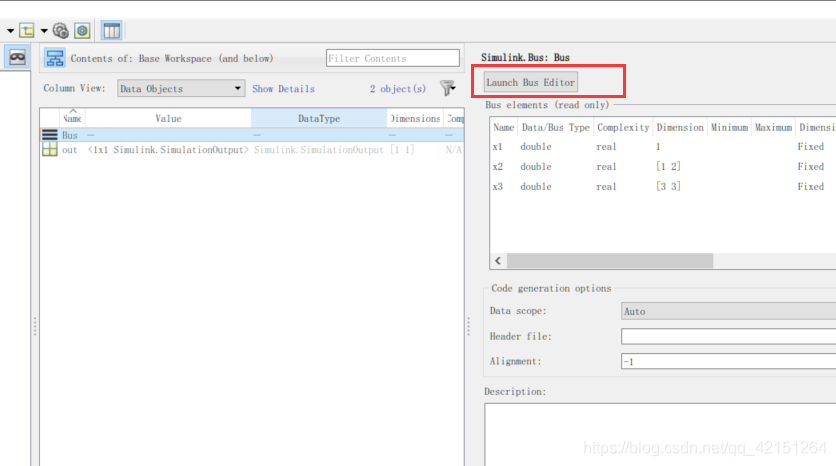
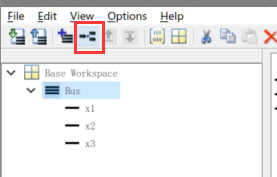
by Bus Add object , Here I choose and Bus The object names in are consistent , Inconsistency can also be passed .
Then set the dimension of each object separately :
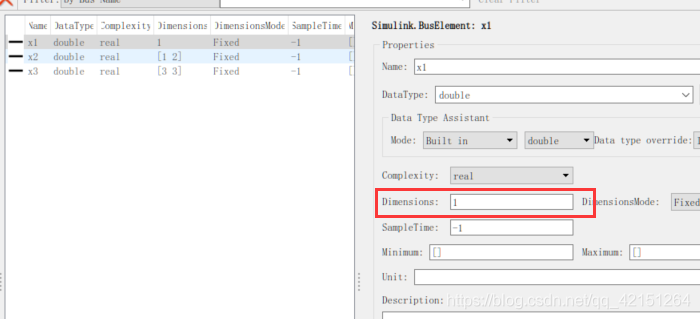
After the chart The variables in the (mydata、indata) Change to just set Bus:
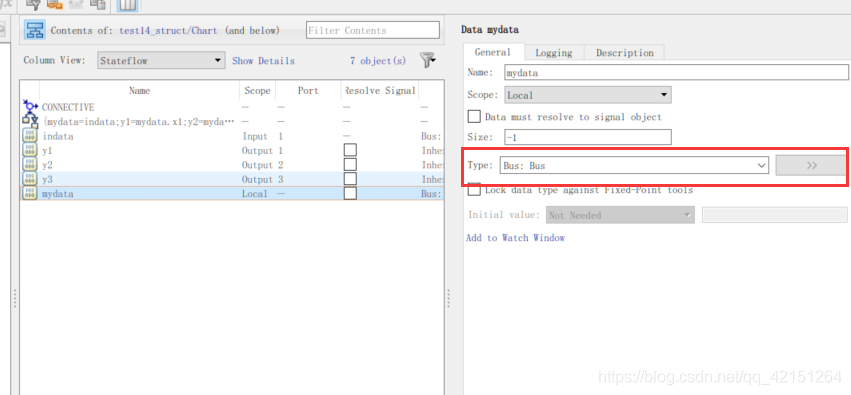
The next steps are the same as others chart The model construction is consistent .
Here's how to use c The way language introduces structures :
So let's set up a .h The file is placed in the storage address of the model file :
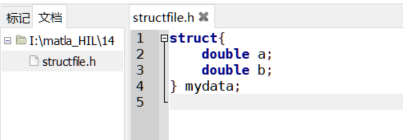
And then in Configuration Parameters Defined in :
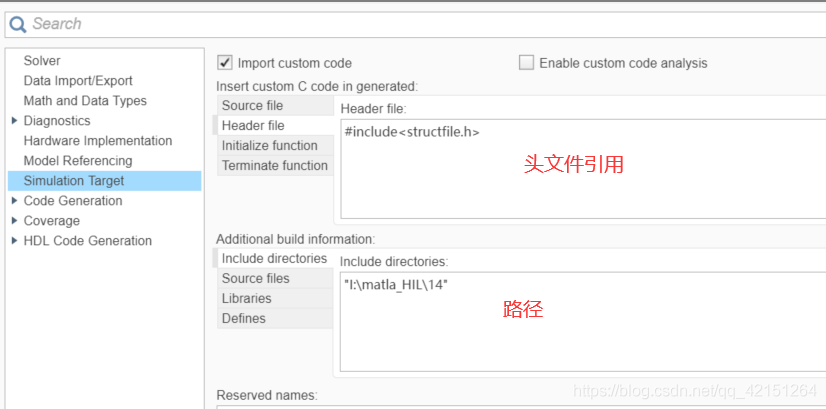
Build the following chart:
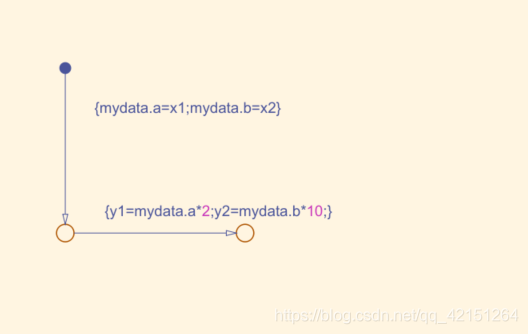

And then in Model Explorer Relevant definitions in , Note that there is no need for mydata Define , Because it has been defined in the header file , The results are as follows :

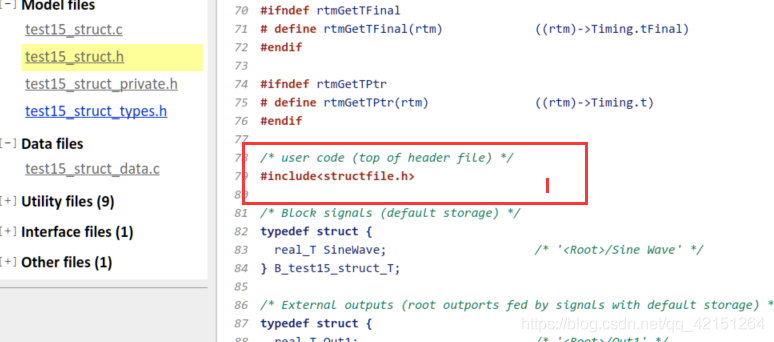
If the simulation is ok , Can press Ctrl+B Generate code , At this time, you need to switch the output to the port (Out). You can see the statement of the application header file :
Now try to manage the code , Before code management :
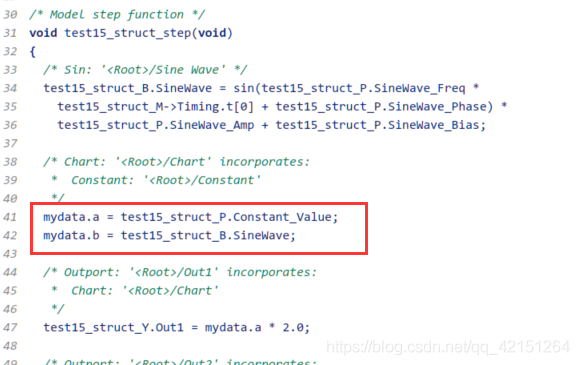
First, replace the input and output with ports :

Then find the following tools ( Notice that there is already a label on the signal ):
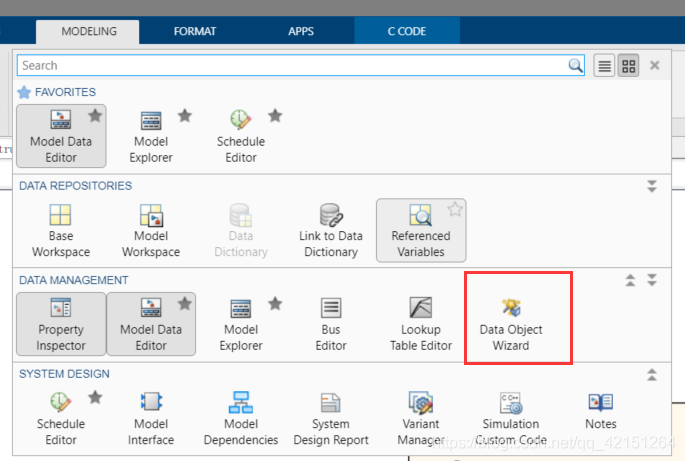
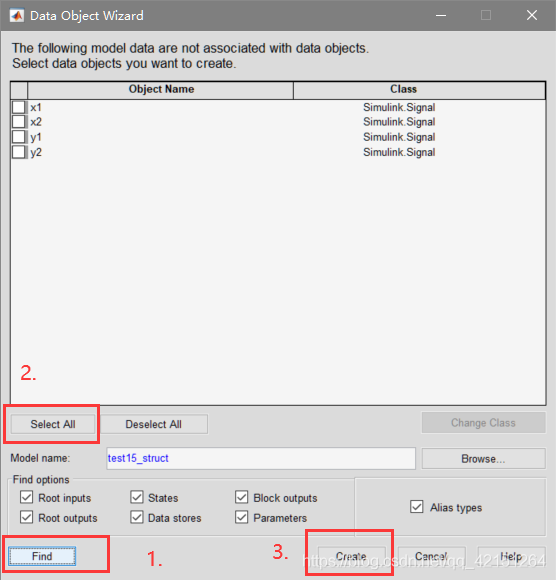
Then generate the code again , This part of the content will be studied systematically , I don't quite understand yet .
边栏推荐
猜你喜欢

Mysql默认事务隔离级别及行锁

三相并网逆变器PI控制——离网模式
FragmentTabHost实现房贷计算器界面
Matplotlib swordsman - a stylist who can draw without tools and code
Redis installation and deployment (windows/linux)

Read Day6 30 minutes before going to bed every day_ Day6_ Date_ Calendar_ LocalDate_ TimeStamp_ LocalTime
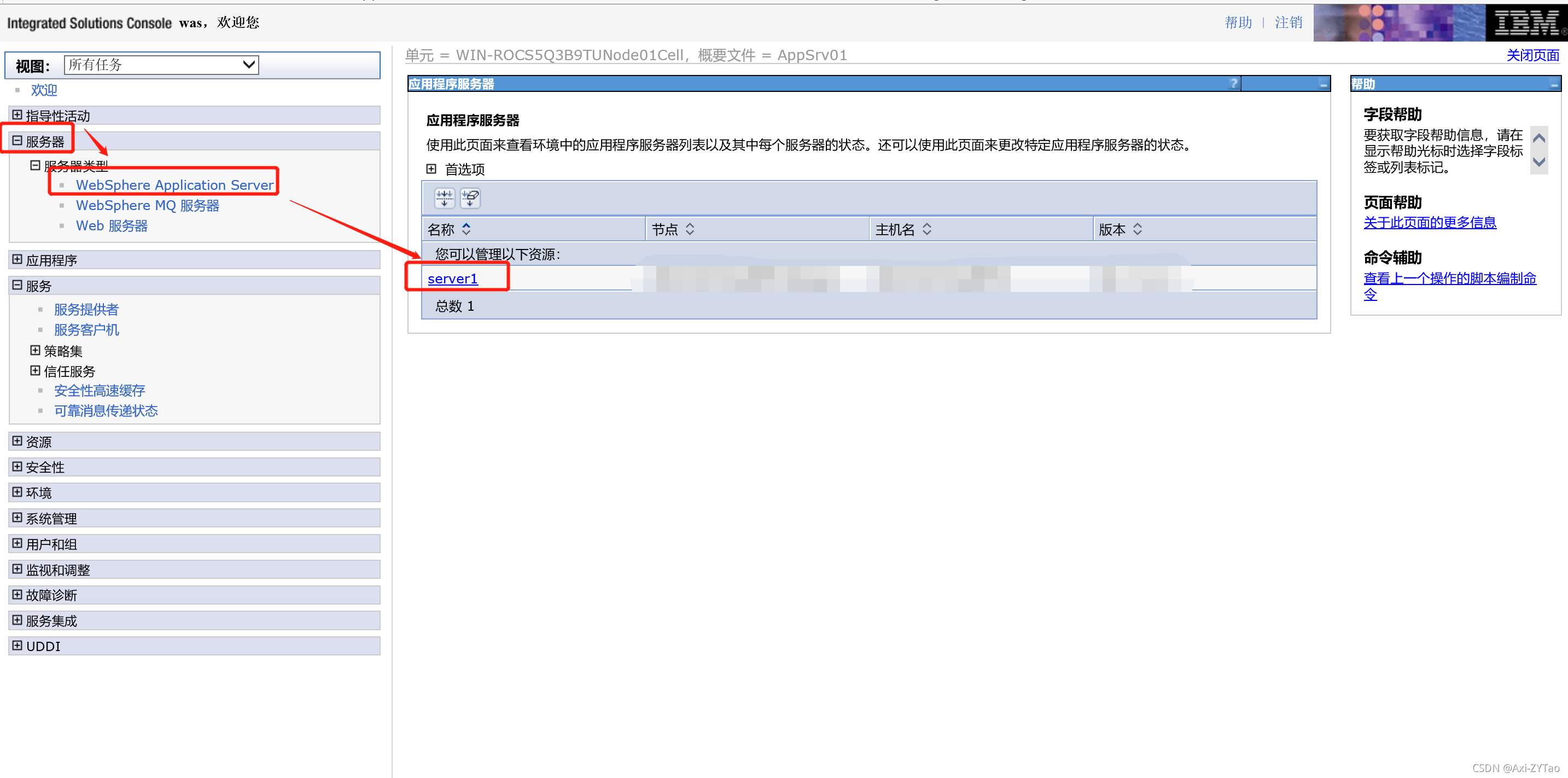
View the port of the application published by was

Navicat 远程连接Mysql报错1045 - Access denied for user ‘root‘@‘222.173.220.236‘ (using password: YES)

Supplier selection and prequalification of Oracle project management system

Chrome browser plug-in fatkun installation and introduction
随机推荐
Off grid control of three-phase inverter - PR control
idea查看字节码配置
Idempotent design of Internet API interface
How to use PHP spoole to implement millisecond scheduled tasks
Record the interesting process of using Xray for the first time
VIM operation command Encyclopedia
Mathematics in machine learning -- point estimation (I): basic knowledge
Chrome browser tag management plug-in – onetab
Break the cocoon | one article explains what is the real cloud primordial
Because of hard work, the fruit goes with fate
ZK configuration center -- configuration and use of config Toolkit
QT信号槽总结-connect函数错误用法
互联网API接口幂等设计
Personal experience & blog status
每天睡觉前30分钟阅读_day4_Files
c语言编程题
Matplotlib swordsman - a stylist who can draw without tools and code
C语言之数据插入
因上努力,果上随缘
Share a blog (water blog)