当前位置:网站首页>Unity learning notes
Unity learning notes
2022-07-03 08:23:00 【cuncaojin】
Unity Learning notes
- Basics
- The standard input
- Coordinate system & World coordinate system & Local coordinate system
- Prefab Preset object / The precast body
- rigid body Rigidbody
- Character controller CharacterController
- Colliding body Collider
- ray Ray
- Play the audio file AudioSource
- GUI Button
- Pre preservation PlayerPrefs
- Resource loading Resources
- Multi scene switching SceneManager
- coroutines
- WWW / UnityWebRequest The Internet
- Life cycle
- Material website
- Reference resources
Basics
- official API Documents have API Use Demo, It's stuck don't forget to check api
- Script life cycle
- chinese Unity API
- Object
- Instantiate clone original Object and return the cloned object .
- Destroy remove GameObject、 Component or resource .
- MonoBehaviour
- GameObject
- Input
- CharacterController
- Object
- Project directory structure
- Hierarchy Everything in GameObject, One GameObject Can there be several children GameObject . unit GameObject It consists of a series of components Component form , It can be done by GetComponent< Component type >() Get the component object , Then operate on the object ; Can also pass Destroy() To destroy GameObject or Component.
- Edit GameObject shortcuts :QWERT
- Log :
Debug.Log(xxx);orprint(xxx);
The standard input
Edit > Project Settings… > Input Manager
- Input.GetButtonDown(“Fire1”)
- Input.GetAxisRaw(“Horizontal”) * Time.deltaTime;
- Input.GetKeyDown(KeyCode.Space)
- Input.GetMouseButton(0)
- GetXX / GetXXDown( One frame ) / GetXXUp( One frame )
Coordinate system & World coordinate system & Local coordinate system

Coordinate system
Left handed coordinate system : The thumb x Axis ( Right )、 index finger y Axis ( On )、 Middle finger z Axis ( front )
Direction of rotation : Stretch out your thumb , Grasp the positive direction of an axis with your left hand , The direction of the other four fingers is the positive direction of rotation .World coordinate system ( Relative to all objects )
Vector3.right, The value is (1, 0, 0)
Vector3.up, The value is (1, 0, 0)
Vector3.forward , The value is (1, 0, 0)Local coordinate system ( Relative to the object itself )
transform.right
transform.up
transform.forward
Prefab Preset object / The precast body
By several sub GameObject form , Put... Directly GameObject Drag onto Prefabs Folders can generate preset objects
rigid body Rigidbody
Add Component > Physics > Rigidbody
Describe the force acting on an object . Like a table 、 The stool
Character controller CharacterController
Add Component > Physics > Character Controller
Describe the force action of an object . Like a monster 、 people
Colliding body Collider
Add Component > Physics > XXX Collider
Detect the collision of objects .
Callback function
Collider.isTrigger Don't check
OnCollisionEnter Collision start frame
OnCollisionStay Collision frame
OnCollisionExit Collision end frameCollider.isTrigger Check
OnTriggerEnter Collision start frame
OnTriggerStay Collision frame
OnTriggerExit Collision end frameBe careful : Two GameObjects Must include Collider Components . One of them must be enabled Collider.isTrigger, And includes Rigidbody.
If two GameObjects It's all on Collider.isTrigger, There will be no collision .
If two GameObjects None Rigidbody Components , There will be no collision .
ray Ray
Effects > Line Renderer add to Material Draw rays , Then get the... Through the script Line Renderer Dynamically modify its properties Positions[1] Change the point through which the ray passes
void FixedUpdate()
{
	Ray ray = Camera.main.ScreenPointToRay(Input.mousePosition); //  Obtain the ray passing through the cursor position from the main camera
    RaycastHit hit; //  Collision point related information object
    if (Physics.Raycast(transform.position, -Vector3.up, out hit, 100f)) //  The ray intersects with any colliding body
        print("Found an object - distance: " + hit.distance);
}

if (Physics.Raycast(ray))
 	Instantiate(particle, transform.position, transform.rotation);
Play the audio file AudioSource
Drag the sound file directly into the camera property panel , Automatic addition Audio Source Components .
Play the audio :
- audioSource.Play();
- AudioSource.PlayClipAtPoint(clip, Camera.main.transform.position); // stay 3d Play sound at a certain point in the space
GUI Button
GUI Block layout ;GUILayout Fluid layout
if (GUI.Button(new Rect(10, 70, 50, 30),  "click")) {}
if (GUILayout.Button(new Rect(10, 70, 50, 30),  "click")) {}
Pre preservation PlayerPrefs
Local data storage , Support only int 、float、string Type data saving . Save in the registry ?
PlayerPrefs.HasKey("name")
PlayerPrefs.SetString("name", "zhangsan");
PlayerPrefs.GetString("name");
Resource loading Resources
requirement : Resource files must be placed in Asset/Resources Under the table of contents , Access without file extension
private void OnGUI()
{
    if (GUI.Button(new Rect(10, 70, 200, 30), " Load audio resources and play "))
    {
        AudioSource.PlayClipAtPoint(Resources.Load("Audios/soundC") as AudioClip, Camera.main.transform.position);
    }
}
Multi scene switching SceneManager
operation : First add the scene to be switched
File > BuildSettings...in
Load scene :SceneManager.LoadScene (Application.LoadLevel Have been abandoned )
Uninstall the scene :SceneManager.UnloadSceneAsync
LoadSceneMode.Additive : Add the scene to the currently loaded scene .
LoadSceneMode.Single : Close all currently loaded scenes , And load a scene .
coroutines
void Update()
{
    if (Input.GetKeyDown(KeyCode.W))
    {
		//  Start the coroutines ,5 Print after execution in seconds world
        StartCoroutine(myfun(5));
    }
}

IEnumerator myfun(int seconds)
{
    Debug.Log("hello");
    yield return new WaitForSeconds(seconds);
    Debug.Log("world");
}
WWW / UnityWebRequest The Internet
public class WWWTest : MonoBehaviour
{
    private Texture image;
    private Texture image2;
    public string LOGO_URL = "https://profile.csdnimg.cn/1/1/3/3_cuncaojin";

    void Start()
    {
        StartCoroutine(GetImage());
        StartCoroutine(GetImage2());
    }

    IEnumerator GetImage2()
    {
        using (UnityWebRequest uwr = UnityWebRequestTexture.GetTexture(LOGO_URL))
        {
            yield return uwr.SendWebRequest();
            var texture = DownloadHandlerTexture.GetContent(uwr);
            image2 = texture;
        }
    }

    IEnumerator GetImage()
    {
        WWW www = new WWW(LOGO_URL);
        yield return www;
        image = www.texture;
    }

    private void OnGUI()
    {
        if (image != null)
            GUI.DrawTexture(new Rect(100, 100, 100, 100), image);
        if (image2 != null)
            GUI.DrawTexture(new Rect(300, 100, 200, 200), image2);
    }
}
Life cycle
https://docs.unity.cn/cn/2019.4/Manual/ExecutionOrder.html

Material website
- www.turbosquid.com 157 The secret
Reference resources
边栏推荐
猜你喜欢

图像处理8-CNN图像分类
C course design employee information management system

Shader foundation 01
Unity change default editor
Flex flexible box layout
CLion-Toolchains are not configured Configure Disable profile问题解决
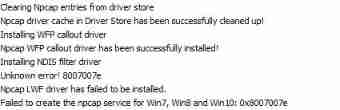
About Wireshark's unsuccessful installation of npcap

Kwai 20200412 recruitment
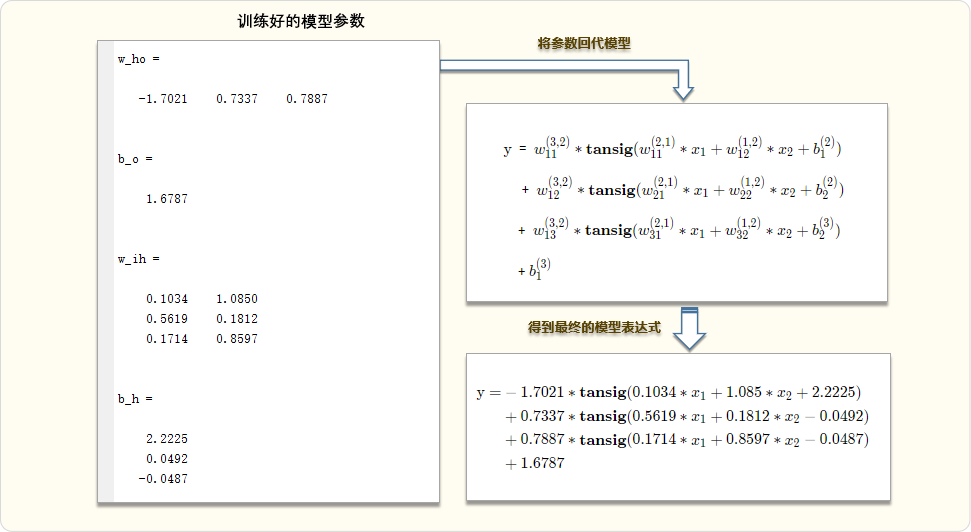
Simple demo of solving BP neural network by gradient descent method

数据库应用技术课程设计之商城管理系统
随机推荐
go 解析身份证
Osgconv tool usage
Luaframwrok handles resource updates
redis集群系列四
[K & R] Chinese Second Edition personal questions Chapter1
Clion toolchains are not configured configure disable profile problem solving
【音视频】ijkplayer错误码
Intersectionpicker in osgearth
Golang 时间格式整理
796 · 开锁
Swagger document configuration
Haproxy+kept build 01
LinkList
Conversion between golang JSON format and structure
unity2019_ Input management
Youyou1 of xlua knapsack system
MySQL containerization (1) docker installation MySQL
Image processing 8-cnn image classification
[usaco12mar]cows in a skyscraper g (state compression DP)
Mall management system of database application technology course design