当前位置:网站首页>【flask入门系列】Cookie与Session
【flask入门系列】Cookie与Session
2022-07-01 16:21:00 【馆主阿牛】
个人简介
- 作者简介:大家好,我是阿牛,全栈领域新星创作者。
- 博主的个人网站:阿牛的博客小屋
- 支持我:点赞+收藏️+留言
- 系列专栏:flask框架快速入门
- 格言:要成为光,因为有怕黑的人!
前言
今天我总结一下flask中的cookie与session,flask中的session和正常的session是不一样的,为浏览器session,保存在浏览器。
cookie
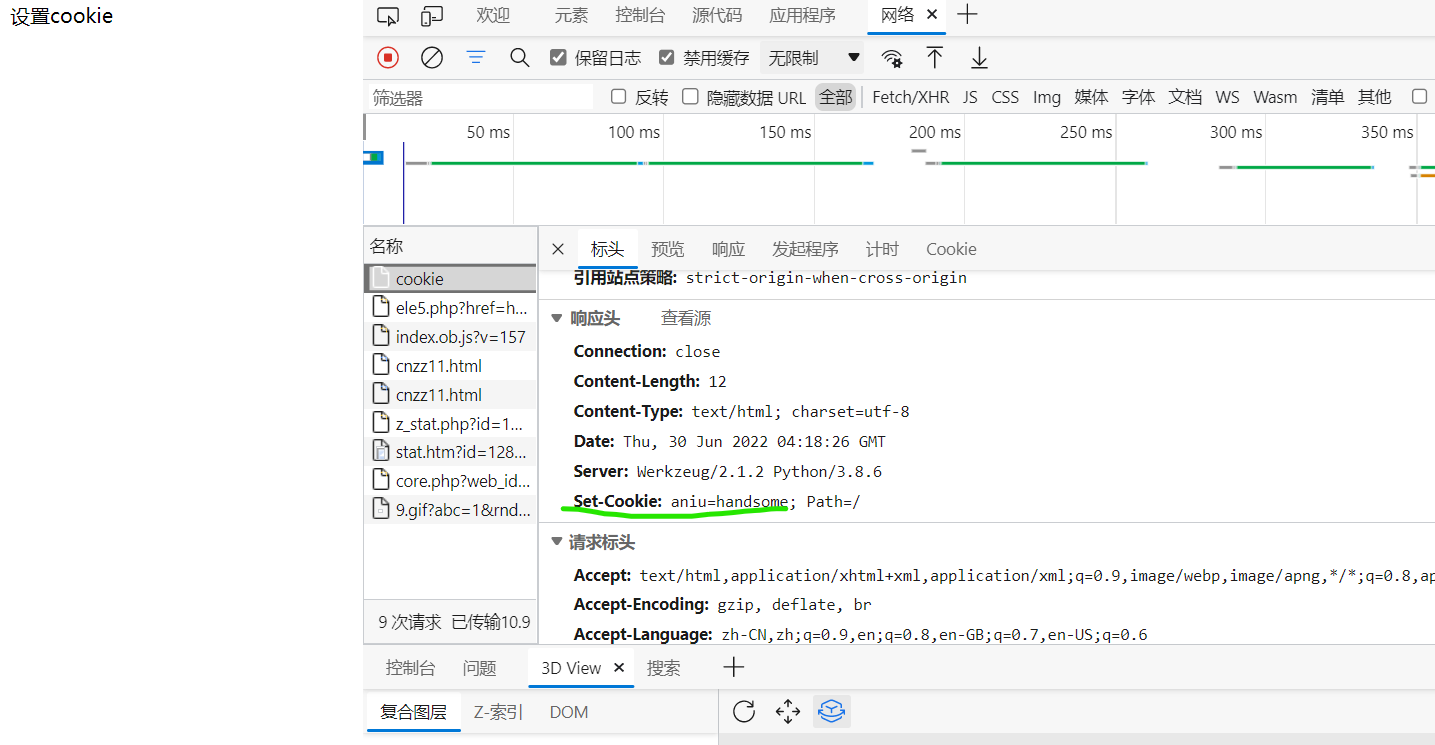
1.设置cookie
#导入Flask类和request对象
from flask import Flask,make_response
app = Flask(__name__)

# 从配置对象中加载的默认配置
class DefaultConfig(object):
    SECRET_KEY = 'jstwn63bng'
    DEBUG = True
    ENV = 'development'

app.config.from_object(DefaultConfig)

@app.route('/cookie')
def cookie():
    resp = make_response("设置cookie")
    resp.set_cookie("aniu","handsome")
    return resp

# Flask应用程序的run方法启动web服务器
if __name__ == '__main__':
    app.run(port=8000)
2.设置cookie有效期
@app.route('/cookie')
def cookie():
    resp = make_response("设置cookie")
    resp.set_cookie("aniu","handsome",max_age=4000)  #max_age为最大过期时间的毫秒数
    return resp
3.获取cookie
#导入Flask类和request对象
from flask import Flask,make_response,request
app = Flask(__name__)

# 从配置对象中加载的默认配置
class DefaultConfig(object):
    SECRET_KEY = 'jstwn63bng'
    DEBUG = True
    ENV = 'development'

app.config.from_object(DefaultConfig)

#设置cookie
@app.route('/set_cookie')
def set_cookie():
    resp = make_response("设置cookie")
    resp.set_cookie("aniu","handsome")
    return resp


#获取cookie
@app.route('/get_cookie')
def get_cookie():
    resp = request.cookies.get('aniu')
    return resp

# Flask应用程序的run方法启动web服务器
if __name__ == '__main__':
    app.run(port=5000)

4.删除cookie
@app.route('/delete_cookie')
def delete_cookie():
    resp = make_response("设置cookie")
    resp.delete_cookie("aniu","handsome")
    return resp
session
注意:需要先设置SECRET_KEY,为什么呢?我们在前言中说过,flask中的session是浏览器session,保存在浏览器,因此需要一个密钥。
#导入Flask类和request对象
from flask import Flask,session
app = Flask(__name__)

# 从配置对象中加载的默认配置
class DefaultConfig(object):
    SECRET_KEY = 'jstwn63bng'
    DEBUG = True
    ENV = 'development'

app.config.from_object(DefaultConfig)

#设置session
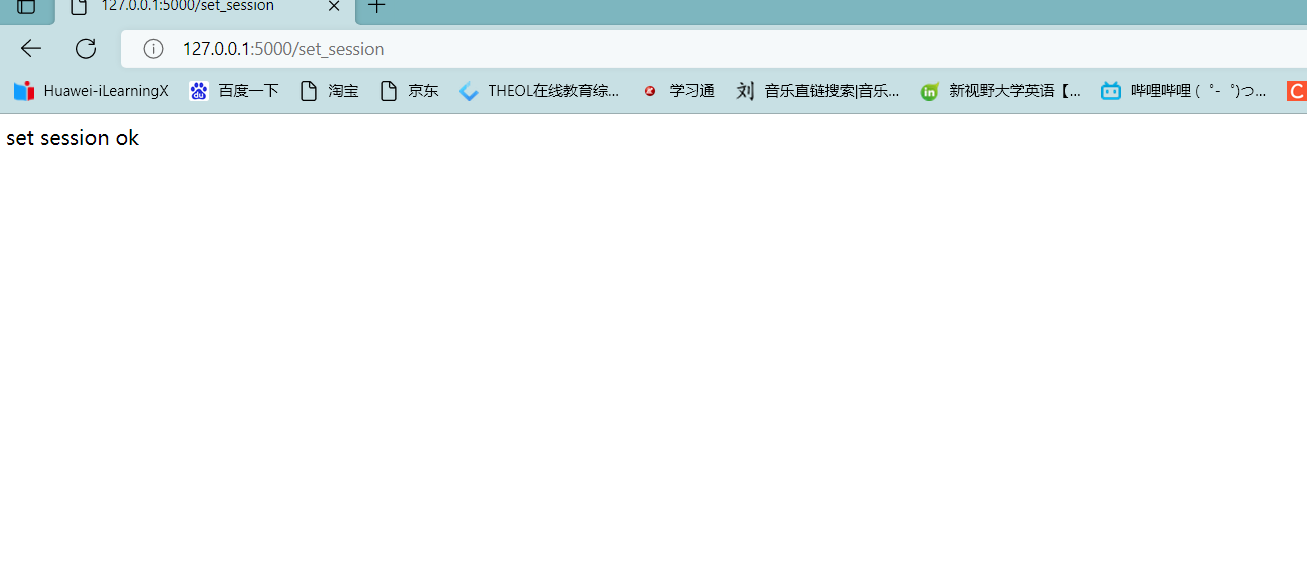
@app.route('/set_session')
def set_session():
    session['username'] = 'aniu'
    return 'set session ok'

#读取
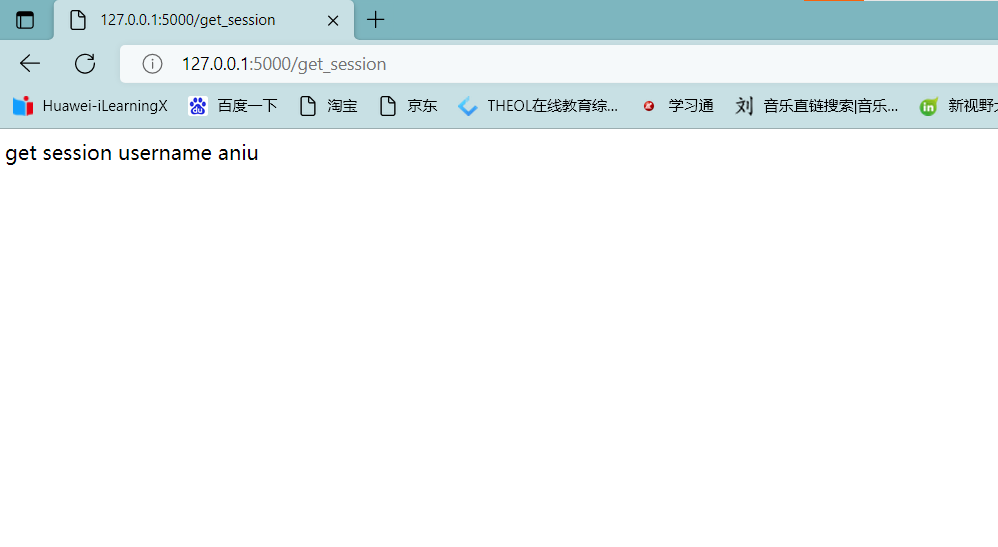
@app.route('/get_session')
def get_session():
    username = session.get('username')
    return 'get session username {}'.format(username)
思考:flask将session保存到哪里了?
在django中,对于session的保存,在数据库中会有一张专门的表去保存session数据,而我们flask中的session在上面说过,其实是一种浏览器session,他保存在浏览器。
>所以,放到浏览器之后就会有安全问题,因此就必须加一个“签名”,只有是我自己“签名”的才行,你拿过去修改后不能用。那如何保证这个签名是我自己的呢,就离不开我们的SECRET_KEY了。因此你看到的session中的内容可以说是“被加密”了。
结语
如果你觉得博主写的还不错的话,可以关注一下当前专栏,博主会更完这个系列的哦!也欢迎订阅博主的其他好的专栏。
系列专栏
软磨 css
硬泡 javascript
前端实用小demo
更多专栏请移步博主主页查看! 博主的个人网站也很有趣,可以光顾一下哦:阿牛的博客小屋
边栏推荐
- How to repair the laptop that cannot connect to the wireless network
- 全面看待企业数字化转型的价值
- UML旅游管理系统「建议收藏」
- What is the digital transformation of manufacturing industry
- [SQL statement] Why do you select two Shanghai and query different counts here? I want it to become a Shanghai, and count only displays a sum
- [JetsonNano] [教程] [入门系列] [三] 搭建TensorFlow环境
- 【Hot100】19. Delete the penultimate node of the linked list
- Idea start command line is too long problem handling
- FPN network details
- 数据库系统原理与应用教程(006)—— 编译安装 MySQL5.7(Linux 环境)
猜你喜欢

程序员职业生涯真的很短吗?

Tutorial on principles and applications of database system (006) -- compiling and installing MySQL 5.7 (Linux Environment)
普通二本,去过阿里外包,到现在年薪40W+的高级测试工程师,我的两年转行心酸经历...
![[JetsonNano] [教程] [入门系列] [三] 搭建TensorFlow环境](/img/0e/52e37527bc717c7a55741725087bad.png)
[JetsonNano] [教程] [入门系列] [三] 搭建TensorFlow环境

Apple's self-developed baseband chip failed again, which shows Huawei Hisilicon's technological leadership

你还在用收费的文档管理工具?我这有更牛逼的选择!完全免费
Sqlserver query: when a.id is the same as b.id, and the A.P corresponding to a.id cannot be found in the B.P corresponding to b.id, the a.id and A.P will be displayed

Problèmes rencontrés dans le développement de la GI pour maintenir le rythme cardiaque en vie

Rhcsa Road
Buuctf gold III
随机推荐
Origin2018安装与使用(整理中)
Is it reliable to open an account on flush with mobile phones? Is there any potential safety hazard
In the past six months, it has been invested by five "giants", and this intelligent driving "dark horse" is sought after by capital
[jetsonnano] [tutorial] [introductory series] [III] build tensorflow environment
Go 语言怎么使用对称加密?
IM即時通訊開發實現心跳保活遇到的問題
Comment utiliser le langage MySQL pour les appareils de ligne et de ligne?
圈铁发音,动感与无噪强强出彩,魔浪HIFIair蓝牙耳机测评
芯片供应转向过剩,中国芯片日产增加至10亿,国外芯片将更难受
红队第10篇:coldfusion反序列化过waf改exp拿靶标的艰难过程
How long will it take to achieve digital immortality? Metacosmic holographic human avatar 8i
复杂度相关OJ题(LeetCode、C语言、复杂度、消失的数字、旋转数组)
I'm a senior test engineer who has been outsourced by Alibaba and now has an annual salary of 40w+. My two-year career changing experience is sad
Rhcsa Road
Défaillance lors du démarrage de la machine virtuelle VMware: le poste de travail VMware n'est pas compatible avec hyper - V...
Virtual serial port simulator and serial port debugging assistant tutorial "suggestions collection"
【Hot100】20. 有效的括号
VMware virtual machine failed during startup: VMware Workstation is incompatible with hyper-v
C#/VB. Net merge PDF document
EndeavourOS移动硬盘安装