当前位置:网站首页>【MQTT从入门到提高系列 | 01】从0到1快速搭建MQTT测试环境
【MQTT从入门到提高系列 | 01】从0到1快速搭建MQTT测试环境
2022-07-06 06:18:00 【i机器未来】
这是机器未来的第24篇文章
原文首发地址:https://blog.csdn.net/RobotFutures/article/details/125532208
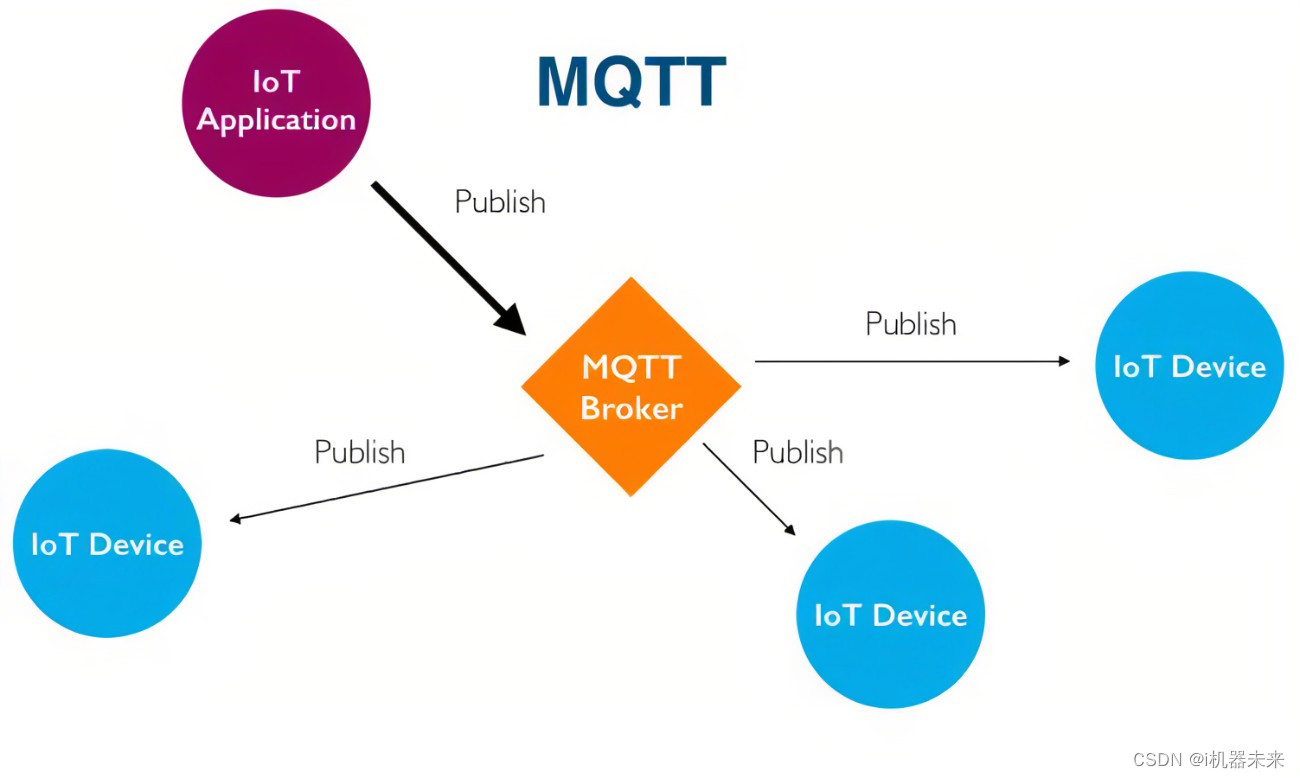
1. mosquitto概述
Eclipse mosquitto是一个开源(EPL/EDL许可的)消息代理,它实现了MQTT协议版本5.0、3.1.1和3.1。mosquito是轻量级的,适用于所有设备,从低功耗的单板计算机到完整的服务器。
MQTT协议提供了使用发布/订阅模型执行消息传递的轻量级方法。这使得它适用于物联网消息传递,如低功耗传感器或移动设备,如手机、嵌入式计算机或微控制器。
mosquito to项目还提供了一个用于实现MQTT客户机的C库,以及非常流行的mosquito to_pub和mosquito to_sub命令行MQTT客户机。
2. 下载MQTT部署软件
下载地址:传送门
3. 快速上手mosquitto
3.1 启动mqtt broker
启动命令行工具,切换到mosquitto安装目录,执行如下命令,启动broker
mosquitto.exe -v
默认开启的端口为1883。
命令详情如下:
mosquitto [-c config file] [ -d | --daemon ] [-p port number] [-v]
-c 指定配置文件路径,默认配置路径为安装目录下的mosquitto.conf
-d 启动时进入后台运行
-p 指定端口,默认为1883
-v 开启日志输出
注意事项:如果不指定配置文件,默认仅支持127.0.0.1的本地回环网卡连接,如果要连接局域网或外网客户端,那么一定要指定配置文件mosquitto.conf:
listener 1883
allow_anonymous true  # 允许匿名访问
启动命令如下:
mosquitto.exe -c mosquitto.conf -v
因电脑配置问题,这里使用自定义端口测试
#mosquitto.exe -v -p 6969
1647942133: mosquitto version 2.0.14 starting
1647942133: Using default config.
1647942133: Starting in local only mode. Connections will only be possible from clients running on this machine.
1647942133: Create a configuration file which defines a listener to allow remote access.
1647942133: For more details see https://mosquitto.org/documentation/authentication-methods/
1647942133: Opening ipv4 listen socket on port 6969.
1647942133: Opening ipv6 listen socket on port 6969.
1647942133: mosquitto version 2.0.14 running
3.2 订阅主题
mosquitto_sub.exe -t sensors/temperature -q 1 -p 6969
-t 指定topic,这里为传感器温度值 sensors/temperature
-q 指定qos质量,这里为1
-p 指定端口,这里为6969
命令执行后,broker的日志描述如下:
1647942590: New connection from 127.0.0.1:1746 on port 6969.
1647942590: New client connected from 127.0.0.1:1746 as auto-651BD76A-09A1-67FD-1DF9-AF36BEADB2D0 (p2, c1, k60).
1647942590: No will message specified.
1647942590: Sending CONNACK to auto-651BD76A-09A1-67FD-1DF9-AF36BEADB2D0 (0, 0)
1647942591: Received SUBSCRIBE from auto-651BD76A-09A1-67FD-1DF9-AF36BEADB2D0
1647942591:     sensors/temperature (QoS 1)
1647942591: auto-651BD76A-09A1-67FD-1DF9-AF36BEADB2D0 1 sensors/temperature
1647942591: Sending SUBACK to auto-651BD76A-09A1-67FD-1DF9-AF36BEADB2D0
auto-651BD76A-09A1-67FD-1DF9-AF36BEADB2D0 - 连接成功后,broker分配的会话ID
CONNACK:对Connect命令的响应
SUBSCRIBE :客户端发起的订阅请求
SUBACK :broker对客户端auto-651BD76A-09A1-67FD-1DF9-AF36BEADB2D0的SUBSCRIBE命令的反馈
3.3 发布主题
mosquitto_pub.exe -t sensors/temperature -m 32 -q 1 -p 6969
-t 指定topic,这里为传感器温度值 sensors/temperature
-q 指定qos质量,这里为1
-p 指定端口,这里为6969
-m指定消息,这里消息为32
命令执行后:
- broker的日志输出如下
1647942676: New connection from 127.0.0.1:1914 on port 6969.
1647942676: New client connected from 127.0.0.1:1914 as auto-BADB5BE4-8FF4-C9F8-DD05-955CEC58CA3D (p2, c1, k60).
1647942676: No will message specified.
1647942676: Sending CONNACK to auto-BADB5BE4-8FF4-C9F8-DD05-955CEC58CA3D (0, 0)
1647942676: Received PUBLISH from auto-BADB5BE4-8FF4-C9F8-DD05-955CEC58CA3D (d0, q1, r0, m1, 'sensors/temperature', ... (2 bytes))
1647942676: Sending PUBLISH to auto-651BD76A-09A1-67FD-1DF9-AF36BEADB2D0 (d0, q1, r0, m1, 'sensors/temperature', ... (2 bytes))
1647942676: Sending PUBACK to auto-BADB5BE4-8FF4-C9F8-DD05-955CEC58CA3D (m1, rc0)
1647942676: Received PUBACK from auto-651BD76A-09A1-67FD-1DF9-AF36BEADB2D0 (Mid: 1, RC:0)
1647942676: Received DISCONNECT from auto-BADB5BE4-8FF4-C9F8-DD05-955CEC58CA3D
1647942676: Client auto-BADB5BE4-8FF4-C9F8-DD05-955CEC58CA3D disconnected.
- 订阅的客户端日志输出如下:
PS E:\Tools\mosquitto> mosquitto_sub.exe -t sensors/temperature -q 1 -p 6969
32
可以看到,订阅客户端已经收到了发布者发布的消息:温度值32
3.4 简单的订阅/发布工作流
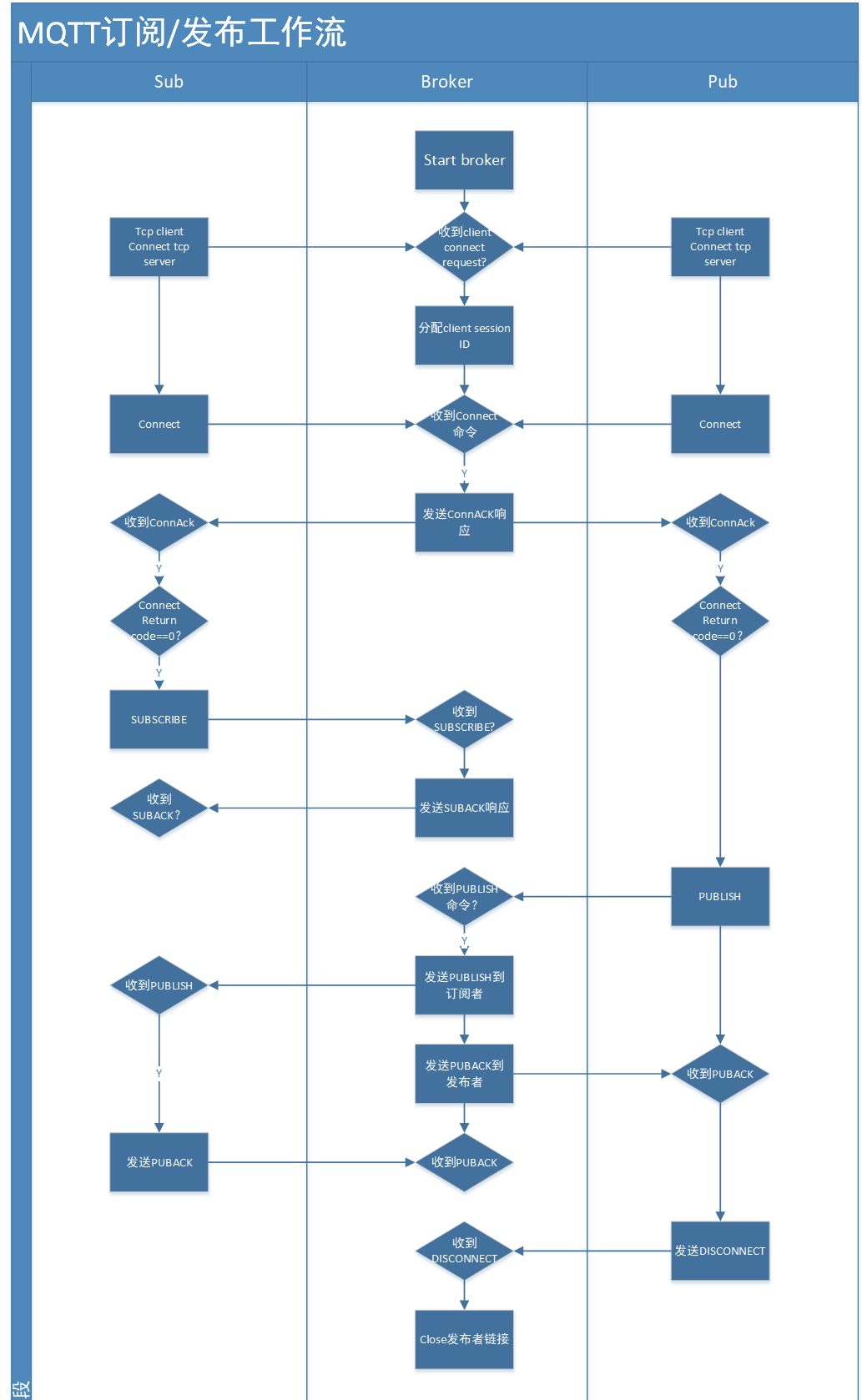
4. 测试过程中遇到的问题
4.1 记录mosquitto端口访问失败调试记录
- 以命令
mosquitto -v启动MQTT broker的端口开放情况如下:
PS X:> netstat -an |findstr "1883"
  TCP    127.0.0.1:1883        0.0.0.0:0              LISTENING
  TCP    [::1]:1883            [::]:0                 LISTENING
- 以命令
mosquitto -c .\mosquitto.conf -v启动MQTT broker的端口开放情况如下:
PS C:\Users\25267> netstat -an |findstr "1883"
  TCP    0.0.0.0:1883         0.0.0.0:0              LISTENING
  TCP    192.168.149.108:1883 192.168.149.162:59826  ESTABLISHED
  TCP    [::]:1883             [::]:0                 LISTENING
可以看到未加载配置文件时,默认仅支持回环网卡。
写在末尾:
- 博客简介:专注AIoT领域,追逐未来时代的脉搏,记录路途中的技术成长!
- 专栏简介:从0到1掌握分布式消息中间件MQTT的使用。
- 面向人群:具备嵌入式开发基础的初级以上程序员
- 专栏计划:接下来会逐步发布跨入人工智能的系列博文,敬请期待
- Python零基础快速入门系列
- 快速入门Python数据科学系列
- 人工智能开发环境搭建系列
- 机器学习系列
- 物体检测快速入门系列
- 自动驾驶模拟器AirSim入门系列
- 自动驾驶物体检测系列
- …

边栏推荐
- 10m25dcf484c8g (FPGA) amy-6m-0002 BGA GPS module
- MFC 动态创建的对话框及改变控件的大小和位置
- 【Postman】Collections-运行配置之导入数据文件
- (中)苹果有开源,但又怎样呢?
- 全程实现单点登录功能和请求被取消报错“cancelToken“ of undefined的解决方法
- 曼哈顿距离和-打印菱形
- Resttemplate and feign realize token transmission
- 调用链监控Zipkin、sleuth搭建与整合
- 还在为如何编写Web自动化测试用例而烦恼嘛?资深测试工程师手把手教你Selenium 测试用例编写
- Is the test cycle compressed? Teach you 9 ways to deal with it
猜你喜欢
![[postman] collections - run the imported data file of the configuration](/img/85/7ac9976fb09c465c88f376b2446517.png)
[postman] collections - run the imported data file of the configuration
Full link voltage measurement: building three models
Embedded point test of app

properties文件
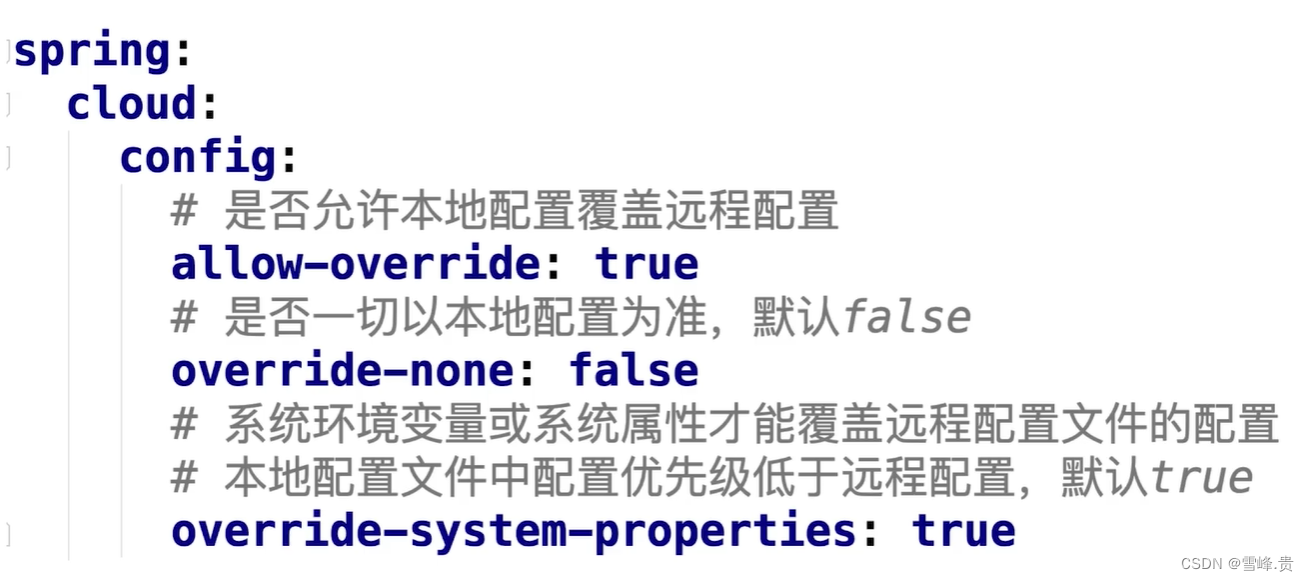
Manage configuration using Nacos
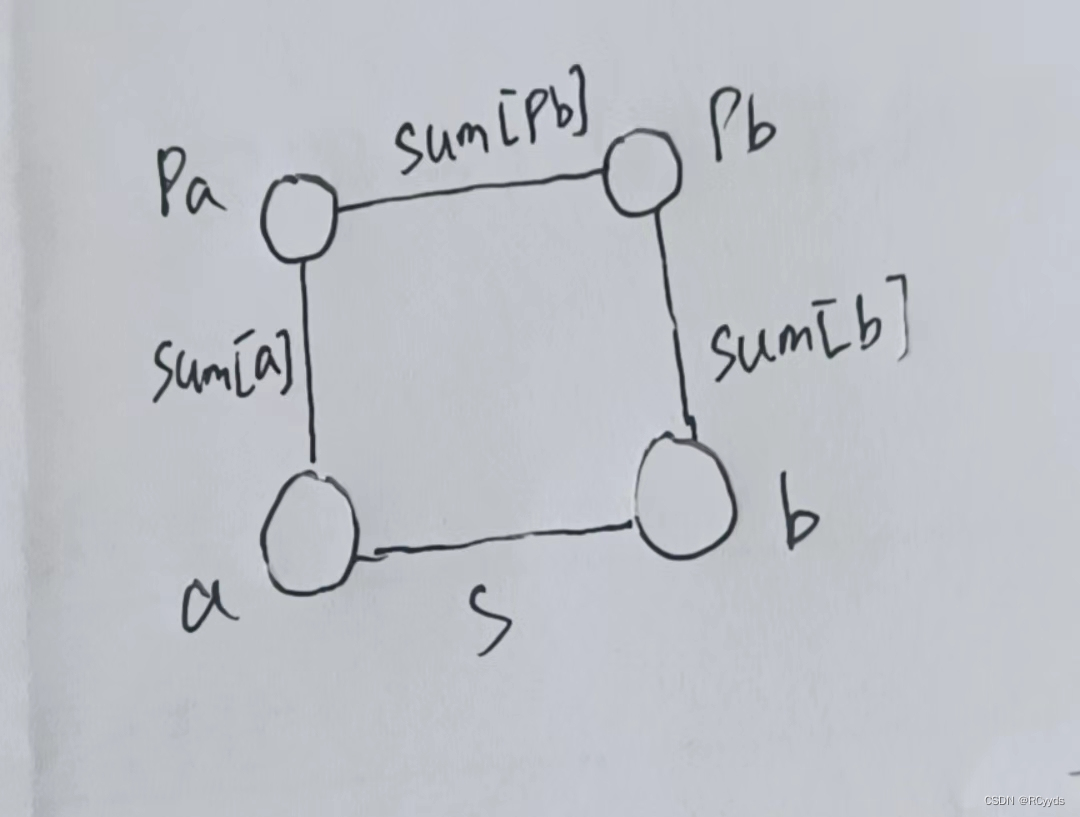
D - How Many Answers Are Wrong

10m25dcf484c8g (FPGA) amy-6m-0002 BGA GPS module
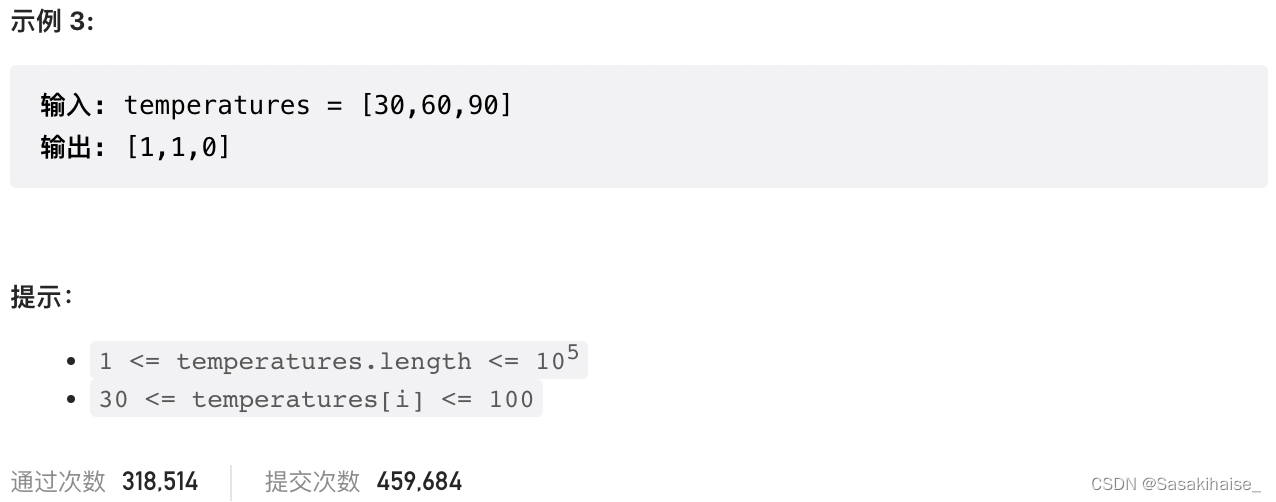
LeetCode 739. 每日温度
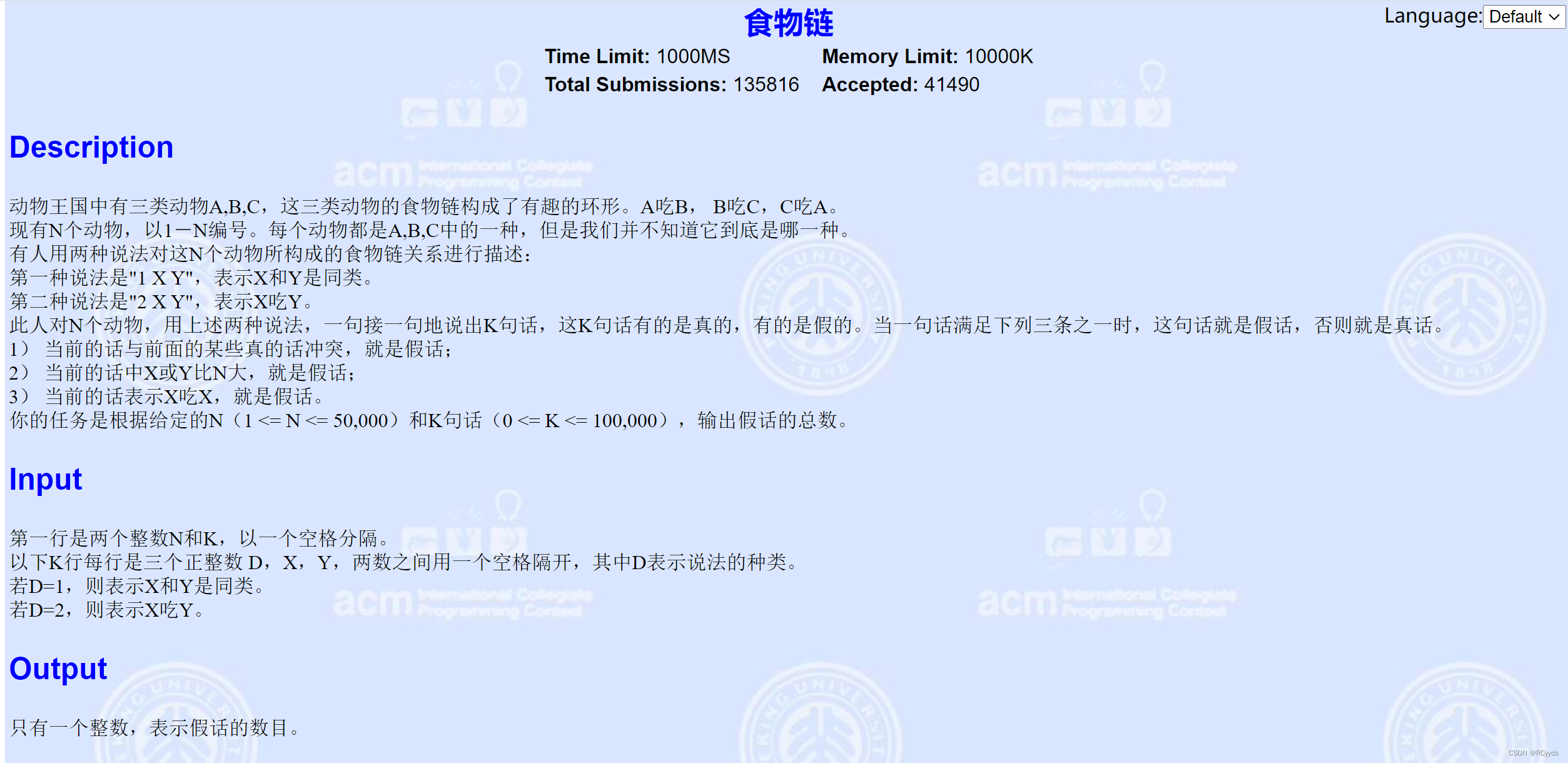
E - food chain
![[ram IP] introduction and experiment of ram IP core](/img/34/1c988456e32a8e9840d1d073caefbf.jpg)
[ram IP] introduction and experiment of ram IP core
随机推荐
Detailed explanation of P problem, NP problem, NPC problem and NP hard problem
【API接口工具】postman-界面使用介绍
【Postman】Collections-运行配置之导入数据文件
Isam2 and incrementalfixedlagsmooth instructions in gtsam
keil MDK中删除添加到watch1中的变量
模拟卷Leetcode【普通】1062. 最长重复子串
Manage configuration using Nacos
G - Supermarket
「 WEB测试工程师 」岗位一面总结
Digital triangle model acwing 1015 Picking flowers
D - How Many Answers Are Wrong
Manhattan distance and Manhattan rectangle - print back font matrix
RestTemplate、Feign实现Token传递
E - food chain
【Postman】动态变量(也称Mock函数)
Seven imperceptible truths in software testing
JMeter做接口测试,如何提取登录Cookie
全链路压测:构建三大模型
黑猫带你学UFS协议第4篇:UFS协议栈详解
GTSAM中ISAM2和IncrementalFixedLagSmoother说明