当前位置:网站首页>AI人脸编辑让Lena微笑
AI人脸编辑让Lena微笑
2022-07-06 23:42:00 【InfoQ】
1.进入AI人脸编辑页面案例页面,并完成基础配置
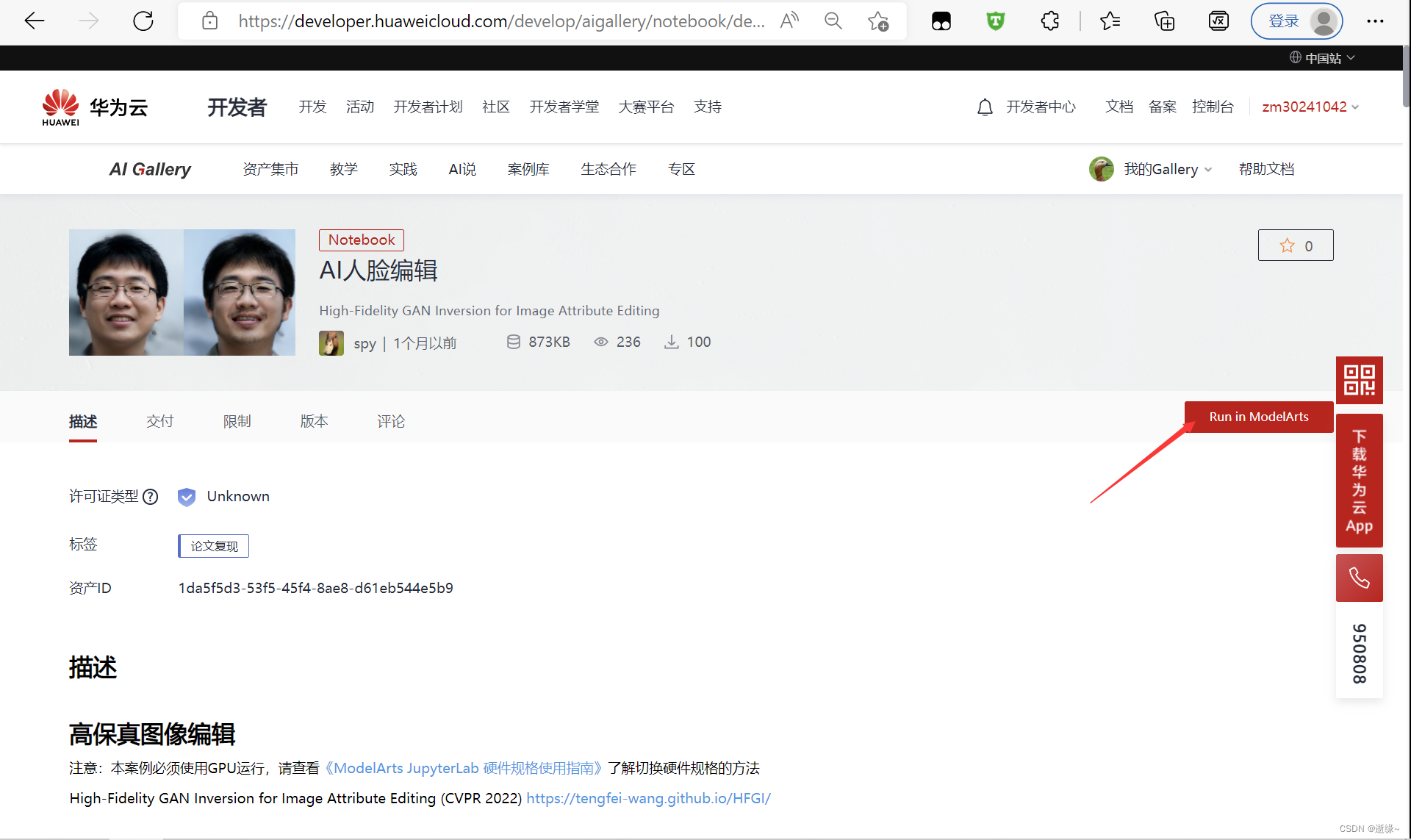
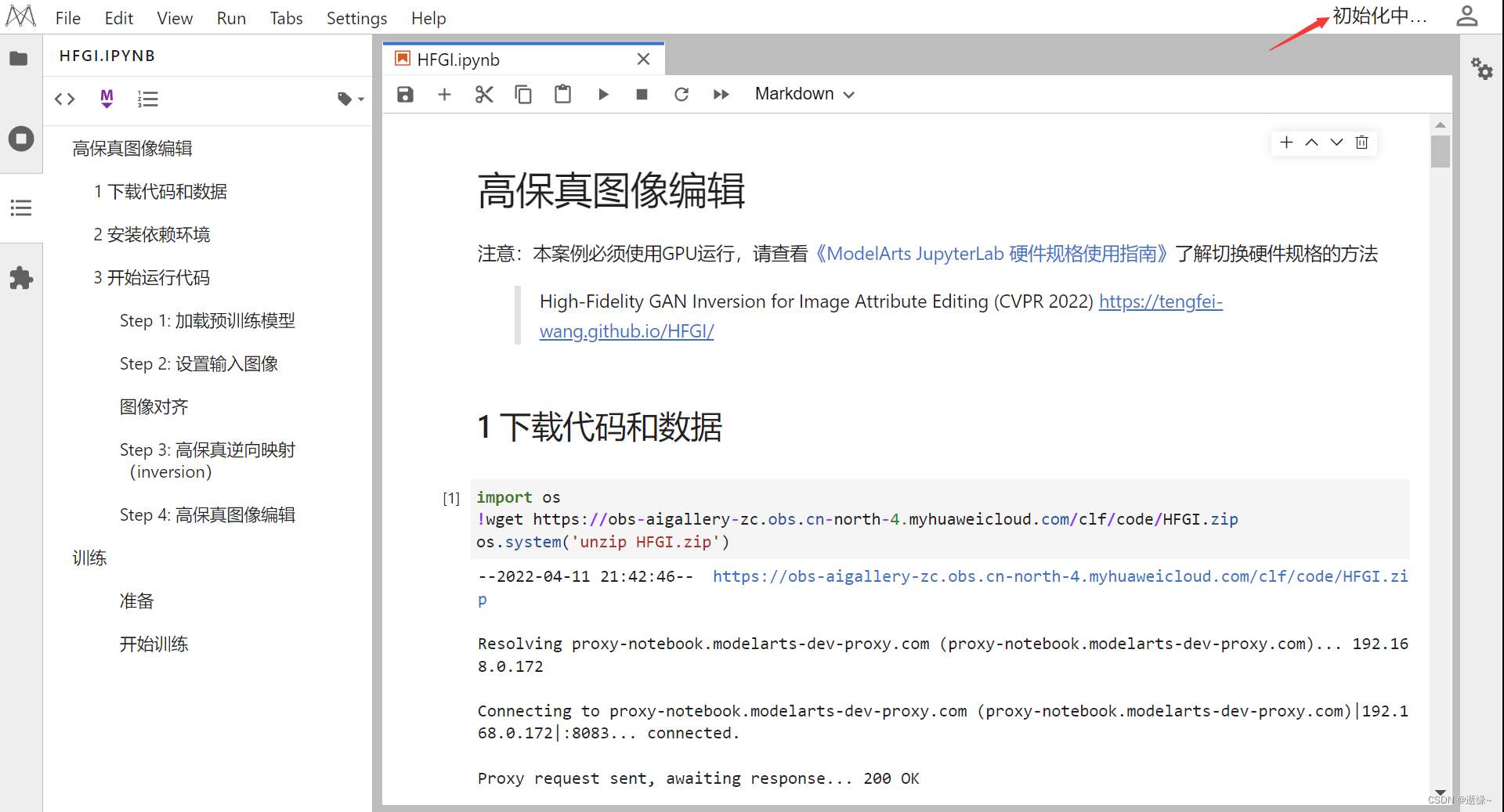
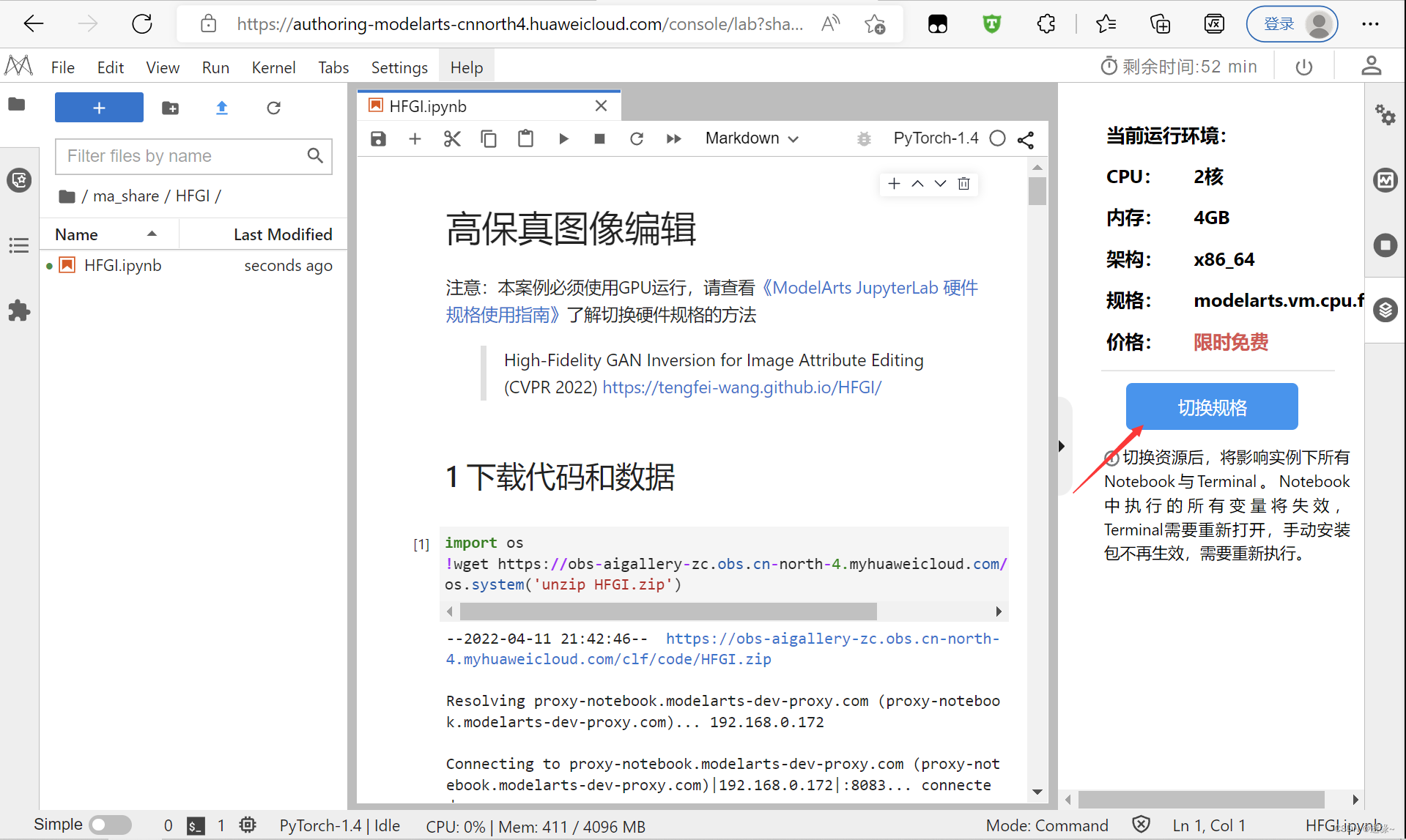

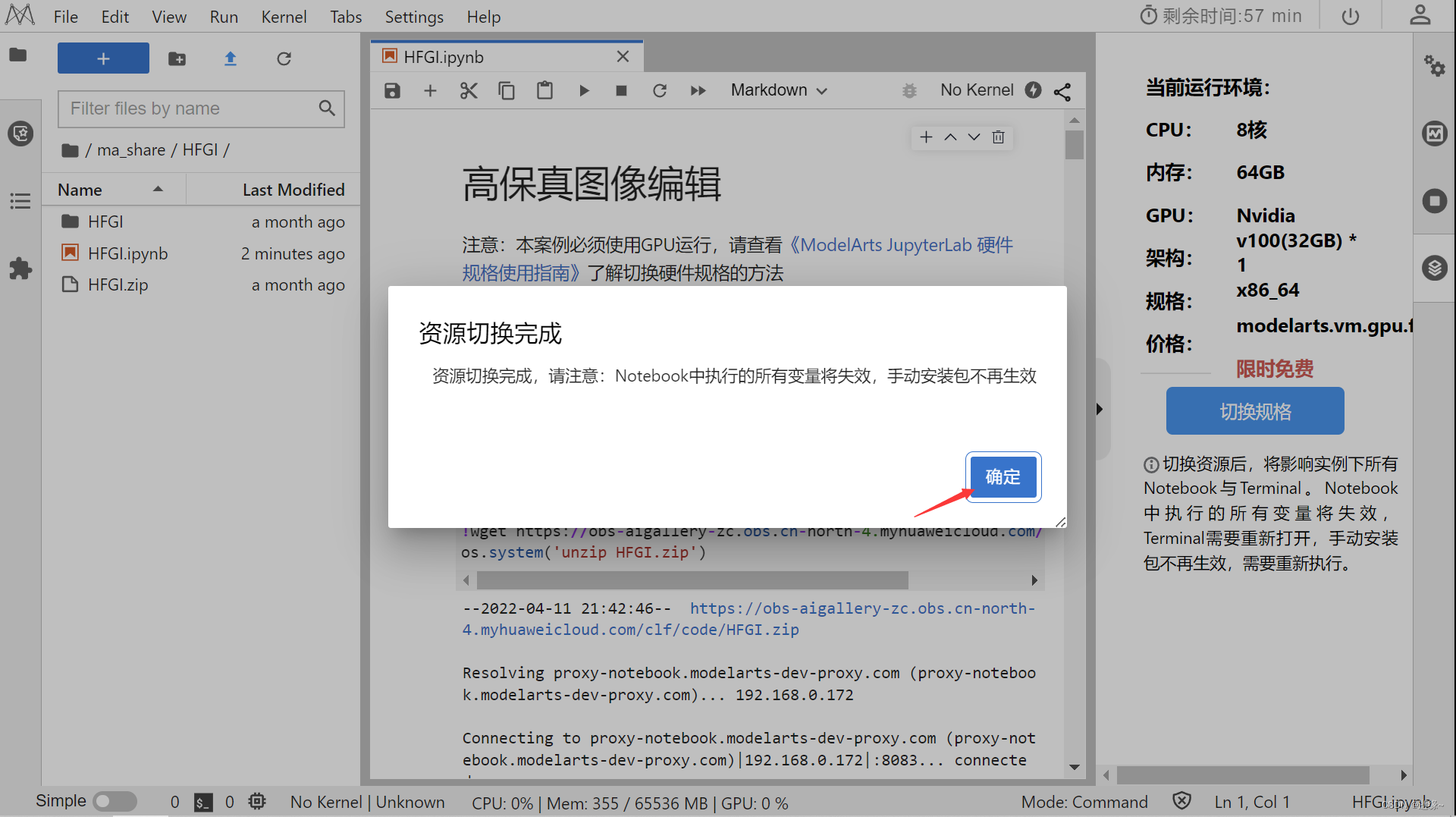
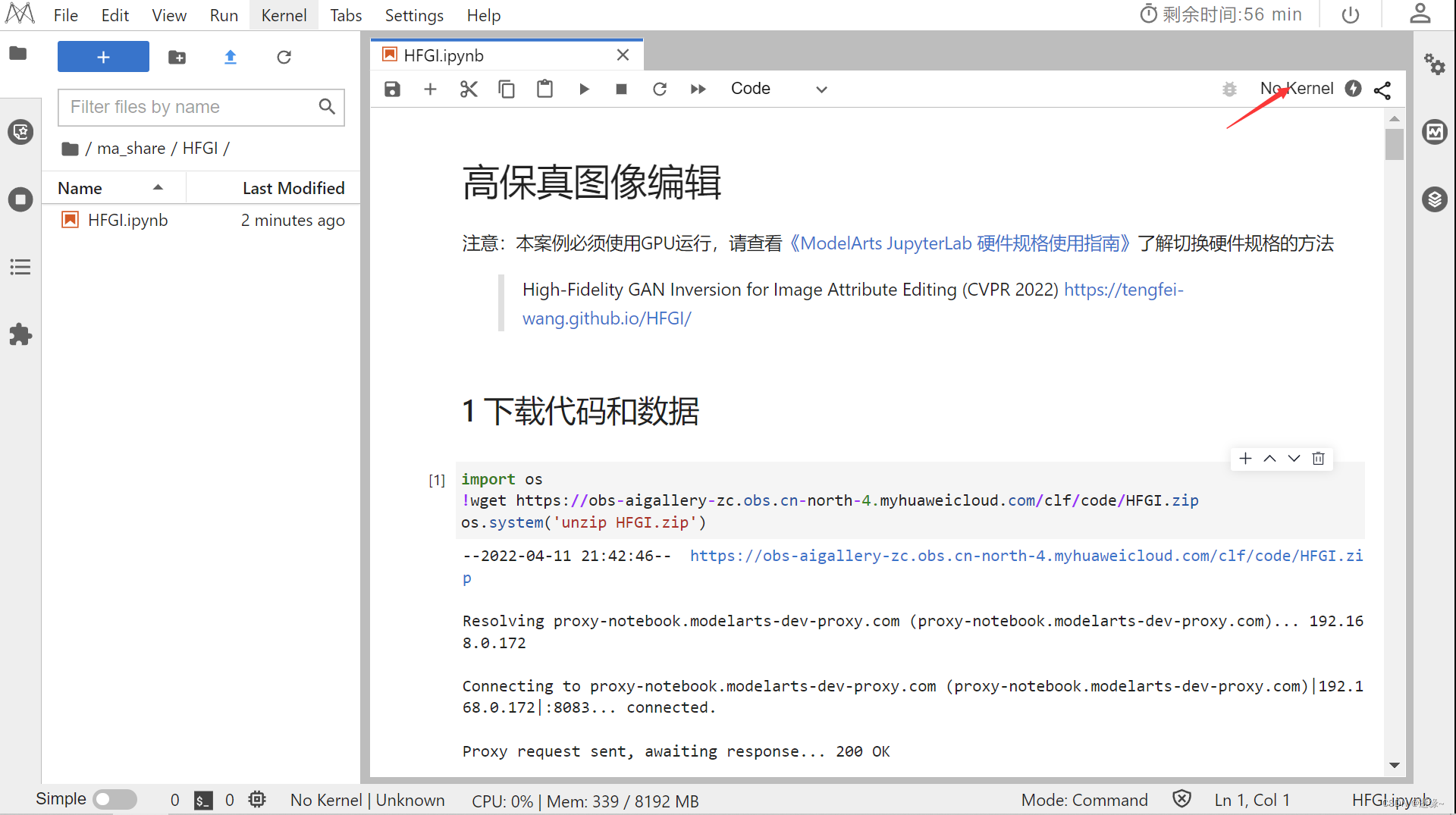
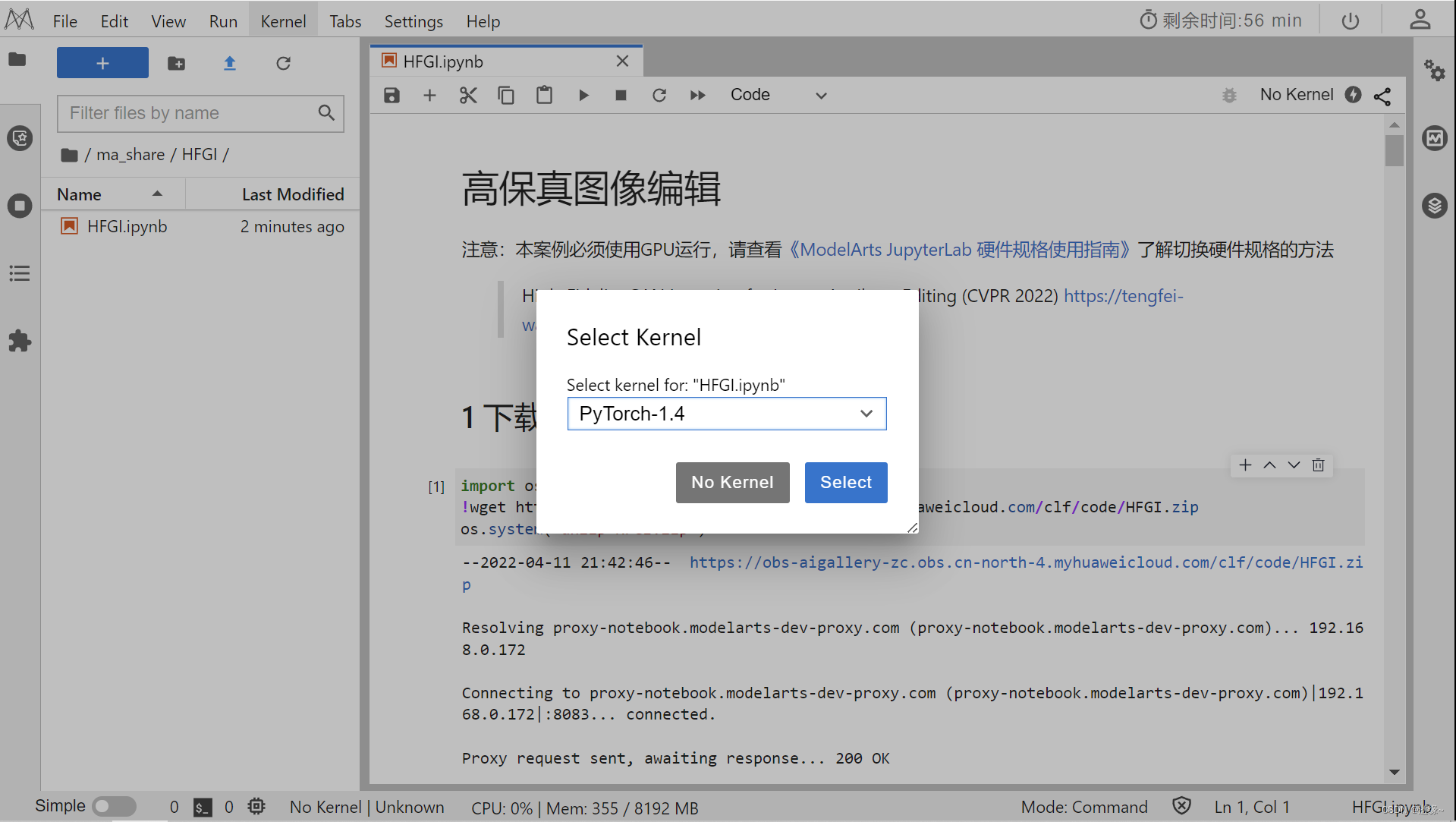
2.下载代码和数据并安装依赖

!pip install ninja

!pip install dlib

!pip uninstall -y torch
!pip uninstall -y torchvision
!pip install torch==1.6.0
!pip install torchvision==0.7.0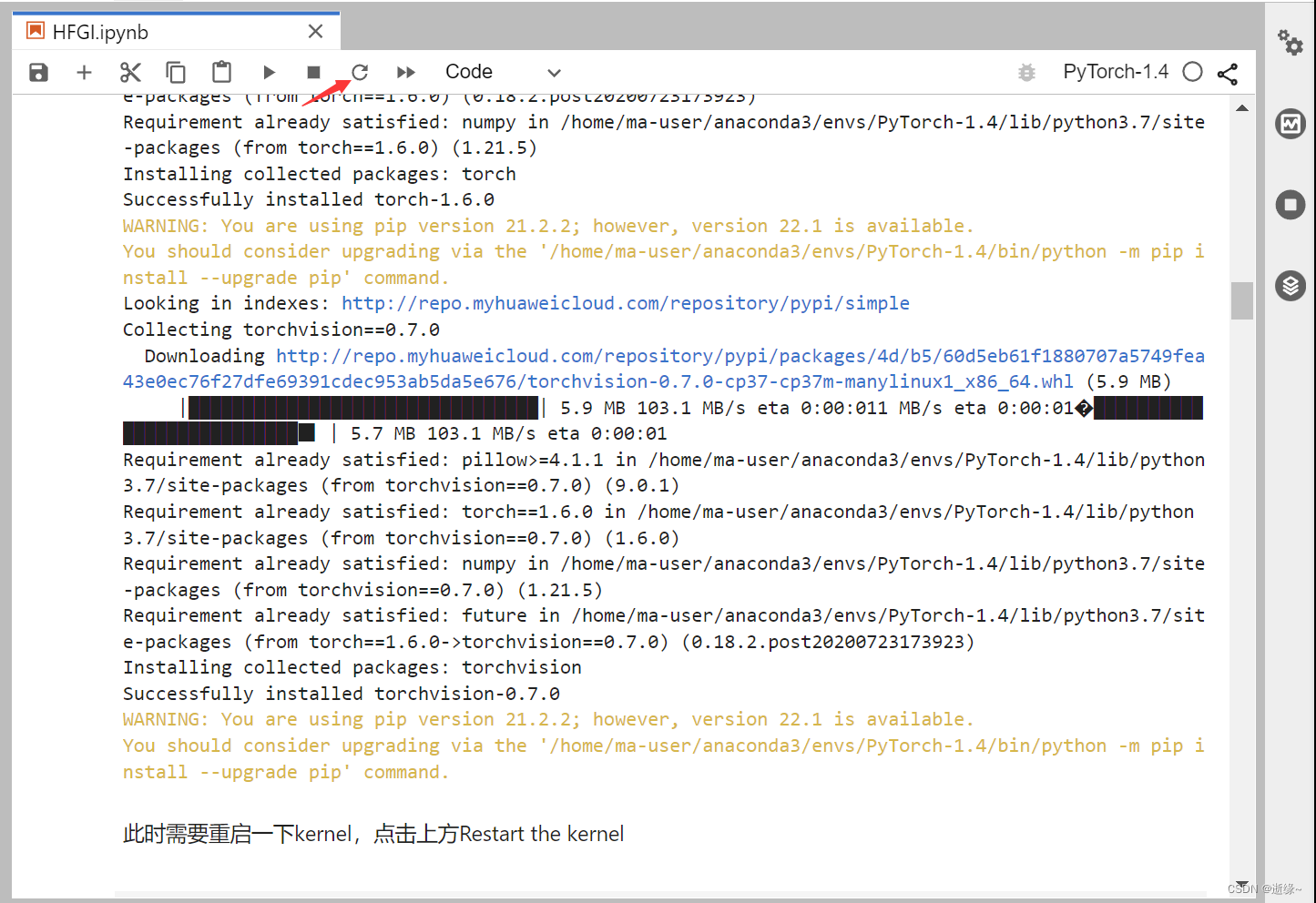
%cd HFGI3.开始运行代码
#@title Setup Repository
import os
from argparse import Namespace
import time
import os
import sys
import numpy as np
from PIL import Image
import torch
import torchvision.transforms as transforms


# from utils.common import tensor2im
from models.psp import pSp # we use the pSp framework to load the e4e encoder.

%load_ext autoreload
%autoreload 2
def tensor2im(var):
# var shape: (3, H, W)
var = var.cpu().detach().transpose(0, 2).transpose(0, 1).numpy()
var = ((var + 1) / 2)
var[var < 0] = 0
var[var > 1] = 1
var = var * 255
return Image.fromarray(var.astype('uint8'))model_path = "checkpoint/ckpt.pt"
ckpt = torch.load(model_path, map_location='cpu')
opts = ckpt['opts']
opts['is_train'] = False
opts['checkpoint_path'] = model_path
opts= Namespace(**opts)
net = pSp(opts)
net.eval()
net.cuda()
print('Model successfully loaded!')# Setup required image transformations
EXPERIMENT_ARGS = {
"image_path": "test_imgs/Lina.jpg"
}
EXPERIMENT_ARGS['transform'] = transforms.Compose([
transforms.Resize((256, 256)),
transforms.ToTensor(),
transforms.Normalize([0.5, 0.5, 0.5], [0.5, 0.5, 0.5])])
resize_dims = (256, 256)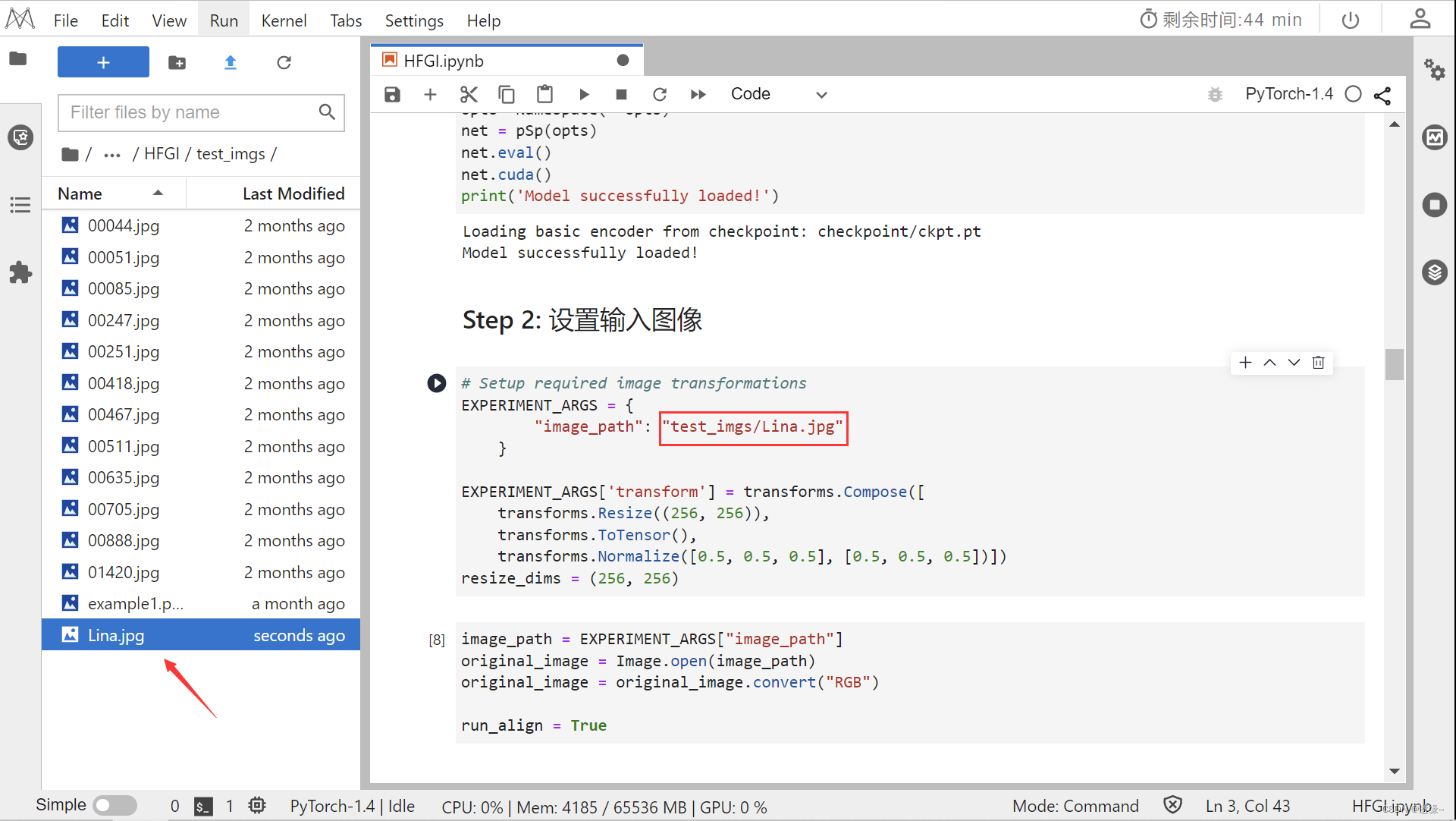
image_path = EXPERIMENT_ARGS["image_path"]
original_image = Image.open(image_path)
original_image = original_image.convert("RGB")

run_align = Trueimport numpy as np
import PIL
import PIL.Image
import scipy
import scipy.ndimage
import dlib
def get_landmark(filepath, predictor):
"""get landmark with dlib
:return: np.array shape=(68, 2)
"""
detector = dlib.get_frontal_face_detector()
img = dlib.load_rgb_image(filepath)
dets = detector(img, 1)
for k, d in enumerate(dets):
shape = predictor(img, d)
t = list(shape.parts())
a = []
for tt in t:
a.append([tt.x, tt.y])
lm = np.array(a)
return lm
def align_face(filepath, predictor):
"""
:param filepath: str
:return: PIL Image
"""
lm = get_landmark(filepath, predictor)
lm_chin = lm[0: 17] # left-right
lm_eyebrow_left = lm[17: 22] # left-right
lm_eyebrow_right = lm[22: 27] # left-right
lm_nose = lm[27: 31] # top-down
lm_nostrils = lm[31: 36] # top-down
lm_eye_left = lm[36: 42] # left-clockwise
lm_eye_right = lm[42: 48] # left-clockwise
lm_mouth_outer = lm[48: 60] # left-clockwise
lm_mouth_inner = lm[60: 68] # left-clockwise
# Calculate auxiliary vectors.
eye_left = np.mean(lm_eye_left, axis=0)
eye_right = np.mean(lm_eye_right, axis=0)
eye_avg = (eye_left + eye_right) * 0.5
eye_to_eye = eye_right - eye_left
mouth_left = lm_mouth_outer[0]
mouth_right = lm_mouth_outer[6]
mouth_avg = (mouth_left + mouth_right) * 0.5
eye_to_mouth = mouth_avg - eye_avg
# Choose oriented crop rectangle.
x = eye_to_eye - np.flipud(eye_to_mouth) * [-1, 1]
x /= np.hypot(*x)
x *= max(np.hypot(*eye_to_eye) * 2.0, np.hypot(*eye_to_mouth) * 1.8)
y = np.flipud(x) * [-1, 1]
c = eye_avg + eye_to_mouth * 0.1
quad = np.stack([c - x - y, c - x + y, c + x + y, c + x - y])
qsize = np.hypot(*x) * 2
# read image
img = PIL.Image.open(filepath)
output_size = 256
transform_size = 256
enable_padding = True
# Shrink.
shrink = int(np.floor(qsize / output_size * 0.5))
if shrink > 1:
rsize = (int(np.rint(float(img.size[0]) / shrink)), int(np.rint(float(img.size[1]) / shrink)))
img = img.resize(rsize, PIL.Image.ANTIALIAS)
quad /= shrink
qsize /= shrink
# Crop.
border = max(int(np.rint(qsize * 0.1)), 3)
crop = (int(np.floor(min(quad[:, 0]))), int(np.floor(min(quad[:, 1]))), int(np.ceil(max(quad[:, 0]))),
int(np.ceil(max(quad[:, 1]))))
crop = (max(crop[0] - border, 0), max(crop[1] - border, 0), min(crop[2] + border, img.size[0]),
min(crop[3] + border, img.size[1]))
if crop[2] - crop[0] < img.size[0] or crop[3] - crop[1] < img.size[1]:
img = img.crop(crop)
quad -= crop[0:2]
# Pad.
pad = (int(np.floor(min(quad[:, 0]))), int(np.floor(min(quad[:, 1]))), int(np.ceil(max(quad[:, 0]))),
int(np.ceil(max(quad[:, 1]))))
pad = (max(-pad[0] + border, 0), max(-pad[1] + border, 0), max(pad[2] - img.size[0] + border, 0),
max(pad[3] - img.size[1] + border, 0))
if enable_padding and max(pad) > border - 4:
pad = np.maximum(pad, int(np.rint(qsize * 0.3)))
img = np.pad(np.float32(img), ((pad[1], pad[3]), (pad[0], pad[2]), (0, 0)), 'reflect')
h, w, _ = img.shape
y, x, _ = np.ogrid[:h, :w, :1]
mask = np.maximum(1.0 - np.minimum(np.float32(x) / pad[0], np.float32(w - 1 - x) / pad[2]),
1.0 - np.minimum(np.float32(y) / pad[1], np.float32(h - 1 - y) / pad[3]))
blur = qsize * 0.02
img += (scipy.ndimage.gaussian_filter(img, [blur, blur, 0]) - img) * np.clip(mask * 3.0 + 1.0, 0.0, 1.0)
img += (np.median(img, axis=(0, 1)) - img) * np.clip(mask, 0.0, 1.0)
img = PIL.Image.fromarray(np.uint8(np.clip(np.rint(img), 0, 255)), 'RGB')
quad += pad[:2]
# Transform.
img = img.transform((transform_size, transform_size), PIL.Image.QUAD, (quad + 0.5).flatten(), PIL.Image.BILINEAR)
if output_size < transform_size:
img = img.resize((output_size, output_size), PIL.Image.ANTIALIAS)
# Return aligned image.
return imgif 'shape_predictor_68_face_landmarks.dat' not in os.listdir():
# !wget http://dlib.net/files/shape_predictor_68_face_landmarks.dat.bz2
!bzip2 -dk shape_predictor_68_face_landmarks.dat.bz2
def run_alignment(image_path):
import dlib
predictor = dlib.shape_predictor("shape_predictor_68_face_landmarks.dat")
aligned_image = align_face(filepath=image_path, predictor=predictor)
print("Aligned image has shape: {}".format(aligned_image.size))
return aligned_image
if run_align:
input_image = run_alignment(image_path)
else:
input_image = original_image
input_image.resize(resize_dims)def display_alongside_source_image(result_image, source_image):
res = np.concatenate([np.array(source_image.resize(resize_dims)),
np.array(result_image.resize(resize_dims))], axis=1)
return Image.fromarray(res)
def get_latents(net, x, is_cars=False):
codes = net.encoder(x)
if net.opts.start_from_latent_avg:
if codes.ndim == 2:
codes = codes + net.latent_avg.repeat(codes.shape[0], 1, 1)[:, 0, :]
else:
codes = codes + net.latent_avg.repeat(codes.shape[0], 1, 1)
if codes.shape[1] == 18 and is_cars:
codes = codes[:, :16, :]
return codes
with torch.no_grad():
x = transformed_image.unsqueeze(0).cuda()
tic = time.time()
latent_codes = get_latents(net, x)
# calculate the distortion map
imgs, _ = net.decoder([latent_codes[0].unsqueeze(0).cuda()],None, input_is_latent=True, randomize_noise=False, return_latents=True)
res = x - torch.nn.functional.interpolate(torch.clamp(imgs, -1., 1.), size=(256,256) , mode='bilinear')
# ADA
img_edit = torch.nn.functional.interpolate(torch.clamp(imgs, -1., 1.), size=(256,256) , mode='bilinear')
res_align = net.grid_align(torch.cat((res, img_edit ), 1))
# consultation fusion
conditions = net.residue(res_align)
result_image, _ = net.decoder([latent_codes],conditions, input_is_latent=True, randomize_noise=False, return_latents=True)
toc = time.time()
print('Inference took {:.4f} seconds.'.format(toc - tic))
# Display inversion:
display_alongside_source_image(tensor2im(result_image[0]), input_image)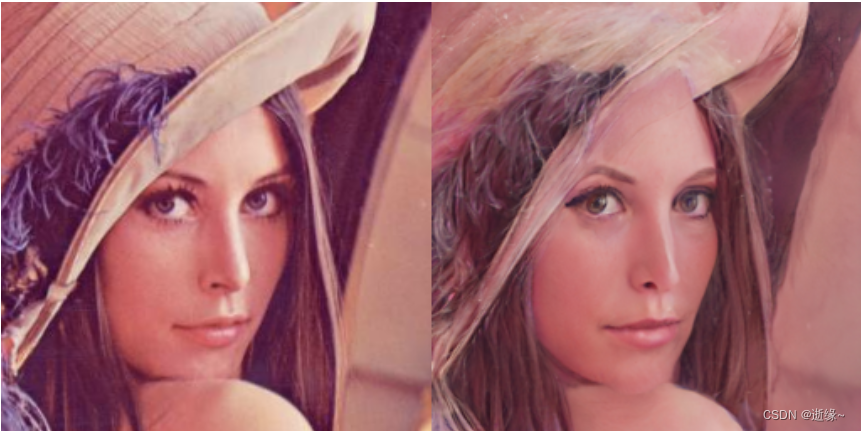
from editings import latent_editor
editor = latent_editor.LatentEditor(net.decoder)
# interface-GAN
interfacegan_directions = {
 'age': './editings/interfacegan_directions/age.pt',
 'smile': './editings/interfacegan_directions/smile.pt' }
edit_direction = torch.load(interfacegan_directions['smile']).cuda()
edit_degree = 1.5 # 设置微笑幅度
img_edit, edit_latents = editor.apply_interfacegan(latent_codes[0].unsqueeze(0).cuda(), edit_direction, factor=edit_degree) # 设置微笑
# align the distortion map
img_edit = torch.nn.functional.interpolate(torch.clamp(img_edit, -1., 1.), size=(256,256) , mode='bilinear')
res_align = net.grid_align(torch.cat((res, img_edit ), 1))

# fusion
conditions = net.residue(res_align)
result, _ = net.decoder([edit_latents],conditions, input_is_latent=True, randomize_noise=False, return_latents=True)

result = torch.nn.functional.interpolate(result, size=(256,256) , mode='bilinear')
display_alongside_source_image(tensor2im(result[0]), input_image)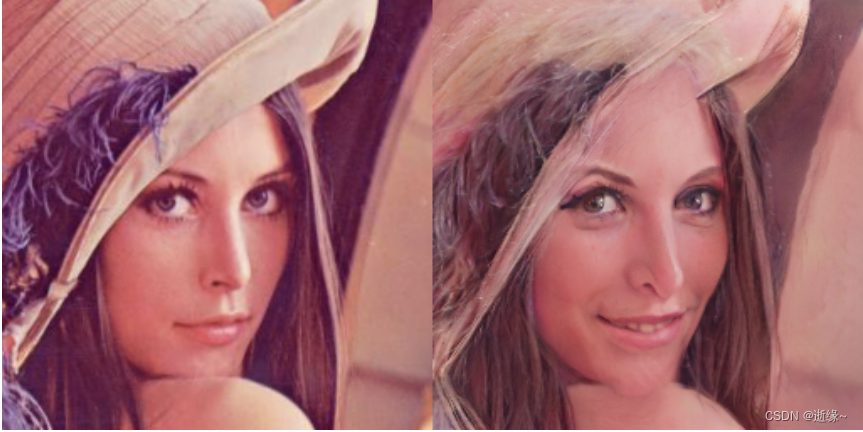
边栏推荐
- The navigation bar changes colors according to the route
- app clear data源码追踪
- Photo selector collectionview
- 利用OPNET进行网络仿真时网络层协议(以QoS为例)的使用、配置及注意点
- 论文阅读【MM21 Pre-training for Video Understanding Challenge:Video Captioning with Pretraining Techniqu】
- Addressable pre Download
- Flink SQL 实现读写redis,并动态生成Hset key
- ThinkPHP Association preload with
- Wonderful express | Tencent cloud database June issue
- Paper reading [semantic tag enlarged xlnv model for video captioning]
猜你喜欢
拼多多商品详情接口、拼多多商品基本信息、拼多多商品属性接口
Phenomenon analysis when Autowired annotation is used for list
Unity keeps the camera behind and above the player

4. Object mapping Mapster
漏电继电器JD1-100
Torch optimizer small parsing
Life experience of an update statement
Leetcode 1189 maximum number of "balloons" [map] the leetcode road of heroding
基于 hugging face 预训练模型的实体识别智能标注方案:生成doccano要求json格式
ssm框架的简单案例
随机推荐
Paper reading [semantic tag enlarged xlnv model for video captioning]
【oracle】简单的日期时间的格式化与排序问题
漏电继电器LLJ-100FS
Taobao store release API interface (New), Taobao oauth2.0 store commodity API interface, Taobao commodity release API interface, Taobao commodity launch API interface, a complete set of launch store i
Annotation初体验
Dbsync adds support for mongodb and ES
Mapbox Chinese map address
How can professional people find background music materials when doing we media video clips?
English语法_名词 - 所有格
论文阅读【Sensor-Augmented Egocentric-Video Captioning with Dynamic Modal Attention】
Jhok-zbg2 leakage relay
利用OPNET进行网络单播(一服务器多客户端)仿真的设计、配置及注意点
Batch size setting skills
消息队列:重复消息如何处理?
5阶多项式轨迹
[JS component] date display.
Taobao Commodity details page API interface, Taobao Commodity List API interface, Taobao Commodity sales API interface, Taobao app details API interface, Taobao details API interface
CentOS 7.9 installing Oracle 21C Adventures
漏电继电器JOLX-GS62零序孔径Φ100
什么是依赖注入(DI)