当前位置:网站首页>Pytest-- test report allure configuration
Pytest-- test report allure configuration
2022-07-02 10:22:00 【Lost ~ know to return】
pytest-- Test report of allure To configure
Environmental installation
The local environment
install jdk1.8, Configure environment variables at the same time
windows Configure environment variables , Right click on my computer , Click properties , Then click Advanced , Enter the following page , Then click on the environment variable
1、 Environment variable configuration , In the system variable , Create a new system variable configuration JAVA_HOME, Path is ,jdk Installation path for (D:\software\java_jdk),
Then click OK
2、 Find... In the system variable path, Add a new path ,%JAVA_HOME%\bin
github download allure Version of the suite :https://github.com/allure-framework/allure2/releases, Configure environment variables at the same time ( Method is the same as above. )
windows In the environment, you need to download allure-pytest plug-in unit
pip install allure-pytest
- Version checking
- pytest Version checking , Input in the terminal
- allure Version checking , Input in the terminal
pytest --version
allure --version

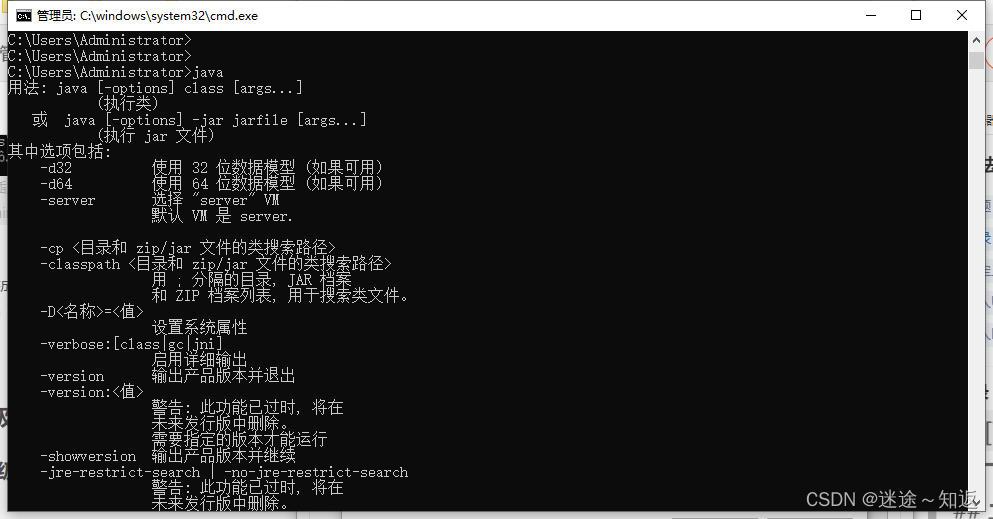
- jdk Installation success check
java
pytest Basic application of
- Test data generation
pytest.main(['--alluredir=./allure-result'])
- Generate a report
os.system('allure generate ./allure-result -o ./report')
- Basic code
# coding:utf-8
import os

import allure
import pytest


def set_01():
    print('start')


def set_02():
    print('finish')


class TestDemo(object):
    """object"""

    def test_01(self):
        set_02()
        set_01()
        print('practice')

    def test_02(self):
        print('crazy')


if __name__ == '__main__':

    pytest.main(['--alluredir=./allure-result'])
    os.system('allure generate ./allure-result -o ./report')
Test report 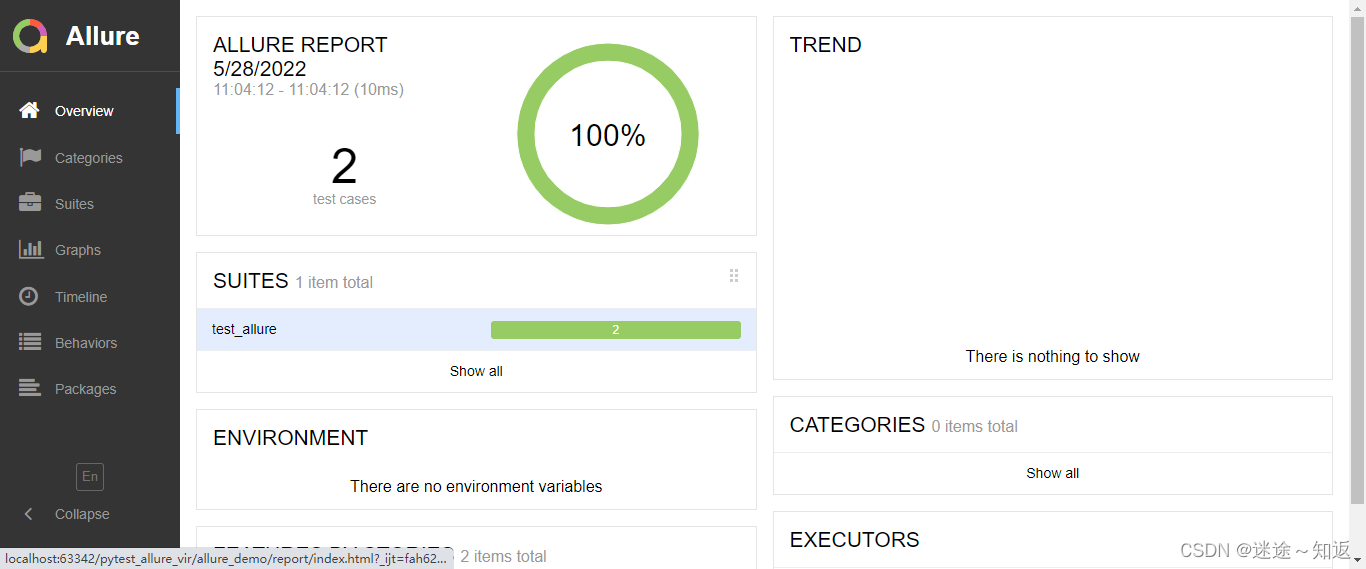
allure Basic usage of
- Add test execution steps
# coding:utf-8
import os

import allure
import pytest


@allure.step(' The first step of genius ')
def set_01():
    print('start')


@allure.step(' Queer's diapers ')
def set_02():
    print('finish')


class TestDemo(object):
    """object"""

    def test_01(self, fix):
        set_01()
        set_02()
        print('practice')

    def test_02(self, fix):
        print('crazy')


if __name__ == '__main__':
    pytest.main(['--alluredir=./allure-result'])
    os.system('allure generate ./allure-result -o ./report --clean')
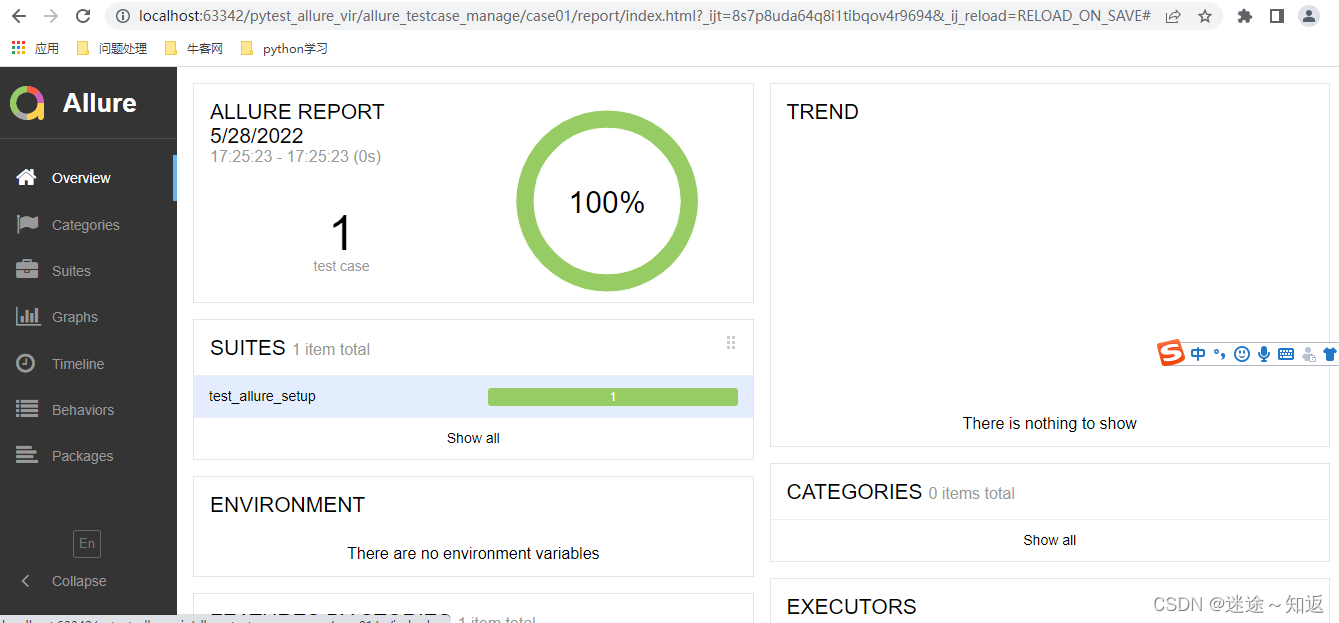
Running results 
allure Introduction to test report
- Overview: The overview
- Categories: Category , The default is divided failed and error, Any execution result that is one of them will be classified into the class , You can quickly see which use cases are failed and error Of , Support customization
- Suites: test suite , It's the hierarchy of all use cases , According to package、module、 class 、 Method to find the use case
- Graphs: Test results are graphical , Include a distribution diagram of the results of the use case execution , priority , Time consuming, etc
- Timeline: You can see the exact timing of the test case ( Execution order ), Including execution time
- Behaviors: Behavior driven , according to epic、feature、story To group test cases
- Packages: This is according to package、module Let's group test cases
allure Basic use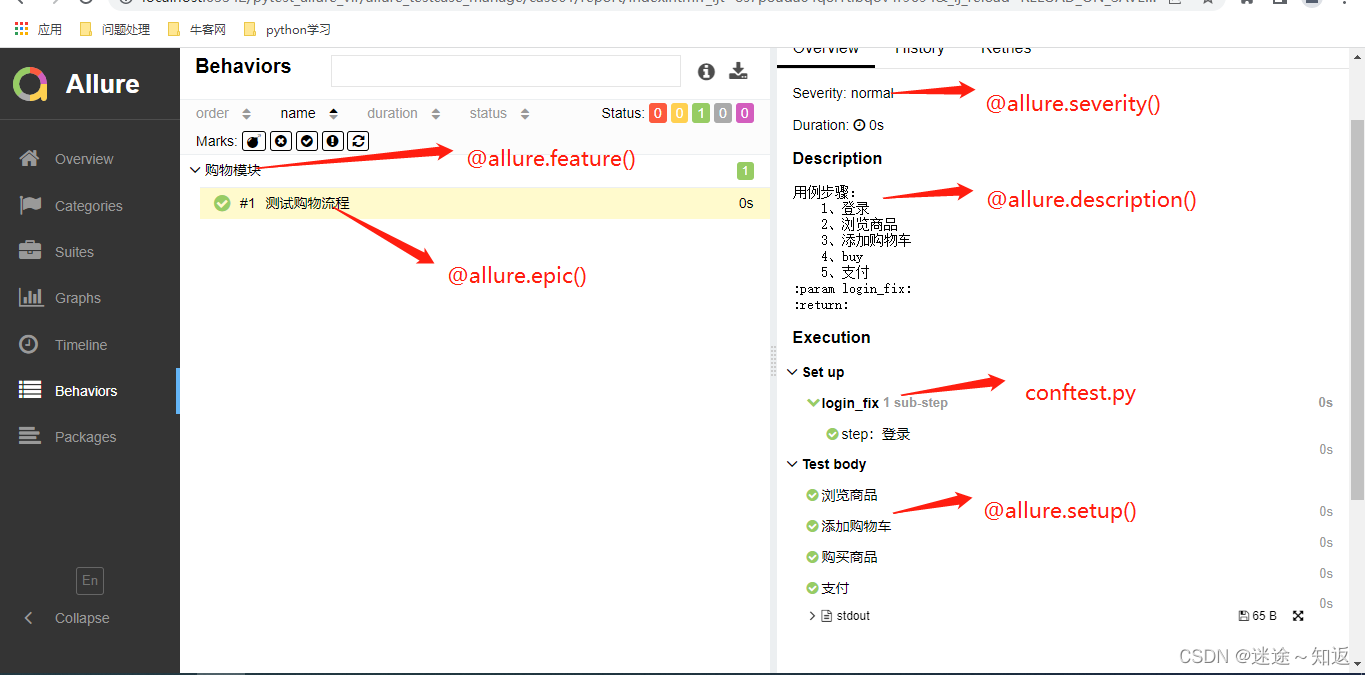

Event level :
 Use case classification
--allure-severities=SEVERITIES_SET
      Comma-separated list of severity names.
      Tests only with these severities will be run.
      Possible values are: blocker, critical, normal, minor, trivial.
blocker: Blocking defects ( Function not implemented , There's no next step )
critical: Serious defects ( Missing function point )
normal: General defects ( Boundary situation , Format error )
minor: Minor defects ( Interface error and ui Demand discrepancy )
trivial: Minor defects ( Must be silent , Or the prompt is not standard )
Description information
@allure.description(‘ Description information ’)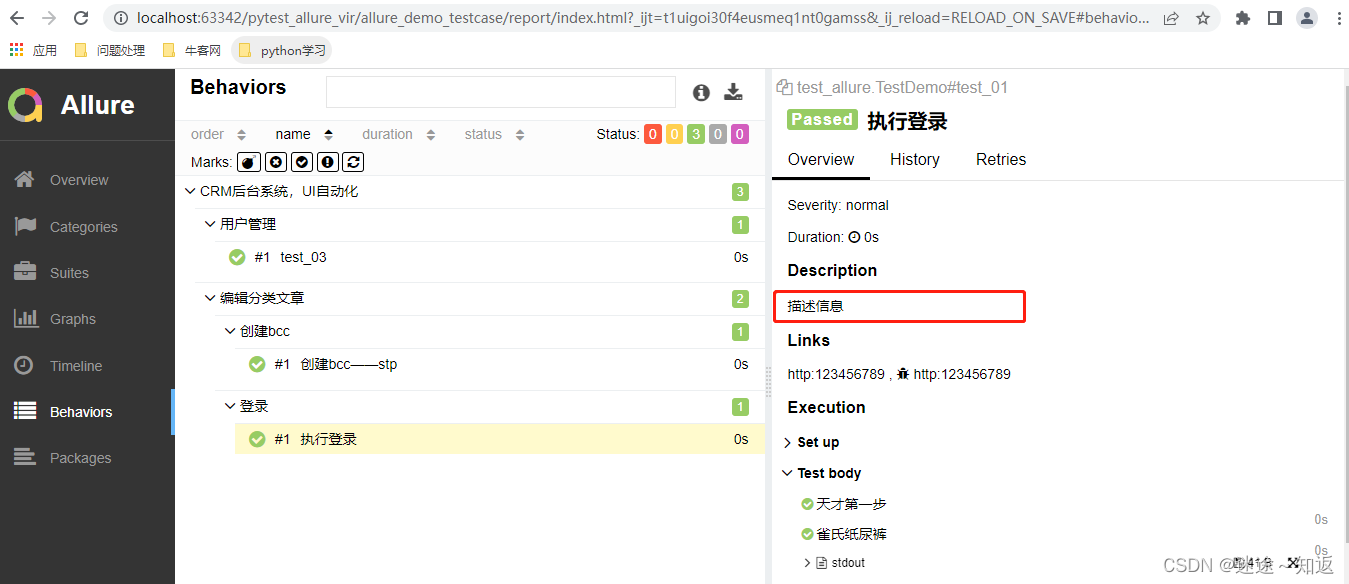
class TestDemo(object):
    """object"""

    @allure.story(' Sign in ')
    @allure.title(" Perform a login ")
    @allure.issue('http:123456789')    # bug Link address
    @allure.testcase('http:123456789')    #  Address of function use case
    @allure.severity('normal')
    # @allure.description(' Description information ')
    def test_01(self):
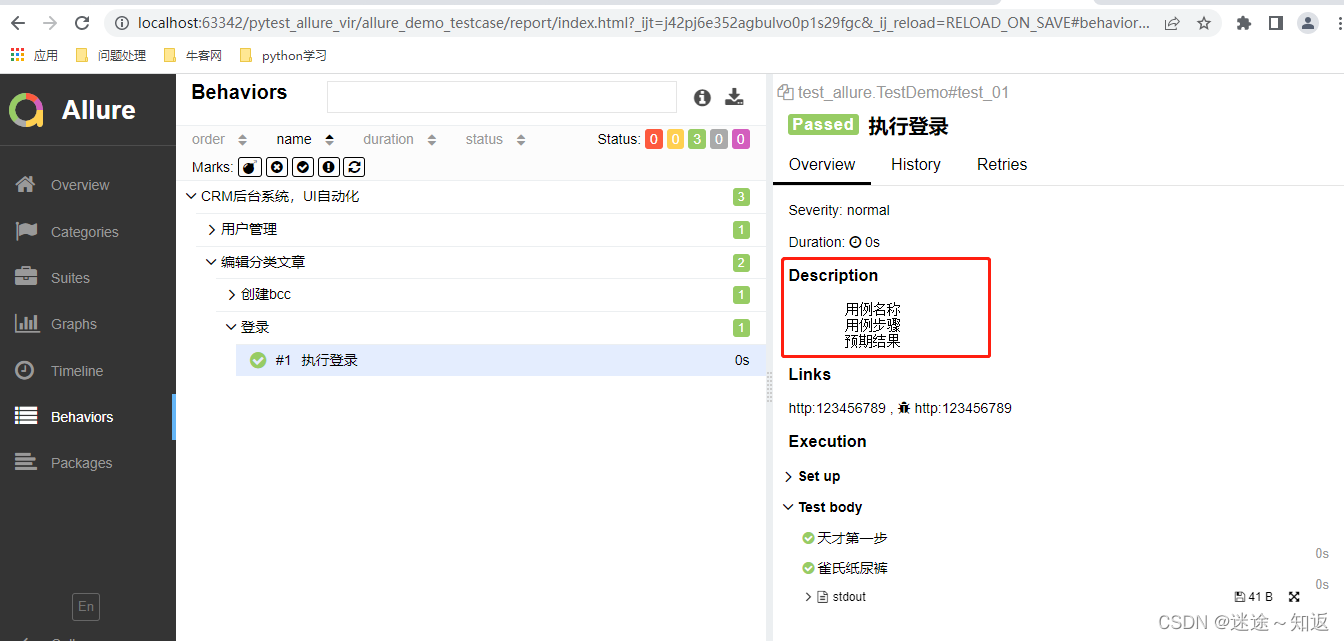
        """  Use case name   Use case step   Expected results  """
        set_01()
        set_02()
        print('practice')
边栏推荐
- 渗透测试的介绍和防范
- Ue5 - ai Pursuit (Blueprint, Behavior tree)
- 2837xd code generation module learning (3) -- IIC, ECAN, SCI, watchdog, ECAP modules
- Ue5 - AI pursuit (blueprint, behavior tree)
- Project practice, redis cluster technology learning (VII)
- UE4夜间打光笔记
- Notes de base sur les plans illusoires d'IA (triés en 10 000 mots)
- 虚幻——动画蓝图、状态机制作人物走跑跳动作
- VLAN experiment
- Blender石头雕刻
猜你喜欢

How to judge the quality of primary market projects when the market is depressed?
【虚幻】自动门蓝图笔记

ue4材质的入门和原理笔记

Postman--使用
滲透測試的介紹和防範

【Visual Studio】每次打开一个Unity3D的脚本,都会自动重新打开一个新的VS2017
![[ue5] blueprint making simple mine tutorial](/img/87/d0bec747a6b6276d63a315f88745ec.png)
[ue5] blueprint making simple mine tutorial

webUI自动化学习

Remember the use of add method once
Application of rxjs operator withlatestfrom in Spartacus UI of SAP e-commerce cloud
随机推荐
MySQL index
Project practice, redis cluster technology learning (12)
Configuration programmée du générateur de plantes du moteur illusoire UE - - Comment générer rapidement une grande forêt
【虚幻】按键开门蓝图笔记
2837xd code generation module learning (3) -- IIC, ECAN, SCI, watchdog, ECAP modules
Project practice, redis cluster technology learning (6)
[200 Shengxin literatures] 95 multiomics exploration TNBC
Deep understanding of redis cache avalanche / cache breakdown / cache penetration
Junit4运行mvn test 测试套件升级方案
Blender摄像机环绕运动、动画渲染、视频合成
【Lua】常见知识点汇总(包含常见面试考点)
2.14 is it Valentine's day or Valentine's day when the mainstream market continues to fluctuate and wait for changes?
Illusion -- Animation blueprint, state machine production, character walking, running and jumping action
AutoCAD - layer Linetype
Application of rxjs operator withlatestfrom in Spartacus UI of SAP e-commerce cloud
【JetBrain Rider】构建项目出现异常:未找到导入的项目“D:\VisualStudio2017\IDE\MSBuild\15.0\Bin\Roslyn\Microsoft.CSh
Blender体积雾
Blender volume fog
【MySQL】连接MySQL时出现异常:Connection must be valid and open
Blender stone carving