当前位置:网站首页>Linux下安装Redis,并配置环境
Linux下安装Redis,并配置环境
2022-07-01 18:46:00 【小山学Java】
网上的方法多种多样,我也是看了好多种方式,最终还是决定自己写一个安装流程,方便以后忘记了查看使用。
安装Redis
【1】http://download.redis.io/releases/redis-5.0.3.tar.gz`
【2】yum install wget
【3】创建一个文件夹 mkdir soft
【4】 wget http://download.redis.io/releases/redis-5.0.3.tar.gz
【5】解压 tar xf redis-5.0.3.tar.gz
【6】yum install gcc
make distclean # 清除一些,残余信息
【7】make
【8】make install PREFIX=/opt/wukong/redis5
【9】vi /etc/profile 配置环境变量
export REDIS_HOME=/opt/wukong/redis5
export PATH=$PATH:$REDIS_HOME/bin
【10】执行刚才修改的初始化文档
source /etc/profile
echo $PATH
【11】重点 一定要读
[[email protected] utils]# ./install_server.sh
#来到了redis 服务实例
Welcome to the redis service installer
This script will help you easily set up a running redis server
# 选择一个redis端口号在这个实例
Please select the redis port for this instance: [6379]  #6380 自定义端口号
# 选择默认端口号为 6379
Selecting default: 6379
# redis配置的名字为6479.conf 意味着可以创建多个不同名的redis 实例
Please select the redis config file name [/etc/redis/6379.conf]
# redis实例默认的存放位置
Selected default - /etc/redis/6379.conf
# 默认redis日志名字
Please select the redis log file name [/var/log/redis_6379.log] Selected default - /var/log/redis_6379.log
# 缓存的持久化磁盘位置
Please select the data directory for this instance [/var/lib/redis/6379]
Selected default - /var/lib/redis/6379
Please select the redis executable path [/opt/wukong/redis5/bin/redis-server]
# 配置信息
Selected config:
Port           : 6379
Config file    : /etc/redis/6379.conf
Log file       : /var/log/redis_6379.log
Data dir       : /var/lib/redis/6379
Executable     : /opt/wukong/redis5/bin/redis-server
Cli Executable : /opt/wukong/redis5/bin/redis-cli
Is this ok? Then press ENTER to go on or Ctrl-C to abort.
# 开机自启动设置,复制到 /etc/init.d/redis_6379
Copied /tmp/6379.conf => /etc/init.d/redis_6379
Installing service...
Successfully added to chkconfig!
Successfully added to runlevels 345!
# 启动redis服务
Starting Redis server...
Installation successful!

=================================
[[email protected] utils]# cd /etc/init.d/
[[email protected] init.d]# ls
functions  netconsole  network  README  redis_6379 # redis_6379执行 redis_6379的脚本文件
【12】ps -fe | gref redis 查看redis进程## 安装Redis
边栏推荐
- Basic use of MySQL
- Werewolf killing strategy: do you think I'm easy to cheat? Who do we believe!
- Les canaux de culture intensive s'efforcent de développer Fu Xin et Wei Shi jiajie pour organiser une conférence de formation sur les nouveaux produits
- 为什么一定要从DevOps走向BizDevOps?
- 音视频、编解码相关电子书、小工具,打包奉送!
- Why must we move from Devops to bizdevops?
- New window open page -window open
- Brpc understanding
- Ffmpeg common commands (2)
- [go ~ 0 to 1] day 5 July 1 type alias, custom type, interface, package and initialization function
猜你喜欢
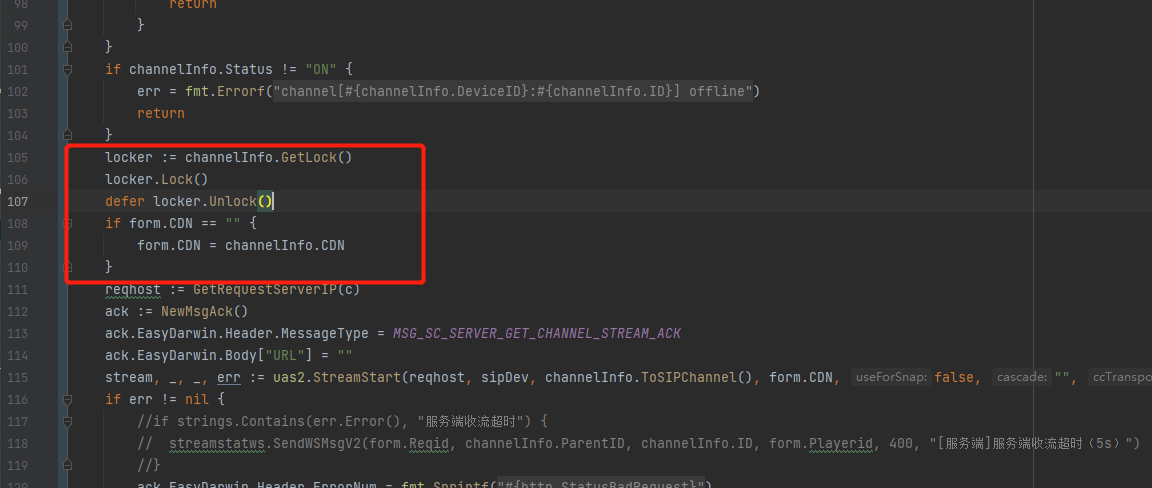
EasyGBS网络不稳定情况下重复请求视频拉流问题的优化
How to correctly use vertx to operate redis (3.9.4 with source code analysis)
如何正确使用Vertx操作Redis(3.9.4带源码分析)

Shell高级进阶
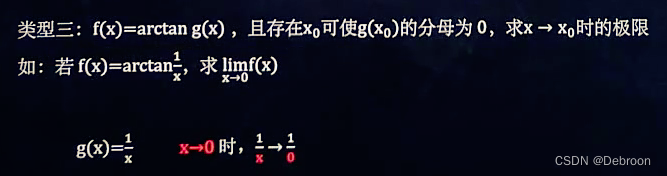
求各种极限的方法

精耕渠道共谋发展 福昕携手伟仕佳杰开展新产品培训大会

Solidity - contract structure - error - ^0.8.4 NEW
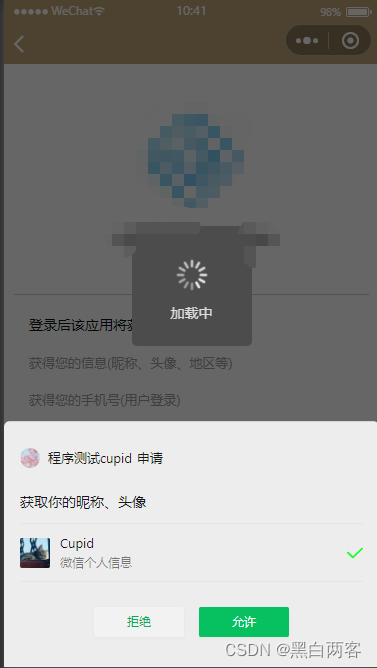
uni-app微信小程序一键登录获取权限功能
A brief understanding of white box encryption technology

大厂音视频职位面试题目--今日头条
随机推荐
【无标题】
精耕渠道共謀發展 福昕攜手偉仕佳傑開展新產品培訓大會
Ffmpeg error code
[go ~ 0 to 1] day 4 June 30 defer, structure, method
一文读懂C语言中的结构体
Extensive reading of the paper [film: visual reasoning with a general condition layer]
What must be done in graduation season before going to Shanhai
Wireshark packet analysis TCP, FTP
Parallelism, concurrency and life cycle of threads
uni-app商品分类
GetMessage底层机制分析
Why has instagram changed from a content sharing platform to a marketing tool? How do independent sellers use this tool?
原生js打造日程表-支持鼠标滚轮滚动选择月份-可以移植到任何框架中
音频编解码基础知识
Solution and summary of Nacos startup failure
[info() method in org.slf4j.logger]
GB28181的NAT穿透
大厂音视频职位面试题目--今日头条
Crunch简介、安装,使用Crunch制作密码字典
Native JS creates a calendar - supports mouse wheel scrolling to select months - and can be ported to any framework