当前位置:网站首页>Asp .NetCore 微信订阅号自动回复之文本篇
Asp .NetCore 微信订阅号自动回复之文本篇
2022-07-01 23:54:00 【林一怂儿】
文档
入门指引
我只是代码的搬运工~
https://developers.weixin.qq.com/doc/offiaccount/Getting_Started/Getting_Started_Guide.html
效果

环境
- .Net Core 6.0
- 订阅号【个人】
- 域名【备案】 不备案可能访问不到
- 服务器【备案】 不备案可能访问不到
- Docker
- Nginx
- Frp
工具
- Visual Studio 2022
流程
服务器配置
Docker 安装 https://www.cnblogs.com/linyisonger/p/13964825.html
docker-compose 安装 https://www.cnblogs.com/linyisonger/p/13964931.html
Nginx 安装 https://blog.csdn.net/linyisonger/article/details/123569798
Frp 配置 https://blog.csdn.net/linyisonger/article/details/123567529
Nginx 配置转发到Frp域名上去,实现IP转发域名反向代理。
server {
    listen 80;
    ...
    location /api/ {
        proxy_pass http://a.frp.1998.ink;
        proxy_http_version 1.1;
        proxy_set_header Upgrade $http_upgrade;
        proxy_set_header Connection keep-alive;
        # proxy_set_header Host $host;
        proxy_cache_bypass $http_upgrade;
    }
 	...
}
项目搭建
新建项目
我这里是这样新建的,当然也可以使用Visual Studio中的可视化新建。
dotnet new webapi --name AspNetCoreWeChatOAMessage
添加依赖
编辑.csproj文件。
<Project Sdk="Microsoft.NET.Sdk.Web">

  <PropertyGroup>
    <TargetFramework>net6.0</TargetFramework>
    <Nullable>enable</Nullable>
    <ImplicitUsings>enable</ImplicitUsings>
  </PropertyGroup>

  <ItemGroup>
    <PackageReference Include="Newtonsoft.Json" Version="13.0.1" />
  </ItemGroup>

</Project>
封装公众号类
新建OfficialAccount.cs文件,用于封装公众号所用的类型和方法。
目前很多还没去实现,主要实现了文本回复…
using Newtonsoft.Json;
using System.Reflection;
using System.Security.Cryptography;
using System.Text;
using System.Text.RegularExpressions;
using System.Xml;
using System.Xml.Serialization;
namespace AspNetCoreWeChatOAMessage
{
/// <summary>
/// 公众号
/// </summary>
public class OfficialAccount
{
/// <summary>
/// 公众号 appId
/// </summary>
public string appid {
get; set; }
/// <summary>
/// 公众号 appSecret
/// </summary>
public string secret {
get; set; }
/// <summary>
/// 必须为英文或数字,长度为3-32字符。
/// 什么是Token?https://mp.weixin.qq.com/wiki
/// </summary>
public string token {
get; set; }
/// <summary>
/// 消息加密密钥由43位字符组成,可随机修改,字符范围为A-Z,a-z,0-9。
/// 什么是EncodingAESKey?https://mp.weixin.qq.com/wiki
/// </summary>
public string encodingAESKey {
get; set; }
public OfficialAccount(string appid, string secret, string token, string encodingAESKey)
{
this.appid = appid;
this.secret = secret;
this.token = token;
this.encodingAESKey = encodingAESKey;
}
/// <summary>
/// 检查签名
/// </summary>
/// <param name="timestamp">时间戳</param>
/// <param name="nonce"></param>
/// <param name="signature">签名</param>
/// <returns></returns>
public bool CheckSignature(string timestamp, string nonce, string signature)
{
var list = new List<string>() {
token, timestamp, nonce };
list.Sort();
return SHA1Encryption(string.Join("", list)) == signature.ToUpper();
}
/// <summary>
/// access_token是公众号的全局唯一接口调用凭据,公众号调用各接口时都需使用access_token。开发者需要进行妥善保存。access_token的存储至少要保留512个字符空间。access_token的有效期目前为2个小时,需定时刷新,重复获取将导致上次获取的access_token失效。
/// </summary>
/// <param name="grant_type">填写 client_credential</param>
/// <returns></returns>
public async Task<GetAccessTokenResult?> GetAccessToken(string grant_type = "client_credential")
{
var result = await Get($"https://api.weixin.qq.com/cgi-bin/token?grant_type={
grant_type}&appid={
appid}&secret={
secret}");
return JsonConvert.DeserializeObject<GetAccessTokenResult>(result);
}
public class GetAccessTokenResult
{
/// <summary>
/// 获取到的凭证
/// </summary>
public string? access_token {
get; set; }
/// <summary>
/// 凭证有效时间,单位:秒。目前是7200秒之内的值。
/// </summary>
public long expires_in {
get; set; }
/// <summary>
/// 错误码
/// </summary>
public long errcode {
get; set; }
/// <summary>
/// 错误信息
/// </summary>
public string? errmsg {
get; set; }
}
/// <summary>
/// 接收普通消息
/// </summary>
public class ReceivingStandardMessages
{
/// <summary>
/// 消息基础类
/// </summary>
public class Message
{
/// <summary>
/// 开发者微信号
/// </summary>
public string? ToUserName {
get; set; }
/// <summary>
/// 发送方帐号(一个OpenID)
/// </summary>
public string? FromUserName {
get; set; }
/// <summary>
/// 消息创建时间
/// </summary>
public long CreateTime {
get; set; }
/// <summary>
/// 消息类型,文本为text
/// </summary>
public string? MsgType {
get; set; }
/// <summary>
/// 消息id
/// </summary>
public long MsgId {
get; set; }
/// <summary>
/// 消息的数据ID(消息如果来自文章时才有)
/// </summary>
public long MsgDataId {
get; set; }
/// <summary>
/// 多图文时第几篇文章,从1开始(消息如果来自文章时才有)
/// </summary>
public long Idx {
get; set; }
}
public class TextMessage : Message
{
/// <summary>
/// 文本消息内容
/// </summary>
public string? Content {
get; set; }
}
public class ImageMessage : Message
{
/// <summary>
/// PicUrl 图片链接(由系统生成)
/// </summary>
public string? PicUrl {
get; set; }
/// <summary>
/// 图片消息媒体id,可以调用获取临时素材接口拉取数据。
/// </summary>
public string? MediaId {
get; set; }
}
public class VoiceMessage : Message
{
/// <summary>
/// 语音消息媒体id,可以调用获取临时素材接口拉取数据。
/// </summary>
public string? MediaId {
get; set; }
/// <summary>
/// 语音格式,如amr,speex等
/// </summary>
public string? Format {
get; set; }
/// <summary>
/// 语音识别结果,UTF8编码
/// 请注意,开通语音识别后,用户每次发送语音给公众号时,微信会在推送的语音消息 XML 数据包中,增加一个 Recognition 字段(注:由于客户端缓存,开发者开启或者关闭语音识别功能,对新关注者立刻生效,对已关注用户需要24小时生效。开发者可以重新关注此帐号进行测试)。
/// </summary>
public string? Recognition {
get; set; }
}
public class VideoMessage : Message
{
/// <summary>
/// 视频消息媒体id,可以调用获取临时素材接口拉取数据。
/// </summary>
public string? MediaId {
get; set; }
/// <summary>
/// 视频消息缩略图的媒体id,可以调用多媒体文件下载接口拉取数据。
/// </summary>
public string? ThumbMediaId {
get; set; }
}
public class ShortvideoMessage : Message
{
/// <summary>
/// 视频消息媒体id,可以调用获取临时素材接口拉取数据。
/// </summary>
public string? MediaId {
get; set; }
/// <summary>
/// 视频消息缩略图的媒体id,可以调用获取临时素材接口拉取数据。
/// </summary>
public string? ThumbMediaId {
get; set; }
}
public class LocationMessage : Message
{
/// <summary>
/// 地理位置纬度
/// </summary>
public double Location_X {
get; set; }
/// <summary>
/// 地理位置经度
/// </summary>
public double Location_Y {
get; set; }
/// <summary>
/// 地图缩放大小
/// </summary>
public double Scale {
get; set; }
/// <summary>
/// 地理位置信息
/// </summary>
public string? Label {
get; set; }
}
public class LinkMessage : Message
{
/// <summary>
/// 消息标题
/// </summary>
public string? Title {
get; set; }
/// <summary>
/// 消息描述
/// </summary>
public string? Description {
get; set; }
/// <summary>
/// 消息链接
/// </summary>
public string? Url {
get; set; }
}
public static Message? Parse(string text)
{
var res = XmlDeSerialize<Message>(text);
return res?.MsgType switch
{
"text" => XmlDeSerialize<TextMessage>(text),
"image" => XmlDeSerialize<ImageMessage>(text),
"voice" => XmlDeSerialize<VoiceMessage>(text),
"video" => XmlDeSerialize<VideoMessage>(text),
"shortvideo" => XmlDeSerialize<ShortvideoMessage>(text),
"location" => XmlDeSerialize<LocationMessage>(text),
"link" => XmlDeSerialize<LinkMessage>(text),
_ => res,
};
}
}
/// <summary>
/// 被动回复用户消息
/// </summary>
public class PassiveUserReplyMessage
{
public class Media
{
/// <summary>
/// 通过素材管理中的接口上传多媒体文件,得到的id
/// </summary>
public string? MediaId {
get; set; }
}
public class Image : Media {
}
public class Voice : Media {
}
public class Video : Media
{
/// <summary>
/// 视频消息的标题
/// </summary>
public string? Title {
get; set; }
/// <summary>
/// 视频消息的描述
/// </summary>
public string? Description {
get; set; }
}
public class Music
{
/// <summary>
/// 音乐标题
/// </summary>
public string? Title {
get; set; }
/// <summary>
/// 音乐描述
/// </summary>
public string? Description {
get; set; }
/// <summary>
/// 音乐链接
/// </summary>
public string? MusicUrl {
get; set; }
/// <summary>
/// 高质量音乐链接,WIFI环境优先使用该链接播放音乐
/// </summary>
public string? HQMusicUrl {
get; set; }
/// <summary>
/// 缩略图的媒体id,通过素材管理中的接口上传多媒体文件,得到的id
/// </summary>
public string? ThumbMediaId {
get; set; }
}
public class Article
{
/// <summary>
/// 图文消息标题
/// </summary>
public string? Title {
get; set; }
/// <summary>
/// 图文消息描述
/// </summary>
public string? Description {
get; set; }
/// <summary>
/// 图片链接,支持JPG、PNG格式,较好的效果为大图360*200,小图200*200
/// </summary>
public string? PicUrl {
get; set; }
/// <summary>
/// 点击图文消息跳转链接
/// </summary>
public string? Url {
get; set; }
}
public class Message
{
/// <summary>
/// 开发者微信号
/// </summary>
public string? ToUserName {
get; set; }
/// <summary>
/// 发送方帐号(一个OpenID)
/// </summary>
public string? FromUserName {
get; set; }
/// <summary>
/// 消息创建时间
/// </summary>
public long CreateTime {
get; set; }
/// <summary>
/// 消息类型,
/// </summary>
public string? MsgType {
get; set; }
}
public class TextMessage : Message
{
/// <summary>
/// 回复的消息内容 (换行:在 content 中能够换行,微信客户端就支持换行显示)
/// </summary>
public string? Content {
get; set; }
}
public class ImageMessage : Message
{
public Image? Image {
get; set; }
}
public class VoiceMessage : Message
{
public Voice? Voice {
get; set; }
}
public class VideoMessage : Message
{
public Video? Video {
get; set; }
}
public class MusicMessage : Message
{
public Music? Music {
get; set; }
}
public class ArticleMessage : Message
{
/// <summary>
/// 图文消息个数;当用户发送文本、图片、语音、视频、图文、地理位置这六种消息时,开发者只能回复1条图文消息;其余场景最多可回复8条图文消息
/// </summary>
public long ArticleCount {
get; set; }
/// <summary>
/// 图文消息信息,注意,如果图文数超过限制,则将只发限制内的条数
/// </summary>
public Article[]? Articles {
get; set; }
}
public static string Parse(Message message)
{
return $"<xml>${
Format(message)}</xml>";
}
private static string Format(object obj, string text = "")
{
Type type = obj.GetType();
PropertyInfo[] properties = type.GetProperties();
foreach (PropertyInfo property in properties)
{
Type propertyType = property.PropertyType;
Console.WriteLine(propertyType);
if (typeof(string).Equals(property.PropertyType))
text += $"<{
property.Name}><![CDATA[{
property.GetValue(obj)}]]></{
property.Name}>";
else
text += $"<{
property.Name}>{
property.GetValue(obj)}</{
property.Name}>";
}
return text;
}
}
/// <summary>
/// 内部使用的通用方法
/// </summary>
/// <param name="url"></param>
/// <returns></returns>
static async Task<string> Get(string url)
{
try
{
var httpClient = new HttpClient();
HttpResponseMessage response = await httpClient.GetAsync(url);
return response.IsSuccessStatusCode ? await response.Content.ReadAsStringAsync() : ""; ;
}
catch (Exception ex)
{
throw new Exception("Get 请求出错:" + ex.Message);
}
}
/// <summary>
/// SHA1 加密,返回大写字符串
/// </summary>
/// <param name="content">需要加密字符串</param>
/// <param name="encode">指定加密编码</param>
/// <returns>返回40位大写字符串</returns>
static string SHA1Encryption(string content, Encoding? encode = null)
{
try
{
if (encode == null) encode = Encoding.UTF8;
SHA1 sha1 = SHA1.Create();
byte[] bytes_in = encode.GetBytes(content);
byte[] bytes_out = sha1.ComputeHash(bytes_in);
sha1.Dispose();
string result = BitConverter.ToString(bytes_out);
result = result.Replace("-", "");
return result;
}
catch (Exception ex)
{
throw new Exception("SHA1Encryption加密出错:" + ex.Message);
}
}
/// <summary>
/// 反序列化xml字符为对象,默认为Utf-8编码
/// </summary>
/// <typeparam name="T"></typeparam>
/// <param name="text"></param>
/// <returns></returns>
static T? XmlDeSerialize<T>(string text) where T : new() => XmlDeSerialize<T>(text, Encoding.UTF8);
/// <summary>
/// 反序列化xml字符为对象
/// </summary>
/// <typeparam name="T"></typeparam>
/// <param name="text"></param>
/// <param name="encoding"></param>
/// <returns></returns>
static T? XmlDeSerialize<T>(string text, Encoding encoding) where T : new()
{
var xml = new XmlSerializer(typeof(T), new XmlRootAttribute("xml"));
using var ms = new MemoryStream(encoding.GetBytes(text));
using var sr = new StreamReader(ms, encoding);
return (T?)xml.Deserialize(sr);
}
}
}
增加单例注入
编辑Program.cs文件,增加一个单例注入,便于各个接口的使用。
某些信息文本回复可能还用不到,但是为了以后的拓展,这里也在构造中添加了。
using AspNetCoreWeChatOAMessage;

var builder = WebApplication.CreateBuilder(args);

builder.Services.AddControllers();

builder.Services.AddSingleton<OfficialAccount>(new OfficialAccount(appid,secret,token,encodingAESKey));


var app = builder.Build();
app.UseAuthorization();
app.MapControllers();
app.Run();
新建接口
新建Controllers/HandleController.cs文件,创建api/OfficialAccount接口。
using Microsoft.AspNetCore.Mvc;
using Microsoft.Extensions.Primitives;
using System.Security.Cryptography;
using System.Text;
// For more information on enabling Web API for empty projects, visit https://go.microsoft.com/fwlink/?LinkID=397860
namespace AspNetCoreWeChatOAMessage.Controllers
{
[Route("api/")]
[ApiController]
public class HandleController : ControllerBase
{
private readonly OfficialAccount oa;
public HandleController(OfficialAccount oa)
{
this.oa = oa;
}
[HttpGet("OfficialAccount")]
public string GetOfficialAccount()
{
Request.Query.TryGetValue("signature", out StringValues signature);
Request.Query.TryGetValue("timestamp", out StringValues timestamp);
Request.Query.TryGetValue("nonce", out StringValues nonce);
Request.Query.TryGetValue("echostr", out StringValues echostr);
if (oa.CheckSignature(timestamp, nonce, signature)) return echostr;
return "hello, this is handle view";
}
[HttpPost("OfficialAccount")]
public string PostOfficialAccount()
{
StreamReader stream = new StreamReader(Request.Body);
string messageStr = stream.ReadToEndAsync().GetAwaiter().GetResult();
var message = OfficialAccount.ReceivingStandardMessages.Parse(messageStr);
if (message is OfficialAccount.ReceivingStandardMessages.TextMessage)
{
var textMessage = (OfficialAccount.ReceivingStandardMessages.TextMessage)message;
Console.WriteLine(textMessage.Content);
var content = textMessage.Content;
var replyMessage = new OfficialAccount.PassiveUserReplyMessage.TextMessage
{
Content = "你好,很高兴认识你~",
CreateTime = DateTimeOffset.Now.ToUnixTimeMilliseconds(),
ToUserName = message.FromUserName,
FromUserName = message.ToUserName,
MsgType = message.MsgType,
};
if (content != null)
{
if (content.ToUpper().StartsWith("BMI"))
{
var bmiArr = content.Split(" ");
if (bmiArr.Length == 3 && double.TryParse(bmiArr[1], out double height) && double.TryParse(bmiArr[2], out double weight))
{
var bmi = (weight / ((height / 100) * (height / 100)));
var result = $"您的身体质量指数(BMI)为{
bmi:#.0},";
if (bmi < 18.5) result += "可有点偏瘦啦,多吃点啦🧋~";
else if (bmi < 23.9) result += "在正常范围内,请继续保持 ~";
else if (bmi < 26.9) result += "有点偏胖喽,可以去运动运动啦 ~";
else if (bmi < 29.9) result += "处于肥胖阶段,要去运动一下啦 ~";
else result += "很危险,去医院看看吧 !";
replyMessage.Content = result;
}
}
}
return OfficialAccount.PassiveUserReplyMessage.Parse(replyMessage);
}
return "hello, this is handle view";
}
}
}
调试程序
运行程序,启动frpc对应本地服务端口以及服务器转发域名前缀。
微信公众平台配置
进入微信公众平台 https://mp.weixin.qq.com
服务器配置

配置你的服务器内容
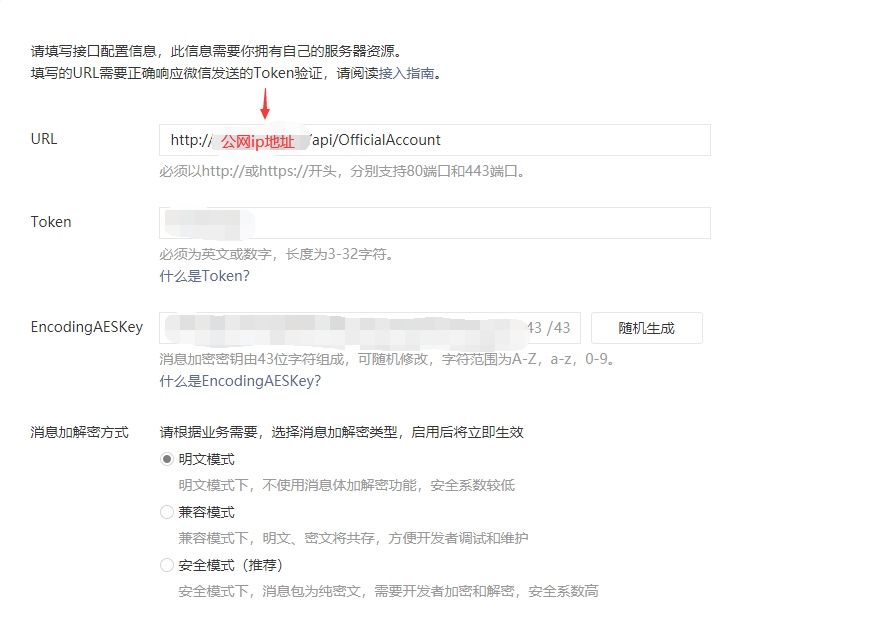
保存成功的话,代表以上配置正确。
然后就可以进行属于你自己的公众号自动回复的开发啦。
部署
部署成功,需要修改下服务器的nginx转发配置。
边栏推荐
- excel如何打开100万行以上的csv文件
- Huawei HMS core joins hands with hypergraph to inject new momentum into 3D GIS
- Anomaly-Transformer (ICLR 2022 Spotlight)复现过程及问题
- Operate database transactions with jpatractionmanager
- 在代码中使用SqlCommand对象
- ADO.NET之sqlCommand对象
- const // It is a const object... class nullptr_ t
- 比较通俗易懂的PID理解
- 2022年最佳智能家居开源系统:Alexa、Home Assistant、HomeKit生态系统介绍
- . env. XXX file, with constant, but undefined
猜你喜欢
【QT】Qt 使用MSVC2017找不到编译器的解决办法

Openvino model performance evaluation tool DL workbench
![[cmake] cmake configuration in QT Creator](/img/e3/1cf76f88eaddb5d32184523dfb049c.png)
[cmake] cmake configuration in QT Creator

比较通俗易懂的PID理解

Use pair to do unordered_ Key value of map
Pytorch learning record
Niuke - Practice 101 - reasoning clown
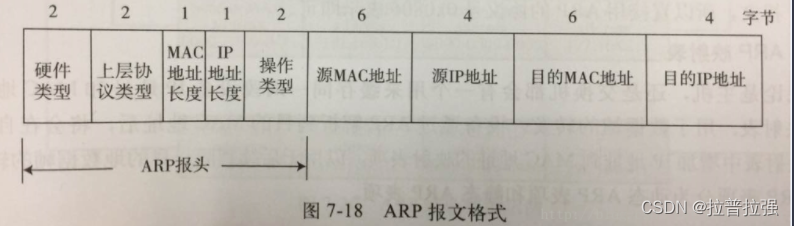
ARP message header format and request flow

深度学习 | 三个概念:Epoch, Batch, Iteration
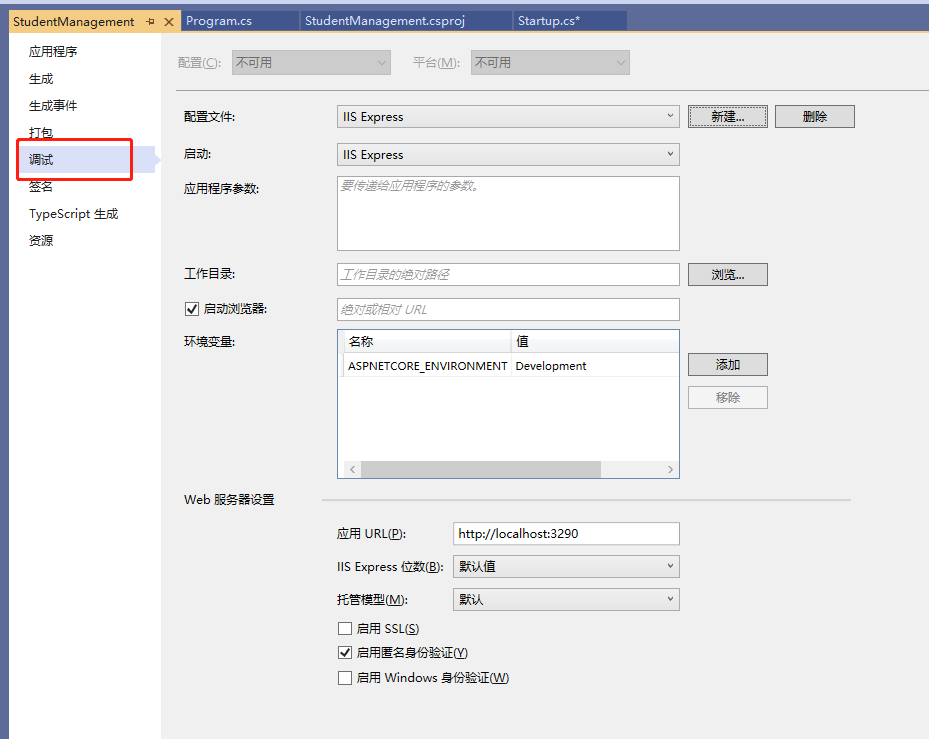
【.Net Core】程序相关各种全局文件
随机推荐
Which securities company is the best to open a stock account? Is there a security guarantee
RPA tutorial 01: Excel automation from introduction to practice
.env.xxx 文件,加了常量,却undefined
The essence of software architecture
ADO.NET之SqlDataAdpter对象
使用 pair 做 unordered_map 的键值
URL introduction
写给当前及未来博士研究生一些建议整理分享
[cmake] cmake configuration in QT Creator
比较通俗易懂的PID理解
Iota in golang
const // It is a const object... class nullptr_ t
const // It is a const object...class nullptr_t
华为HMS Core携手超图为三维GIS注入新动能
Reproduction process and problems of analog transformer (ICLR 2022 Spotlight)
SecurityUtils.getSubject().getPrincipal()为null的问题怎么解决
Redis master-slave synchronization
Create Ca and issue certificate through go language
How to solve the image pop-up problem when pycharm calls Matplotlib to draw
BlocProvider为什么感觉和Provider很相似?