当前位置:网站首页>Unreal material editor foundation - how to connect a basic material
Unreal material editor foundation - how to connect a basic material
2022-07-02 10:12:00 【Qiao'an fish】
Material editor basics
One 、 Introduction to physics based rendering
Four common parameters
Base color Background color
Roughness Roughness
Metallic Metal
Specular highlights :
1. Background color
Define the overall color of the material .
Any surface is made up of ground colors , It can also be called reflectivity .
2. Roughness
Enter to control the roughness or smoothness of the material surface , This determines the blur or sharpness of the reflection
0—— The smoother the surface ;1—— The rougher the surface 、 abrasion
3. Metallicity
More like Boolean . Nonmetal ——0, Metal ——1
Enter the extent to which the control surface " Like metal , first , You may force any material to be completely metallic . Please hold back , Don't do this !
4. highlights
The default is 0.5.
General objects do not use this function , Except for some translucent objects , Such as : water 、 ice 、 Quartz, etc . It is best to adjust with roughness .
Editing Nonmetal When the surface material , You may sometimes want to adjust its ability to reflect light , Especially its highlights attribute . For very diffuse materials , You may prefer to set this value to zero . Please hold back , Don't do this ! All materials Have specular reflection . For very diffuse materials , What you really want to do is Make them rough .
Two 、 Material editor
In the starter content pack ——props—— Add shaders , Use to see the material performance 


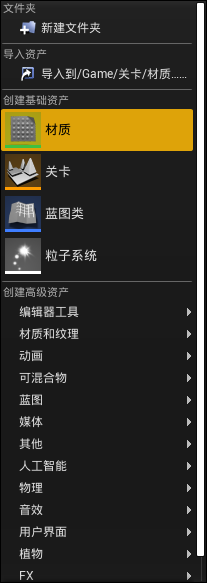
Create a new material folder —— Create a new material —— Double click to open the material editor
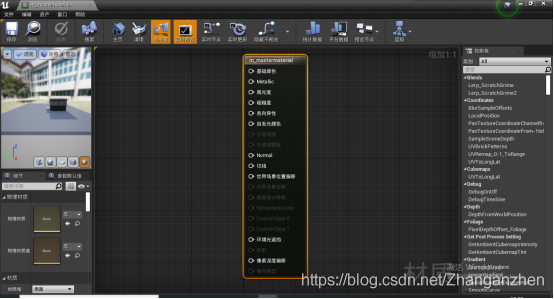
Select the grid body in the content browser mesh, Click the rightmost button , It can be displayed in the material editor 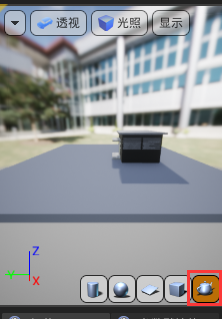
3、 ... and 、 Create the first material
1. Add one constant4Vector Thinking constant , There are four channels R,G,B,A, It is a commonly used basic material node 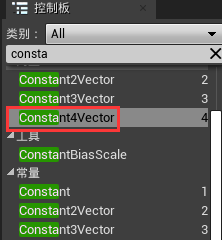


2. After adjusting the color , Connect the background color .
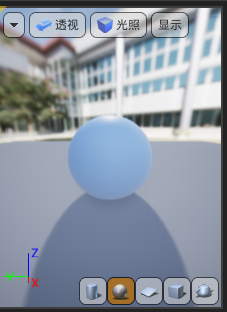
Tips: Four nodes will form pbr texture of material , Connect at least three nodes : Background color 、 Metallic color 、 Roughness
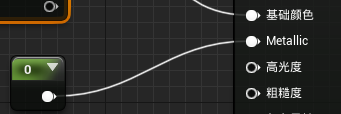
3.constant Is a floating point number ,0 or 1, Connect metallic 
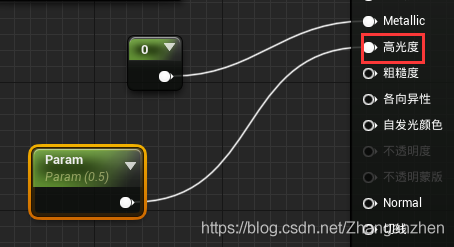
4. You can also right-click to add scalarparameter Scalar parameter , Connect highlights , The default value is 0.5
5. There is another way to add parameter nodes : Right click roughness , Click to upgrade to parameter . It will automatically create named parameters . Give one 0-1 The number of 

Tips: Right click the function node —— Convert to parameter —— In this way, the parameters can be changed outside , No need to open the material editor 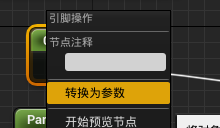
preservation . Click Browse to find materials directly in the content browser 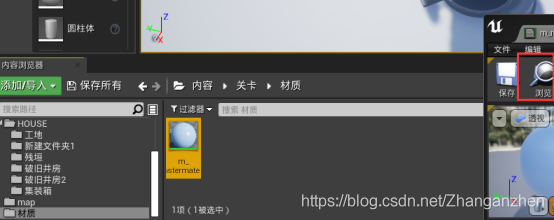
6. Directly drag the object to give material 
7. Right click material to create material instances , Material instances cannot use blueprints , But you can modify parameters , See material changes in real time 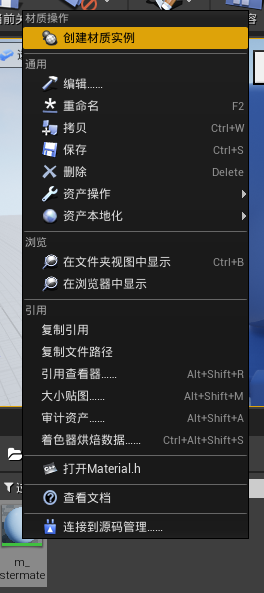

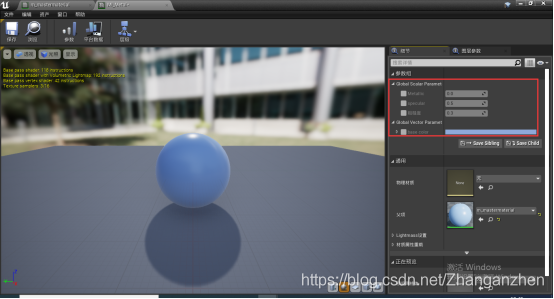
Check four parameters and modify , You can see feedback in real time , Very convenient 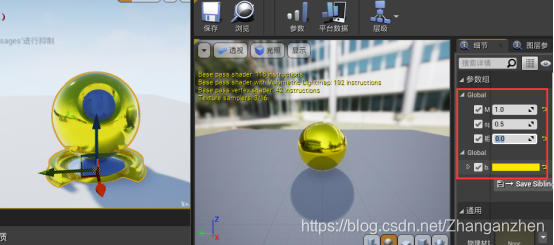
Four 、 The effect of material in shadow
1. Texturing
add to LerpInterpolate Linear interpolation node —— A very powerful node : First use the first input , Use the second input again , Last use alpha Channels mix
Connect the map alpha, Reuse AB Channel blend texture data 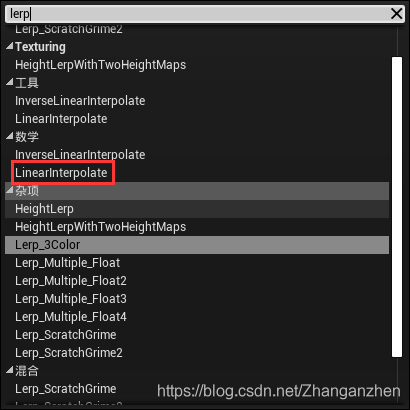

2. add to TextureSample parameter2D node —— Now the RGB The data of the channel is pushed to alpha passageway , Input grayscale data —— Pick any one RGB Channels and Alpha Connect 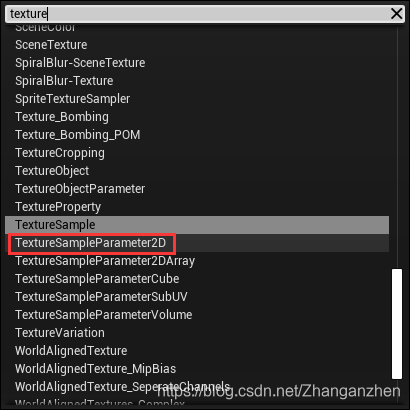

3. stay AB Right click on the channel to generate parameters , Set the parameters ,Lerp Node connection roughness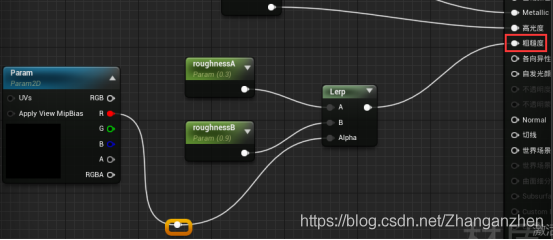
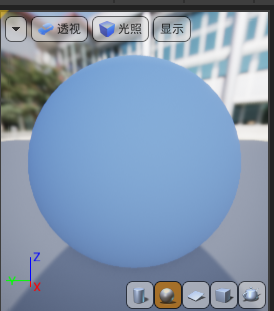
4. You can also give the texture base color, Multiply the mixed texture effect
from base color Add a node Multiply—— Texture and multiply Connected to a ——multiply And then output to base color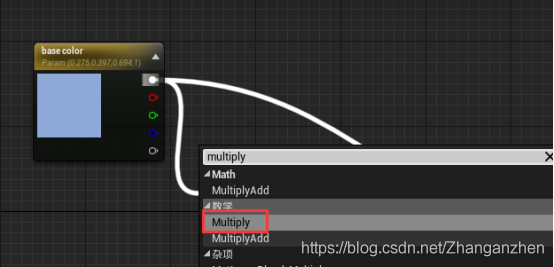


Tips: Double click the line , You can change the location , Make the connection more organized
5.normal Normal map
Normal mapping is a kind of texture data , It can be applied to any material , Add surface details to the material . It's very powerful
Add another TextureSample parameter2D node , and normal Normal map connection 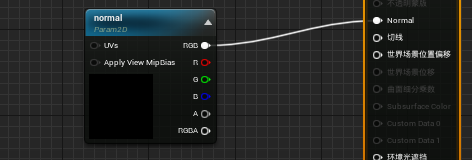
problem : If you save it directly at this time , An error will be displayed , This is because the correct type was not selected 
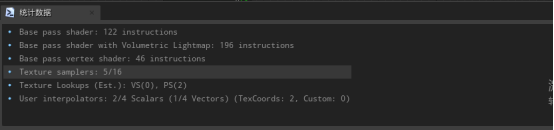
Click on the image —— Select the normal map sampler type —— It will give you an error , Never mind —— Check the show engine content option —— Search for Defualt Normal perhaps Default Texture—— The material is more suitable


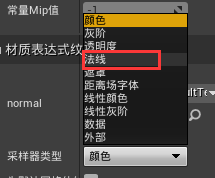


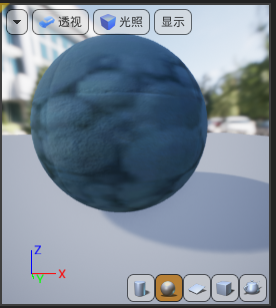
complete
This is a basic material connection diagram

6. After the save , Corresponding instances will also add corresponding options . Still have good reflection under the shadow 
边栏推荐
- Binary and decimal system of C language
- go语言入门
- Ue5 - AI pursuit (blueprint, behavior tree)
- Project practice, redis cluster technology learning (6)
- [ue5] animation redirection: how to import magic tower characters into the game
- 2837xd 代码生成——StateFlow(1)
- 2837xd代码生成模块学习(2)——ADC、ePWM模块、Timer0
- Bugkuctf-web24 (problem solving ideas and steps)
- Large neural networks may be beginning to realize: the chief scientist of openai leads to controversy, and everyone quarrels
- Vs+qt set application icon
猜你喜欢
2837xd code generation module learning (3) -- IIC, ECAN, SCI, watchdog, ECAP modules
滲透測試的介紹和防範
How to judge the quality of primary market projects when the market is depressed?
渗透测试的介绍和防范
Share a blog (water blog)
![[Yu Yue education] University Physics (Electromagnetics) reference materials of Taizhou College of science and technology, Nanjing University of Technology](/img/a9/ffd5d8000fc811f958622901bf408d.png)
[Yu Yue education] University Physics (Electromagnetics) reference materials of Taizhou College of science and technology, Nanjing University of Technology
2837xd code generation module learning (1) -- GPIO module

2837xd 代码生成——补充(2)

2837xd 代码生成——StateFlow(3)
What is the relationship between realizing page watermarking and mutationobserver?

随机推荐
Image recognition - Data Cleaning
Idempotent design of Internet API interface
The primary market project galaxy will conduct public offering on coinlist on February 17
Illusion -- Animation blueprint, state machine production, character walking, running and jumping action
高考那些事
Share a blog (water blog)
Blender多镜头(多机位)切换
Commutateur Multi - lentilles Blender
UE5——AI追逐(蓝图、行为树)
Project practice, redis cluster technology learning (VIII)
虚幻AI蓝图基础笔记(万字整理)
JDBC review
It is the most difficult to teach AI to play iron fist frame by frame. Now arcade game lovers have something
How does {} prevent SQL injection? What is its underlying principle?
Bugkuctf-web21 (detailed problem solving ideas and steps)
What is call / cc- What is call/cc?
Sil/pil test of matlab code generation
What is the relationship between realizing page watermarking and mutationobserver?
Following nym, the new project Galaxy token announced by coinlist is gal
Binary and decimal system of C language