当前位置:网站首页>数据库 | SQL查询进阶语法
数据库 | SQL查询进阶语法
2022-07-31 05:11:00 【Benni-King】
在test这个数据库中,增加了两个table
一个叫students
一个叫classes
具体内容如下
mysql> select * from students;
+----+-----------+------+--------+--------+--------+-----------+
| id | name      | age  | height | gender | cls_id | is_delete |
+----+-----------+------+--------+--------+--------+-----------+
| 15 | 小明      |   18 | 180.00 | 女     |      1 |           |
| 16 | 小月月    |   18 | 180.00 | 女     |      2 |          |
| 17 | 彭于晏    |   29 | 185.00 | 男     |      1 |           |
| 18 | 刘德华    |   59 | 175.00 | 男     |      2 |          |
| 19 | 黄蓉      |   38 | 160.00 | 女     |      1 |           |
| 20 | 凤姐      |   28 | 150.00 | 保密   |      2 |          |
| 21 | 王祖贤    |   18 | 172.00 | 女     |      1 |          |
| 22 | 周杰伦    |   36 |   NULL | 男     |      1 |           |
| 23 | 程萧      |   27 | 181.00 | 男     |      2 |           |
| 24 | 刘亦菲    |   25 | 166.00 | 女     |      2 |           |
| 25 | 金星      |   33 | 162.00 | 中性   |      3 |          |
| 26 | 静香      |   12 | 180.00 | 女     |      4 |           |
| 27 | 郭靖      |   12 | 170.00 | 男     |      4 |           |
| 28 | 周杰      |   34 | 176.00 | 女     |      5 |           |
+----+-----------+------+--------+--------+--------+-----------+

mysql> select * from classes;
+----+----------------+
| id | name           |
+----+----------------+
|  1 | python01_times |
|  2 | python02_times |
|  3 | python03_times |
+----+----------------+
1.查
as 给表起表名或者给列起表名
select s.name s.age from students as s;
select name as 名字, age as 年龄 from students;
select distinct gender from students;
1.1条件查询
select * from students where age<18 and age<30;
select * from students where age>20 and gender="男";

select * from students where age>25 or height>170;

取反集
select * from students where not (age>20 and gender="男");
1.2 模糊查询
like
select name from students where name="小";
select name from studnets where name like "小%";

--查询名字里面有小的所有名字
select name from students where name like "%小%";

--查询名字里面有3个字的名字
select name from students where name like "__";

--查询名字里面至少两个字以上的
select name from students where name like "__%";
rlike
-- rlike 正则
-- 查询以 周开始的姓名
select name from students where name rlike "^周*";

--查询以周开始伦结尾的姓名
select name from students where name rlike "周.*伦$";
1.3 范围查询,null
select name,age from students where age in (18, 29 ,59);

select name,age from students where age not between 19 and 30;

select * from students where height is null ;
1.4 升序降序
1.4.1单个
默认就是升序,降序需要指令desc指明
默认就是升序,所以升序可以省略,降序需要另外指定
select * from students where (age not between 18 and 30 ) and gender = 1 order by age;
select * from students where (age not between 18 and 30 ) and gender = 1 order by age asc;

select * from students where (age not between 18 and 30 ) and gender = 1 order by age desc;
1.4.2 多列
就近原则,最靠近order by的条件优先级最高,先排序,若相同,再看第二个条件
select * from students where (age not between 18 and 30 ) and gender = 1 order by age asc , id desc;
1.5 聚合,分组
select count(*) as 性别 from students where gender=1;

select max(age) as 最大年龄  from students;

select round(sum(age)/count(*),2) from students;

select gender, avg(age) from students group by gender;

select gender, group_concat(name),avg(age) from students group by gender;

select gender, group_concat(name,"_",age,"_",id),avg(age) from students g
roup by gender;

select gender, group_concat(name) from students group by gender having count(*)>3;

select gender , group_concat(name) from students group by gender having avg(age)>30;
where 和 having的区别,
- where在group by 前面,having在group by 后面
- where是对原始数据进行限制
- having是对查询的结果进行限制
1.6 分页(limit)
展示两个
select * from students limit 2;

从第十个开始展示5个
select * from students limit 10,5;

select * from students where gender=2 order by age desc limit 2;
limit 写在order by后面
1.7 连接查询
内连接
select * from students inner join classes on students.cls_id=classes.id;

select students.name ,classes.name from students inner join classes on students.cls_id = classes.id;
外连接
外连接的就有 left join 和 right join两个,但一般用的是left join,right join很少用
原理:就是基于left join语句左边的的这张表查询右边这张表有无对应的条件,有显示数据,没有显示为null,right join 就是把表位置互换,所以一般用left join。
select students.name as 姓名 , classes.name as 班级 from students left join classes on students.cls_id=classes.id having classes.name is null
1.8 自关联
就是表里面的一列的字段关联另一列字段,比如省市县、公司上下级
1.9 子查询
select * from students where height = (select max(height) from students);
边栏推荐
- 阿里云中mysql数据库被攻击了,最终数据找回来了
- 对于输出点是时间戳的渗透测试方法(以Oracle数据库为例)
- Build vulhub vulnerability shooting range on kali
- Why is the redis single-threaded also so fast?
- NFT:数字所有权的核心
- Access数据库的查询
- 11 【组件通信】
- File operations in C language (1)
- [uiautomation] Get WeChat friend list (stored in txt)
- [Elastic-Job source code analysis] - job listener
猜你喜欢
Error: Cannot find module ‘D:\Application\nodejs\node_modules\npm\bin\npm-cli.js‘

MySQL高级SQL语句(二)
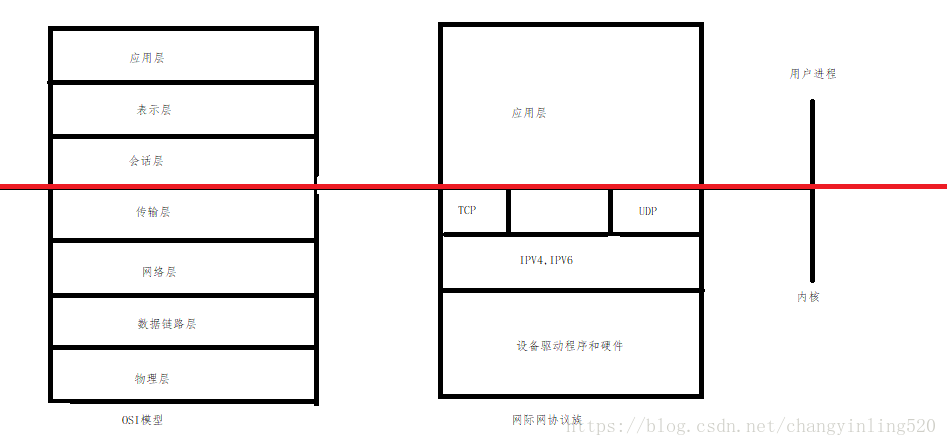
为什么redis是单线程还那么快?

08 【生命周期 组件】
Why is the redis single-threaded also so fast?
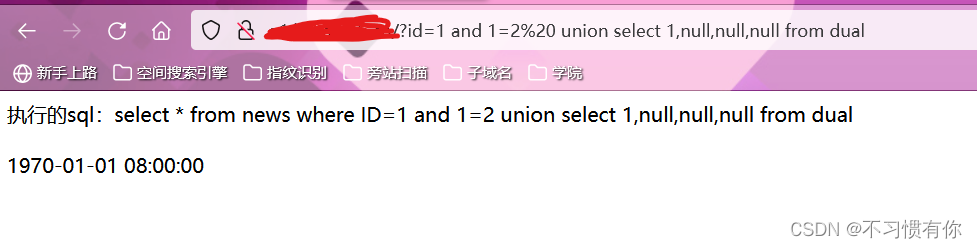
对于输出点是时间戳的渗透测试方法(以Oracle数据库为例)
![[Cloud native] Ribbon is no longer used at the bottom layer of OpenFeign starting from the 2020.0.X version](/img/7e/1d27e3f1856ab8c6cbfc5221c717bb.png)
[Cloud native] Ribbon is no longer used at the bottom layer of OpenFeign starting from the 2020.0.X version

05 【绑定样式 条件渲染 列表渲染】

Take you to understand the MySQL isolation level, what happens when two transactions operate on the same row of data at the same time?

Yuan prospect and four track of the universe
随机推荐
字符串的新增方法
12 【nextTick 过渡与动画】
【ubuntu20.04安装MySQL以及MySQL-workbench可视化工具】
Yuan prospect and four track of the universe
小白学爬虫——爬虫入门
leetcode-每日一题558. 四叉树交集(分治递归)
【uiautomation】微信好友列表获取(存储到txt中)
什么是 GameFi?
SQL注入中数据库的判断
Regular Expression Basics
10 【高度塌陷与BFC】
wpf ScrowViewer水平滚动
05 【绑定样式 条件渲染 列表渲染】
gin框架学习-Casbin入门指南(ACL、RBAC、域内RBAC模型)
leetcode-每日一题565. 数组嵌套(标记图和并查集)
leetcode-每日一题731. 我的日程安排表 II
The feign call fails, JSON parse error Illegal character ((CTRL-CHAR, code 31)) only regular white space (r
08 【生命周期 组件】
How to distinguish big and small endian in C language
DeFi Token in the project management