当前位置:网站首页>Set right click to select vs code to open the file
Set right click to select vs code to open the file
2022-07-02 23:03:00 【Bamboo stone seven】
One 、 Preface
Install on new computer VS Code after , Found on a file ( clip ) Right click the menu bar , of no avail VS Code Shortcut to open . Drag and drop files every time ( clip ), Or use VS Code Select open file in the menu bar of the interface ( clip ), It's a hassle . that , Now come with me , Solve this problem in a very simple way .
Two 、 Problem analysis and solution
2.1、 Problem analysis
The reason for this problem , In fact, you didn't check the installation and right-click to use VS Code Open configuration items .
Another picture , Let you see more intuitively why this problem occurs :
This is a VS Code Some installation options during installation , You can see the part circled in red in the figure :
EN: Add “Open with Code” action to Windows Explorer file context menu
chinese : stay Windows Add... To the Explorer file context menu “ Open with code ” operation
EN: Add “Open with Code” action to Windows Explorer directory context menu
chinese : stay Windows Add... To the Explorer directory context menu “ Open with code ” operation
See the two lines of configuration options I have proposed , Smart you should understand , Why do you right-click , of no avail VS Code Open menu options .
2.2、 Problem solving ( Please ignore my English version of the system )
2.2.1、 Method 1 ( recommend , Pro feasible measurement )
1、 see VS Code In the specific path of your computer
Because of my VS Code There are shortcuts on the desktop , So I directly select this shortcut, right-click and select “ attribute ”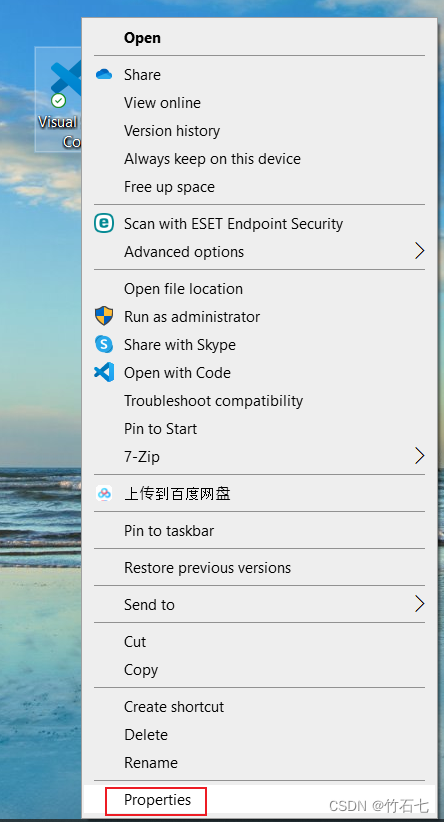
2、 Copy the installation path 
3、 Create a new text document on the desktop ( Name at will )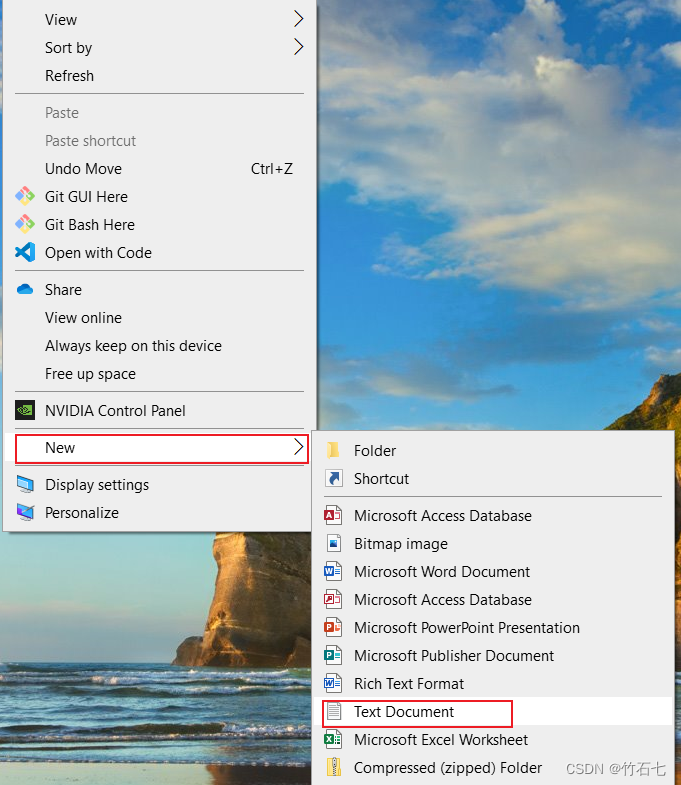
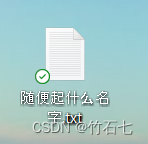
4、 Copy the following code into this document
Windows Registry Editor Version 5.00

[HKEY_CLASSES_ROOT\*\shell\VSCode]
@="Open with Code"
"Icon"="E:\\Microsoft VS Code\\Code.exe"

[HKEY_CLASSES_ROOT\*\shell\VSCode\command]
@="\"E:\\Microsoft VS Code\\Code.exe\" \"%1\""

Windows Registry Editor Version 5.00

[HKEY_CLASSES_ROOT\Directory\shell\VSCode]
@="Open with Code"
"Icon"="E:\\Microsoft VS Code\\Code.exe"

[HKEY_CLASSES_ROOT\Directory\shell\VSCode\command]
@="\"E:\\Microsoft VS Code\\Code.exe\" \"%V\""

Windows Registry Editor Version 5.00

[HKEY_CLASSES_ROOT\Directory\Background\shell\VSCode]
@="Open with Code"
"Icon"="E:\\Microsoft VS Code\\Code.exe"

[HKEY_CLASSES_ROOT\Directory\Background\shell\VSCode\command]
@="\"E:\\Microsoft VS Code\\Code.exe\" \"%V\""
5、 take “2、 Copy the installation path ” Replace a place in the above code with the path in
Please pay attention to the scope of my red box , Don't modify the places I didn't circle , Pay attention to the “ \ ” Change to “ \ ”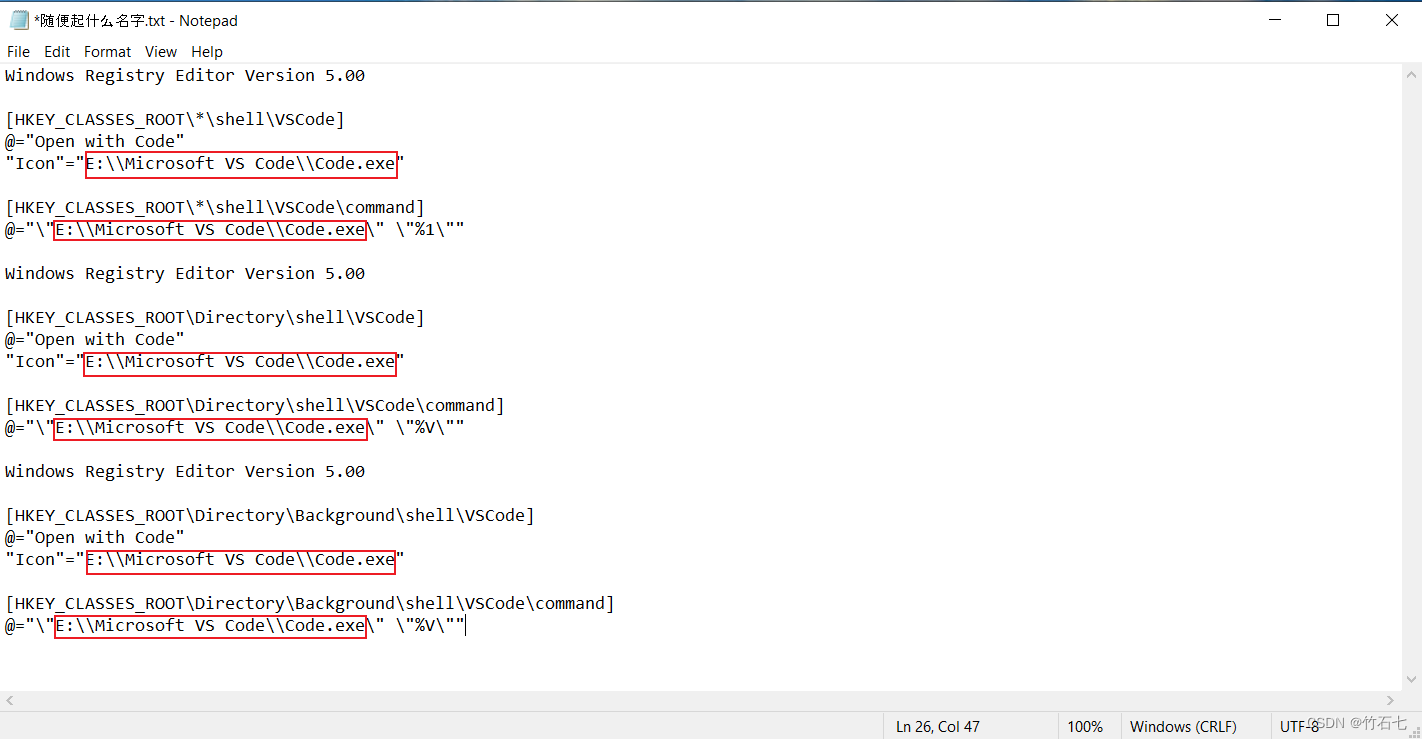
6、 take . hinder “txt” Change the file extension to “reg”
Select “ yes ”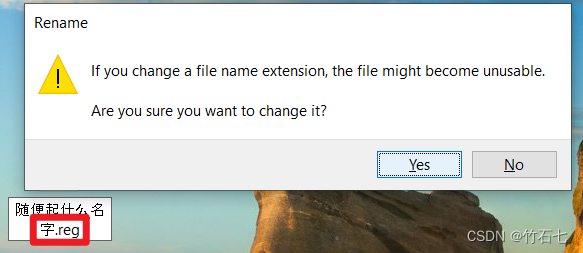
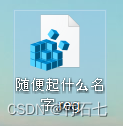
7、 Double click the file after modifying the extension , Run it
Always click the pop-up box after running “ determine ( Yes or Yes)” Button
8、 Set up the success ! Renderings show
If normalization , Above 7 After step execution , It has been successfully set up here , Look at a file now ( clip ) Effect after right clicking :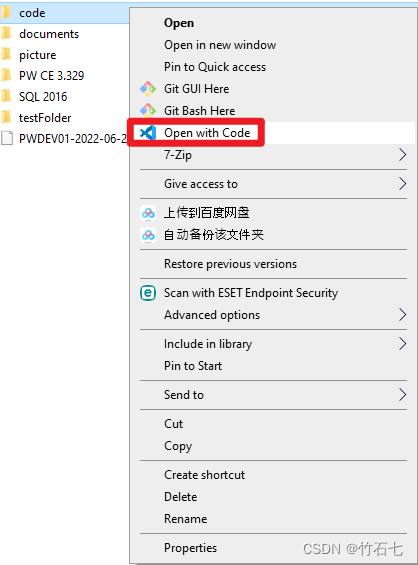
2.2.2、 Method 2
Modify registry , This method is also applicable to opening through other software , More applicable , I won't elaborate here , Attach a reference link to the blog :windows Right click to open the folder and add VS Code( The same is true for other software )
3、 ... and 、 explain
Reference link :
Super simple setting right button VS Code Open file
windows Right click to open the folder and add VS Code( The same is true for other software )
Welcome to the discussion 、 Study
边栏推荐
- The motivation of AES Advanced Encryption Protocol
- Share 10 JS closure interview questions (diagrams), come in and see how many you can answer correctly
- LeetCode 968. Monitor binary tree
- Xshell configuration xforward forwarding Firefox browser
- 地方经销商玩转社区团购模式,百万运营分享
- Niuke network: maximum submatrix
- Innovation strength is recognized again! Tencent security MSS was the pioneer of cloud native security guard in 2022
- AES高級加密協議的動機闡述
- 归并排序详解及应用
- easyclick,ec权朗网络验证源码
猜你喜欢
MySQL查询附近的数据.并按距离进行排序.

P1007 single log bridge
![[NPUCTF2020]ezlogin xPATH注入](/img/6e/dac4dfa0970829775084bada740542.png)
[NPUCTF2020]ezlogin xPATH注入

Comprehensively analyze the logic of the shared purchase business model? How sharing purchase empowers Enterprises
【板栗糖GIS】global mapper 如何通过dsm批量制作贴地等高线
最小生成树 Minimum Spanning Tree

Lambda expression: an article takes you through
Xshell configuration xforward forwarding Firefox browser
![The kth largest element in the [leetcode] array [215]](/img/72/d3e46a820796a48b458cd2d0a18f8f.png)
The kth largest element in the [leetcode] array [215]

WebRTC音视频采集和播放示例及MediaStream媒体流解析
随机推荐
Successfully changed Splunk default URL root path
Higher order operation of bits
归并排序详解及应用
Niuke network: maximum submatrix
Analyse des données dossiers d'apprentissage - - analyse simple de la variance à facteur unique avec Excel
[LeetCode] 多数元素【169】
加油站[问题分析->问题转换->贪心]
Kubernetes uses the host name to allocate the pod on the specified node
DTM distributed transaction manager PHP collaboration client V0.1 beta release!!!
[chestnut sugar GIS] ArcMap - how to batch modify the font, color, size, etc. of annotation elements
The threshold value of fusing proportion cannot be changed with sentinel, and setting the slow call proportion has no effect
The kth largest element in the [leetcode] array [215]
Qt QSplitter拆分器
[leetcode] most elements [169]
AES高级加密协议的动机阐述
P1007 single log bridge
[chestnut sugar GIS] ArcMap - why should the tick of classic capture be removed when using custom capture?
Golang面试整理 三 简历如何书写
Jerry's built-in shutdown current is 1.2ua, and then it can't be turned on by long pressing [chapter]
Distributed monitoring system ZABBIX