当前位置:网站首页>Android本地Sqlite数据库的备份和还原
Android本地Sqlite数据库的备份和还原
2022-07-05 12:57:00 【Vaccae】
学更好的别人,
做更好的自己。
——《微卡智享》

本文长度为3024字,预计阅读6分钟
前言
互联网Android APP开发其实很多都是Android端写UI,业务逻辑通过API回调展示数据,而我这边主要是硬件设备还要打交道,平时也要考虑网络不通的情况下单机的正常使用,所以所有的业务逻辑都是在程序中实现,数据的本地化要求也高,那就需要用到Sqlite数据库,所以这篇文章就专门来说说Sqlite数据库的备份和还原。

怎么实现Sqlite的数据库备份和还原?
A
其实实现Sqlite的备份和还原原理还是比较简单,就是将App中生成的Sqlite的数据库文件复制到存放区域,还原就是将复制的数据库文件拷回到程序指定的数据库目录即可。但这里有个比较关键的问题,就是存放的目录必须是自己指定的外部目录,如果是备份数据库文件还是在程序包下的目录,遇到安装升级签名不对,或是手工打开应用程序点击了清除数据,那本地的数据库以及备份的数据库文件也会全部清空,那后果可想而知。。。。
实现效果

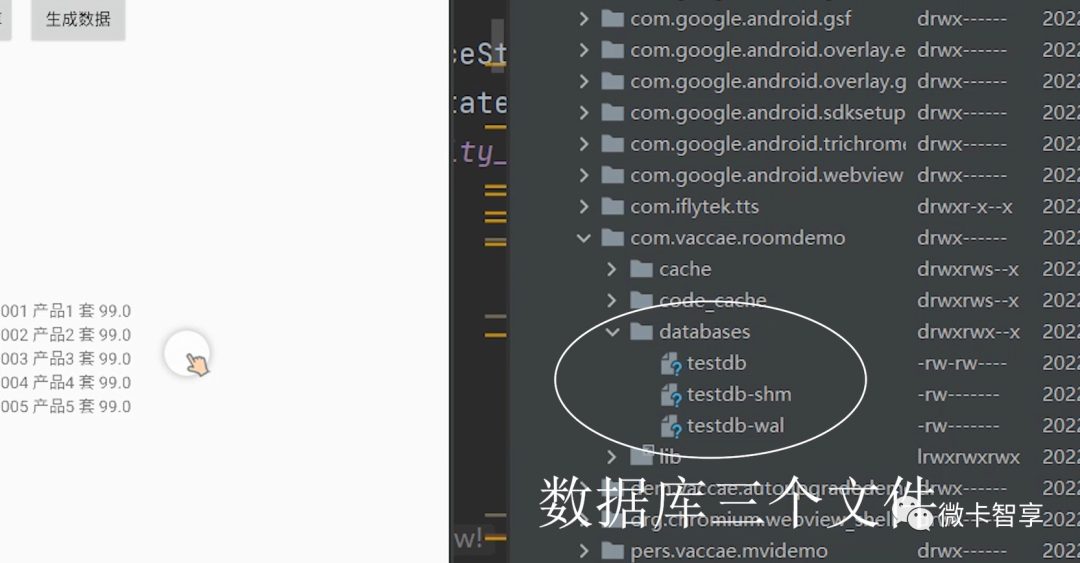
1.本地三个数据库文件
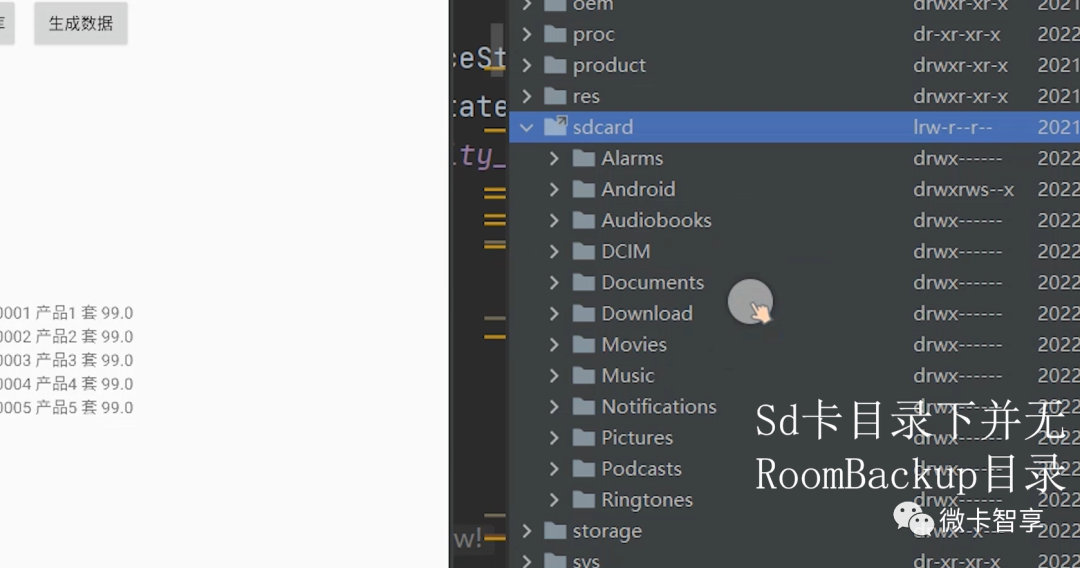
2.SD卡目录下没有备份文件
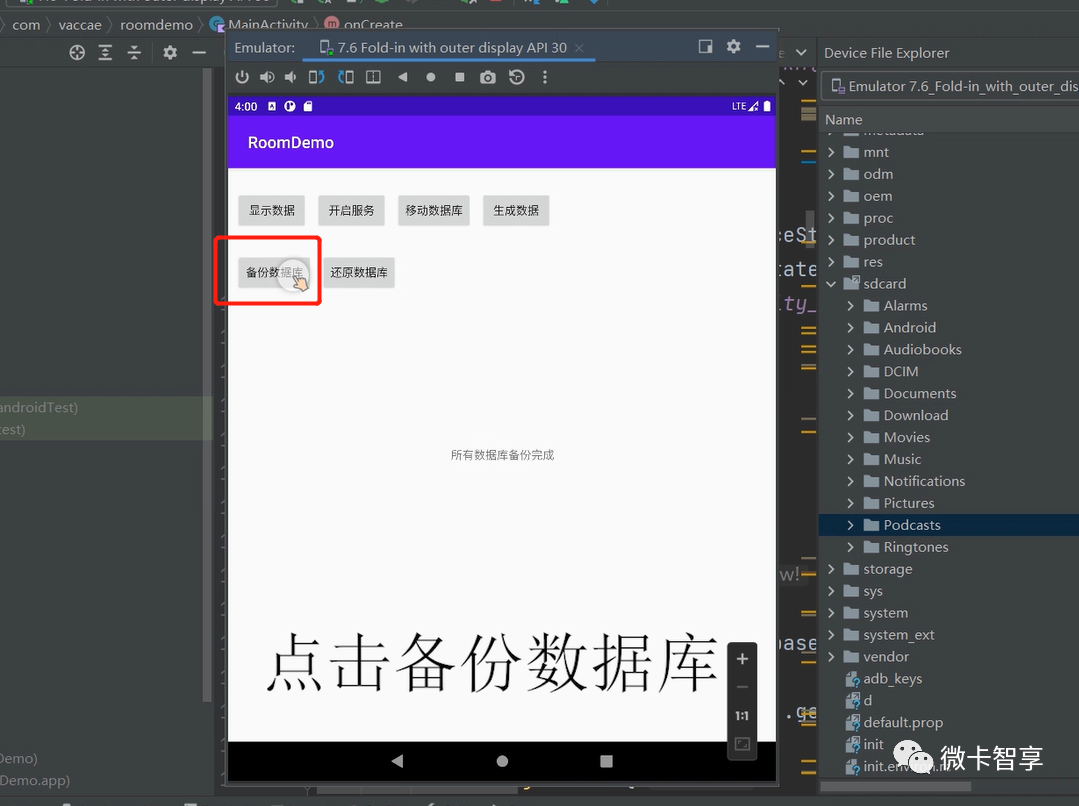
3.点击备份数据库
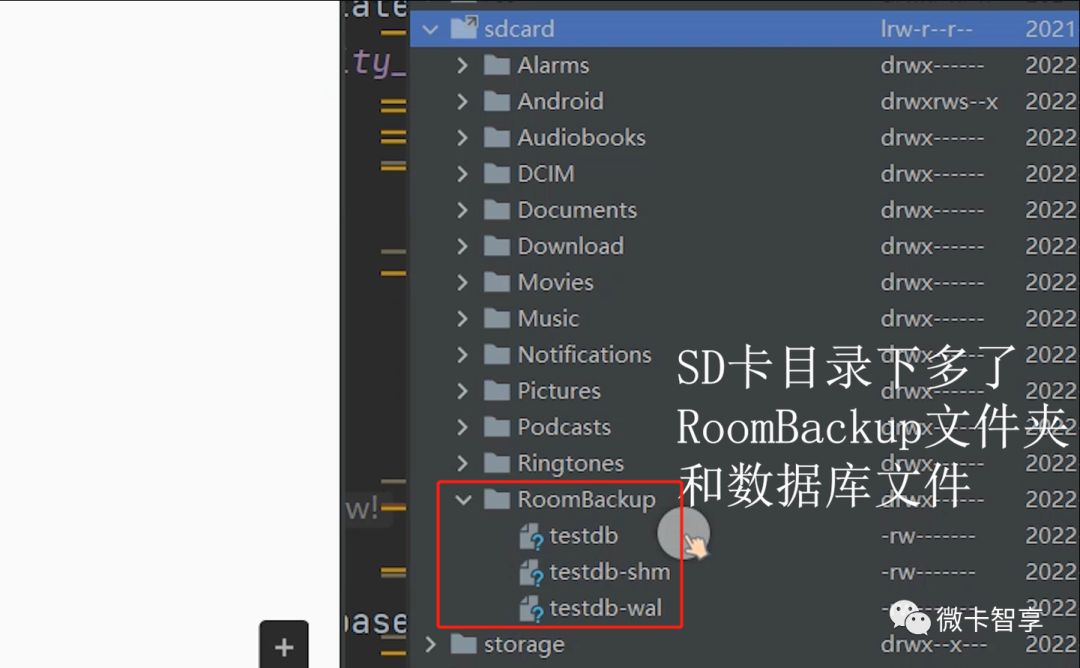
4.SD卡目录下已经拷贝过来数据库了
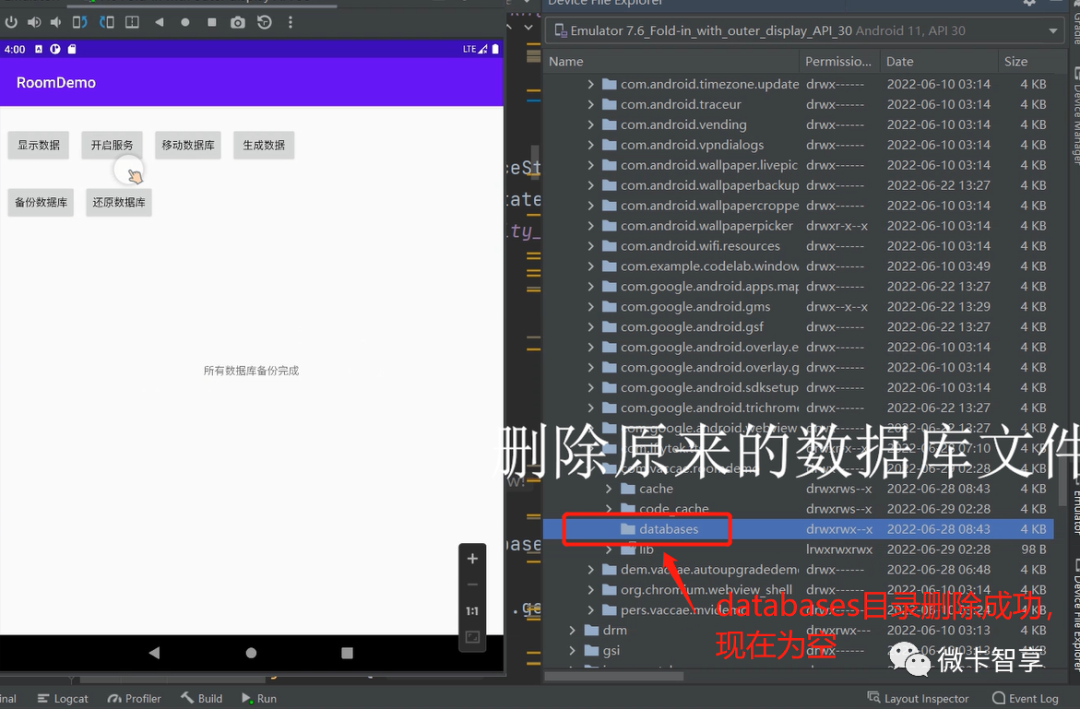
5.删除原来databases目录的数据库
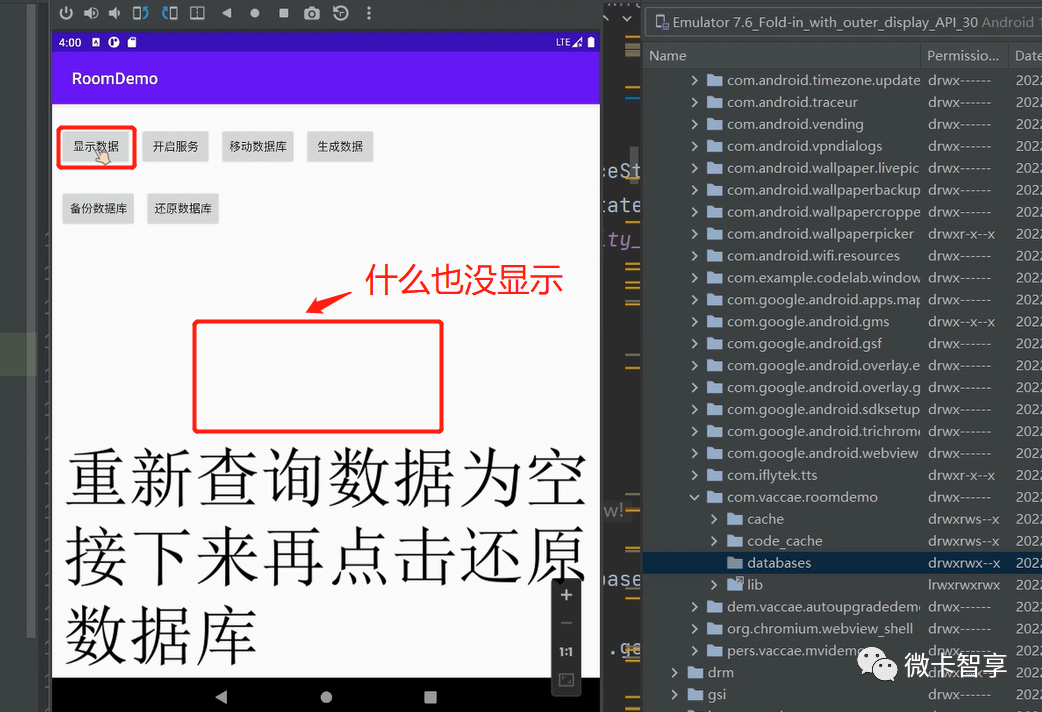
6.重新查询后什么也没显示
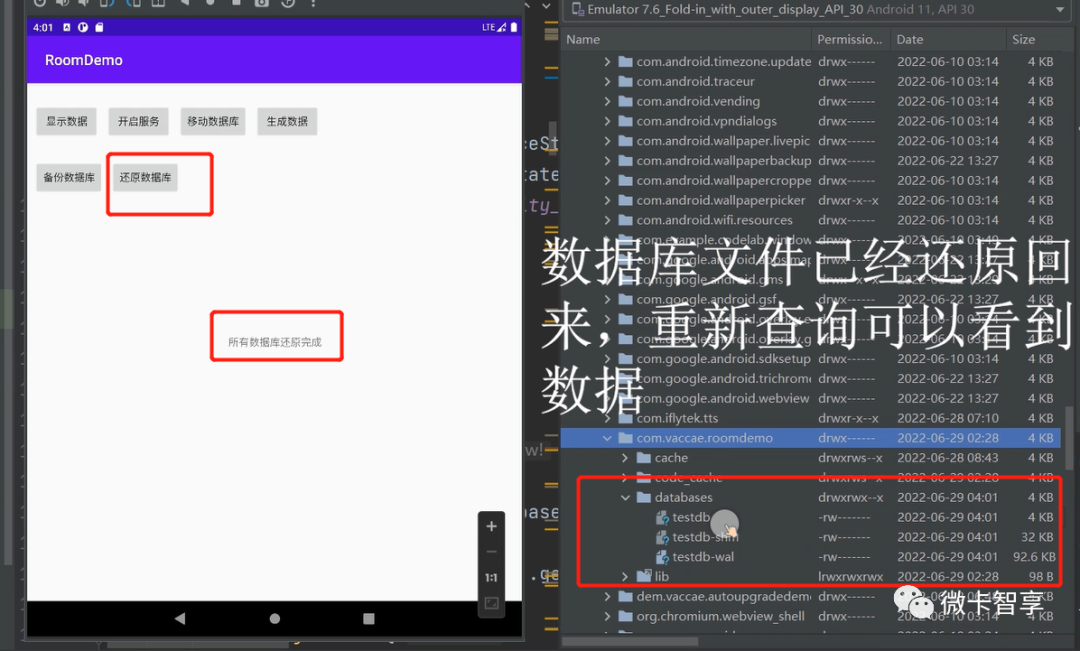
7.点击还原数据库后databases目录下的文件已经拷贝回来了
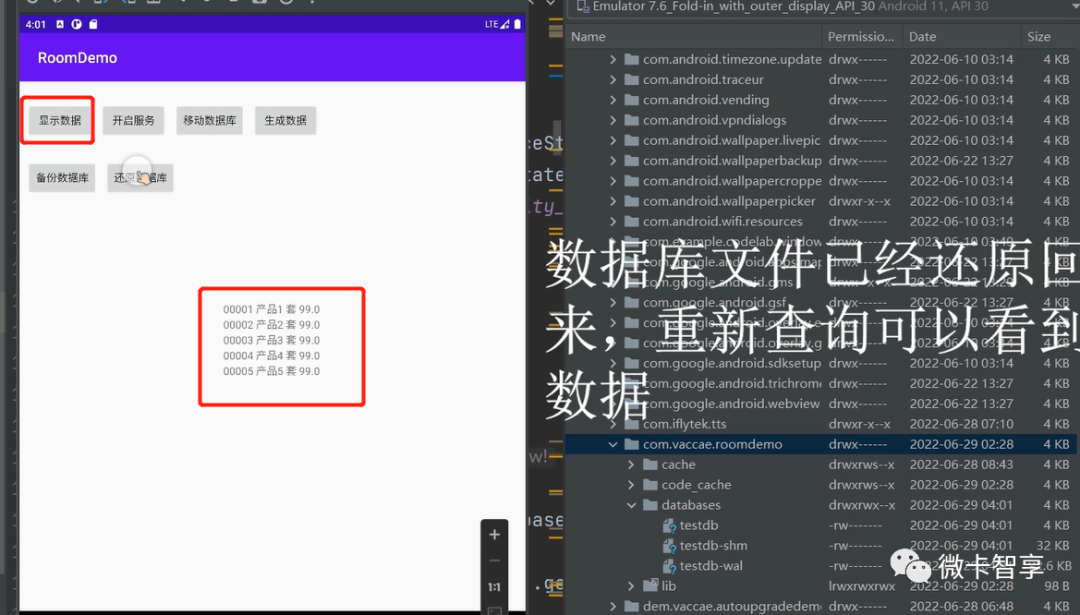
8.重新点击查询数据,可以看到显示的数据了
核心代码

微卡智享
备份和还原类(DbBackupUtil)
package com.vaccae.roomdemo


import android.annotation.SuppressLint
import android.content.Context
import android.os.Environment
import kotlinx.coroutines.flow.Flow
import kotlinx.coroutines.flow.flow
import java.io.File
import java.io.FileInputStream
import java.io.FileOutputStream
import java.io.IOException


/**
 * 作者:Vaccae
 * 邮箱:[email protected]
 * 创建时间:18:22
 * 功能模块说明:
 */


class DbBackupUtil {


    private var mContext: Context? = null


    val path =
        Environment.getExternalStorageDirectory().absolutePath + File.separator + "RoomBackup" + File.separator


    private fun getInstance(context: Context) {
        mContext ?: run {
            synchronized(DbBackupUtil::class.java) {
                mContext = context
            }
        }
    }


    private fun createPath() {
        //安装包路径
        val updateDir = File(path)
        //创建文件夹
        if (!updateDir.exists()) {
            updateDir.mkdirs()
        }
    }


    suspend fun backup(context: Context): Flow<String> = flow {
        getInstance(context)
        createPath()
        mContext?.let {
            val strs = it.databaseList()
            emit("共${strs.size}个数据库文件,开始备份")


            for (str in strs) {
                emit("正在备份${str}数据库。。。")


                //找到文件的路径  /data/data/包名/databases/数据库名称
                val dbFile = it.getDatabasePath(str)
                //val dstFile = it.getExternalFilesDir("db").toString() + "/" + str


                val dstFile = path + str;


                var fis: FileInputStream? = null
                var fos: FileOutputStream? = null
                try {
                    //文件复制到sd卡中
                    fis = FileInputStream(dbFile)
                    fos = FileOutputStream(dstFile)
                    var len = 0
                    val buffer = ByteArray(2048)
                    while (-1 != fis.read(buffer).also({ len = it })) {
                        fos.write(buffer, 0, len)
                    }
                    fos.flush()
                    emit("${str}数据库备份完成。。。")
                } catch (e: Exception) {
                    throw e
                } finally {
                    //关闭数据流
                    try {
                        fos?.close()
                        fis?.close()
                    } catch (e: IOException) {
                        throw e
                    }
                }
            }
            emit("所有数据库备份完成")
        } ?: kotlin.run { throw Exception("未定义Context") }
    }


    suspend fun restore(context: Context): Flow<String> {
        return flow {
            getInstance(context)
            createPath()


            mContext?.let {
                //var dbfiles = it.getExternalFilesDir("db")
                var dbfiles = File(path)


                dbfiles.let { dbs ->
                    var files = dbs.listFiles()
                    if (files.isNotEmpty()) {
                        emit("共${files.size}个数据库文件,开始还原")


                        for (str in files) {
                            var dbFile = it.getDatabasePath(str.name)
                            dbFile.delete()


                            var fis: FileInputStream? = null
                            var fos: FileOutputStream? = null
                            try {
                                //文件复制到sd卡中
                                fis = FileInputStream(str)
                                fos = FileOutputStream(dbFile)
                                var len = 0
                                val buffer = ByteArray(2048)
                                while (-1 != fis.read(buffer).also({ len = it })) {
                                    fos.write(buffer, 0, len)
                                }
                                fos.flush()
                                emit("${str}数据库还原完成。。。")
                            } catch (e: Exception) {
                                throw e
                            } finally {
                                //关闭数据流
                                try {
                                    fos?.close()
                                    fis?.close()
                                } catch (e: IOException) {
                                    throw e
                                }
                            }
                        }
                        emit("所有数据库还原完成")
                    }
                }
            } ?: kotlin.run { throw Exception("未定义Context") }
        }
    }
}
Activity中的调用
//备份调用
        btnbackup.setOnClickListener {
            GlobalScope.launch(Dispatchers.Main) {
                DbBackupUtil().backup(applicationContext)
                    .flowOn(Dispatchers.IO)
                    .collect(collector = FlowCollector { t ->
                        tvshow.text = t
                    })
            }
        }


        //还原调用
        btnrestore.setOnClickListener {
            GlobalScope.launch(Dispatchers.Main) {
                DbBackupUtil().restore(applicationContext)
                    .flowOn(Dispatchers.IO)
                    .collect(collector = FlowCollector { t ->
                        tvshow.text = t
                    })
            }
        }
微卡智享
重点说明
1.备份和还原采用返回flow的形式,因为数据库文有三个,这样可以在UI界面显示还原的进度。
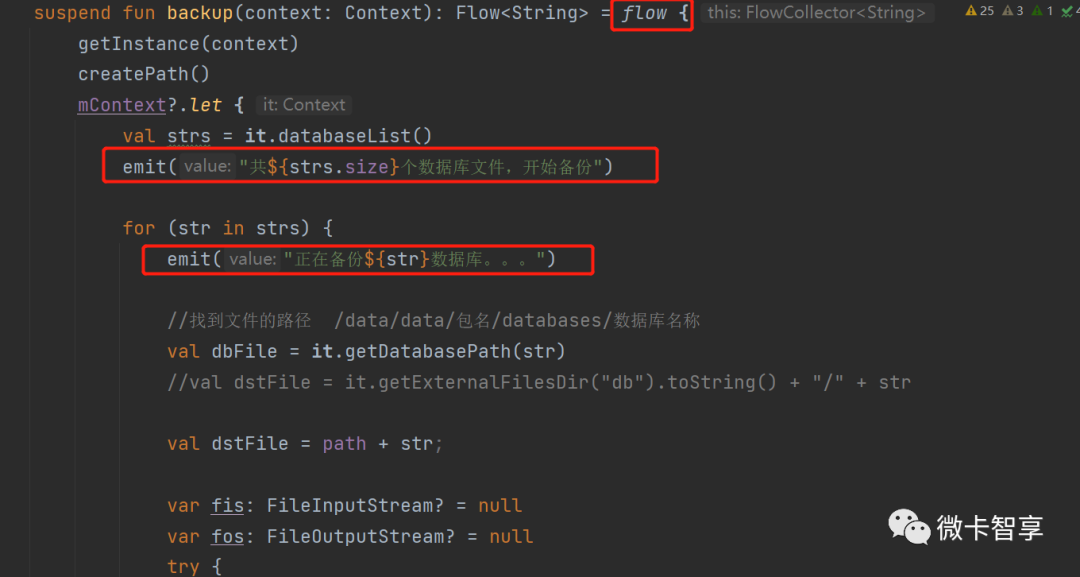
发送当前进度
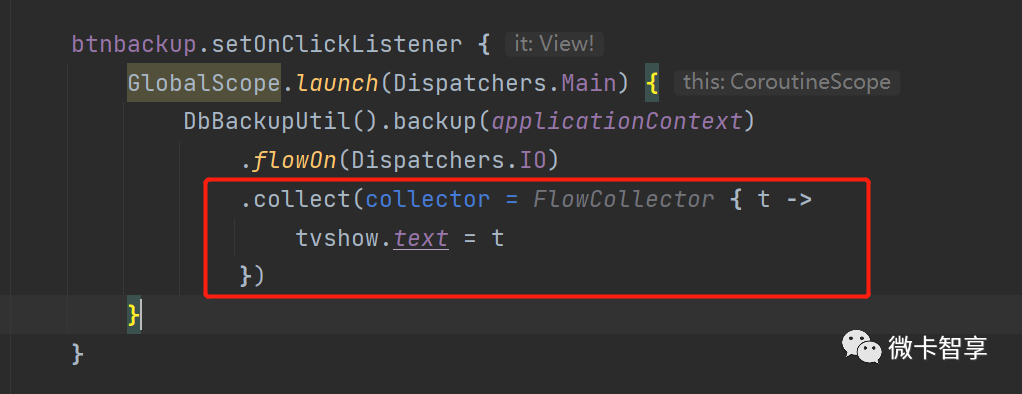
UI显示当前进度
2.备份的数据库文件存放到SD卡自定义目录中,防止应用程序点击清除数据后,备份文件如果也是拷贝到程序包目录下的也会一起删除。不过针对存储权限,在 Android 6.0 之后就变成了危险权限,而到了 Android 11 上面变成了特殊权限,必须加上授权所有文件管理权限才行。
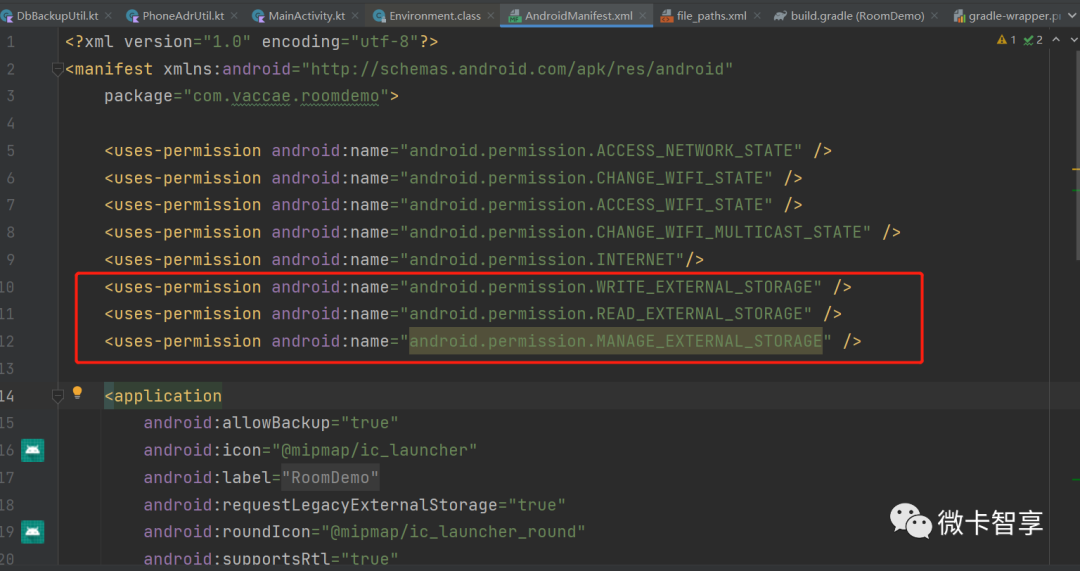
AndroidManifest中加入清单权限
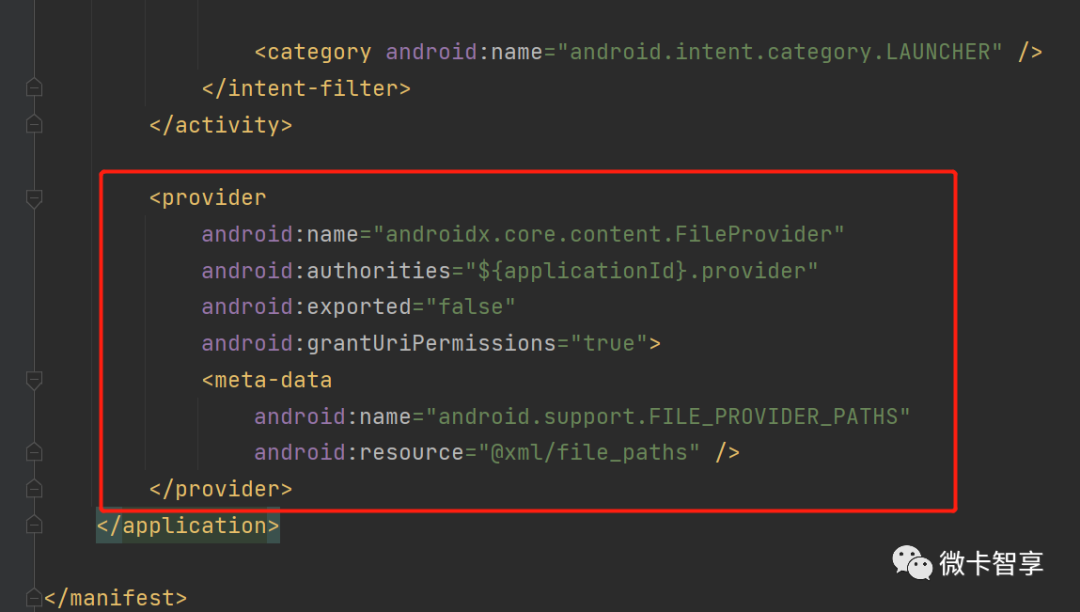
还有存放的目录
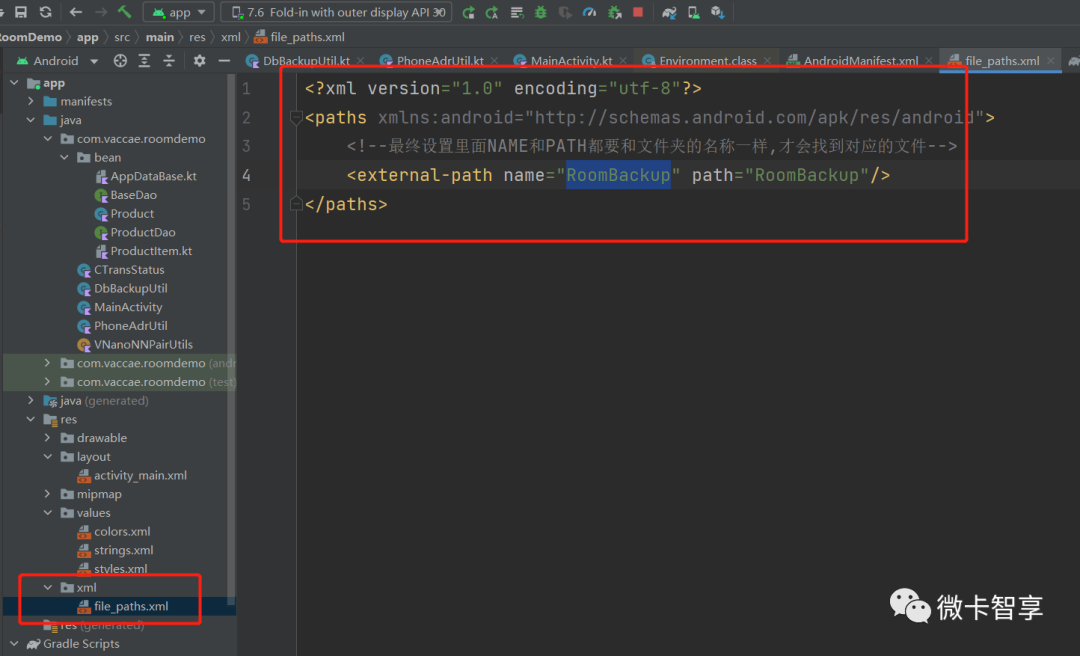
对应的xml/file_pahts.xml中定义external-path
AndroidManifest.xml
<?xml version="1.0" encoding="utf-8"?>
<manifest xmlns:android="http://schemas.android.com/apk/res/android"
    package="com.vaccae.roomdemo">


    <uses-permission android:name="android.permission.ACCESS_NETWORK_STATE" />
    <uses-permission android:name="android.permission.CHANGE_WIFI_STATE" />
    <uses-permission android:name="android.permission.ACCESS_WIFI_STATE" />
    <uses-permission android:name="android.permission.CHANGE_WIFI_MULTICAST_STATE" />
    <uses-permission android:name="android.permission.INTERNET"/>
    <uses-permission android:name="android.permission.WRITE_EXTERNAL_STORAGE" />
    <uses-permission android:name="android.permission.READ_EXTERNAL_STORAGE" />
    <uses-permission android:name="android.permission.MANAGE_EXTERNAL_STORAGE" />


    <application
        android:allowBackup="true"
        android:icon="@mipmap/ic_launcher"
        android:label="@string/app_name"
        android:requestLegacyExternalStorage="true"
        android:roundIcon="@mipmap/ic_launcher_round"
        android:supportsRtl="true"
        android:theme="@style/AppTheme">
        <activity
            android:exported="true"
            android:name=".MainActivity">
            <intent-filter>
                <action android:name="android.intent.action.MAIN" />


                <category android:name="android.intent.category.LAUNCHER" />
            </intent-filter>
        </activity>


        <provider
            android:name="androidx.core.content.FileProvider"
            android:authorities="${applicationId}.provider"
            android:exported="false"
            android:grantUriPermissions="true">
            <meta-data
                android:name="android.support.FILE_PROVIDER_PATHS"
                android:resource="@xml/file_paths" />
        </provider>
    </application>


</manifest>
file_path.xml
<?xml version="1.0" encoding="utf-8"?>
<paths xmlns:android="http://schemas.android.com/apk/res/android">
    <!--最终设置里面NAME和PATH都要和文件夹的名称一样,才会找到对应的文件-->
    <external-path name="RoomBackup" path="RoomBackup"/>
</paths>
Activity中动态申请权限
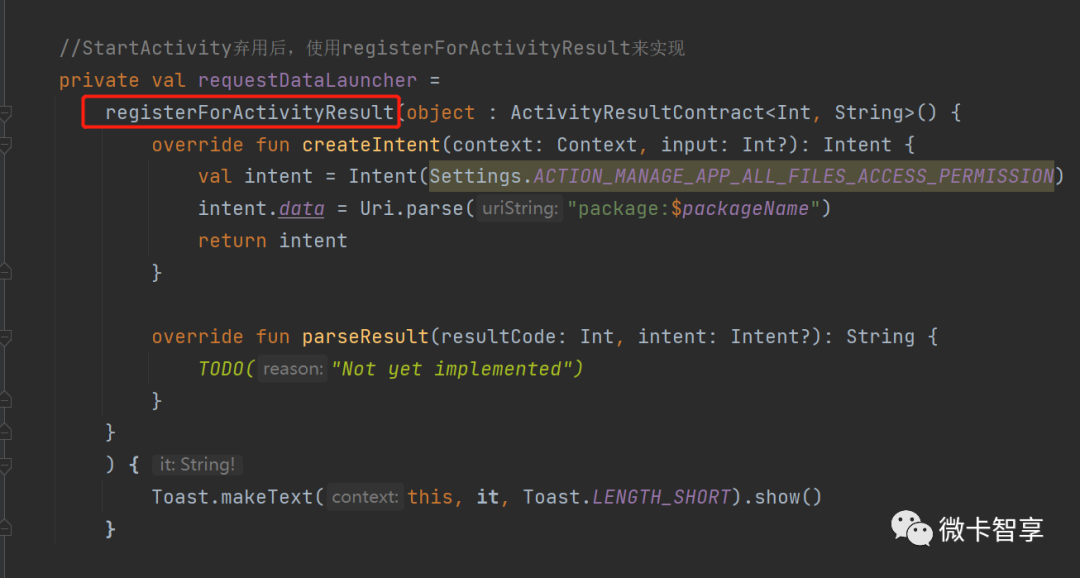
StartActivityforResult已经废弃了,所以改用registerForActivityResult来实现
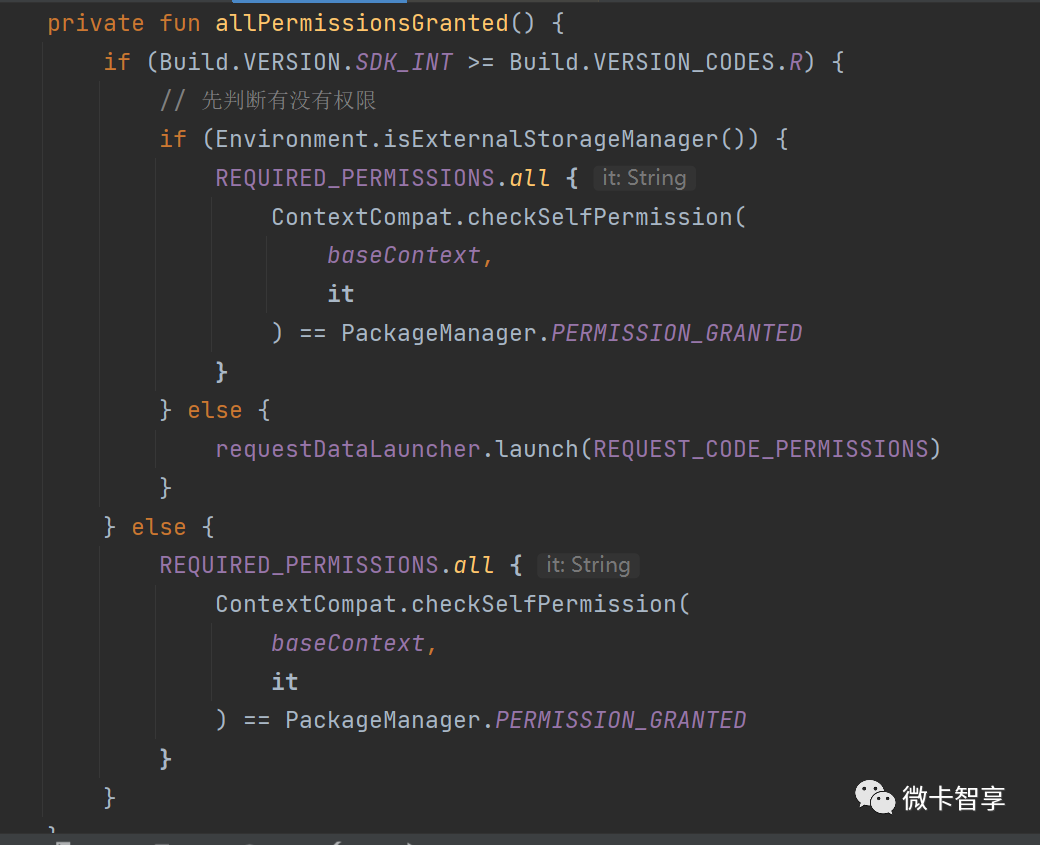
申请权限函数
MainActivity申请权限代码
class MainActivity : AppCompatActivity() {


    companion object {
        private const val REQUEST_CODE_PERMISSIONS = 10
        private val REQUIRED_PERMISSIONS = arrayOf(
            Manifest.permission.WRITE_EXTERNAL_STORAGE,
            Manifest.permission.READ_EXTERNAL_STORAGE,
            Manifest.permission.ACCESS_NETWORK_STATE,
            Manifest.permission.CHANGE_NETWORK_STATE,
            Manifest.permission.INTERNET
        )
    }


    //StartActivity弃用后,使用registerForActivityResult来实现
    private val requestDataLauncher =
        registerForActivityResult(object : ActivityResultContract<Int, String>() {
            override fun createIntent(context: Context, input: Int?): Intent {
                val intent = Intent(Settings.ACTION_MANAGE_APP_ALL_FILES_ACCESS_PERMISSION)
                intent.data = Uri.parse("package:$packageName")
                return intent
            }


            override fun parseResult(resultCode: Int, intent: Intent?): String {
                TODO("Not yet implemented")
            }
        }
        ) {
            Toast.makeText(this, it, Toast.LENGTH_SHORT).show()
        }


    private fun allPermissionsGranted() {
        if (Build.VERSION.SDK_INT >= Build.VERSION_CODES.R) {
            // 先判断有没有权限
            if (Environment.isExternalStorageManager()) {
                REQUIRED_PERMISSIONS.all {
                    ContextCompat.checkSelfPermission(
                        baseContext,
                        it
                    ) == PackageManager.PERMISSION_GRANTED
                }
            } else {
                requestDataLauncher.launch(REQUEST_CODE_PERMISSIONS)
            }
        } else {
            REQUIRED_PERMISSIONS.all {
                ContextCompat.checkSelfPermission(
                    baseContext,
                    it
                ) == PackageManager.PERMISSION_GRANTED
            }
        }
    }


    override fun onCreate(savedInstanceState: Bundle?) {
        super.onCreate(savedInstanceState)
        setContentView(R.layout.activity_main)


        //申请权限
        allPermissionsGranted()
    }
}这样整个Android本地数据库的备份和还原就完成了,Demo我是直接加在的使用原来做的远程查询分析小工具的那个Demo里《制作一个Android Sqlite远程运维小工具》,完整的源码链接在下方:
源码地址
https://github.com/Vaccae/TransAndroidSqliteDBDemo.git
点击阅读原文可以看到“码云”的地址
完

往期精彩回顾
边栏推荐
- Alibaba cloud SLB load balancing product basic concept and purchase process
- Halcon template matching actual code (I)
- Insmod prompt invalid module format
- Rocky basics 1
- How can non-technical departments participate in Devops?
- Pandora IOT development board learning (HAL Library) - Experiment 7 window watchdog experiment (learning notes)
- Detailed explanation of navigation component of openharmony application development
- LeetCode20.有效的括号
- HiEngine:可媲美本地的云原生内存数据库引擎
- The Research Report "2022 RPA supplier strength matrix analysis of China's banking industry" was officially launched
猜你喜欢
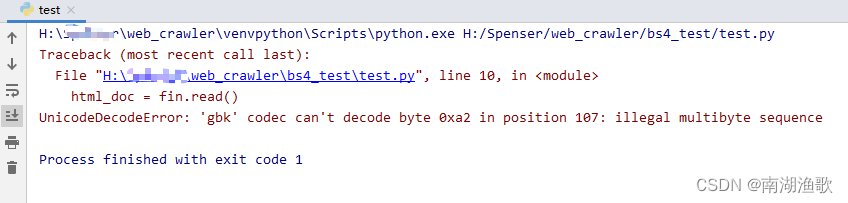
解决 UnicodeDecodeError: ‘gbk‘ codec can‘t decode byte 0xa2 in position 107

国际自动机工程师学会(SAE International)战略投资几何伙伴
![[Nacos cloud native] the first step of reading the source code is to start Nacos locally](/img/f8/d9b848593cf7380a6c99ee0a8158f8.png)
[Nacos cloud native] the first step of reading the source code is to start Nacos locally
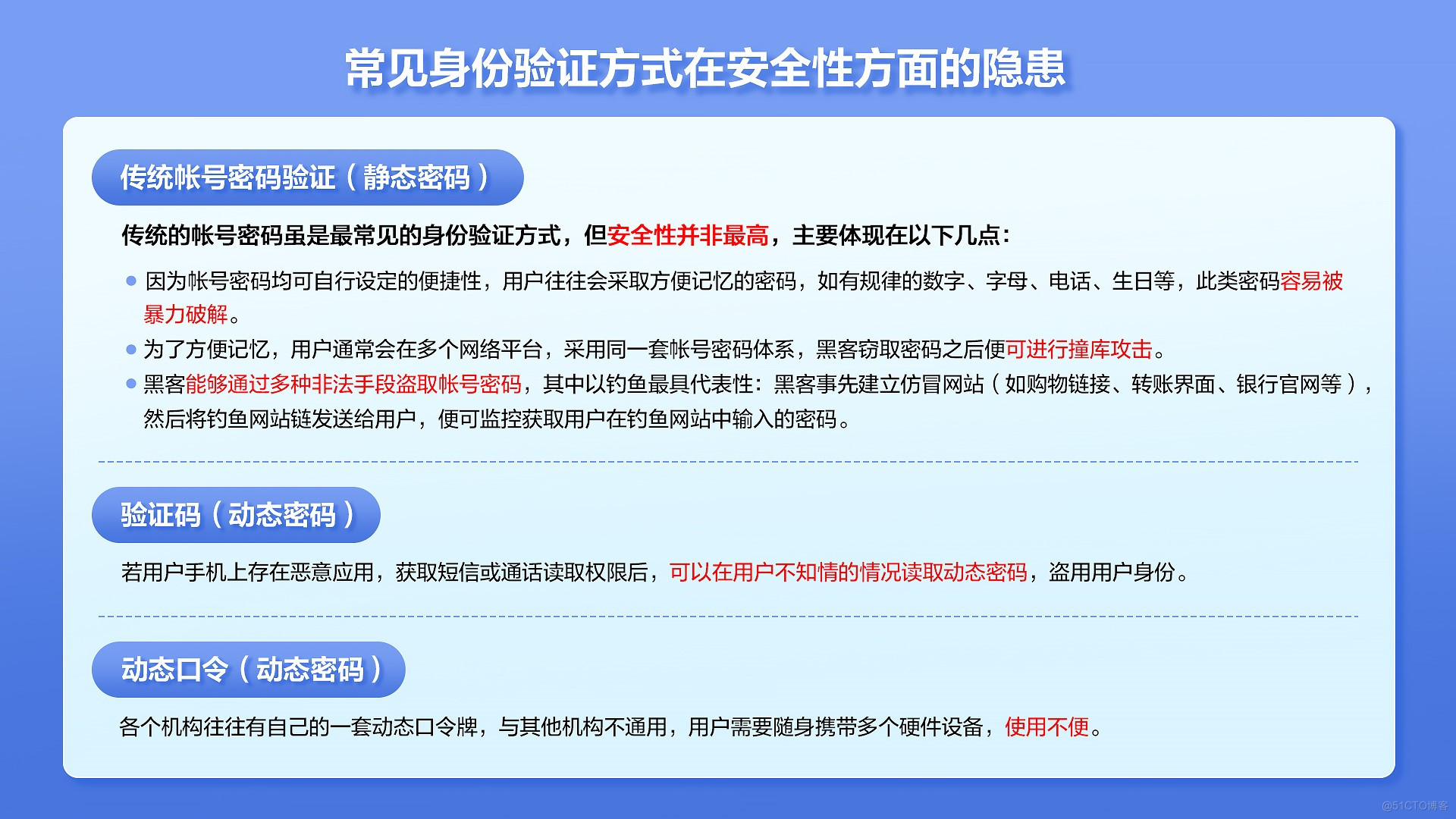
无密码身份验证如何保障用户隐私安全?

DataPipeline双料入选中国信通院2022数智化图谱、数据库发展报告

解决uni-app配置页面、tabBar无效问题
MySQL 巨坑:update 更新慎用影响行数做判断!!!

Taobao short video, why the worse the effect

Shi Zhenzhen's 2021 summary and 2022 outlook | colorful eggs at the end of the article

RHCSA5
随机推荐
The solution of outputting 64 bits from printf format%lld of cross platform (32bit and 64bit)
946. 验证栈序列
Lepton 无损压缩原理及性能分析
What is the difference between Bi software in the domestic market
Word document injection (tracking word documents) incomplete
Asemi rectifier bridge hd06 parameters, hd06 pictures, hd06 applications
JPA规范总结和整理
A specific example of ABAP type and EDM type mapping in SAP segw transaction code
简单上手的页面请求和解析案例
Alipay transfer system background or API interface to avoid pitfalls
MySQL splits strings for conditional queries
Overflow toolbar control in SAP ui5 view
UnicodeDecodeError: ‘utf-8‘ codec can‘t decode byte 0xe6 in position 76131: invalid continuation byt
Setting up sqli lab environment
SAP SEGW 事物码里的 Association 建模方式
MySQL giant pit: update updates should be judged with caution by affecting the number of rows!!!
How to choose note taking software? Comparison and evaluation of notion, flowus and WOLAI
#从源头解决# 自定义头文件在VS上出现“无法打开源文件“XX.h“的问题
数据泄露怎么办?'华生·K'7招消灭安全威胁
insmod 提示 Invalid module format