当前位置:网站首页>MySQL与c语言连接(vs2019版)
MySQL与c语言连接(vs2019版)
2022-07-06 09:14:00 【%xiao Q】
1. 选择相应的Relase X64 运行程序

2. 把MySQL的lib文件夹下的libmysql.dll和libmysql.lib复制到工程文件夹下
路径:C:\Download\Mysql\mysql-8.0.26-winx64\lib
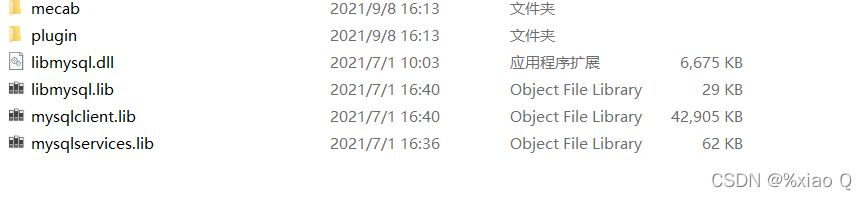
复制到改路径下:D:\班级文件夹\MYSQL课设\职业介绍信息管理系统\职业介绍信息管理系统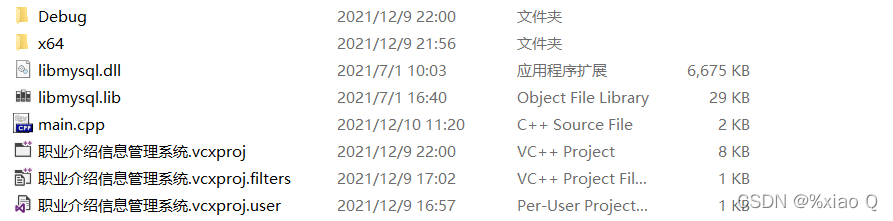
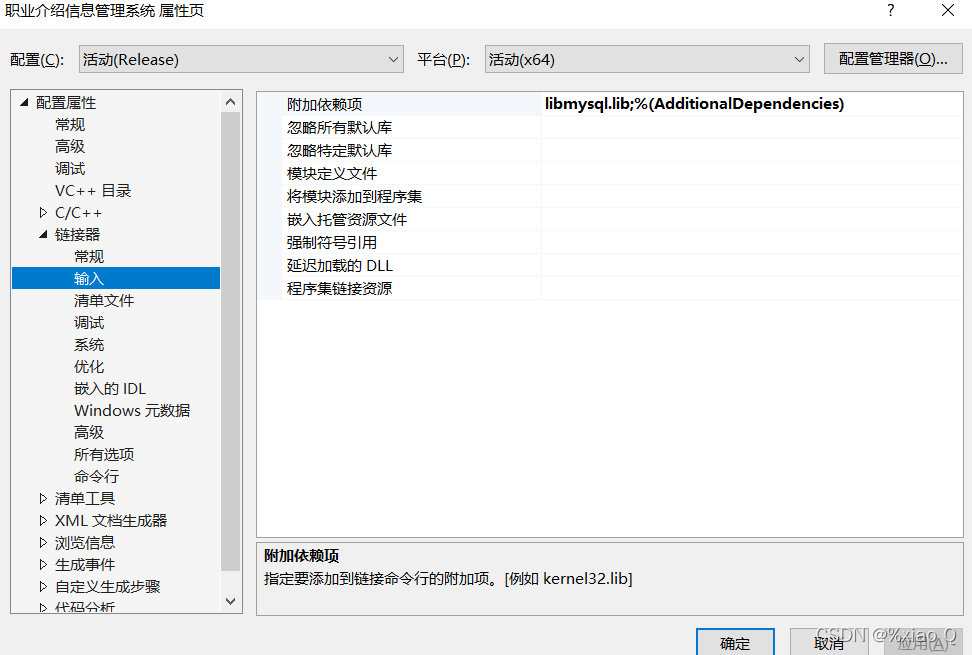
3. 添加libmysql.lib到附加依赖项:属性 -> 链接器 -> 输入 -> 附加依赖项
4. 添加include到附加包含目录:属性 -> c/c++ -> 常规 -> 附加包含目录
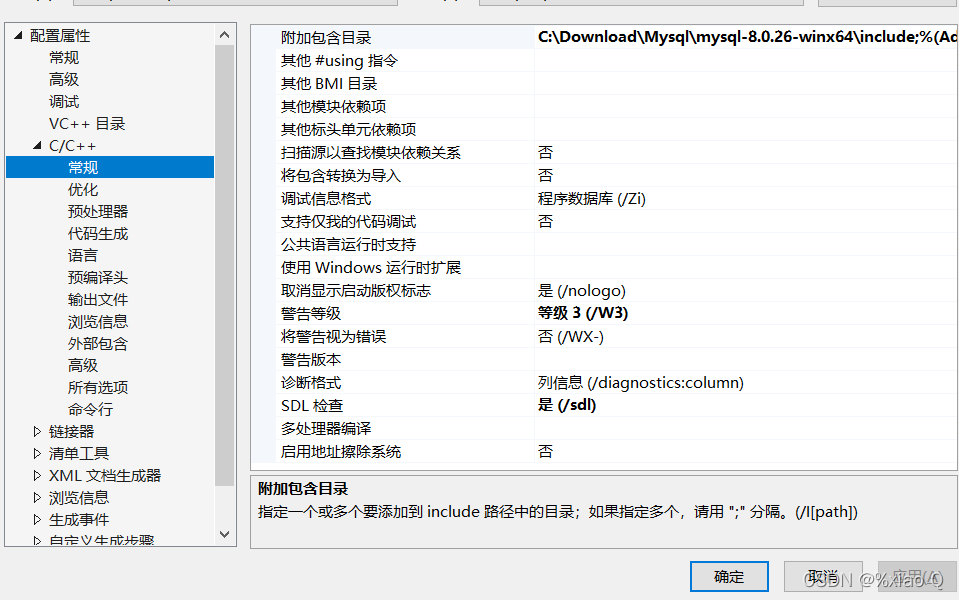
include 路径:C:\Download\Mysql\mysql-8.0.26-winx64\include
MySQL初始化和变量的定义
	// 包含的头文件
	#include <stdio.h>
	#include <WinSock.h>
	#include <mysql.h>

	MYSQL m; // mysql连接
	MYSQL_RES* res; // 查询结果集
	MYSQL_ROW row; //二维数组,存放数据

	//初始化
	mysql_init(&m);

	// 设置编码方式
	mysql_options(&m, MYSQL_SET_CHARSET_NAME, "gbk");
数据库的连接
// “主机”,“用户名”,“密码”,“数据库名”,“端口”
	if (mysql_real_connect(&m, "localhost", "root", "0915", "test", 3306, NULL, 0))
		printf("数据库连接成功\n");
	else
		printf("数据库连接失败 %s\n", mysql_error(&m)); // 输出错误信息
向数据库插入数据
// 定义一条sql语句
const char* sql = "insert into stu values('1001', '小明', 100)";
// mysql_query(&m, sql) 执行一条sql语句,成功返回0,失败返回非0
	if (mysql_query(&m, sql))
		printf("插入数据失败 %s\n", mysql_error(&m));
	else
		printf("插入数据成功\n");

// 向数据库插入多条数据
const char* sql = "insert into stu values('1002','小红', 98), ('1005', 'baby', 89), ('1004', 'asd', 95)";
	if (mysql_query(&m, sql))
		printf("插入数据失败:%s", mysql_error);
	else printf("插入成功");
删除数据
const char* sql = "delete from stu where id = '1005'";
	if (mysql_query(&m, sql))
		printf("删除失败:%s", mysql_errno);
	else
		printf("删除成功\n");
更新数据
	const char* sql = "update stu set id = '1003' where name = 'asd'";
	if (mysql_query(&m, sql))
		printf("更新失败:%s", mysql_error);
	else
		printf("更新成功\n");
查询数据
// 查询数据
	const char* sql = "select * from stu";
	if (mysql_query(&m, sql))
		printf("未查到:%s", mysql_error);
	else
		printf("查找成功\n");

	// 获取查询结果集
	res = mysql_store_result(&m);
	if (res)
		printf("获取到数据\n");
	else
		printf("未获取到数据:%s", mysql_error);


	// 打印数据
	while (row = mysql_fetch_row(res))
	{

		printf("%s\t%s\t%s\t\n", row[0], row[1], row[2]);
	}

	//释放结果集
	mysql_free_result(res); // 释放结果集
	mysql_close(&m); //关闭数据库
下面在附一份源码
#include <stdio.h>
#include <WinSock.h>
#include <mysql.h>

void test()
{

	MYSQL m; // mysql连接
	MYSQL_RES* res; // 查询结果集
	MYSQL_ROW row; //二维数组,存放数据

	//初始化
	mysql_init(&m);

	// 设置编码方式
	mysql_options(&m, MYSQL_SET_CHARSET_NAME, "gbk");

	//连接数据库
	// “主机”,“用户名”,“密码”,“数据库名”,“端口”
	if (mysql_real_connect(&m, "localhost", "root", "0915", "test", 3306, NULL, 0))
		printf("数据库连接成功\n");
	else
		printf("数据库连接失败 %s\n", mysql_error(&m)); // 输出错误信息

	// 向数据库插入数据

	const char* sql = "insert into stu values('1001', '小明', 100)";
	if (mysql_query(&m, sql))
		printf("插入数据失败 %s\n", mysql_error(&m));
	else
		printf("插入数据成功\n");


	// 向数据库插入多条数据

	const char* sql = "insert into stu values('1002','小红', 98), ('1005', 'baby', 89), ('1004', 'asd', 95)";
	if (mysql_query(&m, sql))
		printf("插入数据失败:%s", mysql_error);
	else printf("插入成功");


	//删除数据

	const char* sql = "delete from stu where id = '1005'";
	if (mysql_query(&m, sql))
		printf("删除失败:%s", mysql_errno);
	else
		printf("删除成功\n");


	//更新数据
	const char* sql = "update stu set id = '1003' where name = 'asd'";
	if (mysql_query(&m, sql))
		printf("更新失败:%s", mysql_error);
	else
		printf("更新成功\n");

	// 查询数据
	//string s = "select * from stu";
	//const *sql = s;
	char sql[] = "select * from stu";
	if (mysql_query(&m, sql))
		printf("未查到:%s", mysql_error);
	else
		printf("查找成功\n");

	// 获取查询结果集
	res = mysql_store_result(&m);
	if (res)
		printf("获取到数据\n");
	else
		printf("未获取到数据:%s", mysql_error);


	// 打印数据
	while (row = mysql_fetch_row(res))
	{


		printf("%s\t%s\t%s\t\n", row[0], row[1], row[2]);
	}

	//释放结果集
	mysql_free_result(res); // 释放结果集
	mysql_close(&m); //关闭数据库

}

int main()
{


	//cout << "main" << endl;
	test();
	getchar();


	return 0;
}
边栏推荐
- Windows下安装MongDB教程、Redis教程
- 【博主推荐】asp.net WebService 后台数据API JSON(附源码)
- Ansible practical Series II_ Getting started with Playbook
- 引入了junit为什么还是用不了@Test注解
- When you open the browser, you will also open mango TV, Tiktok and other websites outside the home page
- Ubuntu 20.04 安装 MySQL
- 机器学习笔记-Week02-卷积神经网络
- MySQL完全卸载(Windows、Mac、Linux)
- A trip to Macao - > see the world from a non line city to Macao
- Redis的基础使用
猜你喜欢
打开浏览器的同时会在主页外同时打开芒果TV,抖音等网站

【博主推荐】asp.net WebService 后台数据API JSON(附源码)
Picture coloring project - deoldify
QT creator runs the Valgrind tool on external applications
Install mysql5.5 and mysql8.0 under windows at the same time
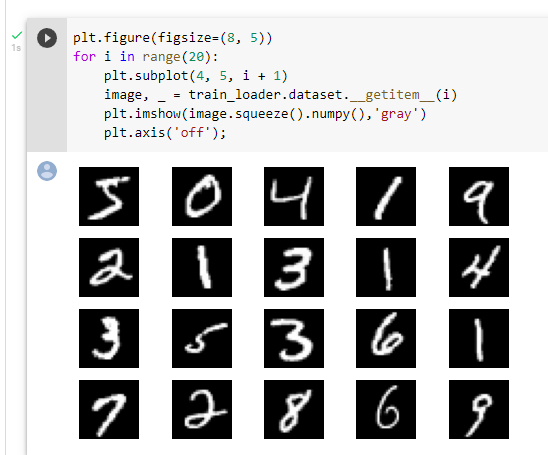
机器学习笔记-Week02-卷积神经网络
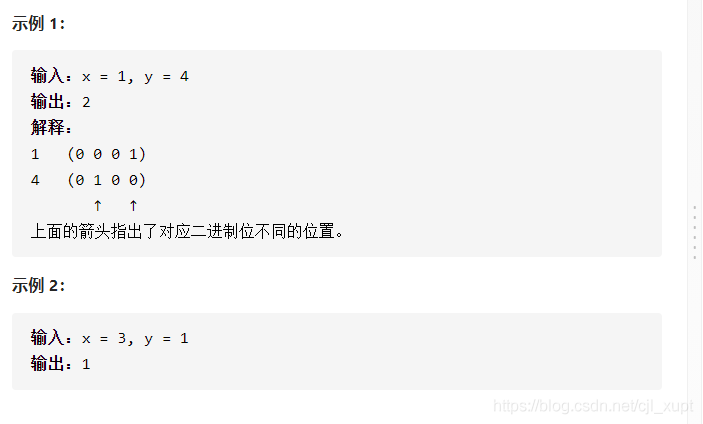
LeetCode #461 汉明距离
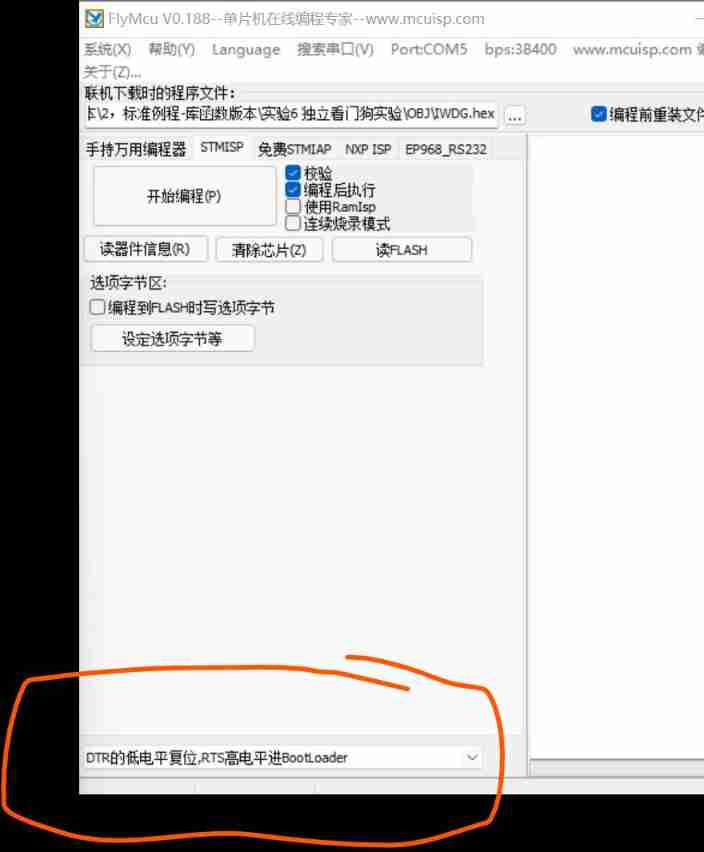
How to configure flymcu (STM32 serial port download software) is shown in super detail
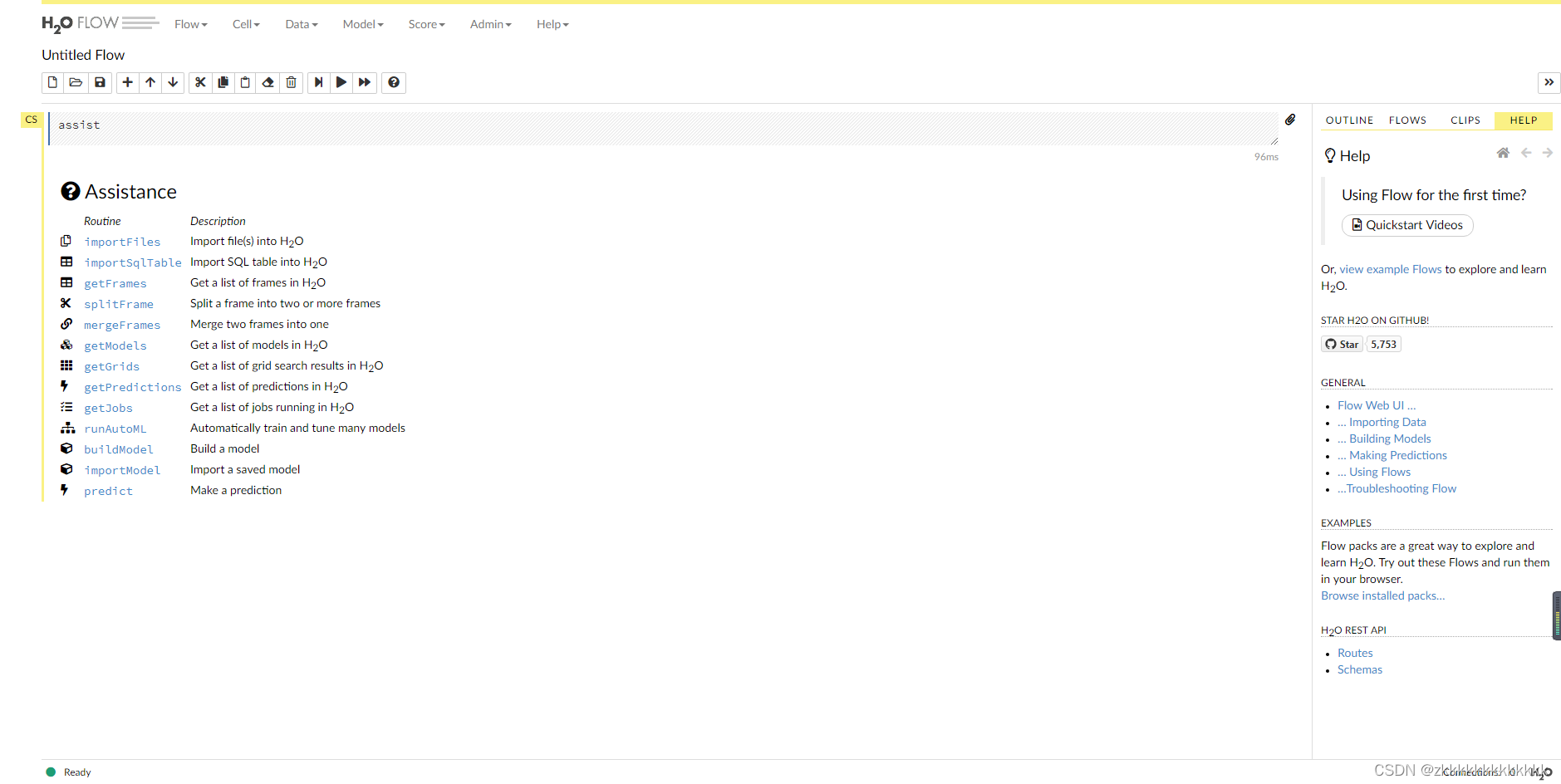
自动机器学习框架介绍与使用(flaml、h2o)
机器学习--人口普查数据分析
随机推荐
[蓝桥杯2017初赛]包子凑数
Navicat 導出錶生成PDM文件
AcWing 1298. Solution to Cao Chong's pig raising problem
01项目需求分析 (点餐系统)
JDBC原理
Error connecting to MySQL database: 2059 - authentication plugin 'caching_ sha2_ The solution of 'password'
01 project demand analysis (ordering system)
Copie maître - esclave MySQL, séparation lecture - écriture
[蓝桥杯2020初赛] 平面切分
Did you forget to register or load this tag 报错解决方法
学习问题1:127.0.0.1拒绝了我们的访问
AI benchmark V5 ranking
csdn-Markdown编辑器
L2-001 紧急救援 (25 分)
Deoldify项目问题——OMP:Error#15:Initializing libiomp5md.dll,but found libiomp5md.dll already initialized.
Are you monitored by the company for sending resumes and logging in to job search websites? Deeply convinced that the product of "behavior awareness system ba" has not been retrieved on the official w
La table d'exportation Navicat génère un fichier PDM
Remember a company interview question: merge ordered arrays
软件测试-面试题分享
Attention apply personal understanding to images