当前位置:网站首页>Flutter 小技巧之 ListView 和 PageView 的各种花式嵌套
Flutter 小技巧之 ListView 和 PageView 的各种花式嵌套
2022-07-04 08:57:00 【GSYTech】
这次的 Flutter 小技巧是 ListView 和 PageView 的花式嵌套,不同 Scrollable 的嵌套冲突问题相信大家不会陌生,今天就通过 ListView 和 PageView 的三种嵌套模式带大家收获一些不一样的小技巧。
正常嵌套
最常见的嵌套应该就是横向 PageView 加纵向 ListView 的组合,一般情况下这个组合不会有什么问题,除非你硬是要斜着滑。
最近刚好遇到好几个人同时在问:“斜滑 ListView 容易切换到 PageView 滑动” 的问题,如下 GIF 所示,当用户在滑动 ListView 时,滑动角度带上倾斜之后,可能就会导致滑动的是 PageView 而不是 ListView 。
虽然从我个人体验上并不觉得这是个问题,但是如果产品硬是要你修改,难道要自己重写 PageView 的手势响应吗?
我们简单看一下,不管是 PageView 还是 ListView 它们的滑动效果都来自于 Scrollable ,而 Scrollable 内部针对不同方向的响应,是通过 RawGestureDetector 完成:
VerticalDragGestureRecognizer处理垂直方向的手势HorizontalDragGestureRecognizer处理水平方向的手势
所以简单看它们响应的判断逻辑,可以看到一个很有趣的方法 computeHitSlop : 根据 pointer 的类型确定当然命中需要的最小像素,触摸默认是 kTouchSlop (18.0)。
看到这你有没有灵光一闪:如果我们把 PageView 的 touchSlop 修改了,是不是就可以调整它响应的灵敏度? 恰好在 computeHitSlop 方法里,它可以通过 DeviceGestureSettings 来配置,而 DeviceGestureSettings 来自于 MediaQuery ,所以如下代码所示:
body: MediaQuery( ///调高 touchSlop 到 50 ,这样 pageview 滑动可能有点点影响, ///但是大概率处理了斜着滑动触发的问题 data: MediaQuery.of(context).copyWith( gestureSettings: DeviceGestureSettings( touchSlop: 50, )), child: PageView( scrollDirection: Axis.horizontal, pageSnapping: true, children: [ HandlerListView(), HandlerListView(), ], ),),小技巧一:通过嵌套一个 MediaQuery ,然后调整 gestureSettings 的 touchSlop 从而修改 PageView 的灵明度 ,另外不要忘记,还需要把 ListView 的 touchSlop 切换会默认 的 kTouchSlop :
class HandlerListView extends StatefulWidget { @override _MyListViewState createState() => _MyListViewState();}class _MyListViewState extends State<HandlerListView> { @override Widget build(BuildContext context) { return MediaQuery( ///这里 touchSlop 需要调回默认 data: MediaQuery.of(context).copyWith( gestureSettings: DeviceGestureSettings( touchSlop: kTouchSlop, )), child: ListView.separated( itemCount: 15, itemBuilder: (context, index) { return ListTile( title: Text('Item $index'), ); }, separatorBuilder: (context, index) { return const Divider( thickness: 3, ); }, ), ); }}最后我们看一下效果,如下 GIF 所示,现在就算你斜着滑动,也很触发 PageView 的水平滑动,只有横向移动时才会触发 PageView 的手势,当然, 如果要说这个粗暴的写法有什么问题的话,大概就是降低了 PageView 响应的灵敏度。
同方向 PageView 嵌套 ListView
介绍完常规使用,接着来点不一样的,在垂直切换的 PageView 里嵌套垂直滚动的 ListView , 你第一感觉是不是觉得不靠谱,为什么会有这样的场景?
对于产品来说,他们不会考虑你如何实现的问题,他们只会拍着脑袋说淘宝可以,为什么你不行,所以如果是你,你会怎么做?
而关于这个需求,社区目前讨论的结果是:把 PageView 和 ListView 的滑动禁用,然后通过 RawGestureDetector 自己管理。
如果对实现逻辑分析没兴趣,可以直接看本小节末尾的 源码链接 。
看到自己管理先不要慌,虽然要自己实现 PageView 和 ListView 的手势分发,但是其实并不需要重写 PageView 和 ListView ,我们可以复用它们的 Darg 响应逻辑,如下代码所示:
- 通过
NeverScrollableScrollPhysics禁止了PageView和ListView的滚动效果 - 通过顶部
RawGestureDetector的VerticalDragGestureRecognizer自己管理手势事件 - 配置
PageController和ScrollController用于获取状态
body: RawGestureDetector( gestures: <Type, GestureRecognizerFactory>{ VerticalDragGestureRecognizer: GestureRecognizerFactoryWithHandlers< VerticalDragGestureRecognizer>( () => VerticalDragGestureRecognizer(), (VerticalDragGestureRecognizer instance) { instance ..onStart = _handleDragStart ..onUpdate = _handleDragUpdate ..onEnd = _handleDragEnd ..onCancel = _handleDragCancel; }) }, behavior: HitTestBehavior.opaque, child: PageView( controller: _pageController, scrollDirection: Axis.vertical, ///屏蔽默认的滑动响应 physics: const NeverScrollableScrollPhysics(), children: [ ListView.builder( controller: _listScrollController, ///屏蔽默认的滑动响应 physics: const NeverScrollableScrollPhysics(), itemBuilder: (context, index) { return ListTile(title: Text('List Item $index')); }, itemCount: 30, ), Container( color: Colors.green, child: Center( child: Text( 'Page View', style: TextStyle(fontSize: 50), ), ), ) ], ),),接着我们看 _handleDragStart 实现,如下代码所示,在产生手势 details 时,我们主要判断:
- 通过
ScrollController判断ListView是否可见 - 判断触摸位置是否在
ListIView范围内 - 根据状态判断通过哪个
Controller去生产Drag对象,用于响应后续的滑动事件
void _handleDragStart(DragStartDetails details) { ///先判断 Listview 是否可见或者可以调用 ///一般不可见时 hasClients false ,因为 PageView 也没有 keepAlive if (_listScrollController?.hasClients == true && _listScrollController?.position.context.storageContext != null) { ///获取 ListView 的 renderBox final RenderBox? renderBox = _listScrollController ?.position.context.storageContext .findRenderObject() as RenderBox; ///判断触摸的位置是否在 ListView 内 ///不在范围内一般是因为 ListView 已经滑动上去了,坐标位置和触摸位置不一致 if (renderBox?.paintBounds .shift(renderBox.localToGlobal(Offset.zero)) .contains(details.globalPosition) == true) { _activeScrollController = _listScrollController; _drag = _activeScrollController?.position.drag(details, _disposeDrag); return; } } ///这时候就可以认为是 PageView 需要滑动 _activeScrollController = _pageController; _drag = _pageController?.position.drag(details, _disposeDrag); }前面我们主要在触摸开始时,判断需要响应的对象时ListView 还是 PageView ,然后通过 _activeScrollController 保存当然响应对象,并且通过 Controller 生成用于响应手势信息的 Drag 对象。
简单说:滑动事件发生时,默认会建立一个
Drag用于处理后续的滑动事件,Drag会对原始事件进行加工之后再给到ScrollPosition去触发后续滑动效果。
接着在 _handleDragUpdate 方法里,主要是判断响应是不是需要切换到 PageView:
- 如果不需要就继续用前面得到的
_drag?.update(details)响应ListView滚动 - 如果需要就通过
_pageController切换新的_drag对象用于响应
void _handleDragUpdate(DragUpdateDetails details) { if (_activeScrollController == _listScrollController && ///手指向上移动,也就是快要显示出底部 PageView details.primaryDelta! < 0 && ///到了底部,切换到 PageView _activeScrollController?.position.pixels == _activeScrollController?.position.maxScrollExtent) { ///切换相应的控制器 _activeScrollController = _pageController; _drag?.cancel(); ///参考 Scrollable 里 ///因为是切换控制器,也就是要更新 Drag ///拖拽流程要切换到 PageView 里,所以需要 DragStartDetails ///所以需要把 DragUpdateDetails 变成 DragStartDetails ///提取出 PageView 里的 Drag 相应 details _drag = _pageController?.position.drag( DragStartDetails( globalPosition: details.globalPosition, localPosition: details.localPosition), _disposeDrag); } _drag?.update(details);}这里有个小知识点:如上代码所示,我们可以简单通过
details.primaryDelta判断滑动方向和移动的是否是主轴
最后如下 GIF 所示,可以看到 PageView 嵌套 ListView 同方向滑动可以正常运行了,但是目前还有个两个小问题,从图示可以看到:
- 在切换之后
ListView的位置没有保存下来 - 产品要求去除
ListView的边缘溢出效果
所以我们需要对 ListView 做一个 KeepAlive ,然后用简单的方法去除 Android 边缘滑动的 Material 效果:
- 通过
with AutomaticKeepAliveClientMixin让ListView在切换之后也保持滑动位置 - 通过
ScrollConfiguration.of(context).copyWith(overscroll: false)快速去除 Scrollable 的边缘 Material 效果
child: PageView( controller: _pageController, scrollDirection: Axis.vertical, ///去掉 Android 上默认的边缘拖拽效果 scrollBehavior: ScrollConfiguration.of(context).copyWith(overscroll: false),///对 PageView 里的 ListView 做 KeepAlive 记住位置class KeepAliveListView extends StatefulWidget { final ScrollController? listScrollController; final int itemCount; KeepAliveListView({ required this.listScrollController, required this.itemCount, }); @override KeepAliveListViewState createState() => KeepAliveListViewState();}class KeepAliveListViewState extends State<KeepAliveListView> with AutomaticKeepAliveClientMixin { @override Widget build(BuildContext context) { super.build(context); return ListView.builder( controller: widget.listScrollController, ///屏蔽默认的滑动响应 physics: const NeverScrollableScrollPhysics(), itemBuilder: (context, index) { return ListTile(title: Text('List Item $index')); }, itemCount: widget.itemCount, ); } @override bool get wantKeepAlive => true;}所以这里我们有解锁了另外一个小技巧:通过 ScrollConfiguration.of(context).copyWith(overscroll: false) 快速去除 Android 滑动到边缘的 Material 2效果,为什么说 Material2, 因为 Material3 上变了,具体可见: Flutter 3 下的 ThemeExtensions 和 Material3 。
同方向 ListView 嵌套 PageView
那还有没有更非常规的?答案是肯定的,毕竟产品的小脑袋,怎么会想不到在垂直滑动的 ListView 里嵌套垂直切换的 PageView 这种需求。
有了前面的思路,其实实现这个逻辑也是异曲同工:把 PageView 和 ListView 的滑动禁用,然后通过 RawGestureDetector 自己管理,不同的就是手势方法分发的差异。
RawGestureDetector( gestures: <Type, GestureRecognizerFactory>{ VerticalDragGestureRecognizer: GestureRecognizerFactoryWithHandlers< VerticalDragGestureRecognizer>( () => VerticalDragGestureRecognizer(), (VerticalDragGestureRecognizer instance) { instance ..onStart = _handleDragStart ..onUpdate = _handleDragUpdate ..onEnd = _handleDragEnd ..onCancel = _handleDragCancel; }) }, behavior: HitTestBehavior.opaque, child: ListView.builder( ///屏蔽默认的滑动响应 physics: NeverScrollableScrollPhysics(), controller: _listScrollController, itemCount: 5, itemBuilder: (context, index) { if (index == 0) { return Container( height: 300, child: KeepAlivePageView( pageController: _pageController, itemCount: itemCount, ), ); } return Container( height: 300, color: Colors.greenAccent, child: Center( child: Text( "Item $index", style: TextStyle(fontSize: 40, color: Colors.blue), ), )); }), )同样是在 _handleDragStart 方法里,这里首先需要判断:
ListView如果已经滑动过,就不响应顶部PageView的事件- 如果此时
ListView处于顶部未滑动,判断手势位置是否在PageView里,如果是响应PageView的事件
void _handleDragStart(DragStartDetails details) { ///只要不是顶部,就不响应 PageView 的滑动 ///所以这个判断只支持垂直 PageView 在 ListView 的顶部 if (_listScrollController.offset > 0) { _activeScrollController = _listScrollController; _drag = _listScrollController.position.drag(details, _disposeDrag); return; } ///此时处于 ListView 的顶部 if (_pageController.hasClients) { ///获取 PageView final RenderBox renderBox = _pageController.position.context.storageContext.findRenderObject() as RenderBox; ///判断触摸范围是不是在 PageView final isDragPageView = renderBox.paintBounds .shift(renderBox.localToGlobal(Offset.zero)) .contains(details.globalPosition); ///如果在 PageView 里就切换到 PageView if (isDragPageView) { _activeScrollController = _pageController; _drag = _activeScrollController.position.drag(details, _disposeDrag); return; } } ///不在 PageView 里就继续响应 ListView _activeScrollController = _listScrollController; _drag = _listScrollController.position.drag(details, _disposeDrag); }接着在 _handleDragUpdate 方法里,判断如果 PageView 已经滑动到最后一页,也将滑动事件切换到 ListView
void _handleDragUpdate(DragUpdateDetails details) { var scrollDirection = _activeScrollController.position.userScrollDirection; ///判断此时响应的如果还是 _pageController,是不是到了最后一页 if (_activeScrollController == _pageController && scrollDirection == ScrollDirection.reverse && ///是不是到最后一页了,到最后一页就切换回 pageController (_pageController.page != null && _pageController.page! >= (itemCount - 1))) { ///切换回 ListView _activeScrollController = _listScrollController; _drag?.cancel(); _drag = _listScrollController.position.drag( DragStartDetails( globalPosition: details.globalPosition, localPosition: details.localPosition), _disposeDrag); } _drag?.update(details);}当然,同样还有 KeepAlive 和去除列表 Material 边缘效果,最后运行效果如下 GIF 所示。
最后再补充一个小技巧:如果你需要 Flutter 打印手势竞技的过程,可以配置 debugPrintGestureArenaDiagnostics = true;来让 Flutter 输出手势竞技的处理过程。
import 'package:flutter/gestures.dart';void main() { debugPrintGestureArenaDiagnostics = true; runApp(MyApp());}最后
最后总结一下,本篇介绍了如何通过 Darg 解决各种因为嵌套而导致的手势冲突,相信大家也知道了如何利用 Controller 和 Darg 来快速自定义一些滑动需求,例如 ListView 联动 ListView 的差量滑动效果:
///listView 联动 listViewclass ListViewLinkListView extends StatefulWidget { @override _ListViewLinkListViewState createState() => _ListViewLinkListViewState();}class _ListViewLinkListViewState extends State<ListViewLinkListView> { ScrollController _primaryScrollController = ScrollController(); ScrollController _subScrollController = ScrollController(); Drag? _primaryDrag; Drag? _subDrag; @override void initState() { super.initState(); } @override void dispose() { _primaryScrollController.dispose(); _subScrollController.dispose(); super.dispose(); } void _handleDragStart(DragStartDetails details) { _primaryDrag = _primaryScrollController.position.drag(details, _disposePrimaryDrag); _subDrag = _subScrollController.position.drag(details, _disposeSubDrag); } void _handleDragUpdate(DragUpdateDetails details) { _primaryDrag?.update(details); ///除以10实现差量效果 _subDrag?.update(DragUpdateDetails( sourceTimeStamp: details.sourceTimeStamp, delta: details.delta / 30, primaryDelta: (details.primaryDelta ?? 0) / 30, globalPosition: details.globalPosition, localPosition: details.localPosition)); } void _handleDragEnd(DragEndDetails details) { _primaryDrag?.end(details); _subDrag?.end(details); } void _handleDragCancel() { _primaryDrag?.cancel(); _subDrag?.cancel(); } void _disposePrimaryDrag() { _primaryDrag = null; } void _disposeSubDrag() { _subDrag = null; } @override Widget build(BuildContext context) { return Scaffold( appBar: AppBar( title: Text("ListViewLinkListView"), ), body: RawGestureDetector( gestures: <Type, GestureRecognizerFactory>{ VerticalDragGestureRecognizer: GestureRecognizerFactoryWithHandlers< VerticalDragGestureRecognizer>( () => VerticalDragGestureRecognizer(), (VerticalDragGestureRecognizer instance) { instance ..onStart = _handleDragStart ..onUpdate = _handleDragUpdate ..onEnd = _handleDragEnd ..onCancel = _handleDragCancel; }) }, behavior: HitTestBehavior.opaque, child: ScrollConfiguration( ///去掉 Android 上默认的边缘拖拽效果 behavior: ScrollConfiguration.of(context).copyWith(overscroll: false), child: Row( children: [ new Expanded( child: ListView.builder( ///屏蔽默认的滑动响应 physics: NeverScrollableScrollPhysics(), controller: _primaryScrollController, itemCount: 55, itemBuilder: (context, index) { return Container( height: 300, color: Colors.greenAccent, child: Center( child: Text( "Item $index", style: TextStyle( fontSize: 40, color: Colors.blue), ), )); })), new SizedBox( width: 5, ), new Expanded( child: ListView.builder( ///屏蔽默认的滑动响应 physics: NeverScrollableScrollPhysics(), controller: _subScrollController, itemCount: 55, itemBuilder: (context, index) { return Container( height: 300, color: Colors.deepOrange, child: Center( child: Text( "Item $index", style: TextStyle(fontSize: 40, color: Colors.white), ), ), ); }), ), ], ), ), )); }}边栏推荐
- The upper layer route cannot Ping the lower layer route
- AI Winter Olympics | is the future coming? Enter the entrance of the meta universe - virtual digital human
- Horizon sunrise X3 PI (I) first boot details
- A subclass must use the super keyword to call the methods of its parent class
- 【无标题】转发最小二乘法
- CLion-控制台输出中文乱码
- Report on research and investment prospects of polyglycolic acid industry in China (2022 Edition)
- Internal learning
- Educational Codeforces Round 119 (Rated for Div. 2)
- China electronic grade sulfur trioxide Market Forecast and investment strategy report (2022 Edition)
猜你喜欢

Codeforces Round #750 (Div. 2)(A,B,C,D,F1)
Codeforces Global Round 21(A-E)

埃氏筛+欧拉筛+区间筛
How can we make a monthly income of more than 10000? We media people with low income come and have a look
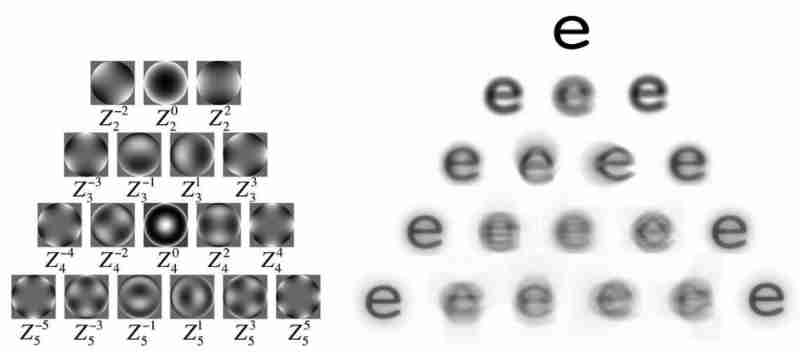
High order phase difference such as smear caused by myopic surgery
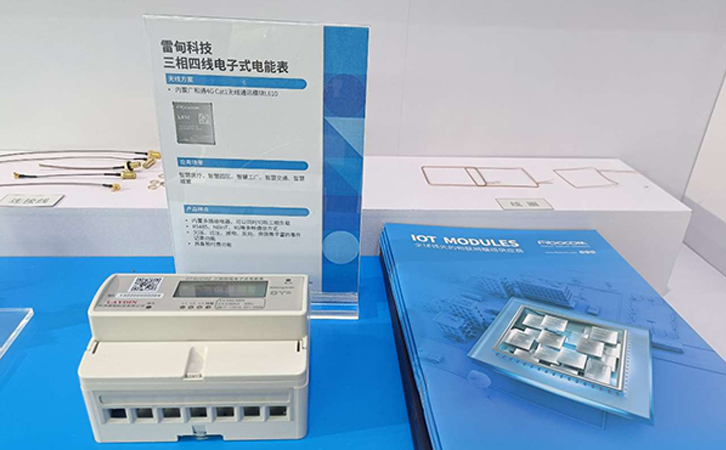
广和通高性能4G/5G无线模组解决方案全面推动高效、低碳智能电网
Live in a dream, only do things you don't say
Codeforces Round #750 (Div. 2)(A,B,C,D,F1)

Nurse level JDEC addition, deletion, modification and inspection exercise
Relationship and operation of random events
随机推荐
Webapi interview question summary 01
Use Alibaba cloud NPM image acceleration
C语言-入门-基础-语法-[运算符,类型转换](六)
Guanghetong's high-performance 4g/5g wireless module solution comprehensively promotes an efficient and low-carbon smart grid
Educational Codeforces Round 115 (Rated for Div. 2)
How college students choose suitable computers
MySQL relearn 1-centos install mysql5.7
Display Chinese characters according to numbers
Manjaro install wechat
[BSP video tutorial] stm32h7 video tutorial phase 5: MDK topic, system introduction to MDK debugging, AC5, AC6 compilers, RTE development environment and the role of various configuration items (2022-
Internal learning
What if I forget the router password
Awk from entry to penetration (6) regular matching
微服务入门:Gateway网关
Report on research and investment prospect prediction of China's electronic grade sulfuric acid industry (2022 Edition)
LinkedList in the list set is stored in order
Research and investment strategy report of China's electronic hydrogen peroxide industry (2022 Edition)
Awk from getting started to digging in (11) detailed explanation of awk getline function
How to solve the problem that computers often flash
Awk from entry to earth (8) array