当前位置:网站首页>群辉 NAS 配置 iSCSI 存储
群辉 NAS 配置 iSCSI 存储
2022-07-02 06:29:00 【freesharer】
群辉 NAS 简介
群晖科技(Synology )创立于 2000 年,是台湾的网络存储服务器(NAS)品牌,自始便专注于打造高效能、可靠、功能丰富且绿色环保的 NAS 服务器,被认为是中小企业和家庭NAS领域的长期领导者。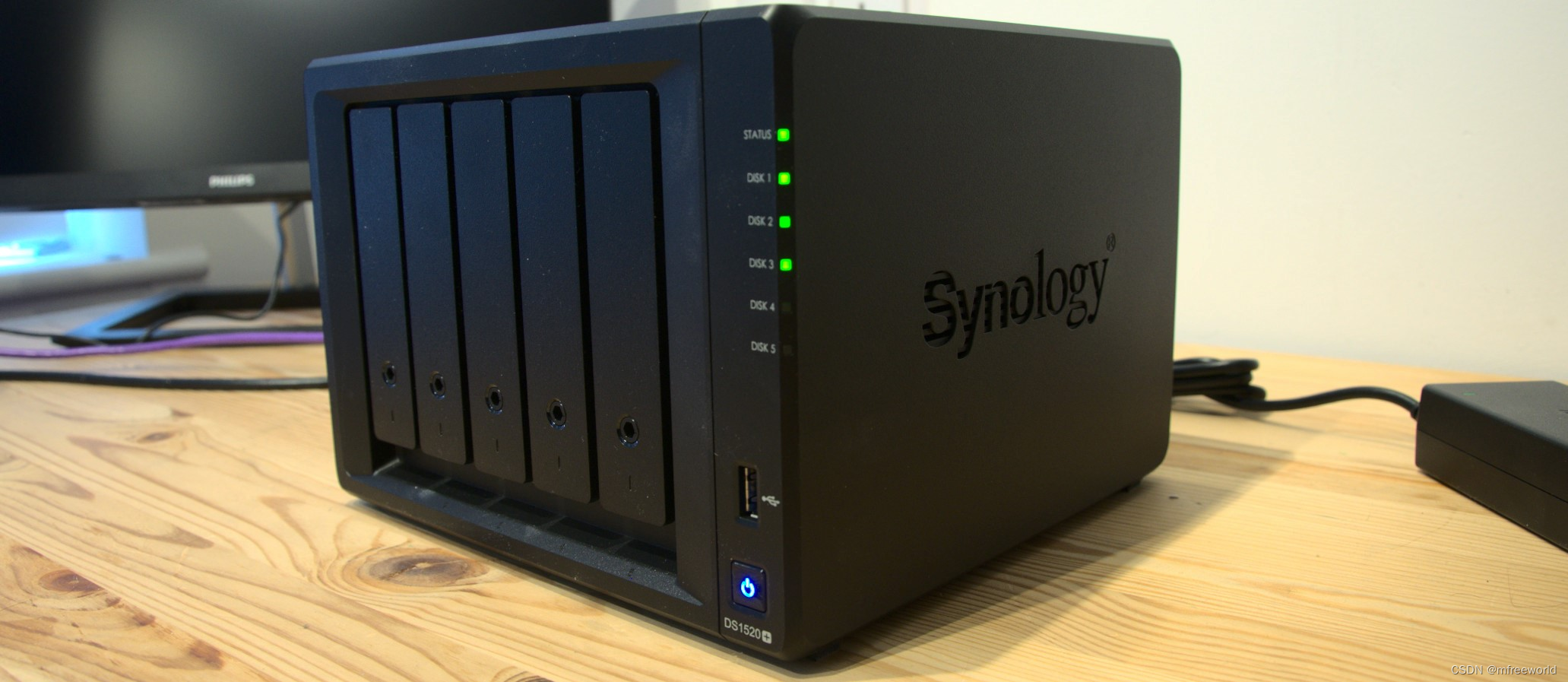
群晖还提供了适用于每一个NAS的操作系统DiskStation Manager (DSM)。它是一个基于Linux的、网页界面直观的操作系统,提供了丰富的功能包括文件共享、文件同步和数据备份等,以在各个方面提供更好的灵活性和可用性。
群辉 NAS 配置 iSCSI存储
以群辉 DS 220+ 为例进行配置,其他型号请参考官方文档。
1、群辉 NAS 端配置
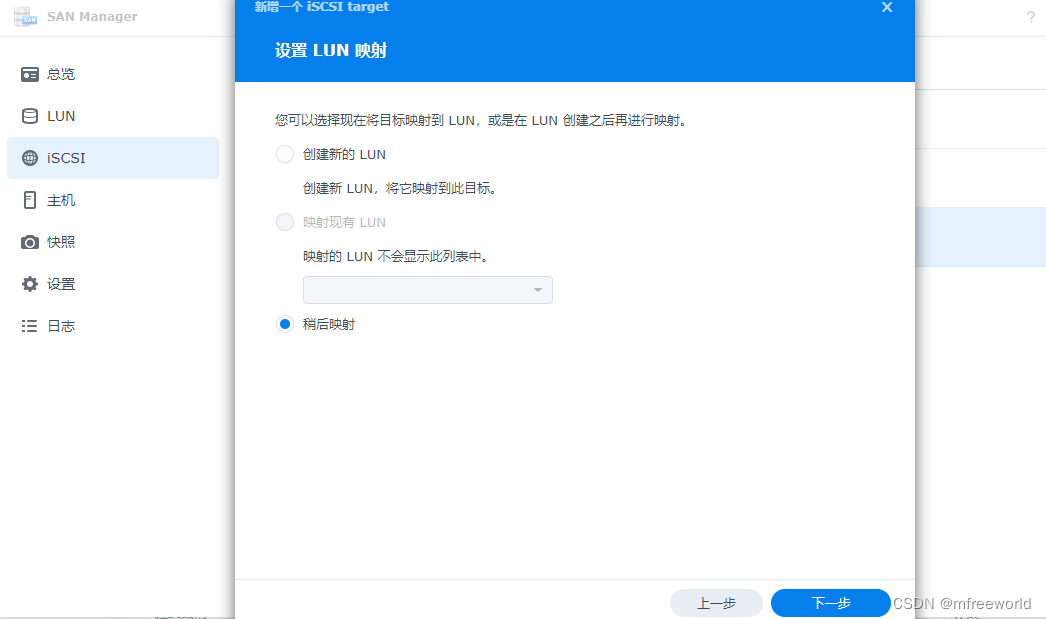
1、创建iSCSI target,在主菜单中打开SAN Manager,新增iSCSI
保持默认即可
选择稍后映射
2、创建LUN,选择LUN并新建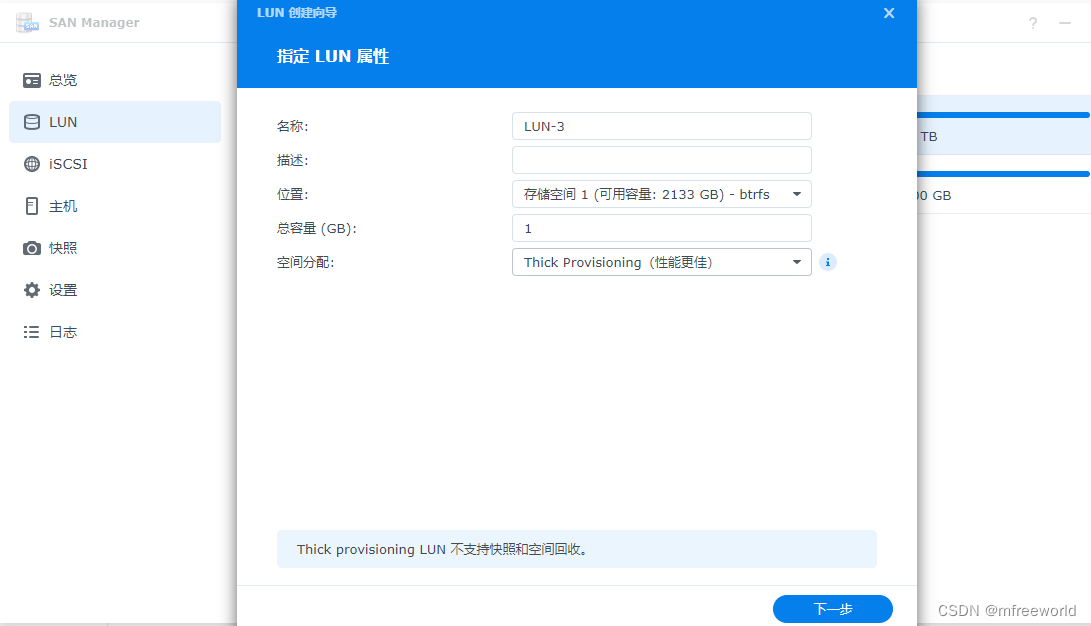
为 LUN 选择上一步创建的iSCSI Target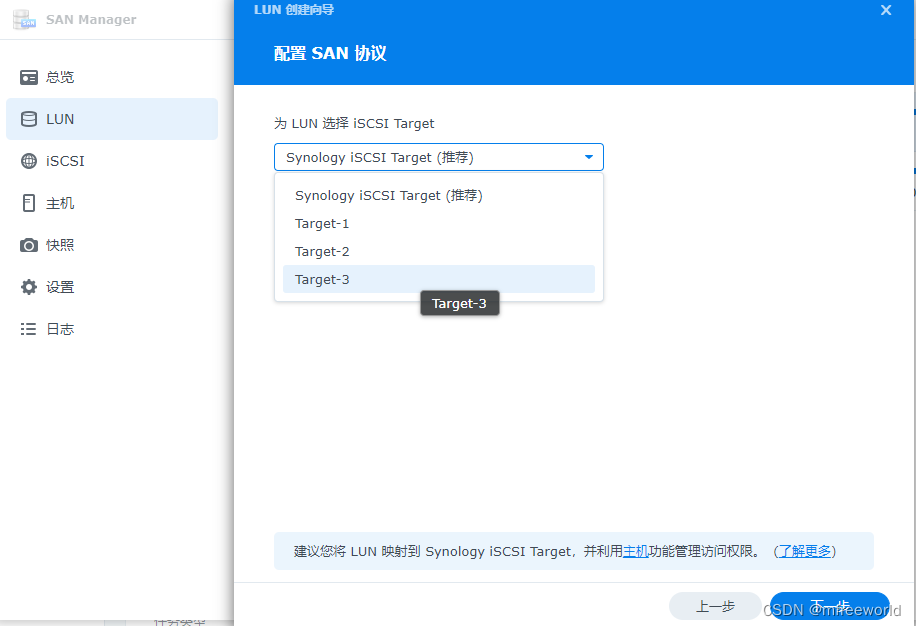
选择全部允许
以上配置完成后 NAS 端 iSCSI 已经配置就绪,下面配置客户端。
2、为 VMware vSphere 配置iSCSI存储
以 ESXI 7.x.x 为例进行配置,登录 ESXI Web管理界面。
1、添加iSCSI适配器,选择存储—>适配器—>软件iSCSI,配置以下三个部分并保存。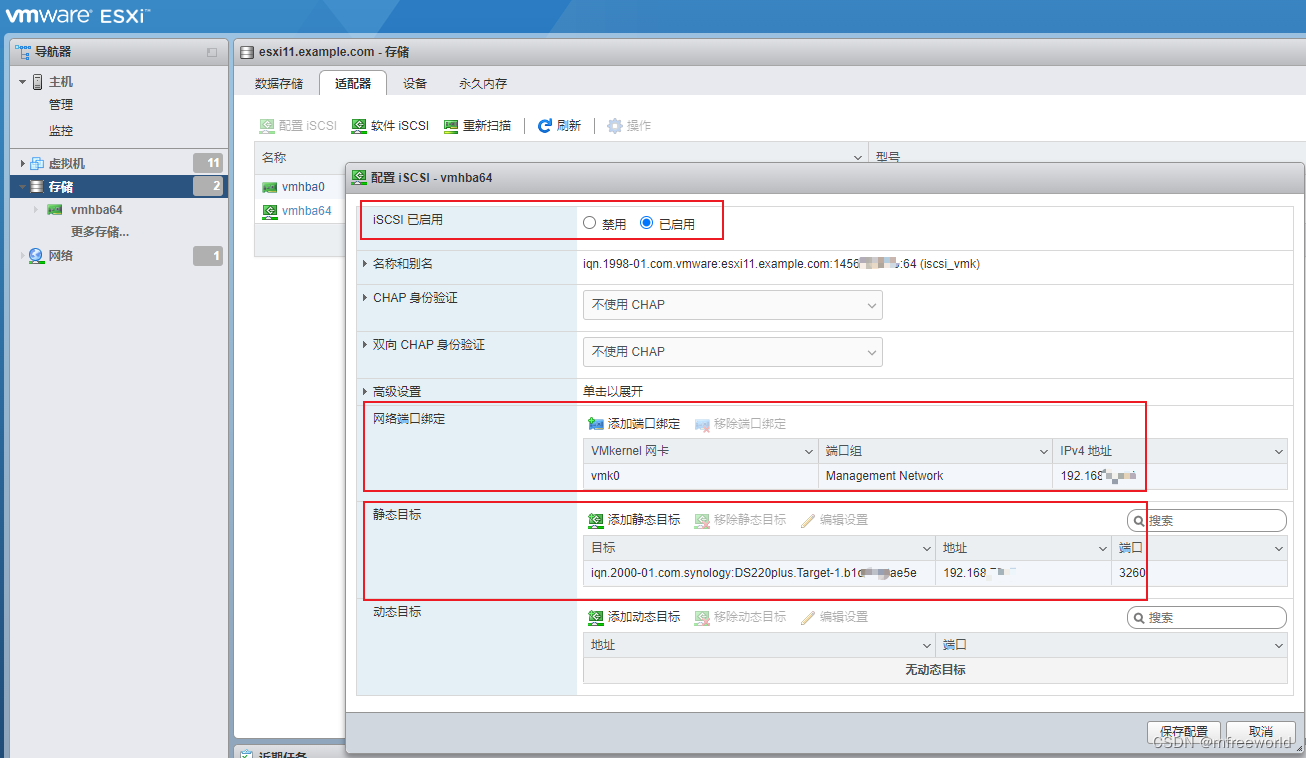
其中静态目标在 NAS iSCSI界面进行复制,地址为 NAS 存储IP地址。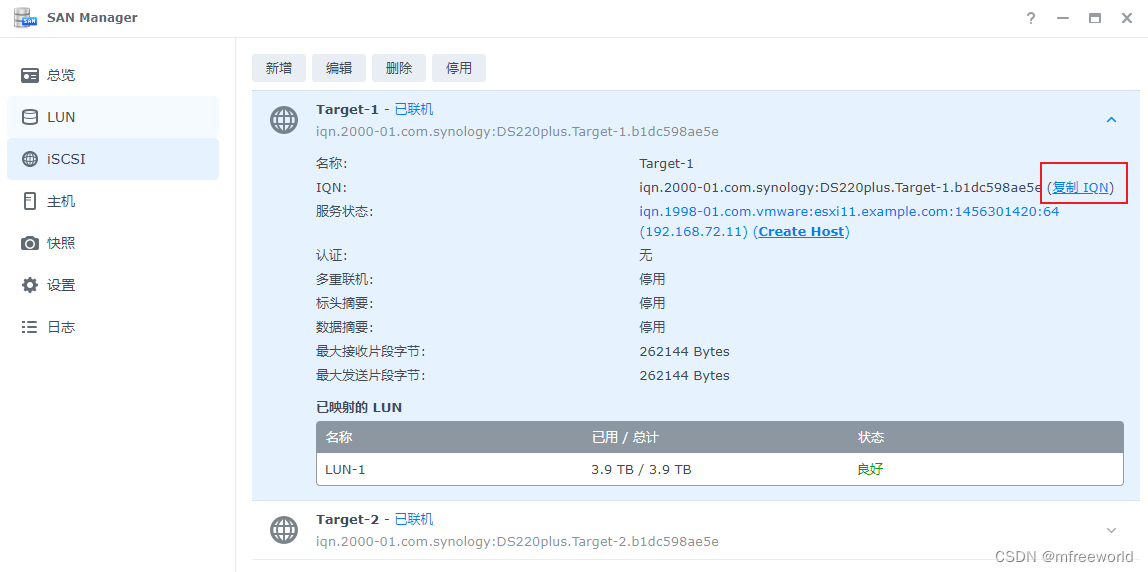
2、新建数据存储,选择新建VMFS数据存储
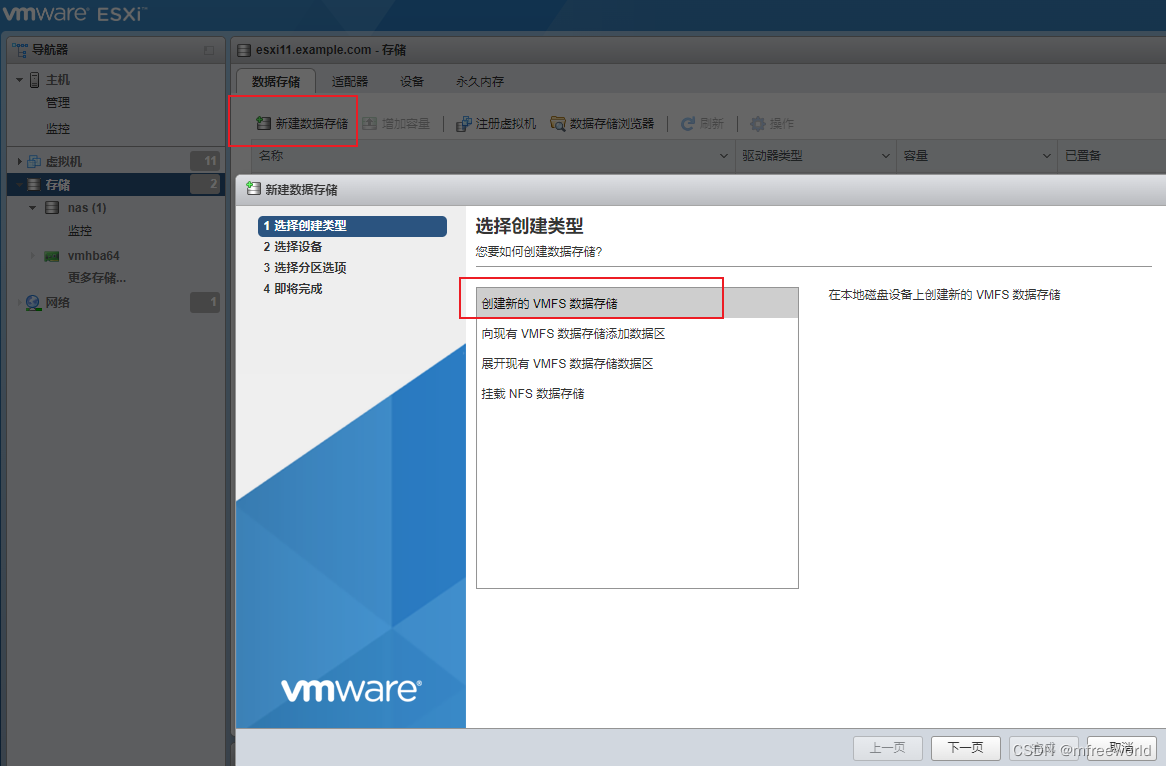
选择新发现的 iSCSI 设备
使用全部磁盘并确认
添加完成后如下,创建虚拟机时可以选择 synology 做为后端存储。

3、为Windows 电脑配合iSCSI存储
以windwos 11为例,
1、在搜索框中搜索iSCSI,打开iSCSI 发起程序
或在控制面板中搜索Windows工具
2、输入 NAS 存储IP地址,选择发现的目标并点击连接
3、磁盘初始化
搜索栏输入磁盘管理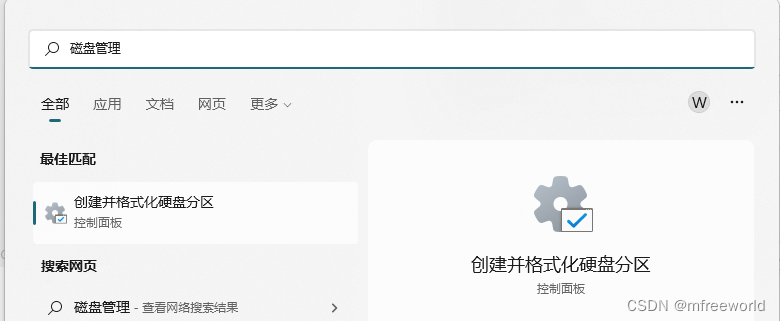
配置完成后,磁盘管理中就会新增一块磁盘,可以像操作本地磁盘一样,分区格式化
4、查看最终效果
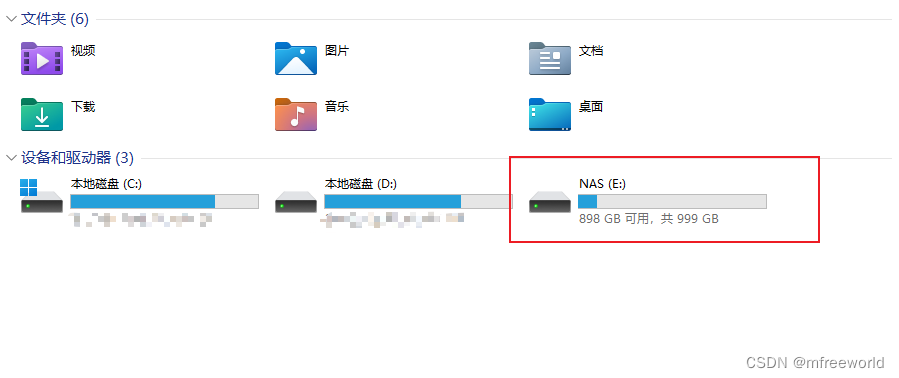
5、测试磁盘读写速度
打开cmd命令界面,使用windows自带磁盘测速命令winsat disk测试E盘读写速度,由于使用千兆网卡和网络进行组网,读写速度在100 MB/s,符合预期。
PS C:\Users\Administrator> winsat disk -drive E
Windows 系统评估工具
> 正在运行: 功能枚举 ''
> 运行时间 00:00:00.00
> 正在运行: 存储评估 '-drive E -ran -read'
> 运行时间 00:00:00.75
> 正在运行: 存储评估 '-drive E -seq -read'
> 运行时间 00:00:04.78
> 正在运行: 存储评估 '-drive E -seq -write'
> 运行时间 00:00:06.03
> 正在运行: 存储评估 '-drive E -flush -seq'
> 运行时间 00:00:01.67
> 正在运行: 存储评估 '-drive E -flush -ran'
> 运行时间 00:00:01.64
> Dshow 视频编码时间                                 0.00000 s
> Dshow 视频解码时间                                 0.00000 s
> 媒体基础解码时间                                     0.00000 s
> Disk  Random 16.0 Read                       27.40 MB/s          6.1
> Disk  Sequential 64.0 Read                   112.04 MB/s          6.8
> Disk  Sequential 64.0 Write                  108.47 MB/s          6.7
> 顺序写操作的平均读取时间                                 0.555 ms          7.9
> 延迟: 95%                                      0.933 ms          8.4
> 延迟: 最大                                       5.404 ms          8.5
> 随机写操作的平均读取时间                                 0.536 ms          8.6
> 总运行时间 00:00:14.98
边栏推荐
- sqli-labs第12关
- Summary of one question per day: String article (continuously updated)
- Global and Chinese markets of tilting feeders 2022-2028: Research Report on technology, participants, trends, market size and share
- OpenCV常用方法出处链接(持续更新)
- Use of OpenCV 6.4 median filter
- Using C language to realize MySQL true paging
- HCIA - data link layer
- Matlab-其它
- HCIA - application layer
- Chinese garbled code under vscade
猜你喜欢
Use the kaggle training model and download your own training model

HCIA—应用层

Simple implementation scheme of transcoding and streaming (I)
Don't know mock test yet? An article to familiarize you with mock
HCIA—應用層
Installation and use of simple packaging tools

什么是SQL注入

Gateway 简单使用

Analysis of the use of comparable, comparator and clonable interfaces
双向链表的实现(双向链表与单向链表的简单区别联系和实现)
随机推荐
Jz-061-serialized binary tree
Introduction to anti interception technology of wechat domain name
力扣方法总结:查找类
C language implements XML generation and parsing library (XML extension)
Carsim-路面3D形状文件参数介绍
What are the platforms for selling green label domain names? What is the green label domain name like?
Longest isometric subsequence
Introduction to parameters of CarSim pavement 3D shape file
使用wireshark抓取Tcp三次握手
sqli-labs(POST类型注入)
Don't know mock test yet? An article to familiarize you with mock
Global and Chinese markets for conventional rubber track 2022-2028: Research Report on technology, participants, trends, market size and share
One of the reasons for WCF update service reference error
Method recursion (Fibonacci sequence, frog jumping steps, tower of Hanoi problem)
Matlab - autres
web安全--逻辑越权
Wang extracurricular words
Global and Chinese market of electric cheese grinder 2022-2028: Research Report on technology, participants, trends, market size and share
ARP及ARP欺骗
How to build the alliance chain? How much is the development of the alliance chain