当前位置:网站首页>QT qtablewidget table column top requirements ideas and codes
QT qtablewidget table column top requirements ideas and codes
2022-07-04 05:56:00 【Program yuan ZCC】
QT Project use QTableWidget when Requirements encountered :
The top of the table column 、 Cancel topping
Click a column to top , If there is no top column, set it to the first column , If there is a top row in front, row behind the top row .
When canceling the top column , Restore to the last position of the top column , If it is the last column at the top , Don't move the position
( In the example , Because there is also a header column , So the program 1 In the first column )
General idea :
There are custom classes in each column of table items , If you delete and then create a new one, it will be more troublesome .
So I used , First create a new column , Then copy the contents of each table item in the clicked column to the new column , Then delete the click column
Project example operation process :
1、 First select the program 1 Top to the first column
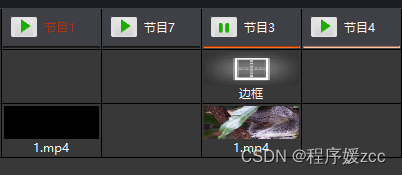
2、 Select show 3 Roof placement Will be scheduled to the program 1 Back


2、 And so on Select show 4 Roof placement Will be scheduled to the program 3 Back ( At this time, if you cancel the top program 4, Position the same )

3、 Click on the program 3 Cancel topping , Then it will be ranked to the last item in the top column , And so on

Main code :
// Roof placement
void MyManagement::setColTop() {
    int curCol = clickedTableCol;// Currently click on the column
    int toCol = 0;
    for(int s = 0;s<programList.size();s++){//programList  All column arrays
        if(programList[s]->isTop == 1) {//isTop  Is it the top
            toCol++;
        }
    }
    toCol++;// The number of columns to top ,  If there is no top, go to the first column , If there is a set rule, set the top number +1

    QWidget *item = qTableWidget->cellWidget(0,curCol);
//    TableWidgetHeadItem *item = dynamic_cast<TableWidgetHeadItem*>(ui->qTableWidget->cellWidget(0,curCol));

    qDebug() << " curCol11== " << curCol;
    ui->qTableWidget->insertColumn(toCol); //  Insert column first , Copy the contents of the column into the new column , Delete the front row ( It's complicated not to delete first and then create a new one )
//    int colnum = ui->qTableWidget->columnCount();
//    ui->qTableWidget->setColumnCount(colnum);// Set number of columns
    item->setStyleSheet("QLabel{color:rgb(173, 53, 0);}");

    qTableWidget->setCellWidget(0, toCol, item);// Header

    int nRowCount = qTableWidget->rowCount(); // Copy the contents of the table
    for(int row=1; row<nRowCount; row++){
        qDebug() << "==row== " << row << " curCol== "<< curCol;
        QWidget *wdg = qTableWidget->cellWidget(row, curCol + 1);// The column has been inserted before   To get the contents of cells, add 1
        qTableWidget->setCellWidget(row, toCol, wdg);
    }

    qTableWidget->removeColumn(curCol + 1);// Delete the click column , Top to the front column , Delete by +1

    //  Modify the attributes in the array
    for(int s = 0;s<programList.size();s++){
        if(programList[s]->col == curCol) {
            programList[s]->isTop = 1;
            programList[s]->col = toCol;
        }else if(programList[s]->col < curCol && programList[s]->isTop == 0){// Click behind the column to be placed at the top , The front is not the top +1
             programList[s]->col += 1;
        }
    }

    clickedTableCol = toCol;
    qDebug() << " After topping col  Location " << clickedTableCol;

    qTableWidget->setCurrentCell(0, clickedTableCol);

//    ui->qTableWidget->resizeColumnsToContents();
//    ui->qTableWidget->resizeRowsToContents();
}
// Cancel topping
void MyManagement::cancelColTop() {
int curCol = clickedTableCol;
int toCol = 0;
for(int s = 0;s<programList.size();s++){
if(programList[s]->isTop == 1) {
toCol++;
}
}
qDebug() << " Cancel topping curCol11== " << curCol << " toCol== " << toCol;
QWidget *item = qTableWidget->cellWidget(0,curCol);
item->setStyleSheet("QLabel{color:rgb(255, 255, 255);}");
if(toCol == curCol) {// At the end of the top Position the same
for(int s = 0;s<programList.size();s++){
if(programList[s]->col == curCol) {
programList[s]->isTop = 0;
}
}
} else {
qTableWidget->insertColumn(toCol + 1);// Top the last column +1 Insert
qTableWidget->setCellWidget(0, toCol + 1, item);
int nRowCount = qTableWidget->rowCount(); // Copy the contents of the table
for(int row=1; row<nRowCount; row++){
qDebug() << "==row== " << row << " curCol== "<< curCol;
QWidget *wdg = qTableWidget->cellWidget(row, curCol);// The column has been inserted before To get the contents of cells, add 1
qTableWidget->setCellWidget(row, toCol + 1, wdg);
}
qTableWidget->removeColumn(curCol);
for(int s = 0;s<programList.size();s++){
if(programList[s]->col == curCol) {// First modify the current column
programList[s]->isTop = 0;
programList[s]->col = toCol;
} else if(programList[s]->col > curCol){// Larger than the current top column
if(programList[s]->isTop == 1) {// For the top column
programList[s]->col -= 1;
}
}
}
}
clickedTableCol = toCol;
qDebug() << " After canceling the top col Location " << clickedTableCol << " toCol== " << toCol;
qTableWidget->setCurrentCell(0, clickedTableCol);
}边栏推荐
- Detailed explanation of common APIs for component and container containers: frame, panel, scrollpane
- Design and implementation of tcp/ip series overview
- 1.1 history of Statistics
- Detectron:训练自己的数据集——将自己的数据格式转换成COCO格式
- A little understanding of GSLB (global server load balance) technology
- Take you to quickly learn how to use qsort and simulate qsort
- JS get the attribute values nested in the object
- AWT常用组件、FileDialog文件选择框
- 检漏继电器JY82-2P
- lightroom 导入图片灰色/黑色矩形 多显示器
猜你喜欢

(4) Canal multi instance use
Detectron:训练自己的数据集——将自己的数据格式转换成COCO格式
AWT introduction
![BUU-Crypto-[HDCTF2019]basic rsa](/img/d0/8e451dabb2a6897f6680220d16d04d.jpg)
BUU-Crypto-[HDCTF2019]basic rsa
Error CVC complex type 2.4. a: Invalid content beginning with element 'base extension' was found. Should start with one of '{layoutlib}'.
buuctf-pwn write-ups (8)
Halcon图片标定,使得后续图片处理过后变成与模板图片一样
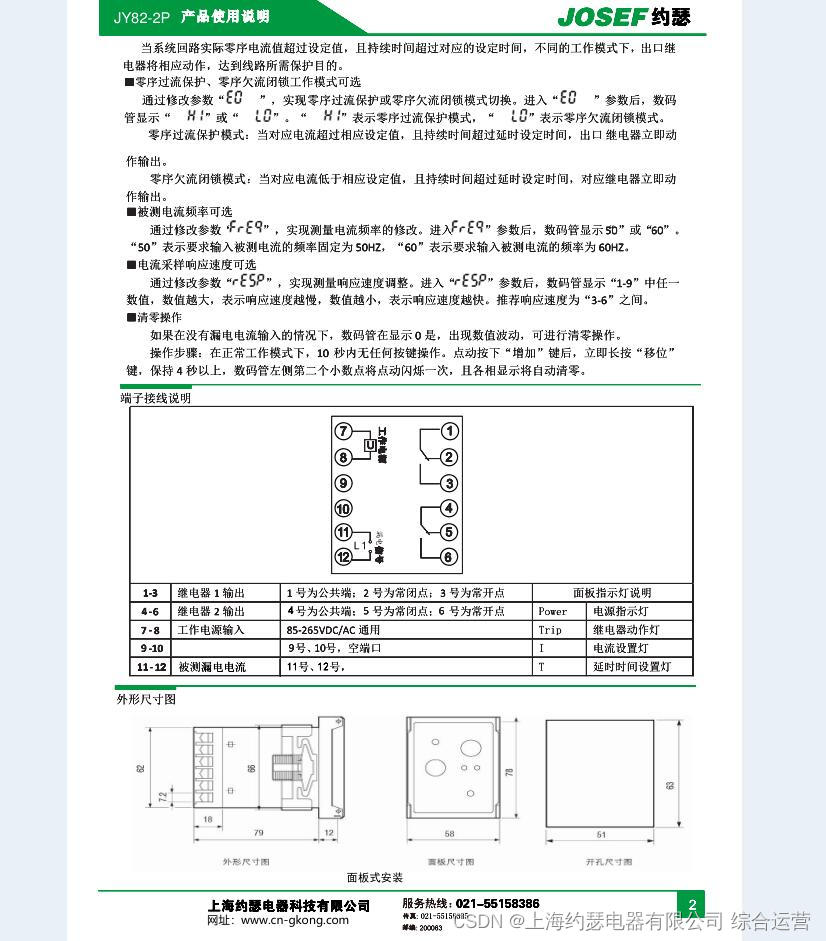
Leakage detection relay jy82-2p
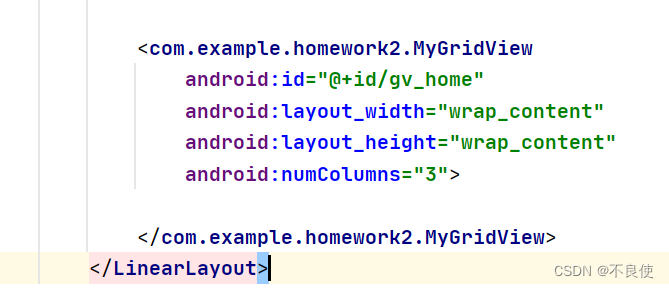
How to solve the component conflicts caused by scrollbars in GridView
Compound nonlinear feedback control (2)
随机推荐
AWT common components, FileDialog file selection box
云原生架构实战案例及优化解决方案
Excel 比较日器
BUU-Reverse-easyre
XII Golang others
QT QTableWidget 表格列置顶需求的思路和代码
19. Framebuffer application programming
报错cvc-complex-type.2.4.a: 发现了以元素 ‘base-extension‘ 开头的无效内容。应以 ‘{layoutlib}‘ 之一开头。
注释与注解
Configure cross compilation tool chain and environment variables
一键过滤选择百度网盘文件
Halcon image calibration enables subsequent image processing to become the same as the template image
如何展开Collapse 的所有折叠面板
Component、Container容器常用API详解:Frame、Panel、ScrollPane
Upper computer software development - log information is stored in the database based on log4net
fastjson
tutle时钟改进版
MySQL的information_schema数据库
left_ and_ right_ Net normal version
每周小结(*63):关于正能量